Ed Nisley's Blog: Shop notes, electronics, firmware, machinery, 3D printing, laser cuttery, and curiosities. Contents: 100% human thinking, 0% AI slop.
Nothing too challenging and, as nobody else ever sees this side of the lid, not very pretty:
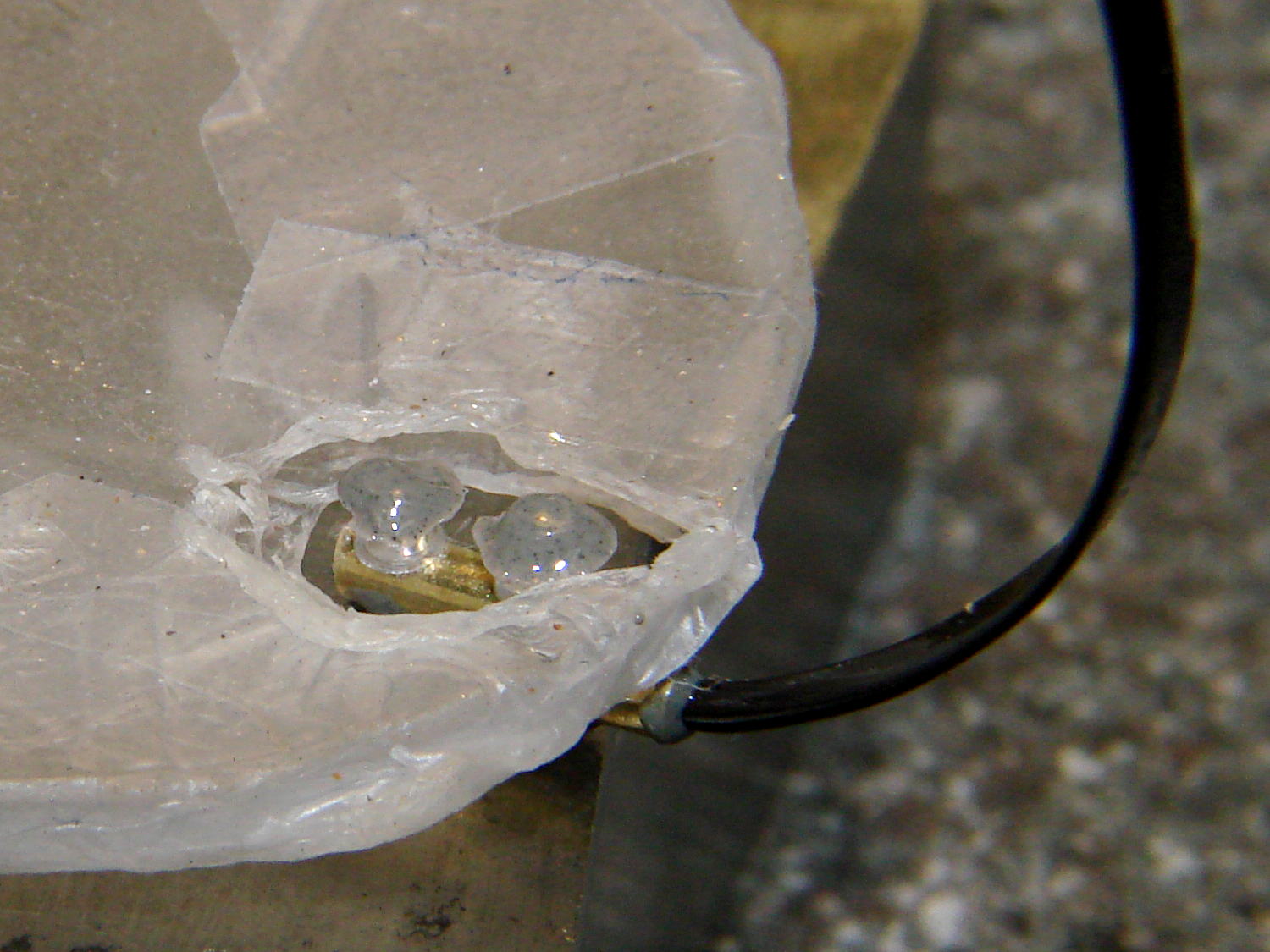
Brita Pitcher – reinforced lid screws
I probably should have added a brass reinforcement strip around the cracked plastic mounts, but JB Weld epoxy should be strong enough for this job all by itself. Assuming, that is, it can maintain a grip on the plastic; I’m hoping the various fractures will lock it in place.
The left temple mount of Mary’s five-year-old and staggeringly expensive titanium Silhouette glasses snapped. Here’s the intact right earpiece and the broken piece from the left temple (the lens is upside-down on the paper):
Silhouette frame – broken temple part
They’re just about ideal glasses, with nothing more than two lenses and three metal bits, but that means simple repairs don’t come easily. The Official Repair Price was about $120 to install a whole new earpiece, so, seeing as how she had these customized for computer work and wouldn’t be wearing them when anybody else was around, I got the job…
First off, mask the lenses with Parafilm to avoid scuffs:
Silhouette glasses – lens protection
Then cut out the broken part shown in the first picture. It’s attached to the lens with a U-shaped bit of transparent plastic that fits into the frame holes and captures its two peg legs; I used flush-cutting pliers to carve away the plastic bar on the inside of the lens.
The lens mount fragment is flat-out not reparable, but the broken end of the earpiece lies flush against the lens and is roughly circular. Even better, a 1/16 inch brass tube from the Little Box o’ Cutoffs fit the temple end perfectly: OD = 62 mils, ID = 35 mils.
The Little Box o’ Tiny Screws produced a pair of stainless steel screws (intended for the hinges in ordinary eyeglass temples) that also fit the holes in the lens and were precisely the right length, so the overall plan came together. The screws seem a bit over 1 mm diameter and I don’t have a nut for them, but epoxy is my co-pilot…
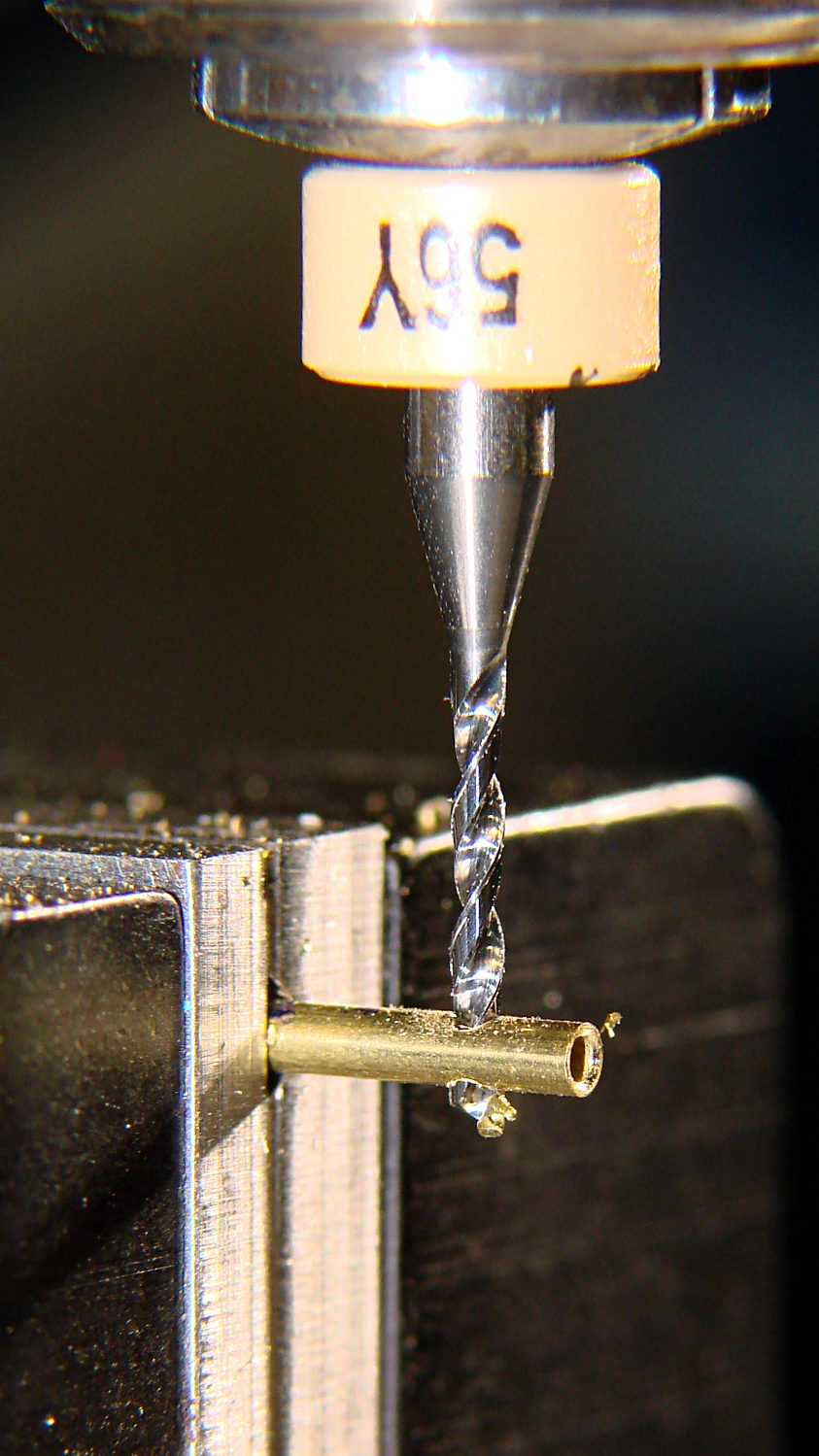
Line up and drill a pair of 47 mil clearance holes in that piece of 62 mil OD brass tubing, leaving barely 7 mil behind on each side:
Drilling brass tube
I may have to frame that picture…
Much to my astonishment, drilling those two holes worked on the first try. I’d chamfered the end with a #1 center drill while mulling over how all this would work out.
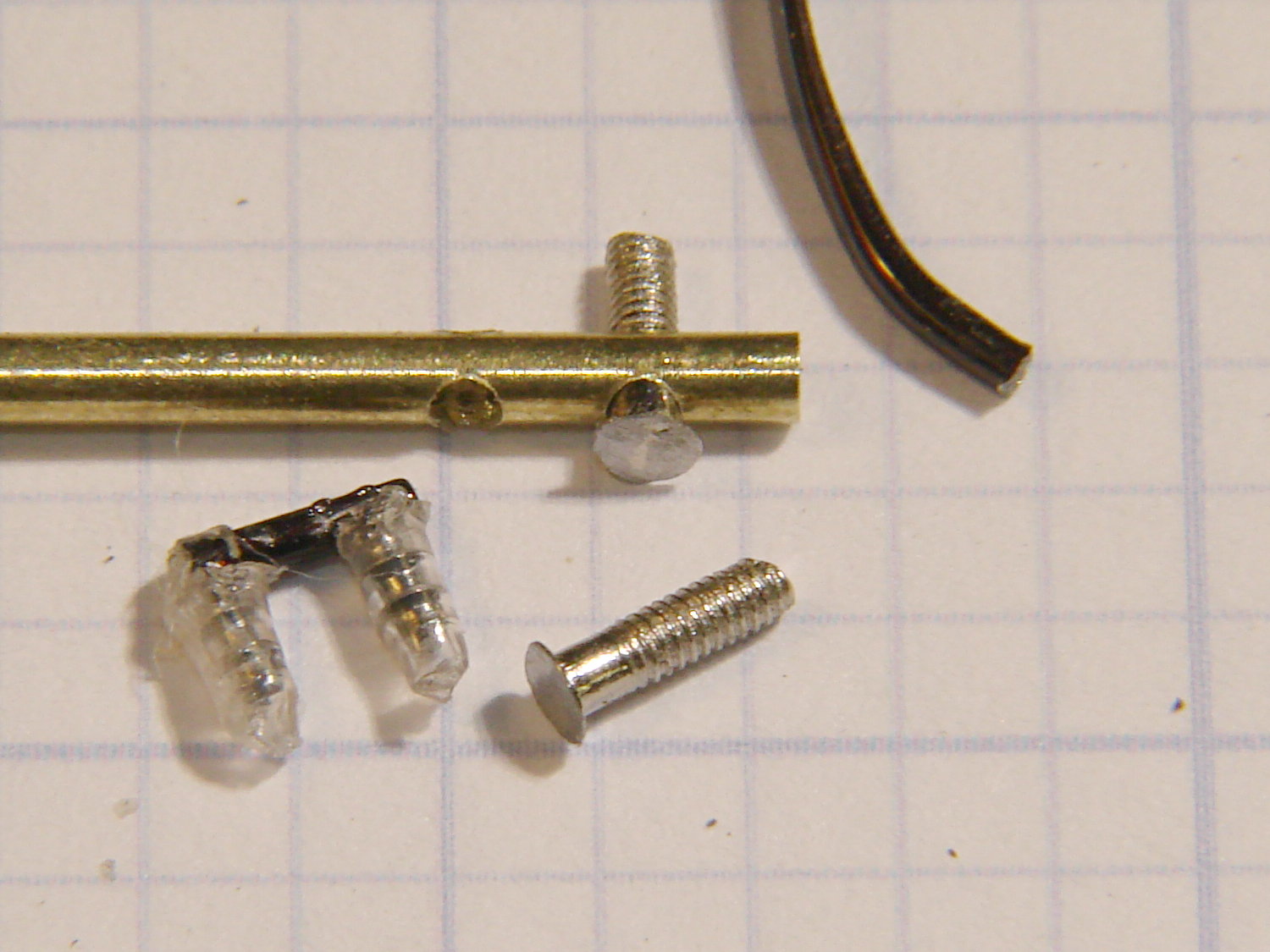
File off the screw heads to leave a thin plate:
Silhouette frame – temple mount parts
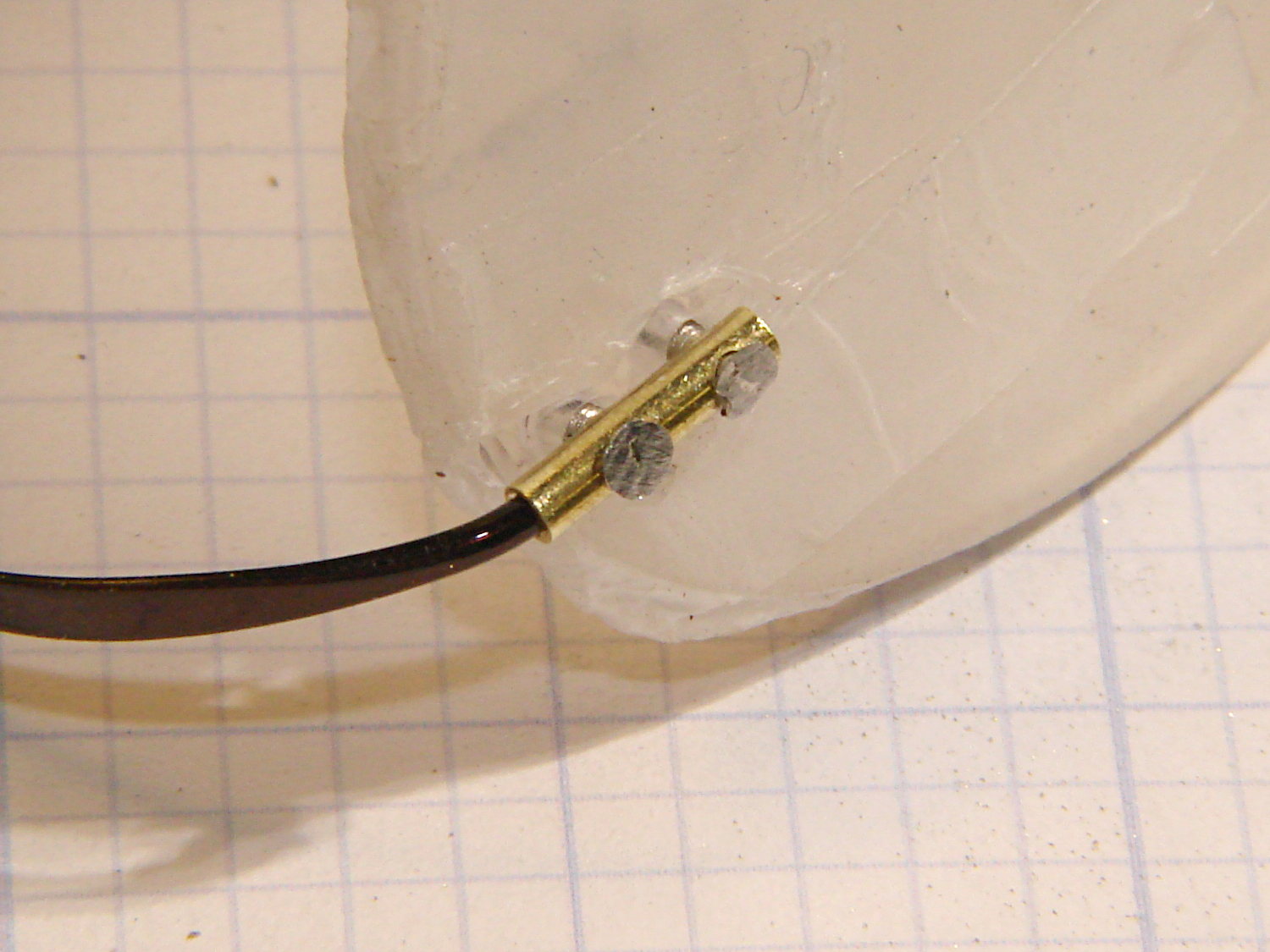
A dry fit shows how everything hangs together:
Silhouette frame – temple trial fit
The intact earpiece holds the lens at the proper angle on a flat surface, so as long as I can keep the repair parts in place on the lens, the temple angle will take care of itself.
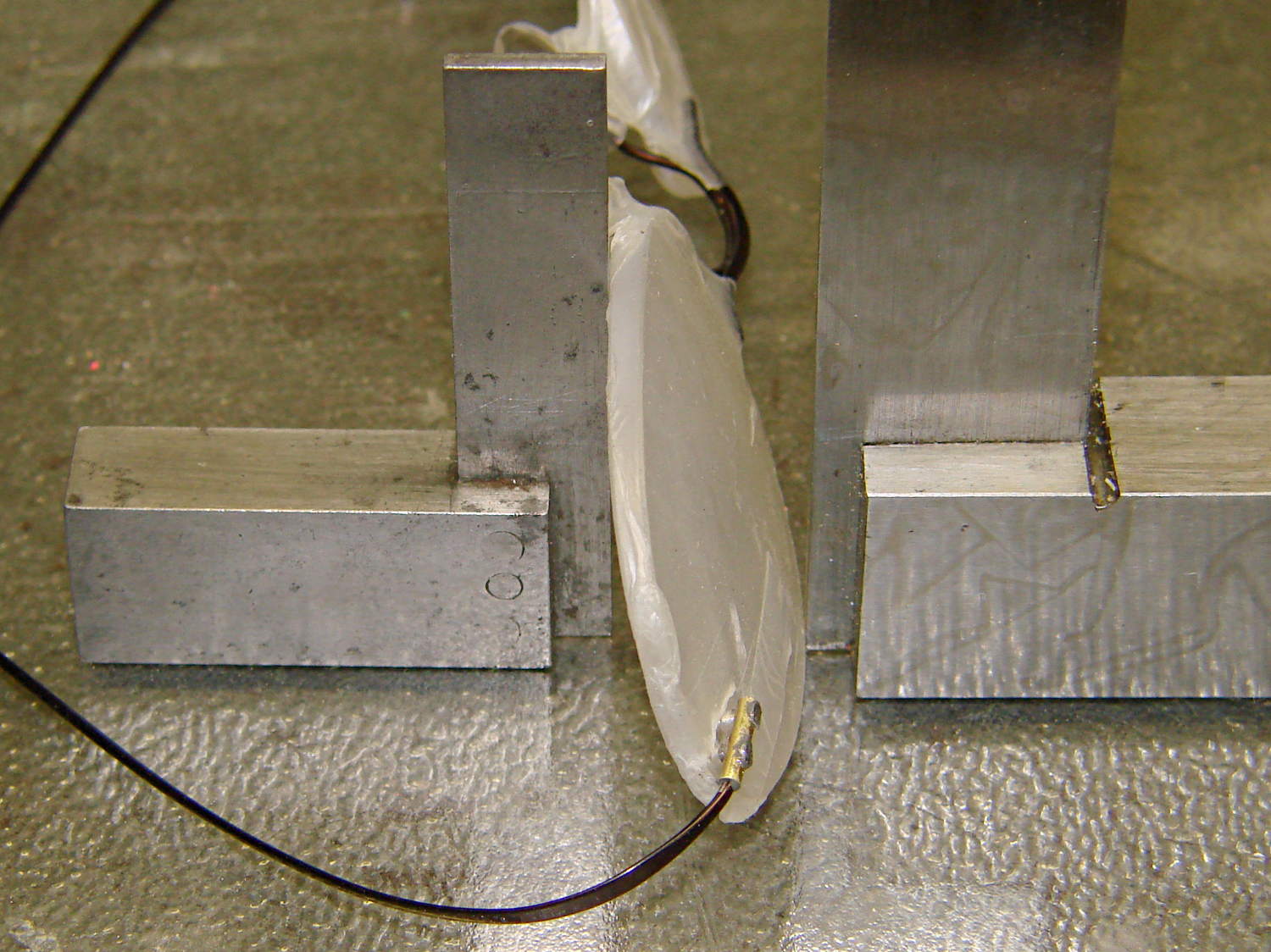
I scuffed up the broken end of the earpiece to encourage a good epoxy bond, bent the edges of those flat plates around the tube, and cleaned everything with acetone. Tiny dabs of JB Weld epoxy hold the screws and the temple piece in the tube, with those little machinist’s squares encouraging the lenses to stay put:
Silhouette frame – mount curing
A day later, lay the lenses face down so the screws point straight up and dab on more JB Weld:
Silhouette frame – lens mount curing
Those dots aren’t quite as round as I’d like, but they’re the better part of 2 mm OD and I’m not complaining much. Note the nice fillet around the temple piece at end of the tubing.
Pause another day for curing…
Then file off the rough edges and peel off the Parafilm. It’s a bit on the garish side, but Mary preferred the Steampunk look over a crude paint job, particularly because it’s invisible from her side of the lens:
Three years ago I installed a 1.5 TB WD Elements USB drive as an external backup for the “file server” in the Basement Laboratory. The log files show that the drive started spitting out “short reads” early in October, which means the rust has begun flaking off the platters.
Repeated fsck -fyv /dev/sda1 runs produce repeated failures at various spots, so it’s not in good condition:
e2fsck 1.41.14 (22-Dec-2010)
Backup-1.5TB contains a file system with errors, check forced.
Pass 1: Checking inodes, blocks, and sizes
Error reading block 97649088 (Attempt to read block from filesystem resulted in short read) while getting next inode from scan.  Ignore error? yes
... snippage ...
Pass 2: Checking directory structure
Error reading block 104039017 (Attempt to read block from filesystem resulted in short read) while reading directory block.  Ignore error? yes
Force rewrite? yes
Directory inode 26009985, block #26, offset 0: directory corrupted
Salvage? yes
... snippage ...
Pass 4: Checking reference counts
Inode 25903223 ref count is 41, should be 40.  Fix? yes
... snippage ...
Backup-1.5TB: ***** FILE SYSTEM WAS MODIFIED *****

736471 inodes used (0.80%)
10173 non-contiguous files (1.4%)
9367 non-contiguous directories (1.3%)
# of inodes with ind/dind/tind blocks: 119655/12234/0
142996292 blocks used (39.04%)
0 bad blocks
3 large files

276772 regular files
459614 directories
0 character device files
0 block device files
0 fifos
10377447 links
76 symbolic links (72 fast symbolic links)
0 sockets
--------
11113909 files
Given that rsnapshot lashes the daily backups together with extensive hard links, so that there’s only one copy of a given file version on the drive, I don’t know what 76 symbolic links might mean.
It’s been spinning up once a day, every day, for about 40 months; call it 1200 power cycles and you’ll be close. The usual runtime is about 10 minutes, giving the poor thing barely enough time to warm up.
One data point does not a curve make.
The warranty on new WD Element drives seems to be a year; I have no idea what it was slightly over three years ago, although I’m pretty sure it wasn’t more than three years…
The various desktop boxes around here get powered up once a day, too, but I tend to replace them every few years and have never had a hard drive failure; a few system boards have crapped out, though. The boxes acting as controllers for the 3D printers and the Sherline CNC mill have a much lower duty cycle.
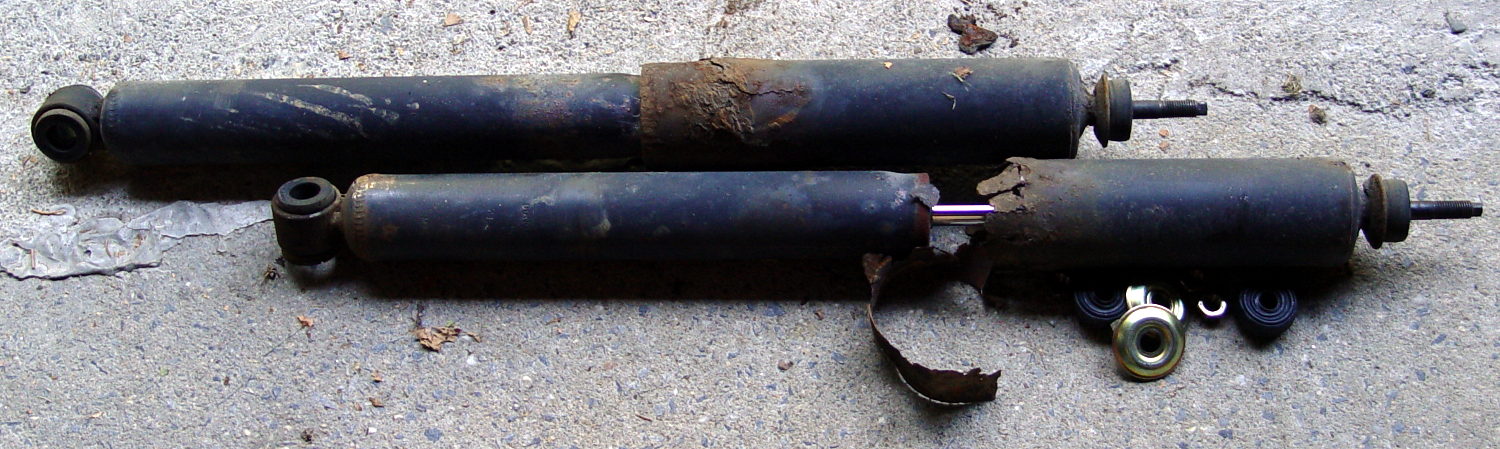
After the last annual inspection, the Nice Man told me that the rear shocks were rusted out and, although they still worked and he couldn’t fail the van, he wished he could. After 13 years and 88 k miles, yeah, they looked pretty grim:
Sienna OEM rear shocks – removed
The loose steel snippet came from the bottom of the outer shield; it had completely rusted off and dropped free around the lower mount. I suppose that was what got his attention.
Anyhow, the removal went astonishingly well:
Back the van out of the garage until the wheels line up with drop to the driveway apron
Pop inside dress covers over the struts
Remove top jam nuts, cushion, cups
Remove bottom bolt from wheel carrier (easily!)
Spritz penetrating on rubber bushing
Compress shock, twist until bushing slides free
And the installation was equally smooth:
Install shock on wheel carrier
Torque bottom bolt (29 ft·lb)
Aim strut at hole in body
Cut restraining wire, guide strut through hole
Install OEM bottom cup, new cushion & cup, new nylock nut
Tighten to same length as OEM nut
Install dress covers
The OEM cup fits snugly into the body hole to center the strut, so it seemed like a Good Idea to reuse it. Despite the rust stain inside the body, it was in reasonable condition.
You’re supposed to jack the van up while fiddling around underneath, but the driveway slopes down from the garage enough to provide access. I did chock the wheels, of course, but not jacking the van and putting it on stands looked like a major safety win right there.
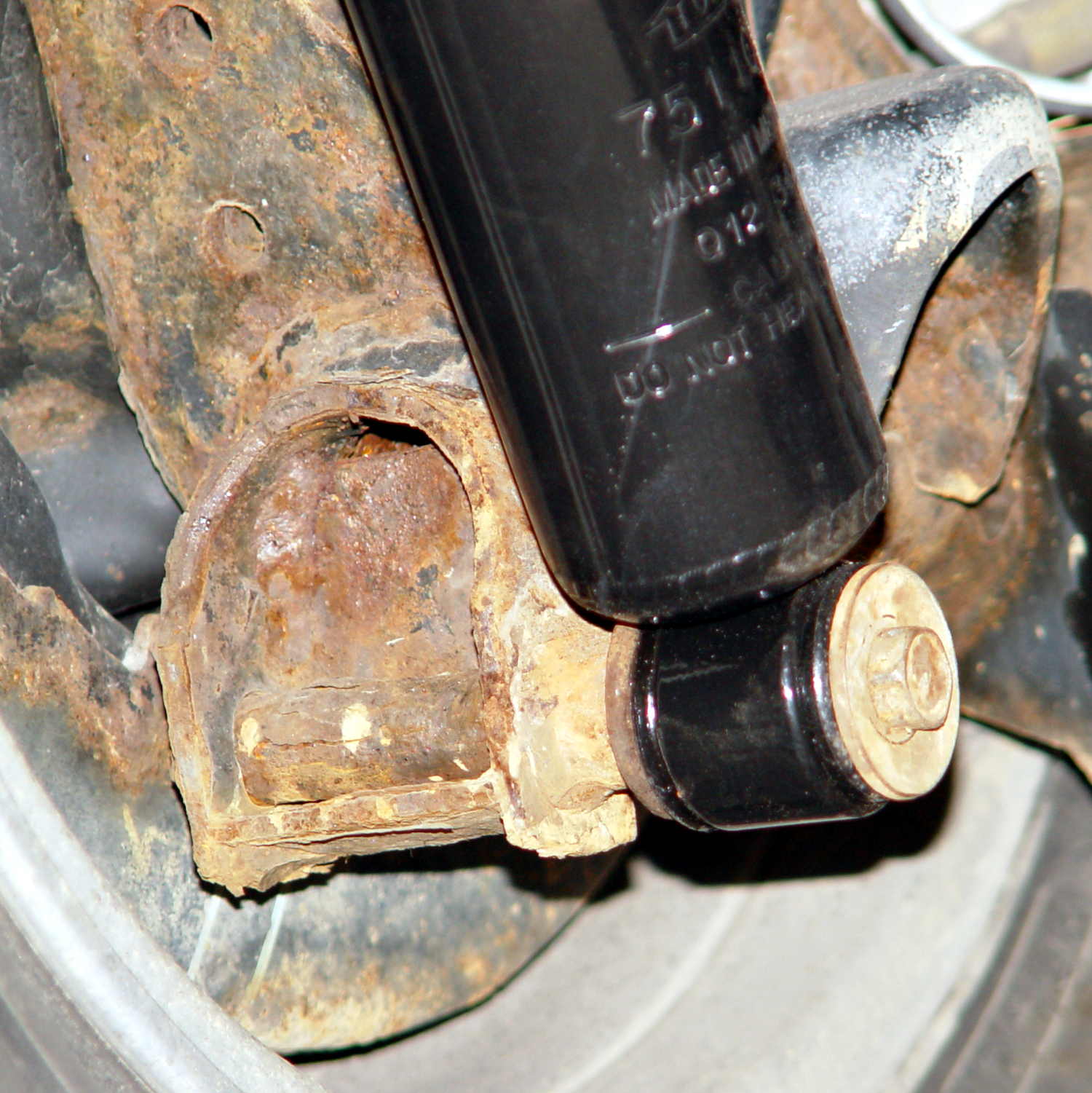
The bottom view, which shows the effect of a dozen New York State winters on ordinary steel:
Sienna replacement rear shocks – bottom
The top view, which shows that the bushings did leak a bit of water over the last decade:
Sienna replacement rear shocks – top
Done!
I suppose, just for completeness, I should do the front shocks, but those aren’t nearly as easy and I’d have to start by buying a spring compressor.
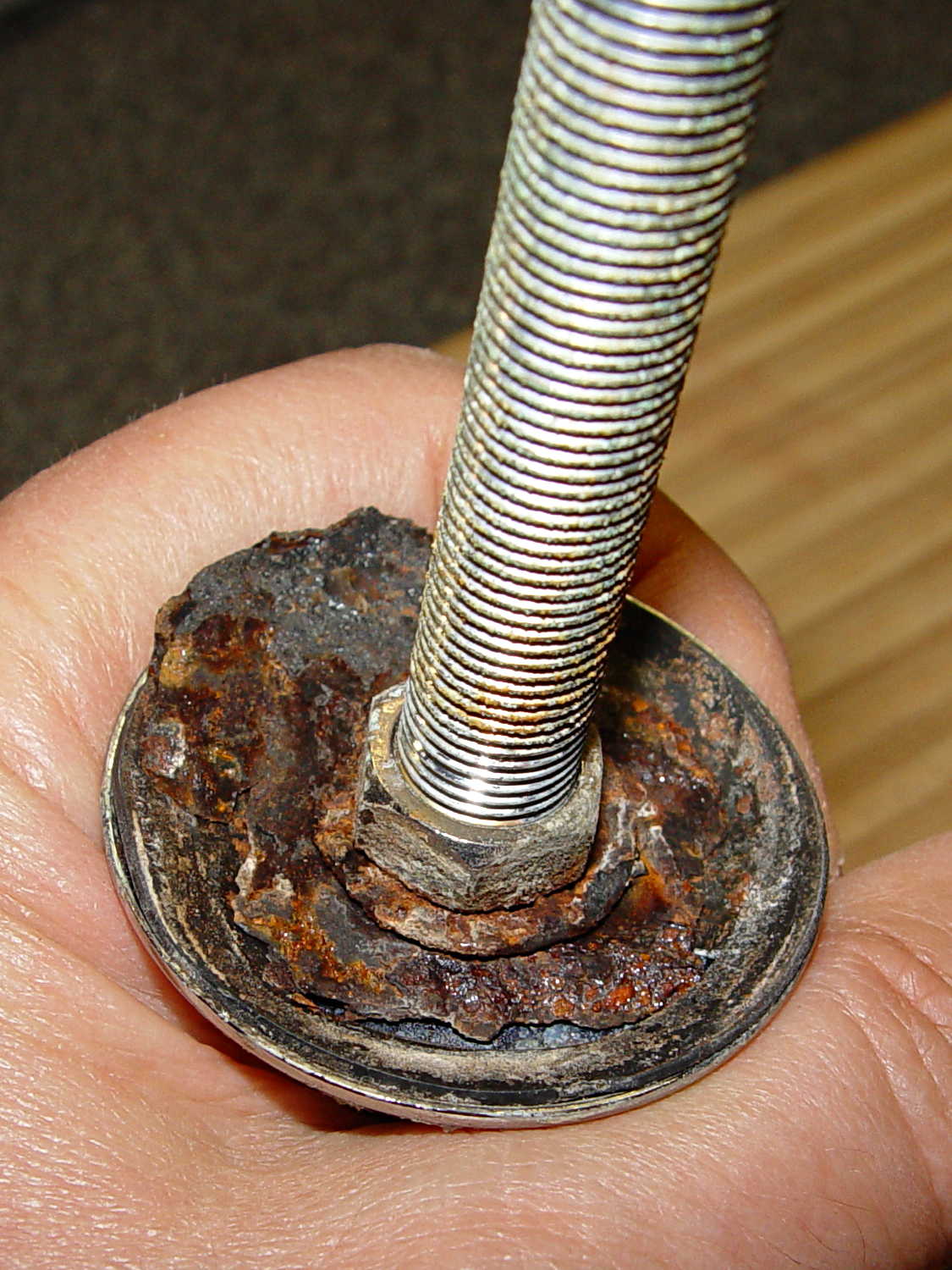
The kitchen sink has a small faucet that used to connect directly to the well out back, but now delivers town water from a line bypassing the water softener. The large steel washer below the sink deck has been shedding rust for a while and finally disintegrated:
Kitchen faucet – rusted washer assembly
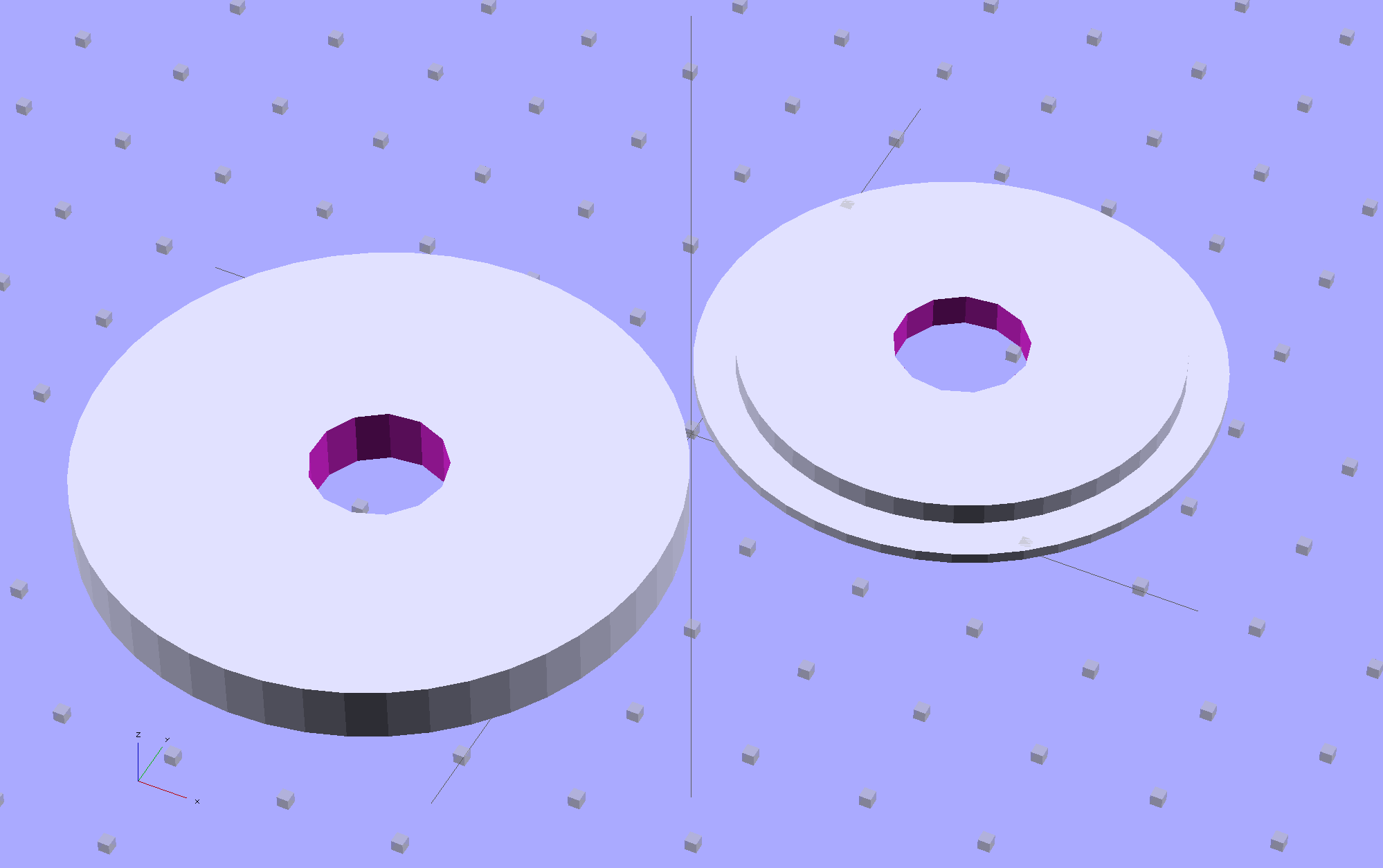
Well, this is a perfect application for plastic, not steel, so I conjured up a pair of disks:
Sink Base – Build
The large flat one goes below the sink deck in place of the steel washer and the smaller part of the stepped disk fits inside the deck opening to stabilize the faucet:
Sink Base – Show
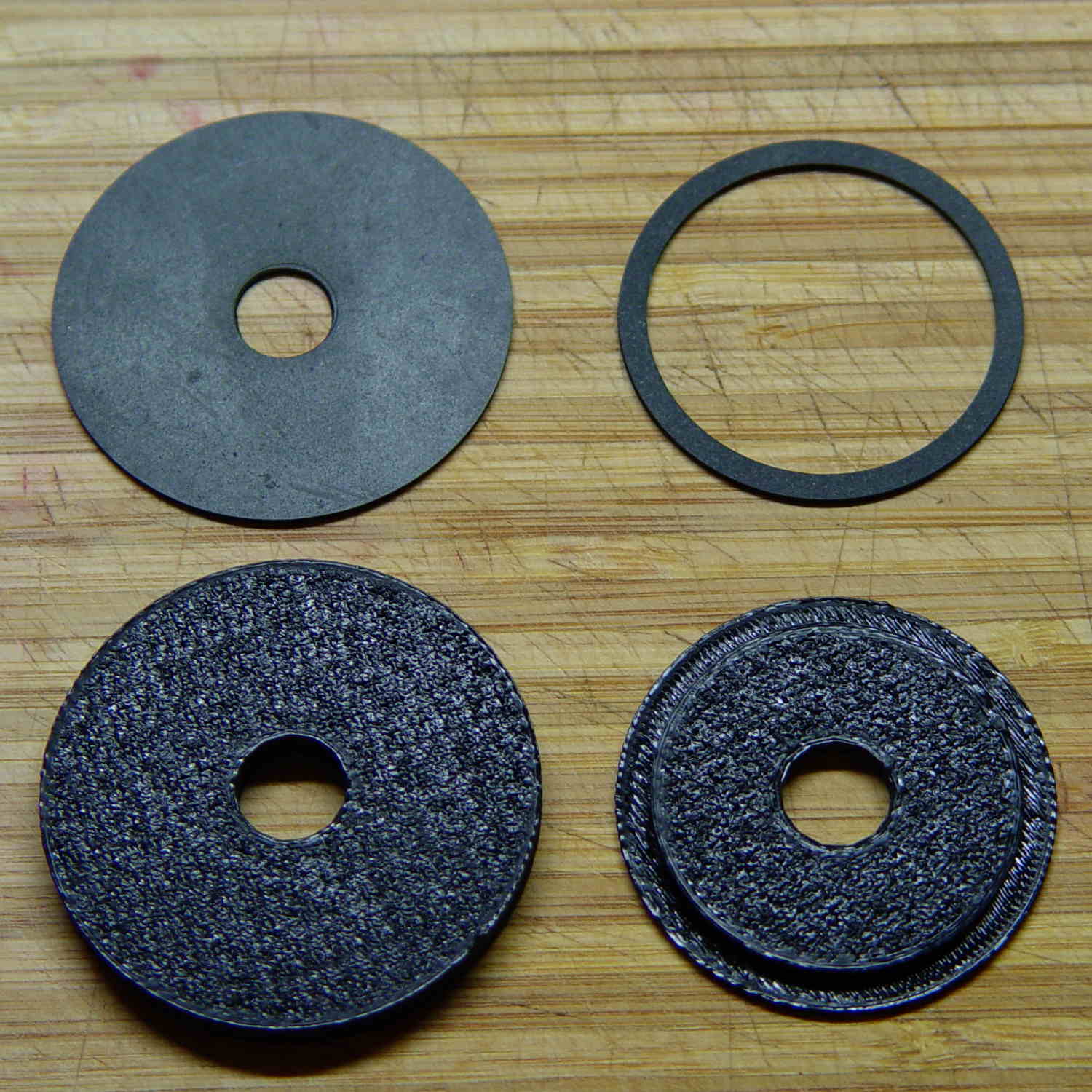
The two dark rings bracketing the deck between the orange plastic disks represent a pair of gaskets / washers / seals cut from 1 mm rubber sheet with a straight razor toting compass:
Kitchen faucet – plastic disks and rubber deck washers
Just for fun, I used Slic3r’s Hilbert Curve top and bottom fill pattern. It produces a nice, grainy texture that feels appropriate for anything needing a non-slip grip (at least on the top, as the bottom surface is glass-smooth).
Everything stacks up thusly, with the top dark ring representing a rubber seal that came with the faucet:
Sink Base – Assemble
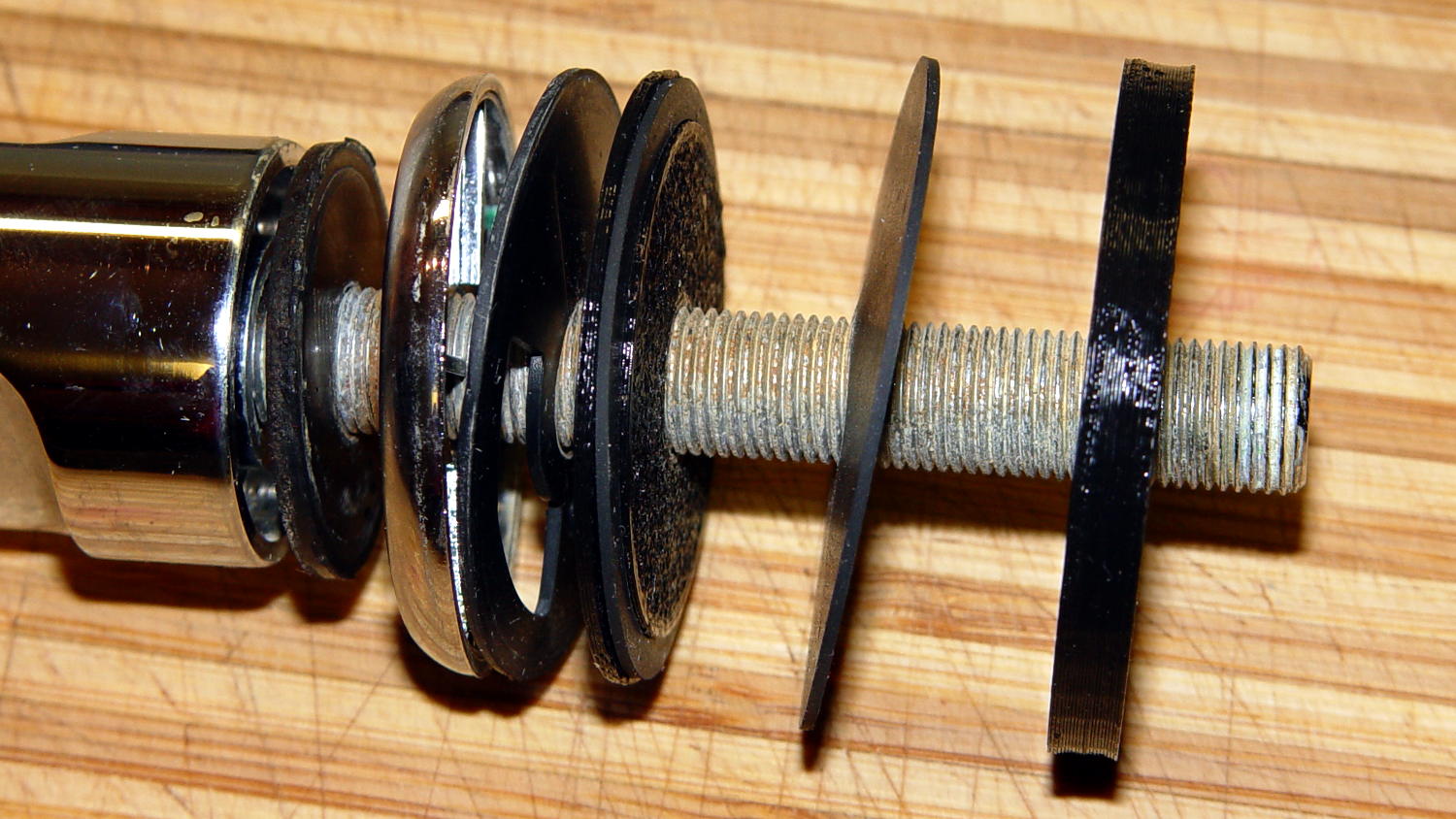
It looks about the same in real life, albeit minus all the colors:
Kitchen faucet – fitting stack
The black plastic and black rubber blend together and vanish amid all the chrome:
Kitchen faucet – assembled
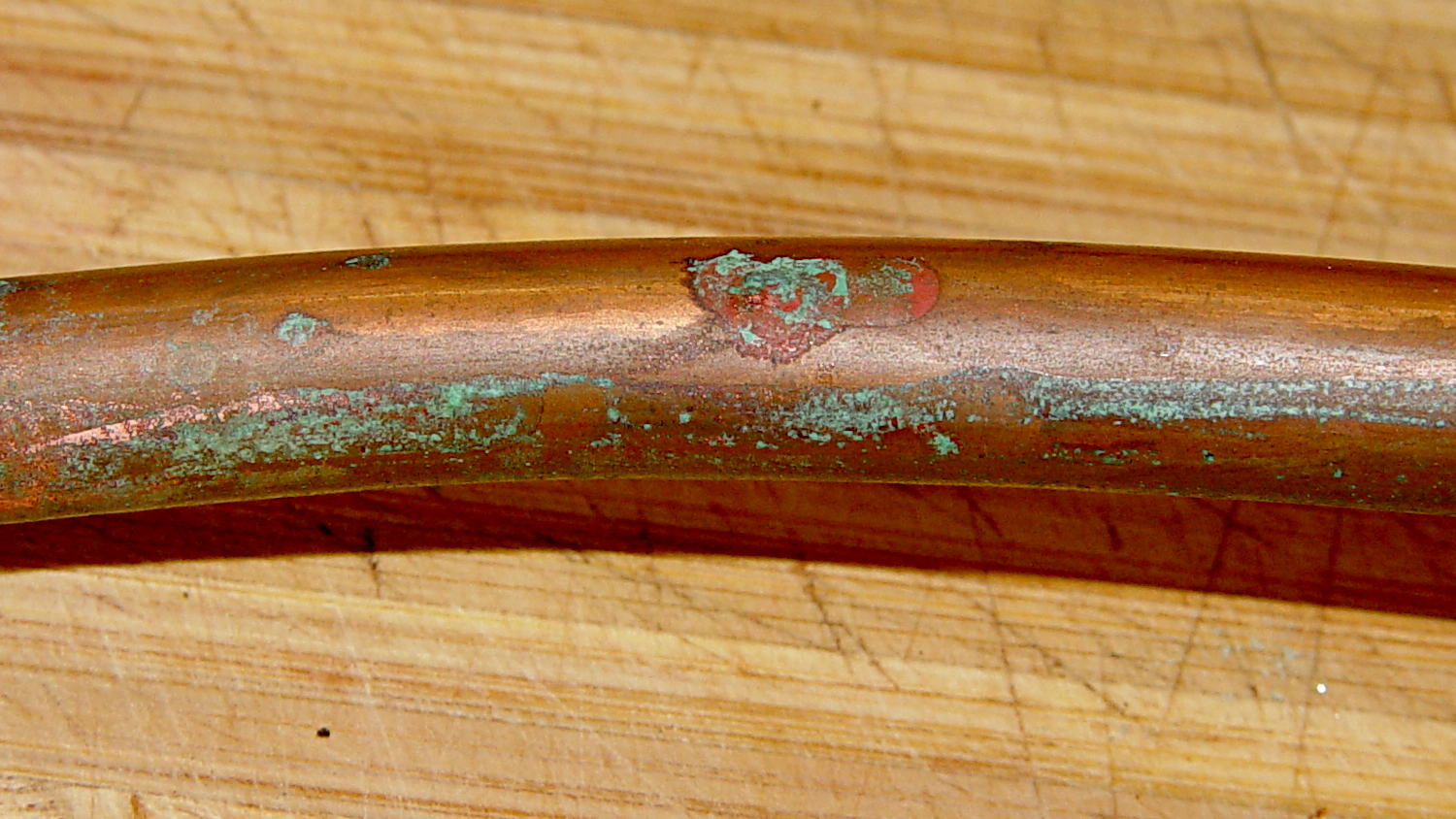
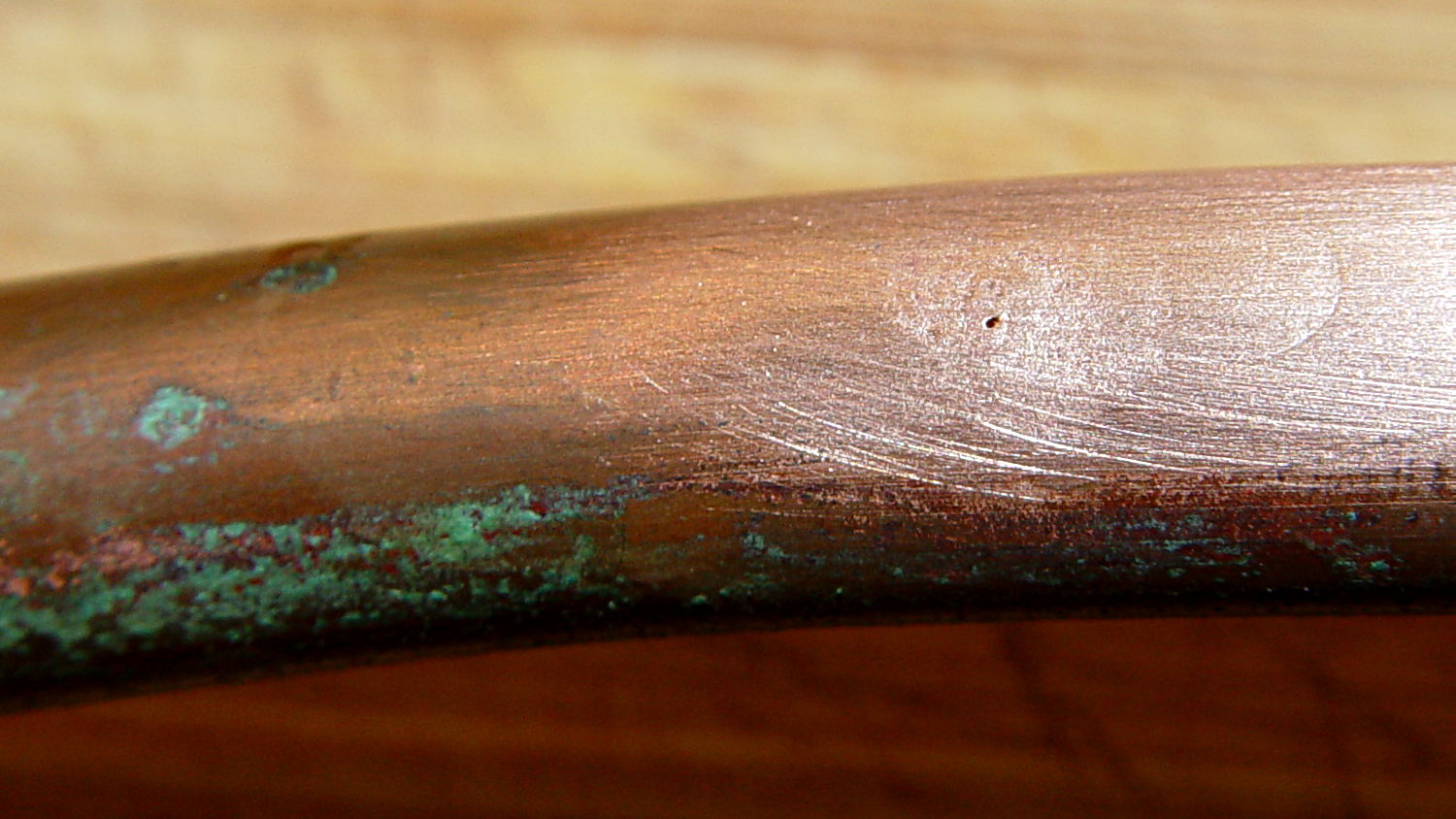
Alas, when I turned the water on, Mary said “That doesn’t sound right…” at about the same time I discovered a fine mist under the sink. See if you can spot the problem:
Kitchen faucet – corroded copper tube
A shined-up view should make it obvious:
Kitchen faucet – corroded copper tube – pinhole
A trip to the precious metals aisle of the Big Box Home Repair Store produced a roll of 3/8 inch copper tubing, although I should have the stub end of that original roll somewhere in the heap. The fitting at the bottom of the faucet turned out to be completely non-standard and I had to re-use it with the new tubing, but it still sealed perfectly.
I hate plumbing jobs. That fix better last for another decade…
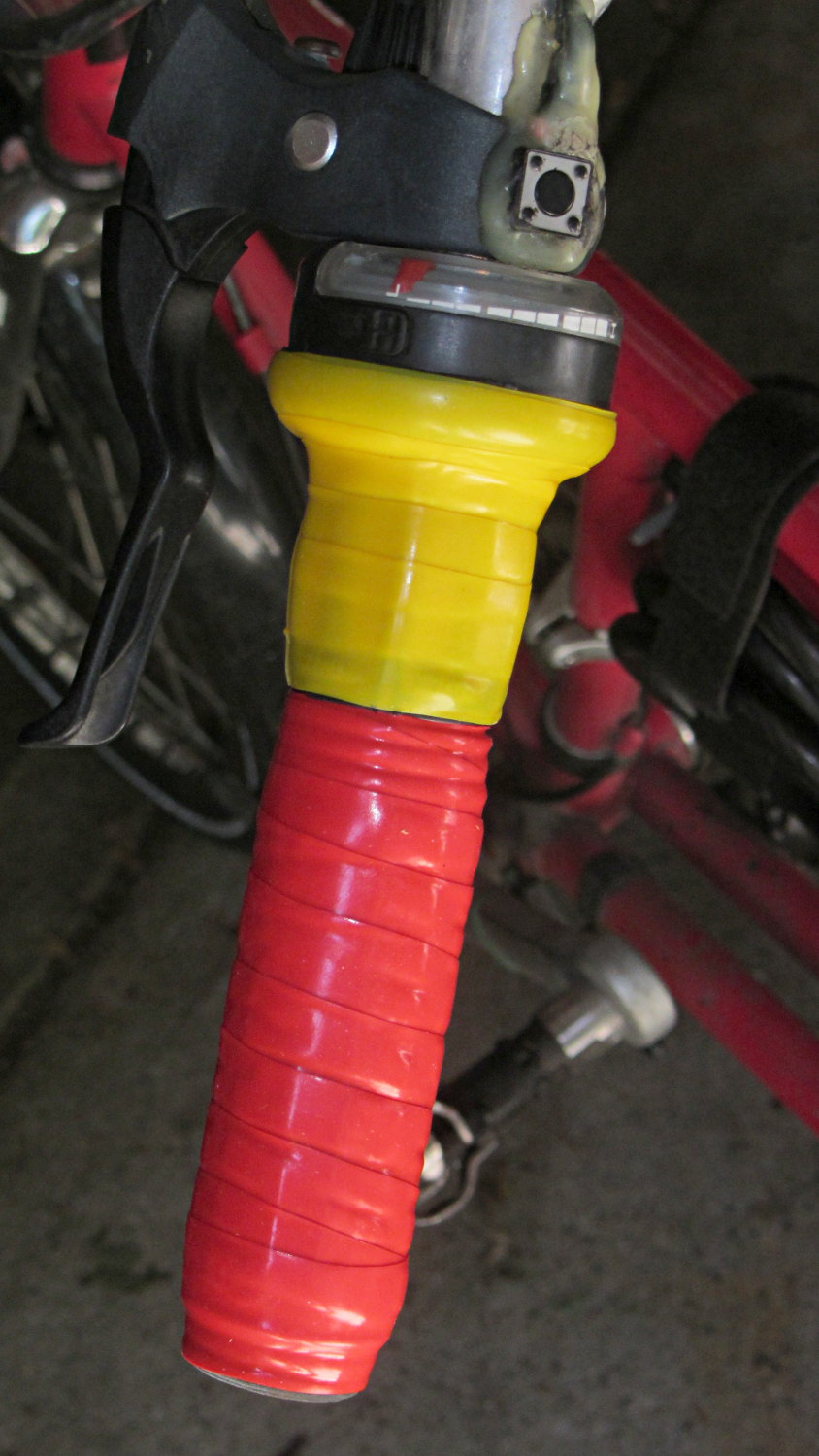
After more than a few years, the handlebar grips on my Tour Easy are rather worn, so I recently wrapped them with cheerful red and yellow silicone tape.
Back in the day, you wrapped with cork tape and had to worry about the direction on each side. Silicone tape fuses into a solid mass and the orientation shouldn’t matter; that’s a Good Thing, because I’m not sure what direction would be correct in this situation.
The yellow section covers the SRAM twist grip, which means it has a moving joint at each end. I suspect the tape will pull back from the larger part of the grip and form an unsightly lump just behind it.
It’s certainly much grippier than I expected…
(The small pushbutton switch is the PTT for the amateur radio HT that does voice and APRS/GPS.)
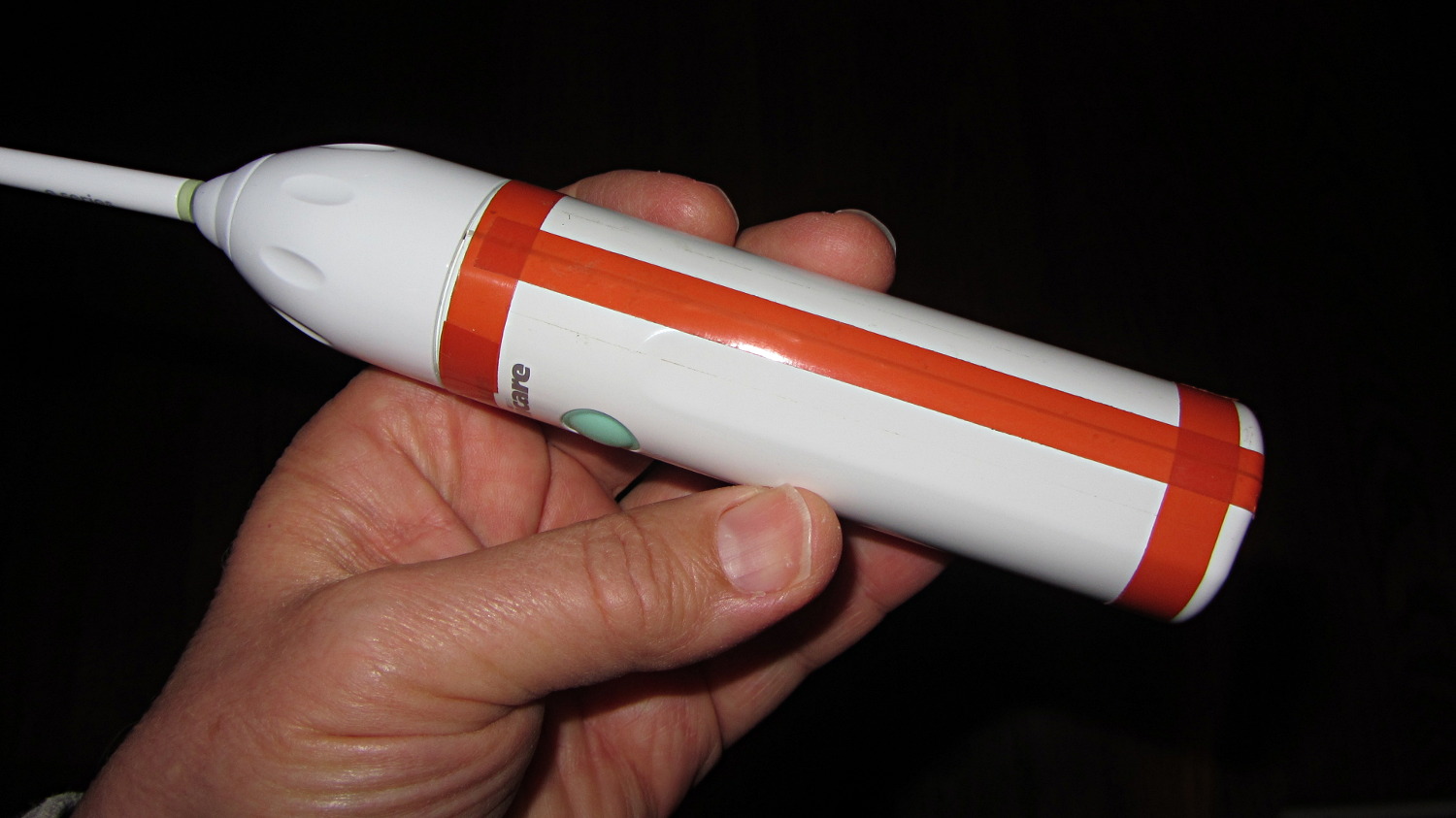
Much to my astonishment, the ordinary adhesive tape holding the Sonicare Essence power toothbrush together lasted for a bit over a year. As the tape splits along the gap in the case, the coil driving the brush head begins vibrating inside its nest, making a truly horrendous racket.
The new fix looks a bit odd, but works fine:
Sonicare Essence – red tape
The tape comes from Mad Phil’s stash and is, I think, splicing tape for reel-to-reel 1/4 inch recording tape: it has zero stretch, infinite strength, and adhesive that’s obviously lasted forever. The inside of the spool says “NOPI Made in Germany”, which doesn’t lead anywhere useful, although the NOPI name does seem to appear in a tape context.
After a year, the replacement NiMH cells are doing fine, still operating about once a day for three weeks from a 24 hour charge.







 The Smell of Molten Projects in the Morning