Ed Nisley's Blog: Shop notes, electronics, firmware, machinery, 3D printing, laser cuttery, and curiosities. Contents: 100% human thinking, 0% AI slop.
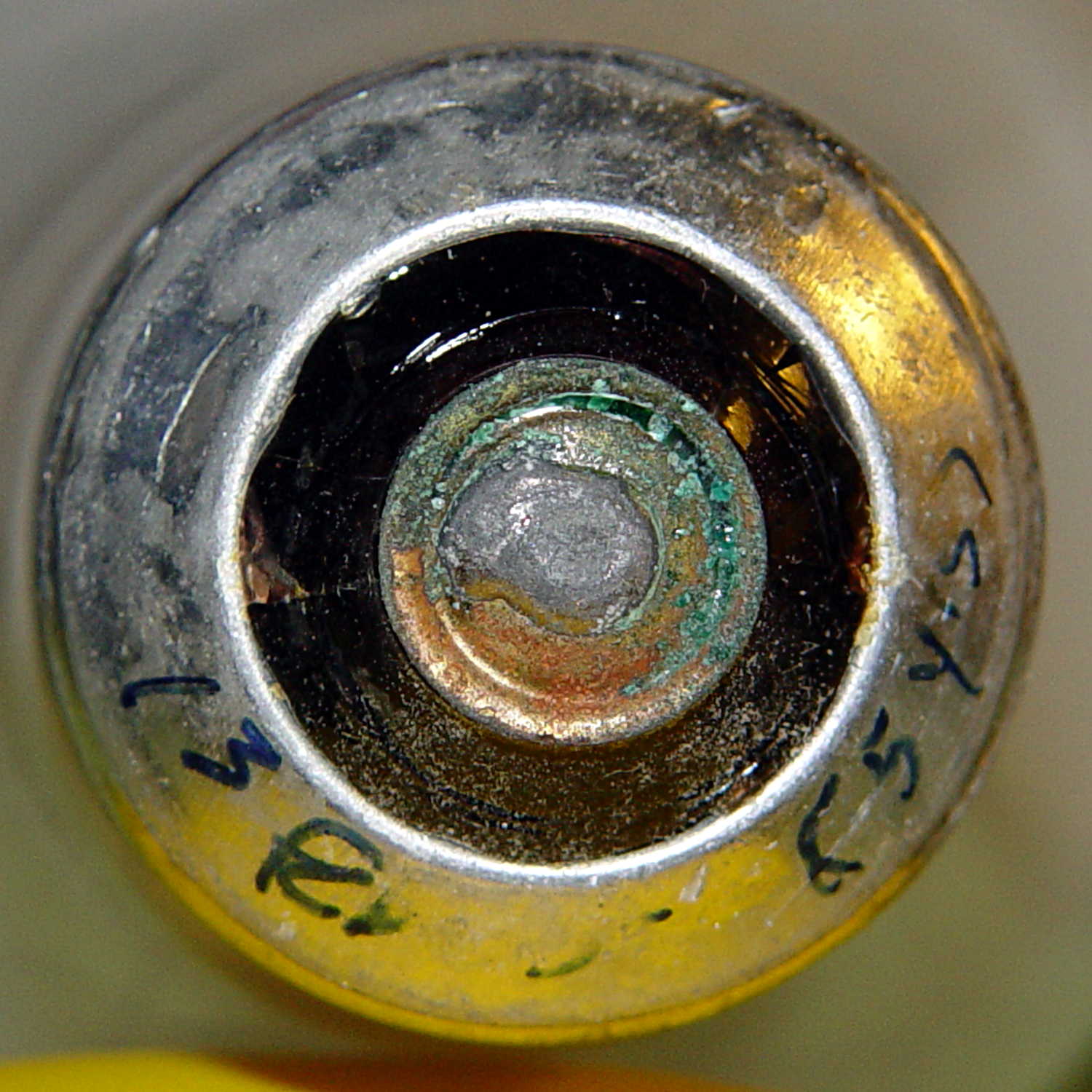
Two 40 W incandescent bulbs in the front bathroom burned out within a few days of each other. Being that type of guy, I know that I installed this bulb nine years ago:
Bulb base – install date
The date is easier to read with the bulb in hand: 13 Feb 05. The (5 yrs) indicates the previous bulb in that socket lasted five years.
The other bulb date went in during March 09, so it survived only five years; the previous bulb lasted 6 years.
Even though 40 W incandescent bulbs are history, maybe I have enough spares on the shelf that the next owner can replace ’em with cheap LEDs.
This may not be science, but it does have numbers…
After replacing the front wheel bearings, I replaced both pairs of brake pads. The rear brakes use holders with slide-in pads, but I’ve never been happy with the dinky little pins that retain the pads, so this time I’m using ordinary cotter pins:
V-brake pads – cotter pin retainer
The rear brake pads on a diamond-frame bike sit nearly horizontally on the seat stays, with the pin head pointed upward. On Tour Easy recumbents, the pads stand almost vertically on the chain stays, with the pins sideways:
Tour Easy rear brakes
That photo dates to 2010, when those brakes were new. Nary a pin has worked loose yet and I don’t expect they ever will, but …
If the pins rust before the pads wear out, I’ll go back to those little bitty OEM stainless pins.
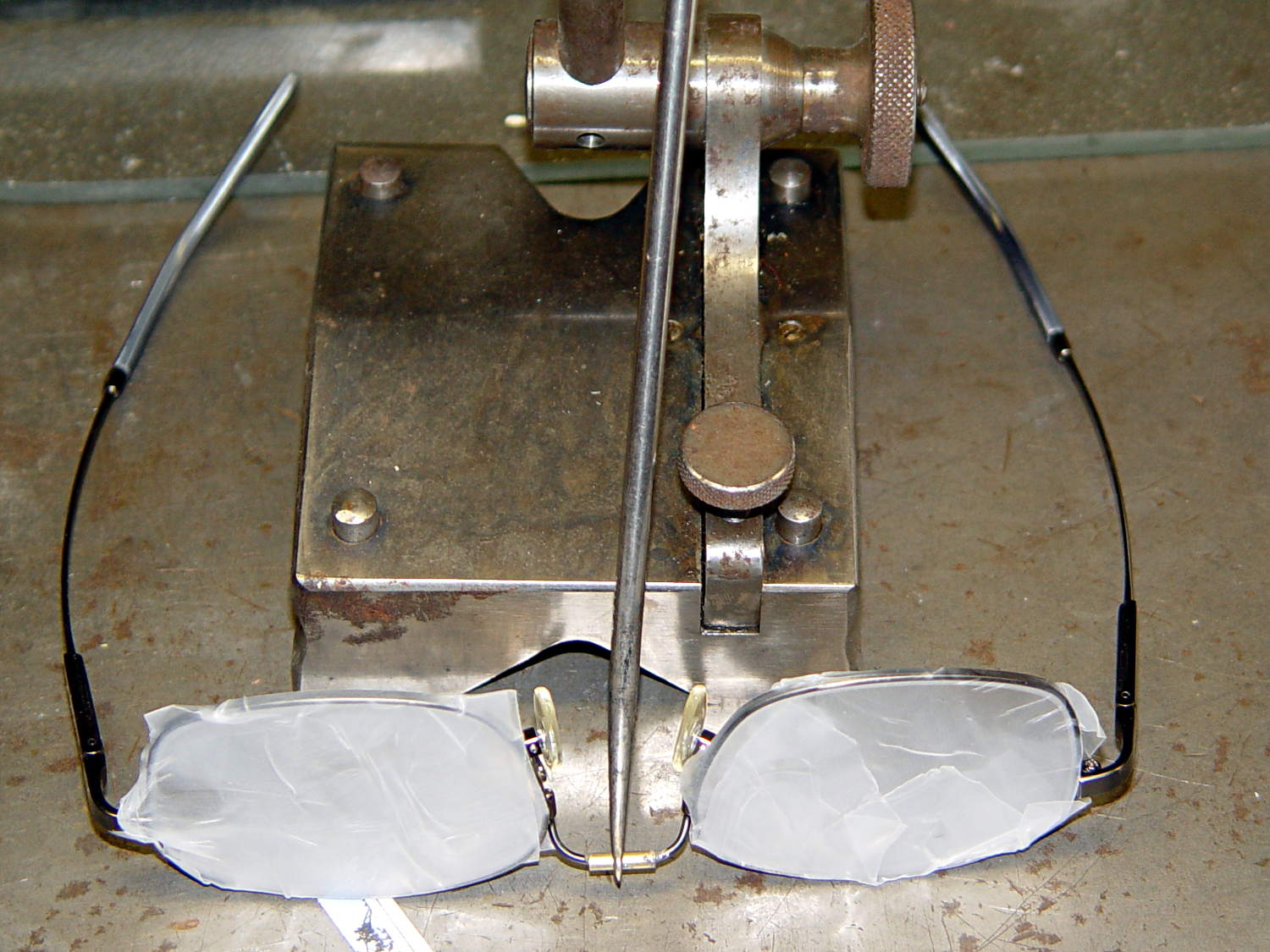
The nose bridge of my “computer glasses” snapped in the exact center, thus confirming my dislike of the springy head-clamping design. These never leave my desk, so I filled a small brass tube with epoxy, shimmed the lenses on a surface plate, tweaked the bridge into alignment with a surface gauge scribe, and let it cure overnight:
Crude nose bridge repair
That layout deliberately reduces the springiness by aligning the lenses to be parallel across the bridge, rather than being a bit side-eyed. They’re an un-bendable alloy that provides no way to tweak the alignment; they emerged just about perfect, but it’s time for a new pair later this year.
FWIW, they’re DIY “computer glasses”: +1 diopter to the far (“infinity”) correction and -1 diopter from the reading adder, producing a pair of glasses with the far point at about 1 meter and an unchanged reading-distance correction. That worked well, but next time I’ll use +0.75 diopter so I can sit back a bit further from those big monitors.
Also: the rust on that lovely surface gauge scribe base came from the previous owner and looks much worse in the picture than in real life. I should run it through an Evaporust bath the next time I have some out. It’s probably a Starrett Model 257, but with absolutely no maker marks whatsoever.
Springtime moves the Bird Box Cleanout chore to the front of the to-do list…
Three different species used this box in succession:
Bird box – stacked nests
Those tiny birds haul all this stuff into the boxes one twig / feather / strand at a time:
Bird box nests
The big branches come from a pick-up-sticks session; we don’t have birds that big around here!
One nest sported a decorative yellow plastic ribbon that the bird surely regarded as a rather tough bit of grass:
Bird nest with plastic strand
They could handle this job on their own, but we think we can reduce the number of parasites by airing out the boxes. We should do the cleanout in the fall to provide nice empty cavities that they can use for winter shelter, but they seem perfectly happy to snuggle together atop the nests in the cold and the dark…
The latter, of course: I blundered the inner corner radius, which occasionally produced little tiny dots of infill that shouldn’t be there. Just one of those errors that hides in plain sight until something else goes wrong, then it’s obvious.
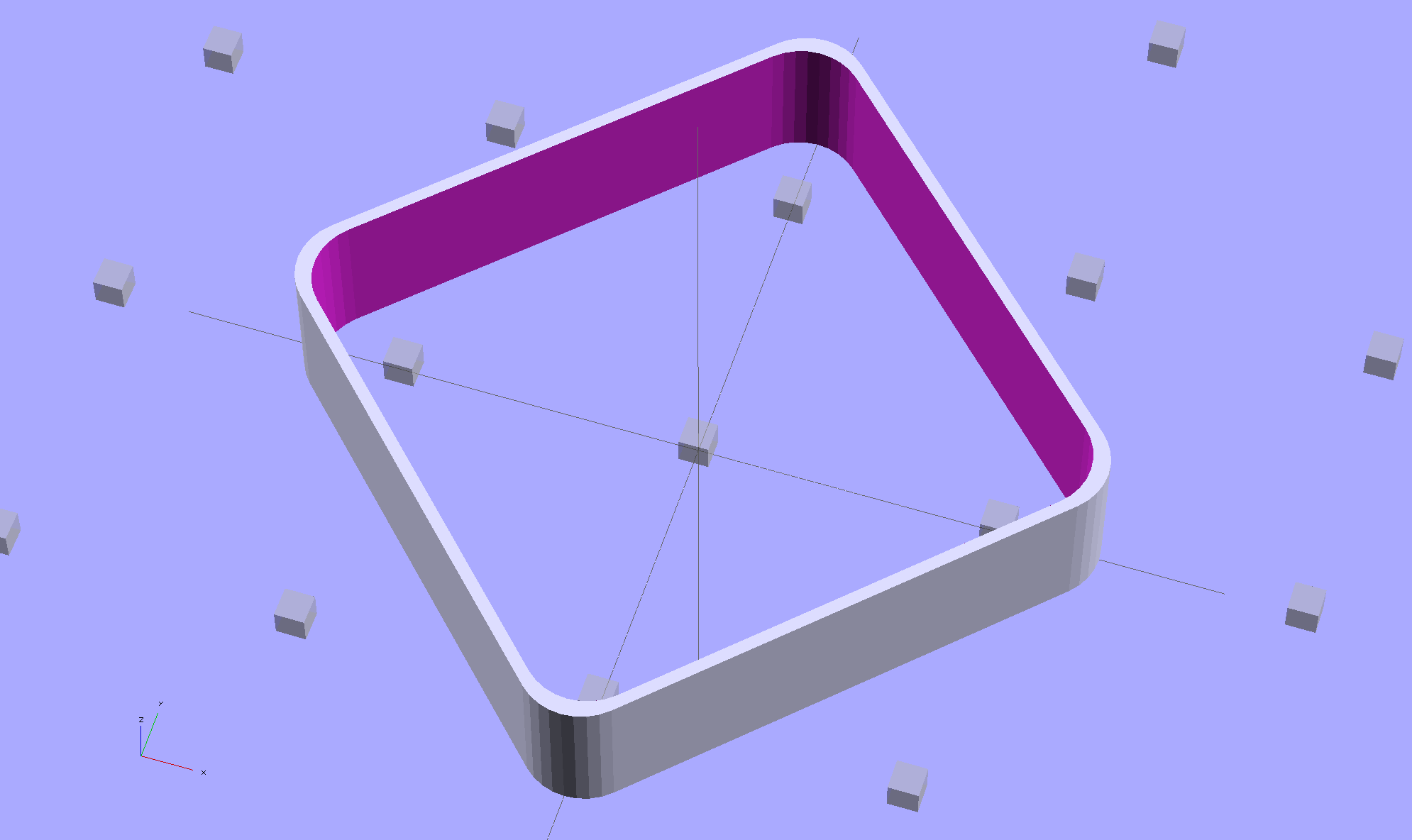
Rather than fix the Minkowski version, I rebuilt it using the hull() operator to shrinkwrap four cylinders for each solid, then remove the smaller block from the larger. Commenting out the hull() operators shows that the cylinders now line up properly:
Thinwall Open Box – un-hulled – solid model
The OpenSCAD source code:
// Thin wall open box calibration piece
// Adapted from Coasterman's Calibration set
// Ed Nisley - KE4ZNU - Dec 2011
// Adjust for Slic3r/M2 - March 2013
// Reworked for hull() with correct corner radii - April 2014

//-------
//- Extrusion parameters must match reality!
//  None of the fill parameters matter

ThreadThick = 0.20;
ThreadWidth = 0.40;

Protrusion = 0.1;           // make holes end cleanly

function IntegerMultiple(Size,Unit) = Unit * ceil(Size / Unit);

//-------
// Dimensions

Height = IntegerMultiple(5.0,ThreadThick);

WallThick = ThreadWidth;

CornerRadius = 2.0;
CornerSides = 4*8;

SideLen = 20.0 - 2*CornerRadius;

Rotation = 45;

//-------

module ShowPegGrid(Space = 10.0,Size = 1.0) {

  Range = floor(50 / Space);

    for (x=[-Range:Range])
      for (y=[-Range:Range])
        translate([x*Space,y*Space,Size/2])
          %cube(Size,center=true);
}

//-------

ShowPegGrid();

rotate(Rotation)
	difference() {
		hull() {
			for (i=[-1,1], j=[-1,1])
				translate([i*SideLen/2,j*SideLen/2,0])
					cylinder(r=CornerRadius,h=Height,$fn=CornerSides);
		}
		hull() {
			for (i=[-1,1], j=[-1,1])
				translate([i*SideLen/2,j*SideLen/2,-Protrusion])
					cylinder(r=(CornerRadius - WallThick),h=(Height + 2*Protrusion),$fn=CornerSides);
		}
	}
Back in 2001, I specified Phil Wood hubs for our then-new Tour Easy recumbents, as I had absolutely no interest in fiddling with wheel bearings; been there, done that, it’s no fun at all.
Fast forward thirteen years, during which time I’ve done zero hub maintenance.
A few weeks ago, while backing my ‘bent out of the garage, the front wheel stopped rolling and skidded on the asphalt. Usually, that means a brake problem or something wedged between the wheel and the fender, but in this case, the axle itself jammed: the front bearings seized. I eased a bit of penetrating oil under the seals, the bearings began turning, and we continued the ride as planned.
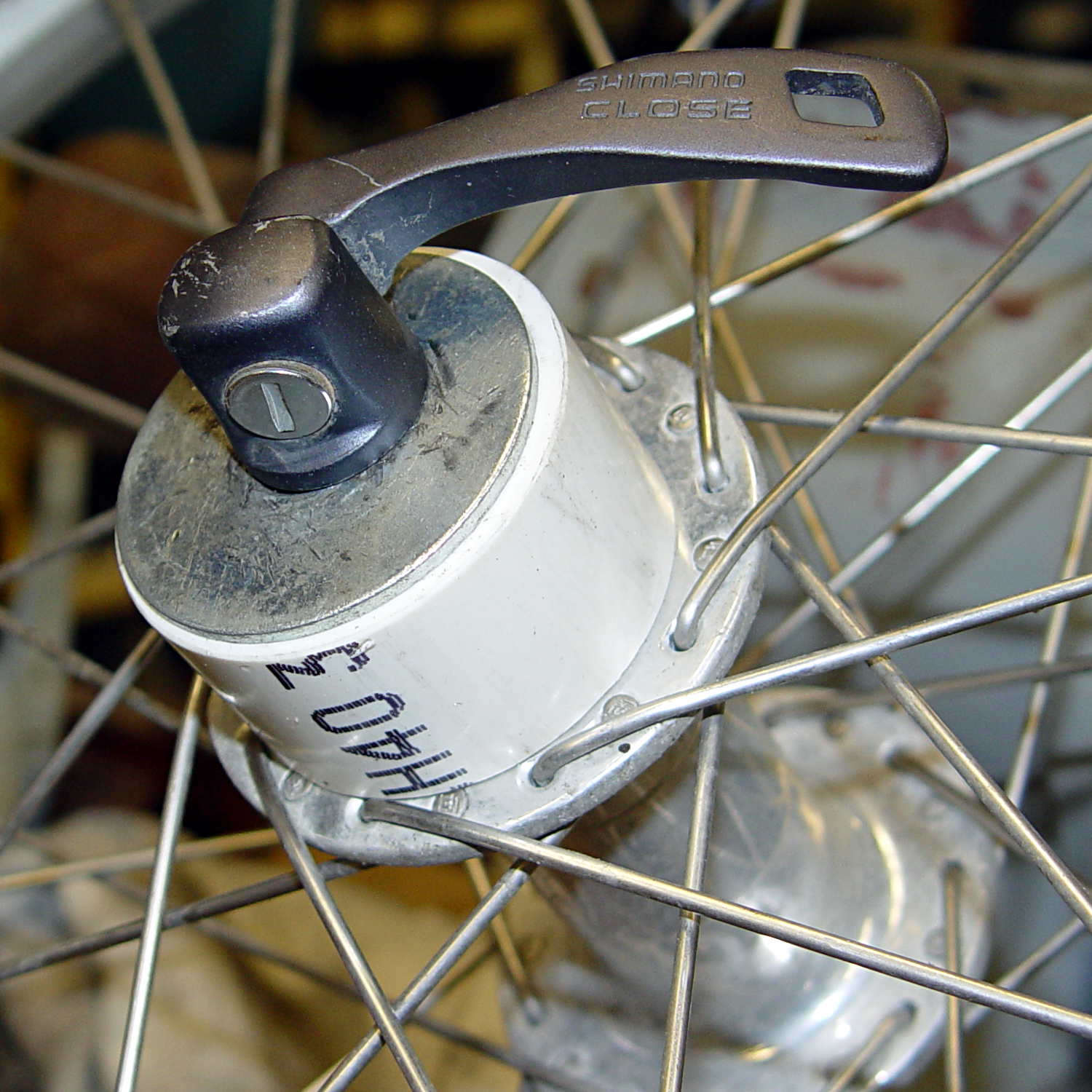
A close look at the hub shows that, back in the day, Phil Wood used personalized bearings, made in Switzerland by WIB:
Phil Wood Front Bearing – view 2
Phil Wood is still in business and a brief email exchange produced the proper bearing number: PWX92, at $17 each. I bought a pair to show my support. It turns out that the new bearings are from NSK and aren’t personalized.
The listing shows that the generic part number is 6902 and gives the dimensions:
OD = 28 mm
ID = 15 mm
Width = 7 mm
I bought a lot of 10 6902RS2deep-groove bearings from VXB for $35.90 delivered, so that I can compare their performance with The Real Thing.
Use a pair of 5 mm hex wrenches to remove one of the end caps, then gently tap the aluminum axle out of the hub:
Phil Wood front axle and bearing
The grease inside looks as good as the day they installed it: no water leaked through the seals or past the races.
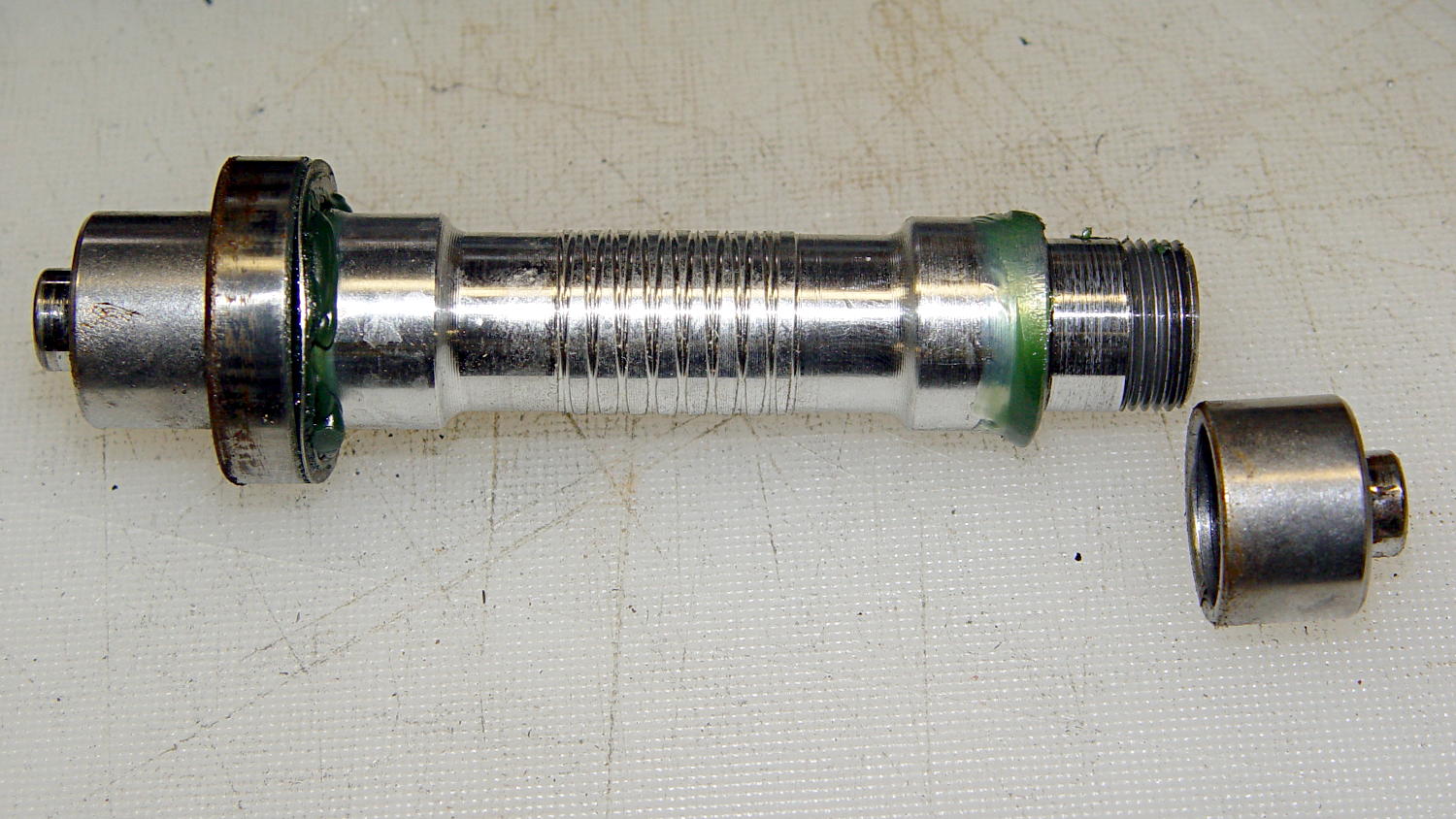
Having a lathe ready to hand, I grabbed the axle in the chuck and unscrewed the other cap:
Phil Wood front axle – in lathe chuck
Everything came apart easily!
I applied grease everywhere, slid a new bearing and its wave washer into place on the axle, aligned it with the hub bore, and pushed it halfway into place.
Rather than beat on the bearings, I conjured a simple adapter that let me use the quick-release skewer as a press to persuade the outer race into the hub recess:
Phil Wood front axle – improvised press
I stacked an old bearing between the skewer nut and the new bearing on the other side, with a fender washer to distribute the pressure on the old bearing. In general, you don’t want to press the bearings into place by applying pressure to the inner race, but in this case the pressure was so low that it probably didn’t matter.
With one bearing in place, remove the press, slide the second wave washer & bearing on the other end of the axle, install the press, push the bearing into place, tighten the end caps, and … it’s done!
Flushed with success, I repeated the operation on the front wheel of Mary’s bike. Those bearings felt better, but they turned with essentially no friction at all. That’s a sign the internal grease was pretty much gone and failure loomed over the horizon.
Cutting the seals out of the worst bearing from my bike showed water had gotten into the assembly:
Phil Wood axle bearing – interior
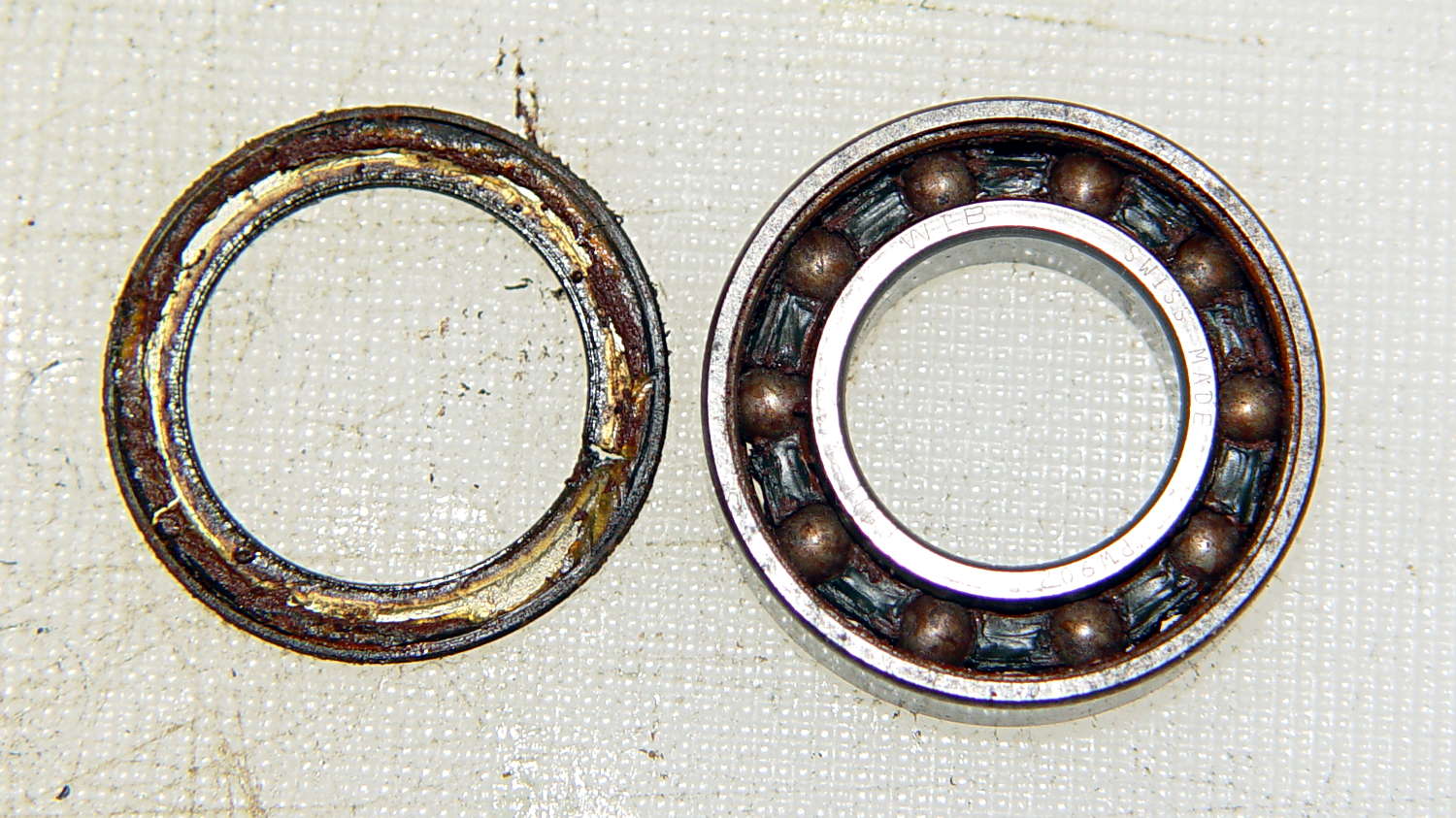
This is not how a bearing should look:
Phil Wood axle bearing – disassembled
The other bearing looked (and felt!) much better, but you always replace ’em in pairs.
Mary’s bike now has the new Phil Wood / NSK bearings, mine has the VXB bearings, and we’ll see what transpires. Both bikes sound much quieter, mine in particular, and I’m sure they roll better…
The rear tire on my bike needs replacing early this season, at which point I’ll dismantle the sprocket and install another two VXB bearings.
The knockoff Arduino Pro Mini I used for the strobe photography controller ran the default Blink sketch perfectly, but didn’t respond to its own Reset pushbutton. Probing the Reset line at pin 29 on the microcontroller showed that the pushbutton didn’t pull the +5 V line to ground, so the switch was broken, a trace was broken, or …
Touching the soldering iron to a switch pin caused the whole thing to pop loose. One glance at the pads tells you something’s badly wrong:
Arduino Pro Mini Knockoff – cold solder joints
A closeup, rotated a quarter-turn clockwise:
Arduino Pro Mini Knockoff – cold solder joint – detail
That’s the nicest picture of cold solder joints you’ve seen in a while, isn’t it?
Resoldering the switch solved the problem and, while the iron was hot, I touched all the microcontroller pins, too, just in case…