The Smell of Molten Projects in the Morning

Ed Nisley's Blog: Shop notes, electronics, firmware, machinery, 3D printing, laser cuttery, and curiosities. Contents: 100% human thinking, 0% AI slop.

Tag: Improvements

Making the world a better place, one piece at a time

  • Laser Cutter: Streaming Camera Support

    Laser Cutter: Streaming Camera Support

    If I’m making something with the laser cutter during a Zoomed SquidWrench meeting, switching the view to a camera inside the cabinet is always a crowd-pleaser. Having tried several locations with various degrees of success, the camera now sits atop a small chipboard box holding it as high as it can get over the front left corner of the platform:
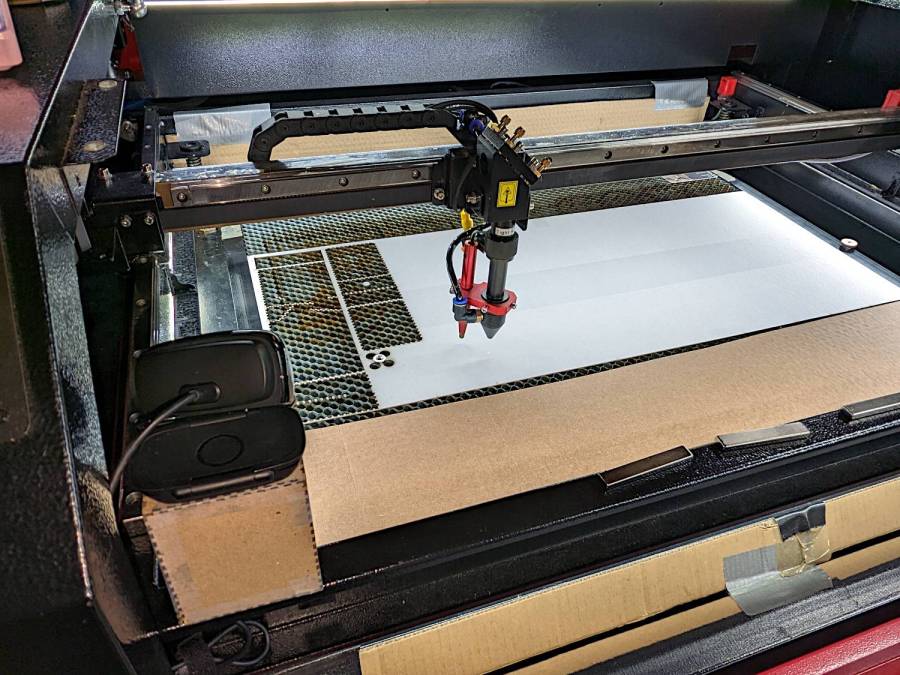
    Laser camera support box - position overview
    Laser camera support box – position overview

    It juuuust barely kisses the head in that corner:
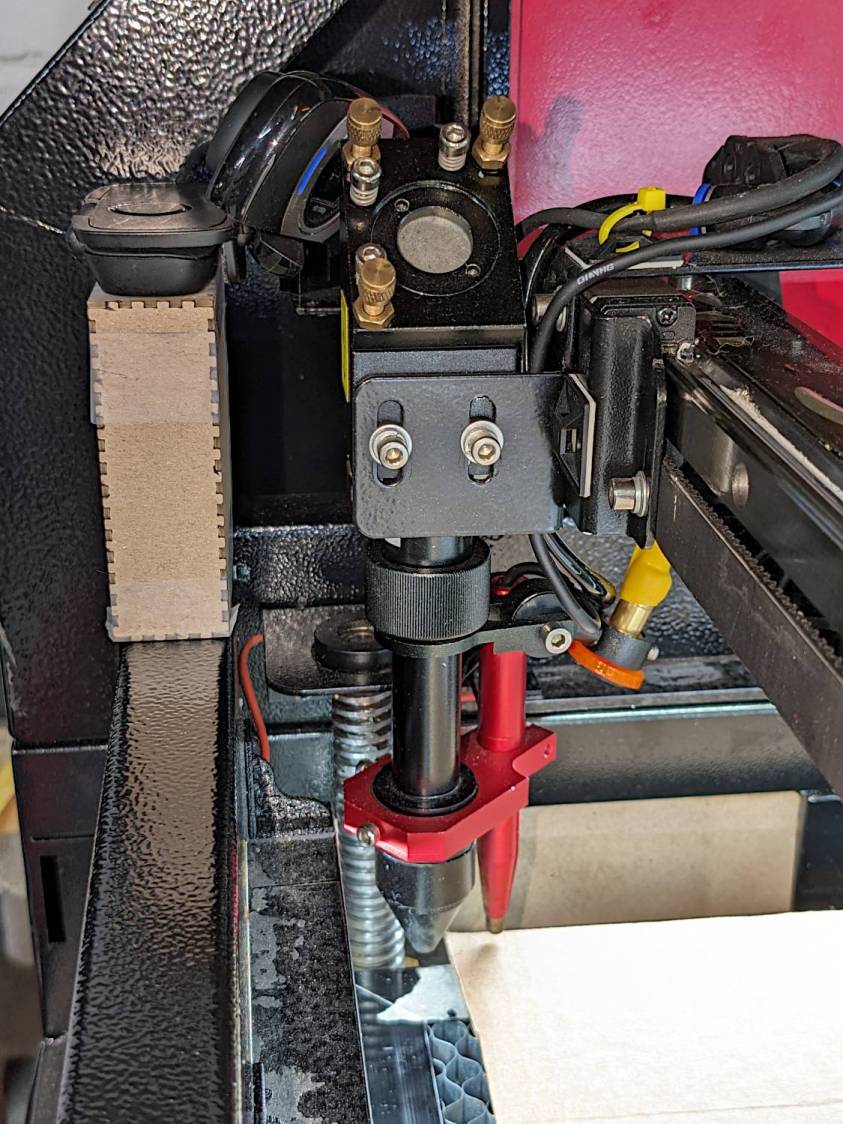
    Laser camera support box - near collision
    Laser camera support box – near collision

    The box is a simple ClosedBox from boxes.py with a jawbreaker URL full of parameters, minus two holes, plus a quartet of shims, all cut from chipboard:

    Camera Support box - LB layout
    Camera Support box – LB layout

    The holes fit a 1/4-20 button head screw for the Logitch C615 camera’s tripod mount and the hex wrench needed to tighten it:

    Laser camera support box - interior
    Laser camera support box – interior

    The box is held together with Genuine Scotch Tape, because I want it to fall apart if it gets hit by the laser head. It’s held to the cabinet with a finger-crushingly strong bar magnet.

    The camera has a reasonably good view of the entire platform:

    Laser Cutter - USB Camera view
    Laser Cutter – USB Camera view

    The camera’s closest focus point sits about halfway across the platform, roughly corresponding to the typical monitor-to-face distance the camera was intended for, but it’s Good Enough™ for the purpose.

  • Harbor Freight Bar Clamp: Plywood Handle

    Harbor Freight Bar Clamp: Plywood Handle

    After only a dozen years, one of the 3D printed replacement handles for my Harbor Freight bar clamps snapped exactly where you’d expect:

    HF bar clamp - plywood handle
    HF bar clamp – plywood handle

    The replacement this time around is laser-cut plywood, with a pair of 3 mm sheets glued together to just about match the original thickness:

    HF bar clamp - plywood handle gluing
    HF bar clamp – plywood handle gluing

    I hacked the OpenSCAD code to use its projection() operation to export the outline of the solid model on the XY plane, inhaled the SVG into LightBurn, replaced the original chunky hole with a Real Circle, cut a pair of them, discovered I messed up the diameter, tweaked that, cut a pair that fit perfectly, and that was that.

    Flushed with success, I cut another pair to replace the (not yet failed) handle in the other HF bar clamp and restarted the failure clock.

    Not as fancy as something milled on the Sherline, but way easier and, if it lasts another decade, I’ll call it a win.

    The WordPress AI had fun with this post:

    HF Bar Clamp Handle - WP AI image
    HF Bar Clamp Handle – WP AI image

    The thing over on the left must be a 3D printer, but what’s floating in the middle? Those hand tools look downright scary.

  • Plumb Bobs: Kevlar Lines

    Plumb Bobs: Kevlar Lines

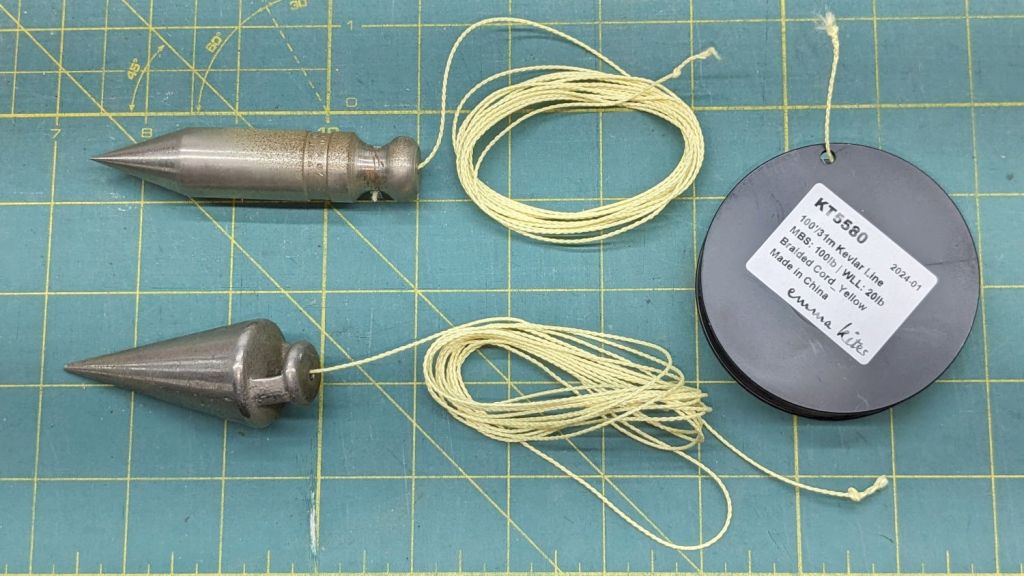
    Having had considerable success re-stringing the seat on Mary’s Tour Easy with Kevlar line, this seemed like a good idea:

    Plumb bobs - Kevlar braided line
    Plumb bobs – Kevlar braided line

    They’re a pair of plumb bobs I’ve had forever, with ten feet of 100 pound Kevlar line in place of their original (and well-worn) string. The key parameter is the 1 mm diameter to fit the holes in the bobs, with the 20 pound working strength being grossly overqualified.

    Because it’s braided line, the bobs no longer spin merrily when deployed, which is a major win.

    They hibernate in pill bottles during their downtime, where the line doesn’t get nearly as tangled as you might imagine.

    Admittedly, I don’t deploy plumb bobs all that often, but in recent months I have needed to know what was directly below something else often enough to remind me to get this done.

    The WordPress AI image for this post is, as usual, disturbing:

    Plumb Bobs - WP AI image
    Plumb Bobs – WP AI image

    I like the perfectly rendered gibberish text. Is that a bizarre spade drill in the lower left? So many pills!

  • Juki / Arrow Sewing Table Insert Filler

    Juki / Arrow Sewing Table Insert Filler

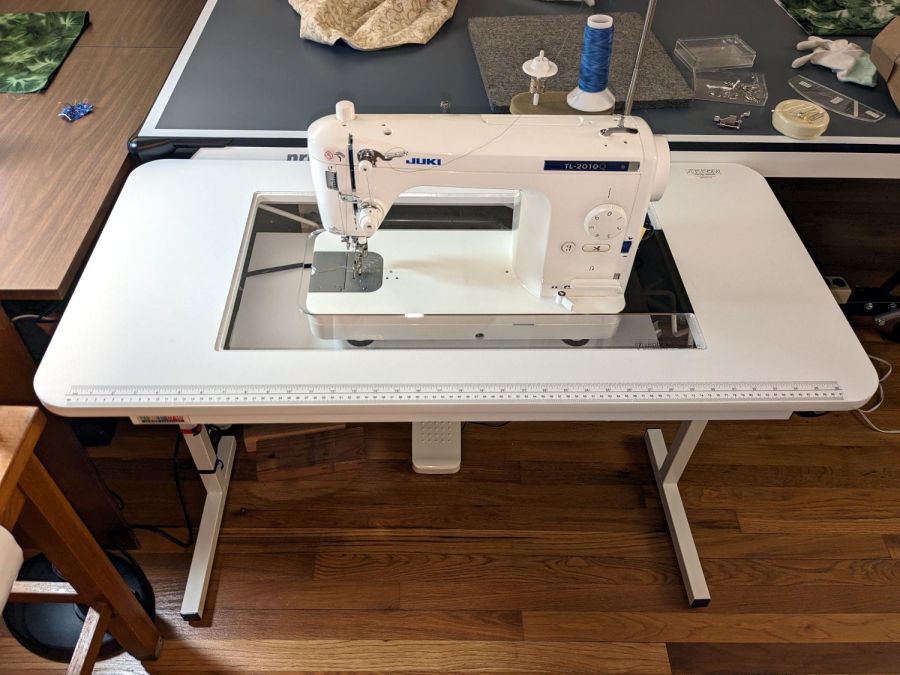
    Mary’s Juki TL-2010Q sewing machine sits in an Arrow Gidget II sewing table with a clear acrylic insert filling the opening:

    Juki TL-2000Q in Gidget II table
    Juki TL-2000Q in Gidget II table

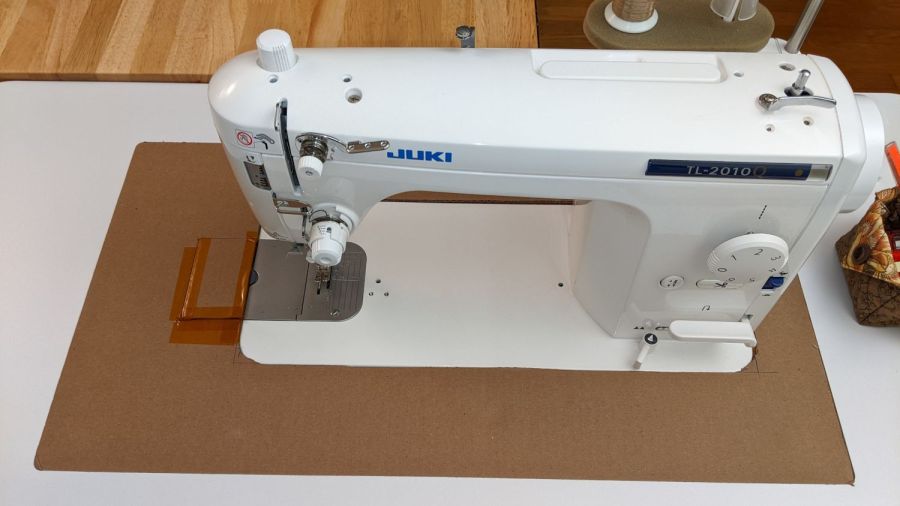
    Before the insert arrived (it had month of leadtime), I hacked out a temporary cardboard insert:

    Juki temporary table insert
    Juki temporary table insert

    Although it may not be obvious from the picture, unlike my cardboard insert, the acrylic insert does not fill the tabletop hole to the immediate right of the machine:

    Custom Inserts are U-shaped, designed to fit around all 3 sides of your sewing machine

    Shortly after the insert arrived I hacked a temporary filler, for which no pictures survive, to keep pins / tools / whatever from falling to their doom. This turned out to be a blessing in disguise, because she wanted the machine positioned an inch to the right of its intended spot to leave enough space for a finger to reach the bobbin hatch latch.

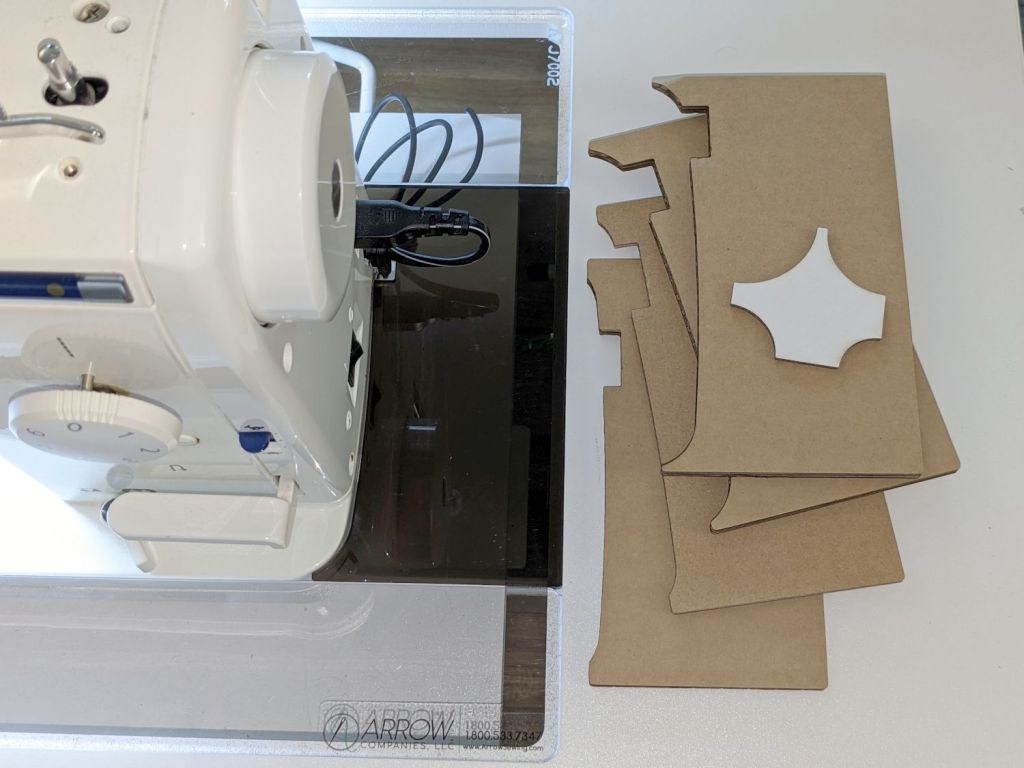
    I then promised to replace the ugly cardboard filler with a less awful acrylic filler and finally got it done:

    Juki TL-2000Q in Gidget II table - insert filler
    Juki TL-2000Q in Gidget II table – insert filler

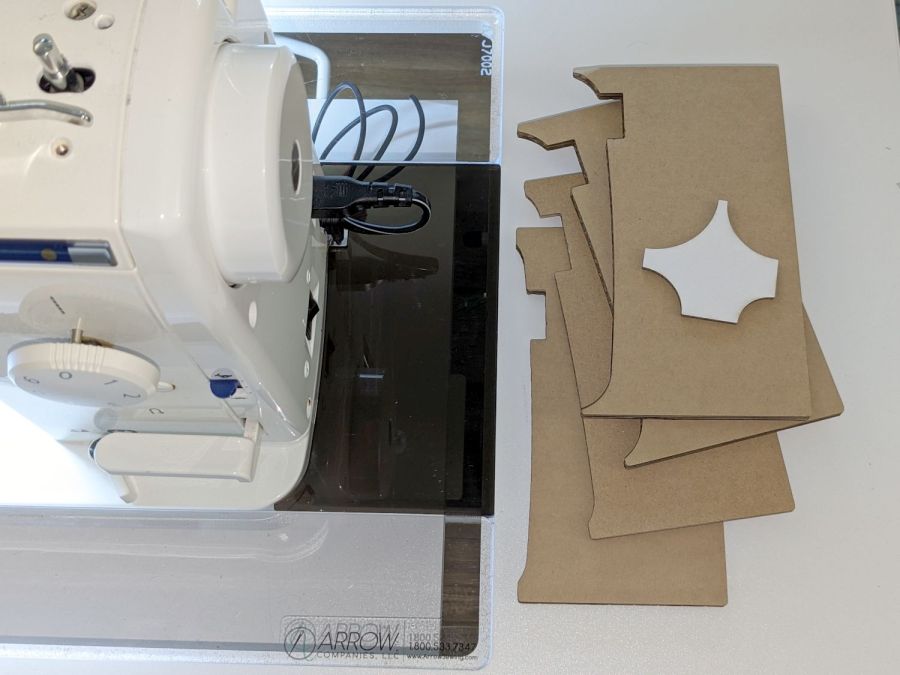
    The stack of cardboard prototypes show iterative fit-and-finish improvements, with the odd shape on the top serving to measure the machine’s 25 mm corner radius by comparison with known circles.

    The insert filler is made from smoked gray acrylic, because I have yet to unpack the acrylic stockpile and may not, in fact, have any clear 6 mm acrylic, so we’ll regard this as a final prototype pending further developments. It did, however, confirm the laser survived the move, which was pretty much the whole point.

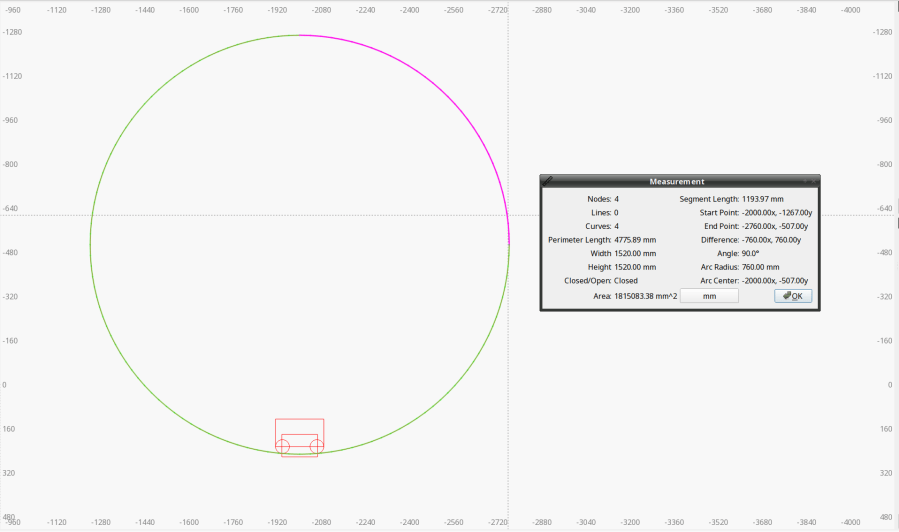
    The end of the machine is not a straight line. Part of the iteration was measuring the curve’s chord height to calculate the circle’s radius, which turned out to be 760 mm:

    Juki Insert Filler - end chord circle
    Juki Insert Filler – end chord circle

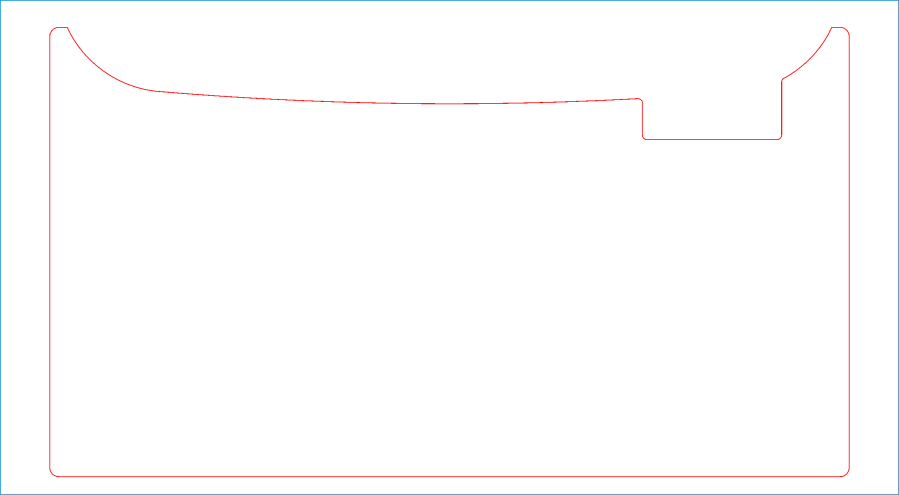
    With that in hand, a few Boolean operations produced the filler shape:

    Juki Insert Filler
    Juki Insert Filler

    A pair of silicone bumper feet stuck to the side of the Juki hold the left edge of the filler at the proper level.

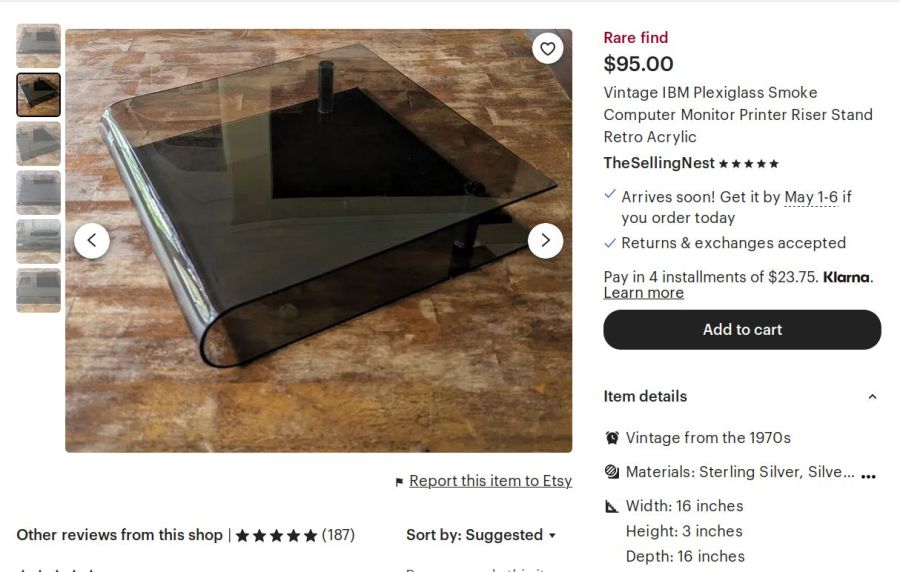
    For the record, the smoked acrylic came from a fragment of a Genuine IBM Printer stand I’ve had in the scrap pile since The Good Old Days:

    Etsy listing - Vintage IBM Printer Stand
    Etsy listing – Vintage IBM Printer Stand

    The LightBurn layout as an SVG image:

  • Garage Opener Antenna Director

    Garage Opener Antenna Director

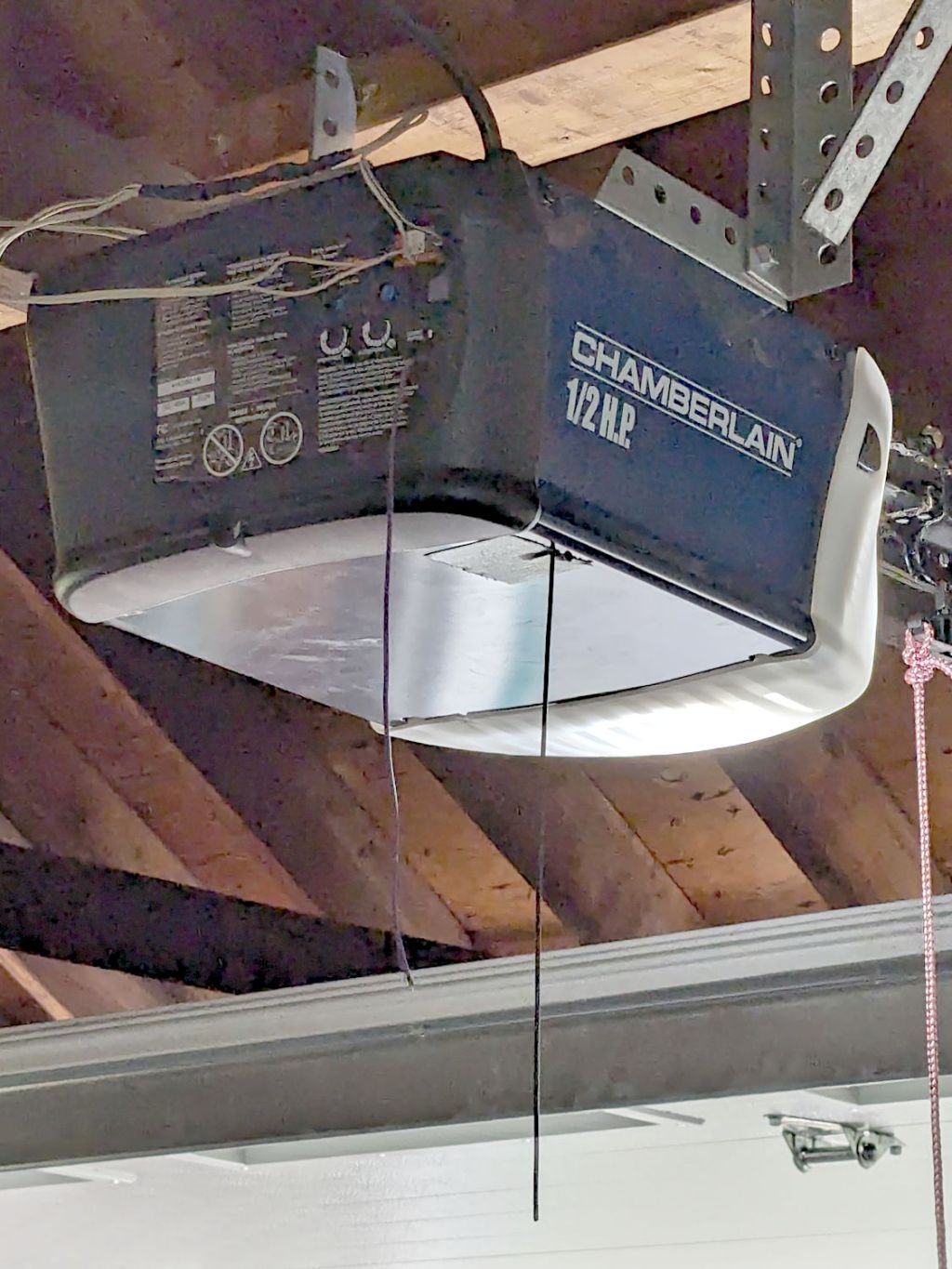
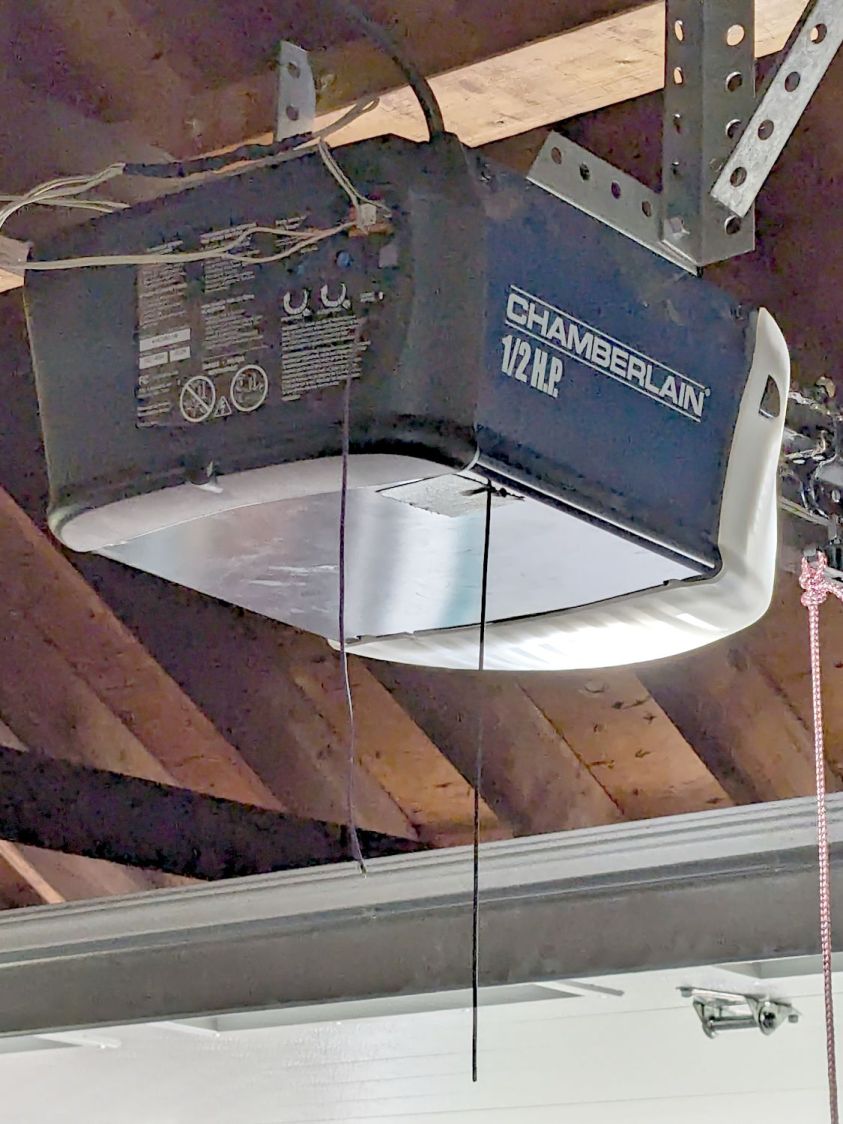
    By a quirk of fate, the Chamberlain garage door opener in our new house has the same “purple learn button” as the Sears opener in our old house, so I introduced it to our remotes and they work just fine.

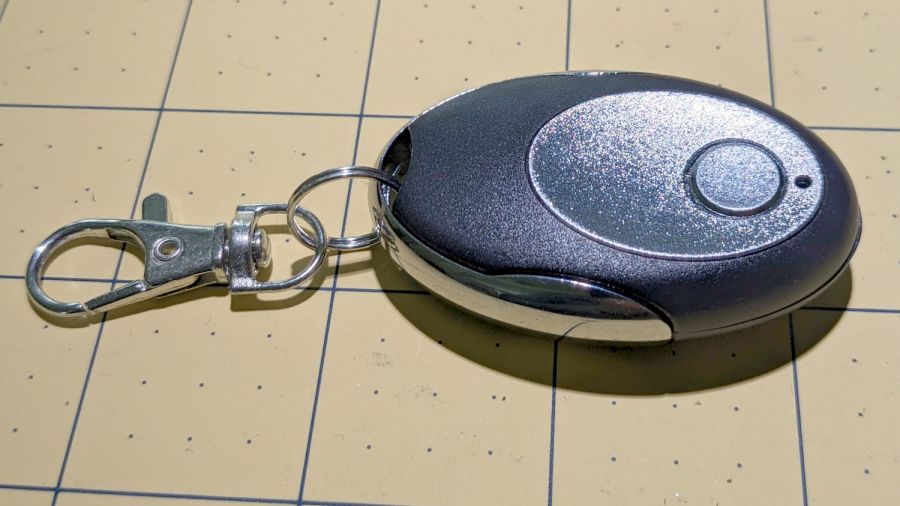
    I then replaced the four-button remote in my bike pack with a new single-button remote to reduce the dexterity required to hit the button:

    Garage Opener - one button
    Garage Opener – one button

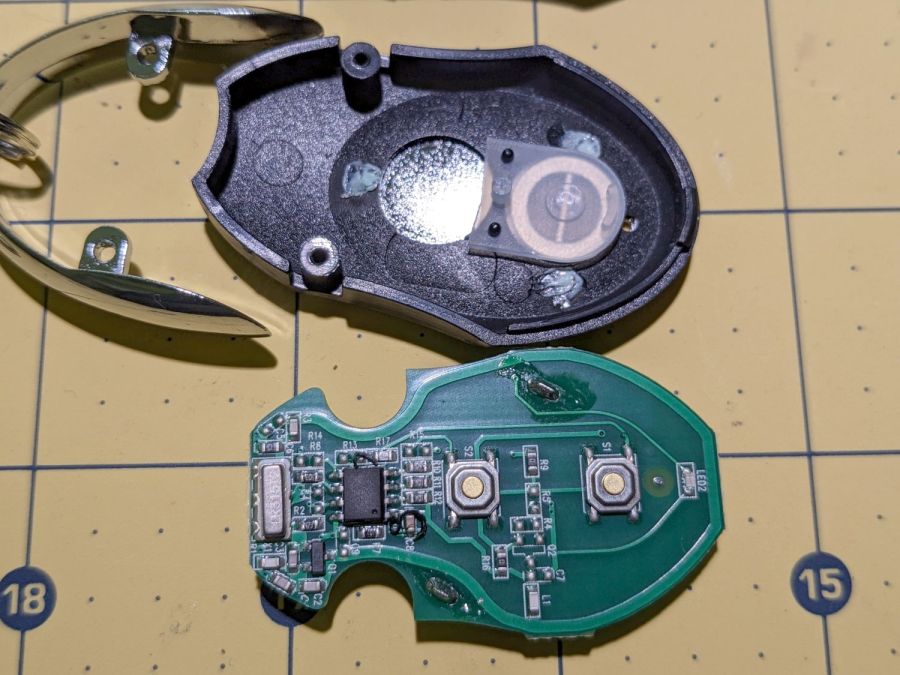
    Alas, the opener only responded when the remote was immediately outside the aluminum garage door. Checking the battery (because sometimes “new” does not mean what you think it means) reminded me we live in an age when hardware is free compared with bookkeeping:

    Garage Opener - interior
    Garage Opener – interior

    Maybe the second button doesn’t work and this is how they monetize their QC reject pile?

    I want the door to start moving when I’m at the end of the driveway, giving it enough time to get all the way up so I can bike right in. You can actually buy remote / extension antennas, although for fancier openers with SMA antenna connectors, but sometimes a little RF black magic will suffice:

    Garage Opener - crude antenna director
    Garage Opener – crude antenna director

    The wavy wire hanging down from the opener’s rear panel is the original antenna, which might be kinda-sorta omnidirectional. The opener operates around 433 MHz= 69 cm, so a quarter-wave antenna will be 17 cm = 7 inch long; the (unbent) wire is maybe 10 inches long from the hole in the panel.

    So I taped 11 inches of wire to the opener to form a very very crude Yagi-Uda antenna. It’s too long to be a director element, it’s about right (albeit in the wrong place) to be a reflector element, it might be neither.

    What it does do is warp the antenna’s pattern just enough to let the remote reliably trigger the opener as I approach the end of the driveway.

    Do not even begin to think about polarization mismatch from what looks like the tiny loop antenna on the remote’s PCB.

  • Workbench Drawers vs. Desk Keyboard Tray

    Workbench Drawers vs. Desk Keyboard Tray

    The workbench originally in Mary’s Sewing Room became my new desk, which meant installing my pull-out keyboard / trackball tray in place of its drawers:

    Desk keyboard tray - top view
    Desk keyboard tray – top view

    Which required re-gluing the old wood strips of the side slides to their backing plates, as they’d worked loose over the decades:

    Desk keyboard tray - regluing edge sliders
    Desk keyboard tray – regluing edge sliders

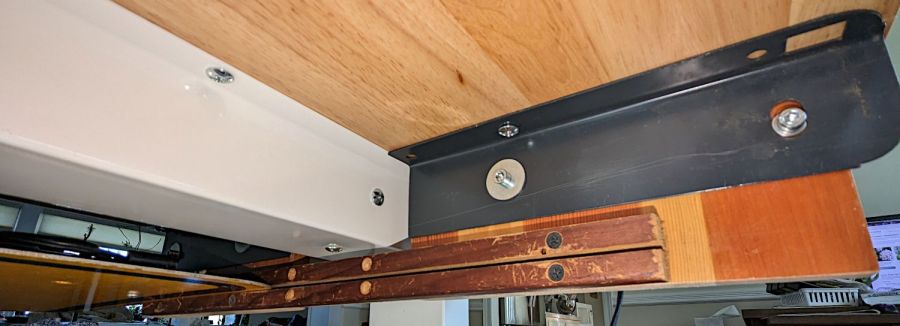
    I drilled & screwed three more threaded wood inserts into the bottom of the bench top to hold brackets (cut from those longsuffering maple library shelves) for the side slides:

    Desk keyboard tray - bottom view
    Desk keyboard tray – bottom view

    The gray angle brackets came from a long-gone (and sorely missed) radial arm saw, hacksawed to fit on either side of the central beam supporting the workbench top, and held with machine screws in those inserts. Yes, the rear bracket has only a single screw, but it doesn’t support much of a load and it’s not going anywhere.

    With that in place, the drawers kicked around the basement for a few weeks and eventually ended up under a workbench that Came With The House™ and was likely built by the original owners half a century ago:

    Desk keyboard tray - workbench drawers installed
    Desk keyboard tray – workbench drawers installed

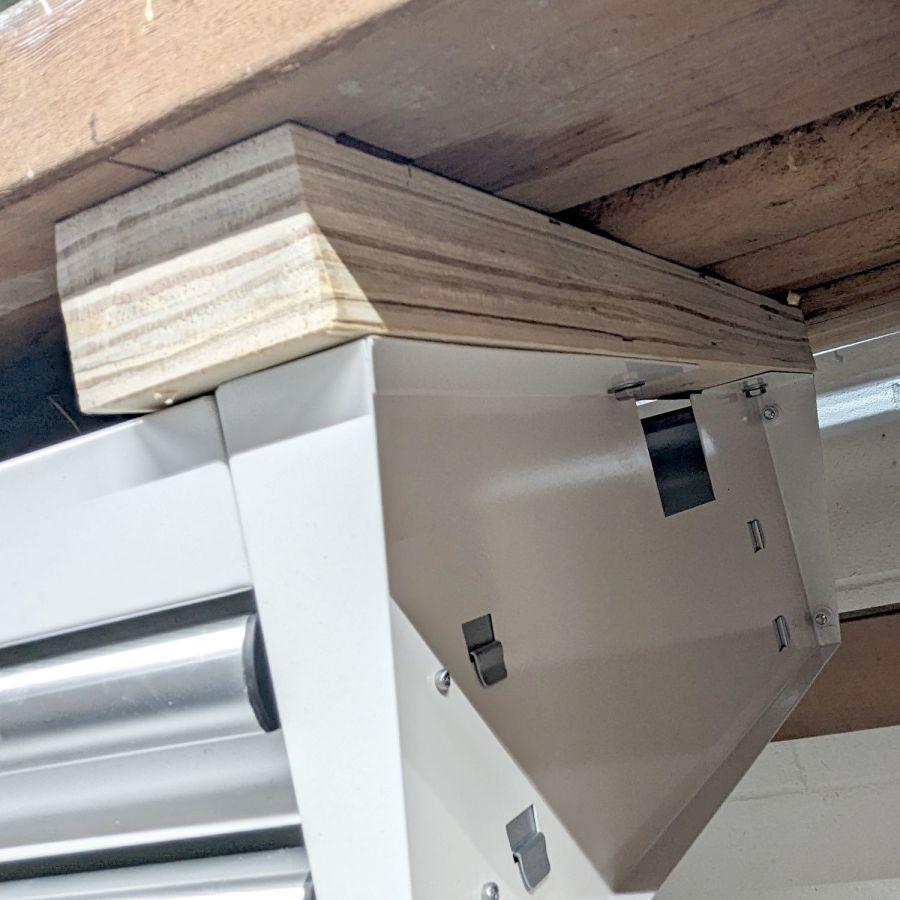
    The top is made of 2×6 boards, now topped with laminate planks (left over from when I re-floored the previous kitchen), so the 2×6 board in the middle holds the whole top together and is not removable. I conjured strips at the ends to support the drawer assembly:

    Desk keyboard tray - workbench drawers end block
    Desk keyboard tray – workbench drawers end block

    The strips came from the crate around the laser cutter, so they’re made of the cheapest Chinese plywood and entirely suitable for the purpose. The drawers hang from 1/4-20 bolts screwed into tee nuts recessed in the top surface of the strips, with the strips held by deck screws in those benchtop 2×6 planks.

    Yeah, both of those are bodges, but they ought to work just fine.

  • OMTech Laser Cutter: Honeycomb Rivnut

    OMTech Laser Cutter: Honeycomb Rivnut

    The honeycomb platform in my OMTech laser cutter was secured by a pair of M4 screws passing through the surrounding frame into a pair of nuts requiring considerable contortion to install. As a result, I tended to use the screws as locating pins by just dropping them into the holes, which didn’t prevent me from jostling the honeycomb out of position on a few occasions.

    With everything torn down as part of the move, I drilled out the holes in the frame and installed a pair of M4 rivnuts:

    OMTech laser - Honeycomb screw rivnut
    OMTech laser – Honeycomb screw rivnut

    The scar around the hole in the honeycomb came from the factory; I have no idea what they were doing to cause that much wear.

    Anyhow, installing the screws now requires zero contortionism and they locate the honeycomb much more securely.

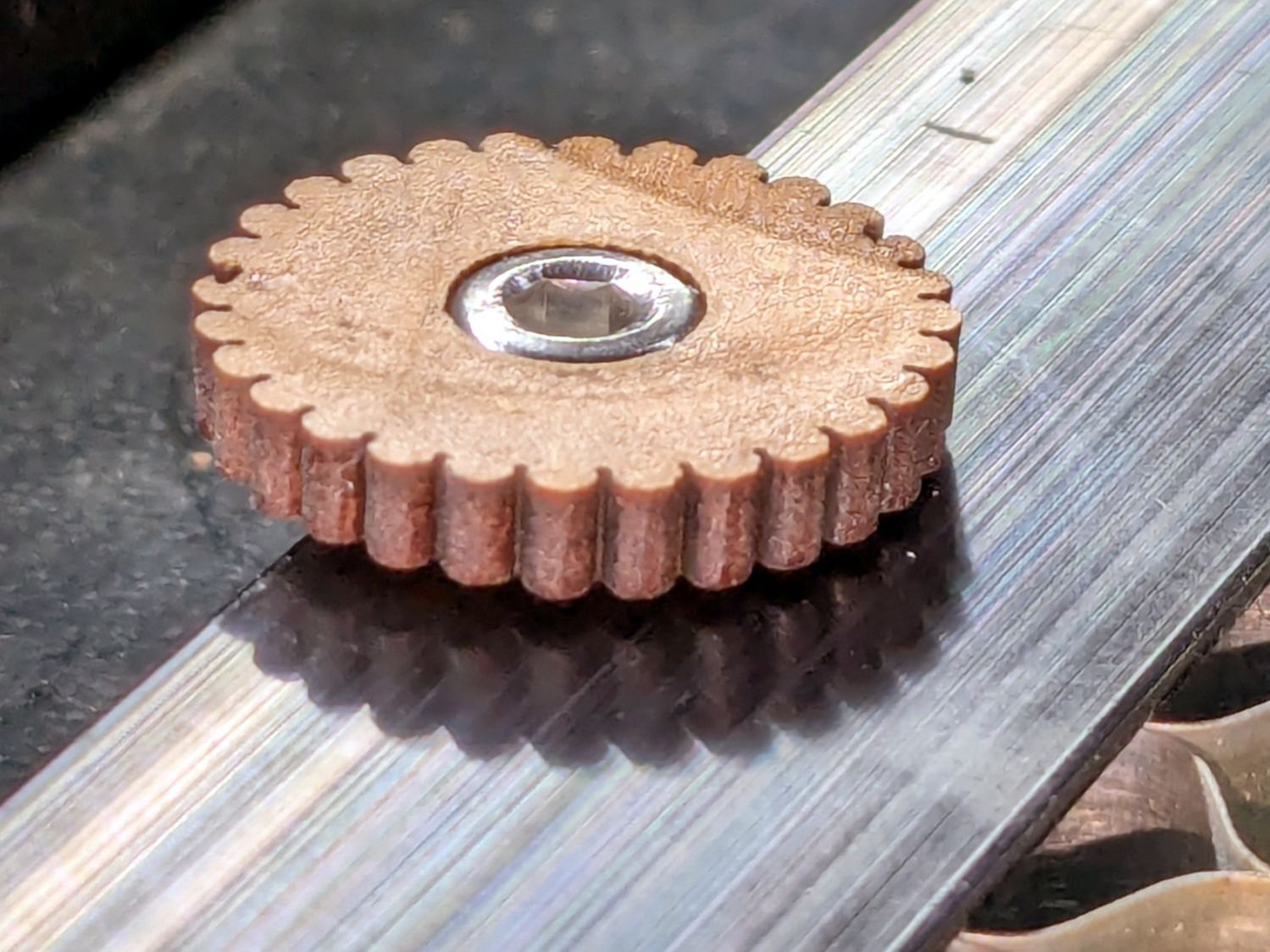
    I should conjure knobs for the top of the screws to eliminate the need for a hex key, although that’s definitely low on the task priority list.

    Update: Like this:

    Honeycomb screw knob
    Honeycomb screw knob