The Smell of Molten Projects in the Morning

Ed Nisley's Blog: Shop notes, electronics, firmware, machinery, 3D printing, laser cuttery, and curiosities. Contents: 100% human thinking, 0% AI slop.

Tag: Improvements

Making the world a better place, one piece at a time

  • Knurled Inch Inserts

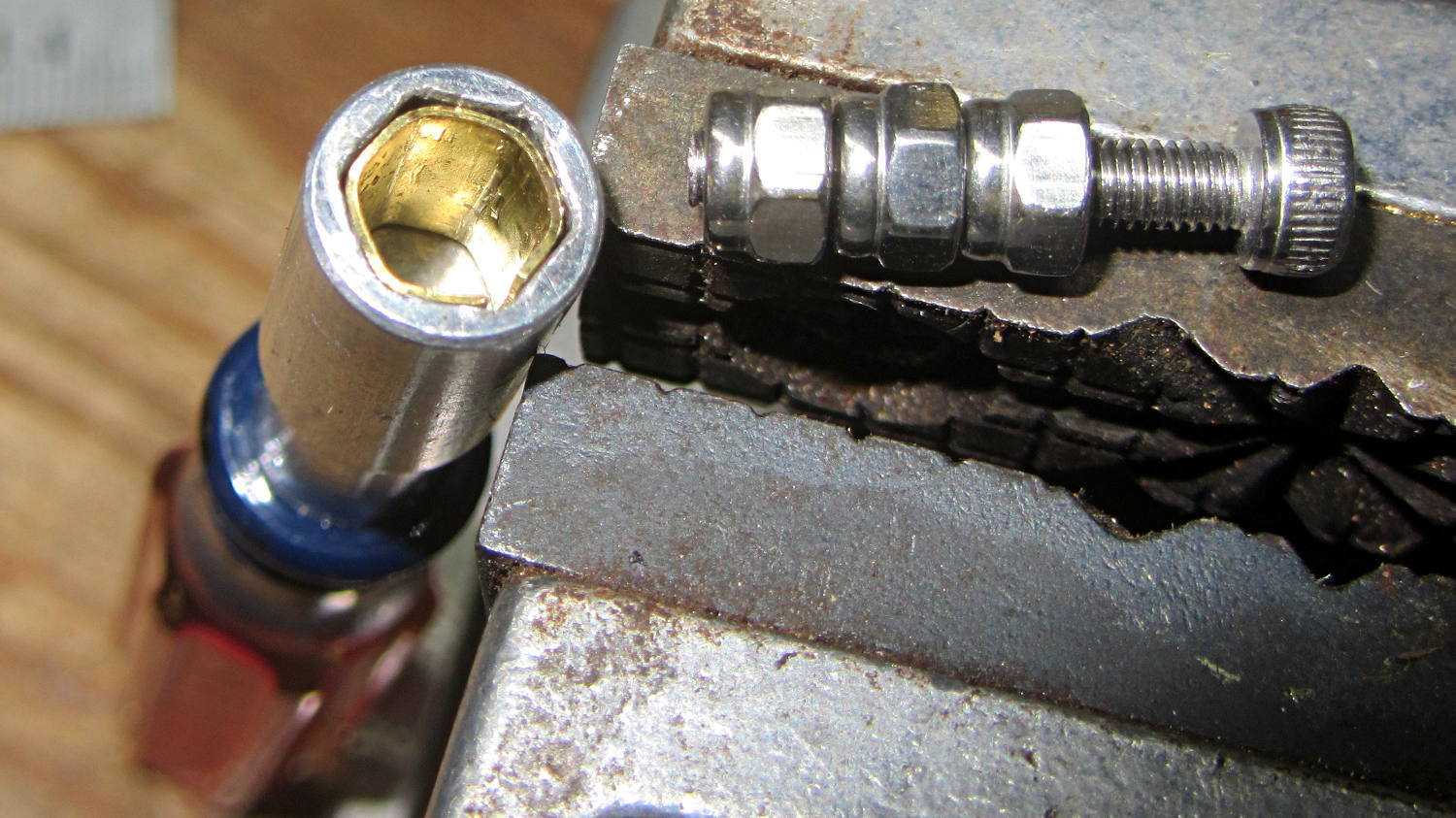
    Tagging along behind the metric inserts, a sack of knurled brass inch-size screw inserts arrived:

    Threaded Inserts - metric and inch
    Threaded Inserts – metric and inch

    The nice stainless steel screws on the right range from 4-40 to 10-32, which suffice for nearly everything I build around here.

    Unlike the splined metric inserts on the left, these inserts have actual knurls and ridges that should hold them firmly in place. The specs give hard-inch dimensions, of course, that (seem to) correspond to the root diameter of the knurls. You can find nice engineering drawings of precise tapered holes (by drilling down into the Heat-Set Inserts for Plastics item on that page), but a few metric measurements of the actual parts on hand should suffice for my simple needs.

    Thread: overall length x small rim OD x (knurl length x larger knurl OD)

    • 4-40: 5.8 x 3.9 x (4.0 x 4.6)
    • 6-32: 7.1 x 4.7 x (4.6 x 5.5)
    • 8-32: 8.1 x 5.5 x (5.9 x 6.3)
    • 10-32: 9.5 x 6.3 x (7.0 x 7.1)

    Rather than fussing with a tapered hole, just punch a cylinder with the small rim OD (to clear the screw) through the part and put a cylinder with the knurl OD x length at the surface.

    Using cylinders without diameter correction will make them slightly undersized for heat bonding. The usual 3D printing tolerances don’t justify anything fussier than that.

    Using PolyCyl diameter correction will make the holes nearly spot on for epoxy bonding: butter ’em up, ram ’em in, pause for curing, done.

    That’s the plan, anyhow…

  • Sears Sewing Table Hinge Covers

    The extension surfaces on the Sears sewing table in the Basement Sewing Room unfold from the top, leaving the hinges exposed:

    Sears Sewing Table - hinge
    Sears Sewing Table – hinge

    Alas, quilts snag on the squared-off ends of the hinges, a situation that is not to be tolerated…

    This protective cap isn’t as small as we’d like, but it must be that thick to cover the hinge, that long to cover the squared-off ends, and that wide for symmetry:

    Sears Sewing Table Hinge Cover - solid model
    Sears Sewing Table Hinge Cover – solid model

    Two neodymium magnets fit in the holes and secure the cover to the all-steel “bronzed” hinges:

    Sears Sewing Table - hinge covers
    Sears Sewing Table – hinge covers

    We’re not sure how well that will work in the long term, but early returns seem promising.

    It could be slightly narrower left-to-right and maybe fewer vertices should be oriented differently.

    The OpenSCAD source code as a GitHub gist:

    // Vacuum Tube LED Lights
    // Ed Nisley KE4ZNU January 2016
    //- Extrusion parameters must match reality!
    ThreadThick = 0.20;
    ThreadWidth = 0.40;
    HoleWindage = 0.2;
    Protrusion = 0.1; // make holes end cleanly
    inch = 25.4;
    function IntegerMultiple(Size,Unit) = Unit * ceil(Size / Unit);
    //———————-
    // Dimensions
    Hinge = [7.0,52.0,6.0];
    TopThick = 3*ThreadThick;
    PlateThick = Hinge[2] + TopThick;
    NumSides = 8*4;
    //———————-
    // Useful routines
    module PolyCyl(Dia,Height,ForceSides=0) { // based on nophead's polyholes
    Sides = (ForceSides != 0) ? ForceSides : (ceil(Dia) + 2);
    FixDia = Dia / cos(180/Sides);
    cylinder(r=(FixDia + HoleWindage)/2,h=Height,$fn=Sides);
    }
    //———————-
    // Build it
    difference() {
    hull()
    for (a=[0:7])
    rotate(a*360/8)
    translate([Hinge[1]/2,0,0])
    scale([1.5,1.5,1])
    sphere(r=PlateThick,$fn=NumSides);
    hull()
    for (k=[-1,1])
    translate([0,Hinge[1]/2,k*(Hinge[2] – Hinge[0]/2)])
    rotate([90,0,0]) rotate(180/8)
    PolyCyl(Hinge[0],Hinge[1],8);
    for (i=[-1,1])
    translate([i*Hinge[1]/2,0,-Protrusion])
    PolyCyl(4.8,2.5 + Protrusion,8);
    translate([0,0,-PlateThick])
    cube(2*[Hinge[1],Hinge[1],PlateThick],center=true);
    }
  • Raspberry Pi: Jessie Lite Setup for Streaming Audio

    As a first pass at a featureless box that simply streams music from various sources, I set up a Raspberry Pi with a Jessie Lite Raspbian image. I’m mildly astonished that they use dd to transfer the image to the MicroSD card, but it certainly cuts out a whole bunch of felgercarb that comes with a more user-friendly interface.

    I used dcfldd (for progress reports while copying) and verify the copied image:

    sudo dcfldd statusinterval=10 bs=4M if=/mnt/diskimages/ISOs/Raspberry\ Pi/2015-11-21-raspbian-jessie-lite.img of=/dev/sdb
    sudo dcfldd statusinterval=10 bs=4M if=/dev/sdb of=/tmp/rpi.img count=350
    truncate --reference /mnt/diskimages/ISOs/Raspberry\ Pi/2015-11-21-raspbian-jessie-lite.img /tmp/rpi.img
    diff -s /tmp/rpi.img /mnt/diskimages/ISOs/Raspberry\ Pi/2015-11-21-raspbian-jessie-lite.img
    

    That fits neatly on a minuscule 2 GB MicroSD card:

    df -h
    Filesystem      Size  Used Avail Use% Mounted on
    /dev/root       1.8G  1.1G  549M  67% /
    devtmpfs        214M     0  214M   0% /dev
    tmpfs           218M     0  218M   0% /dev/shm
    tmpfs           218M  4.5M  213M   3% /run
    tmpfs           5.0M  4.0K  5.0M   1% /run/lock
    tmpfs           218M     0  218M   0% /sys/fs/cgroup
    /dev/mmcblk0p1   60M   20M   41M  34% /boot
    

    Set the name of the Raspberry Pi to something memorable, perhaps streamer1.

    Disable IPV6, because nothing around here supports it, by tweaking /etc/modprobe.d/ipv6.conf:

    alias ipv6 off
    

    Enable the USB WiFi dongle by adding network credentials to /etc/wpa_supplicant/wpa_supplicant.conf:

    ctrl_interface=DIR=/var/run/wpa_supplicant GROUP=netdev
    update_config=1
    
    network={
     ssid="your network SSID goes here"
     psk="pick your own"
    }
    

    Nowadays, there’s no need for a fixed IP address, because after adding your public key to the (empty) list in ~/.ssh/authorized_keys, you can sign in using a magic alias:

    ssh -p12345 pi@streamer1.local
    

    I have absolutely no idea how that works, nor how to find out. If it ever stops working, I’m doomed.

    The Raspberry Pi Model B+ has “improved” audio that, to Mary’s ears, comes across as pure crap; even my deflicted ears can hear low-level hissing and bad distortion at moderate volumes. An old Creative Labs Sound Blaster USB box sidesteps that problem, but requires a tweak in /etc/asound.conf to route the audio to the proper destination:

    # Make USB sound gadget the default output
    
    pcm.!default {
     type hw card 1
    }
    ctl.!default {
     type hw card 1
    }
    

    ALSA then seems to default to the wrong channel (or something), although this tweak in the middle of /usr/share/alsa/alsa.conf may not be needed:

    #pcm.front cards.pcm.front
    pcm.front cards.pcm.default
    

    Good old mplayer seems to handle everything involved in streaming audio from the Interwebs.

    Set up blank /etc/mplayer/input.conf and ~/.mplayer/input.conf files to eliminate kvetching:

    # Dummy file to quiet the "not found" error message
    

    Set up ~/.mplayer/config thusly:

    prefer-ipv4=true
    novideo=true
    #ao=alsa:device=hw=1.0
    ao=alsa
    format=s16le
    #mixer-channel=Master
    softvol=true
    volume=25
    quiet=true
    

    The commented-out ao option will force the output to the USB gadget if you want to route the default audio to the built-in headphone jack or HDMI output.

    Telling mplayer to use its own software volume control eliminates a whole bunch of screwing around with the ALSA mixer configuration.

    The quiet option silences the buffer progress display, while still showing the station ID and track information.

    With that in hand, the Public Domain Project has a classical music stream that is strictly from noncommercial:

    mplayer -playlist http://relay.publicdomainproject.org/classical.aac.m3u
    

    Send them a sack of money if you like them as much as we do.

    By contrast, the local NPR station comes across as talk radio:

    mplayer http://live.str3am.com:2070/wmht1
    

    You can’t feed nested playlists into mplayer, but fetching the contents of the stream playlists produces a one-station-per-line playlist file that one might call RadioList.txt:

    http://relay.publicdomainproject.org:80/classical.aac
    http://relay.publicdomainproject.org:80/jazz_swing.aac
    http://live.str3am.com:2070/wmht1
    

    So far, I’ve been manually starting mplayer just to get a feel for reliability and suchlike, but the setup really needs an autostart option with some user-friendly way to select various streams, plus a way to cleanly halt the system. A USB numeric keypad may be in order, rather than dinking around with discrete buttons and similar nonsense.

    There exists a horrible hack to transfer the stream metadata from mplayer onto an LCD, but I’m flat-out not using PHP or Perl. Perhaps the Python subprocess management module will suffice to auto-start a Python program that:

    • starts mplayer with the default playlist
    • parses mplayer’s piped output
    • updates the LCD accordingly
    • reads / translates keypad input

    This being a Pi, not an Arduino, one could actually use a touchscreen LCD without plumbing the depths of absurdity, but that starts looking like a lot of work…

  • Raspberry Pi Model B+ Reset Connector

    Turns out Raspberry Pi boards have provision for a Reset switch, but you gotta dig for it. On the Model B+, it’s labeled RUN:

    Raspberry Pi BPlus - RUN header
    Raspberry Pi BPlus – RUN header

    Soldering in that 2-pin header and plugging a pushbutton switch on a short cable will suffice until I get around to thinking of / scrounging a suitable case.

    Poking the button forces a power-on reset, which you shouldn’t do with the RPi running, lest you trash the filesystem. After shutting down with sudo halt, however, the switch does exactly what’s needed: restarts the CPU from scratch.

    The RPi draws little enough power that there’s no point in actually pulling the plug; stressing that Micro-B connector is definitely a Bad Idea.

  • Linux Mint Login: HTML vs. GDM

    Linux Mint uses an HTM-based login screen that displays an assortment of lush images. That would be fine, except that on the Lenovo Q150, the rendering engine (or whatever you call it) drives one core at full throttle whenever the login screen is up. That turns out to be all the time when I’m signed in through ssh and, for that box, the HTML engine is just a sucking chest wound.

    To fix that:

    System → Login → Theme tab

    Mint Linux - Login Theme Selection
    Mint Linux – Login Theme Selection

    Then pick any theme using GDM rather than HTML; they’re marked to the right of the theme name.

    Being that type of guy, I picked SimpleGreeter, which presents a dead-centered field in a blank screen:

    Mint Linux - SimpleGreeter Login
    Mint Linux – SimpleGreeter Login

    Set it to auto-select the previous user (in the Options tab) and you’re good to go.

    Burns zero CPU and works for me, anyhow.

  • Knurled Metric Inserts

    These seem like they ought to come in handy for fastening things to 3D printed objects:

    Kurled Inserts - M2 M3 M5
    Kurled Inserts – M2 M3 M5

    The assorted screws come from the Small Can o’ Small Screwlike Things, all harvested from various dead bits of consumer electronics:

    Kurled M3 Inserts
    Kurled M3 Inserts

    These would benefit from a heated staking tool that slides them into the hole parallel to the axis and flush with the surface. Such things are commercially available, of course, but for my simple needs something involving a cartridge heater, a wall wart, and a drill press may suffice.

    It would be better if the inserts had actual knurls, rather than splines. So it goes.

    For the record (thread x length x Knurl OD x Body OD):

    • M2 x 4 x 3.5 x 2.8
    • M2 x 6 x 3.5 x 2.7
    • M3 x 4 x 4.5 x 3.8
    • M3 x 8 x 5.0 x 3.9
    • M5 x 10 x 7.5 x 6.9

    The actual measurements seem to vary within ±0.02 of nominal and I doubt the manufacturing consistency justifies any assumption tighter than ±0.1 mm.

    The M3 inserts really do have two different ODs.

    The M5 insert was listed as “7 mm OD” and measures 7.5 mm, which suggests a typo in the description.

    The polygonal hole adjustment I use produces dead-on diameters for small vertical holes:

    HoleWindage = 0.2;
    
    module PolyCyl(Dia,Height,ForceSides=0) {	// based on nophead's polyholes
      Sides = (ForceSides != 0) ? ForceSides : (ceil(Dia) + 2);
      FixDia = Dia / cos(180/Sides);
      cylinder(d=(FixDia + HoleWindage),h=Height,$fn=Sides);
    }
    

    So an ordinary cylinder() with the nominal knurl OD or a PolyCyl() with the nominal body OD should suffice. Horizontal holes can probably use a plain old cylinder() with the nominal body OD, because they need reaming anyway.

    Perhaps a dab of epoxy would bond better with the plastic around a nominal-size hole than forcing the insert into an undersized hole or heat-bonding the insert. Some experimentation is in order.

    Ten bucks for the entire collection (five bags of 50 inserts each = 250 little brass doodads = 4¢ each), shipped free halfway around the planet, seemed reasonable, given that inch size knurled brass inserts run anywhere from 50¢ to upwards of $2 a pop and a Genuine Helicoil 4-40 insert sets you back just shy of a buck.

    An Amazon vendor offers 4-40 inserts for $0.24 each in single quantities, but with $9.25 shipping. [le sigh]

    Inch-size inserts with knurled rings intended for ultrasonic bonding seem to be 5¢ to 15¢ on eBay. I think the straight-side versions will work better than the tapered ones for heat or epoxy bonding.

    It knurls my knuckles that we here in the US haven’t gone solidly metric. Yes, I have a goodly assortment of metric hardware in addition to the harvested fasteners shown above, but it definitely wasn’t cheap & readily available.

  • Vacuum Tube LEDs: Halogen Lamp Base

    This lamp needs a base for its (minimal) electronics:

    Vacuum Tube LEDs - plate lead - overview
    Vacuum Tube LEDs – plate lead – overview

    The solid model won’t win many stylin’ points:

    Vacuum Tube Lights - lamp base solid model
    Vacuum Tube Lights – lamp base solid model

    It’s big and bulky, with a thick wall and base, because that ceramic lamp socket wants to screw down onto something solid. The screw holes got tapped 6-32, the standard electrical box screw size.

    The odd little hole on the far side accommodates a USB-to-serial adapter that both powers the lamp and lets you reprogram the Arduino Pro Mini without tearing the thing apart:

    Vacuum Tube Lights - USB adapter cutout
    Vacuum Tube Lights – USB adapter cutout

    The sloped roof makes the hole printable in the obvious orientation:

    Lamp Base - USB port
    Lamp Base – USB port

    There’s an ugly story behind the horizontal line just above the USB adapter that I’ll explain in a bit.

    The adapter hole begins 1.2 mm above the interior floor to let the adapter sit on a strip of double-sticky foam tape. I removed the standard header socket and wired the adapter directly to the Arduino Pro Mini with 24 AWG U-wires:

    Lamp Base - interior
    Lamp Base – interior

    I didn’t want to use pin connectors on the lamp cable leads, but without those you (well, I) can’t take the base off without un-/re-soldering the wires in an awkward location; the fact that I hope to never take it apart is irrelevant. Next time, I’ll use a longer wire from the plate cap and better connectors, but this was a trial fit that became Good Enough for the purpose.

    And then It Just Worked… although black, rather than cyan, plastic would look spiffier.

    Bluish phases look icy cold:

    Vacuum Tube LEDs - halogen lamp - purple phase
    Vacuum Tube LEDs – halogen lamp – purple phase

    Reddish phases look Just Right for a hot lamp:

    Vacuum Tube LEDs - halogen lamp - red phase
    Vacuum Tube LEDs – halogen lamp – red phase

    A ring of white double sided foam tape now holds the plate cap in place; that should be black, too.

    The OpenSCAD source code adds the base to the plate cap as a GitHub gist:

    // Vacuum Tube LED Lights
    // Ed Nisley KE4ZNU January 2016
    Layout = "LampBase"; // Show Build Cap LampBase USBPort
    Section = true; // cross-section the object
    //- Extrusion parameters must match reality!
    ThreadThick = 0.25;
    ThreadWidth = 0.40;
    HoleWindage = 0.2;
    Protrusion = 0.1; // make holes end cleanly
    inch = 25.4;
    function IntegerMultiple(Size,Unit) = Unit * ceil(Size / Unit);
    ID = 0;
    OD = 1;
    LENGTH = 2;
    Pixel = [7.0,10.0,3.0]; // ID = contact patch, OD = PCB dia, LENGTH = overall thickness
    //———————-
    // Useful routines
    module PolyCyl(Dia,Height,ForceSides=0) { // based on nophead's polyholes
    Sides = (ForceSides != 0) ? ForceSides : (ceil(Dia) + 2);
    FixDia = Dia / cos(180/Sides);
    cylinder(r=(FixDia + HoleWindage)/2,
    h=Height,
    $fn=Sides);
    }
    //———————-
    // Tube cap
    CapTube = [4.0,3/16 * inch,10.0]; // brass tube for flying lead to cap LED
    CapSize = [Pixel[ID],(Pixel[OD] + 3.0),(CapTube[OD] + 2*Pixel[LENGTH])];
    CapSides = 6*4;
    module Cap() {
    difference() {
    union() {
    cylinder(d=CapSize[OD],h=(CapSize[LENGTH]),$fn=CapSides); // main cap body
    translate([0,0,CapSize[LENGTH]]) // rounded top
    scale([1.0,1.0,0.65])
    sphere(d=CapSize[OD]/cos(180/CapSides),$fn=CapSides); // cos() fixes slight undersize vs cylinder
    cylinder(d1=(CapSize[OD] + 2*3*ThreadWidth),d2=CapSize[OD],h=1.5*Pixel[LENGTH],$fn=CapSides); // skirt
    }
    translate([0,0,-Protrusion]) // bore for wiring to LED
    PolyCyl(CapSize[ID],(CapSize[LENGTH] + 3*ThreadThick + Protrusion),CapSides);
    translate([0,0,-Protrusion]) // PCB recess with clearance for tube dome
    PolyCyl(Pixel[OD],(1.5*Pixel[LENGTH] + Protrusion),CapSides);
    translate([0,0,(1.5*Pixel[LENGTH] – Protrusion)]) // small step + cone to retain PCB
    cylinder(d1=(Pixel[OD]/cos(180/CapSides)),d2=Pixel[ID],h=(Pixel[LENGTH] + Protrusion),$fn=CapSides);
    translate([0,0,(CapSize[LENGTH] – CapTube[OD]/(2*cos(180/8)))]) // hole for brass tube holding wire loom
    rotate([90,0,0]) rotate(180/8)
    PolyCyl(CapTube[OD],CapSize[OD],8);
    }
    }
    //———————-
    // Aperture for USB-to-serial adapter snout
    // These are all magic numbers, of course
    module USBPort() {
    translate([0,28.0])
    rotate([90,0,0])
    linear_extrude(height=28.0)
    polygon(points=[
    [0,0],
    [8.0,0],
    [8.0,4.0],
    // [4.0,4.0],
    [4.0,6.5],
    [-4.0,6.5],
    // [-4.0,4.0],
    [-8.0,4.0],
    [-8.0,0],
    ]);
    }
    //———————-
    // Box for Leviton ceramic lamp base
    module LampBase() {
    Bottom = 5.0;
    Base = [3.75*inch,4.5*inch,25.0 + Bottom];
    Sides = 12*4;
    Stud = [0.107 * inch,15.0,Base[LENGTH]]; // 6-32 mounting screws, OD = ceramic boss size
    StudOC = 3.5 * inch;
    union() {
    difference() {
    rotate(180/Sides)
    cylinder(d=Base[OD],h=Base[LENGTH],$fn=Sides);
    rotate(180/Sides)
    translate([0,0,Bottom])
    cylinder(d=Base[ID],h=Base[LENGTH],$fn=Sides);
    translate([0,-Base[OD]/2,Bottom + 1.2]) // mount on double-sided foam tape
    rotate(0)
    USBPort();
    }
    for (i = [-1,1])
    translate([i*StudOC/2,0,0])
    rotate(180/8)
    difference() {
    cylinder(d=Stud[OD],h=Stud[LENGTH],$fn=8);
    translate([0,0,Bottom])
    PolyCyl(Stud[ID],(Stud[LENGTH] – (Bottom – Protrusion)),6);
    }
    }
    }
    //———————-
    // Build it
    if (Layout == "Cap") {
    if (Section)
    difference() {
    Cap();
    translate([-CapSize[OD],0,CapSize[LENGTH]])
    cube([2*CapSize[OD],2*CapSize[OD],3*CapSize[LENGTH]],center=true);
    }
    else
    Cap();
    }
    if (Layout == "LampBase")
    LampBase();
    if (Layout == "USBPort")
    USBPort();
    if (Layout == "Build") {
    Cap();
    Spigot();
    }