The Smell of Molten Projects in the Morning

Ed Nisley's Blog: Shop notes, electronics, firmware, machinery, 3D printing, laser cuttery, and curiosities. Contents: 100% human thinking, 0% AI slop.

Tag: Improvements

Making the world a better place, one piece at a time

  • MPCNC: Raspberry Pi Screw-down Case

    Directly from  0110-M-P’s Thingiverse thing, because a Raspberry Pi in a 75 mm VESA mount case will work for me:

    RPi in VESA case
    RPi in VESA case

    The hole fits a 25 mm fan, but the thing runs cool enough it should survive without forced air; think of it as a contingency. Mounting the case on standoffs seems like a Good Idea, however, as the bottom plate includes many vent slots for Good Circulation.

    The top plate builds upside-down, so I had Slic3r add teeny support plugs inside the recessed screw holes. I think button-head screws would fit neatly in the recesses, but we’re obviously not in this for the looks.

    The tiny white stud is a Reset switch hot-melt glued into the slot. I plan to just turn off the AC power after shutting the RPi down, so a power-on will suffice as a reset.

  • SJCAM M20 vs. Cycliq Fly6 Resolution: License Plates

    The Cycliq Fly6 has marginal resolution for license plates at anything other than lethally close distances and, after its recent battery failure and rebuild, I picked up an SJCAM M20 to see whether more dots would be useful.

    The Fly6 records 1280×720 @ 30 fps, with somewhat high contrast and weird color balance:

    Fly6 - Backlit license
    Fly6 – Backlit license

    It works better with a stationary target in good light:

    Fly6 - Stationary license
    Fly6 – Stationary license

    The M20 records 1920×1080 @60 fps (among many other choices), with reasonable contrast and coloring:

    M20 - backlit license
    M20 – backlit license

    Good lighting and no motion helps it along, too:

    M20 - Stationary license
    M20 – Stationary license

    The original frames-grabbed-from-the-video aren’t visibly different from the JPGs you see here.

    Collecting all the plates in one montage:

    Fly6 vs M20 - License Plates
    Fly6 vs M20 – License Plates

    I enlarged the left pair by 200% and the right pair by 300%, using GIMP’s cubic interpolation, to make them large enough to see with the naked eye. The interpolation algorithm slightly smooths the edges, but the cameras put those weird compression artifacts / blobs in the original images.

    The left pair also got auto-brightness adjustments to drag ’em out of the murk.

    I saved the montage as a PNG, rather than a JPG, although JPG image compression made no difference.

    All in all, the M20 has better image quality than the Fly6, but its 1.5× higher resolution isn’t a slam-dunk win and, IMO, video compression has more effect than image resolution. The Fly6 has no compression controls and I’ve set all the M20 controls to as good as they can be.

    Both those license plates sport NYS’s now-obsolete high-contrast blue-on-white color scheme: the current blue-on-gold NYS plates have much lower contrast. In this age of ubiquitous license plate reading and storing, I cannot explain why this was allowed to happen.

    The Fly6, now equipped with a high-quality 18650 lithium cell, should have more hours of run time than I can measure this early in the season. Perhaps six hours, with its red blinky LED at full throttle, according to the doc.

    The M20 lasted 72 minutes with a freshly charged battery, which means it didn’t quite survive the trip. Performing battery maintenance in the middle of a ride for groceries isn’t appealing; I should conjure an external 18650 battery pack for the thing.

  • MPCNC: Power Supply Brick Mount

    A laptop-style power brick supplies 24 V for the MPCNC’s stepper motors, but I didn’t want it wandering around on the Basement Laboratory floor and getting in trouble, so a pair of brackets seemed in order:

    Power Supply Brick Mount - trial fit
    Power Supply Brick Mount – trial fit

    They build flat on their backs to avoid support material:

    Power Supply Brick Mount - Slic3r
    Power Supply Brick Mount – Slic3r

    The nicely rounded corners produce a very thin line of plastic on the first layer, so the model now has thicker base plates to improve the situation. A set of mouse ears would keep the tips pasted to the glass.

    The OpenSCAD source code as a GitHub Gist:

    // Power Supply Brick brackets
    // Ed Nisley KE4ZNU 2018-02-26
    Layout = "Show";
    //– Extrusion parameters
    ThreadThick = 0.25;
    ThreadWidth = 0.4;
    HoleWindage = 0.3; // enlarge hole dia by this amount
    function IntegerMultiple(Size,Unit) = Unit * ceil(Size / Unit);
    Protrusion = 0.1; // make holes look good and joints intersect properly
    //– Useful sizes
    inch = 25.4;
    Tap10_32 = 0.159 * inch;
    Clear10_32 = 0.190 * inch;
    Head10_32 = 0.373 * inch;
    Head10_32Thick = 0.110 * inch;
    Nut10_32Dia = 0.433 * inch;
    Nut10_32Thick = 0.130 * inch;
    ID = 0;
    OD = 1;
    LENGTH = 2;
    //– Bracket Dimensions
    Brick = [170.0,66.0,40.0]; // overall size, add details in module
    Socket = [30.0,24.0]; // IEC power socket
    Cable = [6.0,15.0]; // DC output cable ID=wire OD=strain relief
    WallThick = 3.0; // default wall thickness
    BaseThick = 4.0;
    Screw = [5.1,10.0,3.0]; // screw size, more-or-less 10-32, OD & LENGTH for head
    NumSides = 3*4;
    //———————-
    // Useful routines
    module PolyCyl(Dia,Height,ForceSides=0) { // based on nophead's polyholes
    Sides = (ForceSides != 0) ? ForceSides : (ceil(Dia) + 2);
    FixDia = Dia / cos(180/Sides);
    cylinder(r=(FixDia + HoleWindage)/2,
    h=Height,
    $fn=Sides);
    }
    //———————-
    // Models
    module BrickMount(End="Both") {
    difference() {
    union() {
    hull() // main block
    for (i=[-1,1], j=[-1,1], k=[0,1])
    translate([i*(Brick.x/2 + WallThick – WallThick),
    j*(Brick.y/2 + WallThick – WallThick),
    k*(Brick.z + WallThick – WallThick)])
    sphere(r=WallThick,$fn=NumSides);
    hull() // screw flanges
    for (i=[-1,1], j=[-1,1])
    translate([i*(Brick.x/2 + WallThick – BaseThick),
    j*(Brick.y/2 + WallThick + 2*Screw[OD] – BaseThick),
    0])
    sphere(r=BaseThick,$fn=NumSides);
    }
    for (i=[-1,1], j=[-1,1]) // remove screw holes
    translate([i*(Brick.x/2 + WallThick – Screw[OD]),
    j*(Brick.y/2 + WallThick + Screw[OD]),
    -Protrusion])
    rotate(180/6)
    PolyCyl(Screw[ID],2*WallThick,6);
    translate([0,0,Brick.z/2]) // remove center part to leave ends
    cube([(Brick.x + 2*WallThick – 4*Screw[OD]),2*Brick.y,2*Brick.z],center=true);
    if (End == "Socket")
    translate([Brick.x/2,0,Brick.z/2]) // remove cable end to leave socket
    cube([(Brick.x + 2*WallThick – 4*Screw[OD]),2*Brick.y,2*Brick.z],center=true);
    if (End == "Cable")
    translate([-Brick.x/2,0,Brick.z/2]) // remove socket end to leave cable
    cube([(Brick.x + 2*WallThick – 4*Screw[OD]),2*Brick.y,2*Brick.z],center=true);
    translate([0,0,Brick.z/2 – Protrusion/2]) // remove power supply brick from interior
    cube(Brick + [0,0,Protrusion],center=true);
    translate([0,0,-Brick.z]) // remove below XY plane
    cube(2*Brick,center=true);
    translate([0,0,Brick.z/2]) // remove AC socket
    rotate([0,-90,0])
    rotate(90)
    linear_extrude(height=Brick.x,convexity=2)
    square(Socket,center=true);
    translate([0,0,Brick.z/2]) // remove DC cable
    rotate([0,90,0])
    rotate(180/8)
    PolyCyl(Cable[OD],Brick.x,8);
    translate([Brick.x/2,0,Brick.z/4 – Protrusion/2]) // … and wire slot
    cube([Brick.x,Cable[ID],Brick.z/2 + Protrusion],center=true);
    }
    }
    //———————-
    // Build it
    if (Layout == "Show")
    BrickMount("Both");
    if (Layout == "Build") {
    translate([5,0,Brick.x/2 + WallThick])
    rotate([0,90,0])
    BrickMount("Cable");
    translate([-5,0,Brick.x/2 + WallThick])
    rotate([0,-90,0])
    BrickMount("Socket");
    }
  • MPCNC: Button Box Connector Mount

    This will eventually end up on a board supporting the GRBL controller box:

    Control Box - Connector Mount - Slic3r
    Control Box – Connector Mount – Slic3r

    It’s a direct cut-n-paste descendant of the old NEMA motor mount.

    The nut threads onto the connector behind the bulkhead, so you must either wire it in place or make very sure you can feed all the terminations through the hole:

    Connector Mount
    Connector Mount

    Given the previous hairball, I think in-situ soldering has a lot to recommend it:

    GRBL - Control button wiring
    GRBL – Control button wiring

    The OpenSCAD source code as a GitHub Gist:

    // Circular connector bracket
    // Ed Nisley KE4ZNU 2018-02-22
    //– Extrusion parameters
    ThreadThick = 0.25;
    ThreadWidth = 0.4;
    HoleWindage = 0.3; // enlarge hole dia by this amount
    function IntegerMultiple(Size,Unit) = Unit * ceil(Size / Unit);
    Protrusion = 0.1; // make holes look good and joints intersect properly
    //– Useful sizes
    inch = 25.4;
    Tap10_32 = 0.159 * inch;
    Clear10_32 = 0.190 * inch;
    Head10_32 = 0.373 * inch;
    Head10_32Thick = 0.110 * inch;
    Nut10_32Dia = 0.433 * inch;
    Nut10_32Thick = 0.130 * inch;
    ID = 0;
    OD = 1;
    LENGTH = 2;
    //– Mount Sizes
    Connector = [14.6,15.5,4.0]; // connector thread; ID = dia at flat
    Screw = [5.1,10.0,3.0]; // screw size, more-or-less 10-32, OD & LENGTH for head
    MountWidth = IntegerMultiple(2*Connector[OD],ThreadWidth); // use BCD for motor clearance
    MountThick = IntegerMultiple(Connector[LENGTH],ThreadThick); // for stiffness
    WallThick = 3.0; // default wall thickness
    StandThick = IntegerMultiple(WallThick,ThreadWidth); // baseplate
    StrutThick = IntegerMultiple(WallThick,ThreadWidth); // sides holding motor mount
    UprightLength = MountWidth + 2*StrutThick;
    StandBoltHead = IntegerMultiple(Head10_32,5); // bolt head rounded up
    StandBoltOC = IntegerMultiple(UprightLength + 2*StandBoltHead,5);
    StandLength = StandBoltOC + 2*StandBoltHead;
    StandWidth = 2*StandBoltHead;
    StandBoltClear = (StandLength – UprightLength)/2; // flat around bolt head
    Recess = StandWidth – MountThick;
    echo(str("Stand Base: ",StandLength," x ",StandWidth," x ",StandThick));
    echo(str("Stand Bolt OC: ",StandBoltOC));
    echo(str("Strut Thick: ",StrutThick));
    //———————-
    // Useful routines
    module PolyCyl(Dia,Height,ForceSides=0) { // based on nophead's polyholes
    Sides = (ForceSides != 0) ? ForceSides : (ceil(Dia) + 2);
    FixDia = Dia / cos(180/Sides);
    cylinder(r=(FixDia + HoleWindage)/2,
    h=Height,
    $fn=Sides);
    }
    //———————-
    // Model
    module MotorMount() {
    difference() {
    translate([StandThick/2,0,StandWidth/2])
    cube([(MountWidth + StandThick),StandLength,StandWidth],center=true);
    translate([-Protrusion/2,0,StandWidth – (Recess – Protrusion)/2])
    cube([(MountWidth + Protrusion),MountWidth,(Recess + Protrusion)],center=true);
    translate([0,0,-Protrusion])
    PolyCyl(Connector[OD],StandWidth,4*4);
    for (j=[-1,1]) // cutouts over bolts
    translate([-Protrusion/2,
    j*((StandLength – StandBoltClear)/2 + Protrusion/2),
    StandWidth/2])
    cube([(MountWidth + Protrusion),
    (StandBoltClear + Protrusion),
    (StandWidth + 2*Protrusion)],center=true);
    for (j=[-1,1]) // stand bolt holes
    translate([(MountWidth/2 – Protrusion),j*StandBoltOC/2,StandWidth/2])
    rotate([0,90,0])
    rotate(180/6)
    PolyCyl(Clear10_32,StandThick + 2*Protrusion,6);
    translate([0,-(UprightLength/2 – ThreadWidth/2),StandWidth/2])
    rotate([90,180,0])
    linear_extrude(ThreadWidth,convexity=10)
    text(text=str(Connector[OD]),size=6,spacing=1.20,font="Arial",halign="center",valign="center");
    }
    }
    //———————-
    // Build it
    MotorMount();
  • MPCNC: Autolevel Probe, Endstop Edition

    When in doubt, use an endstop switch:

    MPCNC - Endstop Z probe - USB camera
    MPCNC – Endstop Z probe – USB camera

    The USB camera lurks in the upper right.

    Just after that picture, I clipped off the NC switch terminal so I can wire this endstop in parallel with the tool length probe. Epoxy coating to follow.

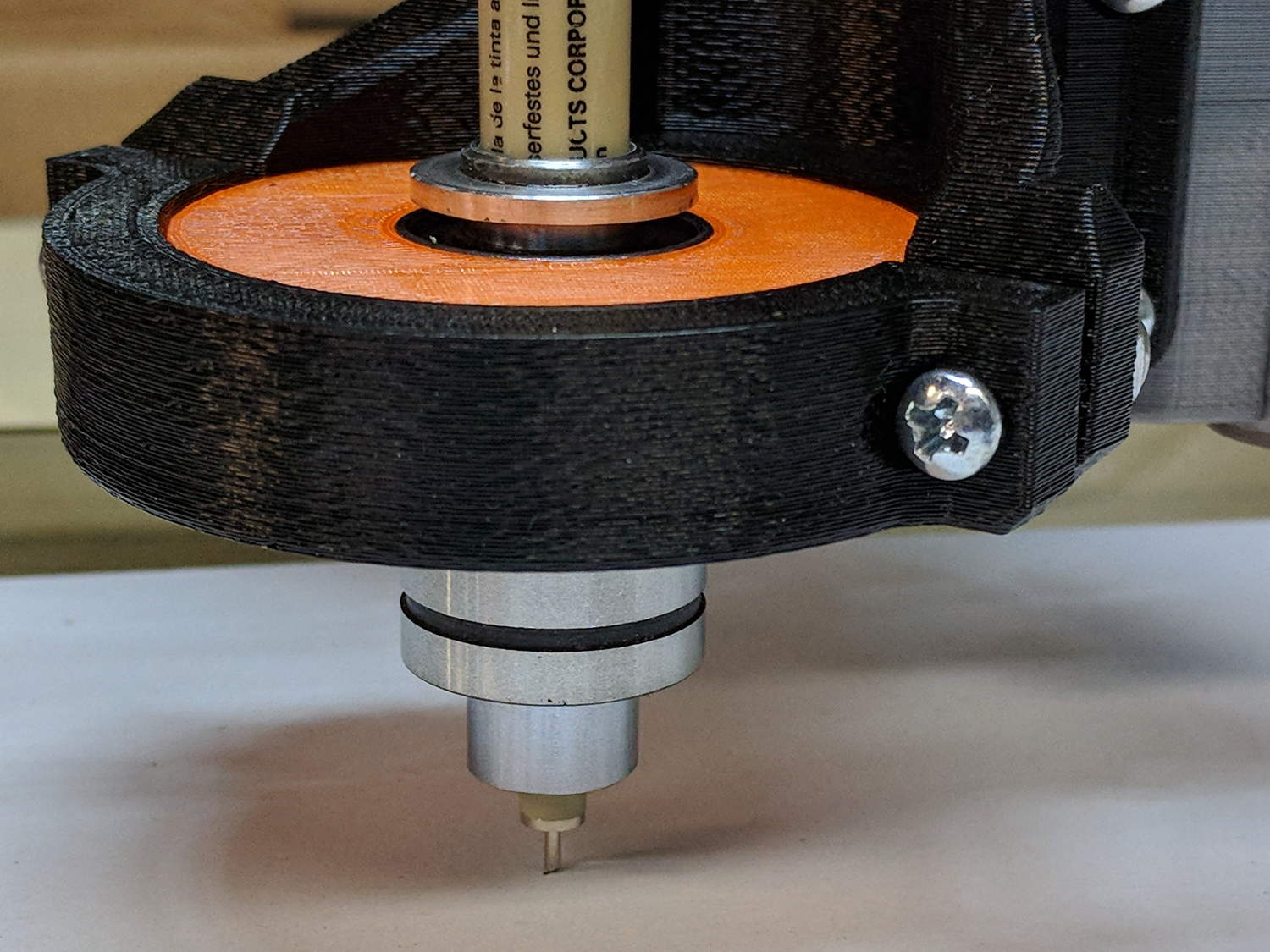
    The DW660 collet grabs a length of 1/8 inch drill rod jammed into a hole positioned to put the switch actuator directly in line with the spindle axis when it trips the switch, so as to measure a known and useful location:

    Z Axis Height Probe - MBI endstop - Slic3r
    Z Axis Height Probe – MBI endstop – Slic3r

    After mulling things over for a while, I fired up the Sherline, drilled a #54 hole in the actuator, and epoxied a 3/32 inch bearing ball in the hole:

    MPCNC - Endstop Z probe - bearing
    MPCNC – Endstop Z probe – bearing

    A #54 drill hole is half the diameter of the ball and, with a bit of luck, enough of the ball will stick through into the epoxy on the underside for a good grip:

    MPCNC - Endstop Z probe - bearing - detail
    MPCNC – Endstop Z probe – bearing – detail

    The general idea is to convert the stamped steel actuator into a single, albeit not particularly sharp, contact point that can glide over the platform / PCB / sheet-of-whatever to measure the surface. The actuator pivots as it depresses, so the ball must slide horizontally just a bit. I prefer a rod-in-tube probe poking a linear button switch, but those weren’t getting me anywhere.

    If I were really cool, I’d use a ruby ball. Maybe silicon nitride?

    The OpenSCAD source code as a GitHub Gist:

    // MPCNC Z Axis Height Probe – MBI endstop in router collet
    // Ed Nisley KE4ZNU – 2018-02-17
    Layout = "Build"; // Build, Show
    /* [Extrusion] */
    ThreadThick = 0.25; // [0.20, 0.25]
    ThreadWidth = 0.40; // [0.40]
    /* [Hidden] */
    Protrusion = 0.1; // [0.01, 0.1]
    HoleWindage = 0.2;
    inch = 25.4;
    function IntegerMultiple(Size,Unit) = Unit * ceil(Size / Unit);
    ID = 0;
    OD = 1;
    LENGTH = 2;
    //- Adjust hole diameter to make the size come out right
    module PolyCyl(Dia,Height,ForceSides=0) { // based on nophead's polyholes
    Sides = (ForceSides != 0) ? ForceSides : (ceil(Dia) + 2);
    FixDia = Dia / cos(180/Sides);
    cylinder(r=(FixDia + HoleWindage)/2,h=Height,$fn=Sides);
    }
    PCB = [40.0,1.6,16.5]; // endstop PCB, switch downward, facing parts
    Touchpoint = [4.8,4.8,-4.5]; // contact point from PCB edges, solder side
    TapeThick = 1.0; // foam mounting tape
    ShankOD = 0.125 * inch; // rod into tool collet
    ShankInsert = 3*ShankOD; // … insertion into switch holder
    WallThick = 3.0; // basic wall & floor thickness
    Mount = [PCB.x,
    (WallThick + TapeThick + Touchpoint.y) + (ShankOD/2 + WallThick),
    PCB.z + ShankInsert
    ];
    NumSides = 2*4;
    //—–
    // Define shapes
    module SwitchMount() {
    difference() {
    translate([PCB.x/2 – Touchpoint.x, // overall block
    Mount.y/2 – (ShankOD/2 + WallThick),
    (PCB.z + ShankInsert)/2])
    cube(Mount,center=true);
    translate([0,0,-Protrusion]) // collet shank hole
    PolyCyl(ShankOD,2*Mount.z,NumSides);
    translate([PCB.x/2 – Touchpoint.x, // PCB recess
    -Mount.y/2 + TapeThick + Touchpoint.y,
    PCB.z/2 – Protrusion/2])
    cube([Mount.x + 2*Protrusion,
    Mount.y,
    PCB.z + Protrusion
    ]
    ,center=true);
    }
    }
    //—–
    // Build it
    if (Layout == "Show")
    SwitchMount();
    if (Layout == "Build") {
    translate([0,0,Mount.z])
    rotate([180,0,-90])
    SwitchMount();
    }
  • MPCNC: Button Box Wiring

    The wiring hairball between the control button pendant and the Protoneer board looks like this:

    GRBL - Control button wiring
    GRBL – Control button wiring

    The as-built schematic, such as it is:

    GRBL Control button wiring - sketch
    GRBL Control button wiring – sketch

    Yes, the SSR negative output goes to the Protoneer + Power Input.

    I should drive the SSR from the Motor Enable output (in the external motor control header), rather than +5 V, to let GRBL control the motors, with a manual E-Stop override. The A4988 drivers require -Enable, so:

    • -Enable to SSR -Control input (replaces GND)
    • +5 V to BRS to SSR +Control input (as before)

    The SSR Control input draws 13 mA at 5 V, suggesting I should drive the AC SSR (for the spindle motor) from the DC SSR output, rather than paralleling the two on a single Arduino output pin.

    I belatedly recognized the E-Stop BRS as an instantiation of an SCP-001-J Keter-class anomaly; it is now appropriately labeled:

    MPCNC EStop as SCP-001-J
    MPCNC EStop as SCP-001-J

    I can attest to its effect on rational thought; a molly-guard may be required.

  • Streaming Radio Player: Standard Galactic Alphabet

    Prompted by Jacob’s comment about the most recent OLED garble:

    RPi Streaming Player - Standard Galactic Alphabet
    RPi Streaming Player – Standard Galactic Alphabet

    If ya can’t fix it, feature it!

    That’s the First SGA Font from the Standard Galactic Font origin story. I copied the font file to one of the streamers, then re-aimed the font setup:

    #font1 = ImageFont.truetype('/usr/share/fonts/truetype/dejavu/DejaVuSansMono.ttf',14)
    font1 = ImageFont.truetype('/home/pi/sga.ttf',14)
    #font2 = ImageFont.truetype('/usr/share/fonts/truetype/dejavu/DejaVuSans.ttf',11)
    font2 = ImageFont.truetype('/home/pi/sga.ttf',11)
    

    It looks surprisingly good on such a low-res display.

    The user community seems divided over the update … [grin]