The Smell of Molten Projects in the Morning

Ed Nisley's Blog: Shop notes, electronics, firmware, machinery, 3D printing, laser cuttery, and curiosities. Contents: 100% human thinking, 0% AI slop.

Tag: CNC

Making parts with mathematics

  • KG-UV3D GPS+Voice: Battery Pack Alignment Lugs

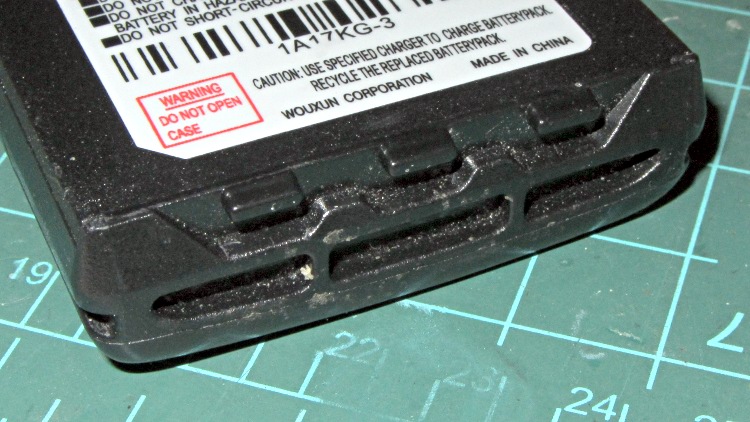
    The bottom end of Wouxun KG-UV3D battery packs have an intricate set of lugs and ramps:

    Wouxun KG-UV3D - battery base
    Wouxun KG-UV3D – battery base

    Those features mate with this set of holes and planes on the bottom of the radio:

    Wouxun KB-UV3D - base features
    Wouxun KB-UV3D – base features

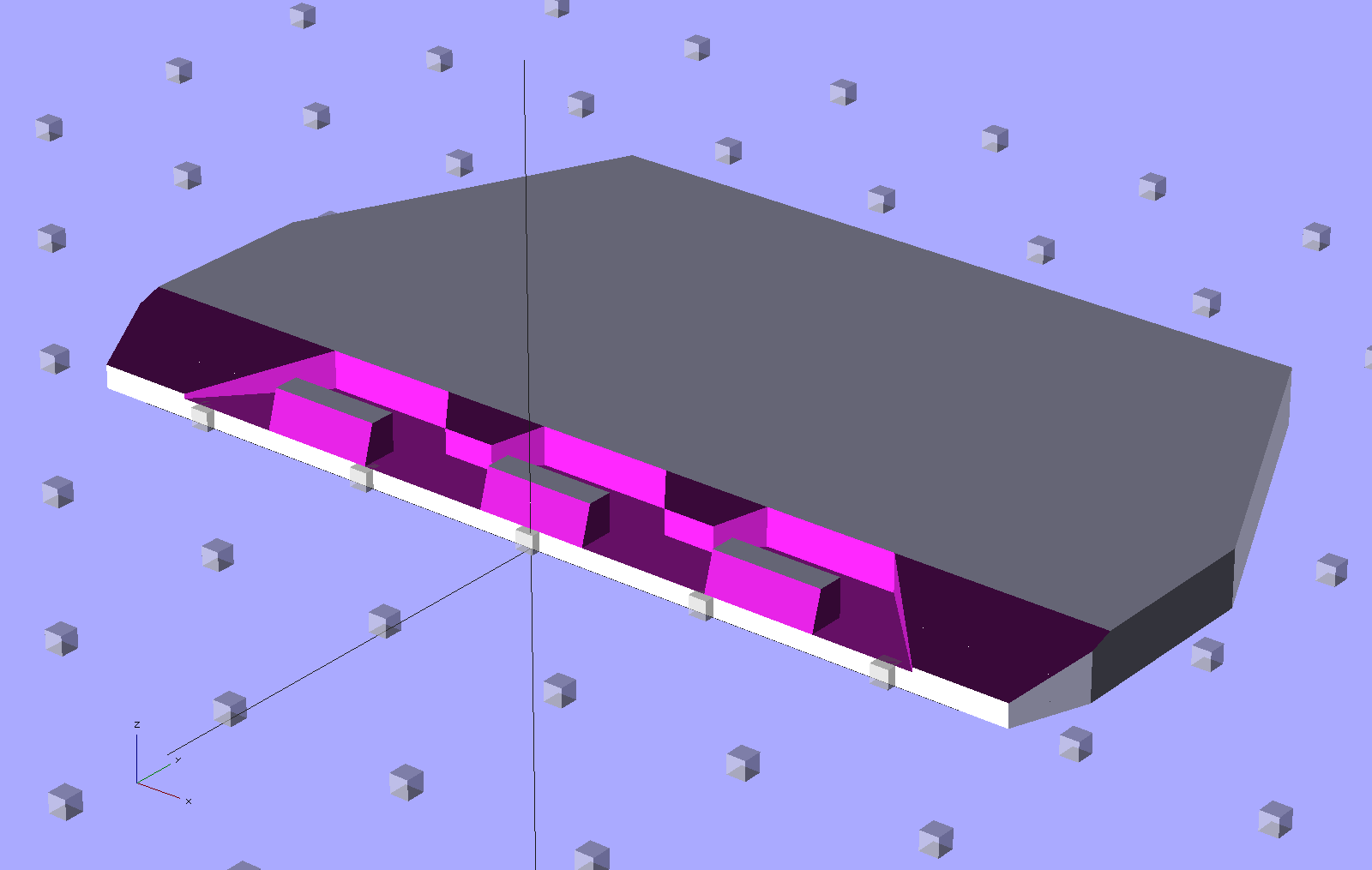
    Which requires making something like this:

    HT-GPS Case - base plate
    HT-GPS Case – base plate

    Which attaches to the base of the GPS+Voice case:

    HT-GPS Adapter Case - Base view
    HT-GPS Adapter Case – Base view

    Which came out quite nicely:

    HT-GPS Case - base plate
    HT-GPS Case – base plate

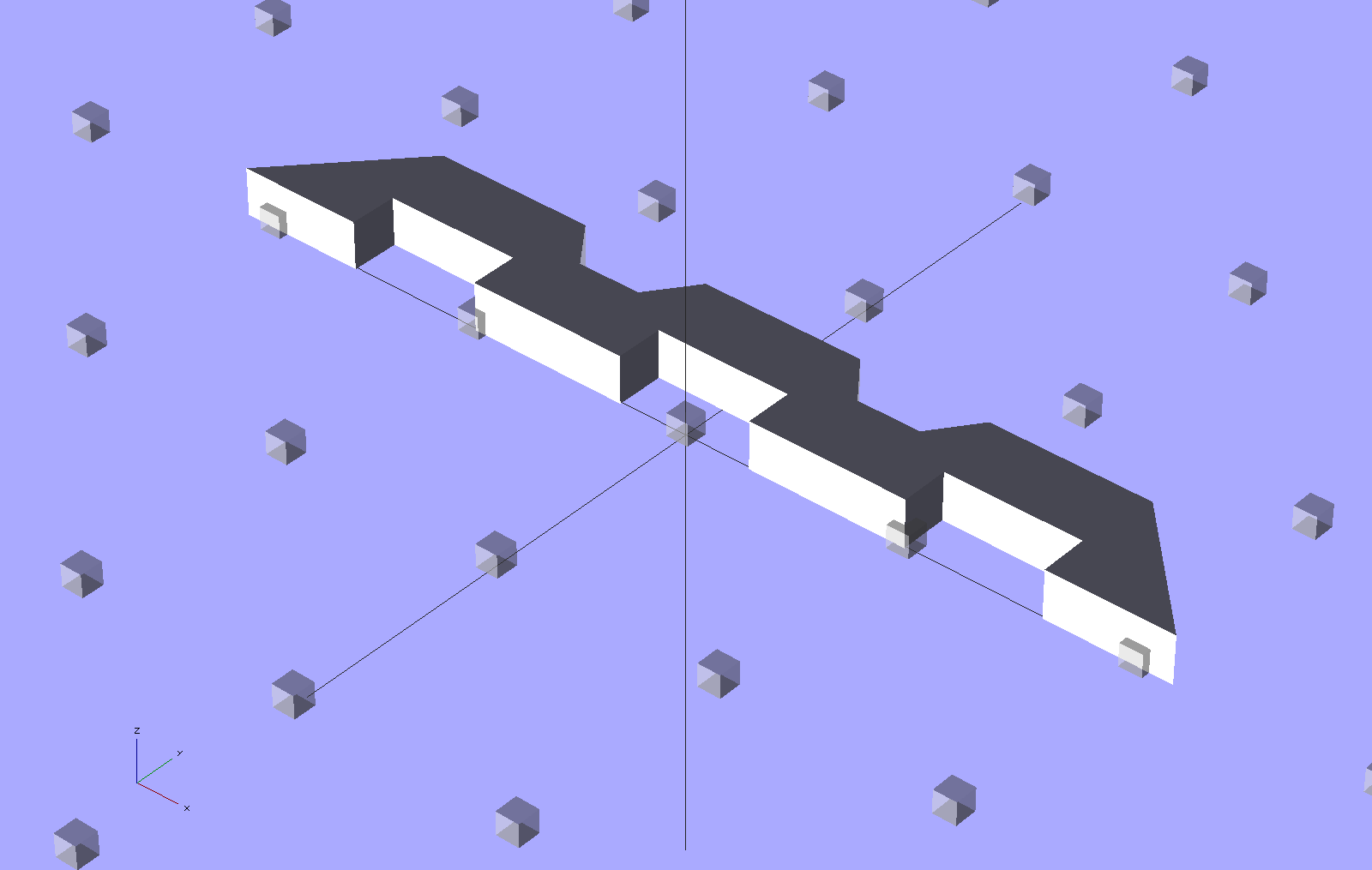
    The trick is to extrude a chunk of the main case shape, then subtract this angular doodad:

    HT-GPS Case - radio base shape
    HT-GPS Case – radio base shape

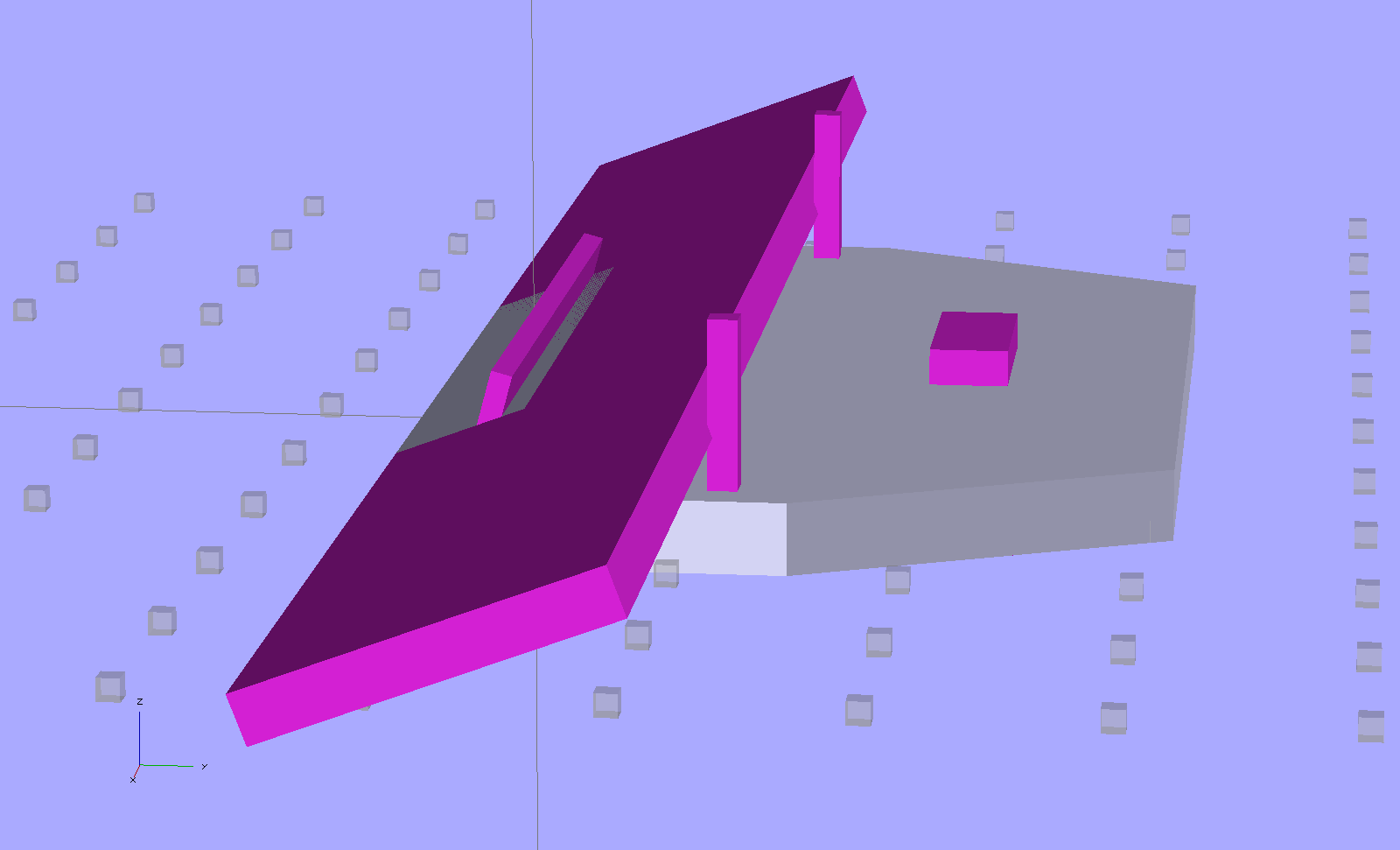
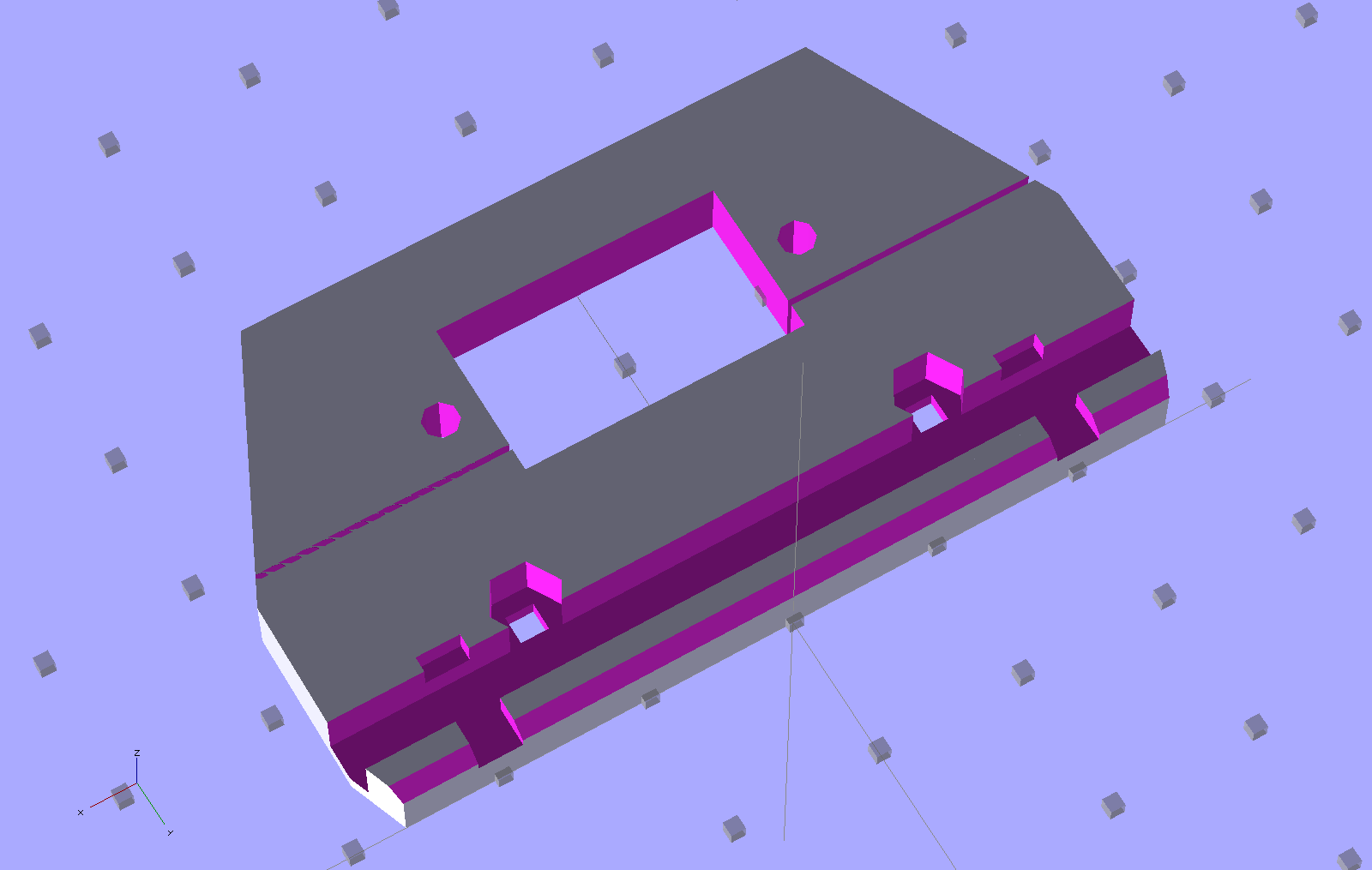
    Then slice off the angular parts to suit (the purple objects represent volumes that will be subtracted from the gray part):

    HT-GPS Case - base plate - construction
    HT-GPS Case – base plate – construction

    Most of the heavy lifting happened with that version, but this one fits better…

  • KG-UV3D GPS+Voice Interface: Battery Case Latch

    The Wouxun KG-UV3D radio has two lugs inside the battery compartment:

    Wouxun KG-UV3D - battery lugs
    Wouxun KG-UV3D – battery lugs

    The battery packs and DC adapters all have clever spring-steel latches that engage those lugs, with a pair of sliding buttons that depress the ends of the spring to release the pack:

    Wouxun KG-UV3D - battery pack latch
    Wouxun KG-UV3D – battery pack latch

    That mechanism may be cheap, straightforward, and easy to build in mass production, but I can’t figure out how to duplicate it for a case to house the GPS+Voice interface circuitry. That box had the dual disadvantages of being plug-ugly and not locking to the radio, but it did help establish some key dimensions, which is not to be sniffed at.

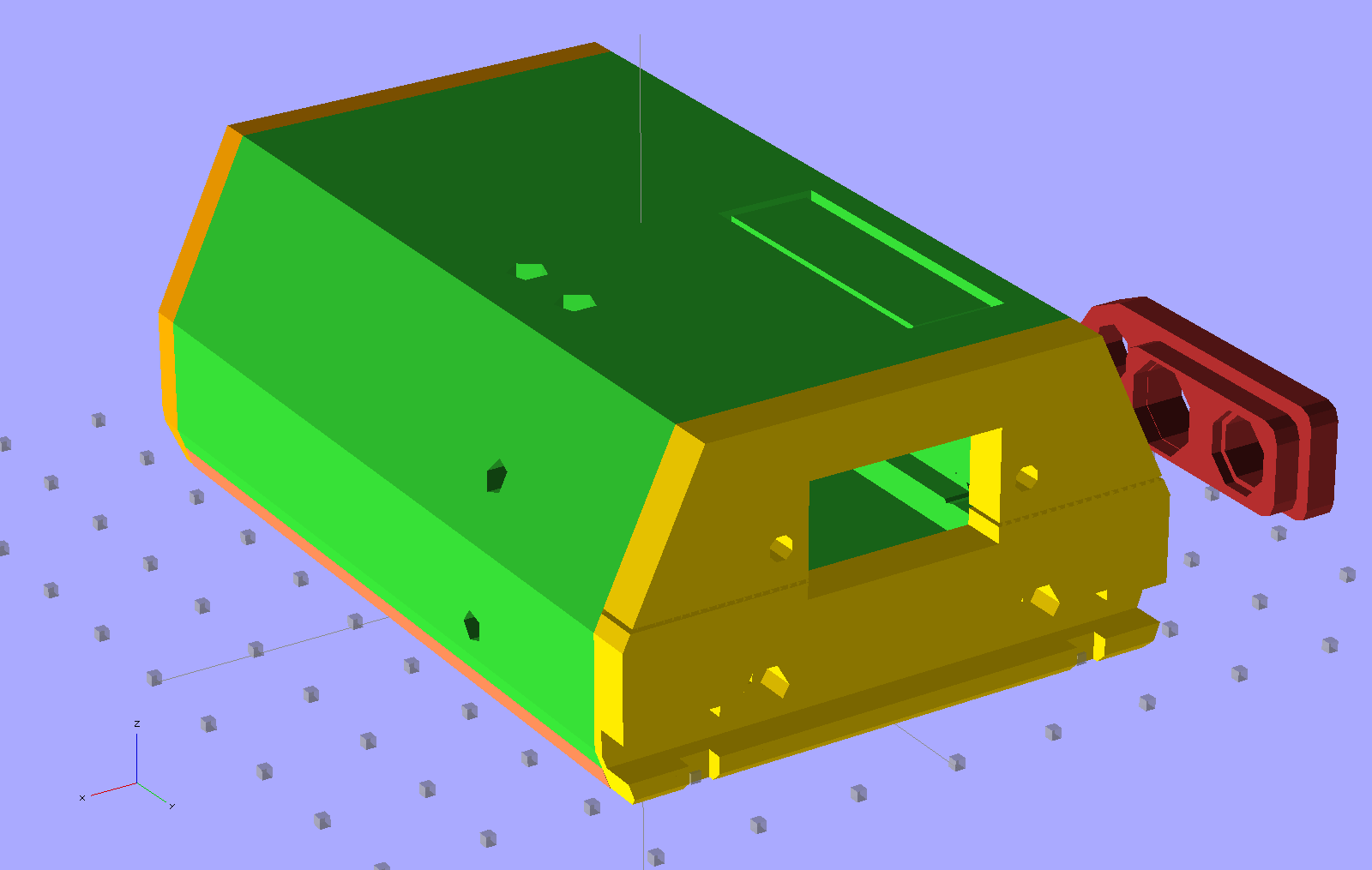
    A bit of heads-down effort produced this not-so-hideous printable case:

    HT-GPS Adapter Case - Overview
    HT-GPS Adapter Case – Overview

    The rectangle on the top is a built-in support structure for what will be a window over the four LEDs on the Byonics TinyTrak3+ board. The two holes on the top allow screwdriver access to the TT3 trimpots, although they might not be necessary. The four holes (two visible) along the sides fit 4-40 setscrews that lock the PCBs into slots along the inside of the main case body. The red doodad off to the far side is that plug alignment block for the radio.

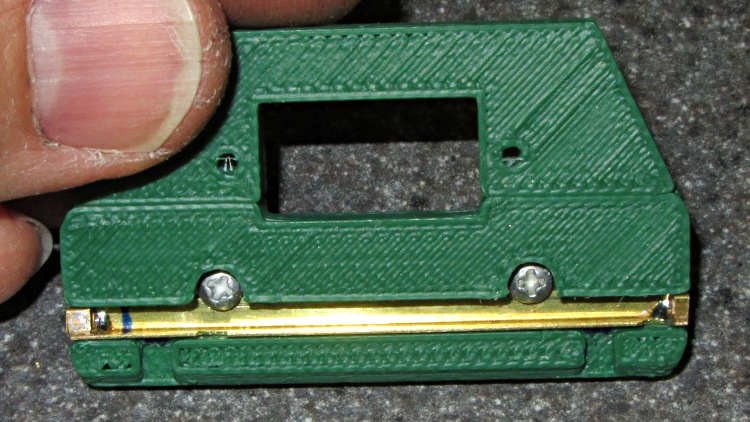
    The yellow latch plate on the end engages the lugs with a bar sliding in a slot, which looks like this when it’s locked:

    HT-GPS Case Latch - locked
    HT-GPS Case Latch – locked

    A view from the top side shows the notches that release the lugs:

    HT-GPS Case Latch - detail
    HT-GPS Case Latch – detail

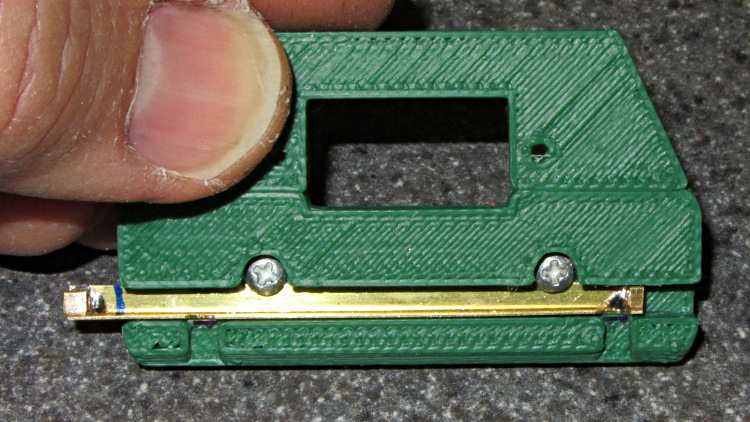
    In the unlocked position the notches and lug slots line up:

    HT-GPS Case Latch - open
    HT-GPS Case Latch – open

    The solid model shows the plastic structure, which is slightly improved from the pictures:

    HT-GPS Case - latch and connector plate
    HT-GPS Case – latch and connector plate

    The big hole fits around the TinyTrak3+ serial connector to the GPS receiver. The slot across the hole splits the plate so it can fit around the already-soldered connector.

    The latch bar consists of a L-shaped brass angle (from the Big Bag o’ Cutoffs) with two snippets of square brass tube soldered to the ends:

    HT-GPS Case Latch - bar detail
    HT-GPS Case Latch – bar detail

    I cut the angle to length with a Dremel abrasive wheel, soldered two brass tubes, sliced them off with a Dremel cutoff saw, roughed out the slots with the abrasive wheel, and applied some tool-and-die maker’s (aka needle) files to smooth things out. Yup, had to clamp each soldered joint in a toolmaker’s vise to keep from melting it during the nastier parts of that process. A pair of 2-56 screws, with nuts behind the plate, hold the bar in place and provide some friction.

    Moving the latch bar requires poking the end with a sharp object (captured by the brass tubing), because I couldn’t figure out how to put finger-friendly buttons on it. This would be completely unusable for an actual battery, but should work OK for a permanently mounted GPS interface.

    Conspicuous by their absence:

    • Holes in the case for the cables (may need more surface area on the ends)
    • Any way to fasten the latch plate to the main case (I may just drill holes for small pins)
    • Provision for the TT3 mode switch
    • A cover for the exposed radio chassis above the latch lugs (may be a separate shell glued to the latch plate)

    The whole thing needs a full-up test to verify the serial connector clears the back of the case…

  • Peltier PWM Temperature Control: MOSFET Thermal Block

    The Peltier assembly looked like this while I was epoxying everything together with JB Weld:

    Peltier module - epoxy curing
    Peltier module – epoxy curing

    The aluminum-case resistor held the heatsink at 105 °F to encourage the epoxy to cure in a finite amount of time.

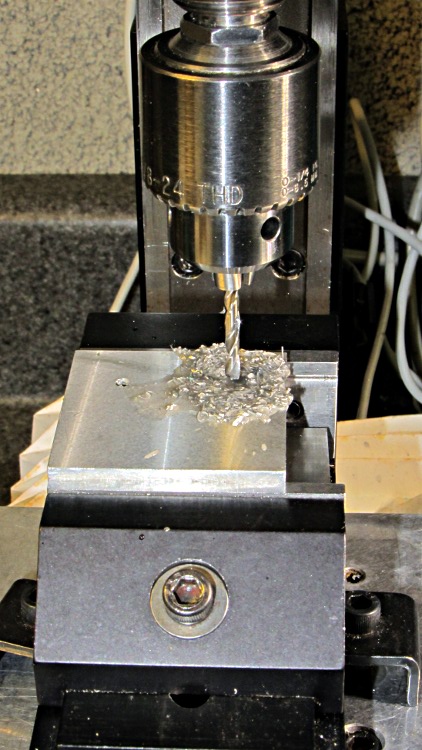
    The 40 mm square block is a squared-up piece of 1/2 inch aluminum plate (manual CNC on the Sherline, nothing fancy) with a pair of 6-32 tapped holes for the screws that will hold TO-220 transistors or the yet-to-be-built TO-92 adapter. The CPU heatsink got a pair of symmetric holes for the posts holding it to the acrylic base, but other than that it’s perfectly stock.

    MOSFET thermal block - drilling
    MOSFET thermal block – drilling

    Then epoxy the thermistor brick to the middle of the block between the two screws, stick on some obligatory Kapton tape to prevent embarrassing short circuits, and add a foam collar around the Peltier module to insulate the block from the heatsink:

    MOSFET thermal block
    MOSFET thermal block

    A square foam shako covers everything, held down with a random chunk o’ weighty stuff, to insulate the whole affair from the world at large.

  • MOSFET rDS PCB

    This one came out surprisingly well, apart from the total faceplant with that resistor. With any luck, it’ll measure MOSFET on-state drain resistance over temperature for an upcoming Circuit Cellar column; it’s a honkin’ big Arduino shield, of course.

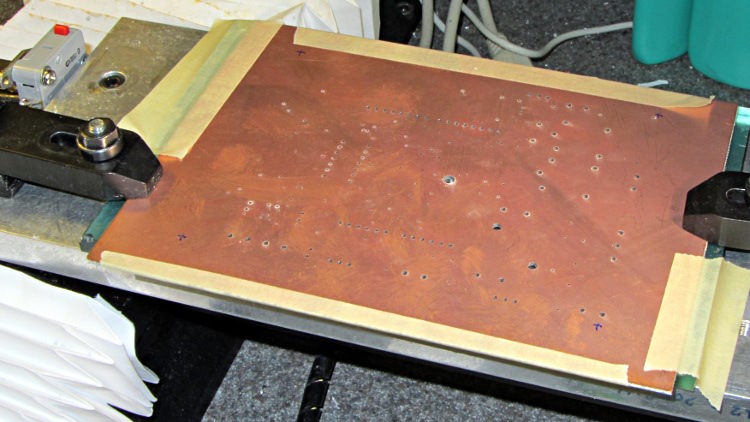
    Drilled holes on the Sherline using the relocated tool height switch:

    rDS Tester - drilled PCB
    rDS Tester – drilled PCB

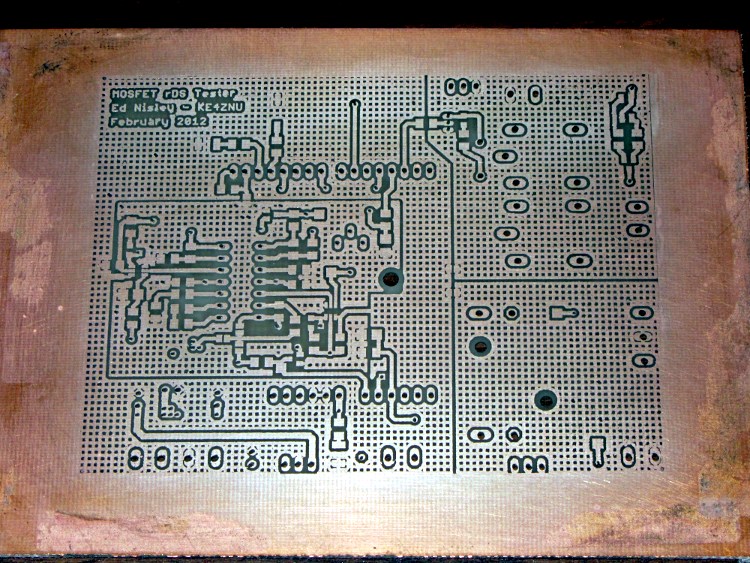
    Front copper, after etching & silver plating:

    rDS Tester - etched front
    rDS Tester – etched front

    Back copper, ditto:

    rDS Tester - etched rear
    rDS Tester – etched rear

    I think I can epoxy the resistor kinda-sorta in the right spot without having to drill through the PCB into the traces. Maybe nobody will notice?

    The traces came out fairly well, although I had to do both the top and bottom toner transfer step twice to get good adhesion. Sometimes it works, sometimes it doesn’t, and I can’t pin down any meaningful differences in the process.

    And it really does have four distinct ground planes. The upper right carries 8 A PWM Peltier current, the lower right has 3 A drain current, the rectangle in the middle is the analog op-amp circuitry tied to the Analog common, and surrounding that is the usual Arduino bouncy digital ground stuff. The fact that Analog common merges with digital ground on the Arduino PCB is just the way it is…

  • Harbor Freight Bar Clamp: Handle Hole Support Plugs

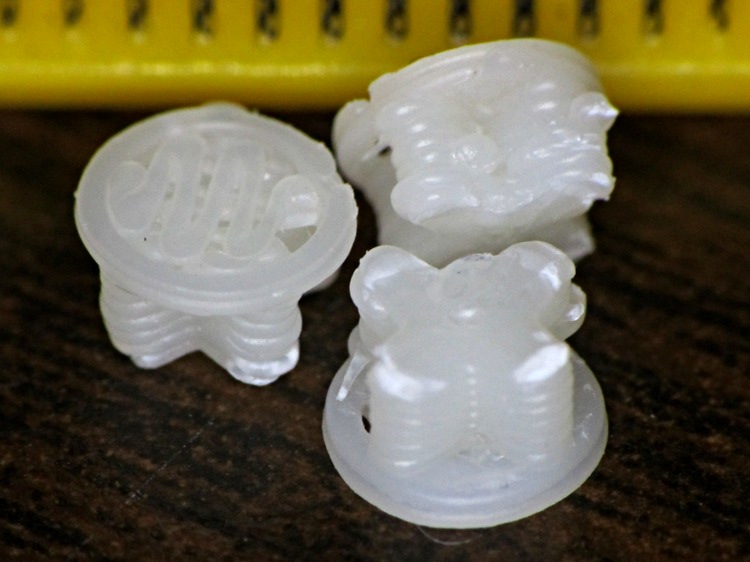
    Having printed up three of those handles for Show-n-Tell, I preemptively installed one in the hasn’t-failed-yet clamp, and poked the support out of another to show how it works. They’re just the cutest little buttons:

    HF bar clamp handle - support plug
    HF bar clamp handle – support plug

    The fins are a touch under 4.5 mm end-to-end and 1 mm (2 × 0.5 mm) across, with layer thickness = 0.25 mm. The first layer fill looks a bit lackadaisical, but the bottom of the surrounding handle came out glass-solid with barely visible joints between the threads, so the settings work fine for larger objects.

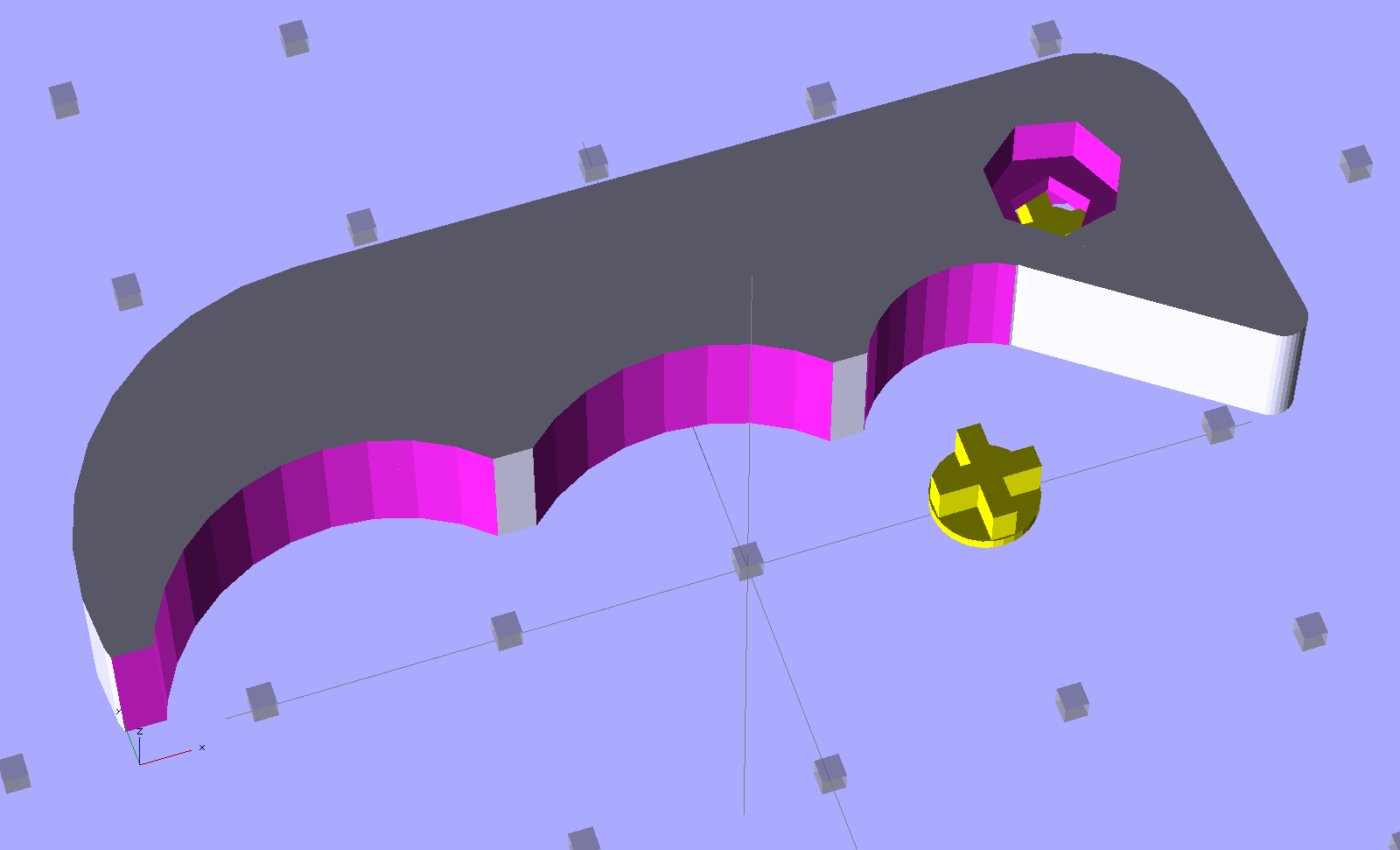
    HF Bar Clamp - support - solid model
    HF Bar Clamp – support – solid model

    The tip of each fin has a scar where the overlying perimeter thread bonded to it. Skeinforge is set to extrude the perimeter first, which would squirt that circle (well, pentagon) into mid-air… which is why this support plug lies in wait below.

  • Reversal Zits: Extruder Pressure vs. Flow vs. Acceleration

    Pondering the Reversal Zittage Bestiary led me to wonder about the formal relationship between pressure and flow in a viscous fluid passing through a nozzle. I’ll cheerfully admit my never-very-puissant fluid dynamics fu has become way rusty and, this being the first time I’ve collected all this stuff in one place, there’s certainly something I’m overlooking (to put it charitably), but here goes…

    Assuming that (semi-)molten plastic:

    Counterargument:

    The hot end contains about 20 mm of molten filament, which is 140 mm3 of 3 mm filament. During filament swaps, the filament pushes back about 2 mm = 14 mm3 without any external force, so there’s about 10% springiness in the hot end. That suggests the plastic really isn’t incompressible. Some of the springiness may come from the PTFE tube expanding against the surrounding metal tube, but the fact that the (solidified) molten zone has a larger diameter than the rest of the filament says the PTFE expansion is not very dynamic: the filament solidified at zero pressure.

    Boldly assuming incompressiblity anyway, the always-right-and-never-lies Wikipedia tells us that the equations of state boil down to the Stokes Equations, herewith directly cribbed:

    \boldsymbol{\nabla}p = \mu \nabla^2 \mathbf{u} + \mathbf{f}
    \boldsymbol{\nabla}\cdot\mathbf{u}=0

    That’s using this symbology, typographically modified to eliminate the need for embedded graphics:

    • The del operator represents the spatial gradient
    • ∇p = pressure gradient
    • u = fluid velocity
    • ∇·u = divergence of velocity (pointiness)
    • 2 u = Laplacian of velocity (sharpness of pointiness)
    • μ = dynamic viscosity
    • f = applied force

    Under the breathtakingly aggressive simplifying assumption that we can model slices across the extruder’s nozzle as nearly 2D radially symmetric pipes with a teeny frustum shape, we have a mostly one-dimensional situation:

    • The first equation says that axial pressure gradient is directly proportional to the applied force, which makes sense, plus a huge term due to the nozzle shape (how abruptly the velocity gradient changes)
    • The second equation is a generalization of GladOS‘s explanation of the conservation of momentum across Portal transfers: Speedy thing goes in, speedy thing comes out. For slightly conical slices, the axial speed increases as the radial area decreases, but the overall velocity gradient comes out zero.

    All the force f comes from a stepper motor ramming filament into the hot end:

    • To a good first order approximation, stepper motor torque is proportional to winding current.
    • For a given filament diameter, drive wheel diameter, and speed, a constant-current stepper applies constant force to the filament.
    • Stepper power being roughly constant for a given current, the available force varies inversely with rotational speed.

    Vigorous handwaving

    The low Reynolds number says the inertial forces don’t amount to squat, so everything depends on viscous flow. There’s nothing to accelerate; try accelerating a spoon through honey.

    Given a desired velocity u (mostly axial, for a particular extruding speed) and a nozzle, the first equation says the required force varies linearly with the pressure gradient ∇p. The gradient runs from atmospheric pressure on one end to the molten pool on the other, with the steepest change in the narrowest part of the nozzle. This suggests a short nozzle aperture is good.

    Conversely, a long smooth nozzle reduces ∇2 u by reducing abrupt velocity changes. For a given ∇p, the required force varies directly with the second (spatial) derivative of the velocity; lower velocity doesn’t mean lower force, but smoother changes (and their derivatives) certainly do.

    During reversal, the extruder must produce a negative ∇p very quickly to inhale the filament and prevent drooling. Assuming ∇p has the same order of magnitude in both directions (thus, different signs), changing the fluid velocity will produce huge changes in ∇2 u.

    Fluid compressibility means that, during the early part of the reversal operation, moving the filament doesn’t change the pressure by very much at all: the first equation remains pretty much constant.

    Caveats

    The Stokes equations are time-invariant: the velocity is a constant. So we’re looking at the steady state and making dangerous assumptions about changing conditions.

    The force variation seems linear with pressure gradient around a given flow, which is comforting: at least it’s not quadratic or something even more horrible.

    Given the low Reynolds number, even moderate flow variations should be roughly linear, as the velocity gradients won’t change much with changing velocity.

    This explains why Reversal Zittage gets so much worse at higher speeds: the extruder operates under constant (and, at least in my TOM, low) power that can keep pace with normal extrusion, but doesn’t have an order of magnitude more force in reserve for retraction.
  • Skeinforge Feed Settings

    As part of the general reshuffling, I’ve started running the printer with different feeds for different functions:

    • Travel = 250 mm/s (non-printing!)
    • Basic rate = Infill = 60 mm/s (SF Speed plugin → Feed Rate)
    • Perimeter = 0.33 → 20 mm/s
    • First layer Infill = 0.25 → 15 mm/s
    • First layer Perimeter = 0.15 → 9 mm/s

    All of the corresponding Flow rates have the same values, which seems to be the right way to go. In Skeinforge 45, these are all collected in the Speed plugin.

    The very slow first layer ensures good adhesion to the Kapton build surface, with the rebuilt HBP now maintaining a very stable 0.25 mm across the whole platform. I’ll try goosing the first layer infill to 20 mm/s and the perimeter to 15 mm/s at some point, but this is entirely tolerable; I’d rather have it Just Work than occasionally come unstuck.

    The 20 mm/s perimeter reduces the Extruder Zittage problem, with the 9 mm/s Perimeter on the first layer coming out entirely zit-free. However, the sequential version of Amdahl’s Law applies here: a slow perimeter around a fast infill produces a fairly slow overall layer. Making the infill rather sparse doesn’t help, of course, but overall it’s a win.

    This collection of speeds hopelessly confuses Pronterface’s estimated print time calculation; the most amazing prediction reported just under 24 hours for a fairly simple set of objects that took maybe half an hour. A recent gizmo had an estimated time of 4:34 and an actual time of 28:07, off by a factor of 6.2. If Pronterface divides the total filament length by the first speed it finds in the file, it’d be off by a factor of 6.7, so maybe that’s close to what happens under the covers.