The Smell of Molten Projects in the Morning

Ed Nisley's Blog: Shop notes, electronics, firmware, machinery, 3D printing, laser cuttery, and curiosities. Contents: 100% human thinking, 0% AI slop.

Tag: CNC

Making parts with mathematics

  • MPCNC – Autolevel Probe, Collet Edition

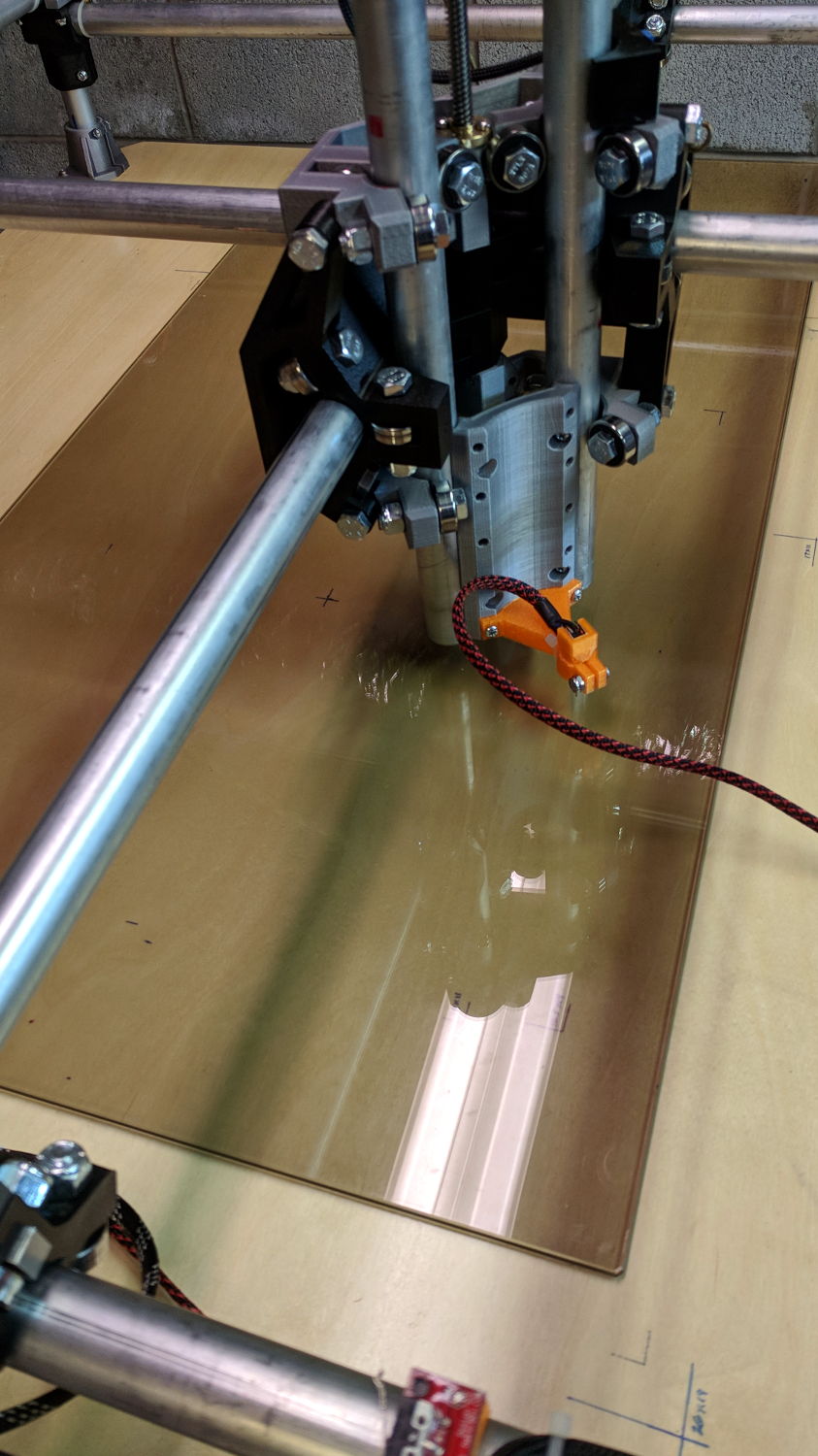
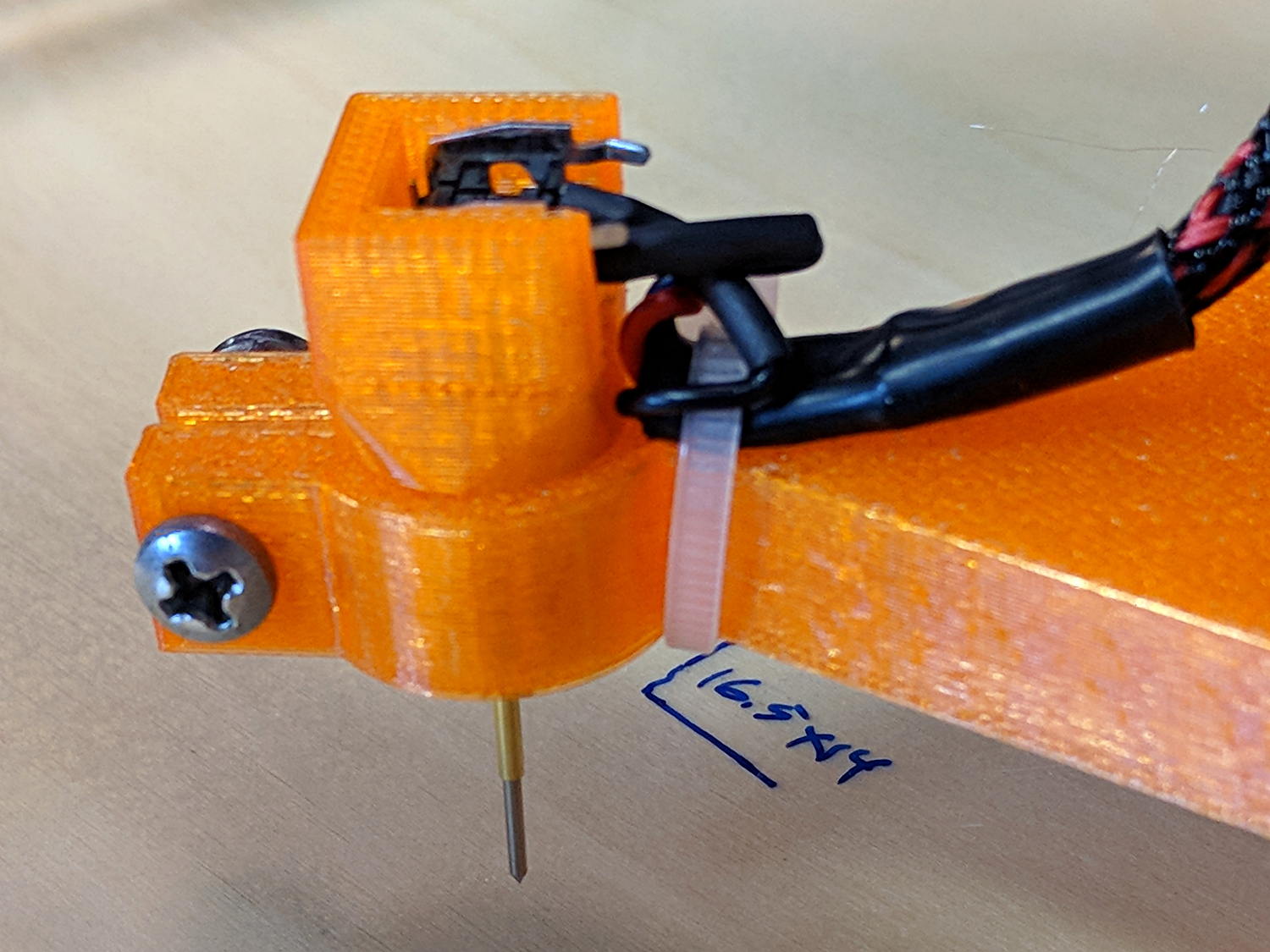
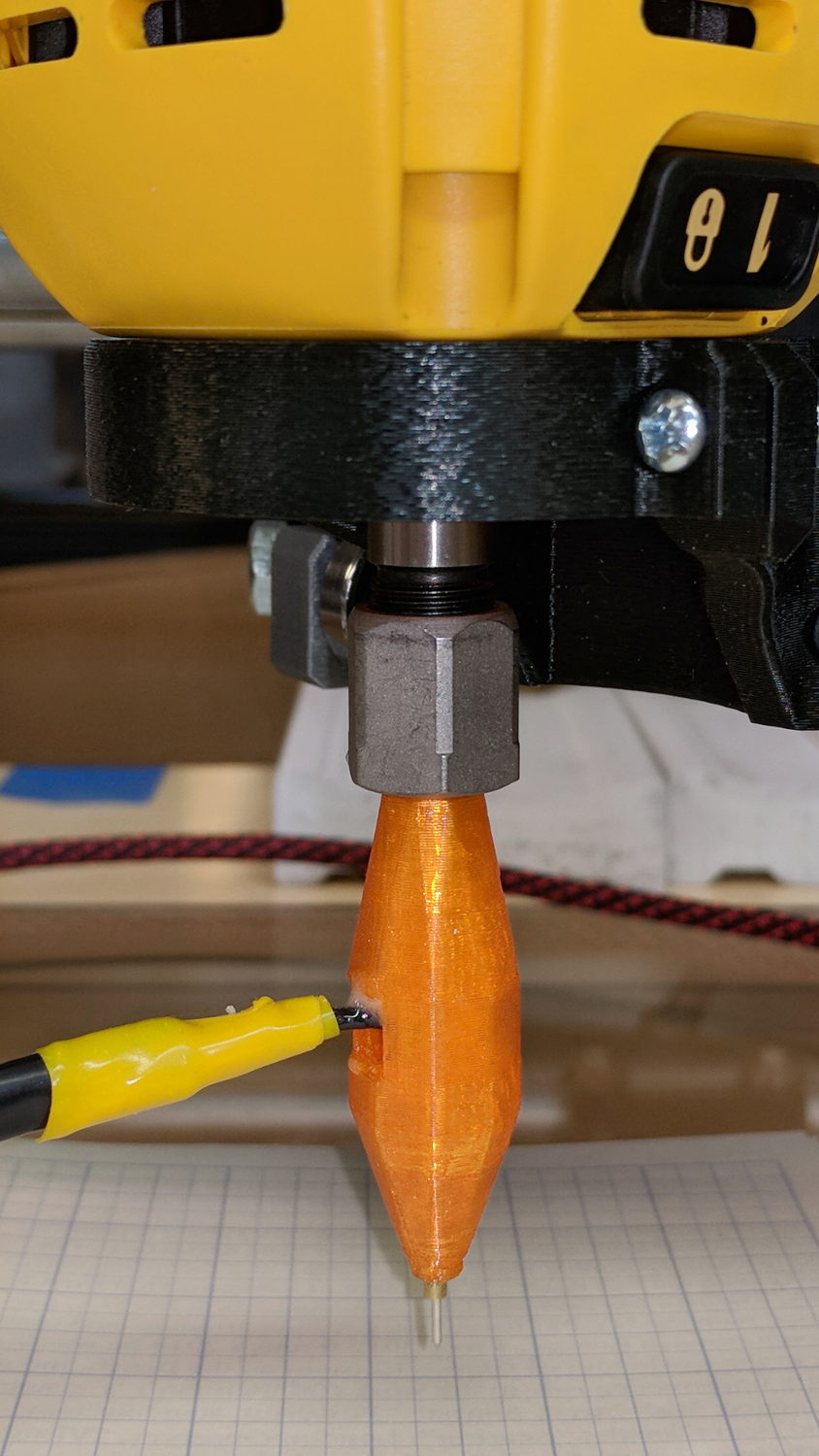
    Although putting a Z-axis height probe in a rigid pen holder worked well enough, it’d be handy to have a probe with a stud suitable for clamping in the DW660 spindle (with the power off!):
    MPCNC - Z probe - DW660 - 0.25 collet
    MPCNC – Z probe – DW660 – 0.25 collet

    Inside, it uses the same pushbutton and pogo pin as the pen holder design, with a similar brass tube around the pogo pin.

    There’s a conspicuous lack of good wire management; we all know where those wires will snap. In practice, you’d secure it to the DW660 power cord, way up on top, to eliminate most of the flexing. Still, it wants better strain relief than its gets from those heatstink tubes.

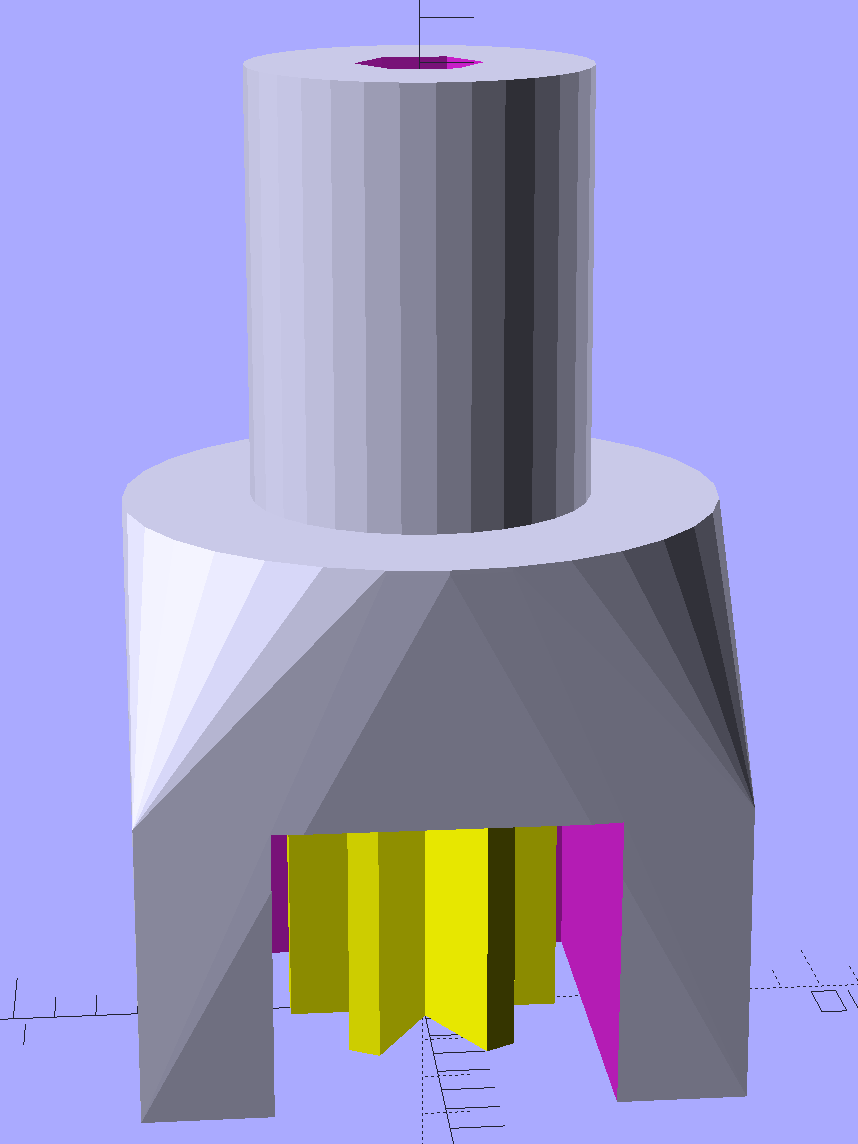
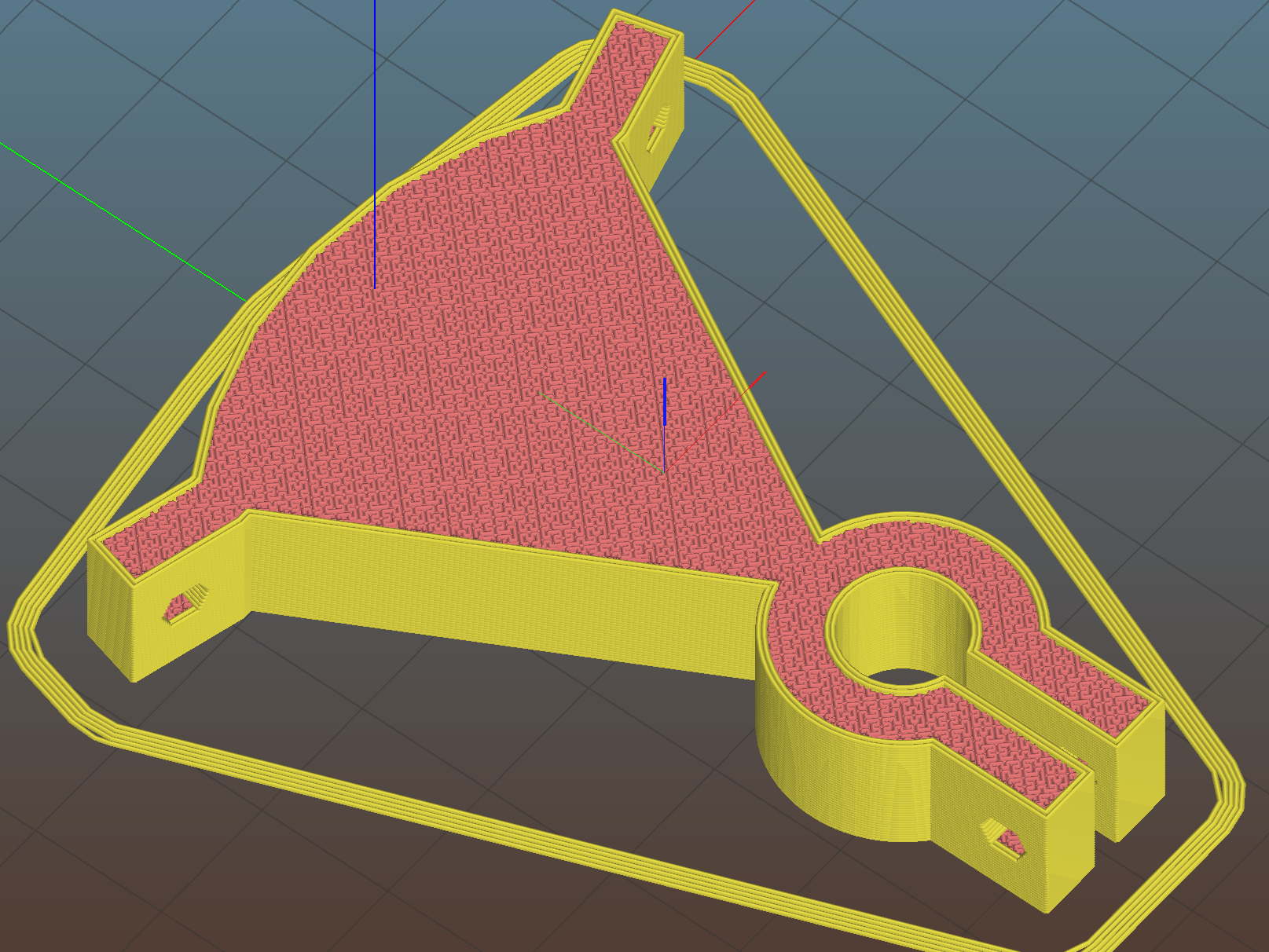
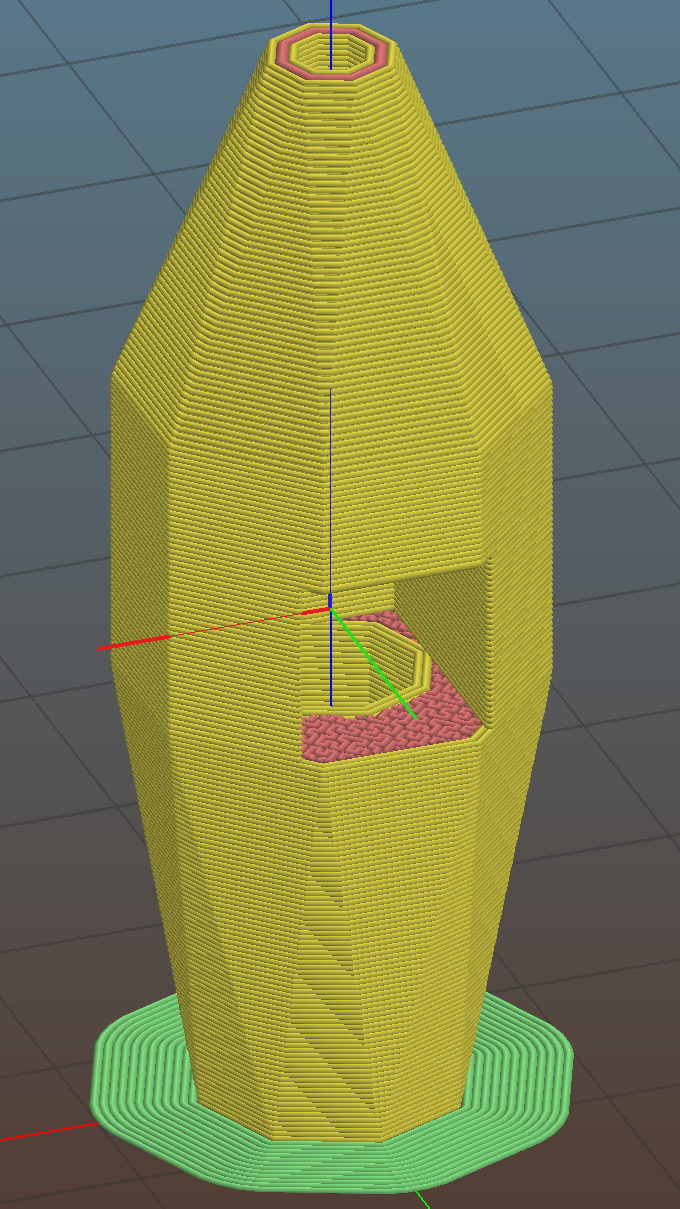
    The solid model looks like a weaving shuttle:
    MPCNC - Autolevel probe - collet - Slic3r preview
    MPCNC – Autolevel probe – collet – Slic3r preview

    It’s sitting upside-down in a 5 mm brim for more platform adhesion.

    The next one will have a 1/8 inch stud to fit the DW660’s other collet and shorten the top by 3/8 inch, because I want the rod inserted three diameters for stability. The bottom can’t get much shorter, because the pogo pin determines the switch-to-tip distance. Maybe a simple membrane switch will work well enough?

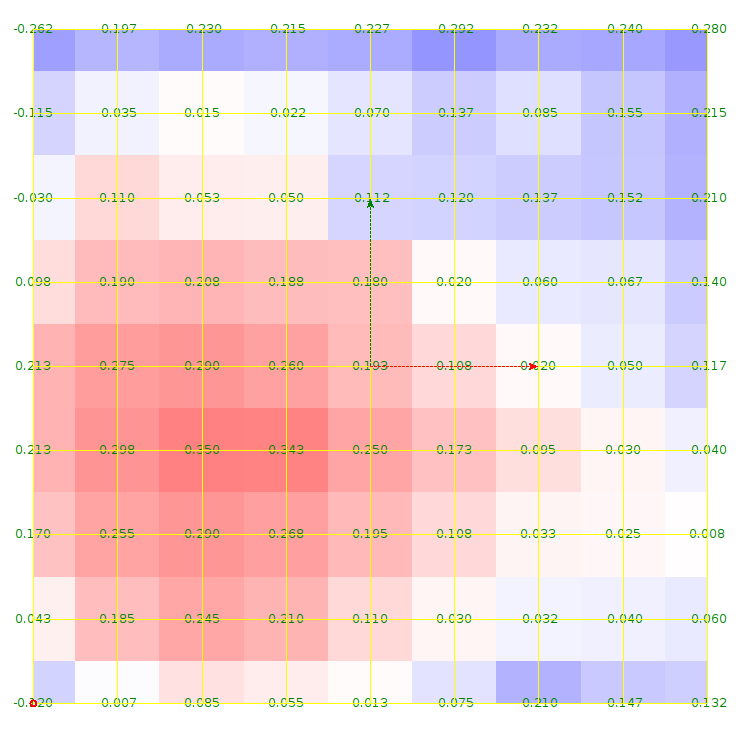
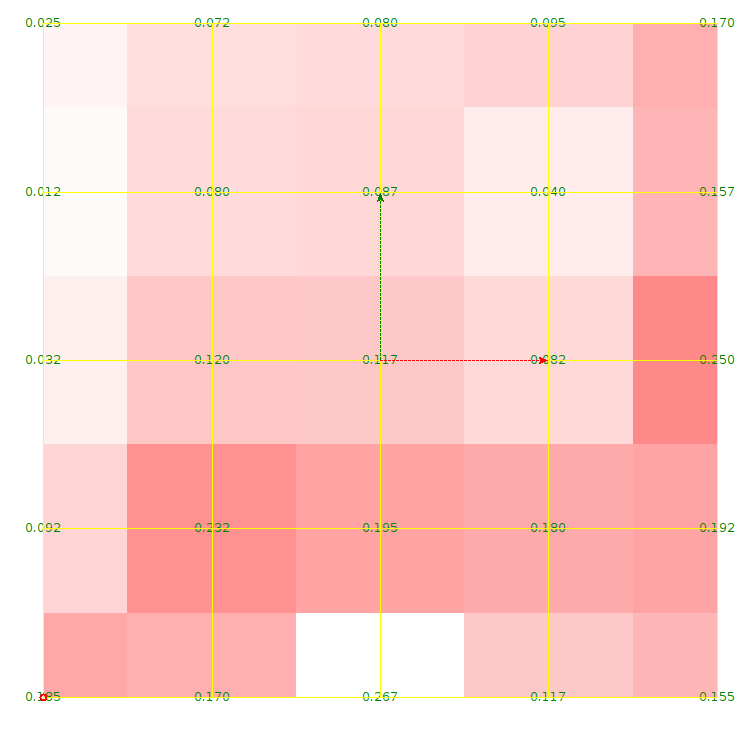
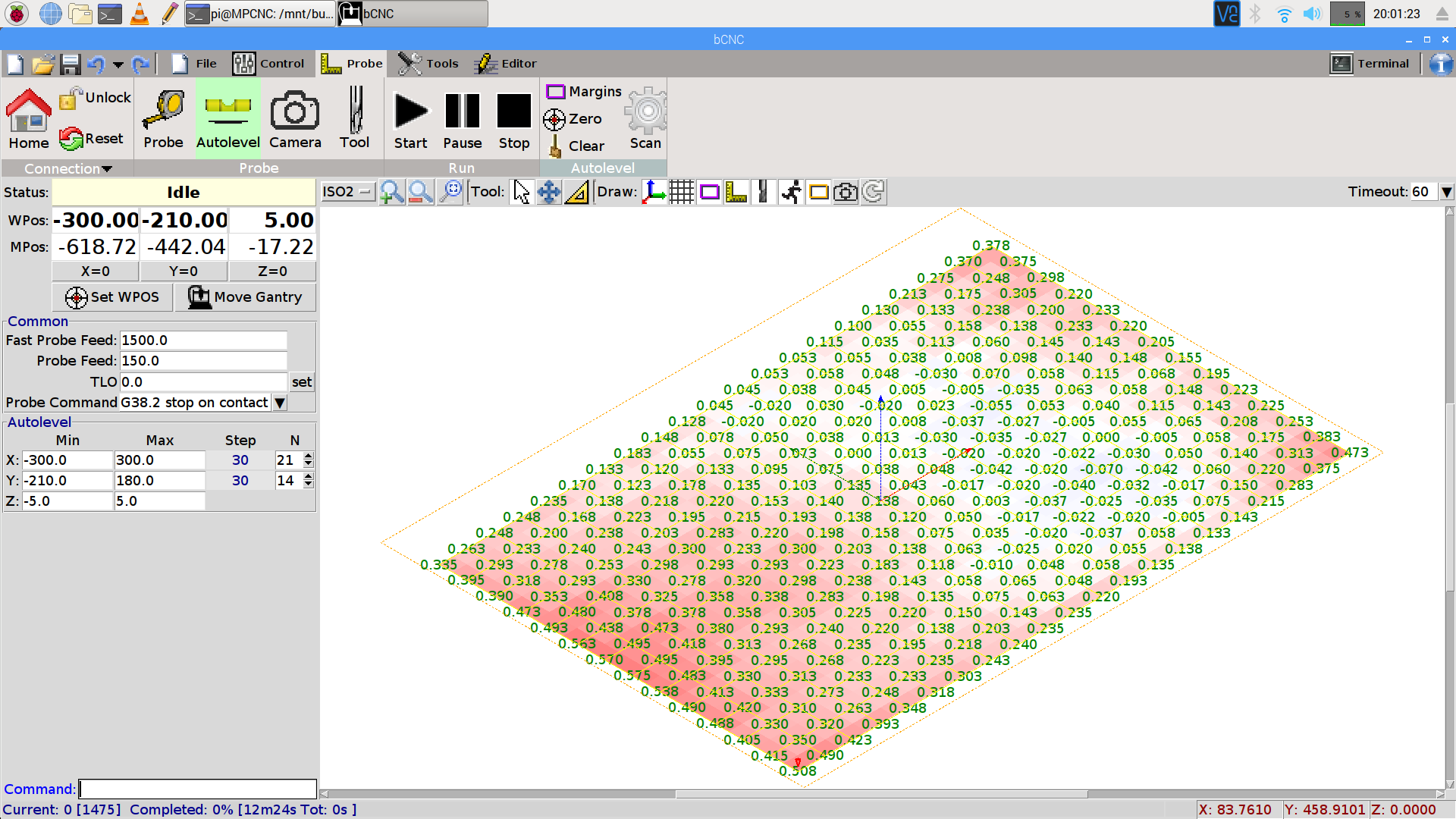
    You can see the depression in the glass sheet pretty clearly in a bCNC Autolevel scan on 30 mm centers (clicky for more dots):
    bCNC - Probe Array - 600x390 30 mm OC - ISO2
    bCNC – Probe Array – 600×390 30 mm OC – ISO2

    The OpenSCAD source code as a GitHub Gist:

    // MPCNC Z Axis Height Probe for router collet
    // Ed Nisley KE4ZNU – 2018-02-14
    Layout = "Build"; // Build, Show
    Section = false;
    /* [Extrusion] */
    ThreadThick = 0.25; // [0.20, 0.25]
    ThreadWidth = 0.40; // [0.40]
    /* [Hidden] */
    Protrusion = 0.1; // [0.01, 0.1]
    HoleWindage = 0.2;
    inch = 25.4;
    function IntegerMultiple(Size,Unit) = Unit * ceil(Size / Unit);
    ID = 0;
    OD = 1;
    LENGTH = 2;
    //- Adjust hole diameter to make the size come out right
    module PolyCyl(Dia,Height,ForceSides=0) { // based on nophead's polyholes
    Sides = (ForceSides != 0) ? ForceSides : (ceil(Dia) + 2);
    FixDia = Dia / cos(180/Sides);
    cylinder(r=(FixDia + HoleWindage)/2,h=Height,$fn=Sides);
    }
    /* [Switch] */
    SwitchBody = [7.8,6.8,7.0]; // PCB mount hardware extends infinitely to +Y
    SwitchButton = [3.5,5.0,1.0]; // OD allows some clearance
    SwitchClear = 5.0; // room for pad atop probe rod
    SwitchZ = SwitchBody.z + SwitchButton.z + SwitchClear;
    Sleeve = [1.5,2.5,15.0]; // tube around pogo pin
    ShankOD = 0.25 * inch; // rod into tool collet
    /* [Hidden] */
    WallThick = 3.0; // basic wall & floor thickness
    ProbeBody = [Sleeve[OD],
    2*WallThick + sqrt(pow(SwitchBody.x,2) + pow(SwitchBody.y,2)),
    3*ShankOD + SwitchZ + Sleeve[LENGTH]];
    echo(str("Probe Body: ",ProbeBody));
    NumSides = 2*4;
    //—–
    // Define shapes
    module Switch() {
    union() {
    translate([0,0,SwitchBody.z/2])
    cube(SwitchBody,center=true);
    translate([0,ProbeBody[OD]/2 – SwitchBody.y/2,(SwitchBody.z + SwitchButton.z)/2])
    cube([SwitchBody.x,ProbeBody[OD],SwitchBody.z + SwitchButton[LENGTH]],center=true);
    translate([0,0,SwitchBody.z])
    PolyCyl(SwitchButton[OD],SwitchButton[LENGTH] + SwitchClear,6);
    }
    }
    module ProbeHolder() {
    difference() {
    hull() {
    PolyCyl(Sleeve[OD] + 6*ThreadWidth,Protrusion,NumSides);
    translate([0,0,Sleeve.z])
    rotate(180/8)
    PolyCyl(ProbeBody[OD],SwitchZ,NumSides);
    translate([0,0,Sleeve.z + SwitchZ + 3*ShankOD – Protrusion])
    PolyCyl(ShankOD + 10*ThreadWidth,Protrusion,NumSides);
    }
    translate([0,0,SwitchZ + Sleeve[LENGTH]])
    rotate([0,180,0])
    Switch();
    translate([0,0,-Protrusion])
    PolyCyl(Sleeve[OD],Sleeve[LENGTH] + 2*Protrusion,NumSides);
    translate([0,0,Sleeve.z + SwitchZ – Protrusion])
    PolyCyl(ShankOD,3*ShankOD + 2*Protrusion,NumSides);
    if (Section)
    translate([ProbeBody[OD]/2,0,ProbeBody[LENGTH]/2])
    cube([ProbeBody[OD],2*ProbeBody[OD],ProbeBody[LENGTH] + 2*Protrusion],center=true);
    }
    }
    //—–
    // Build it
    if (Layout == "Show")
    ProbeHolder();
    if (Layout == "Build") {
    translate([0,0,ProbeBody.z])
    rotate([0,180,0])
    ProbeHolder();
    }
  • MPCNC: Bar Clamp Mounts, Redux

    With the new thermistor installed and the nozzle at (pretty nearly) the right height, the final set of bar clamp mounts came out perfectly:

    MPCNC - reprinted bar clamp mounts
    MPCNC – reprinted bar clamp mounts

    They’re supporting the snippets produced by trimming the clamp extrusions to fit across the bench under the MPCNC; I figure they ought to come in handy for something.

    Both extrusions carry a warning sticker giving the bar’s serial number:

    Harbor Freight Bar Clamp Labels
    Harbor Freight Bar Clamp Labels

    Huh.

    I could be persuaded the number applies to a given production batch, although I’d be unsurprised to learn it’s a batch of labels, not clamps.

    They don’t look much different than the previous versions:

    MPCNC - bar clamp mount
    MPCNC – bar clamp mount

    The main change was to raise the bars by another 2 mm to give one of the clamp shoes more clearance. As you might expect, the top and bottom halves of the clamp castings aren’t quite symmetric.

    The plastic mounts come in mirror-image sets due to that off-center bolt hole.

    Yes, the threaded casting is slightly angled from the screw clamping force.

    All in all, the mounts look pretty good, in a bright-orange sort of way.

  • MPCNC: Bar Clamp Mounts

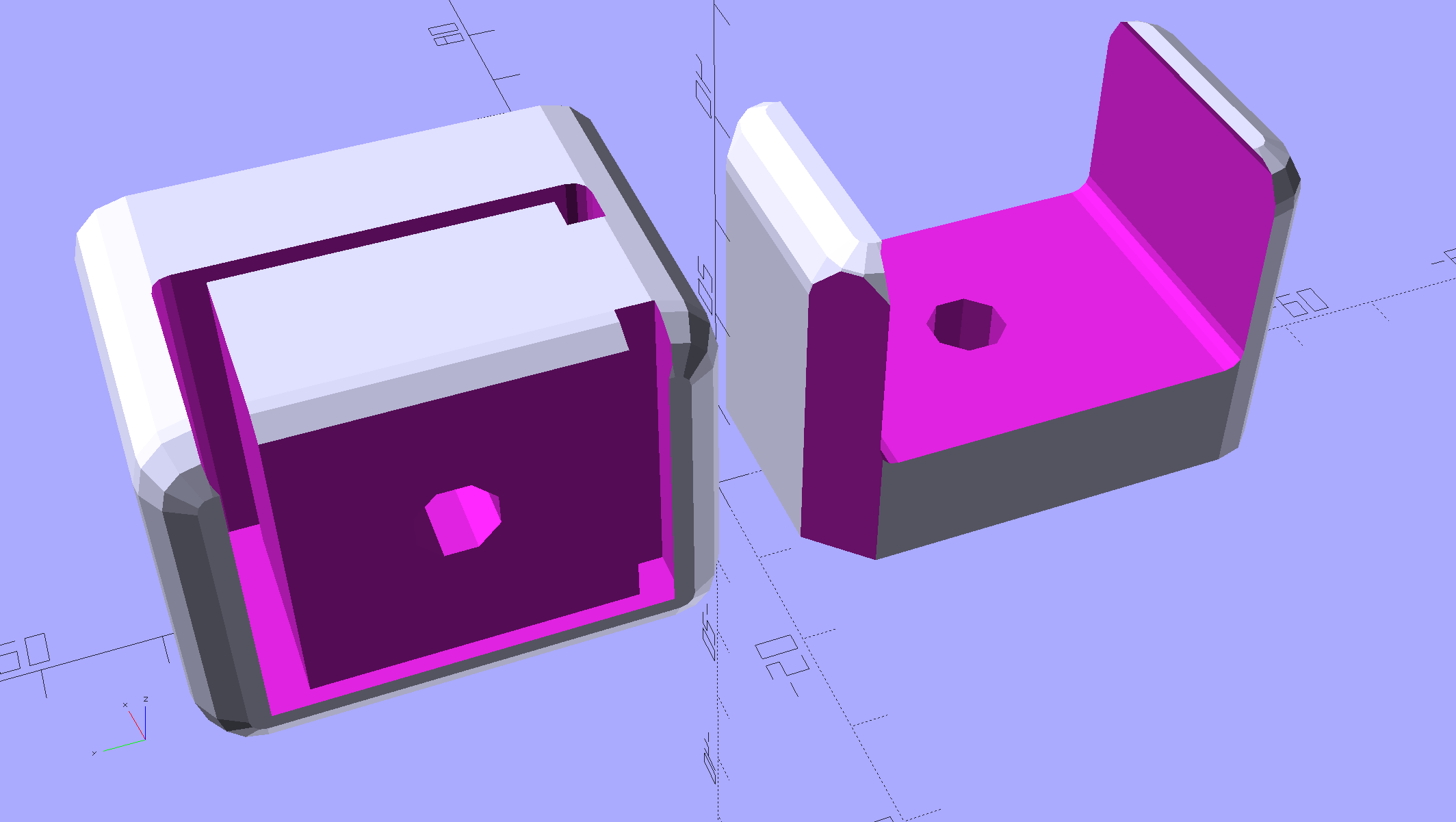
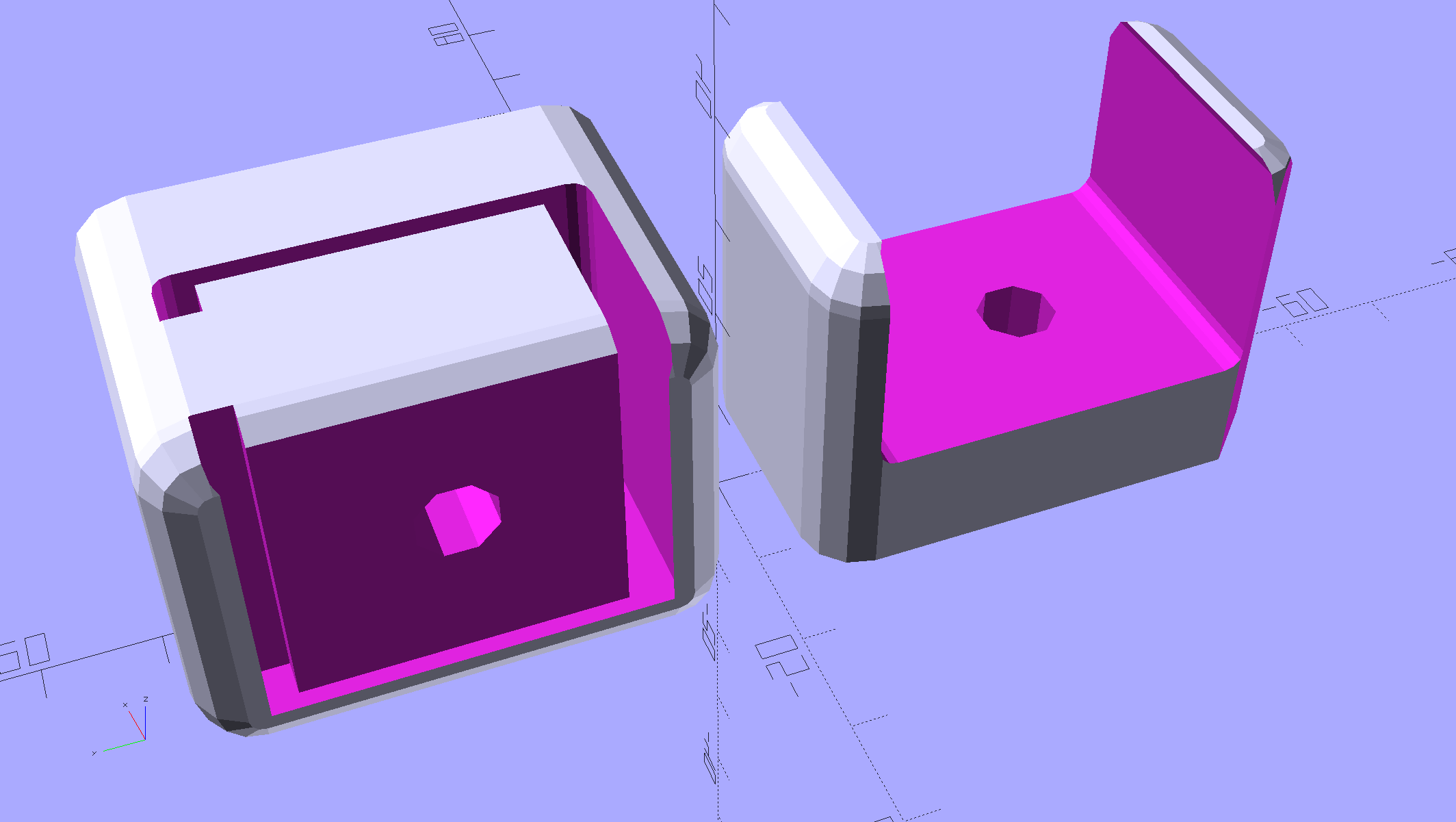
    Rather than attach a spoil board directly to the bench top under the MPCNC, one can grab it in bar clamps anchored to the bench, which requires suitable mounts. Because bar clamps are all the same, one must be flipped over to point the other way, soooo the mounts come in mirror-image sets.

    Holding the clamp on the left side of the table:

    Bar Clamp Mounts - Left - solid model
    Bar Clamp Mounts – Left – solid model

    For the right-side clamp:

    Bar Clamp Mounts - Right - solid model
    Bar Clamp Mounts – Right – solid model

    The chunky clamp prints on its end, with its bottom surface facing away from you, to let the block in the middle print without support. In that orientation, the bar slides in from the top.

    The fancy rounded corners happened while I iterated on getting the dimensions right.

    Actually printing and installing the things turned out to be separate challenges.

    The OpenSCAD source code as a GitHub Gist:

    // MPCNC Bar Clamp Mounts
    // Ed Nisley KE4ZNU – 2018-02-03
    Layout = "Build"; // BarEnd EndBlock ScrewBlock Build
    Chirality = "Right"; // bar handedness = side with opening
    /* [Extrusion] */
    ThreadThick = 0.25; // [0.20, 0.25]
    ThreadWidth = 0.40; // [0.40]
    /* [Hidden] */
    Protrusion = 0.1; // [0.01, 0.1]
    HoleWindage = 0.2;
    function IntegerMultiple(Size,Unit) = Unit * ceil(Size / Unit);
    ID = 0;
    OD = 1;
    LENGTH = 2;
    //- Adjust hole diameter to make the size come out right
    module PolyCyl(Dia,Height,ForceSides=0) { // based on nophead's polyholes
    Sides = (ForceSides != 0) ? ForceSides : (ceil(Dia) + 2);
    FixDia = Dia / cos(180/Sides);
    cylinder(r=(FixDia + HoleWindage)/2,h=Height,$fn=Sides);
    }
    /* [Clamp] */
    BarEndOut = [34.5,21.0]; // outside dimensions
    BarEndIn = [28.0,18.0]; // … inside
    BarEndSlot = [2.8,11.5]; // slot on open side
    BarEndRadius = 1.5; // corner rounding
    NumSides = 3*4; // … and sides
    BarHeightOC = 22.0; // min height above bench
    Clearance = 0.2; // overall bar clearance
    PinOffset = [14.0,2.5]; // clamp hardware pin location
    PinOD = 6.5; // … pin OD
    WallThick = 5.0; // basic wall & floor thickness
    EndBlockSize = [2*PinOffset.x + WallThick,BarEndOut.x + 2*WallThick,BarHeightOC + BarEndOut.y/2];
    ScrewBlockSize = [2*PinOffset.x,BarEndOut.x + 2*WallThick,BarHeightOC + BarEndOut.y/2];
    //—–
    // Define shapes
    // Aluminum bar extrusion
    module BarEnd(Length = 2.0,Hollow=true) {
    linear_extrude(height=Length,convexity=3)
    offset(delta=Clearance)
    difference() {
    hull()
    for (i=[-1,1], j=[-1,1])
    translate([i*(BarEndOut.x/2 – BarEndRadius),j*(BarEndOut.y/2 – BarEndRadius)])
    circle(r=BarEndRadius,$fn=3*4); // not related to block corner rounding
    if (Hollow) {
    translate([BarEndOut.x/2 – BarEndIn.x/2 – BarEndSlot.x,0])
    square(BarEndIn,center=true);
    translate([BarEndOut.x/2,0])
    square([BarEndOut.x,BarEndSlot.y],center=true);
    }
    }
    }
    // Block supporting open end of Bar
    module EndBlock() {
    Normal = (Chirality == "Left") ? [0,0,0] : [0,1,0];
    Radius = WallThick;
    mirror(Normal)
    difference() {
    if (true)
    hull() {
    dx = EndBlockSize.x/2 – Radius;
    dy = EndBlockSize.y/2 – Radius;
    for (i=[-1,1],j=[-1,1])
    translate([i*dx,j*dy,EndBlockSize.z – Radius]) {
    sphere(r=Radius,$fn=NumSides);
    cylinder(r=Radius,h=Protrusion,$fn=NumSides);
    }
    for (i=[-1,1],j=[-1,1])
    translate([i*dx,j*dy,0])
    cylinder(r=Radius,h=Protrusion,$fn=NumSides);
    }
    else
    translate([-EndBlockSize.x/2,-EndBlockSize.y/2,0])
    cube(EndBlockSize,center=false);
    translate([EndBlockSize.x/2 – PinOffset.x,0*PinOffset.y,-Protrusion])
    rotate(180/8)
    PolyCyl(PinOD,2*EndBlockSize.z,8);
    translate([EndBlockSize.x/2 – 2*PinOffset.x,0,BarHeightOC])
    rotate([0,90,0]) rotate(-90)
    BarEnd(Length=EndBlockSize.x);
    }
    }
    // Block supporting screw end of Bar
    // Ad-hoc chamfers to clear screw mount castings
    module ScrewBlock() {
    Normal = (Chirality == "Left") ? [0,0,0] : [0,1,0];
    Radius = WallThick;
    mirror(Normal)
    difference() {
    if (true)
    hull() {
    dx = ScrewBlockSize.x/2 – Radius;
    dy = ScrewBlockSize.y/2 – Radius;
    for (i=[-1,1],j=[-1,1])
    translate([i*dx,j*dy,ScrewBlockSize.z – Radius]) {
    sphere(r=Radius,$fn=NumSides);
    cylinder(r=Radius,h=Protrusion,$fn=NumSides);
    }
    for (i=[-1,1],j=[-1,1])
    translate([i*dx,j*dy,0])
    cylinder(r=Radius,h=Protrusion,$fn=NumSides);
    }
    else
    translate([0,0,ScrewBlockSize.z/2])
    cube(ScrewBlockSize,center=true);
    translate([0,PinOffset.y,-Protrusion])
    rotate(180/8)
    PolyCyl(PinOD,2*ScrewBlockSize.z,8);
    translate([-ScrewBlockSize.x/2 – Protrusion,0,BarHeightOC])
    rotate([0,90,0]) rotate(-90)
    BarEnd(Length=ScrewBlockSize.x + 2*Protrusion,Hollow=false);
    for (i=[-1,1])
    translate([i*ScrewBlockSize.x/2,ScrewBlockSize.y/2,ScrewBlockSize.z – Protrusion])
    rotate(45)
    cube([sqrt(2)*WallThick,sqrt(2)*WallThick,2*ScrewBlockSize.z],center=true);
    }
    }
    //—–
    // Build things
    if (Layout == "BarEnd")
    BarEnd();
    if (Layout == "EndBlock")
    EndBlock();
    if (Layout == "ScrewBlock")
    ScrewBlock();
    if (Layout == "Build") {
    translate([EndBlockSize.z/2,0.6*EndBlockSize.y,EndBlockSize.x/2])
    rotate([0,-90,0])
    EndBlock();
    translate([0,-0.6*ScrewBlockSize.y,0])
    ScrewBlock();
    }

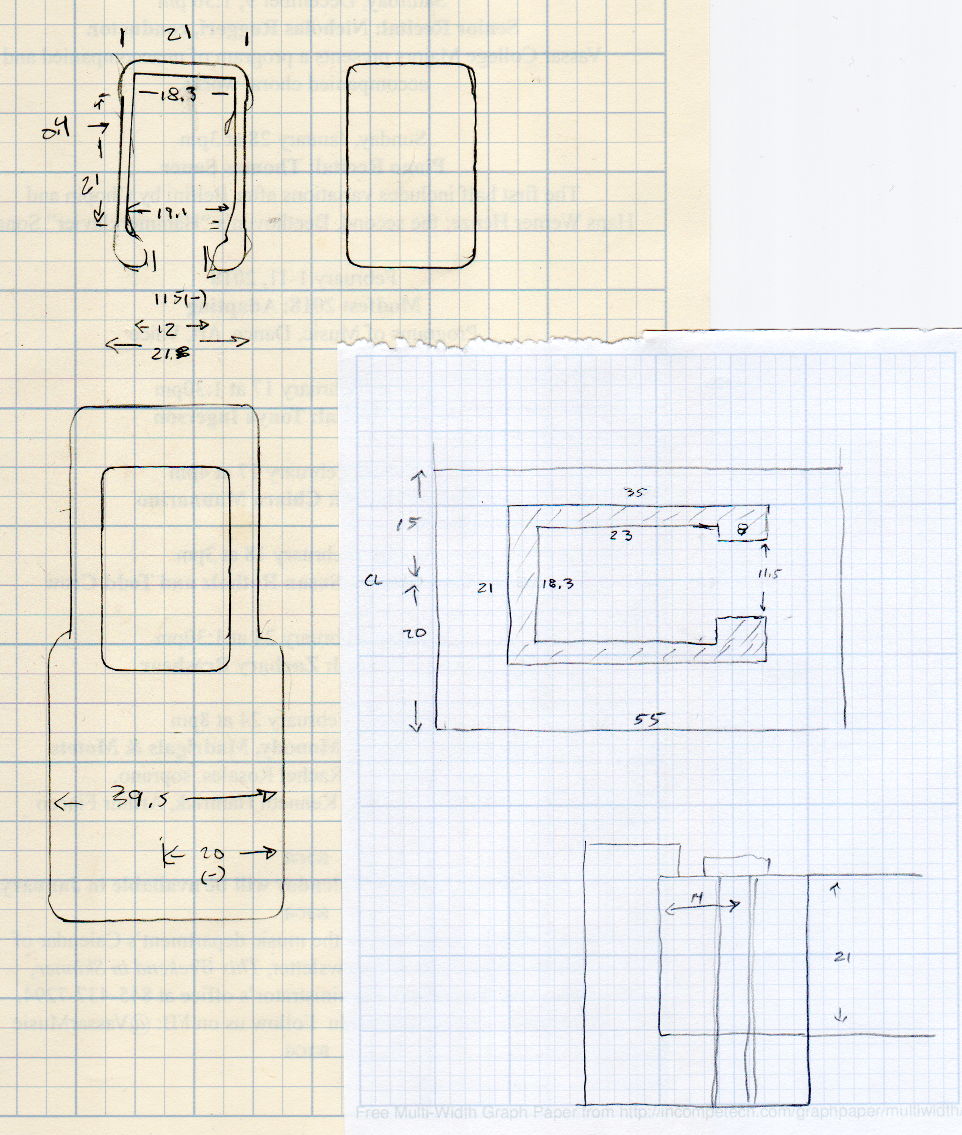
    The original doodles, with initial dimensions & some bad ideas:

    Bar Clamp Mount - Dimension Doodles
    Bar Clamp Mount – Dimension Doodles


  • MPCNC: DeWalt DW660 Collet Grip Removal

    The MPCNC uses a DW660 Cutout tool as a low-cost spindle for tools with 1/8 and 1/4 inch shanks. It features a tool-free “collet grip” to twist the collet nut against the shaft lock, which is convenient for a hand tool and not so much for a CNC spindle: I find it difficult to get two hands into the MPCNC setup with the proper orientation to push-and-hold two locking buttons, while applying enough torque to twist the collet nut:

    DW660 - collet grip
    DW660 – collet grip

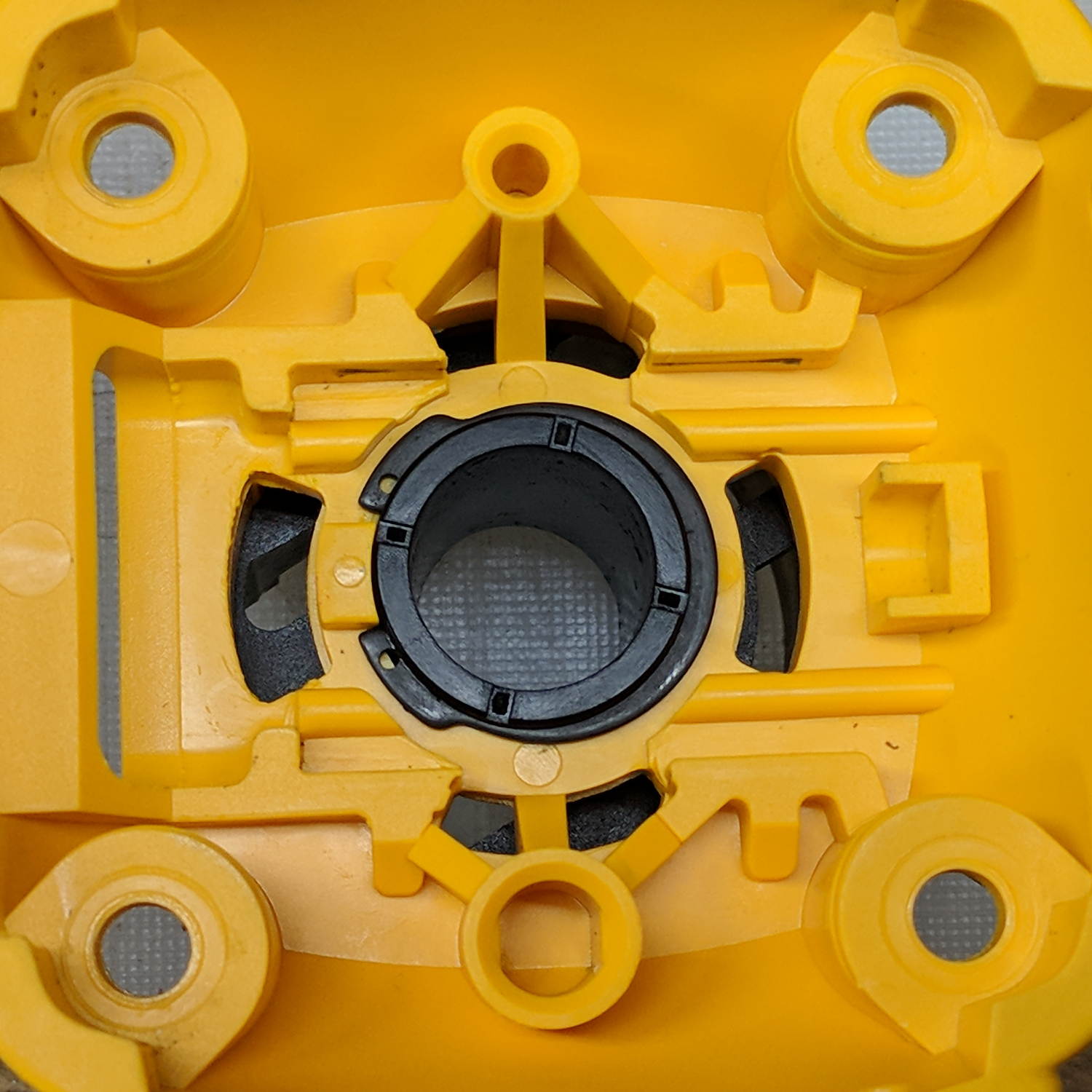
    Fortunately, it’s easy enough to remove the collet grip. Remove the collet nut, unscrew the four screws holding the yellow snout in place, then pull the snout straight off to reveal the spindle lock plate:

    DW660 - nose cap interior
    DW660 – nose cap interior

    Capture the spring, slide the spindle lock plate out to expose the snap ring (a.k.a. Jesus clip) holding the collet grip in place:

    DW660 - collet grip snap ring
    DW660 – collet grip snap ring

    Remove the snap ring, make the appropriate remark, pull the collet grip out of the snout, reassemble the snout in its One Correct Orientation, and you’re done:

    DW660 - collet grip removed
    DW660 – collet grip removed

    The retroreflective tape snippet let my laser tachometer report a top speed over 29 k rpm, pretty close to the advertised 30 k rpm.

    If one were fussy, one would 3D print a thing to cover the snout’s open end:

    DW660 - snout cover
    DW660 – snout cover

    The original snap ring holds it in place and the fancy pattern comes from octogram spiral infill on the bottom.

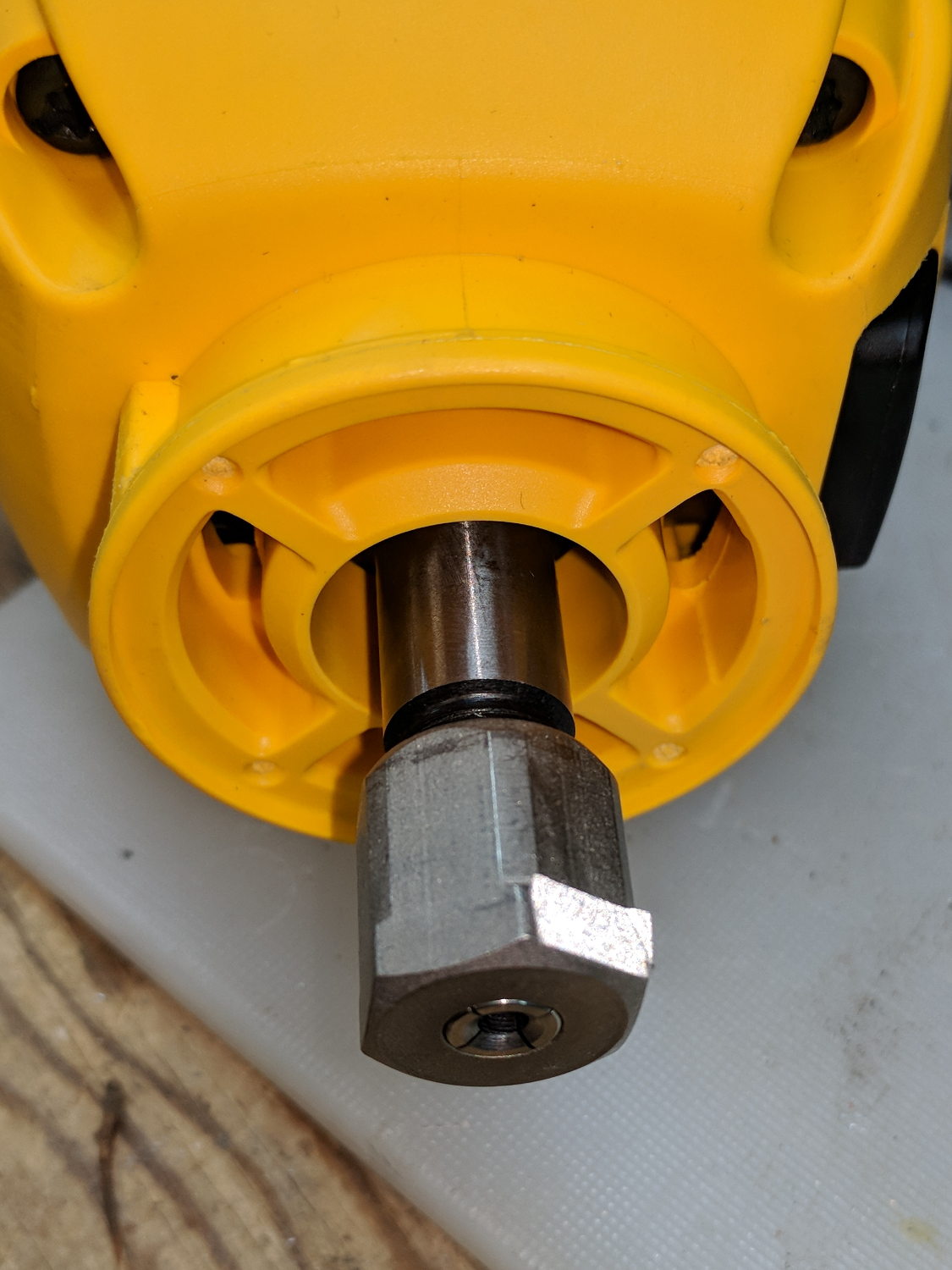
    The collet nut fits either a 5/8 inch or 16 mm wrench, both of which stick out to the side far enough for a convenient hold while pressing the shaft lock button.


  • MPCNC: Z Height Probe vs. Tempered Glass Sheet

    Sliding the tempered glass sheet I used for the initial trials and B-size Spirograph plots under the Z height probe eliminated the plywood benchtop’s small-scale irregularities:

    MPCNC - Z-probing glass plate
    MPCNC – Z-probing glass plate

    The first height map looks like a mountain sproinged right up through the glass:

    ProbeArray-Glass-50
    ProbeArray-Glass-50

    More red-ish means increasing height, more blue-ish means increasing depth, although you can only see the negative signs along the left edge.

    The Z axis leadscrew produces 400 step/mm for a “resolution” of 0.0025 mm. The bCNC map rounds to three places, which makes perfect sense to me; I doubt the absolute accuracy is any better than 0.1 mm on a good day with fair skies and a tailwind.

    The peak of the mountain rises 0.35 mm above the terrain around it, so it barely counts as a minor distortion in the glass sheet. Overall, however, there’s a 0.6 mm difference from peak to valley, which would be enough to mess up a rigidly held pen tip pretty badly if you assumed the glass was perfectly flat and precisely aligned.

    Rotating the glass around the X axis shows a matching, albeit shallower, dent on the other side:

    ProbeArray-Glass-flip-50-2018-01-05
    ProbeArray-Glass-flip-50-2018-01-05

    For all its crudity, the probe seems to be returning reasonable results.

    The obvious question: does it return consistent results?

  • MPCNC: Z Height Probe

    A little support pillar makes a printable holder for a small tactile pushbutton:

    Z Axis Height Probe - solid model
    Z Axis Height Probe – solid model

    A(n) 0-80 brass washer epoxied atop the butt end of a P100-B1 pogo pin keeps the pin from falling out and provides a flat button pusher:

    MPCNC - Simple Z probe - push plate
    MPCNC – Simple Z probe – push plate

    With the epoxy mostly cured, ease the pin off the tape, flip the whole affair over, shove the switch into position, realign vertically with point down, then let the epoxy finish curing with the washer held in place against the switch to ensure good alignment:

    MPCNC - Simple Z probe - epoxy curing
    MPCNC – Simple Z probe – epoxy curing

    The brass tube ID is a sloppy fit around the pogo pin, but it’s also many pin diameters long and the position error isn’t worth worrying about.

    Solder a cable, clamp it in the pen holder, attach to tool holder:

    MPCNC - Simple Z probe - installed
    MPCNC – Simple Z probe – installed

    The pogo pin provides half a dozen millimeters of compliance,  letting the initial probe speed be much higher than the tactile pushbutton’s overshoot could survive, after which a low-speed probe produces a consistent result.

    Unleashing bCNC’s Autolevel probe cycle:

    MPCNC - Z-probing glass plate
    MPCNC – Z-probing glass plate

    Although the picture shows the MPCNC probing a glass plate, here’s the first height map taken from the bare workbench top with 100 mm grid spacing:

    ProbeArray-100-2018-01-04
    ProbeArray-100-2018-01-04

    The ridge along the right side comes from a visible irregularity in the wood grain, so the numbers actually represent a physical reality.

    Doing it with a 50 mm grid after re-probing the Z=0 level:

    ProbeArray-50-2018-01-04
    ProbeArray-50-2018-01-04

    Eyeballometrically, the second plot is 0.2 mm higher than the first, but this requires a bit more study.

    All in all, not bad for a first pass.


  • MPCNC: Pen Holder Crunch

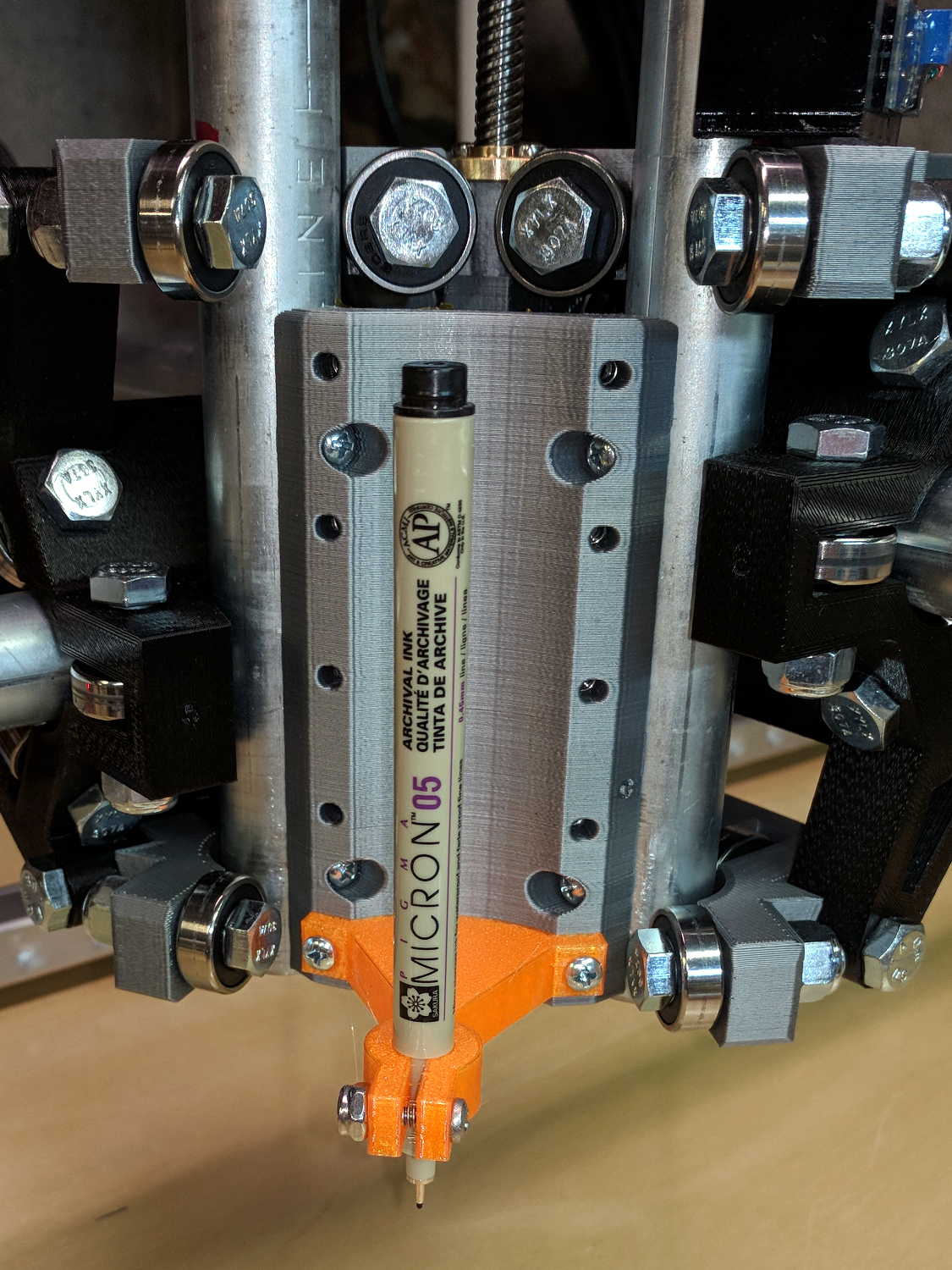
    A few tweaks to the Customizable MPCNC Mount for Round Tools produces a Sakura Micron pen holder:

    MPCNC - Sakura Pen Holder - Slic3r preview
    MPCNC – Sakura Pen Holder – Slic3r preview

    The pen body seats atop the holder, with its narrower snout inside the clamp, giving positive control of the point position:

    MPCNC - Sakura in pen adapter
    MPCNC – Sakura in pen adapter

    Unfortunately, should one forget to zero the pen tip to the paper surface before starting a plot, Bad Things happen to good tips:

    MPCNC - Sakura pen - crushed tip
    MPCNC – Sakura pen – crushed tip

    The holder really needs at least a few millimeters of compliance, as a fiber-tip pen makes a fairly delicate tool not intended for applying much force at all to anything.

    But the holder might make a Z axis probe …