The Smell of Molten Projects in the Morning

Ed Nisley's Blog: Shop notes, electronics, firmware, machinery, 3D printing, laser cuttery, and curiosities. Contents: 100% human thinking, 0% AI slop.

Category: Software

General-purpose computers doing something specific

  • IBM 5100 APL: Nested Emulators

    A discussion about Raspberry Pi performance prompted this:

    IBM 5110 Emulator - Javascript on Raspberry Pi
    IBM 5110 Emulator – Javascript on Raspberry Pi

    From the inside out:

    Starting the show takes 17 seconds from clicking the Restart button (second from right, top row) to APL’s Clear WS prompt. I have no idea how that compares with a Genuine IBM 5100.

    I distinctly remember writing APL programs, but that’s about as far as my memory will take me. [sigh]

  • Making and Mounting SD Card Backup Images

    The process of creating, configuring, and backing up a Raspberry Pi goes a little something like this:

    unzip /mnt/diskimages/ISOs/Raspberry\ Pi/2016-11-25-raspbian-jessie-lite.zip
    sudo dcfldd statusinterval=16 bs=4M if=2016-11-25-raspbian-jessie-lite.img of=/dev/sdb
    ... Micro SD card to Pi, boot, perform various configuration tweaks ...
    ... card back to PC ...
    sudo dcfldd statusinterval=16 bs=4M if=/dev/sdb of=Streamer5-2017-01-02.img
    zip -1 Streamer5-2017-01-02.zip Streamer5-2017-01-02.img
    rsync -ahuv --progress Streamer5-2017-01-02.zip /mnt/diskimages/ISOs/Raspberry\ Pi/
    

    The ZIP operation crushes an 8 GB image down to 1.6 GB, obviously depending on most of the image being filled with binary zeros or foxes or something trivial like that. You could work around that with fsarchiver, at the cost of handling each partition separately.

    You can pipe the incoming image through GZIP when you don’t need the image right away:

    sudo dcfldd statusinterval=16 bs=4M if=/dev/sdb | gzip -1c > Streamer5-2017-01-02.gz
    

    There’s an obvious gotcha when you try to write an image to a (slightly) smaller card than the one it came from. Writing a smaller image on a larger card works just fine.

    With a raw image in hand, you must know the disk partition offsets within the image to mount them in loopback mode:

    fdisk -l Streamer5-2017-01-02.img
    Disk Streamer5-2017-01-02.img: 7.4 GiB, 7892631552 bytes, 15415296 sectors
    Units: sectors of 1 * 512 = 512 bytes
    Sector size (logical/physical): 512 bytes / 512 bytes
    I/O size (minimum/optimal): 512 bytes / 512 bytes
    Disklabel type: dos
    Disk identifier: 0xc280d360
    
    Device                    Boot  Start      End  Sectors  Size Id Type
    Streamer5-2017-01-02.img1        8192   137215   129024   63M  c W95 FAT32 (LBA)
    Streamer5-2017-01-02.img2      137216 15415295 15278080  7.3G 83 Linux
    

    Knowing the offsets, the mounts go like this:

    sudo mount -o loop,offset=$(( 8192*512 )) Streamer5-2017-01-02.img /mnt/loop/
    ... snippage ...
    sudo mount -o loop,offset=$(( 137216*512 )) Streamer5-2017-01-02.img /mnt/loop/
    

    Because a Jessie Lite system will fit neatly into a 2 GB SD Card, you can trim the disk image to eliminate most of the unused space:

    sudo losetup -f
    /dev/loop0
    
    sudo losetup /dev/loop0 Streamer5-2017-01-02.img
    
    sudo partprobe /dev/loop0
    
    sudo gparted /dev/loop0
    ... resize ext4 partition from 7 GB to 1.8 GB
    
    sudo losetup -d /dev/loop0
    
    fdisk -l Streamer5-2017-01-02.img
    Disk Streamer5-2017-01-02.img: 7.4 GiB, 7892631552 bytes, 15415296 sectors
    Units: sectors of 1 * 512 = 512 bytes
    Sector size (logical/physical): 512 bytes / 512 bytes
    I/O size (minimum/optimal): 512 bytes / 512 bytes
    Disklabel type: dos
    Disk identifier: 0xc280d360
    
    Device                    Boot  Start     End Sectors  Size Id Type
    Streamer5-2017-01-02.img1        8192  137215  129024   63M  c W95 FAT32 (LBA)
    Streamer5-2017-01-02.img2      137216 3833855 3696640  1.8G 83 Linux
    
    truncate --size=$(( (3833855+1)*512 )) Streamer5-2017-01-02.img
    ... or, if you don't care about an exact fit, use ...
    truncate --size=2G Streamer5-2017-01-02.img
    

    The partition and filesystem will plump up to fill the SD Card during the first boot on the Raspberry Pi.

    There exist automagic utilities for all that, but practicing simple stuff helps keep it all fresh…

  • Xubuntu 16.04 LTS Bringup

    Notes on updating my desktop Optiplex 980 from Xubuntu 14.04 LTS to 16.04 LTS, after being unable to compile OpenSCAD, Slic3r, and GNU Radio from source. Blowing three days on reconfiguration & tweakage after a clean install is the price one pays to get rid of a few years of cruft; the old version remains bootable and lootable on another partition, Just In Case.

    Install:

    • nfs-common
    • xfce4-goodies
    • xubuntu-restricted-extras
    • hp2xx
    • xsane, xscanimage
    • kate (which hauls in a big hunk of wayland, alas)
    • digikam
    • chromium-browser
    • devilspie2
    • dropbox (from site)
    • remmina

    Apply:

    The hacks required to ensure NFS mounts happen before signing in seem to be obsolete. Given that systemd now controls everything, I have NFI how to proceed if that’s not the case.

    The Xubuntu load progress display looks like it’s scaled up from 640×480.

    There seems no way to disable on-screen notifications without deep hackery; some of the collateral damage involves the death of the volume control applet in the indicator panel thingy, so I didn’t try very hard.

    The aforementioned volume control now fires up the Pulseaudio control dialog. That display explained why the audio came out of the 980’s crappy internal speaker, but switching it to the HDMI output produced only silence. After blowing away ~/.config/pulse and rebooting that sucker, it’s all good: Linux audio remains a slow-motion train wreck.

    The initial sign-on dialog appears on the portrait monitor, minus rotation, because the dialog box follows the mouse pointer: the initial mouse position sits one pixel beyond the landscape monitor. Blind-type the password, whack Enter, and it’s all good.

    FWIW, I’ve installed the XFCE flavor of Mint Linux on the laptops, but that’s basically Xubuntu with (some of) the ugly sanded off and really doesn’t buy much for somebody who pays no attention to eyecandy.

  • Raspberry Pi Streaming Radio Player: Yet Another Cheap Wireless Keypad

    One might think, just from looking, that this black wireless USB numeric keypad:

    BonyTek Wireless USB Numeric Keypad
    BonyTek Wireless USB Numeric Keypad

    Was identical to the white keypads I already used on the streaming media players:

    Wireless Keypad - colored labels
    Wireless Keypad – colored labels

    One would, of course, be wrong.

    They both claim to be manufactured by “Creative Labs” with a 0x062a vendor ID, but with different model IDs:

    • White = 0x4101 “Wireless Keyboard/Mouse”
    • Black = 0x4182

    Astonishingly, that model ID appears nowhere in Google’s search results, yet it actually works when plugged into my desktop PC.

    The new model ID requires Yet Another Udev Rule in /etc/udev/rules.d/Streamer.rules:

    ATTRS{idVendor}=="062a", ATTRS{idProduct}=="4182", ENV{ID_INPUT_KEYBOARD}=="1", SYMLINK+="input/keypad"
    

    No big deal by now …

  • Raspberry Pi Streaming Radio Player: Ignoring a Missing Volume Knob

    The Dell AC511 USB SoundBars have volume control knobs, which this udev rule turns into the /dev/input/volume device:

    ATTRS{name}=="Dell Dell AC511 USB SoundBar", SYMLINK+="input/volume"
    

    I recently wanted to use an ordinary USB “sound card” that did not, of course, have a volume knob:

    Sabrent USB Audio Adapter
    Sabrent USB Audio Adapter

    This hack skips the configuration that makes the knob’s events visible to the Python program:

    import os.path
    
    ... snippage ...
    
    # if volume control knob exists, then set up its events
    
    VolumeDevice = '/dev/input/volume'
    
    vp = select.poll()
    if os.path.exists(VolumeDevice):
      v = InputDevice(VolumeDevice)
      v.grab()
      vp.register(v.fileno(),select.POLLIN + select.POLLPRI + select.POLLERR)
    

    It turns out that if you never register a device with the event polling interface, then the interface never reports any events and the rest of the code remains blissfully undisturbed: the non-existent knob doesn’t do anything, while the volume control buttons on the keypad continue to function as usual.

    The end result of this fiddling puts a Raspberry Pi 2 Model B to work as a streaming player on my Electronics Workbench, untethering the laptop from those powered speakers:

    RPi 2 Streaming Player - USB sound gadget
    RPi 2 Streaming Player – USB sound gadget

    It’s a shame that USB audio gadget is so big, because it crowds out standard USB plugs to the side.

    The most satisfactory LED configuration for a translucent case with an external WiFi adapter seems to be:

    dtparam=pwr_led_trigger=cpu0
    dtparam=act_led_trigger=mmc0
    

    The rest of the code remains unchanged as shown in that GitHub Gist.

    Bomb the bass!

  • Loop Antenna Splice Reinforcement

    Those solder joints and finicky little wires seem much too fragile on their own:

    LF Loop Antenna - complete joint
    LF Loop Antenna – complete joint

    This should help:

    Loop Antenna Splice - assembled
    Loop Antenna Splice – assembled

    Foam blocks hold the ribbon cable in place and provide a bit of strain relief around the hard plastic edge:

    Loop Antenna Splice - hardware
    Loop Antenna Splice – hardware

    The brass inserts in the bottom block (on the left) got epoxied in place, because they must provide quite a bit of force to clamp the foam. Their larger knurled end sits flush with the outside surface and the smaller end has one thread thickness of clearance below the inner surface.

    A last look at the wiring:

    Loop Antenna Splice - wiring
    Loop Antenna Splice – wiring

    I think the preamp must sit at some distance from the antenna to prevent feedback, but that remains to be seen.

    The M2’s nozzle accumulated a huge blob of PETG that turned into a giant smear:

    Loop Antenna Splice - PETG booger
    Loop Antenna Splice – PETG booger

    Fortunately, it’s on the inside where nobody will ever see it. If you know where to look, it’s barely visible from the outside.

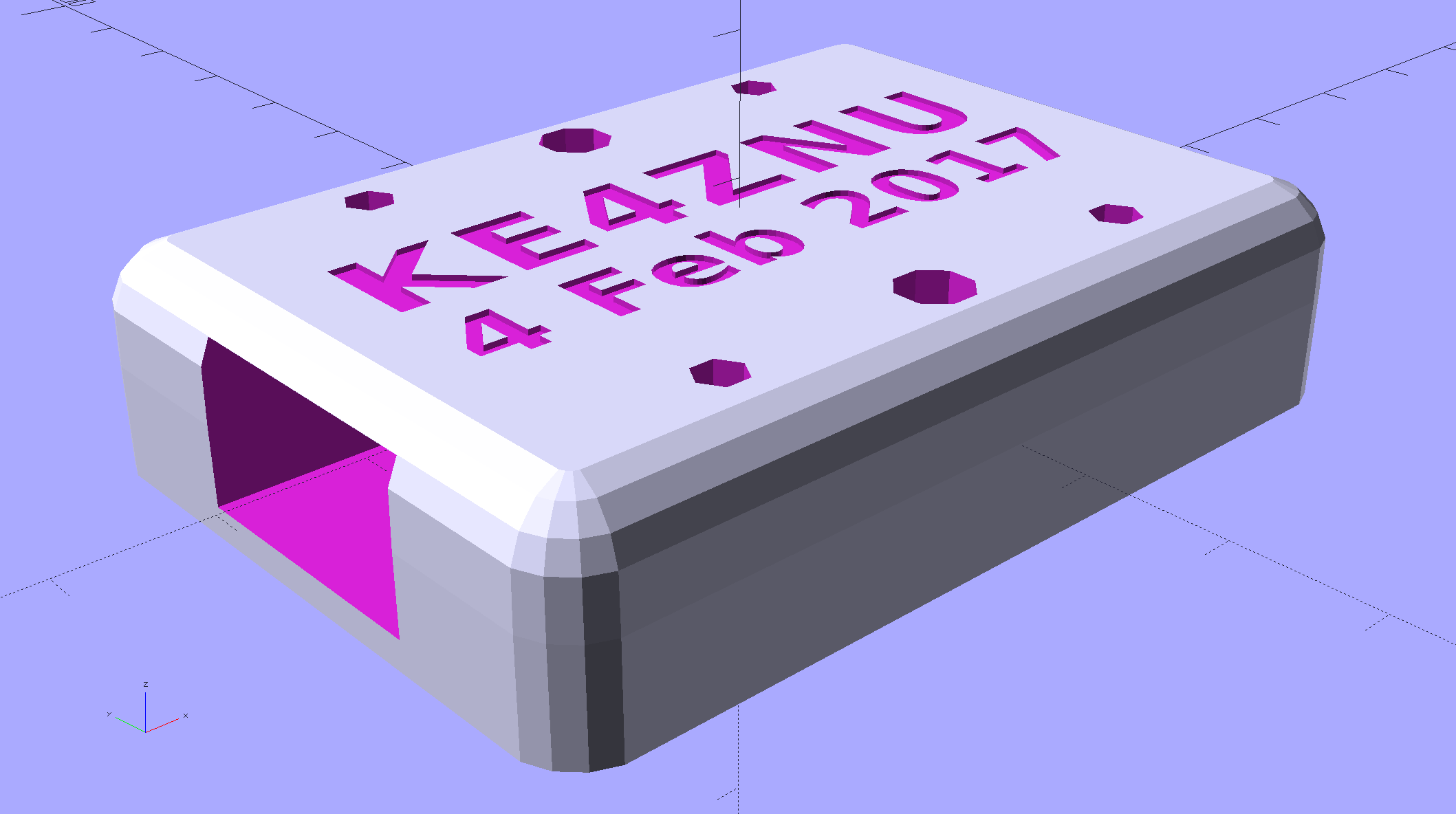
    The solid model shows off the structure a bit better:

    Loop Antenna Splice - show view
    Loop Antenna Splice – show view

    The inside view:

    Loop Antenna Splice - bottom
    Loop Antenna Splice – bottom

    The OpenSCAD source code as a GitHub Gist:

    // Ribbon cable loop antenna splice
    // Ed Nisley KE4ZNU December 2016
    Layout = "Text";
    //- Extrusion parameters must match reality!
    ThreadThick = 0.25;
    ThreadWidth = 0.40;
    HoleWindage = 0.2;
    Protrusion = 0.1; // make holes end cleanly
    inch = 25.4;
    function IntegerMultiple(Size,Unit) = Unit * ceil(Size / Unit);
    //———-
    // Dimensions
    Cable = [200,48.0,1.5]; // X = longer than anything else
    Splice = [15.0,53.0,5.0]; // epoxy blob around joints
    Foam = [15.0,Splice[1],2.0];
    CornerRadius = 5.0;
    ID = 0;
    OD = 1;
    LENGTH = 2;
    Insert = [3.9,4.6 – 0.1,5.8]; // 4-40 knurled brass insert
    Screw = [2.7,5.5,2.0]; // OD = head LENGTH = head thickness
    Washer = [3.0,8.0,0.8];
    BlockOA = [60.0, // convenient length
    Splice[1] + 4*Washer[OD], // clearance around washer on top
    2*(Insert[LENGTH] + 2*ThreadThick)]; // insert sets both thicknesses
    NumScrews = 2; // screws along each side of cable
    ScrewOC = [BlockOA[0] / NumScrews,
    BlockOA[1] – 2*Washer[OD],
    2*BlockOA[2] // ensure complete holes
    ];
    TextThick = 3*ThreadThick; // depth of text into surface
    TextFit = HoleWindage/2; // clearance around text polygons
    //———————-
    // Useful routines
    module PolyCyl(Dia,Height,ForceSides=0) { // based on nophead's polyholes
    Sides = (ForceSides != 0) ? ForceSides : (ceil(Dia) + 2);
    FixDia = Dia / cos(180/Sides);
    cylinder(d=(FixDia + HoleWindage),h=Height,$fn=Sides);
    }
    //—–
    // Blocky model of cable + splice + wire tap for subtraction
    module Antenna() {
    union() {
    cube(Cable,center=true);
    cube(Splice,center=true);
    for (i=[-1,1])
    translate([0,-Splice[1]/2,0])
    cube([Splice[0]/2,Splice[1],2*Foam[2]],center=true);
    }
    }
    // Outside shape of splice Block, less screw clearance
    module SpliceBlock() {
    difference() {
    hull()
    for (i=[-1,1], j=[-1,1])
    translate([i*(BlockOA[0]/2 – CornerRadius),j*(BlockOA[1]/2 – CornerRadius),-BlockOA[2]/2])
    cylinder(r=CornerRadius,h=BlockOA[2],$fn=4*8);
    for (i = [0:NumScrews – 1], j=[-1,1])
    translate([-BlockOA[0]/2 + ScrewOC[0]/2 + i*ScrewOC[0],j*ScrewOC[1]/2,-(BlockOA[2]/2 + Protrusion)])
    PolyCyl(Screw[ID],BlockOA[2] + 2*Protrusion,6);
    }
    }
    // Splice block less cable
    module ShapedBlock() {
    difference() {
    SpliceBlock();
    Antenna();
    }
    }
    // Bottom
    module BottomPlate() {
    difference() {
    ShapedBlock();
    translate([0,0,BlockOA[2]/2])
    cube(BlockOA + 2*[Protrusion,Protrusion,0],center=true);
    Antenna(Splice);
    for (i = [0:NumScrews – 1], j=[-1,1])
    translate([-BlockOA[0]/2 + ScrewOC[0]/2 + i*ScrewOC[0],j*ScrewOC[1]/2,-(BlockOA[2]/2 + Protrusion)])
    PolyCyl(Insert[OD],2*Insert[LENGTH],6);
    for (i=[-1,1])
    translate([i*((BlockOA[0] – Foam[0] + Protrusion)/2),0,(BlockOA[2]/2 – Cable[2]/2 – Foam[2])])
    cube([Foam[0] + Protrusion,Foam[1],BlockOA[2]],center=true);
    }
    }
    // Top
    module TopPlate() {
    difference() {
    ShapedBlock();
    translate([0,0,-BlockOA[2]/2])
    cube(BlockOA + 2*[Protrusion,Protrusion,0],center=true);
    Antenna(Splice);
    for (i=[-1,1])
    translate([i*((BlockOA[0] – Foam[0] + Protrusion)/2),0,-(BlockOA[2]/2 – Cable[2]/2 – Foam[2])])
    cube([Foam[0] + Protrusion,Foam[1],BlockOA[2]],center=true);
    rotate(90) {
    translate([0,6,BlockOA[2]/2 – TextThick])
    TextHack("KE4ZNU",8,0.0,1.15,TextThick + Protrusion);
    translate([0,-6,BlockOA[2]/2 – TextThick])
    TextHack("2016·12",6,0.0,1.20,TextThick + Protrusion);
    }
    }
    }
    module TextHack(Text="sample",Size=10,Offset=0.0,Space=1.0,Thick=ThreadThick) {
    linear_extrude(height=Thick,convexity=10)
    offset(r=Offset)
    text(Text,font=":bold",size=Size,spacing=Space,halign="center",valign="center");
    }
    //———-
    // Build them
    if (Layout == "Antenna")
    Antenna();
    if (Layout == "SpliceBlock")
    SpliceBlock();
    if (Layout == "ShapedBlock")
    ShapedBlock();
    if (Layout == "Bottom")
    BottomPlate();
    if (Layout == "Top")
    TopPlate();
    if (Layout == "Text") {
    translate([0,6,0])
    TextHack("KE4ZNU",8,-TextFit,1.15,TextThick);
    translate([0,-6,0])
    TextHack("2016·12",6,-TextFit,1.20,TextThick);
    }
    if (Layout == "Show") {
    translate([0,0,5])
    TopPlate();
    translate([0,0,-5])
    BottomPlate();
    color("Orange",0.2)
    Antenna();
    }
    if (Layout == "Build") {
    translate([0,-0.6*BlockOA[1],BlockOA[2]/2])
    rotate([180,0,0])
    TopPlate();
    translate([0,0.6*BlockOA[1],BlockOA[2]/2])
    BottomPlate();
    }
  • Blog Backup

    Recent news about Dropbox removing its Public folder feature reminded me to do my every-other-month blog backup. Wordpress provides a method to “export” the blog’s text and metadata in their XML-ish format, so you can (presumably) import your blog into another WordPress instance on the server of your choice. However, the XML file (actually, ten of ’em, all tucked into a paltry 8 MB ZIP file) does not include the media files referenced in the posts, which makes sense.

    Now, being that type of guy, I have the original media files (mostly pictures) tucked away in a wide variety of directories on the file server. The problem is that there’s no easy way to match the original file to the WordPress instance; I do not want to produce a table by hand.

    Fortunately, the entry for each blog post labels the URL of each media file with a distinct XML tag:

    		<wp:attachment_url>https://softsolder.com/wp-content/uploads/2008/12/cimg2785-blender-bearings.jpg</wp:attachment_url>
    

    Note the two leading tabs: it’s prettyprinted XML. (Also, should you see escaped characters instead of < and >, then WordPress has chewed on the source code again.)

    While I could gimmick up a script (likely in Python) to process those files, this is simple enough to succumb to a Bash-style BFH:

    grep attachment_url *xml > attach.txt
    sed 's/^.*http/http/' attach.txt | sed 's/&lt;\/wp.*//' > download.txt
    wget --no-verbose --wait=5 --random-wait --force-directories --directory-prefix=/where/I/put/WordPress/Backups/Media/ -i download.txt
    

    That fetches 6747 media files = 1.3 GB, tucks them into directories corresponding to their WordPress layout, and maintains their original file dates. I rate-limited the download to an average of 5 s/file in the hope of not being banned as a pest, so the whole backup takes the better part of ten hours.

    So I wind up blowing an extra gig of disk space on a neatly arranged set of media files that can (presumably) be readily restored to another WordPress instance, should the occasion arise.

    Memo to Self: investigate applying the -r option to the base URL, with the -N option to make it incremental, for future updates.