The Smell of Molten Projects in the Morning

Ed Nisley's Blog: Shop notes, electronics, firmware, machinery, 3D printing, laser cuttery, and curiosities. Contents: 100% human thinking, 0% AI slop.

Category: Software

General-purpose computers doing something specific

  • Coaster Generator: Rounded Petals

    Coaster Generator: Rounded Petals

    Making a coaster with petals from the NBC peacock turned out to be trickier than I expected:

    Chipboard coaster - rounded petals
    Chipboard coaster – rounded petals

    Protracted doodling showed that I cannot math hard enough to get a closed-form solution gluing a circular section onto the end of those diverging lines:

    Chipboard coaster - rounded petal geometry doodle
    Chipboard coaster – rounded petal geometry doodle

    However, I can write code to recognize a solution when it comes around on the guitar.

    Point P3 at the center of the end cap circle will be one radius away from both P2 at the sash between the petals and P4 at the sash around the perimeter, because the circle will be tangent at those points. The solution starts by sticking an absurdly small circle around P3 out at P4, then expanding its radius and relocating its center until the circle just kisses the sash, thus revealing the location of P2:

    t1 = tan(PetalHA);
    sc = (Sash/2) / cos(PetalHA);
    
    << snippage >>
    
    P3 = P4;        // initial guess
    r = 1.0mm;      // ditto
    delta = 0.0mm;
    do {
      r += sin(PetalHA) * delta;
      P3.x = P4.x - r;
      dist = abs(P3.x * t1 - sc) / sqrt(pow(t1,2) + 1);
      delta = dist - r;
      message("r: ",r,"  delta: ",delta);
    } while (abs(delta) > 0.001mm);
    
    P2 = [P3.x - r*sin(PetalHA),r*cos(PetalHA)];
    

    The dist variable is the perpendicular distance from the sash line to P3, which will be different than the test radius r between P3 and P4 until it’s equal at the kissing point. The radius update is (pretty close to) the X-axis difference between the two, which is (pretty close to) how wrong the radius is.

    As far as I can tell, this will eventually converge on the right answer:

    r: 1.0000mm  delta: 13.3381mm
    r: 6.1043mm  delta: 6.2805mm
    r: 8.5077mm  delta: 2.9573mm
    r: 9.6394mm  delta: 1.3925mm
    r: 10.1723mm  delta: 0.6557mm
    r: 10.4232mm  delta: 0.3087mm
    r: 10.5414mm  delta: 0.1454mm
    r: 10.5970mm  delta: 0.0685mm
    r: 10.6232mm  delta: 0.0322mm
    r: 10.6355mm  delta: 0.0152mm
    r: 10.6413mm  delta: 0.0071mm
    r: 10.6441mm  delta: 0.0034mm
    r: 10.6454mm  delta: 0.0016mm
    r: 10.6460mm  delta: 0.0007mm

    Obviously, efficiency isn’t a big concern here.

    Having found the center point of the end cap, all the other points fall out easily enough and generating the paths follows the same process as with the simple petals. The program performs no error checking and fails in amusing ways.

    As before, laser cutting the chipboard deposits some soot along both sides of the kerf. It’s noticeable on brown chipboard and painfully obvious on white-surface chipboard, particularly where all those cuts converge toward the middle. I applied low-tack blue masking tape as a (wait for it) mask:

    Chipboard coaster - tape shield
    Chipboard coaster – tape shield

    Whereupon I discovered the white surface has the consistency of tissue paper and removing the tape pretty much peels it right off:

    Chipboard coaster - white surface vs tape
    Chipboard coaster – white surface vs tape

    Putting the chipboard up on spikes and cutting it from the back side, with tabs holding the pieces in place (so they don’t fall out and get torched while cutting the next piece), should solve that problem.

    In the meantime, a black frame conceals many issues:

    Chipboard coaster - rounded petals - front vs back cut
    Chipboard coaster – rounded petals – front vs back cut

    I must up my coloring game; those fat-tip markers just ain’t getting it done.

    The GCMC and Bash source code as a GitHub Gist:
    // Round Petals Test Piece
    // Ed Nisley KE4ZNU
    // 2022-07-17 Coasters with round-end petals
    layerstack("Frame","Petals","Rim","Base","Center","Tool1"); // SVG layers map to LightBurn colors
    //—–
    // Library routines
    include("tracepath.inc.gcmc");
    include("tracepath_comp.inc.gcmc");
    include("varcs.inc.gcmc");
    include("engrave.inc.gcmc");
    FALSE = 0;
    TRUE = !FALSE;
    //—–
    // Command line parameters
    // -D various useful tidbits
    // add unit to speeds and depths: 2000mm / -3.00mm / etc
    if (!isdefined("OuterDia")) {
    OuterDia = 100.0mm;
    }
    if (!isdefined("CenterDia")) {
    CenterDia = 0.0mm;
    }
    if (!isdefined("NumPetals")) {
    NumPetals = 6;
    }
    if (!isdefined("Sash")) {
    Sash = 5.0mm;
    }
    // Petal values
    PetalAngle = 360.0deg/NumPetals; // subtended by inner sides
    PetalHA = PetalAngle/2;
    PetalOD = OuterDia – 2*Sash;
    PetalID = CenterDia + 2*Sash;
    PetalOAL = OuterDia/2 – Sash – (Sash/2)/sin(PetalHA);
    //message("petalOAL: ",PetalOAL);
    P4 = [PetalOD/2,0.0mm];
    // Find petal vertices
    P0 = [(Sash/2) / sin(PetalHA),0.0mm];
    t1 = tan(PetalHA);
    sc = (Sash/2) / cos(PetalHA);
    if (P0.x < PetalID/2) {
    a = 1 + pow(t1,2);
    b = -2 * t1 * sc;
    c = pow(sc,2) – pow(PetalID/2,2);
    xp = (-b + sqrt(pow(b,2) – 4*a*c))/(2*a);
    xn = (-b – sqrt(pow(b,2) – 4*a*c))/(2*a);
    y = xp*t1 – sc;
    if (FALSE) {
    message("a: ",a);
    message("b: ",b);
    message("c: ",c);
    message("p: ",xp," n: ",xn," y: ",y);
    }
    P1 = [xp,y];
    }
    else {
    P1 = P0;
    }
    P3 = P4; // initial guess
    r = 1.0mm; // ditto
    delta = 0.0mm;
    do {
    r += sin(PetalHA) * delta;
    P3.x = P4.x – r;
    dist = abs(P3.x * t1 – sc) / sqrt(pow(t1,2) + 1);
    delta = dist – r;
    message("r: ",r," delta: ",delta);
    } while (abs(delta) > 0.001mm);
    P2 = [P3.x – r*sin(PetalHA),r*cos(PetalHA)];
    PetalWidth = 2*r;
    if (FALSE) {
    message("P0: ",P0);
    message("P1: ",P1);
    message("P2: ",P2);
    message("P3: ",P3);
    message("P4: ",P4);
    }
    // Construct paths
    PetalPoints = {P1,P2};
    OutArc = varc_cw([P2.x,-P2.y] – P2,-r);
    OutArc += P2;
    PetalPoints += OutArc;
    if (P0 != P1) {
    PetalPoints += {[P1.x,-P1.y]};
    InArc = varc_ccw(P1 – [P1.x,-P1.y],PetalID/2);
    InArc += [P1.x,-P1.y];
    PetalPoints += InArc;
    }
    else {
    PetalPoints += {P0};
    }
    //— Lay out the frame
    linecolor(0xff0000);
    layer("Frame");
    if (CenterDia) {
    goto([CenterDia/2,0mm]);
    circle_cw([0mm,0mm]);
    }
    repeat(NumPetals;i) {
    a = (i-1)*PetalAngle;
    tracepath(rotate_xy(PetalPoints,a));
    }
    goto([OuterDia/2,0]);
    circle_cw([0mm,0mm]);
    //— Lay out internal pieces for oriented cutting
    // baseplate
    layer("Base");
    relocate([OuterDia + 2*Sash,0]);
    goto([OuterDia/2,0]);
    circle_cw([0mm,0mm]);
    // central circle
    if (CenterDia) {
    layer("Center");
    relocate([OuterDia/2 + Sash,-(OuterDia – CenterDia)/2]);
    goto([CenterDia/2,0mm]);
    circle_cw([0mm,0mm]);
    }
    // petals
    layer("Petals");
    repeat(NumPetals;i) {
    org = [PetalWidth/2 – OuterDia/2,-(OuterDia + Sash)];
    relocate([(i-1)*(PetalWidth + Sash) + org.x,org.y]);
    tracepath(rotate_xy(PetalPoints,90deg));
    }
    // Debugging by printf()
    if (FALSE) {
    layer("Tool1");
    linecolor(0xff1f00);
    goto([Sash/2,0mm]);
    circle_cw([0mm,0mm]);
    goto(P0);
    circle_cw([0mm,0mm]);
    goto([0,0]);
    move([OuterDia/2,0]);
    goto([0,0]);
    move(OuterDia/2 * [cos(PetalHA),sin(PetalHA)]);
    goto(P2);
    move_r([0,-PetalWidth/2]);
    }
    #!/bin/bash
    # Round petals test piece
    # Ed Nisley KE4ZNU – 2022-07-17
    Flags='-P 4 –pedantic' # quote to avoid leading hyphen gotcha
    SVGFlags='-P 4 –pedantic –svg –svg-no-movelayer –svg-opacity=1.0 –svg-toolwidth=0.2'
    # Set these to match your file layout
    ProjPath='/mnt/bulkdata/Project Files/Laser Cutter/Coasters/Source Code'
    LibPath='/opt/gcmc/library'
    ScriptPath=$ProjPath
    Script='Round Petals.gcmc'
    [ -z "$1" ] && petals="6" || petals="$1"
    fn=RoundPetals-$petals.svg
    echo Output: $fn
    gcmc $SVGFlags \
    -D "NumPetals=$petals" \
    –include "$LibPath" \
    "$ScriptPath"/"$Script" > "$fn"
    view raw roundpetals.sh hosted with ❤ by GitHub

  • Coaster Generator: Simple Petals

    Coaster Generator: Simple Petals

    Having figured out how to intersect a line with a circle, I figured I could do it twice to put arcs on both the inside and the outside of each petal:

    Chipboard coaster - double arcs
    Chipboard coaster – double arcs

    As before, scribbling markers on plain chipboard makes for a … subdued … coaster, so I tried chipboard with one white surface:

    Chipboard coaster - plain vs white
    Chipboard coaster – plain vs white

    Much better.

    Clamping the coaster produces a flatter result:

    Chipboard coaster - clamping
    Chipboard coaster – clamping

    With the risk of squishing excess glue through the kerf:

    Chipboard coaster - excess glue
    Chipboard coaster – excess glue

    That’s the same coaster as in the first picture, carefully arranged with light reflecting off the flat glue surface. In real life, the nearly transparent glue doesn’t look nearly so awful, but smoothing much less glue than seems necessary across the bottom disk suffices.

    The geometry doodle with the arcs:

    Chipboard coaster - double arc petal geometry doodle
    Chipboard coaster – double arc petal geometry doodle

    I suppose I should refactor the code with a quadratic solver returning a list of roots, but copypasta suffices for now.

    The GCMC and Bash source code as a GitHub Gist:

    #!/bin/bash
    # Simple petals test piece
    # Ed Nisley KE4ZNU – 2022-07-01
    Flags='-P 4 –pedantic' # quote to avoid leading hyphen gotcha
    SVGFlags='-P 4 –pedantic –svg –svg-no-movelayer –svg-opacity=1.0 –svg-toolwidth=0.2'
    # Set these to match your file layout
    ProjPath='/mnt/bulkdata/Project Files/Laser Cutter/Coasters/Source Code'
    LibPath='/opt/gcmc/library'
    ScriptPath=$ProjPath
    Script='Simple Petals.gcmc'
    [ -z "$1" ] && petals="6" || petals="$1"
    fn=Petals-$petals.svg
    echo Output: $fn
    gcmc $SVGFlags \
    -D "NumPetals=$petals" \
    –include "$LibPath" \
    "$ScriptPath"/"$Script" > "$fn"
    view raw petals.sh hosted with ❤ by GitHub
    // Simple Petals Test Piece
    // Ed Nisley KE4ZNU
    // 2022-07-12 Simplest possible petals
    layerstack("Frame","Petals","Rim","Base","Center","Tool1"); // SVG layers map to LightBurn colors
    //—–
    // Library routines
    include("tracepath.inc.gcmc");
    include("tracepath_comp.inc.gcmc");
    include("varcs.inc.gcmc");
    include("engrave.inc.gcmc");
    FALSE = 0;
    TRUE = !FALSE;
    //—–
    // Command line parameters
    // -D various useful tidbits
    // add unit to speeds and depths: 2000mm / -3.00mm / etc
    if (!isdefined("OuterDia")) {
    OuterDia = 100.0mm;
    }
    if (!isdefined("CenterDia")) {
    CenterDia = 25.0mm;
    }
    if (!isdefined("NumPetals")) {
    NumPetals = 6;
    }
    if (!isdefined("Sash")) {
    Sash = 5.0mm;
    }
    // Petal values
    PetalAngle = 360.0deg/NumPetals; // subtended by inner sides
    PetalHA = PetalAngle/2;
    PetalOD = OuterDia – 2*Sash;
    PetalID = CenterDia + 2*Sash;
    PetalOAL = OuterDia/2 – Sash – (Sash/2)/sin(PetalHA);
    //message("petalOAL: ",PetalOAL);
    // Find petal vertices
    P0 = [(Sash/2) / sin(PetalHA),0.0mm];
    t1 = tan(PetalHA);
    sc = (Sash/2) / cos(PetalHA);
    if (P0.x < PetalID/2) {
    a = 1 + pow(t1,2);
    b = -2 * t1 * sc;
    c = pow(sc,2) – pow(PetalID/2,2);
    xp = (-b + sqrt(pow(b,2) – 4*a*c))/(2*a);
    xn = (-b – sqrt(pow(b,2) – 4*a*c))/(2*a);
    y = xp*t1 – sc;
    if (FALSE) {
    message("a: ",a);
    message("b: ",b);
    message("c: ",c);
    message("p: ",xp," n: ",xn," y: ",y);
    }
    P1 = [xp,y];
    }
    else {
    P1 = P0;
    }
    a = 1 + pow(t1,2);
    b = -2 * t1 * sc;
    c = pow(sc,2) – pow(PetalOD/2,2);
    if (FALSE) {
    message("a: ",a);
    message("b: ",b);
    message("c: ",c);
    }
    xp = (-b + sqrt(pow(b,2) – 4*a*c))/(2*a);
    xn = (-b – sqrt(pow(b,2) – 4*a*c))/(2*a);
    y = to_mm(sqrt(pow(PetalOD/2,2) – pow(xp,2)));
    //message("p: ",xp," n: ",xn," y: ",y);
    P2 = [xp,y];
    PetalWidth = 2*P2.y;
    P3 = [PetalOD/2,0.0mm];
    if (FALSE) {
    message("P0: ",P0);
    message("P1: ",P1);
    message("P2: ",P2);
    message("P3: ",P3);
    }
    // Construct paths
    PetalPoints = {P1,P2};
    OutArc = varc_cw([P2.x,-P2.y] – P2,PetalOD/2);
    OutArc += P2;
    PetalPoints += OutArc;
    if (P0 != P1) {
    PetalPoints += {[P1.x,-P1.y]};
    InArc = varc_ccw(P1 – [P1.x,-P1.y],PetalID/2);
    InArc += [P1.x,-P1.y];
    PetalPoints += InArc;
    }
    else {
    PetalPoints += {P0};
    }
    //— Lay out the frame
    linecolor(0xff0000);
    layer("Frame");
    if (CenterDia) {
    goto([CenterDia/2,0mm]);
    circle_cw([0mm,0mm]);
    }
    repeat(NumPetals;i) {
    a = (i-1)*PetalAngle;
    tracepath(rotate_xy(PetalPoints,a));
    }
    goto([OuterDia/2,0]);
    circle_cw([0mm,0mm]);
    //— Lay out internal pieces for oriented cutting
    // baseplate
    layer("Base");
    relocate([OuterDia + 2*Sash,0]);
    goto([OuterDia/2,0]);
    circle_cw([0mm,0mm]);
    // central circle
    if (CenterDia) {
    layer("Center");
    relocate([OuterDia/2 + Sash,-(OuterDia – CenterDia)/2]);
    goto([CenterDia/2,0mm]);
    circle_cw([0mm,0mm]);
    }
    // petals
    layer("Petals");
    repeat(NumPetals;i) {
    org = [PetalWidth/2 – OuterDia/2,-(OuterDia + Sash)];
    relocate([(i-1)*(PetalWidth + Sash) + org.x,org.y]);
    tracepath(rotate_xy(PetalPoints,90deg));
    }
    // Debugging by printf()
    if (FALSE) {
    layer("Tool1");
    linecolor(0xff1f00);
    goto([Sash/2,0mm]);
    circle_cw([0mm,0mm]);
    goto(P0);
    circle_cw([0mm,0mm]);
    goto([0,0]);
    move([OuterDia/2,0]);
    goto([0,0]);
    move(OuterDia/2 * [cos(PetalHA),sin(PetalHA)]);
    goto(P2);
    move_r([0,-PetalWidth/2]);
    }

  • Laser Kerf Width Test Pattern / Coaster Generator

    Laser Kerf Width Test Pattern / Coaster Generator

    Before trying to make decorative coasters from colorful acrylic, I figured a few practice sessions in chipboard would be in order:

    Chipboard coasters
    Chipboard coasters

    They’re colored with wide tip Sharpies of various ages and, as the yellow and uncolored sections show, chipboard never gets very bright. On the other paw, chipboard is also known as “beer mat”, so at least I have the right general idea.

    The patterns come from a GCMC program producing SVG figures for LightBurn to apply kerf compensation:

    Chipboard coasters - cut and color
    Chipboard coasters – cut and color

    It’s obviously too late to have me color within the lines.

    The overall frame in the upper left and the base plate in the upper right get the kerf compensation, which (for chipboard) turns out to be +0.15 mm outward (thus making the holes smaller and the diameter larger). If I were doing marquetry, I’d want to arrange each piece on a separate wood veneer sheet with proper grain orientation and similar fussiness, but that’s not the point right now.

    Without compensation, the pieces have a drop-in fit with an obvious gap:

    Coaster - chipboard - no kerf comp
    Coaster – chipboard – no kerf comp

    Adding a mere 0.15 mm on each side produces a very snug fit:

    Coaster - chipboard - frame 0.15 out
    Coaster – chipboard – frame 0.15 out

    In fact, the pieces go in from the back and require hammering gentle tapping to persuade all the corners into place.

    Protip: putting a dark color on the frame and around the edges conceals many flaws.

    Increasing the compensation to +0.20 mm means the pieces no longer fit and, when eventually battered into the frame, the surface becomes a concave-upward dish.

    With the (colored) pieces in the frame, I covered the base plate with a thin layer of good old Elmer’s Yellow Wood Glue, dropped the top over it with some attention to good alignment on all sides, and clamped the assembly between two planks for a while. Obviously, you’d want to make more than one at a time, but they’re rather labor intensive.

    The GCMC program produces the patterns from the coaster’s dimensions:

    • Outer diameter
    • Number of leaves around the center
    • Center spot diameter
    • Sash width (it’s really a muntin, but quilters say sash)
    • Leaf aspect ratio (max width / overall length)

    Due to the relentless symmetry, finding the points describing half a leaf and half the sector between two leaves suffices to generate the entire coaster by various rotations around the center. The code performs no error checking whatsoever, so some dimensions emit a hard crash rather than a coaster.

    A geometry doodle with some incorrect values:

    Coaster Geometry doodle
    Coaster Geometry doodle

    Poinr P1 (where the leaf snugs against the circular sash around the center spot) sits at the intersection of a line and a circle, so the code solves a quadratic equation with grisly coefficients:

      a = 1 + pow(tan(LeafStemHA),2);
      b = -2 * tan(LeafStemHA) * (Sash/2) / cos(LeafStemHA);
      c = pow((Sash/2) / cos(LeafStemHA),2) - pow(LeafID/2,2);
      xp = (-b + sqrt(pow(b,2) - 4*a*c))/(2*a);
      xn = (-b - sqrt(pow(b,2) - 4*a*c))/(2*a);
      y = xp*tan(LeafStemHA) - (Sash/2) / cos(LeafStemHA);
      P1 = [xp,y];
    

    Given the geometry, the “plus” root is always the one to use.

    A doodle working out that intersection, as well as for P5 out at the widest part of the leaf, carrying some errors from the geometry doodle:

    Coaster Geometry equations
    Coaster Geometry equations

    Both of those doodles have errors; the GCMC source code remains the final arbiter of coaster correctness.

    The Bash and GCMC source code as a GitHub Gist:

    #!/bin/bash
    # Marquetry test piece
    # Ed Nisley KE4ZNU – 2022-07-01
    Flags='-P 4 –pedantic' # quote to avoid leading hyphen gotcha
    SVGFlags='-P 4 –pedantic –svg –svg-no-movelayer –svg-opacity=1.0 –svg-toolwidth=0.2'
    # Set these to match your file layout
    ProjPath='/mnt/bulkdata/Project Files/Laser Cutter/Marquetry/Source Code'
    LibPath='/opt/gcmc/library'
    ScriptPath=$ProjPath
    Script='Marquetry Test Piece.gcmc'
    leaves="NumLeaves=$1"
    aspect="LeafAspect=$2"
    fn=Marq-$1-$2.svg
    echo Output: $fn
    gcmc $SVGFlags -D "$leaves" -D "$aspect" \
    –include "$LibPath" \
    "$ScriptPath"/"$Script" > "$fn"
    view raw marq.sh hosted with ❤ by GitHub
    // Marquetry Laser Cuttery Test Piece
    // Ed Nisley KE4ZNU
    // 2022-07-01 Simplest possible mandala
    layerstack("Frame","Leaves","Rim","Base","Center","Tool1"); // SVG layers map to LightBurn colors
    //—–
    // Library routines
    include("tracepath.inc.gcmc");
    include("tracepath_comp.inc.gcmc");
    include("varcs.inc.gcmc");
    include("engrave.inc.gcmc");
    FALSE = 0;
    TRUE = !FALSE;
    //—–
    // Command line parameters
    // -D various useful tidbits
    // add unit to speeds and depths: 2000mm / -3.00mm / etc
    if (!isdefined("OuterDia")) {
    OuterDia = 120.0mm;
    }
    if (!isdefined("CenterDia")) {
    CenterDia = 20.0mm;
    }
    if (!isdefined("NumLeaves")) {
    NumLeaves = 5;
    }
    if (!isdefined("Sash")) {
    Sash = 4.0mm;
    }
    if (!isdefined("LeafAspect")) {
    LeafAspect = 0.40;
    }
    // Leaf values
    LeafStemAngle = 360.0deg/NumLeaves; // subtended by inner sides
    LeafStemHA = LeafStemAngle/2;
    LeafLength = OuterDia/2 – Sash – (Sash/2)/sin(LeafStemHA);
    LeafWidth = LeafAspect*LeafLength;
    L1 = (LeafWidth/2)/tan(LeafStemHA);
    L2 = LeafLength – L1;
    // message("Len: ",LeafLength," L1: ",L1," L2: ",L2);
    LeafTipHA = to_deg(atan(LeafWidth/2,L2)); // subtended by outer sides
    LeafTipAngle = 2*LeafTipHA;
    // message("Width: ",LeafWidth);
    // message("Tip HA: ",LeafTipHA);
    LeafID = CenterDia + 2*Sash;
    LeafOD = LeafID + LeafLength;
    // message("ID: ",LeafID," OD: ",LeafOD);
    // Find leaf and rim vertices
    P0 = [(Sash/2) / sin(LeafStemHA),0.0mm];
    if (P0.x < LeafID/2) {
    a = 1 + pow(tan(LeafStemHA),2);
    b = -2 * tan(LeafStemHA) * (Sash/2) / cos(LeafStemHA);
    c = pow((Sash/2) / cos(LeafStemHA),2) – pow(LeafID/2,2);
    // message("a: ",a);
    // message("b: ",b);
    // message("c: ",c);
    xp = (-b + sqrt(pow(b,2) – 4*a*c))/(2*a);
    xn = (-b – sqrt(pow(b,2) – 4*a*c))/(2*a);
    y = xp*tan(LeafStemHA) – (Sash/2) / cos(LeafStemHA);
    // message("p: ",xp," n: ",xn," y: ",y);
    P1 = [xp,y];
    }
    else {
    P1 = P0;
    }
    P2 = P0 + [L1,LeafWidth/2];
    P3 = P0 + [LeafLength,0mm];
    P4 = P3 + [Sash/sin(LeafTipHA),0.0mm];
    P5r = P4.x * sin(LeafTipHA) / sin(180deg – LeafStemHA – LeafTipHA);
    P5 = rotate_xy([P5r,0.0mm],LeafStemHA);
    P6 = rotate_xy(P4,LeafStemAngle);
    t2 = pow(tan(-LeafTipHA),2);
    a = 1 + t2;
    b = -2 * t2 * P4.x;
    c = t2 * pow(P4.x,2) – pow(P3.x,2);
    xp = (-b + sqrt(pow(b,2) – 4*a*c))/(2*a);
    xn = (-b – sqrt(pow(b,2) – 4*a*c))/(2*a);
    y = (xp – P4.x)*tan(-LeafTipHA);
    // message("p: ",xp," n: ",xn," y: ",y);
    P4a = [xp,y];
    P6a = rotate_xy(P4a,LeafStemAngle – 2*atan(P4a.y,P4a.x));
    // message("P4a: ",P4a);
    // message("P6a: ",P6a);
    // message("P0: ",P0);
    // message("P1: ",P1);
    // message("P2: ",P2);
    // message("P3: ",P3);
    // message("P4: ",P4);
    // message("P5: ",P5);
    // message("P6: ",P6);
    // Construct paths
    LeafPoints = {P1,P2,P3,[P2.x,-P2.y],[P1.x,-P1.y]};
    if (P0 != P1) {
    StemArc = varc_ccw(P1 – [P1.x,-P1.y],LeafID/2);
    StemArc += [P1.x,-P1.y];
    LeafPoints += StemArc;
    }
    RimChord = length(P4a – P6a);
    RimThick = OuterDia/2 – Sash – length(P5);
    RimPoints = {P4a,P5,P6a};
    RimArc = varc_cw(P4a – P6a,P4a.x);
    RimArc += P6a;
    RimPoints += RimArc;
    //— Lay out the frame
    linecolor(0xff0000);
    layer("Frame");
    goto([CenterDia/2,0mm]);
    circle_cw([0mm,0mm]);
    repeat(NumLeaves;i) {
    a = (i-1)*LeafStemAngle;
    tracepath(rotate_xy(LeafPoints,a));
    }
    repeat(NumLeaves;i) {
    a = (i-1)*LeafStemAngle;
    tracepath(rotate_xy(RimPoints,a));
    }
    linecolor(0xff0000);
    goto([OuterDia/2,0]);
    circle_cw([0mm,0mm]);
    //— Lay out internal pieces for oriented cutting
    // baseplate
    layer("Base");
    relocate([OuterDia + 2*Sash,0]);
    goto([OuterDia/2,0]);
    circle_cw([0mm,0mm]);
    // central circle
    layer("Center");
    relocate([OuterDia/2 + Sash,-(OuterDia – CenterDia)/2]);
    goto([CenterDia/2,0mm]);
    circle_cw([0mm,0mm]);
    // leaves
    layer("Leaves");
    repeat(NumLeaves;i) {
    org = [LeafWidth/2 – OuterDia/2,-(OuterDia + Sash)];
    relocate([(i-1)*(LeafWidth + Sash) + org.x,org.y]);
    tracepath(rotate_xy(LeafPoints,90deg));
    }
    // rim
    layer("Rim");
    repeat(NumLeaves;i) {
    org = [-Sash,-(OuterDia + 2*Sash + RimChord/2)];
    relocate([(i-1)*(RimThick + Sash) + org.x,org.y]);
    tracepath(rotate_xy(RimPoints,180 – LeafStemHA));
    }
    // Debugging by printf()
    if (FALSE) {
    layer("Tool1");
    linecolor(0xff1f00);
    goto([Sash/2,0mm]);
    circle_cw([0mm,0mm]);
    goto(P0);
    circle_cw([0mm,0mm]);
    goto([0,0]);
    move([OuterDia/2,0]);
    goto([0,0]);
    move(OuterDia/2 * [cos(LeafStemHA),sin(LeafStemHA)]);
    goto(P2);
    move_r([0,-LeafWidth/2]);
    }

  • Replacement Muntin Clips

    Replacement Muntin Clips

    Terminology I had to look up:

    • Window: something in a wall you can see through
    • Sash: a sliding panel in a window
    • Mullion: vertical post separating two windows
    • Muntin: strips separating glass panes in a sash

    TIL: Muntin, which I’d always known was called a Mullion.

    With that as preface, one of Mary’s quilting cronies lives in a very old house updated with vinyl windows sporting wood muntins arranged in a grille. The wood strips forming the grille end in plastic clips that snap into the sash, thereby holding the grill in place to make the window look more-or-less historically correct, while not being a dead loss as far as winter heating goes.

    Time passed, sun-drenched plastic became brittle, and eventually enough clips broke that the grilles fell out. An afternoon quilting bee produced a question about the possibility of making a 3D printed clip, as the original manufacturer is either defunct or no longer offers that particular style of clip as a replacement part.

    Well, I can do that:

    Window Muntin Clips
    Window Muntin Clips

    The original is (obviously) the transparent injection-molded part in the upper left. The other two come hot off the M2’s platform, with the one on the right showing the support material under the sash pin.

    The solid model looks about like you’d expect:

    Window Muntin Clip - solid model
    Window Muntin Clip – solid model

    There is obviously no way to build it without support material, so I painted the bottom facet of the sash pin with a PrusaSlicer support enforcer:

    Window Muntin Clip - PrusaSlicer
    Window Muntin Clip – PrusaSlicer

    The pin comes out slightly elongated top-to-bottom, but it’s still within the tolerances of the original part and ought to pop right into the sash. We’ll know how well it works shortly after the next quilting bee.

    The doodle with useful measurements amid some ideas that did not work out:

    Window Muntin Clip - Dimension Doodle
    Window Muntin Clip – Dimension Doodle

    The OpenSCAD source code as a GitHub Gist:
    // Window Muntin Clips
    // Ed Nisley KE4ZNU June 2022
    Layout = "Show"; // [Build, Show]
    /* [Hidden] */
    ThreadThick = 0.25;
    ThreadWidth = 0.40;
    HoleWindage = 0.2;
    Protrusion = 0.1; // make holes end cleanly
    inch = 25.4;
    ID = 0;
    OD = 1;
    LENGTH = 2;
    function IntegerMultiple(Size,Unit) = Unit * ceil(Size / Unit);
    //———————-
    // Dimensions
    ClipOA = [13.0,18.7,8.0];
    TongueAngle = 70;
    TongueOA = [14.0,10.0,1.8 – 0.2]; // minus Z windage for angular slices
    BuildGap = 5.0;
    //———————-
    // Useful routines
    module PolyCyl(Dia,Height,ForceSides=0) { // based on nophead's polyholes
    Sides = (ForceSides != 0) ? ForceSides : (ceil(Dia) + 2);
    FixDia = Dia / cos(180/Sides);
    cylinder(r=(FixDia + HoleWindage)/2,
    h=Height,
    $fn=Sides);
    }
    //———————-
    // Pieces
    module Shell() {
    // Clip base as 2D polygon
    // Magic numbers from measurements
    cx = ClipOA.x;
    cy = ClipOA.y;
    cz = ClipOA.z;
    ClipPts = [
    [0,0],[0,cz],[0.3,cz],
    [1.0,cz-1.0],[2.0,cz-2.3],[2.0,cz-3.0],[1.3,cz-3.5],
    [1.3,1.6],[17.4,1.6],
    [17.4,cz-3.5],[16.7,cz-3.0],[16.7,cz-2.3],[17.7,cz-1.0],
    [18.4,cz],[18.7,cz],[18.7,0.0],[0,0]
    ];
    difference() {
    translate([-ClipOA.x,-ClipOA.y/2,0])
    rotate([90,0,90])
    linear_extrude(height=ClipOA.x,convexity=3)
    polygon(convexity=3,points=ClipPts);
    translate([-(ClipOA.x – 3.0/2 + Protrusion),0,0])
    cube([3.0 + Protrusion,ClipOA.y – 2*1.3,4*1.6],center=true);
    }
    }
    module Tongue() {
    tx = TongueOA.x;
    ty = TongueOA.y;
    tz = TongueOA.z;
    tt = ty – 2*sqrt(2)*tz; // width at top of tapers
    td = ThreadWidth; // min size of features
    intersection() {
    rotate([0,-TongueAngle,0]) {
    difference() {
    union() {
    hull() {
    for (j=[-1,1]) {
    translate([td/2,j*(ty – td)/2,td/2])
    cube(td,center=true);
    translate([td/2,j*(tt – td)/2,tz – td/2])
    cube(td,center=true);
    }
    translate([10.0,0,0])
    rotate(180/12)
    cylinder(d=ty,h=td,center=false,$fn=12);
    translate([10.0,0,tz – td/2])
    rotate(180/12)
    cylinder(d=tt,h=td,center=false,$fn=12);
    };
    translate([10.0,0,-5.2])
    rotate(180/12)
    cylinder(d=5.0,h=5.2,center=false,$fn=12);
    translate([10.0,0,-5.2])
    rotate(180/12)
    resize([0,0,2.0])
    sphere(d=5.0/cos(180/12),$fn=12);
    }
    if (false)
    translate([10.0,0,-10]) // stiffening hole
    rotate(180/6)
    PolyCyl(0.1,20,6);
    }
    }
    cube([2*ClipOA.x,2*ClipOA.y,2*IntegerMultiple(13.0,ThreadThick)],center=true);
    }
    }
    module Clip() {
    Shell();
    Tongue();
    }
    //———————-
    // Build it
    if (Layout == "Show") {
    Clip();
    }
    if (Layout == "Build") {
    Clip();
    }

  • OMTech 60 W Laser: Plant Markers

    OMTech 60 W Laser: Plant Markers

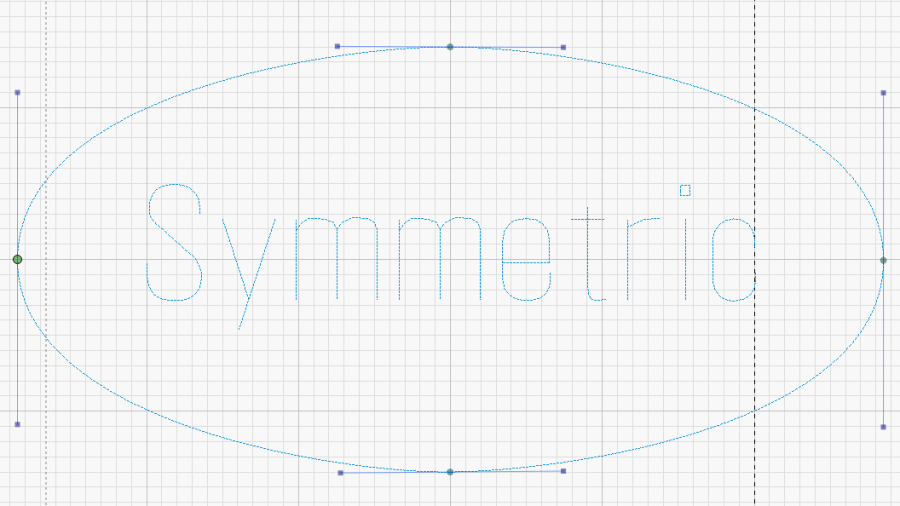
    While calibrating the laser’s scan offset, I also tried various fonts:

    Offset cal - text - overview
    Offset cal – text – overview

    Putting two lines of the most-readable font inside an outline reverse-engineered from a few handwritten samples let me cut out a bunch of plant markers from white-on-black Trolase acrylic:

    Plant Markers - cutting
    Plant Markers – cutting

    Which look downright dignified in real life:

    Plant markers - African Violet
    Plant markers – African Violet

    Admittedly, sweet potato slips don’t require such extensive documentation:

    Plant Markers - sweet potatoes
    Plant Markers – sweet potatoes

    Cutting the sheet flat on the honeycomb platform worked well, modulo Sadler’s warning about cutting acrylic, and a few smudges on the back of the markers will go unnoticed.

    This was actually an excuse to use LightBurn’s Variable Text feature, so the tags contain formatting codes:

    Plant Markers - Variable Text template
    Plant Markers – Variable Text template

    The codes give the position and format for text fields in a CSV file containing one line for each tag:

    Austrocylindropuntia subulata,Eve’s Pin Cactus
    Euphorbia,abyssiniaca
    possibly G. Carinata,var. Verucosa
    African Violet,Maui
    Sansevieria trifasciata,Mother in law’s tongue
    Plectranthus,'Mona Lavender'

    The rules governing quoted strings and suchlike remain to be explored, but single quotes in the CSV file pass through unchanged.

    Putting a tab at the point of the marker will prevent it from falling free when cut out, should you want to try raising the sheet above the platform to reduce the amount of crud accumulating on the back side.

  • Garden Cart Handle Pivot

    Garden Cart Handle Pivot

    For reasons not relevant here, I was tapped to replace the plastic parts attaching the handle to a garden cart:

    Garden Cart - handle attachment
    Garden Cart – handle attachment

    The owner tried to contact the “manufacturer” to no avail; repair parts are simply not available, even if the name painted on the cart had a meaningful relationship to anything else.

    Well, I can fix that:

    Garden Cart - handle repair parts
    Garden Cart – handle repair parts

    Fortunately, another cart in the fleet provided the missing bits so I could reverse-engineer their measurements.

    The solid model looks about like you’d expect:

    Garden Cart Handle - show view
    Garden Cart Handle – show view

    Printing the two halves with those nice (yellow) bosses in place wasn’t feasible. They were exactly 1 inch in diameter, so I just parted two cookies from the end of a stout acetal rod after drilling a hole for the 2-¼ inch 5/16-18 bolt.

    The two pieces took nigh onto three hours with five perimeters and 50% infill:

    Garden Cart Handle - slicer preview
    Garden Cart Handle – slicer preview

    While delivering and installing the parts, I got volunteered to haul plants to cars with one of the carts during the upcoming Spring Plant Sale. That’ll teach me to stay in the Basement Shop …

    The OpenSCAD source code as a GitHub Gist:
    // Garden Cart Handle Pivot
    // Ed Nisley KE4ZNU 2022-05
    Layout = "Show"; // [Show,Build]
    /* [Hidden] */
    ThreadThick = 0.25;
    ThreadWidth = 0.40;
    HoleWindage = 0.2;
    Protrusion = 0.1; // make holes end cleanly
    inch = 25.4;
    function IntegerMultiple(Size,Unit) = Unit * ceil(Size / Unit);
    ID = 0;
    OD = 1;
    LENGTH = 2;
    //———-
    // Dimensions
    // Handle lies along X axis
    HandleOD = (7/8) * inch;
    BoltOD = (5/16) * inch;
    Washer = [BoltOD,1.0 * inch,2.0]; // just for Show
    Disk = [BoltOD,62.0,(3/16) * inch];
    ClampBase = [(1 + 7/8)*inch,(1 + 1/8)*inch,2.0];
    Kerf = 2.0;
    CornerRadius = 1.0;
    PivotOA = [Disk[OD],Disk[OD],HandleOD + 2*ClampBase.z + 2*Disk[LENGTH]];
    //———————-
    // Useful routines
    module PolyCyl(Dia,Height,ForceSides=0) { // based on nophead's polyholes
    Sides = (ForceSides != 0) ? ForceSides : (ceil(Dia) + 2);
    FixDia = Dia / cos(180/Sides);
    cylinder(d=(FixDia + HoleWindage),h=Height,$fn=Sides);
    }
    //———————-
    // Set up parts
    module Handle() {
    translate([-2*PivotOA.x,0,0])
    rotate([0,90,0])
    PolyCyl(HandleOD,4*PivotOA.x,24);
    }
    module Bolt() {
    translate([0,0,-PivotOA.z])
    PolyCyl(BoltOD,2*PivotOA.z,12);
    }
    module Pivot() {
    difference() {
    union() {
    hull()
    for (i=[-1,1], j=[-1,1]) // rounded block
    translate([i*(ClampBase.x/2 – CornerRadius),j*(ClampBase.y/2 – CornerRadius),-PivotOA.z/2])
    cylinder(r=CornerRadius,h=PivotOA.z,$fn=4*8);
    for (k=[-1,1])
    translate([0,0,k*(PivotOA.z/2 – Disk[LENGTH]/2)])
    rotate(180/36)
    cylinder(d=Disk[OD],h=Disk[LENGTH],$fn=36,center=true);
    }
    Handle();
    Bolt();
    cube([2*ClampBase.x,2*ClampBase.y,Kerf],center=true); // slice through center
    }
    }
    //———-
    // Build them
    if (Layout == "Show") {
    rotate([90,-45,0]) {
    Pivot();
    color("Green")
    translate([2*PivotOA.x – PivotOA.x/2,0,0])
    Handle();
    color("Red")
    Bolt();
    color("Yellow")
    for (k=[-1,1])
    translate([0,0,k*(PivotOA.z/2 + Washer[LENGTH])])
    rotate(180/36)
    cylinder(d=Washer[OD],h=Washer[LENGTH],$fn=36,center=true);
    }
    }
    if (Layout == "Build") {
    Offset = 5.0;
    intersection() {
    translate([-(PivotOA.x/2 + Offset),0,PivotOA.z/2])
    Pivot();
    translate([-2*PivotOA.x,-2*PivotOA.y,0])
    cube([4*PivotOA.x,4*PivotOA.y,PivotOA.z/2],center=false);
    }
    intersection() {
    translate([(PivotOA.x/2 + Offset),0,PivotOA.z/2])
    rotate([180,0,0])
    Pivot();
    translate([-2*PivotOA.x,-2*PivotOA.y,0])
    cube([4*PivotOA.x,4*PivotOA.y,PivotOA.z/2],center=false);
    }
    }

  • Laser-cut Cutworm Collars

    Laser-cut Cutworm Collars

    Mary, having had considerable trouble with cutworms in her gardens, routinely deploys cardboard collars around new plants:

    Cutworm Collars - assembled
    Cutworm Collars – assembled

    It seems cutworms trundle around until they find an edible plant, chew through the stem and topple the plant, then trundle off without taking another bite. A small cardboard barrier prevents them from sensing the plant: apparently, motivation to climb a short wall hasn’t yet evolved.

    Up to this point, Mary applied scissors to tissue boxes, but I proposed an alternative with an adjustable fit to any plant:

    Laser Cutting Cutworm Collars
    Laser Cutting Cutworm Collars

    A splayed cardboard box rarely lays flat, a condition enforced by a few MDF stops used as clamps.

    Come to find out no two tissue boxes have identical dimensions, even boxes from the same brand / retailer, so lay out duplicates of the collar template to match your stockpile.

    That was fun!

    The SVG image as a GitHub Gist:
    Loading
    Sorry, something went wrong. Reload?
    Sorry, we cannot display this file.
    Sorry, this file is invalid so it cannot be displayed.