Ed Nisley's Blog: Shop notes, electronics, firmware, machinery, 3D printing, laser cuttery, and curiosities. Contents: 100% human thinking, 0% AI slop.
Category: Science
If you measure something often enough, it becomes science
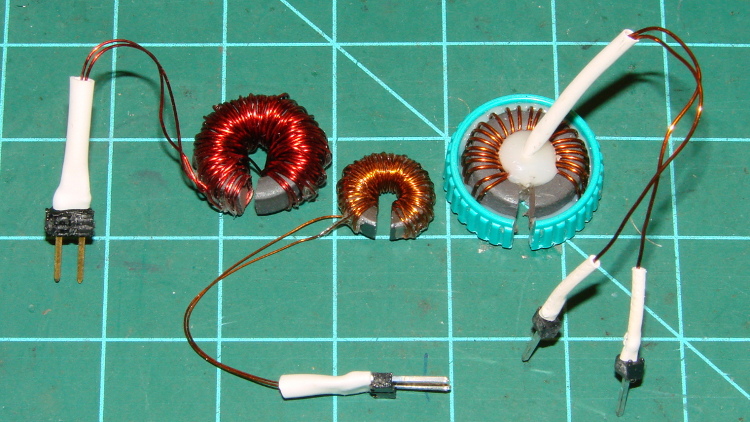
Then wound them with grossly excessive amounts of wire (the up-armored core on the right appeared earlier):
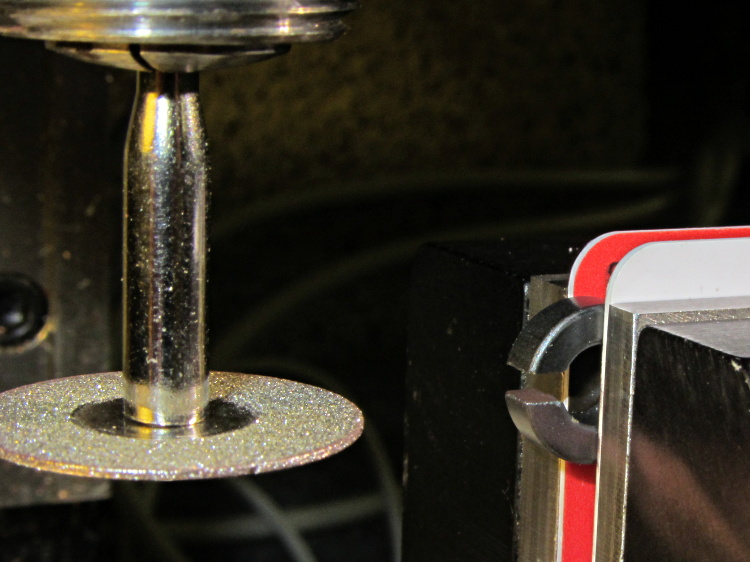
Slit Ferrite Toroid current sensors
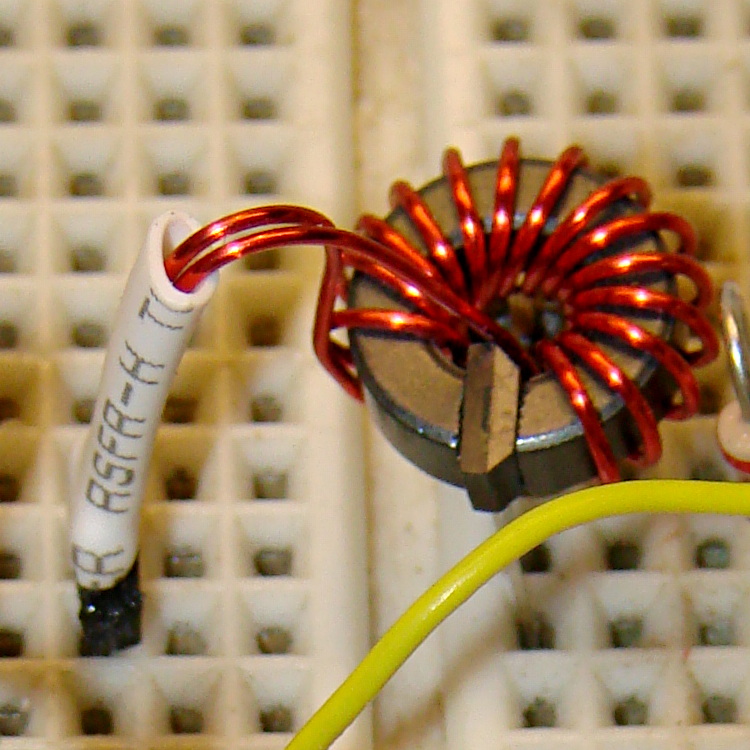
The smaller toroid is an FT37-43 that barely covers the active area of an SS49-style Hall effect sensor, but experience with the FT50 toroid suggests that’ll be entirely enough:
slit FT37 toroid trial fit to SS48-style Hall effect sensor
Data on the uncut toroids:
Property
FT50-61
FT37-43
Outer diameter (OD) – inch
0.50
0.375
Inner diameter (ID) – inch
0.281
0.187
Length – inch
0.188
0.125
Cross section area – cm2
0.133
0.133
Mean path length (MPL) – cm
3.02
2.15
Volume – cm3
0.401
0.163
Relative Permeability (μr )
125
850
Saturation flux G @ 10 Oe
2350
2750
Inductance factor (AL) – nH/turn2
68.0
420
Those overstuffed windings improved the sensitivity, but increased the winding resistance far beyond what’s reasonable.
Data on the slit toroids:
Toroid ID
FT50-61
FT37-43
FT50-61
Measured air gap – cm
0.15
0.15
0.17
Winding data
Turns
120
80
25
Wire gauge – AWG
28
32
26
Winding resistance – mΩ
530
920
100
Predicted B field – G/A
872
660
163
Hall effect sensor @ 1.9 mV/G
Predicted output – mV/mA
1.7
1.3
0.31
Actual output – mV/mA
1.9
1.9
0.37
Actual/predicted ratio – %
+12
+46
+19
The last few lines in that table show the transimpedance (transresistance, really, but …) based on the winding current to Hall sensor output voltage ratio (in either mV/mA or V/A, both dimensionally equivalent to ohms), which is why the toroid’s internal magnetic flux doesn’t matter as long as it’s well below saturation.
Gnawing the 80 turn winding off the FT37-43 toroid and rewinding it with 15 turns of 24 AWG wire dropped the winding resistance to 23 mΩ and the transimpedance to 0.36 mV/mA:
FT37-43 with 15 turns 24 AWG – Hall sensor
However, applying a voltage gain of about 28 (after removing the sensor’s VCC/2 bias) will produce a 0-to-5 V output from 500 mA input, which seems reasonable.
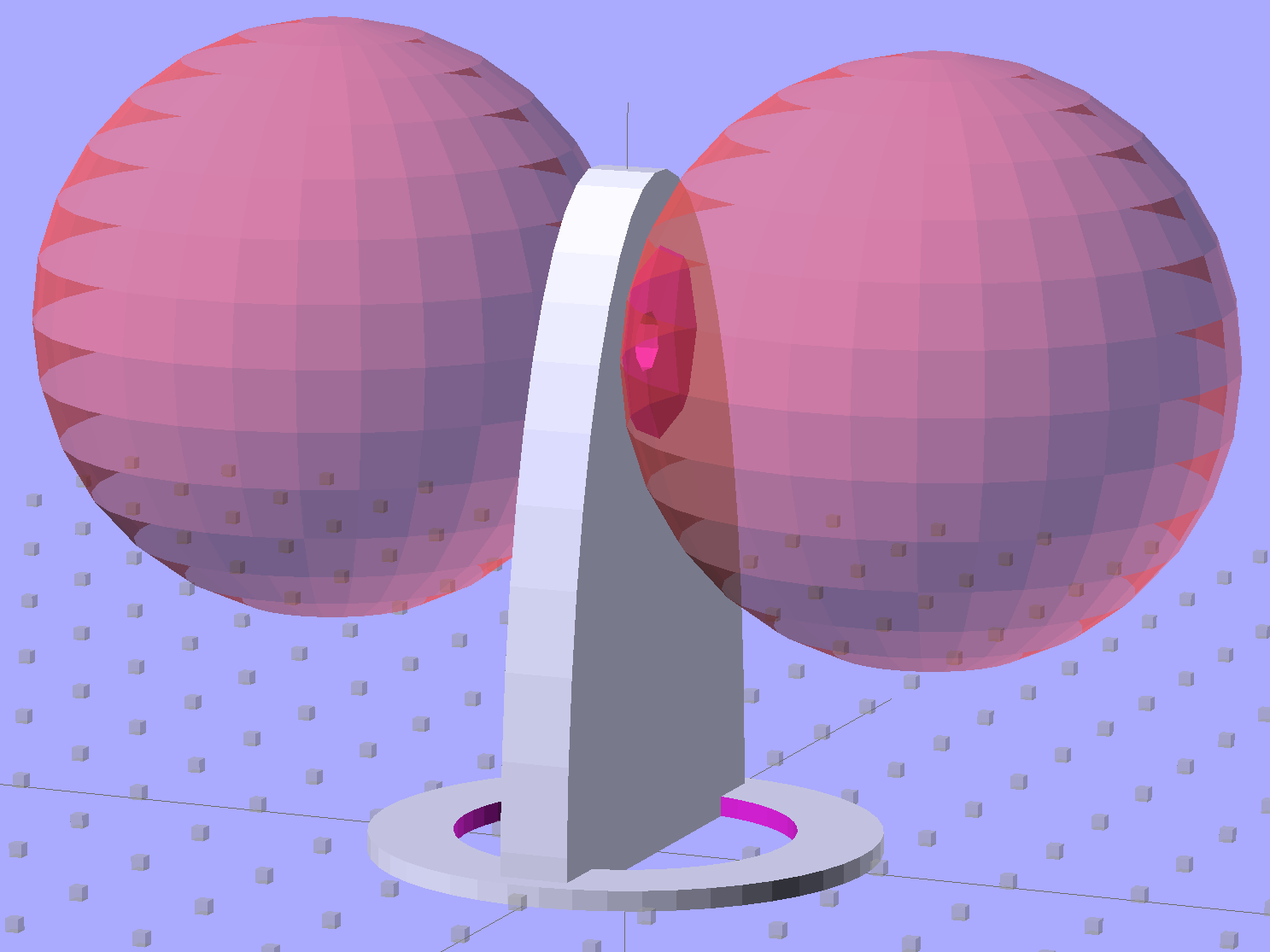
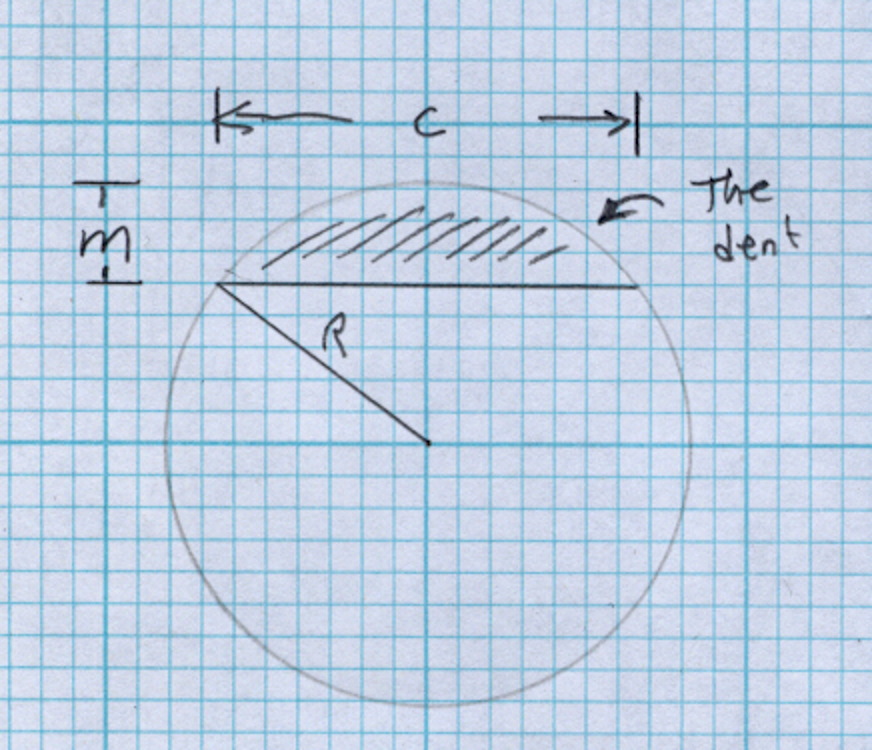
Then generate the sphere (well, two spheres, one for each dent) and offset it to scoop out the dent:
for (i=[-1,1]) {
	translate([i*(DentSphereRadius + HandleThick/2 - DentDepth),0,StringHeight])
		sphere(r=DentSphereRadius);
HandleThick controls exactly what you’d expect. StringHeight sets the location of the hole punched through the handle for a string, which is also the center of the dents.
The spheres have many facets, but only a few show up in the dent. I like the way the model looks, even if the facets don’t come through clearly in the plastic:
Quilting circle template – handle dent closeup – solid model
It Just Works and the exact math produces a better result than by-guess-and-by-gosh positioning.
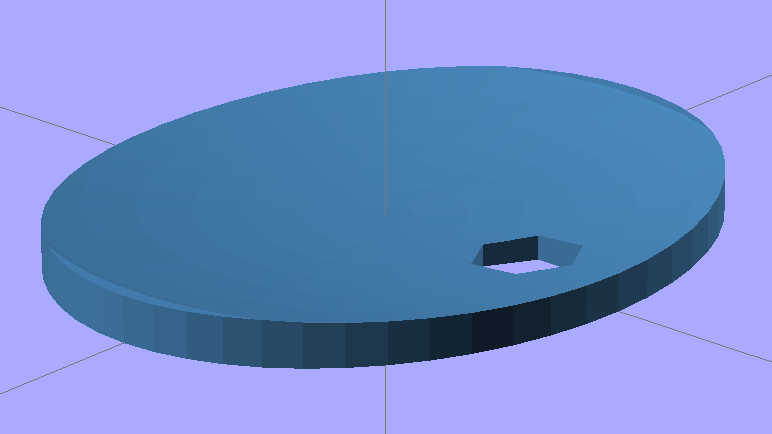
The sphere radius will come out crazy large for very shallow dents. Here’s the helmet plate for my Bicycle Helmet Mirror Mount, which has an indentation (roughly) matching the curve on the side of my bike helmet:
Helmet mirror mount – plate
Here’s the sphere that makes the dent, at a somewhat different zoom scale:
Helmet mirror mount – plate with sphere
Don’t worry: trust the math, because It Just Works.
You find equations like that in Thomas Glover’s invaluable Pocket Ref. If you don’t have a copy, fix that problem right now; I don’t get a cut from the purchase, but you’ll decide you owe me anyway. Small, unmarked bills. Lots and lots of small unmarked bills…
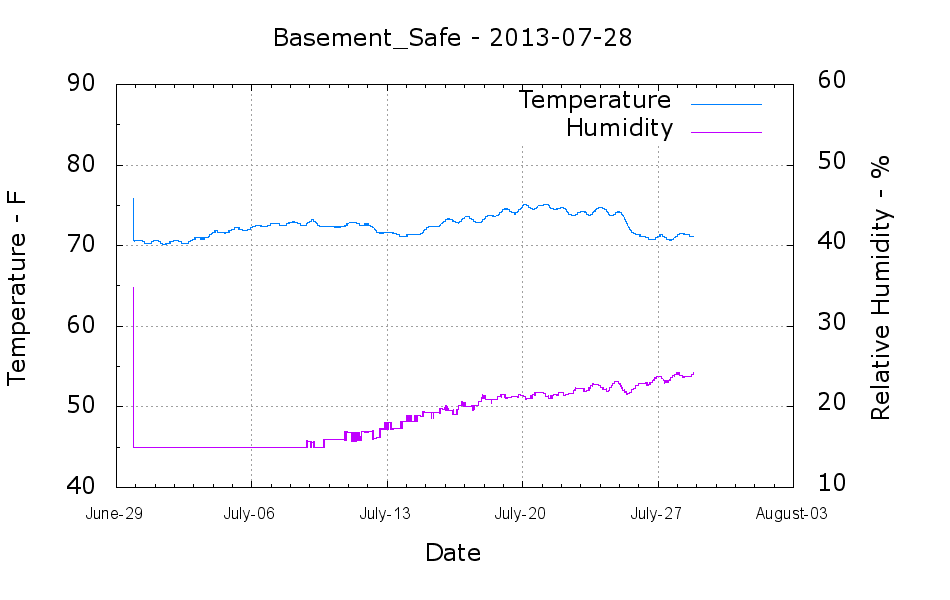
The humidity in the basement safe started rising this month:
Basement Safe – 2013-07-28
The bag of new silica gel weighed 575 g, so it adsorbed about 67 g of water as the humidity rose from bone dry to 24%. Last month it had soaked up 31 g, so the safe admits nearly an ounce of water each month with 50% RH in the basement. It takes five months to accumulate 60-ish g of water during the winter.
According to the Sorbent Systems charts, silica gel’s equilibrium capacity at 24% is about 12% of the gel’s weight, which would work out to 60 g. That’s close enough, methinks, given the graph resolution; the humidity changes slowly enough that it’s sorta-kinda equilibrated in there… 67 g works out to 13.4% of the dry weight, which is in the same ballpark.
I made up three more bags of dry gel (500 g + 7 or 8 g tare), tossed one in the safe, one in the 6 gallon plastic bucket of 3D printer filament, and one in an empty 6 gallon bucket for comparison. Some 6 dot (10-through-60%) humidity indicator cards are on their way, seeing as how I don’t have nearly enough dataloggers to keep up with the demand…
I put the XY coordinate origin in the middle of the platform, so that laying objects out for printing doesn’t require knowing how large the platform will be: as long as the printer is Big Enough, you (well, I) can print without further attention.
The RepRap world puts the XY coordinate origin in the front left corner of the platform, so that the platform size sets the maximum printable coordinates and all printing happens in Quadrant I. This has the (major, to some folks) advantage of using only positive coordinates, while requiring an offset for each different platform.
Yes, depending on which printer software you use, you can (automagically) center objects on your platform; this is often the only way to find objects created with Trimble (formerly Google) Sketchup. I am a huge fan of knowing exactly what’s going to happen before the printing starts, so I position my solid models exactly where I want them, right from the start. For example, this OpenSCAD model of the bike helmet mirror parts laid out for printing:
Helmet mirror mount – 3D model – Show layout
… exactly matches the plastic on the Thing-O-Matic’s platform, with the XY origin right down the middle of the platform:
Helmet mirror mount on build platform – smaller mirror shaft
It’d print exactly the same, albeit with more space around the edges, on the M2’s platform.
Similarly, the Z axis origin sits exactly on the surface of the platform. That way, the Z axis coordinate equals the actual height of the current thread extrusion in a measurable way: when you set the Z axis to, say, 2.0 mm, you can measure that exact distance between the extruder nozzle and the platform:
Taper gauge below nozzle
Now, admittedly, I fine-tune that distance by measuring the height of the skirt thread around the printed object, but the principle remains: a thread printed on the platform with Z=0.25 should be exactly 0.25 mm thick.
The start.gcode file handles all that:
;-- Slic3r Start G-Code for M2 starts --
;  Ed Nisley KE4NZU - 15 April 2013
M140 S[first_layer_bed_temperature]	; start bed heating
G90				; absolute coordinates
G21				; millimeters
M83				; relative extrusion distance
M84				; disable stepper current
G4 S3			; allow Z stage to freefall to the floor
G28 X0			; home X
G92 X-95			; set origin to 0 = center of plate
G1 X0 F30000		; origin = clear clamps on Y
G28 Y0			; home Y
G92 Y-127 		; set origin to 0 = center of plate
G1 Y-125 F30000	; set up for prime at front edge
G28 Z0			; home Z
G92 Z1.0			; set origin to measured z offset
M190 S[first_layer_bed_temperature]	; wait for bed to finish heating
M109 S[first_layer_temperature]	; set extruder temperature and wait
G1 Z0.0 F2000		; plug extruder on plate
G1 E10 F300		; prime to get pressure
G1 Z5 F2000		; rise above blob
G1 X5 Y-122 F30000	; move away from blob
G1 Z0.0 F2000		; dab nozzle to remove outer snot
G4 P1			; pause to clear
G1 Z0.5 F2000		; clear bed for travel
;-- Slic3r Start G-Code ends --
The wipe sequence, down near the bottom, positions the extruder at the front center edge of the glass plate, waits for it to reach the extrusion temperature, then extrudes 10 mm of filament to build up pressure behind the nozzle. The blob generally hangs over the edge of the platform and usually doesn’t follow the nozzle during the next short move and dab to clear the mess:
M2 – Wipe blobs on glass platform
I’ve also configured Slic3r to extrude at least 25 mm of filament in at least three passes around the object. After that, the extruder pressure has stabilized and the first layer of the object begins properly.
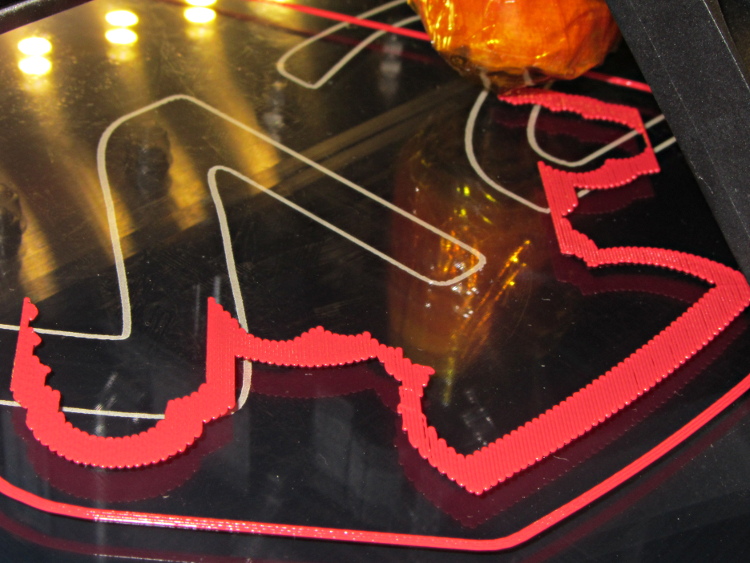
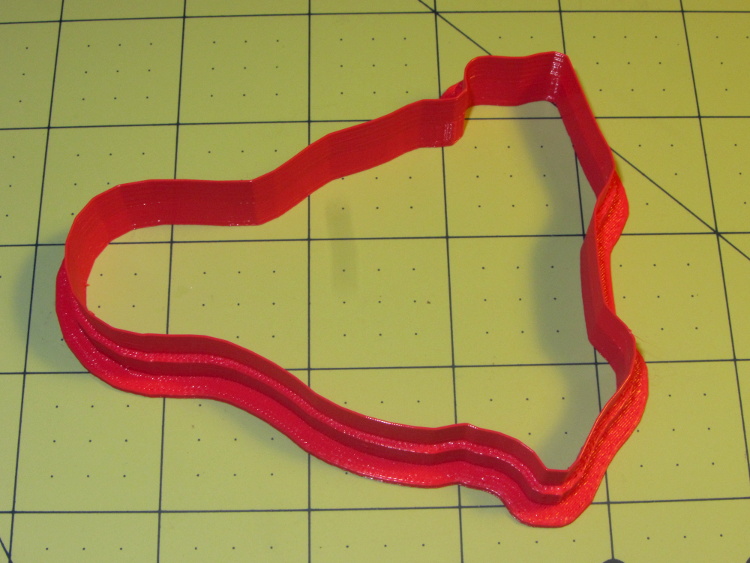
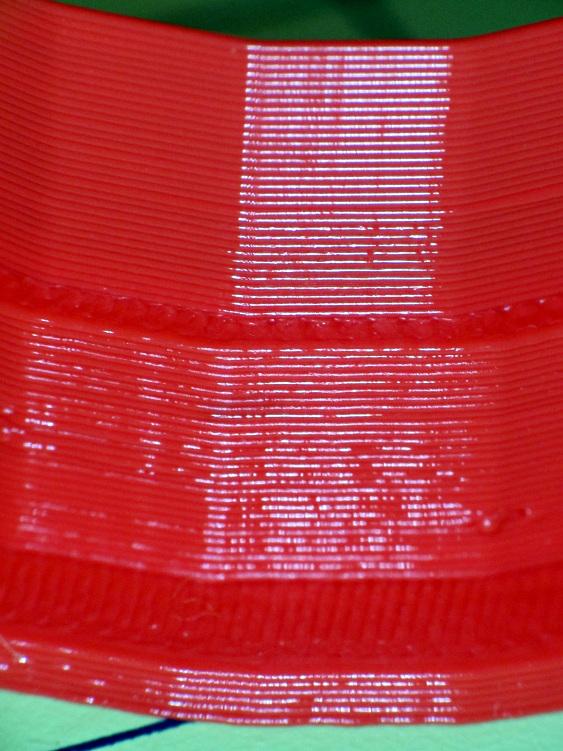
Which brings up another difference: the first layer printed on the platform is exactly like all the others. It’s not smooshed to get better adhesion or overfilled to make the threads stick together:
Robot cookie cutter – printing first layer
I print the first layer at 25 mm/s to give the plastic time to bond to the platform and use hairspray to make PLA stick to glass like it’s glued down.
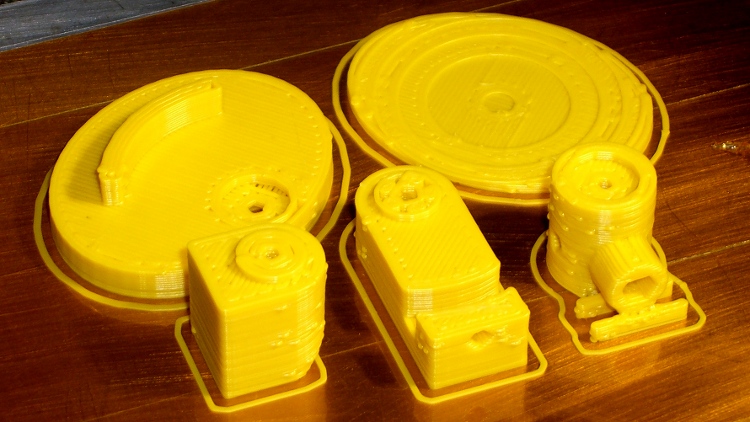
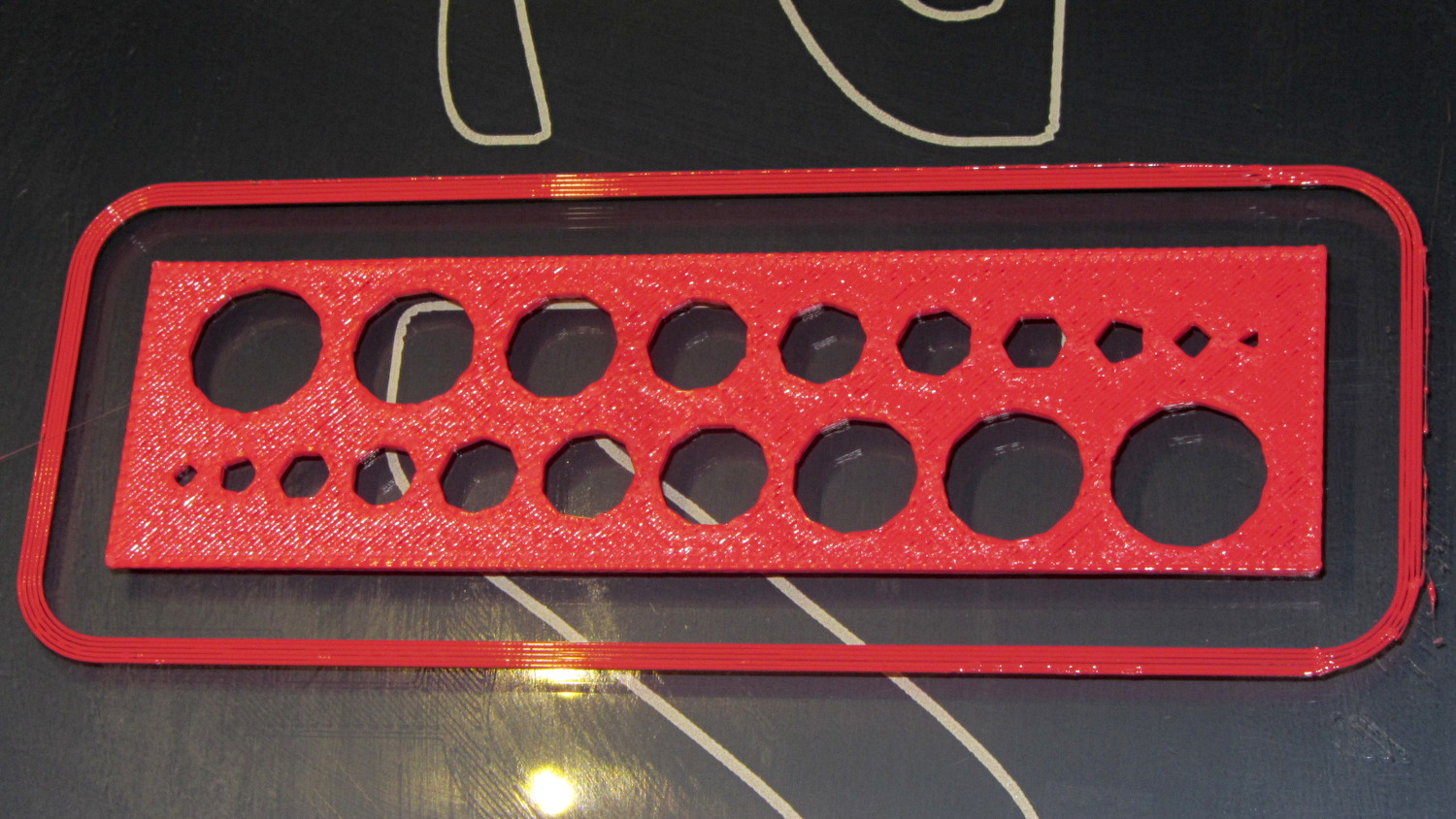
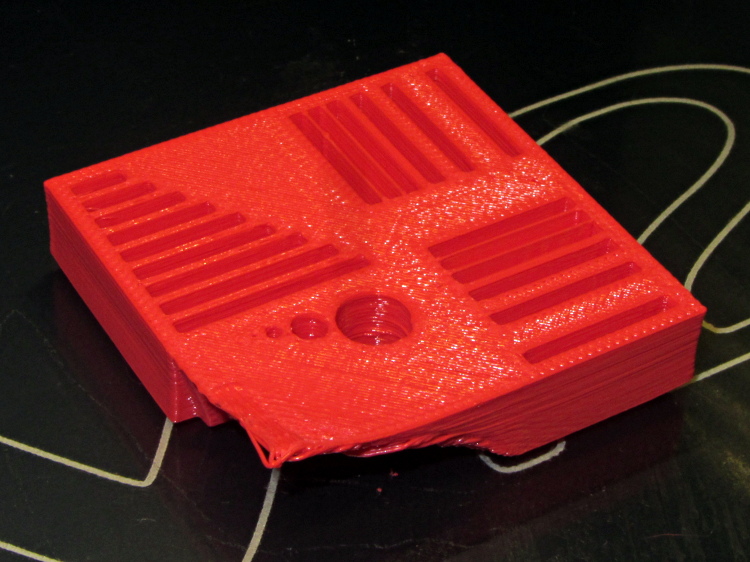
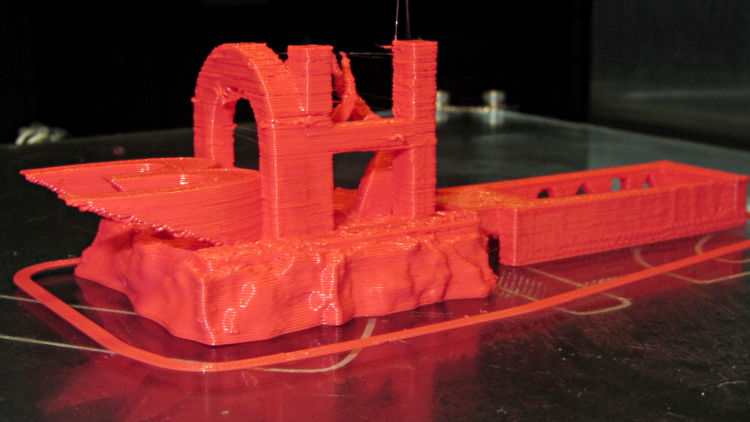
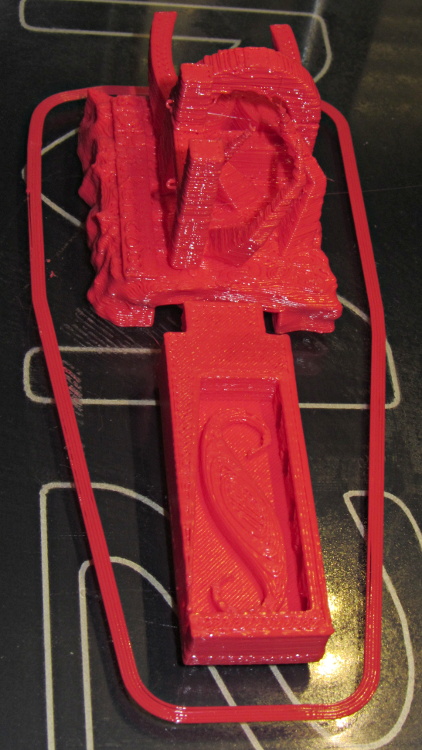
While pulling together a talk on OpenSCAD modeling (more on this later), I ran off a batch of calibration and “torture test” objects, with the intent of seeing how my somewhat modified M2 performs. The short answer is that you (well, I) can’t ask for anything better…
That level of as-printed cleanliness is typical: no stringing, no hair, no misplaced globs, no retraction problems. Basically, the plastic shape on the platform matches the mathematical shape on screen.
All of the linear features are with ±0.1 mm of nominal; both the 0.5 and 0.25 mm walls came out at 0.40 mm, because that’s the thread width. Slic3r doggedly puts a thread down the middle of hair-fine walls, which I think is a Good Thing.
The holes came out less than 0.3 mm undersize, which is about what you’d expect because they’re not pre-distorted and have far too many sides. The 1.0 and 0.5 mm diameter holes are present, but just barely visible; those simply aren’t reasonable sizes for this technology.
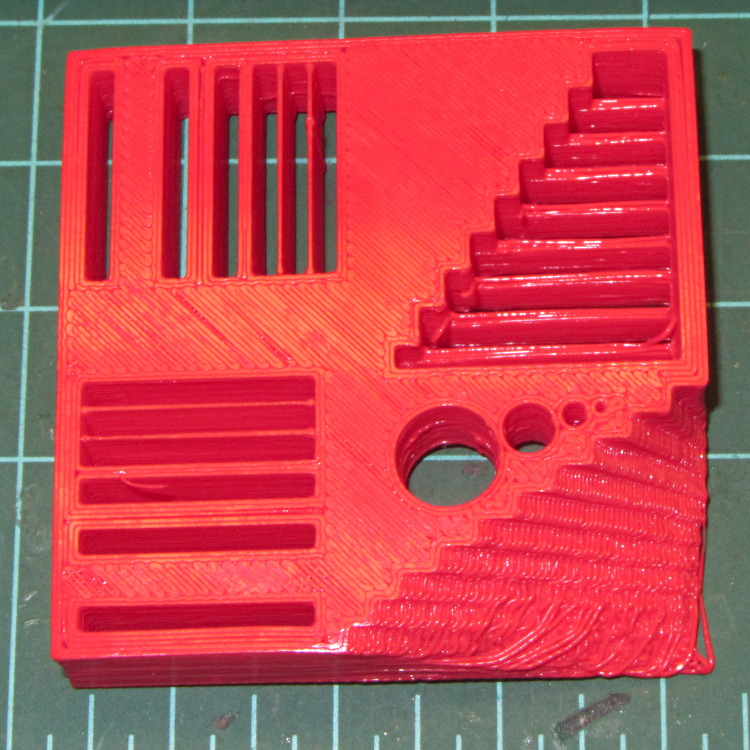
The bottom view shows a few strings in the bridge test area and more detail of the overhang:
M2 – Calibration Block – bottom
Grouping the overhangs like that produced a flat surface that tended to curl upward, so the final slopes don’t match the design. In round numbers, the M2 can handle something like a 60° overhang reasonably well.
The top view shows the shape in the box looks fine, but with some curls in the main structure. The arch closed over a few random strands, so it’s rougher than I’d like:
M2 – 3DHacker object – top
The spires are lumpy and there’s more striation than I’d like, but this lies well outside the realm of stuff that I build. If I were doing it for real, I’d add some support structures here & there.
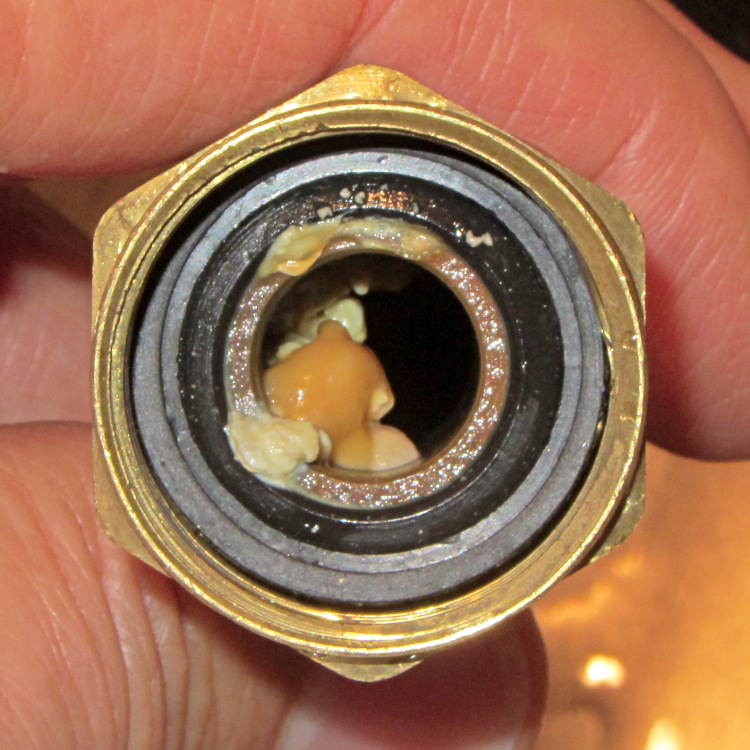
One of my fundamental rules is that you should never, ever look inside the water lines serving your faucets. Having recently replaced a water heater, I had to violate that rule and discovered this growth inside the flex tube at the hot water outlet:
A simple test of additional insulation below the Makergear M2’s heated build platform, measuring the time required to heat the platform from 30 °C to 80 °C:
As-shipped without insulation: 8:20
Cardboard + cotton cloth: 8:30
Cardboard + aluminum foil + cotton: 8:00
That’s with a resolution of about 10 seconds and 1 °C. Ambient temperature was 25 °C; I preheated the platform to 30 °C for a repeatable starting point. The heater was full-on for the entire time and I tried to record the time until it first turned off at the setpoint temperature.
So my initial insulation didn’t make any difference; ten seconds (in the wrong direction!) seems down in the noise.
Adding aluminum improved the situation, but not by much.
The platform wasn’t moving, so there’s no air circulation on either surface. I think it will be possible to record / plot the platform heater duty cycle during printing using LinuxCNC’s HAL components, so some useful data should emerge from that.
I think the bottom line is that there’s so much heat transfer up through the glass plate and away that reducing the heat flow from the bottom by a little bit doesn’t matter…