Ed Nisley's Blog: Shop notes, electronics, firmware, machinery, 3D printing, laser cuttery, and curiosities. Contents: 100% human thinking, 0% AI slop.
Category: Science
If you measure something often enough, it becomes science
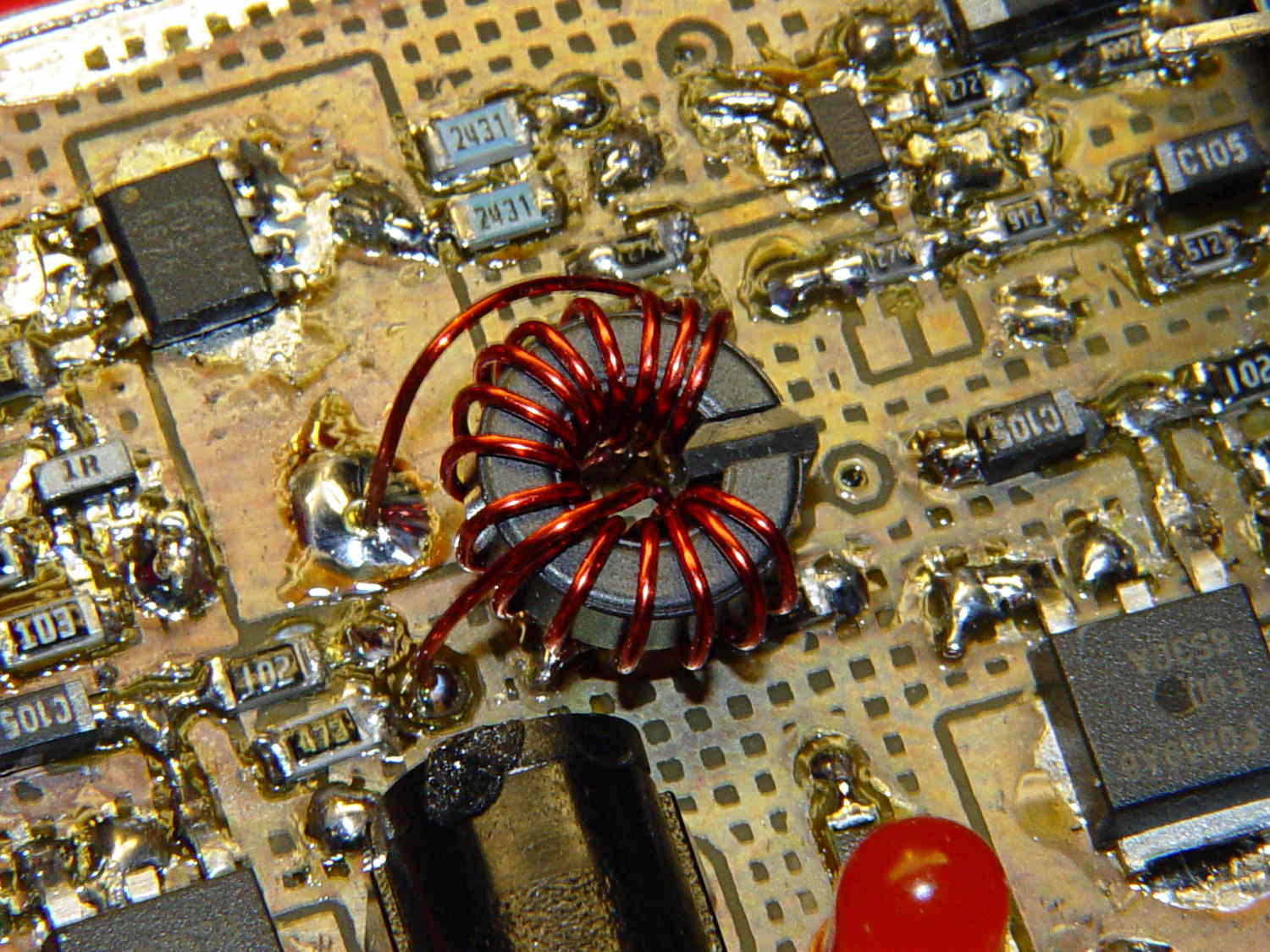
The improved platform for the M2 runs at 30 V, but the RAMBo board specs limit the max HBP voltage to 24 V, presumably because the 15 A ATO fuse won’t clear a high-voltage, high amperage DC short. While setting up the SSR that drives the new platform, I looked up the specs for the PSMN7R0-60YS MOSFET controlling the bed heater and … it doesn’t have a logic level gate.
The rDS spec is an impressive 6.4 mΩ max, but that’s at VGS = 10 V. The 1 mA threshold voltage VGS(th) = 4 V max, which means there’s only 1 V of headroom to turn the transistor on enough to pass upwards of 10 A.
The typical ID vs. VGS curve (Fig 6) shows 20 A at maybe 4.2 V, but the typical RDSon curve (Fig 8) shows the resistance skyrocketing for VGS under maybe 4.8 V; sliding that curve a wee bit to the right would cause a Very Bad Thing to take place.
A 20 mΩ resistance dissipates 4.5 W at 15 A, which seems rather aggressive for the small PCB copper-pour heatsink on the RAMBo board. It’s a somewhat more bearable 2 W at 10 A, but I think that’s still too high. Of course, the typical dissipation will should be much lower…
A good engineering rule of thumb is to ignore the datasheet’s “Typical” column and design using the “Minimum” or “Maximum” columns, as appropriate. When you depend on typical specs, getting “the same part” from a different supplier can provide a real education in supply-chain management.
I suspect tolerance stacking works well enough that nearly all the MOSFETs on nearly all the RAMBo boards run cool enough to survive, but I’d rather see logic-level MOSFETs in Arduino circuits where the maximum gate voltage won’t ever get above 5 V.
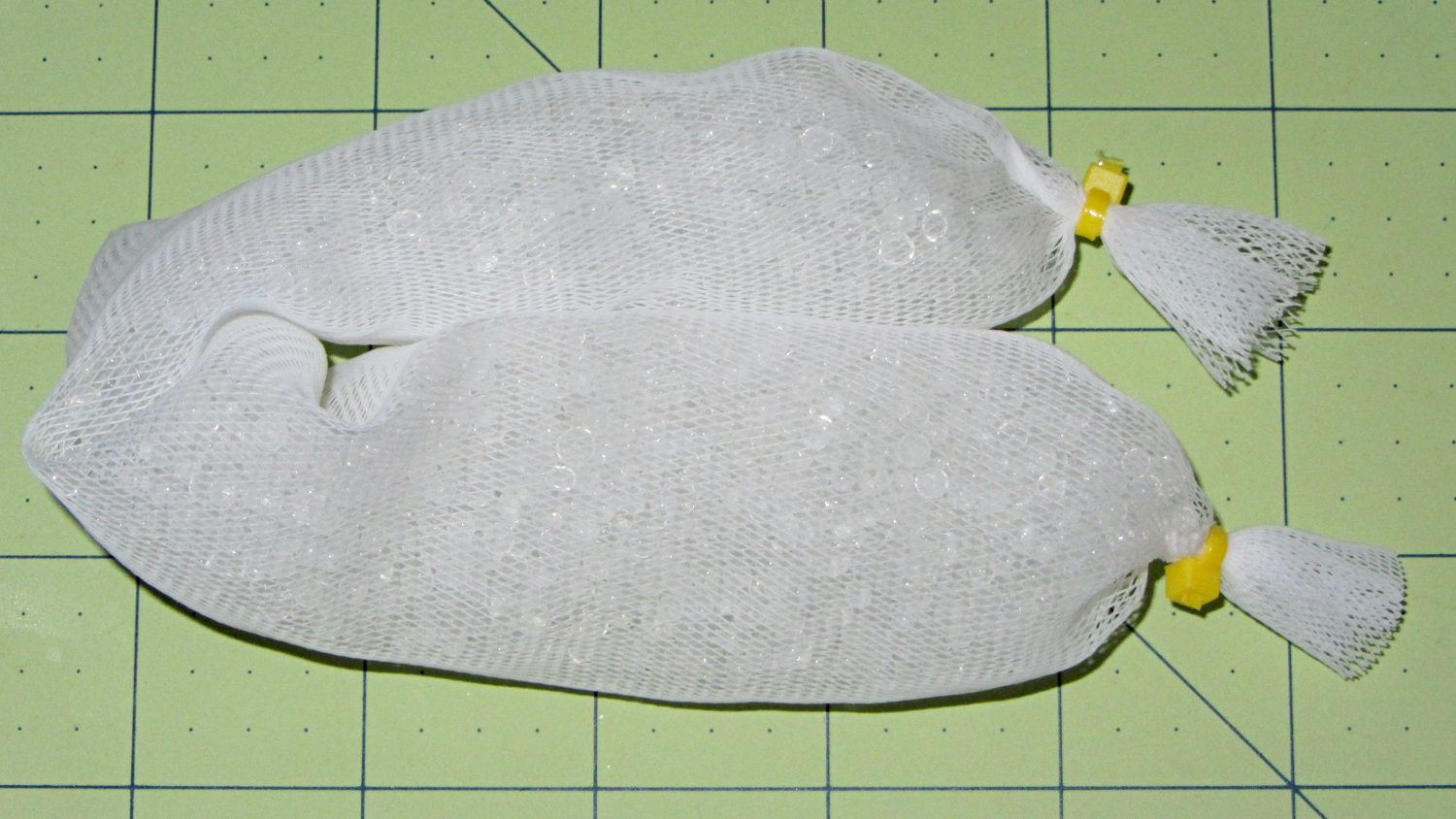
The last of the silica gel from one bulk can went into a mesh bag:
Silica gel beads in mesh bag
That kept a batch of fresh-baked crackers crisp during several humid days. It started out at 110 g net = 112 g gross (with bag and ties), rose to 115 g after a day, then to 117 g by the time we were done with the crackers. That’s about 5 g of water = 4.5% by weight, so those charts say the humidity should be under 10 %RH, which agrees with the fading blue dot on the humidity indicator card I dropped in the can.
When the bag gets up to 130 g = 30 %RH, then it’ll be time for a recharge… or, more likely, a refill from one of the remaining three cans.
I recently harvested the compressor from a defunct dehumidifier:
Harvested Dehumidifier Compressor
That ought to be useful in a DIY vacuum table that needs a good, low-volume pump. It seems refrigeration pumps can get down around 29 inches of mercury, so the net pressure difference is maybe 13 psi and I’d round it down to 10 psi. Typical small PCBs, say 1 x 2 inches, would have 20 to 30 pounds of downforce.
From what I read, the pump will blurp oil from the smaller outlet tube while settling down to pull a vacuum through the larger, rather discolored, inlet tube; adding a larger diameter vertical catch chamber with a splash plate to the outlet would be in order. I think a trash filter on the inlet, perhaps conjured from a defunct whole-house water filter with a 3 micron spun-fiber filter element, should keep dust and crud out of the compressor; the inlet already has a small filter / dryer (the lump next to the compressor body), but that probably won’t withstand an assault of glass-fiber-laden PCB drilling dust.
As far as the vacuum table goes, I think a 3D printed base with a machinable wax insert might be just the ticket: the base collects all the complexity, including hose fittings and a plenum under the insert, into a 3D model where it’s easy to duplicate and the cheap-and-simple wax acts as a moderately hard sacrificial platform. The base would have 10-32 holes around the outside to match the Sherline’s tooling plate. The wax insert could stand proud of the base and have holes only where they’re needed, so the base holds the insert in place mostly by vacuum.
You’d (well, I’d) like to cast the wax in place, but it melts around 240 °F = 115 °C and gets pourable around 270 °F = 132 °C, well above the point where PLA gets juicy and about where ABS gets gummy, so I think a drop-in slab makes more sense; cast it on a plate for a flat bottom surface, trim off the mold flash, and drop it in place with the flat side down. Then, with the vacuum turned on, flycut the rumpled top to get a known-flat-and-true surface, mill some vacuum channels, and drill holes to match the 3D printed holes in the plenum; all that would be a G-Code routine, of course. A simple hexagonal drilled pattern (big shallow holes for maximum clamping, little through holes into the plenum) might be a good starting point, at least for the simple, low-stress stuff I’m doing: PCBs and maybe edge-lit ersatz Nixie tubes.
You could gently heat the part to seal it to the wax, although that might risk losing the top surface alignment. Given reasonably flat PCB material, a custom channel pattern under the board might be just as good.
When the wax gets sufficiently chopped up that it can’t hold a good seal, toss it in the remelting bin, drop in a new slab, mill it to suit, and continue the mission.
If you do it right, everything’s parametric and you can generate a custom base with a custom insert by twiddling a few parameters that set the overall size of the thing; print up the base, drop in a wax plate, machine the top surface, done. You’d need two source files: OpenSCAD for the base and custom G-Code for the insert. Maybe the OpenSCAD script can generate and export a DXF-ish file that could produce the mill / drill code for the insert.
Part of the Curvelicious Cookie Cutter effort involved making the thinnest possible cutter blade wall consisting of two adjacent threads, because that’s about what the Afinia printer was producing (from a different model). My OpenSCAD code, based on an Inkscape model derived from the as-printed Afinia cutter, enlarges the cookie shape by a specific distance with a Minkowski sum; the model ultimately becomes G-Code directing the extruder nozzle around the outline.
Obviously, that required a bit of fiddling:
Robot Cutter Variations
The pink cutter on the top came from the Afinia, complete with raft. The red cutters, all with short blades to speed up the printing, came from my M2.
The printer mechanics determine the step/mm values for all four axes: X, Y, Z, and the extruder. The effective diameter of the “gear” driving the filament into the extruder seems subject to some quibbling, but setting it so the thinwall box comes out with the proper filament width seems reasonable. Given those four values, the slicing software can control the extruder speed to produce the proper volume of plastic as the XY speed varies.
The slicing software must also know the raw filament diameter, which seems to be consistent within a few percent for the filaments in my collection. Because a 1% change in filament diameter produces a 3% change in extruded volume, a few percent is about all you can tolerate; broad-tolerance filament may require sensors and adjustments that printers don’t currently offer.
There is one remaining variable, essentially a Fudge Factor, which Slic3r calls the extrusion multiplier. This seems to be a linear factor applied to the extrusion volume, so that increasing the factor proportionally increase the flow rate. Given correct step/mm settings and the measured filament diameter, you (well, I) adjust the extrusion multiplier to get the proper extrusion flow. As it turned out, the multiplier I’ve been using with the M2 worked out to 1.00, although I’ve also used 0.97 on occasion. Although I haven’t read the Slic3r source code to verify this, varying the multiplier by +3% should fudge the diameter by about +0.017 mm = 1% of the measured 1.72 mm.
Note that the Makergear-modified Marlin firmware in the M2 will produce different results, as they use a different value for the extruder gear’s effective diameter. More discussion on that is there.
Soooo, I set up the extrusion multiplier to produce parts with accurate dimensions, because that’s what I care about, and didn’t worry too much about perfect surface finish, because I don’t really care about that. Cookie cutters, however, need a completely filled surface that prevents dough from collecting inside, but have essentially no dimensional accuracy requirements.
The quartet of stumpy cutters bundled together on the left of the top photo explored the effect of changing the extrusion multiplier. I used the same STL model for all the cutters and varied only the extrusion factor, so the results depend only on the plastic flow rate and the M2’s impeccable mechanical stability.
A sharp cusp at 0.96 has a slight opening:
Robot Cutter – 0.96 extrusion multiplier
The cusp fills in at 1.10:
Robot Cutter – 1.10 extrusion multiplier
The handle surface is slightly open at 0.96:
Robot Cutter – 0.96 extrusion multiplier
And filled in at 1.10:
Robot Cutter – 1.10 extrusion multiplier
In all those cases, the measured blade thickness varied slightly, but not enough to matter in this application. I didn’t record those numbers and no longer have the models, but … you just tune for best picture.
I picked up five 12 V 40 W cartridge heaters from the usual eBay source for some extruder experiments and did a quick check to make sure they actually worked:
Cartridge heater test
The bench supply is good for 3 A, which isn’t quite enough to light them up all the way, but at 8 V they drew anywhere from 2.67 to 2.20 A, declining by about 0.1 A as they heated over the course of maybe 5 s, which is about as long as you want to run them outside of whatever they’re supposed to be heating.
Those dissipations are a bit lower than I expected; at 8 V you’d expect to see about 27 W = 2/3 * 40 W, not the 18 to 21 W I actually measured. Current & power don’t scale linearly, so I must gimmick up a larger block and make some better measurements when I get the LinuxCNC hardware set up.
The insulating tubes on the wires emerging from the cartridge, inside the main sheath, show the usual attention to detail I’ve come to know and love from eBay suppliers:
Cheap cartridge heater insulation
Ah, well, it keeps my toy budget under control…
There’s a story behind the dark vertical smudge just to the right of the cartridge. More on that in a bit.
The first two charges for those Baofeng BL-5 batteries show that the actual capacity isn’t quite up to the 1800 mA·h spec:
Baofeng BL-5 Packs – First two charges
The (meager) instructions say that the batteries will reach “full capacity” after three charges. Unless there’s a miracle waiting in the wings for that third charge, I very much doubt that they’ll get any better than the 1400 to 1500 mA·h you see in that graph. Note that the two batteries have quite different capacities and that the capacity for Pack B decreased on the second charge (purple vs. green trace).
Compare that with the Wouxun batteries (plotted with Gnuplot, rather than a screen grab):
Wouxun 7.4 V Packs
Those are all at 250 mA, which is certainly less than the peak current and probably more than the average current. It’s close enough for now, anyway, and shows that the Wouxun batteries actually live up to their spec.
Huh. Who’d’a thunk it?
It looks like the blinky lights should go into power-save mode under 7 V, because there just isn’t that much capacity left when the cells start rolling over the edge of the cliff.
Although the M2’s heated build platform works well enough, somebody who knows what he’s doing (you know who you are: thanks!) sent me an improved version. It’s a PCB heater, laid out to compensate for the usual edge cooling, firmly attached to a tempered glass plate with genuine 3M thermally conductive tape:
Improved M2 HBP – test setup
They designed the heater around the 30 VDC power supply used in their other equipment. Although I had high moderate hopes that a boost power supply would convert the 24 V supply I already had for the stepper driver bricks into the 30 V for the heater, it was not to be. So there’s a 36 V 9.7 A 350 W supply arcing around the planet that (I think) should work better: adjust the voltage down as far as it’ll go, soak up another few volts in the solid-state relay, and Things Should Be Close Enough to 30 V. One can buy a genuine 30 V supply, but it costs surprisingly more than either 24 V or 36 V supplies on the surplus / eBay market and won’t really provide the proper voltage without upward tweaking anyway.
I replaced their standard 0.156 inch square terminals with Anderson Powerpoles, soldered a length of shielded cable to the 100 kΩ thermistor pads, and gimmicked up a connection to the 24 V supply; it delivered 23.7 V at the PCB terminals. The thermistor is 100 kΩ at 25 °C and 11.4 kΩ at 77 °C. The PCB heater is 5.9 Ω at 25 °C and 7.3 Ω at 77 °C; it dissipates 77 W at 77 °C (no, that’s not a typo).
The ultimate temperature looks to be about 90 °C with a 24 V supply, which isn’t quite enough for ABS (which I’m not using in the M2 right now, but probably will eventually). The time constant, assuming the 1-e-1 point is 66 °C, works out to about 9 minutes; it’ll be up to final temperature in half an hour. Those numbers aren’t quite as accurate as one might wish, because the heater power drops as the temperature rises and the copper resistance increases.
A 30 V supply would dissipate 120 W at 77 °C and rumor has it that the ultimate temperature is around 125 °C, which would be fine for ABS. Goosing the power a bit would produce more heat, but I’v been running the Thing-O-Matic at 110 °C and that’s good enough. More power, of course, gets it to the temperature setpoint faster, which is probably a Very Good Thing.
Obviously, you need PWM to control the temperature; given a 9 minute time constant, a bang-bang controller will work perfectly well.
The original data, including the thermistor resistance after I got my act together, plus a cute little temperature-vs-time graph:
Improved M2 HBP – 24 V supply
The colored flyspecks are part of the paper; I salvaged a stack of fancy menu cards from a trash can and padded them up as geek scratch paper.