Ed Nisley's Blog: Shop notes, electronics, firmware, machinery, 3D printing, laser cuttery, and curiosities. Contents: 100% human thinking, 0% AI slop.
Category: Science
If you measure something often enough, it becomes science
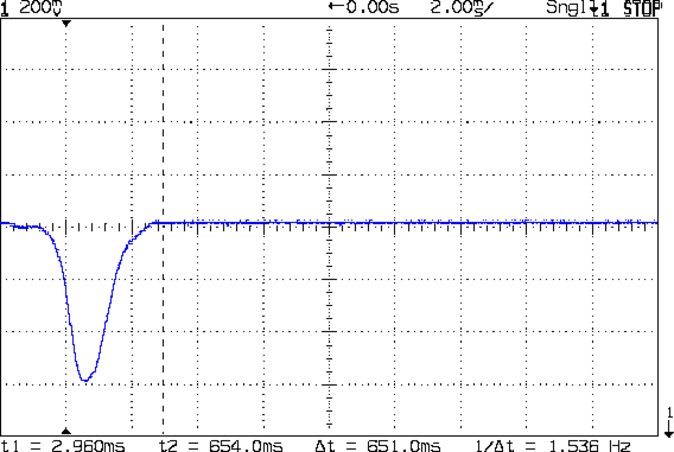
The blip comes from the shaft of a small screwdriver falling through the beam.
That’s in photovoltaic mode directly connected to the oscilloscope, but you’d want to run it through a low-gain transimpedance amplifier to get the zero bias photocurrent and a comparator for a clean digital edge. That’s obviously overkill for a simple optical interrupter, but the analog circuitry should come in handy for something else later on.
OK, now I can detect a moving object, trigger a camera, and fire a xenon flash, all under an Arduino’s control…
This is not the Monthly Image I had scheduled for today…
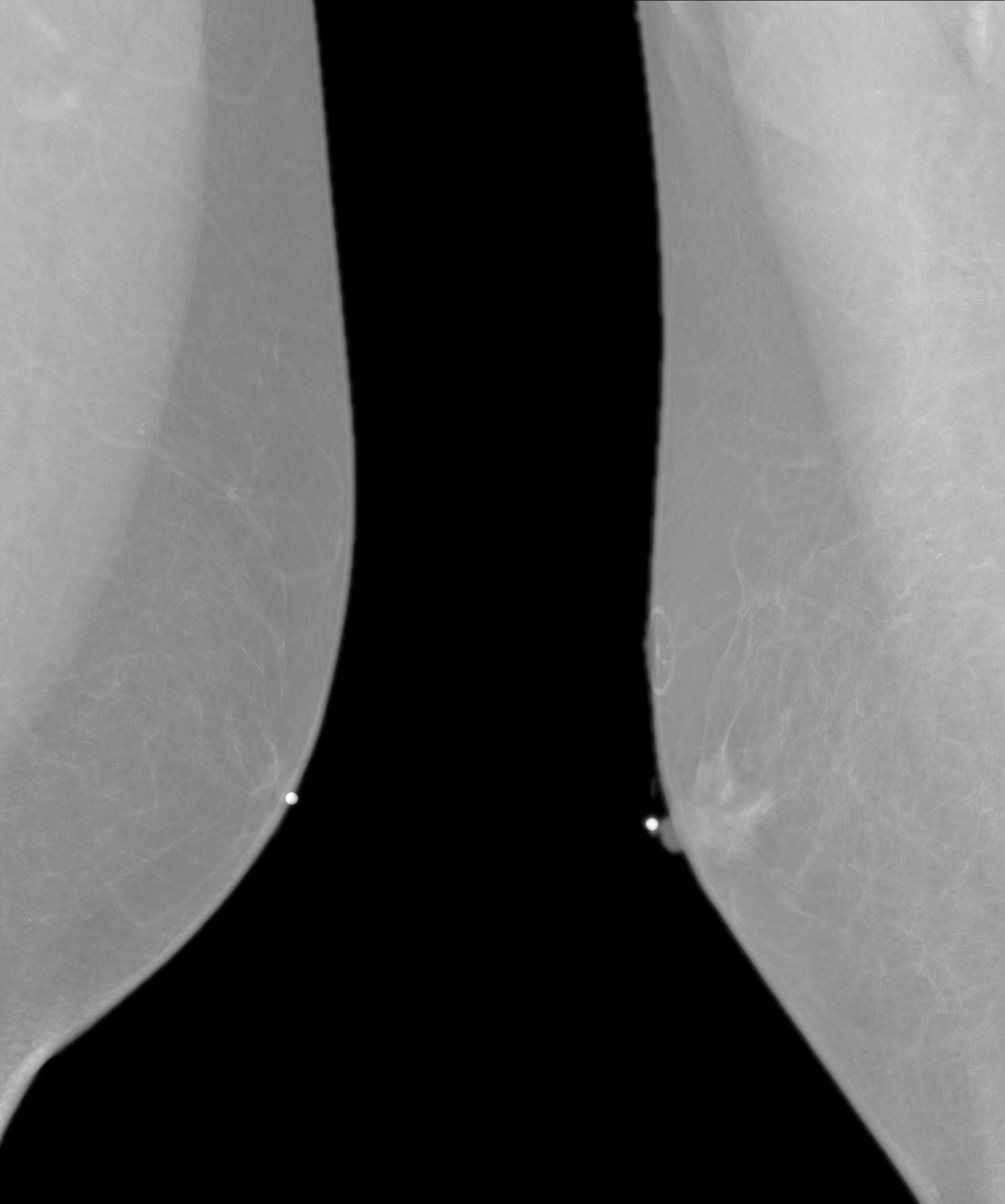
A few weeks ago I reported to my doctor that I had a pressure-sensitive lump in my right breast. This happened the very next day:
Left-right Mammogram
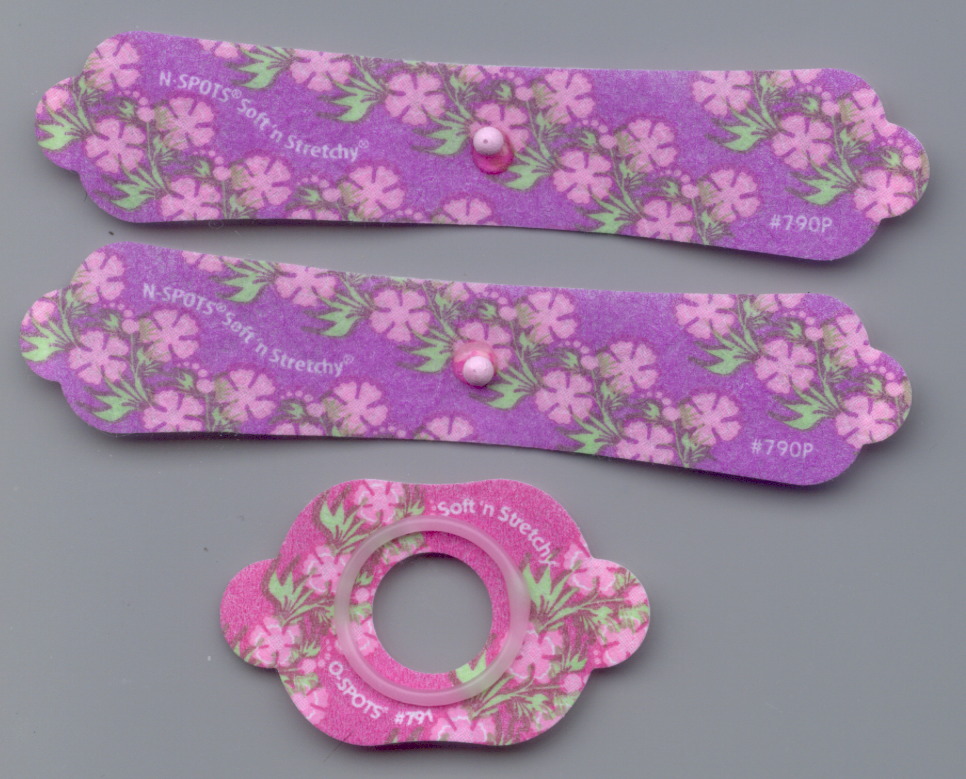
It’s a composite of two mammogram images, of my left and right breasts, respectively, with the small white dots marking the obvious targets and the ring above the right dot surrounding a mole. You will be unsurprised to know that the radio-opaque markers came on cheery flowered stickers:
Given such small numbers, what you see up there on the right is almost certainly an unusually tender and mostly unilateral case of gynecomastia, which was the diagnosis relayed from the radiologist after the imaging. Because things are different for guys, there’s an appointment with an oncologist (yes, she specializes in breast cancer) and, perhaps, some biopsy samples in my immediate future.
They triage the appointment schedule based on radiographic evidence. Fortunately, I’m not on the hot list.
Some browsing with the obvious keywords shows that side effects of the blood pressure dope I was taking last year probably triggered my symptoms, with calcium channel blockers and spironolactone the most directly implicated drugs. It turns out that my blood pressure seems OK without drugs (now that they moved the goal posts for my age bracket, anyway), but we devoted half a year to discovering that nothing produced much of a direct effect and the side effects were completely unacceptable.
Protip: it’s probably not worth reducing a male’s androgen levels just to see if his blood pressure goes down. [sigh]
Back to the usual tech stuff …
Returning home with a CD of digital images in hand, I found that, unlike those older X-ray images, feeding these DICOM images (all sporting informative names like IN000001) into the current version of Imagemagick‘s convert triggers a segfault. Rummaging in the repositories produced a dedicated conversion program:
medcon -f IN* -c png
… which grinds away on the DICOM files and spits out PNG image files with the same names prefixed with an ascending sequence number of the form m000-. A burst of Perl regex line noise removes the prefixes:
rename 's/m[\d]{3}-//' *png
Figuring that out neatly diverted my mind from the Main Topic for a while…
The oncologist says I have a classic, textbook case of gynecomastia; if her med students weren’t on break, she’d use me as an example.
About 10% of males taking spironolactone for blood pressure control develop gynecomastia, typically in only one breast. Absent any other signs, there’s no need for biopsy samples or surgical intervention. The symptoms generally resolve within a year after discontinuing spironolactone.
Should the symptoms persist and become objectionable, treatments include surgery or tamoxifen… but I’m not down with that.]
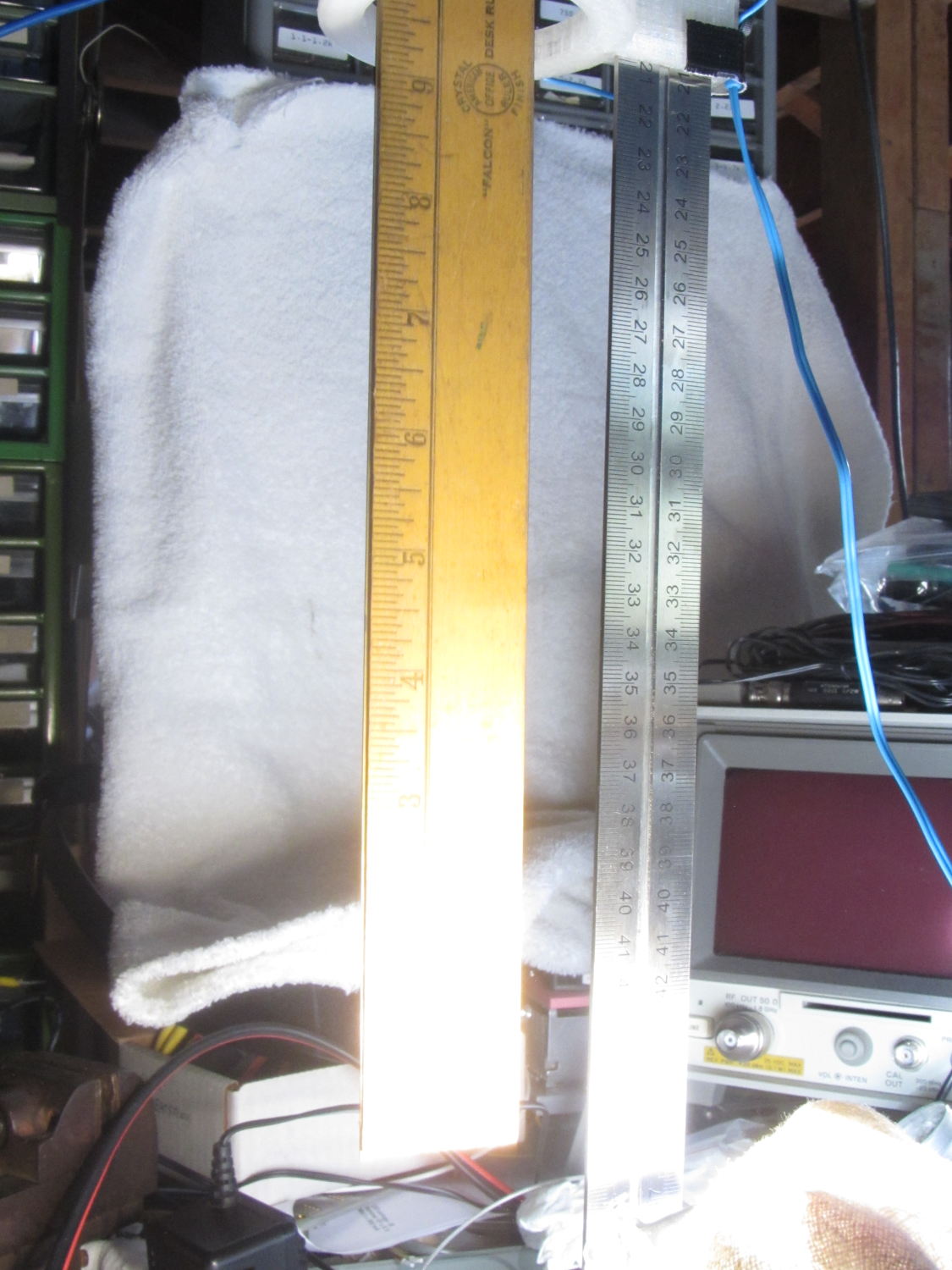
Clamping a long-stroke dial indicator to the M2’s X axis gantry:
Dial indicator – gantry to M2 Y rail
Then stuffing manual G-Code into Pronterface produced some data on Z-axis accuracy, repeatability, and hysteresis:
M2 Z-axis positioning measurements
Note that the commanded positions are in 0.001 mm units (25 = 0.025 mm) and the observed positions are in mils (1 = 0.001 inch). The arrows indicate which way the stage moved, with positive Z increments moving the stage down.
The overall distance seems to be quantized at 0.0150 mm = 6 step intervals. You can command a motion between those steps (G0 Z0.0025, G0 Z0.0075, etc), but the motor doesn’t turn until the distance exceeds the next interval (G0 Z0.0150 causes motion). This isn’t stiction, because the firmware isn’t activating the motor.
Stepping up and down in 0.025 mm increments (10 steps, but not an even multiple of the 6 step quantization intervals) over a 0.100 mm range produces about 0.01 mm = 4 steps of backlash. Some of that definitely comes from the quantization interval, but it’s not consistent, so there’s also mechanical backlash.
Frankly, that’s better than I expected, but any motion less than about 4 steps probably won’t happen and the errors are on the same order. Whether the firmware itself can compute and apply a smaller motion isn’t clear.
The controller doesn’t know where the platform is, at least in an open-loop stepper system. That means when the commanded motion is on the same order as the backlash, the controller can’t make the proper adjustments. As long as the positioning error remains smaller than the tolerance, it’s all good; expecting 0.020 mm resolution and accuracy seems reasonable.
But it’s only a quick-and-dirty test, so I wouldn’t read too much into it.
Back in 2006, I clamped a Hobo temperature sensor onto the pipe that delivers town water from the main, under 150 feet of front yard, and into our basement:
Town Water Inlet – temperature sensor mounting
Wrapping a chunk of closed-cell foam insulation around it made me feel better, but probably doesn’t affect the results very much at all:
Town Water Inlet – temperature sensor insulation
I assume the temperature of the pipe at that location will match the water temperature pretty closely, at least while some water flows into the house, and the water temperature will match the ground temperature four feet under the front yard.
Under those assumptions, the bottom trace shows the pipe temperature and the top trace shows the air temperature on the shelf a few feet above the pipe:
Town Water Inlet
The gap in early 2011 documents an embarrassing bit of forgetfulness. All in all, you’re looking at about 750,000 logged records; if you observe something long enough, it turns into science.
Cleaning up the date and time columns in the data files required a few hours of heads-down sed experimentation:
Convert quoted headers to comments → s/^\"/#&/
Convert non-data records to comments → s/^.*Logged/#&/
Convert two-digit years to four-digit years and enforce trailing blank → s_/\([01][0-9]\)[ ,]_/20\1 _
Enforce blank after four-digit years → s_/\(20[0-9]\{2\}\),_/\1 _
Remove blank after time-of-day value → s_\(:[0-9]\{2\}\) _\1_
Being reminded that sed will accept (nearly) any delimiter character came in handy!
The temperature spikes happen when I bring the Hobo datalogger upstairs to read it out. The plotting routine discards the junk readings caused by unplugging the remote sensor; anything below 30 °F or above 100 °F counts as spurious. The gnuplot idiom uses the ternary operator with the Not-a-Number value:
plot "filename" using 2:((\$3 > 30) && (\$3 < 100) ? \$3 : NaN) with ...</code>
The backslashes escape gnuplot’s variable markers, which would otherwise get eaten by Bash.
The Bash / gnuplot script that produces the plot:
#!/bin/sh
#-- overhead
export GDFONTPATH="/usr/share/fonts/truetype/"
base="${1%.*}"
echo Base name: ${base}
tfile1=$(tempfile)
ofile=${base}.png
echo Input file: $1
echo Temporary files: ${tfile1}
echo Output file: ${ofile}
#-- prepare csv Hobo logger file
sed 's/^\"/#&/ ; s/^.*Logged/#&/ ; s_/\([01][0-9]\)[ ,]_/20\1 _ ; s_/\(20[0-9]\{2\}\),_/\1 _ ; s_\(:[0-9]\{2\}\) _\1_' "$1" > ${tfile1}
#-- do it
gnuplot << EOF
set term png font "arialbd.ttf" 18 size 950,600
set output "${ofile}"
set title "${base}"
set key noautotitles
unset mouse
set grid xtics ytics
set timefmt "%m/%d/%Y %H:%M:%S"
set xdata time
#set xlabel "Week of Year"
set format x "%Y"
set ylabel "Temperature - F"
set yrange [30:90]
set datafile separator ","
plot \
"${tfile1}" using 2:((\$3 > 30) && (\$3 < 100) ? \$3 : NaN) with lines lt 3 title "Air", \
"${tfile1}" using 2:((\$5 > 30) && (\$5 < 100) ? \$5 : NaN) with lines lt 4 title "Water"
EOF
This chart, shamelessly ripped from the Interwebs because the links keep rotting out, may prove useful in the future:
Desiccant absorption vs humidity
In round numbers: between 10% and 40%RH, silica gel equilibrates at 1.8%RH for each percent of weight gain. If you toss 100 g of dry silica gel into a container with some filament, when it weighs 120 g (20% weight gain) the air inside the container will be at about 36%RH.
Removing the camera’s front cover (stick the screws to a length of masking tape!) reveals the backup battery hasn’t magically healed itself:
Casio EX-Z850 backup battery – corrosion
The main battery applies 3.2 V with the top terminal negative; it’s marked to help me remember that fact.
I snipped both legs of the top contact bracket, which promptly fell off, and then pushed the battery off its bottom contact. The condition of those two pads suggests a pair of cold solder joints (clicky for more dots):
Casio EX-Z850 backup battery – contact pads
I wanted to replace it with a polyacene supercap, but there’s just not enough room in there. The biggest cap that fit was a 33 μF 16 V SMD electrolytic cap, so I soldered one in place:
I had to flip the camera around to get the soldering iron in between the cap and what looks to be an intrusion monitoring switch just to its left. No lie, that shiny metal thing seems to be a tab that presses against the front cover; it could be a static discharge / grounding point, but the base looks more complex than that.
Now, a capacitor isn’t a battery, but memory backup doesn’t require much of a battery, either. I guesstimated the memory (or whatever) would draw a few microamps, at most, giving me a few seconds, at least, to swap batteries. A quick measurement shows that I’ll have plenty of time:
Casio EX-X850 backup capacitor – voltage vs time
The camera started up fine after that adventure, so the memory stays valid with the backup voltage down around 1 V.
The cap measured 34 μF, so a voltage decline of 24 mV/s works out to:
IC = C (dV/dT) = 34 μF x 24 mV/s = 820 nA
So, at least at room temperature, the memory draws less than a microamp.
I love it when a plan comes together!
With any luck, that capacitor should outlast the rest of the camera. It’ll definitely outlast a lithium battery, even if I could find one to fit in that spot.
I did those measurements by sampling the capacitor, rather than holding the meter probes in place, because the300 nA of current drawn by a 10 MΩ input resistance would cause a pretty large measurement error…
My trusty Radio Shack Sound Level Meter recently began misbehaving: switching to the most sensitive two ranges (-60 and -70 dB) caused it to turn off. Finessing the switch got it back in operation, so I completed the mission (a string quartet in Vassar’s Skinner Recital Hall topped out around 90 dB) and laid it out for repair:
Radio Shack Sound Level Meter – PCB solder side
After cleaning the already pristine gold-plated (!) contact pads and putting it back together, the switch failed the same way.
A bit more poking & prodding revealed that slightly loosening the upper case screw (in the boss just left of the switch pads) made it work perfectly.
Ah-ha!
Come to find out that the rear case presses on the PCB to hold it in place, which moves it slightly toward the front of the case. The switch rotor, being firmly attached to the stem in the middle of the pads, doesn’t move, which suggested that the bifurcated spring contacts on the rotor had take a bit of a set.
Un-bending them very, very gently to add a millimeter of springiness solved the problem.
A piano solo topped out in the high 80s…
Update: Another meter owner shows how to cure the problem, rather than treat the symptom:
I found your older note about the switch problem on the digital R.S. SLM to be helpful, in that mine had a similar problem, but only on the 60 dB scale, not both the 60 and 70 dB scales. Your diagnosis about the back putting pressure on the board seems to be right on. However, for me, re-bending the switch contacts didn’t help.
What did fix it was filing ~2mm off the back case boss around the upper screw hole. That was the source of the pressure on the board. 1 mm didn’t quite fix it, but 2mm off did.