The Smell of Molten Projects in the Morning

Ed Nisley's Blog: Shop notes, electronics, firmware, machinery, 3D printing, laser cuttery, and curiosities. Contents: 100% human thinking, 0% AI slop.

Category: Recumbent Bicycling

Cruisin’ the streets

  • Tour Easy: PTT Button Replacement

    Tour Easy: PTT Button Replacement

    After five years and one cleaning, the PTT button on Mary’s Tour Easy became increasingly intermittent, both failing to activate solidly and sticking closed (there being nothing quite like a hot mic during a good hill climb), so it’s time for an autopsy:

    Failed PTT Switch - as extracted
    Failed PTT Switch – as extracted

    The snap dome is much more scarred at the central contact:

    Failed PTT Switch - snap plate
    Failed PTT Switch – snap plate

    That might be a gold flash coating, but it’s pretty well worn away where it hits the central contact:

    Failed PTT Switch - center contact
    Failed PTT Switch – center contact

    Those scratches surely happened during the previous cleaning pass, as I don’t see any way for the dome to create them.

    The corner contact also shows some scuffs, along with a scar where the dome corner pivots:

    Failed PTT Switch - edge contact
    Failed PTT Switch – edge contact

    All in all, though, it worked quite well.

    The replacement switch, also intended for indoor use on a keypad or some such device, pivots around the front edge and may be easier for her fingertip to activate:

    New PTT Switch - installed
    New PTT Switch – installed

    Hot melt glue seems vastly underrated for how wonderful a structural material it is.

    If this one lasts five years, I’ll be perfectly happy.

  • Rail Trail Brush Clearing

    Rail Trail Brush Clearing

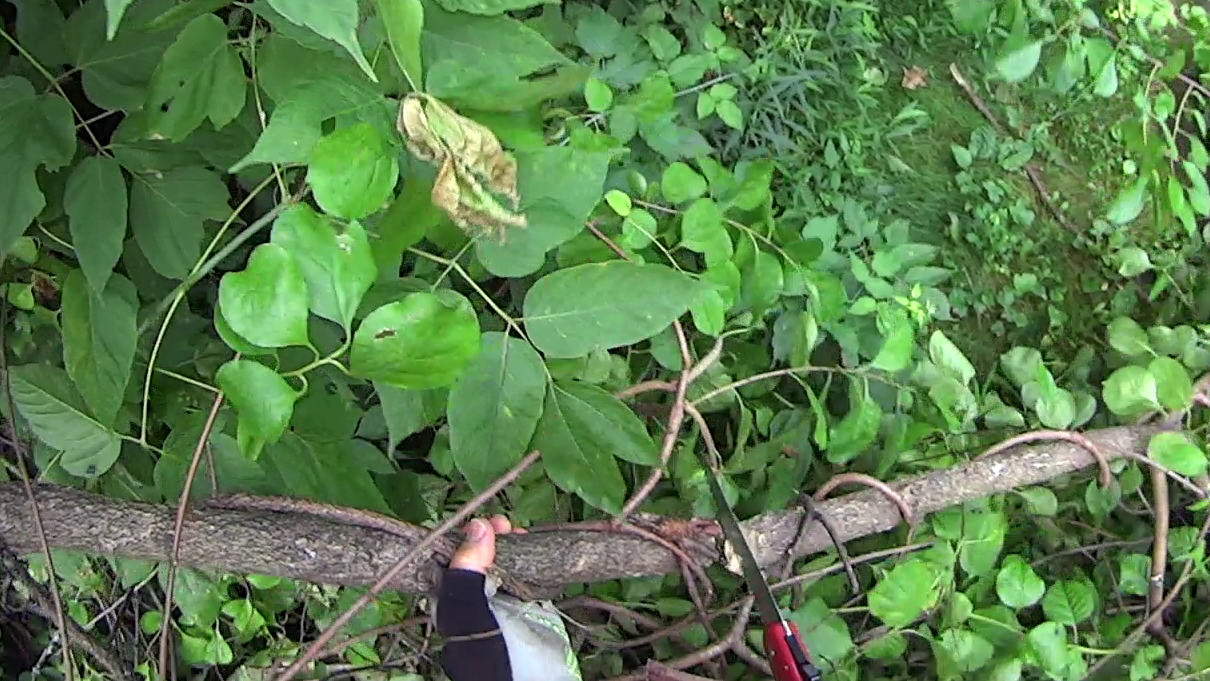
    Having an aversion to getting slapped in the face by Blackthorn branches overhanging the Dutchess Rail Trail, I generally give up waiting for anybody else to do the job:

    Brush clearing B - 2024-07-14
    Brush clearing B – 2024-07-14

    They’re not all Blackthorn (Prunus spinosa), but Ailanthus altissima grows like a weed around here and requires heavy cutback:

    Brush clearing C - 2024-07-14
    Brush clearing C – 2024-07-14

    It’s not just small branches:

    Brush clearing A - 2024-07-14
    Brush clearing A – 2024-07-14

    Apparently, there was no law against that …

    Brush clearing E - 2024-07-14
    Brush clearing E – 2024-07-14

    A recent storm dropped many trees across the trail and the maintenance folks deploy bigger saws than I can carry:

    Brush clearing D - 2024-07-14
    Brush clearing D – 2024-07-14

    Three months after we were told they had ordered replacement tiles, I’m beginning to think I must buy some on Amazon and do this job myself, too:

    Overocker ADA - continued disintegration - 2024-07-21
    Overocker ADA – continued disintegration – 2024-07-21

    Maybe it’ll get done when the weather cools …

  • Tour Easy Running Lights: Updated Lights

    Tour Easy Running Lights: Updated Lights

    With the new battery mount & buck converter box installed on Mary’s bike, I updated the running light circuitry to match the ones on my bike. The original wiring just supplied 6.3 V from the headlight circuit, but now the four wire ribbon cable from the electronics box carries 6.3 VDC from the buck converter and a 6 VDC signal going high when the DPC-18 display’s “headlight” output goes active. The latter goes into an optoisolator pulling down Pin 2, telling the running light to stay on continuously.

    The optoisolator sits next to the Arduino Nano’s Reset button:

    Tour Easy Running Light - unified light top
    Tour Easy Running Light – unified light top

    The black wire barely visible below the optoisolator jumpers Pin 3 to ground, telling the firmware that this is the front running light.

    The black & white wires from the top of the optoisolator connect directly to the ribbon cable entering on the other side:

    Tour Easy Running Light - unified light bottom
    Tour Easy Running Light – unified light bottom

    The gray wrap of clear silicone tape mummifies the wire-to-wire soldered connectors.

    The firmware now pays attention to the jumper input, so I need only one source file for both front and rear lights:

        if (digitalRead(PIN_POSITION) == HIGH) {
            Blinks = String("i e  ");             // rear = occulting
            Polarity = true;
        }
        else {
            Blinks = String("n e  ");             // front = blinking
            Polarity = false;
        }


    It just doesn’t get much easier than that!

    The Arduino source code as a GitHub Gist:

  • M5 Tee Nut: Test To Destruction

    M5 Tee Nut: Test To Destruction

    The mounting block under the electronics box for the new UPP battery has a recess for an M5 tee nut:

    UPP Battery Mount - Block 5 Show View
    UPP Battery Mount – Block 5 Show View

    As with the Terry frame mounts, I glued the modified tee nut in place with JB Plastic Bonder urethane adhesive, did a test fit on the bike, discovered the whole affair had to sit about 10 mm forward, put the new frame measurement into the OpenSCAD code, and ran off a new block.

    Which gave me the opportunity to perch the old block atop the bench vise with the tee nut aimed downward between the open jaws, run an M5 bolt into the nut, and give it a good thwack with a hammer:

    UPP Battery Mount - M5 insert adhesive test
    UPP Battery Mount – M5 insert adhesive test

    Although the urethane adhesive didn’t bond uniformly across the tee nut, it had enough grip to tear the PETG layers apart and pull chunks out of the block.

    As with the tee nuts on the Terry bike, this one will be loaded to pull into the block, so it will never endure any force tending to pull things apart, but it’s nice to know how well JB Plastic Bonder works.

    I chiseled the PETG and adhesive debris off the tee nut, cleaned it up, slathered more Bonder on the new block, and squished the nut in place. After I get the electronics box sorted out, the whole affair will never come apart again!

  • IWISS SN-2549 Crimping Tool Instructions

    IWISS SN-2549 Crimping Tool Instructions

    Because I needed to know which of the four dies in the jaw of my IWISS SN-2549 crimper was the right one for 24 AWG ribbon cable:

    IWISS SN-2549 JST Crimper Manual
    IWISS SN-2549 JST Crimper Manual

    It turns out either of the two middle slots should work, but the crimps look better in the smaller one.

    Admittedly, the instructions are thin on technique, but I only wrecked four pins while retraining my crimping hand. The key trick is indexing the insulation fingers on the step inside the jaw, thus putting the socket box or the male pin outside where it won’t get smashed flat. Squishing those fingers from their normal splayed condition into a rectangular shape helps fit them into the jaw against the step.

    Living in the future where the right crimping tool doesn’t cost five Benjamins is great …

  • Laser-cut Profile Test Pieces

    Laser-cut Profile Test Pieces

    A new battery for my electrified Tour Easy recumbent arrived. It has newer 21700 lithium cells in the same overall box, but the baseplate requires new blocks adapting it to the frame:

    UPP Battery Mount - solid model
    UPP Battery Mount – solid model

    The top profile fits snugly into the battery mounting plate, with clearance on the sides for the latches:

    UPP Battery Mount - trial fit
    UPP Battery Mount – trial fit

    However, I had enough trouble measuring those recesses that I broke down and added a projection() view to the OpenSCAD code:

    UPP Battery Mount - profile
    UPP Battery Mount – profile

    Exporting that as an SVG image and importing it into LightBurn let me cut it out of chipboard:

    UPP Battery Mount - laser cut profiles
    UPP Battery Mount – laser cut profiles

    Obviously, it took several iterations to fit the top profile to the baseplate, particularly after finding slightly different measurements at each block position. On the other paw, laser cutting the profiles proceeded much more quickly than 3D printing just a few millimeters of the block, so it was a net win.

    The new battery baseplate doesn’t have an internal space for the buck converter feeding the running lights, so there’s more construction ahead.

  • Baofeng UV-5 Wiring Plate Globbery

    Baofeng UV-5 Wiring Plate Globbery

    The weekly battery swap revealed the dismal state of the headset wires on Mary’s radio:

    Baofeng wiring plate - loose wires
    Baofeng wiring plate – loose wires

    That’s after sorting & disentangling loose ends, ramming cables under their ties, and generally tidying things up.

    Which suggested an improvement I should have done long ago:

    Baofeng wiring plate - globbed
    Baofeng wiring plate – globbed

    Verily, it is written: the bigger the blob, the better the job.

    Gotta glob my bike the next time around.

    Update: It’s hot melt glue!