Ed Nisley's Blog: Shop notes, electronics, firmware, machinery, 3D printing, laser cuttery, and curiosities. Contents: 100% human thinking, 0% AI slop.
Perhaps because we’re using better quality earbuds, the Baofeng UV-5 radios on our bikes produce extremely loud audio, even with the volume knob just above its power-on click. Reducing the volume requires a series resistor downstream of the diodes clipping the pops:
Because we have different earbuds and different hearing, my radio has a 140 Ω resistor and Mary’s has a 430 Ω resistor. Getting the right value requires a few iterations of on-road testing, but it’s not particularly critical; the volume knob should end up roughly in the middle of its range.
For now, all the “circuitry” lives among layers of Kapton tape:
Baofeng headset wire plate – detail
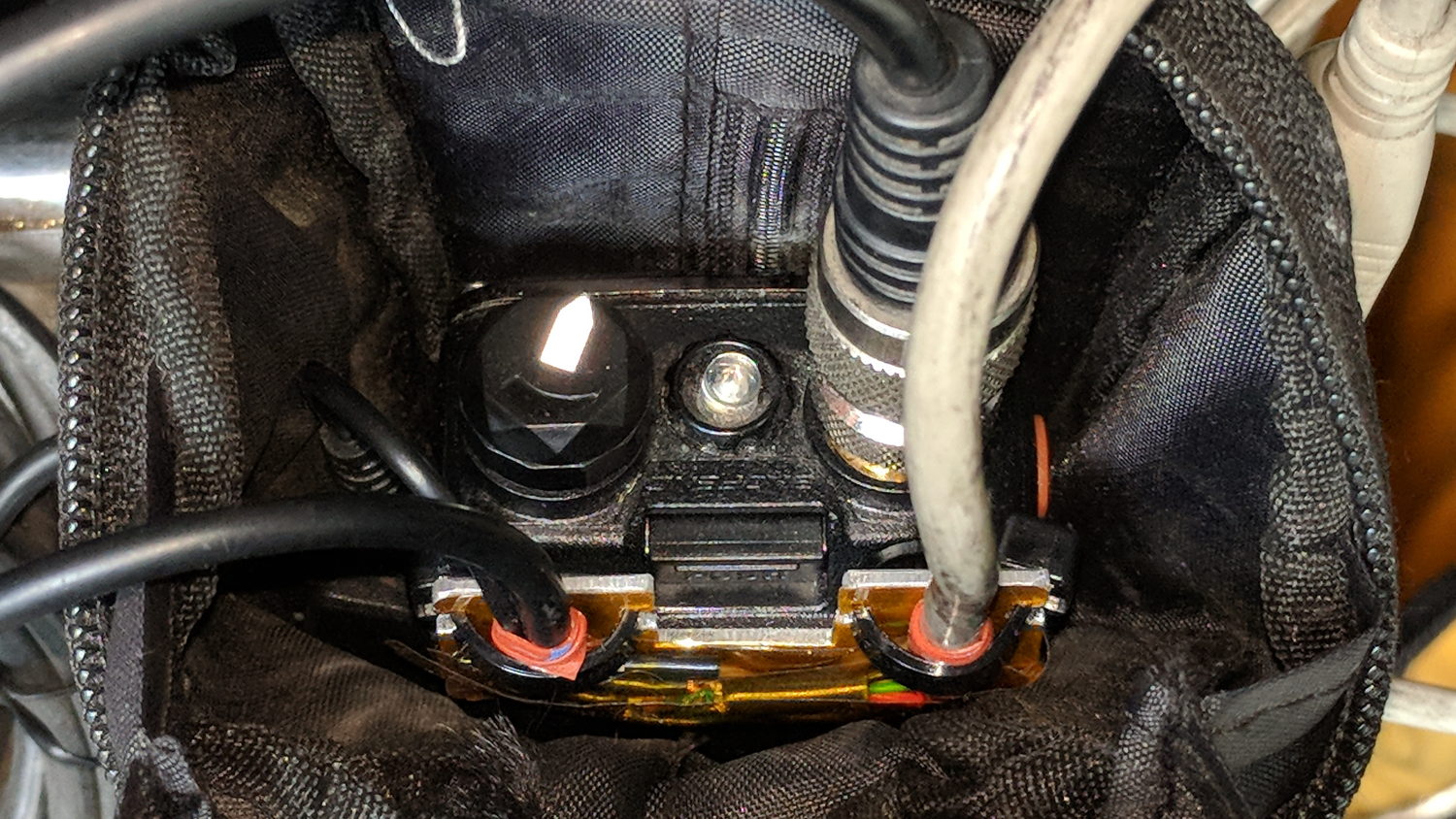
Speaking of volume knobs, Baofeng radios have large flat-top cylindrical knobs (unlike Wouxun’s fluted knobs), so I added a pointed snippet of reflective tape to make the position visible:
Baofeng volume knob – reflective pointer
The flash lights it up, but there’s enough backlighting behind your (well, my) head to make it easily visible under normal conditions. Once you figure out the proper volume, it’s easy to set the pointer in that direction before every ride.
Our first ride with the Baofeng UV-5 radios subjected us to loud pops around each transmission. Back on the bench, this is the signal applied to the earbud during a no-audio simplex kerchunk:
Baofeng – squelch pops
The small noise burst to the right of the center, just before the downward pulse, happens after the carrier drops and before the squelch closes; it’s familiar to all HT users.
The huge pulses, upward at the start and downward at the end, cause the pops. They’re nearly 3 V tall, compared with the 300-ish mV squelch noise, and absolutely deafening through an earbud jammed in my ear. Mary refused to listen, so we finished the first ride in companionable silence.
I think the radio switches the audio amp power supply on and off to reduce battery drain. It’s obviously a single-supply design, so we’re looking at a hefty DC blocking capacitor charging and discharging through the earbud resistance. I suppose that’s to be expected in a $25 radio.
The obvious solution: clamp the audio signal to something reasonable, perhaps with a pair of nose-to-tail Schottky diodes across the earbud. Rather than using axial diodes, along the lines of the 1N5819 diodes in the WWVB preamp, I used a BAT54S dual SMD diode as a tiny clamp:
BAT54S dual-Shottky diode – SMD package
No pix of the final result, but it’s basically two wires soldered alongside the SMD package, surrounded by a snippet of heatstink tubing to stabilize the wires and protect the SMD leads. It might actually survive for a while, even without the obligatory epoxy blob.
The BAT54S clamps the pops to 200-ish mV, as you’d expect:
Baofeng – squelch pops – clamped – 500mV-div
That’s a kerchunk at twice the vertical scale. The very thin spike at the start of each pop isn’t audible, as nearly as we can tell, and I’ve cranked up the audio gain to make the squelch noise more prominent. Your ears will determine your knob setting.
With the audio amp applying 3 V to the diodes at the start of each pop, you’re looking at an absurdly high pulse current. I’m sure the radio exceeds the BAT54 datasheet’s 600 mA surge current limit by a considerable margin, but I’m hoping the short duration compensates for some serious silicon abuse.
Tamping those pops down made the radios listenable.
I’ve often observed that Baofeng radios are the worst HTs you’d be willing to use.
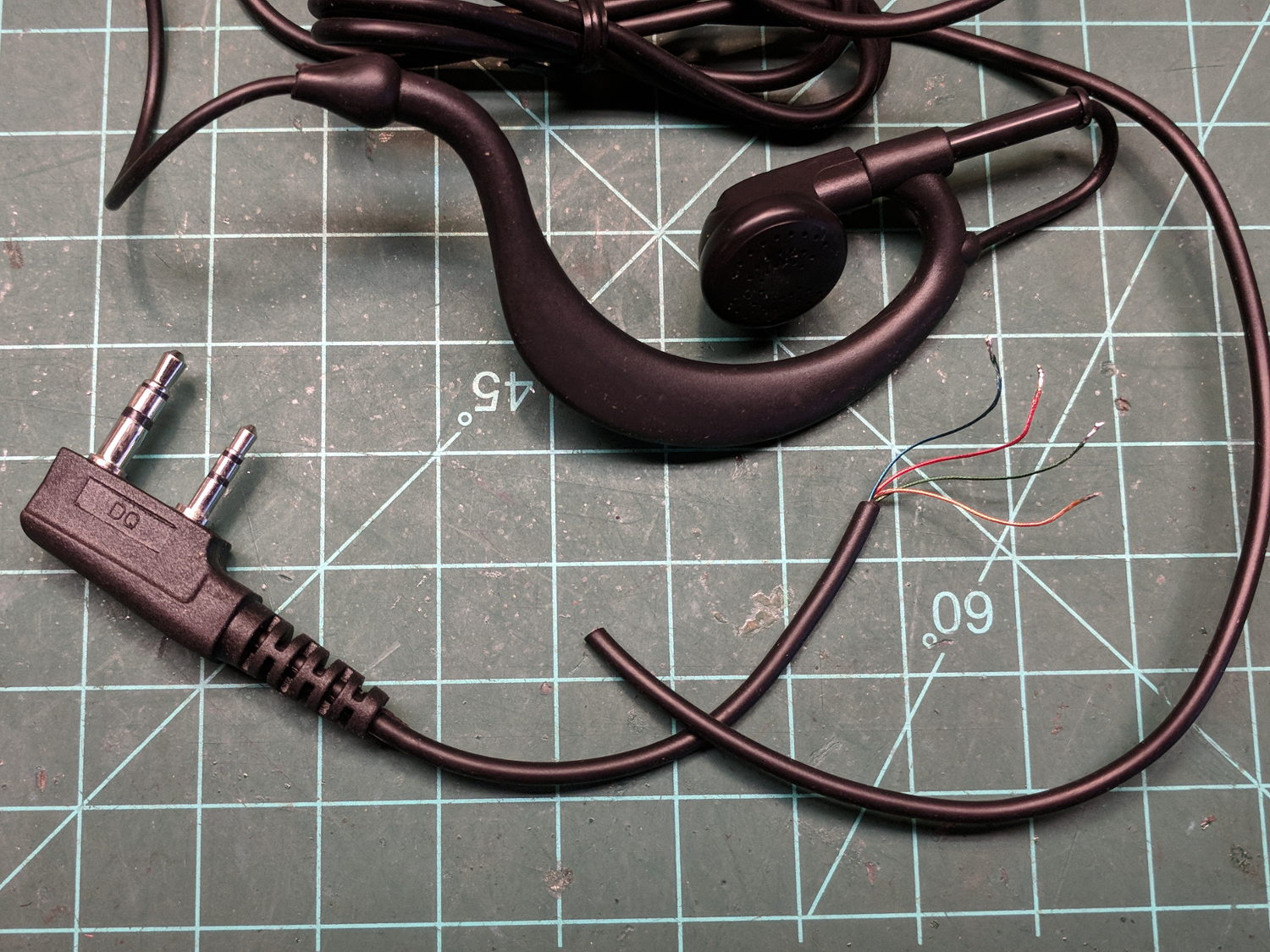
Un-wearably bad Baofeng headsets now cost just over a buck apiece in lots of five, delivered halfway around the planet, and provide:
A compatible molded mic+speaker plug
A decent length of four-conductor cable with solder-meltable insulation
An unlistenably bad earbud on a stick
A lump with an electret mic and PTT switch
Various junk I’ll never use
The “hook earpiece” seems to have been designed by someone who had read the specs for a human head, but had never actually met a human being.
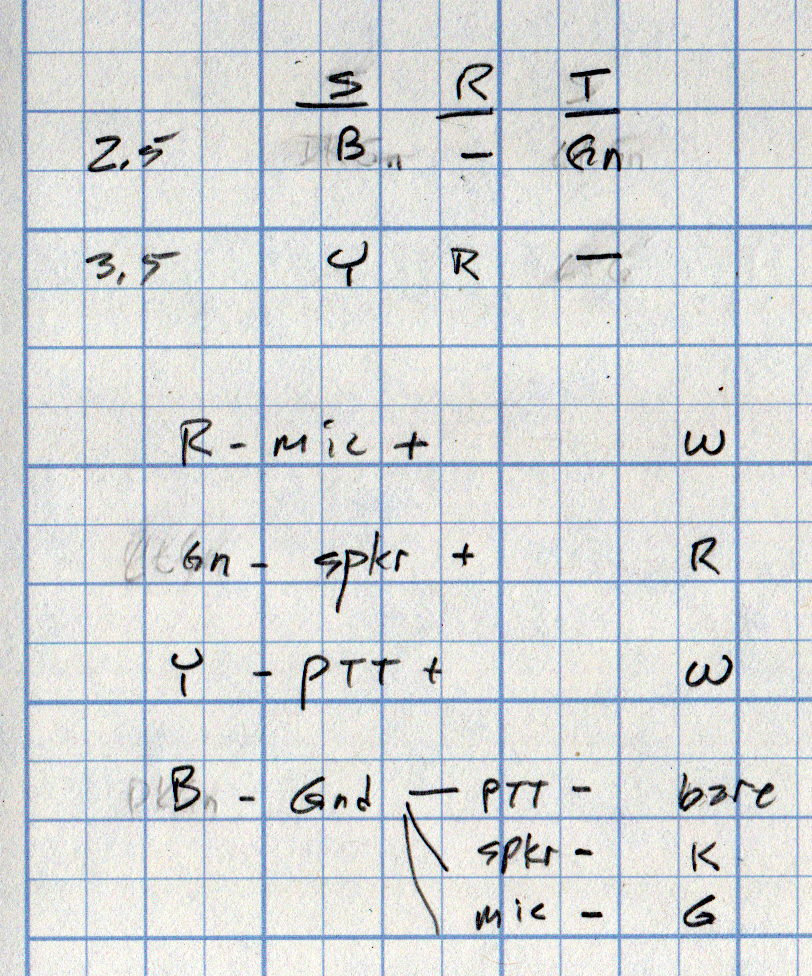
The wire colors from the dual plug, along with the wire colors for the repurposed USB cable to the headset, and the PTT connection:
Baofeng headset cable vs helmet cable – wire colors
Then wire it up accordingly:
Baofeng headset wire plate – first wiring
The small heatstink tubing surrounding each connection isn’t easily visible, which, in the case of the ground / common lump, is a Good Thing. I chivied a strip of Kapton under the whole mess, folded it over on top, squished it together, then secured it with 1/4 inch tape extending over the plate edges. The cable ties stick out far enough to keep the joints from rubbing on anything; it’s not built to last for a thousand years, but should let us hear how this lashup works.
Now, to the bikes:
Baofeng headset wire plate – in use
I’m convincing myself a little supporting ring under the SMA-to-UHF adapter won’t actually stabilize the precarious-looking joint.
My venerable amateur radio HT APRS-voice interfaces have recently begun failing and, given poor APRS coverage in Poughkeepsie due to having two iGates shut down (due to the aging radio geek population), I decided it’s time to simplify the radio interface. Given that HTs are designed to run with an external electret mic and earbud, the “interface” becomes basically some wires between the radio’s jacks, a repurposed USB plug on the bike helmet, and the PTT switch on the handlebar.
I expected to add a resistive attenuator to the earbud, but it wasn’t clear whether the mic would need an amplifier similar to the one in the APRS interface, so I decided to start as simply as possible.
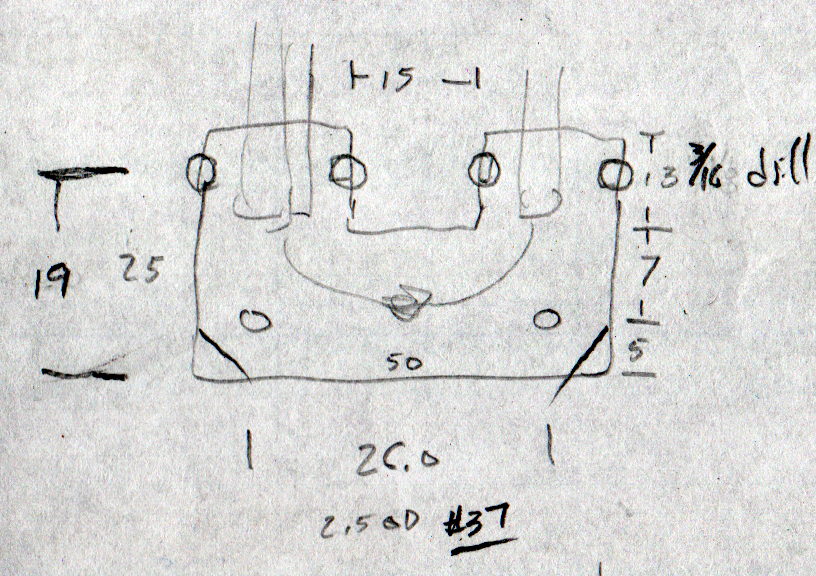
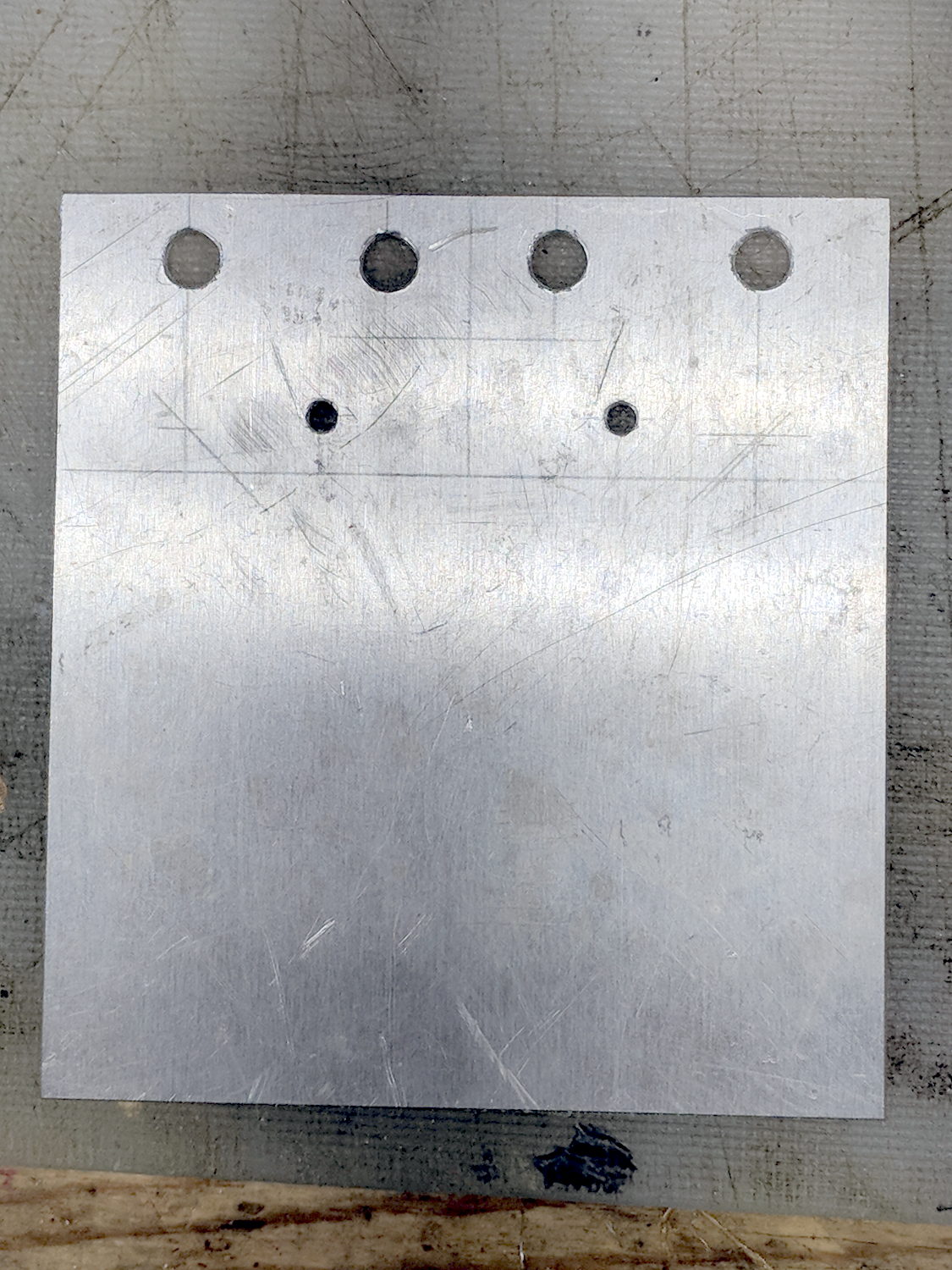
The general idea is to anchor all the cables to a plate on the back of the radio, interconnect as needed, then “protect” everything with tape. The pocket clip has M2.5 screws on 26 mm (not 25.4, honest) centers, so that’s how it started:
Baofeng headset wire plate – dimensions
The four holes beside the tabs will serve as starting points for rectangular notches holding cable ties lashing the wires to the plate:
Baofeng headset wire plate – drilled
Like this:
Baofeng headset wire plate – sawed
That’s hot and nasty, straight from the bandsaw.
After some edge cleanup, add obligatory Kapton tape to insulate stray wires from the aluminum:
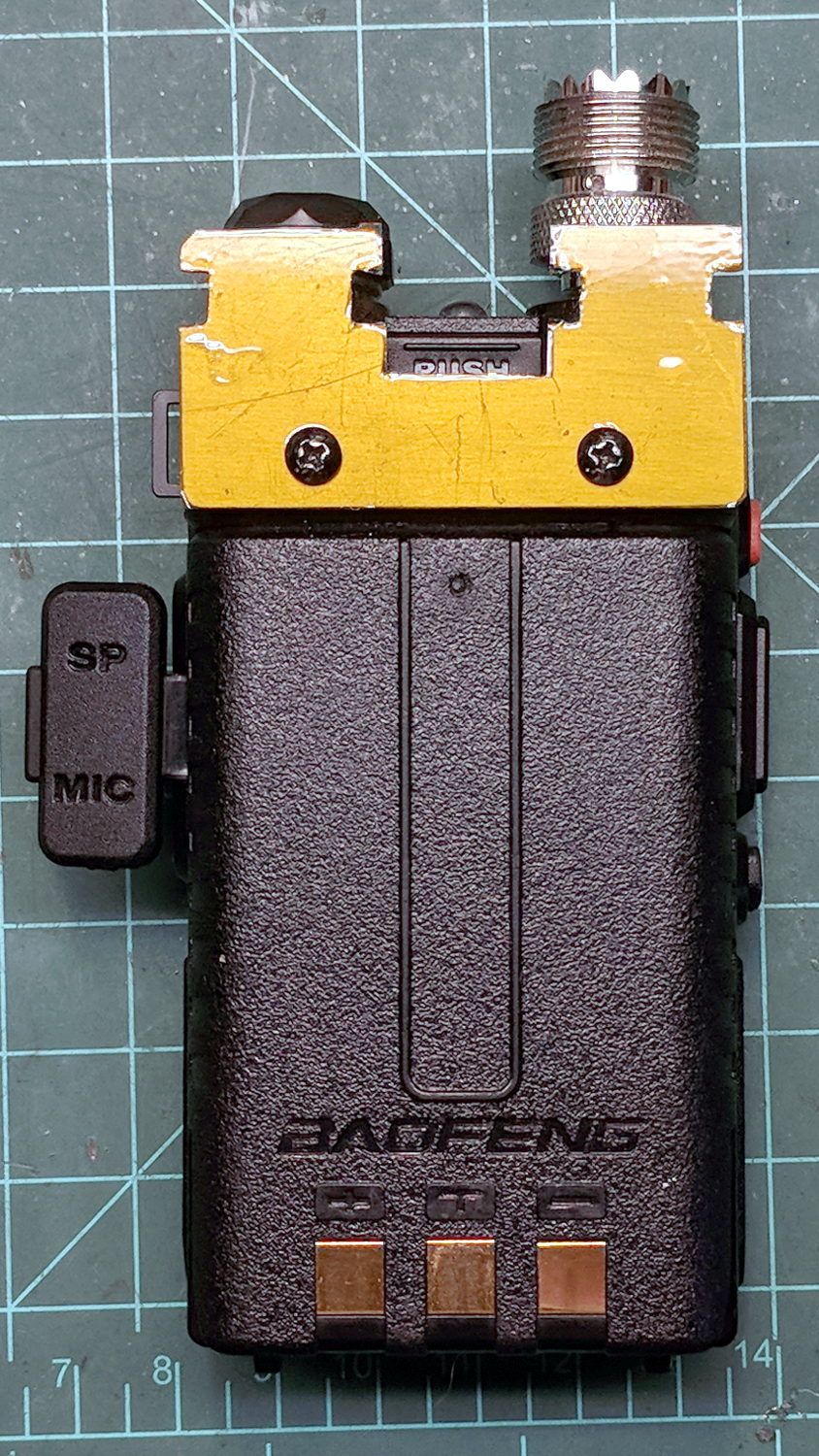
Baofeng headset wire plate – installed
The alert reader will note beveled corners on one plate and square corners on the other; think “continuous product improvement”.
The big rectangular gap in the middle of the plate provides (barely enough) finger clearance to push the battery release latch.
Now, to wire it up …
The dimensions of the recess surrounding the jacks on the Baofeng UV-5, just to have them around:
Baofeng headset jack socket – dimension doodle
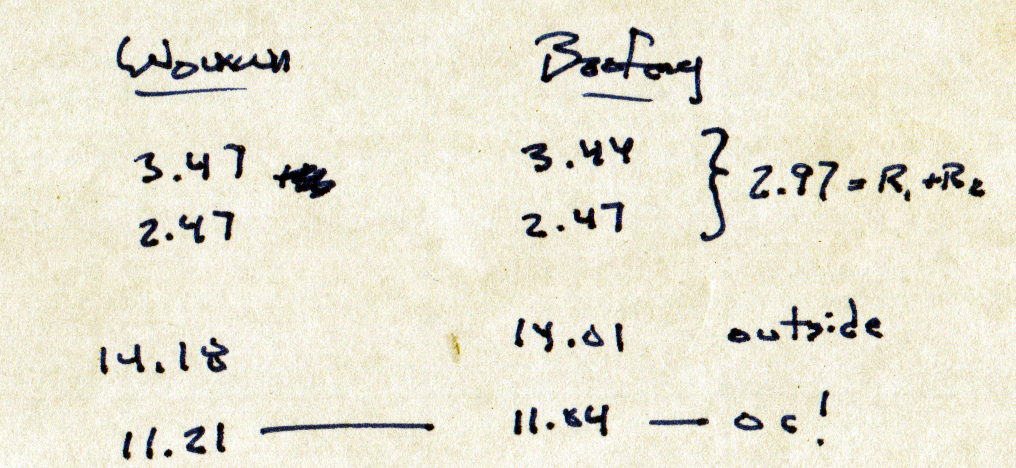
Which came from measurements of both the Wouxun and Baofeng radios:
Baofeng Wouxun headset jack sockets – measurements
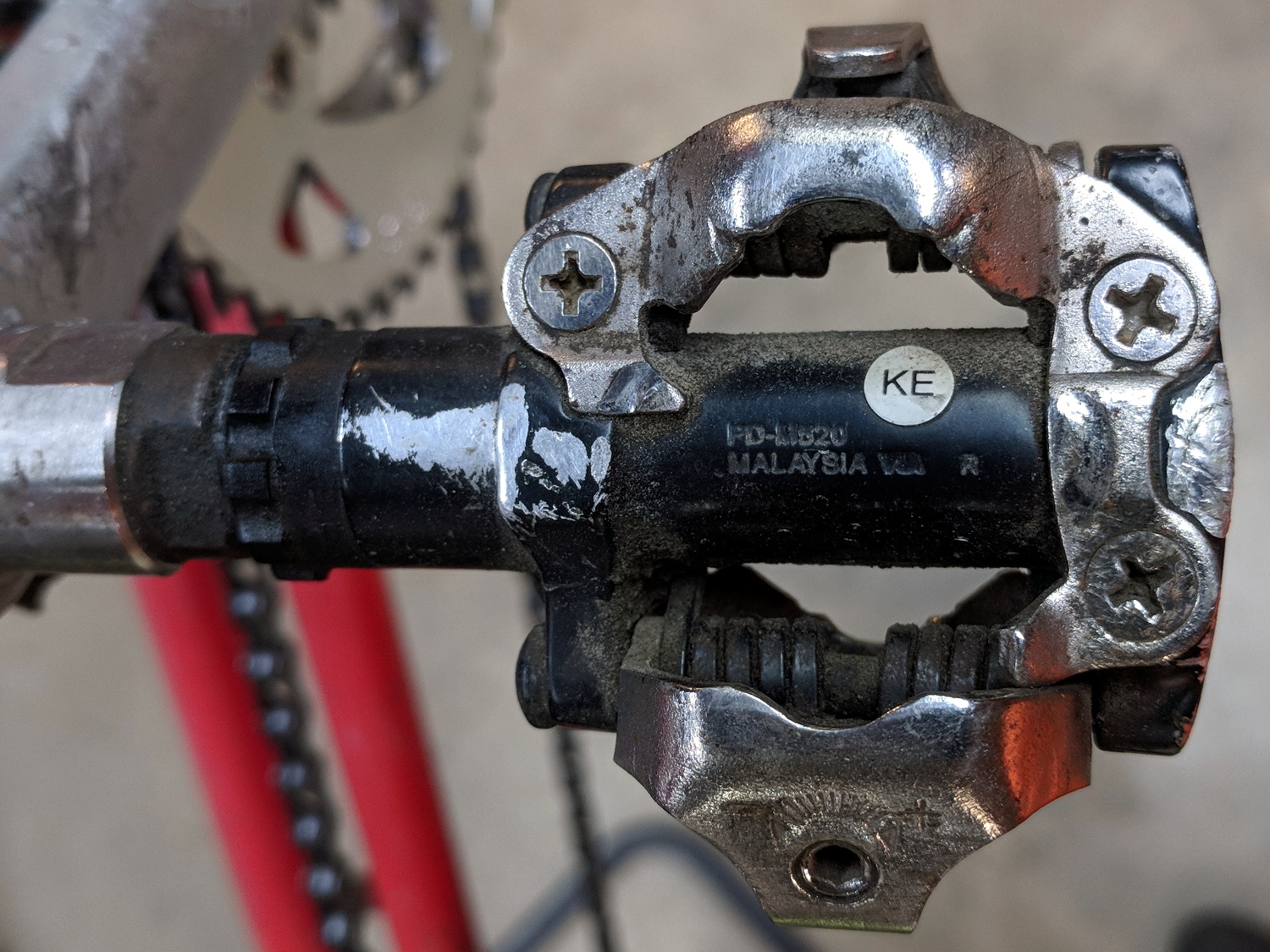
But the soles jammed against the frame on the PD-M324 pedals.
So I carved away enough rubber around the cleat sockets for clearance to float properly with the cleats latched. A bit of trial-and-error, probably with a bit more to come after on-the-road experience, but definitely a step in the right direction.
Protip: always always always arrange the workpiece so the blade trajectory cannot intersect any part of your body, no matter what slips occur.
For future reference, the rebuilt wheel spoke tensions came out around 25, slightly lower than the 27-ish I measured on Mary’s bike; it didn’t occur to me to measure the tension until after I’d relaxed the spokes. I’ll ride it for a while before doing any tweakage.
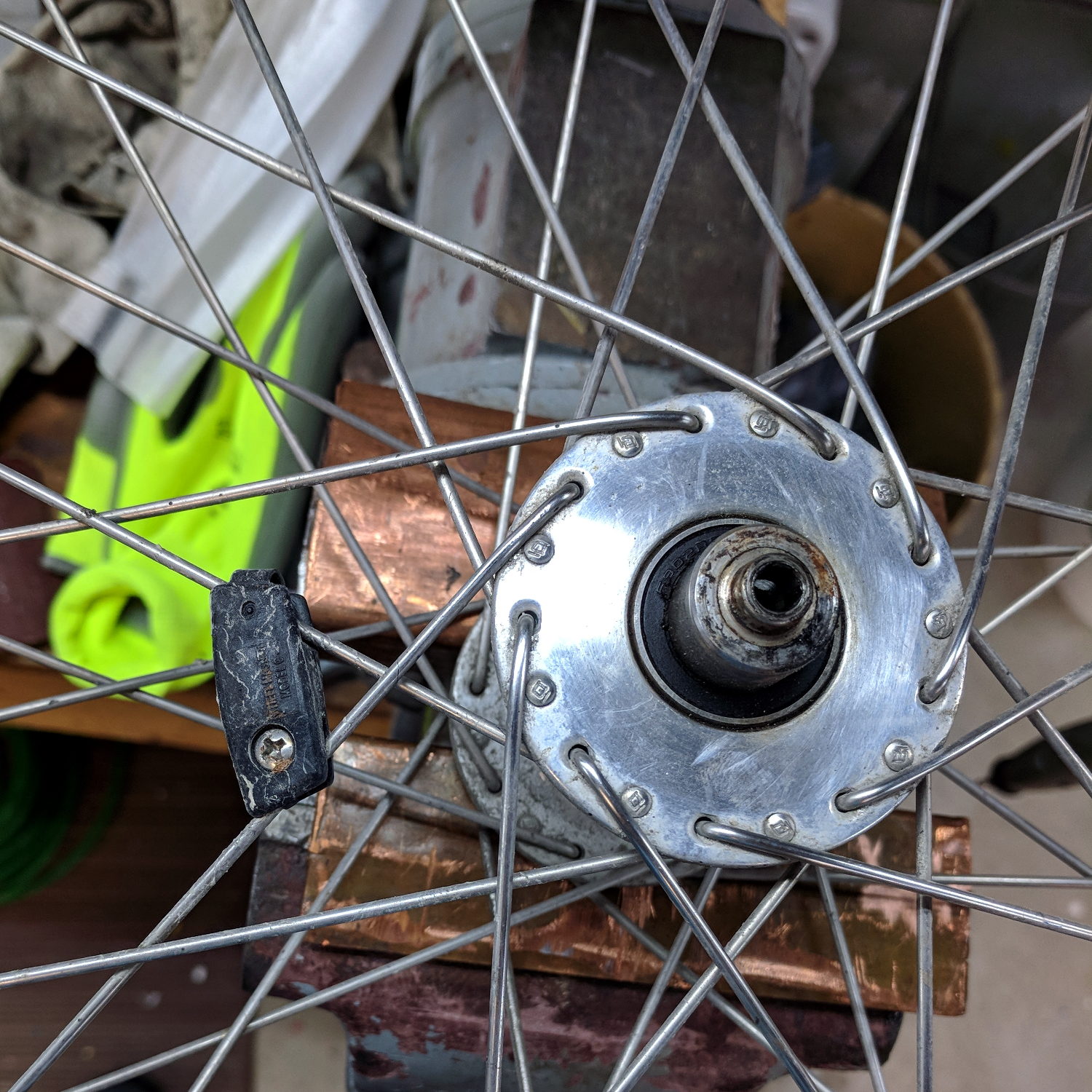
The spoke pattern is pretty close to four-cross, due to the large-flange Phil Wood hubs:
Tour Easy Front Spoke Pattern
Which makes for a hella-strong wheel, particularly seeing as how it’s very lightly loaded. The Tour Easy we got for our lass came with a radially spoked rim around a Phil hub.
I transferred the hub and laced spokes intact to the new rim by the simple expedient of duct-taping the spokes into platters, removing the nipples, stacking the rims, sliding the spokes across into their new homes, reinstalling the nipples, then tightening as usual.
The front rim on my Tour Easy developed a distinct bulge, of the sort usually caused by ramming something, but I’m not Danny McAskell and the bulge got worse over the course of a few weeks, suggesting the rim was deforming under tire pressure. Having ridden it upwards of 35 k miles with plenty of trailer towing and too much crushed-stone trail riding, the brake tracks were badly worn and it’s time for a new rim.
An Amazon seller had an identical (!) rim, except for the minor difference of having a hole sized for a Schraeder valve stem, rather than the Presta valves on the original rims. One can buy adapters / grommets, but what’s the fun in that?
The brake track walls are 1.5 mm thick on the new rim and a scant 1.0 mm on the old rim, so, yeah, it’s worn.
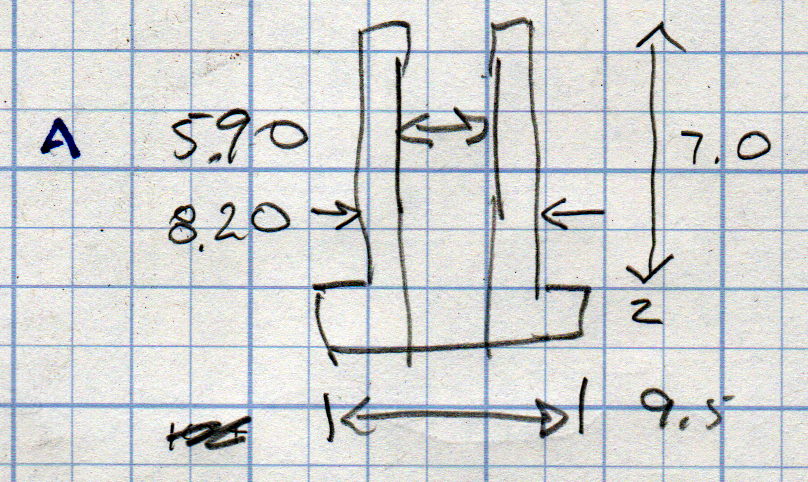
A few measurements to get started (and for future reference):
Presta to Schraeder Adapter – dimension doodle
If you don’t have an A drill, a 15/64 inch drill is only half a mil larger and, sheesh, anything close will be fine.
Introduce a suitable brass rod to Mr Lathe:
Presta-Schraeder Adapter – parting off
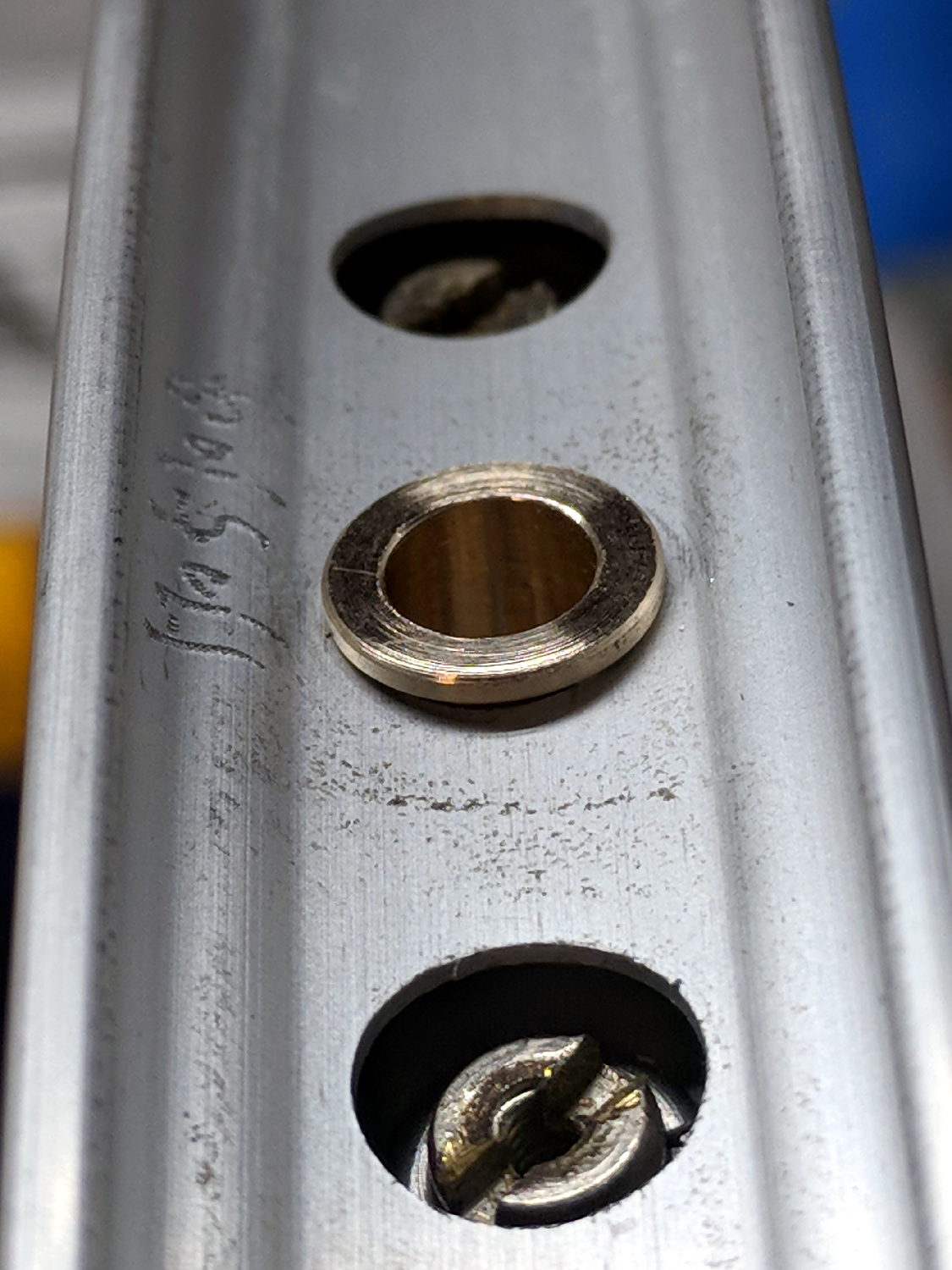
Break all the edges and drop it in place:
Presta-Schraeder Adapter – installed
One could argue for swaging the adapter to fit flush against the curved rim, but commercial adapters don’t bother with such refinements and neither shall I.
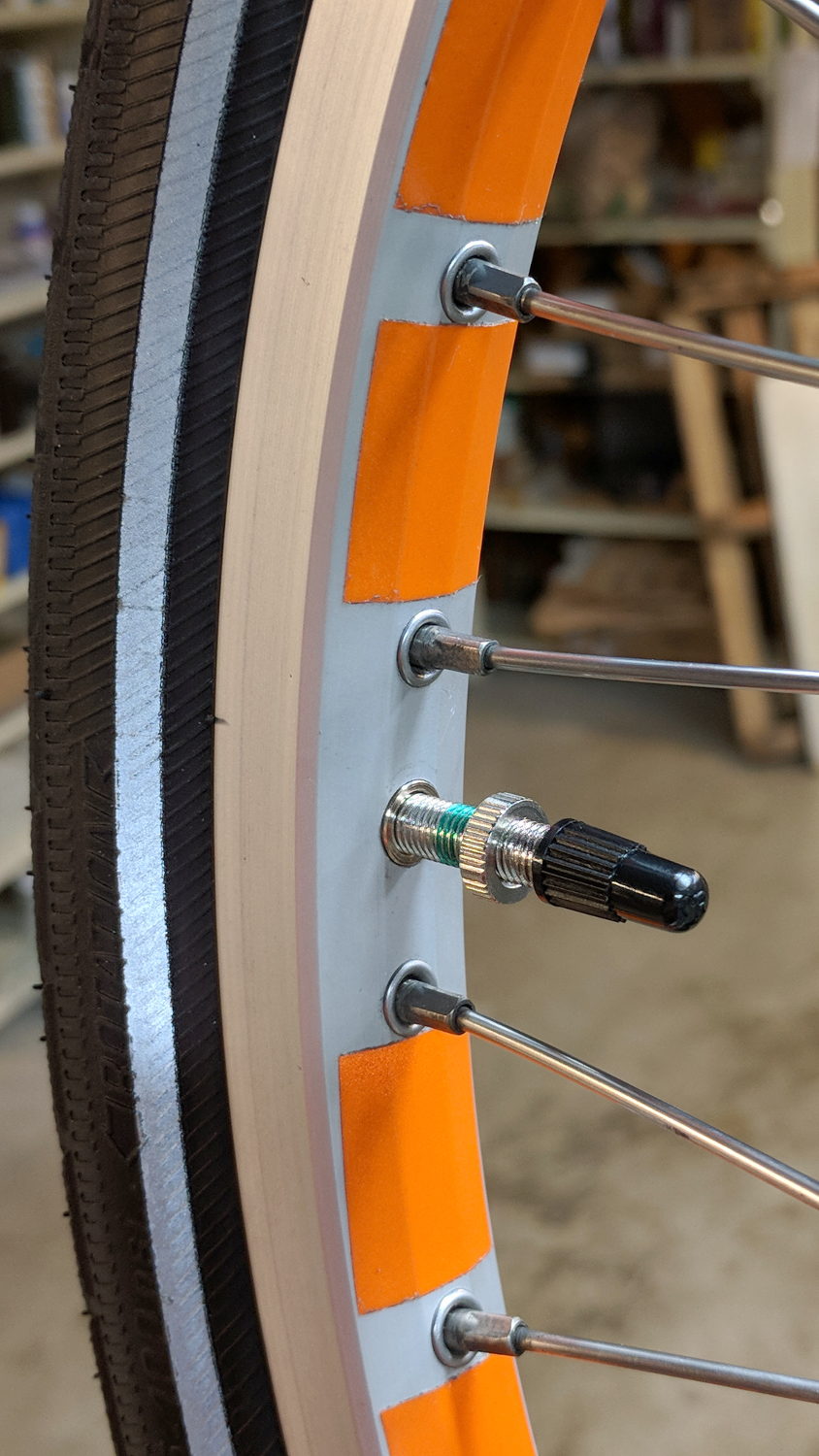
The 7.0 mm length got shortened to fit flush with the center of the rim:
Presta-Schraeder Adapter – valve stem installed
It’s brass, because the rim is heaviest on the far side where the steel pins splicing the ends live, and, with the tube & tire installed, the rim came out almost perfectly balanced. Which makes essentially no difference whatsoever, of course.
The shiny new rim sports shiny new reflector tape (from the same stockpile, of course).