Ed Nisley's Blog: Shop notes, electronics, firmware, machinery, 3D printing, laser cuttery, and curiosities. Contents: 100% human thinking, 0% AI slop.
With the Bafang BBS02 and all its gimcrackery on the Terry Symmetry buttoned up and ready to go, I took a few closeout pictures for future reference.
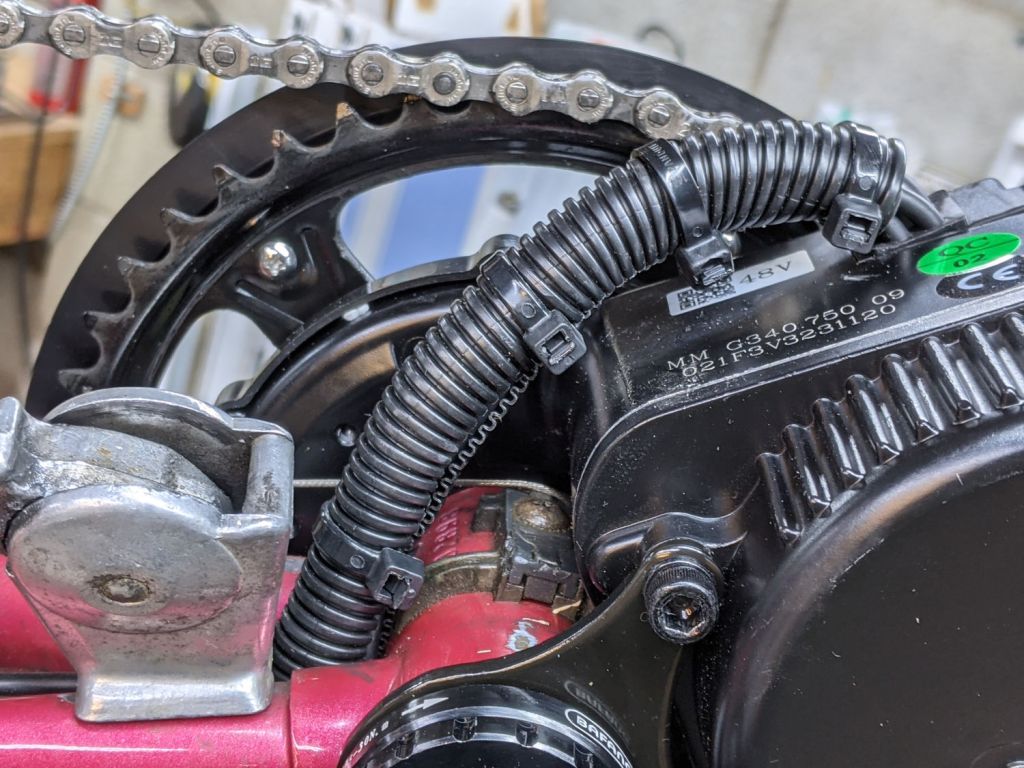
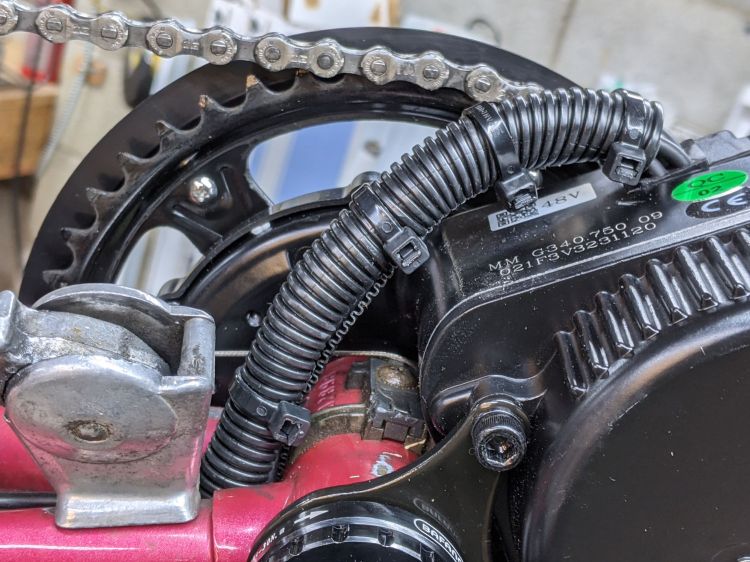
The motor has a sheaf of wires sticking out of the bottom crying out for a protective covering:
Bafang BBS02 – wire bundle cover
Although cameras tell only the truth they’re allowed to see and can be made to lie by omission, sometimes their latent truth was completely invisible to eyewitnesses in real time.
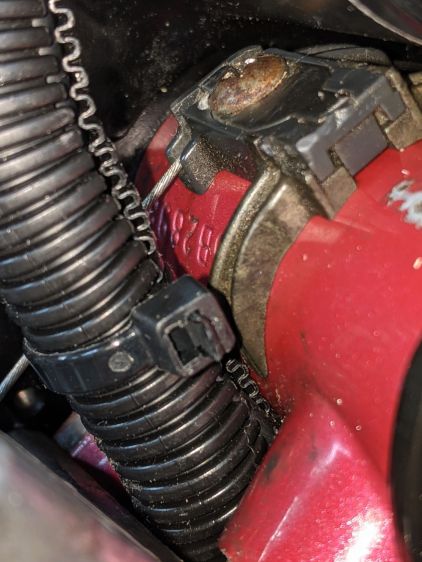
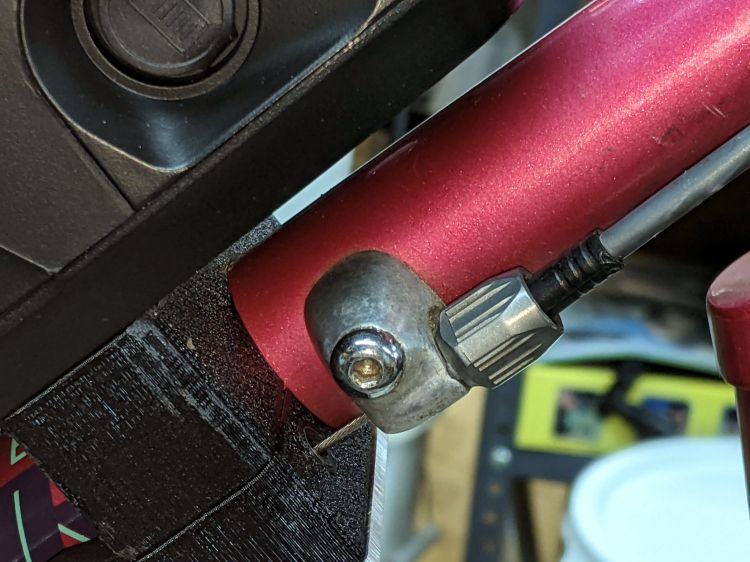
I only noticed the mis-routed shift cable when I looked through the last set of pictures.
It should pass through the plastic channel under the metal tab holding the cable guide to the bottom bracket shell:
Bafang BBS02 – wire bundle vs shift cable
Normally, aiming the cable into the channel is no big deal. In this case, I had to undo the shift cable, remove the left crank, loosen the motor and rotate it out of the way, nudge the cable with a small screwdriver, then reinstall in reverse order.
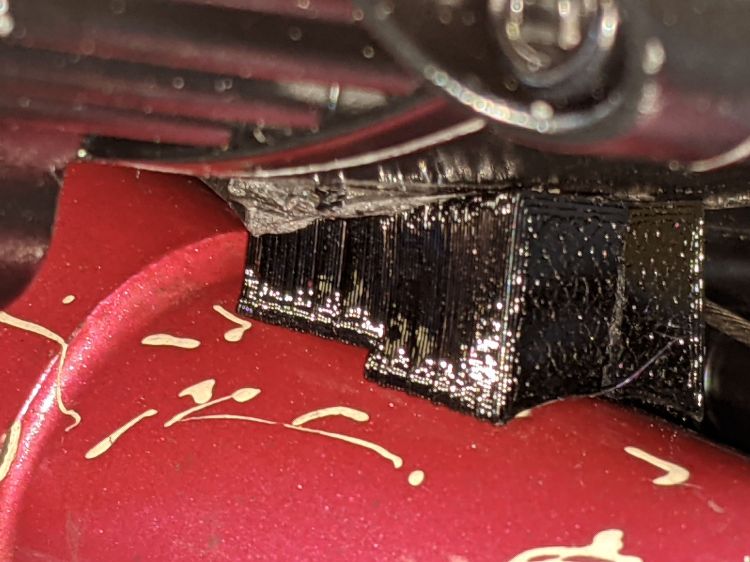
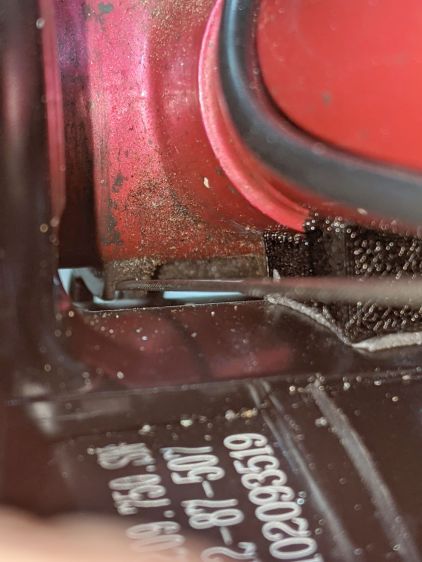
The original BBS02 reaction spacer for Gee’s Terry Symmetry didn’t work quite the way I expected:
Bafang BBS02 – reaction block displacement
The motor evidently vibrates enough to propel the block forward, shearing the double-sticky foam tape which was never intended to resist force in that plane. I thought the block was located at the point where the motor casing was tangent to the frame tube, so as to equalize the forces in both directions, but … nope.
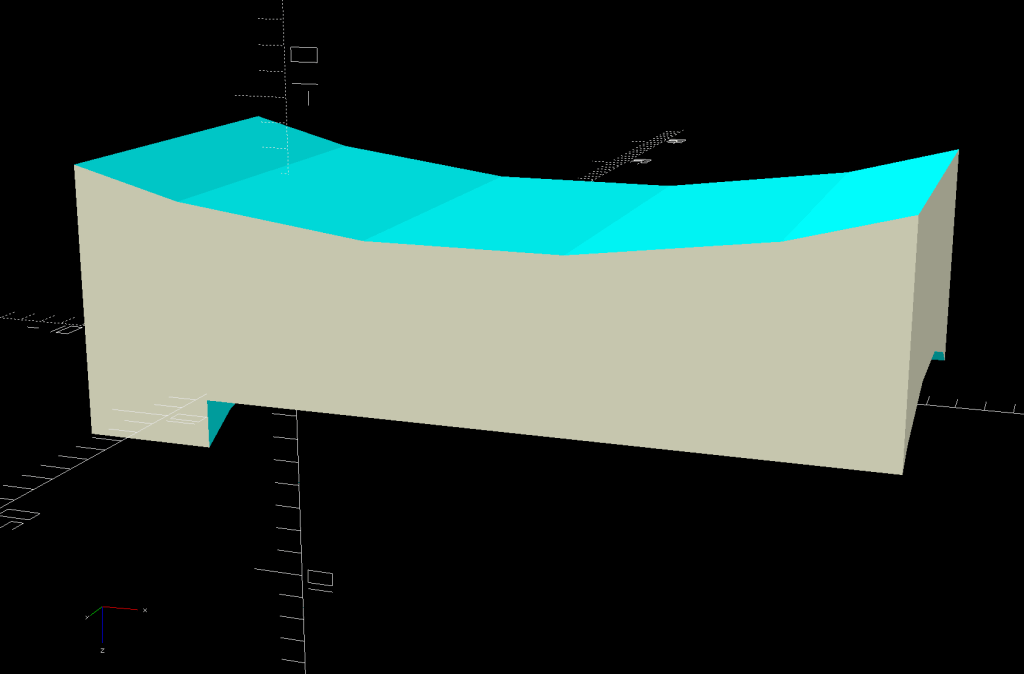
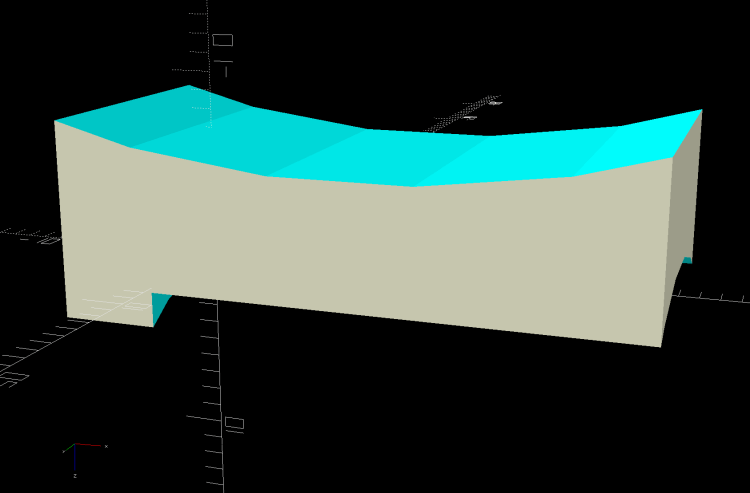
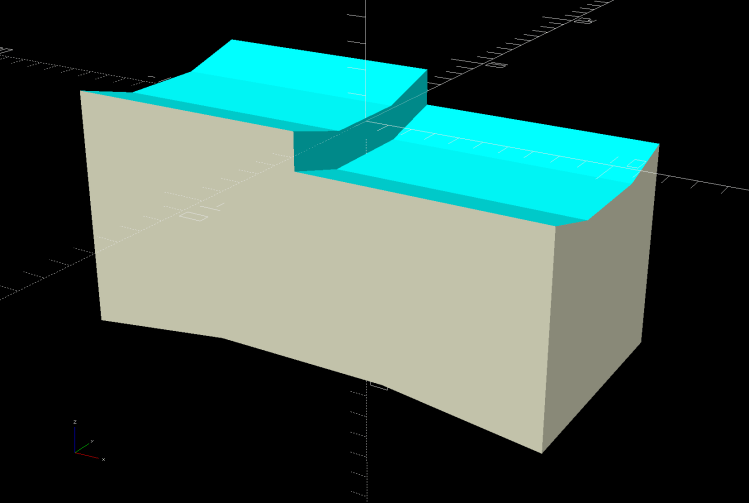
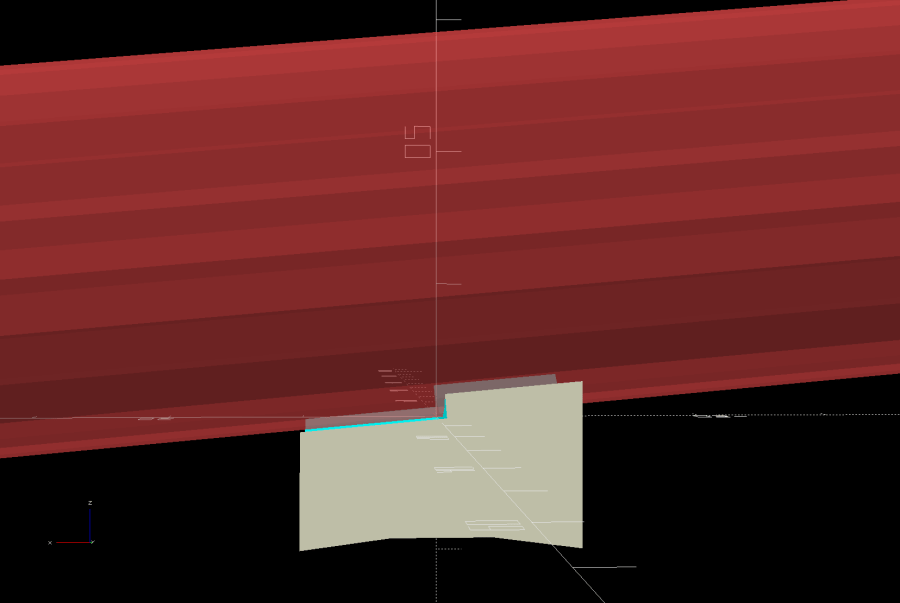
A revised design based on measurements informed by new knowledge:
Terry – Bafang motor spacer – improved – solid model
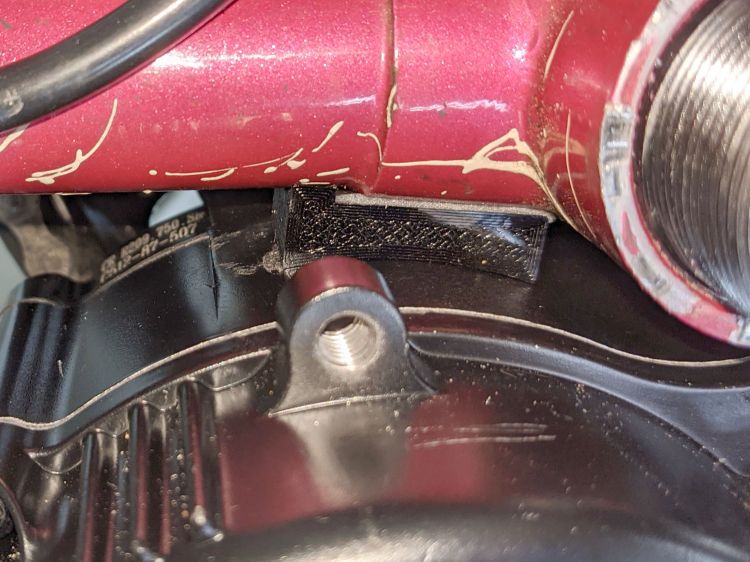
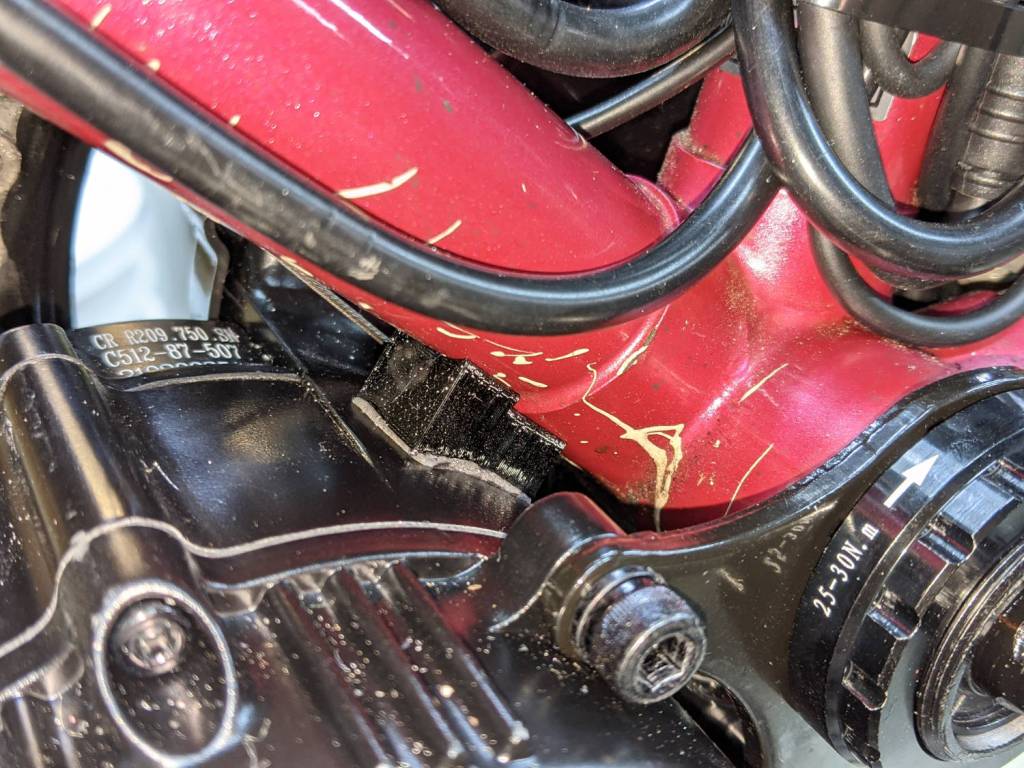
The upper curve is now symmetric and the whole block mounts more rearward under the bottom bracket lug, where some tedious work with a machinists square located the real tangent point:
Bafang BBS02 – reaction block improvement
The motor sure doesn’t look like it’s tangent, but a dry fit showed all the curves laid against the case and tubes.
The brazing fillet means the step fitting the downtube can’t sit snug against the edge of the lug, but most of the reaction force should go through the section into the lug, near the center of the block.
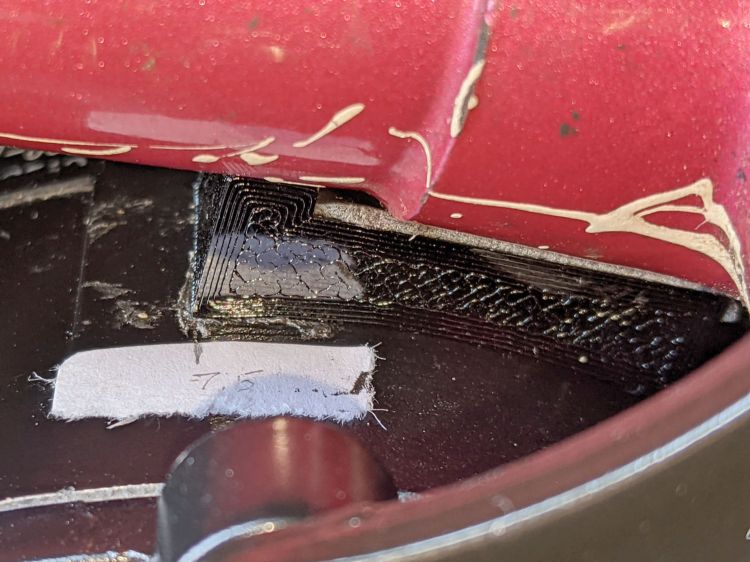
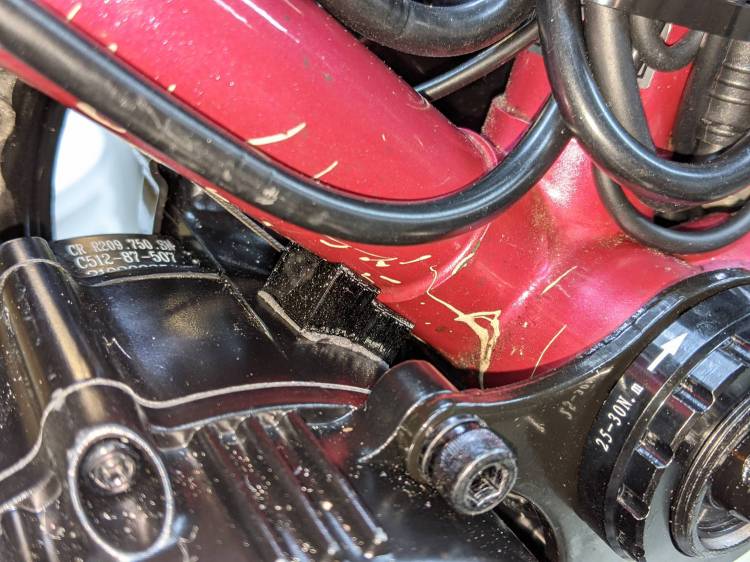
A crude marker will keep track of any motion:
Bafang BBS02 – reaction block marker
I think the symmetric curve against the motor has enough projection to keep the block from wandering off, even if I haven’t gotten the location exactly right.
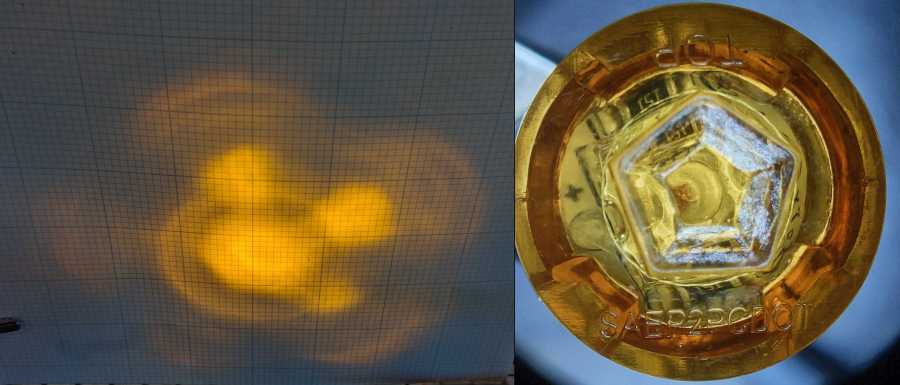
The truck side marker lights I’m thinking of using as daytime running lights have a pentagonal lens, so they should have a pattern with a bright central beam surrounded by five lobes. The one on Mary’s Tour Easy produced an oddly shaped blotch on the garage wall, so I ran the others though a simple test setup:
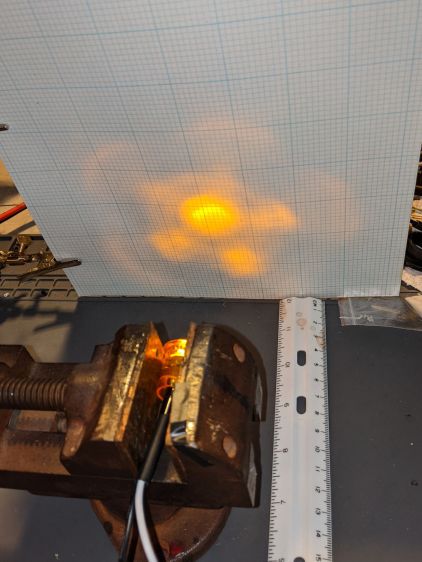
Side Marker – beam test setup
The lights sit horizontally in a small vise to keep them level and in the same position, although in no particular rotational orientation, and 100 mm from the graph paper. It’s running at 6 v to keep the brightness down enough to avoid blowing out the image. All of the images were exposed based on the central spot, so the surrounding paper gives some idea of the relative brightness: darker paper = brighter LED spot.
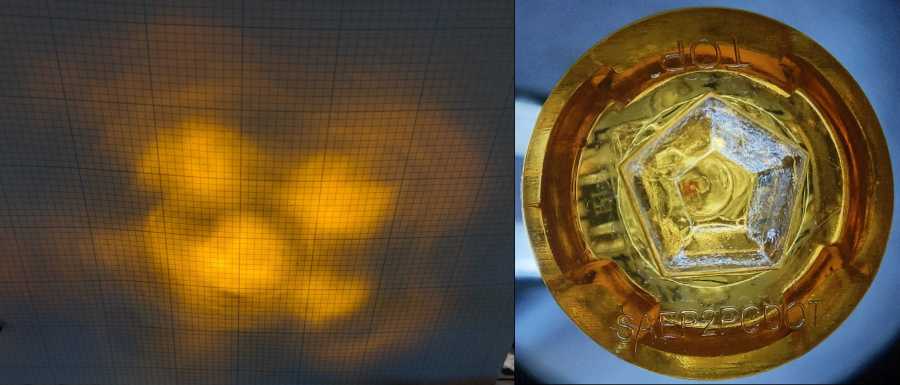
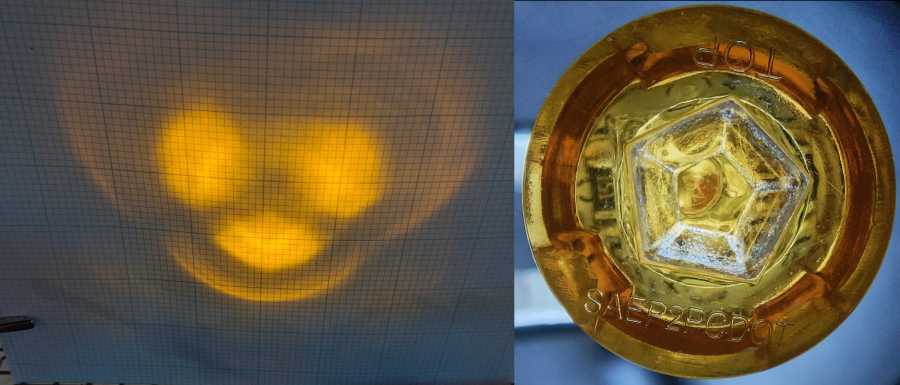
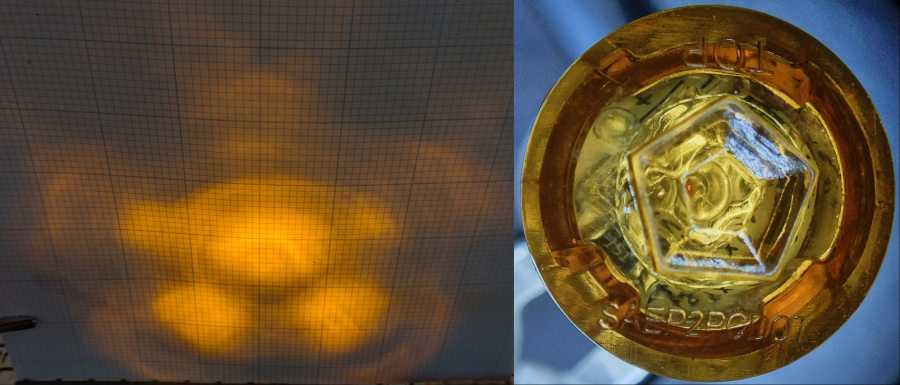
The front view of the lights comes from the stereo zoom microscope, with the wires gripped in a Third Hand and rotated to put the (inverted) TOP label where you’d expect it. They’re all roughly at the same position and pretty nearly lined up with the lens axis. The bubble-looking thing behind the central pentagon is the lens on the Piranha LED package, which should be centered but rarely is. You can see the dark orange square of the amber LED chip in some of the pictures.
Without further ado, the nine truck side marker lights that aren’t on her bike:
Side Marker – beam test – A
Side Marker – beam test – B
Side Marker – beam test – C
Side Marker – beam test – D
Side Marker – beam test – E
Side Marker – beam test – F
Side Marker – beam test – G
Side Marker – beam test – H
Side Marker – beam test – I
Side Marker Light – Beam tests
Side Marker E has a blob that looks like a cataract atop the LED lens, but it might be a mold imperfection.
Obviously, paying a buck a light doesn’t get you much in the way of build quality these days.
Having seen a few bikes with amber “headlights” and being desirous of reducing the number of batteries on Mary’s bike, this seems like an obvious first step:
The rest of the code gets a few cleanups you’d expect when you compile code untouched for a few years using the latest OpenSCAD.
The markers are allegedly DOT rated, which matters not for my use case: SAEP2PCDOT.
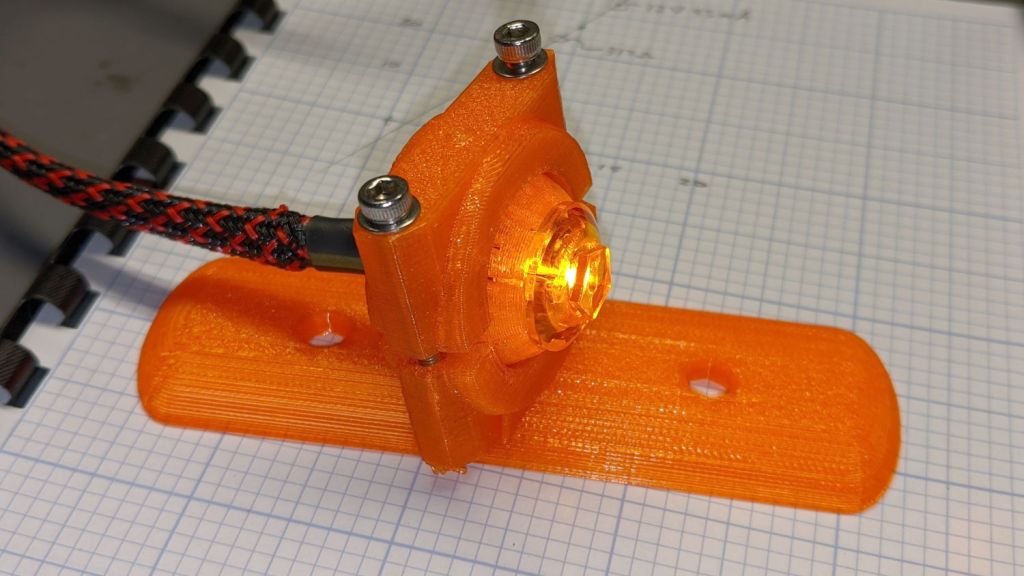
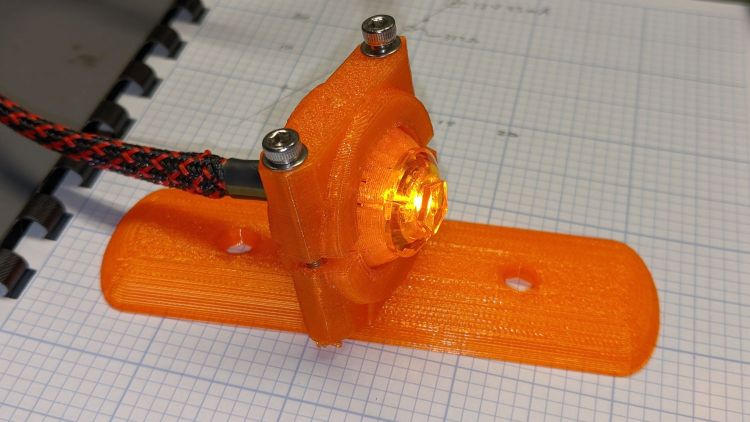
The mount is grossly overqualified for a wide-beam light with little need for aiming:
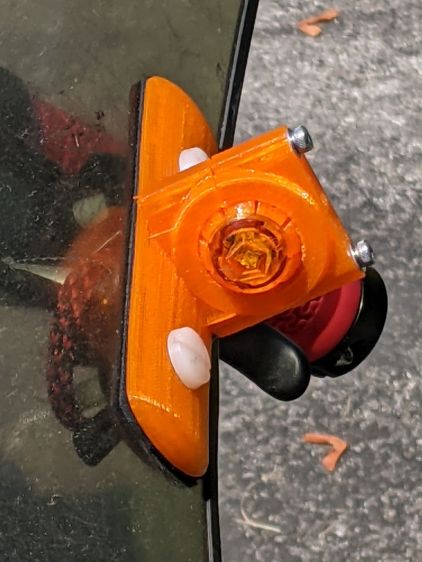
Fairing Mounted Side Marker – test light
Eventually, the marker should slip into a prealigned cylindrical holder, with a dab of epoxy to keep it there.
The lights are a buck apiece, so there’s no reason to form a deep emotional attachment. They are the usual poorly molded and badly assembled crap, although the next step up from a nominally reputable supplier is a factor of five more expensive.
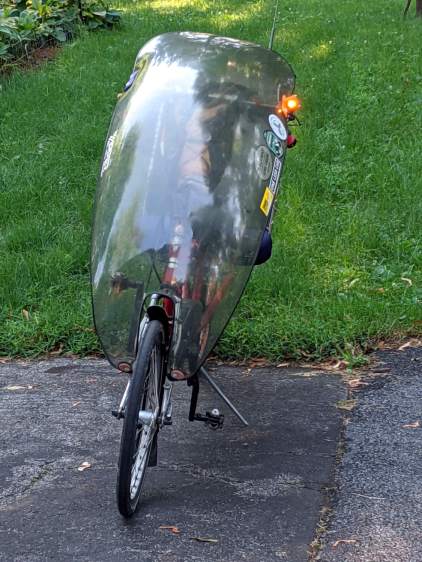
It’s generated for the left side of the fairing, although I think having a pair of them would improve conspicuity:
Fairing Mounted Side Marker – installed
Being automotive, it runs from a 12 V supply, which comes from a boost converter driven by the Bafang 6 V headlight output. The absurdity of bucking a 48 V lithium battery to a 6V switched headlight output, then boosting it to 12 V to drive a single amber LED with a 1.5 V forward drop does not escape me.
It’s possible to slice the lens off (using a lathe), remove / replace the resistor, then glue it back together, which would be worthwhile if you were intending to drive it from, say, an Arduino-ish microcontroller to get a unique blink pattern.
Given the overall lack of build quality, it might make more sense to slap a condenser lens in front of a Piranha LED.
Although Gee’s Terry Symmetry is sized for female bodies, I managed to ride it up and down the driveway while watching the power display:
Voltage
52.5
Rated Current
24
Max current
18
Power
Power
PAS
Assist
Amp
Calc
Observed
Ratio
0
0%
0.0
0
0
~
1
4%
0.7
38
26
69%
2
6%
1.1
57
52
92%
3
9%
1.6
85
78
92%
4
13%
2.3
123
104
85%
5
20%
3.6
189
182
96%
6
30%
5.4
284
258
91%
7
50%
9.0
473
453
96%
8
85%
15.3
803
675
84%
9
100%
18.0
945
900
95%
Bafang BBS02 on Terry Symmetry – actual voltage
The variations in the last column suggest my data-taking is … wobbly, at best.
I think the displayed power does not come from actual current and voltage measurements, because recalculating the power using the nominal 48 V battery value produces an unnatural agreement:
Voltage
48
Rated Current
24
Max current
18
Power
Power
PAS
Assist
Amp
Calc
Observed
Ratio
0
0%
0.0
0
0
~
1
4%
0.7
35
26
75%
2
6%
1.1
52
52
100%
3
9%
1.6
78
78
100%
4
13%
2.3
112
104
93%
5
20%
3.6
173
182
105%
6
30%
5.4
259
258
100%
7
50%
9.0
432
453
105%
8
85%
15.3
734
675
92%
9
100%
18.0
864
900
104%
Bafang BBS02 on Terry Symmetry – nominal voltage
The motor controller may measure the actual winding currents while generating the BLDC waveforms, but the values may not be available to the display at the end of the cable. If Bafang documented the commands & responses, we’d know for sure, but they don’t.
Those assist values come from Mary’s Tour Easy, a much heavier bike than the Symmetry, but the first few levels work well in my limited tests. The highest levels may be too peppy for Gee’s normal routes, but having some serious boost in reserve can defang (hah) the worst hills.
Terry Symmetry – Tour Easy
IMO, the bike would burn rubber at the motor’s full 24 A current …
On a typical bike, it mounts against a cable stop with the cable housing holding it in place against its other end:
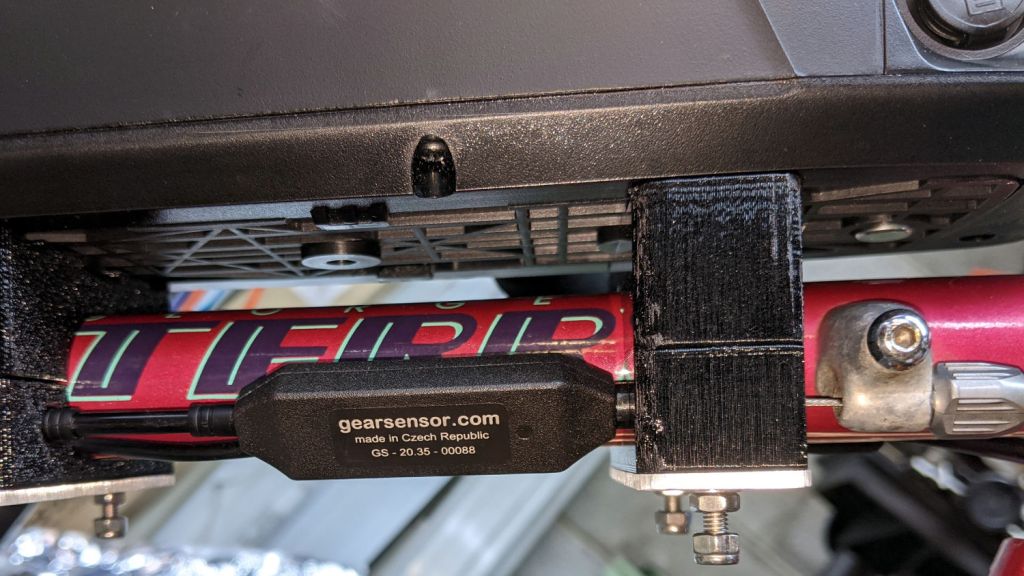
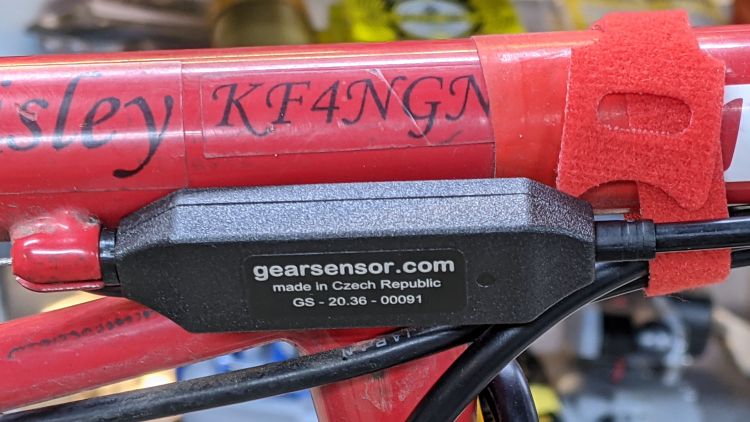
Tour Easy Bafang BBS02 – shift sensor – installed
The Terry Symmetry has only two lengths of housing: in front of the adjuster on the downtube and behind the stop brazed to the chainstay. In either position, the sensor would move as the shift cable flexed and (IMO) put unreasonable stress on the electrical cable running to the motor.
Yes, the Tour Easy has those same two lengths of housing, but the forward one joins a sheaf of wires & cables that barely moves.
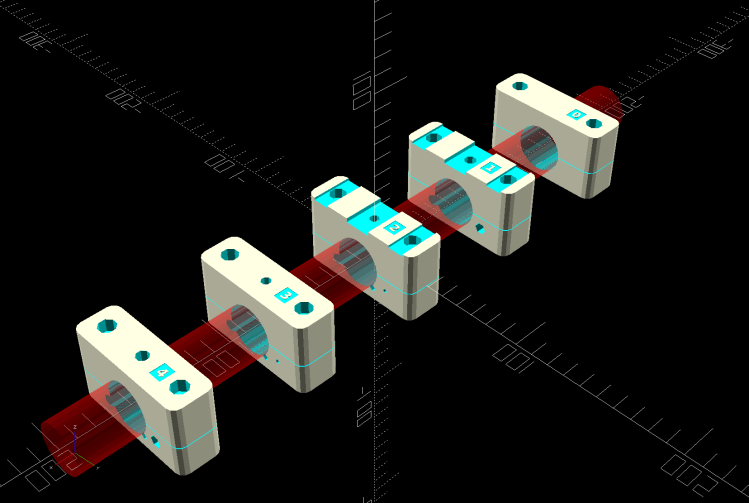
Fortunately, the sensor fits neatly between stations 1 and 2 along the downtube, with a snippet of PTFE lIned housing holding it firmly in place, with the 3D printed battery mounting blocks including paths for both cables:
Terry – Bafang battery – all stations – solid model
The shift cable originally ran from the adjuster in the front to the guide under the bottom bracket along a slightly diagonal path I could not possibly match. Instead, the path is now parallel to the downtube from the front adjuster:
Terry Bafang – OEM shift stop
.. to the rear block, where it angles downward over the motor to the bottom bracket:
Terry Bafang – shift cable clearance
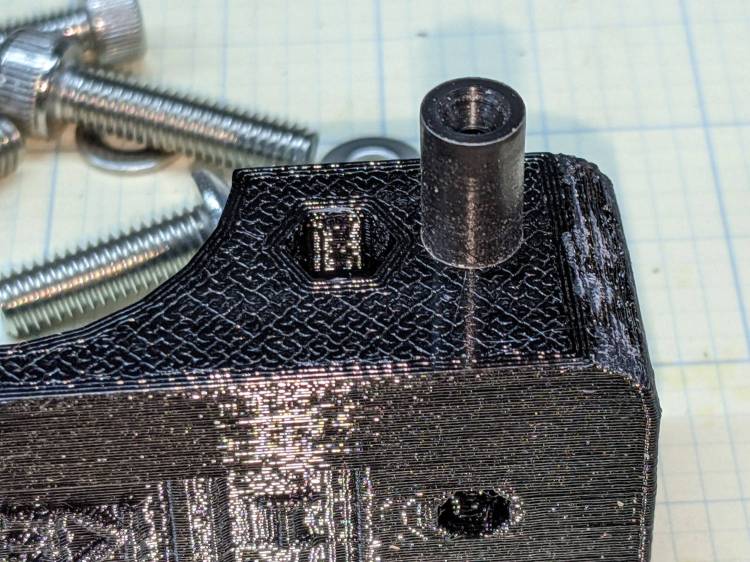
The front block at station 1 has a Delrin / acetal bushing to align the cable with the rest of the blocks:
Terry shift guide – acetal installed
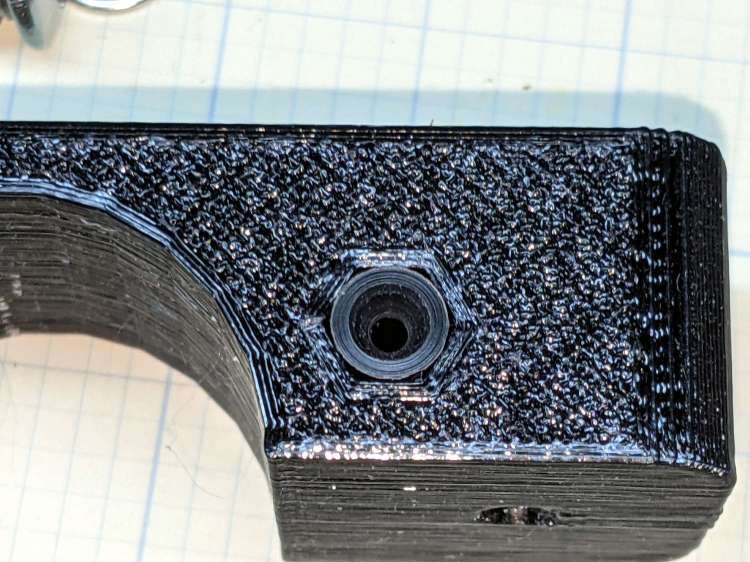
Yes, it’s a round peg jammed in a hexagonal hole:
Terry shift guide – acetal hole
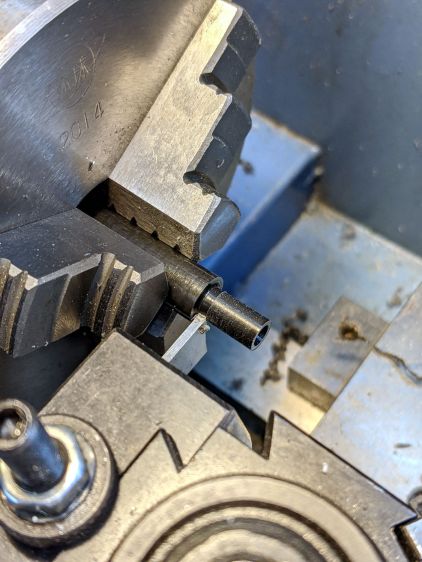
Turning it from stock is well within the capabilities of Tiny Lathe™:
Terry shift guide – acetal cutoff
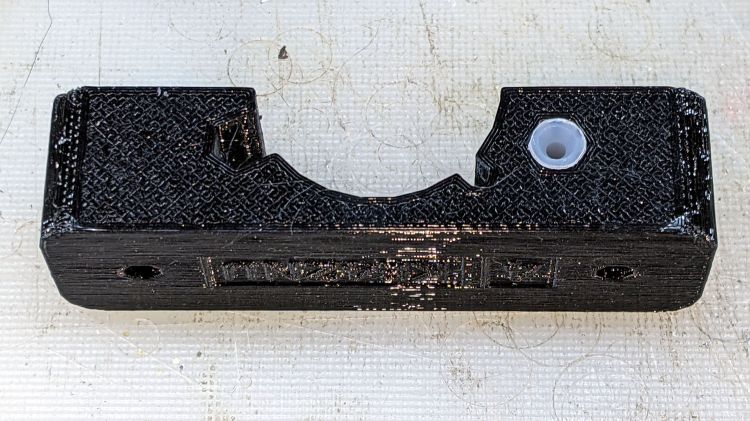
For great slippery, a similar UHMW PE bushing supports the cable bend at the rear of the station 4 block:
Terry shift guide – UHMWPE installed
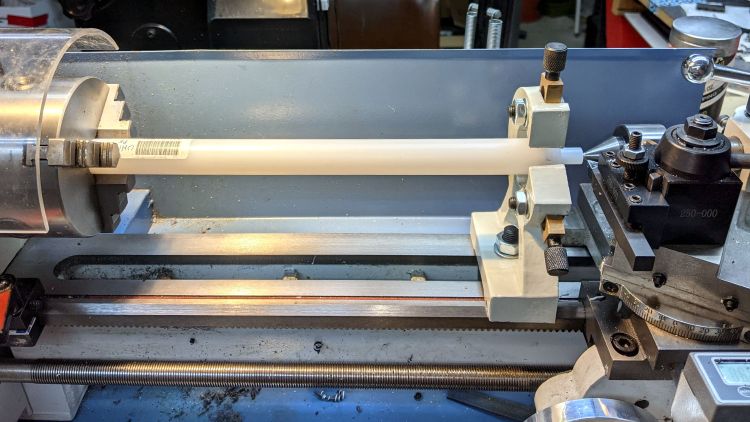
The Basement Laboratory Warehouse Wing disgorged an overly large rod taxing Tiny Lathe™ to its limit:
Terry shift guide – UHMWPE turning
Memo to Self: next time, just saw off a stub and move on.
The Terry Symmetry’s rear shift cable passes along the side of the downtube and through a plastic guide channel under the bottom bracket shell. The Bafang BBS02 motor must press against the bottom of the downtube, so the shift cable rubs against the top of the motor.
The solution is a small block shaped around the point of contact to cradle the downtube, the bottom bracket shell lug, and the motor case:
Terry – Bafang motor spacer – solid model
A strip of double-sided foam tape holds the block to the motor and the reaction force from the motor’s torque presses the block against the downtube:
Terry Bafang – motor reaction block
Seen from the other side, looking parallel to the shift cable, you can see the tight clearance:
Terry Bafang – shift cable clearance
The block holds the motor 8 mm from the downtube, just enough to give the cable some breathing room.
The block is slightly taller on its front end, because the motor doesn’t meet the downtube at a right angle:
Terry – Bafang motor spacer – tube angle – solid model
I determined the proper angle by taping waxed paper to the top of the motor, sticking a trial (non-angled) block to the downtube, coating its bottom surface with hot-melt glue, then squishing the motor against the block. The cooled glue was flush with the block on the rear and 1.8 mm thick on the front, a 5° angle over the 20 mm block.
Definitely easier than correctly figuring the geometry from first principles: tweak the model to include the measured thickness, compute the angle, tilt the tube, and print another block that fits like it grew there.
With the block in place and the motor held against the downtube, tighten the retaining nut against the “fixing plate” by giving it a few gentle whacks with a hammer, then tighten the jam nut.
The OpenSCAD source code snippet:
// Motor Reaction Block
// Holds motor away from downtube enough to miss rear shift wire

MotorOD = 111;              // motor frame dia
MotorMountRad = 85;         // BB spindle center to motor center
Space = 8.0;                // motor to frame space

Spacer = [20.0,DownTube[ID]/2,4*Space];
SpaceAngle = atan(1.8/Spacer.x);            // tilt due to non-right-angle meeting
echo(str("Spacer angle: ",SpaceAngle));

module MotorSpacer() {

    difference() {
        cube(Spacer,center=true);
        translate([0,0,DownTube[ID]/2])
            rotate([0,90 + SpaceAngle,0]) rotate(180/FrameSides)
                cylinder(d=DownTube[ID],h=DownTube[LENGTH],$fn=FrameSides,center=true);
        translate([DownTube[LENGTH]/2,0,DownTube[ID]/2 - DownTube[LENGTH]*sin(SpaceAngle)/2])       // concentric with ID
            rotate([0,90 + SpaceAngle,0]) rotate(180/FrameSides)
                cylinder(d=DownTube[OD],h=DownTube[LENGTH],$fn=FrameSides,center=true);
        translate([0,0,-(MotorOD/2 + Space)])
            rotate([90,0,0]) rotate(180/48)
                cylinder(d=MotorOD,h=2*Spacer.y,$fn=48,center=true);
    }

}
Mary’s Tour Easy didn’t need this block, because all the cables run elsewhere, but I did capture a piece of closed-cell foam between its vestigial downtube and the motor to prevent chafing.