The Smell of Molten Projects in the Morning

Ed Nisley's Blog: Shop notes, electronics, firmware, machinery, 3D printing, laser cuttery, and curiosities. Contents: 100% human thinking, 0% AI slop.

Category: Photography & Images

Taking & making images.

  • Tour Easy: SJCAM C100+ Mount

    Tour Easy: SJCAM C100+ Mount

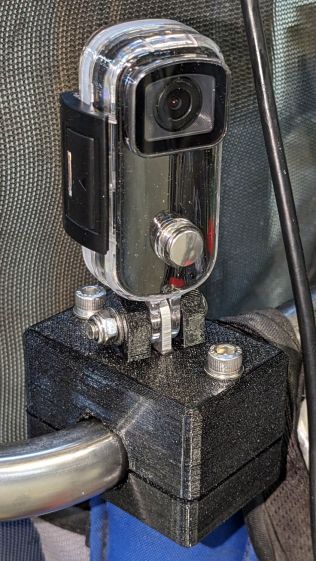
    The batteries (which are no longer available) and the control buttons have worn out on the SJCAM M20 camera on the back of my Tour Easy, so a replacement is in order:

    Tour Easy - SJCAM C100 mount - installed
    Tour Easy – SJCAM C100 mount – installed

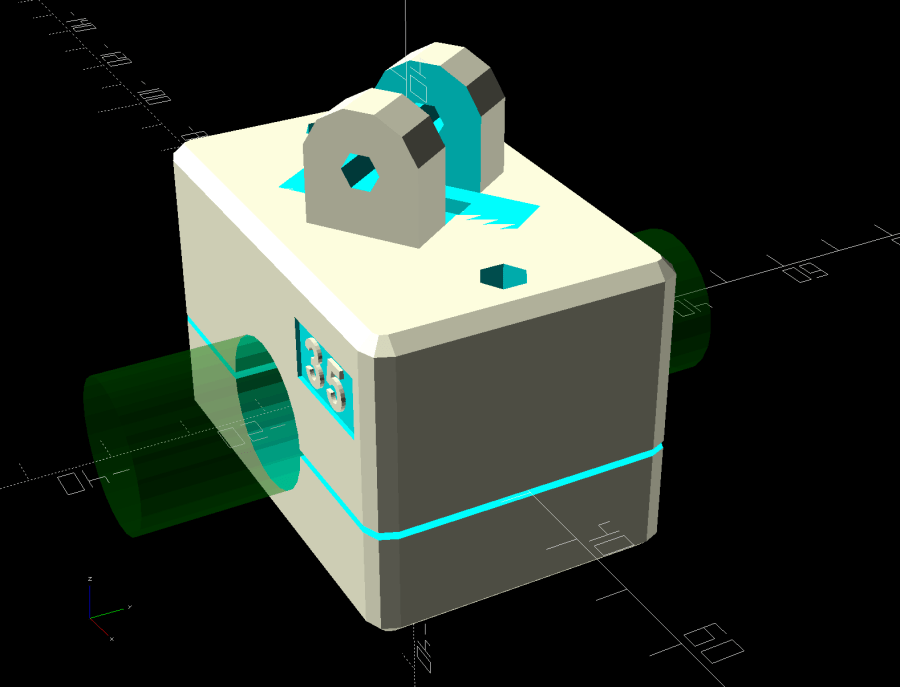
    It’s an SJCAM C100+ in its waterproof housing, screwed to a block descended from the M20 mount:

    SJCAM C100 Mount - solid model
    SJCAM C100 Mount – solid model

    The C100+ has a non-replaceable lithium pouch battery that may not last for the hour or so we generally ride, but at least this is a starting point for seeing how the thing works.

    The PrusaSlicer preview shows the support structure inside the seat rail arches:

    SJCAM C100 Mount - slicer
    SJCAM C100 Mount – slicer

    That appears under the four central facets of each arch, where I “painted” the support enforcers, because the automagic supports fill the entire arch and are basically impossible to pry off.

    The hole between the ears on the top holds an aluminum tab intended to diffuse the wobble from that tall camera. A laser-cut chipboard template simplified drilling & cutting the tab from an aluminum sheet:

    Tour Easy - SJCAM C100 mount - test fit
    Tour Easy – SJCAM C100 mount – test fit

    The tab and the brass inserts are held in place with JB Weld Plastic Bonder, my new go-to adhesive for such things.

    The camera includes WiFi and the inevitable app lets you download images without opening the case. Because I’ll be charging the camera after each ride, I may as well just haul the whole thing inside, plug it into a USB port, and proceed as before.

    For future reference, the manual details the operating modes:

    SJCAM C100 Manual - Modes
    SJCAM C100 Manual – Modes

    Because the camera powers up with WiFi enabled and I have no plans to communicate with it while riding, the startup sequence will be:

    • Long-press to power on
    • Double-click to disable WiFi
    • Single-click to start recording

    The OpenSCAD source code as a GitHub Gist:

    // SJCAM C100+ Camera Mount for Tour Easy seat back rail
    // Ed Nisley – KE4ZNU
    // 2023-04
    /* [Layout Options] */
    LookAngle = -20; // camera angle, looking backwards = 0°
    Layout = "Show"; // [Show,Build]
    /* [Hidden] */
    ThreadWidth = 0.40;
    ThreadThick = 0.25;
    HoleWindage = 0.2;
    Protrusion = 0.1;
    ID = 0;
    OD = 1;
    LENGTH = 2;
    //—–
    // Dimensions
    ClampScrew = [5.0,10.0,40.0]; // ID=thread OD=washer LENGTH=total
    ClampInsert = [5.0,7.5,10.5]; // brass insert
    MountScrew = [5.0,10.0,23.0]; // ID=thread OD=washer LENGTH=under nut
    MountInsert = [5.0,7.5,10.5]; // ID=screw OD, OD=knurl dia
    EmbossDepth = 2*ThreadThick + Protrusion; // recess depth + Protrusion beyond surface
    DebossHeight = EmbossDepth; // text height + Protrusion into part
    RailOD = 20.0; // slightly elliptical in bent section
    RailSides = 2*3*4;
    ClampOA = [60.0,40.0,ClampScrew[LENGTH]]; // set clamp size to avoid weird screw spacing
    echo(ClampOA = ClampOA);
    ClampScrewOC = IntegerMultiple(ClampOA.x – ClampScrew[OD] – 10*ThreadWidth,1.0);
    echo(ClampScrewOC = ClampScrewOC);
    ClampOffset = 5.0; // in case we need more room on top
    ClampRadius = 3.0;
    ClampSides = 8;
    Kerf = 1.0; // slice through the middle
    // center mount blade, Z = depth into block
    MountBlade = [15.0 + 2*HoleWindage,
    3.0 + 2*HoleWindage,
    (ClampOA.z – RailOD + ClampOffset)/2 – 4*ThreadThick + Protrusion];
    echo(MountBlade = MountBlade);
    MountRadius = MountBlade.x / 2;
    MountGap = 9.5; // camera mount gap around center blade
    MountOffset = [0,0,7.0]; // mount hole offset from block surface
    FadeColor = "Green";
    FadeAlpha = 0.25;
    //—–
    // Useful routines
    function IntegerMultiple(Size,Unit) = Unit * ceil(Size / Unit);
    module PolyCyl(Dia,Height,ForceSides=0) { // based on nophead's polyholes
    Sides = (ForceSides != 0) ? ForceSides : (ceil(Dia) + 2);
    FixDia = Dia / cos(180/Sides);
    cylinder(r=(FixDia + HoleWindage)/2,
    h=Height,
    $fn=Sides);
    }
    //—–
    // Clamp
    // Grips seat frame rail
    // Origin at middle of seat rail, X rearward, Y parallel to seat frame rail
    // Block offset raises whole thing
    module Clamp() {
    difference() {
    translate([0,0,ClampOffset]) {
    difference() {
    union() {
    hull() // the main block
    for (i=[-1,1], j=[-1,1], k=[-1,1])
    translate([i*(ClampOA.x – 2*ClampRadius)/2,
    j*(ClampOA.y – 2*ClampRadius)/2,
    k*(ClampOA.z – 2*ClampRadius)/2])
    sphere(r=ClampRadius/cos(180/ClampSides),$fn=ClampSides);
    hull() // camera mount boss
    for (k=[0,1])
    translate([0,0,k*(MountOffset.z) + ClampOA.z/2])
    rotate([0,90,LookAngle + 90]) rotate(180/12)
    cylinder(r=MountRadius,h=MountScrew[LENGTH],center=true,$fn=12);
    }
    for (i=[-1,1]) // clamp inserts
    translate([i*ClampScrewOC/2,0,-(ClampOA.z/2 + Protrusion)])
    rotate(180/6)
    PolyCyl(ClampInsert[OD],ClampInsert[LENGTH],6);
    for (i=[-1,1]) // clamp screw holes
    translate([i*ClampScrewOC/2,0,-ClampOA.z])
    rotate(180/6)
    PolyCyl(ClampScrew[ID],2*ClampOA.z,6);
    translate([0,0,ClampOA.z/2 – (MountBlade.z/2 – Protrusion/2)]) // camera center blade
    rotate(LookAngle)
    cube(MountBlade,center=true);
    rotate(LookAngle + 90) // camera mount boss slot
    translate([0,0,ClampOA.z/2 + 2*MountRadius])
    cube([MountGap,4*MountRadius,4*MountRadius],center=true);
    translate([0,0,ClampOA.z/2 + MountOffset.z]) // camera mount boss hole
    rotate([90,0,LookAngle])
    cylinder(d=MountScrew[ID],h=4*MountGap,center=true,$fn=6);
    translate([0.3*ClampOA.x, // recess for LookAngle legend
    -(ClampOA.y/2 – (EmbossDepth – Protrusion)/2),
    ClampOA.z/4])
    cube([15,EmbossDepth,8],center=true);
    translate([0,0,-ClampOA.z/2 + (EmbossDepth – Protrusion)/2]) // recess for ID legend
    cube([35,10,EmbossDepth],center=true);
    }
    translate([0.3*ClampOA.x, // LookAngle legend
    -ClampOA.y/2 + DebossHeight + Protrusion/2,
    ClampOA.z/4])
    rotate([90,0,00])
    linear_extrude(height=DebossHeight,convexity=20)
    text(text=str(LookAngle),size=6,spacing=1.20,
    font="Arial:style:Bold",halign="center",valign="center");
    translate([0,0,-ClampOA.z/2]) // ID legend
    linear_extrude(height=DebossHeight,convexity=20)
    mirror([0,1,0])
    text(text="KE4ZNU",size=5,spacing=1.20,
    font="Arial:style:Bold",halign="center",valign="center");
    }
    cube([2*ClampOA.x,2*ClampOA.y,Kerf],center=true); // split across rail
    rotate([90,0,0]) // seat rail
    cylinder(d=RailOD,h=2*ClampOA.y,$fn=RailSides,center=true);
    }
    }
    //—–
    // Build things
    // Layouts for design & tweaking
    if (Layout == "Show") {
    Clamp();
    color(FadeColor,FadeAlpha)
    rotate([90,0,0])
    cylinder(d=RailOD,h=2*ClampOA.y,$fn=RailSides,center=true);
    }
    // Build layout
    if (Layout == "Build") {
    translate([0,0.7*ClampOA.y,0])
    difference() {
    translate([0,0,-Kerf/2])
    Clamp();
    translate([0,0,-ClampOA.z])
    cube(2*ClampOA,center=true);
    }
    translate([0,-0.7*ClampOA.y,-0])
    difference() {
    translate([0,0,-Kerf/2])
    rotate([0,180,0])
    Clamp();
    translate([0,0,-ClampOA.z])
    cube(2*ClampOA,center=true);
    }
    }

  • The Early Opossum

    The Early Opossum

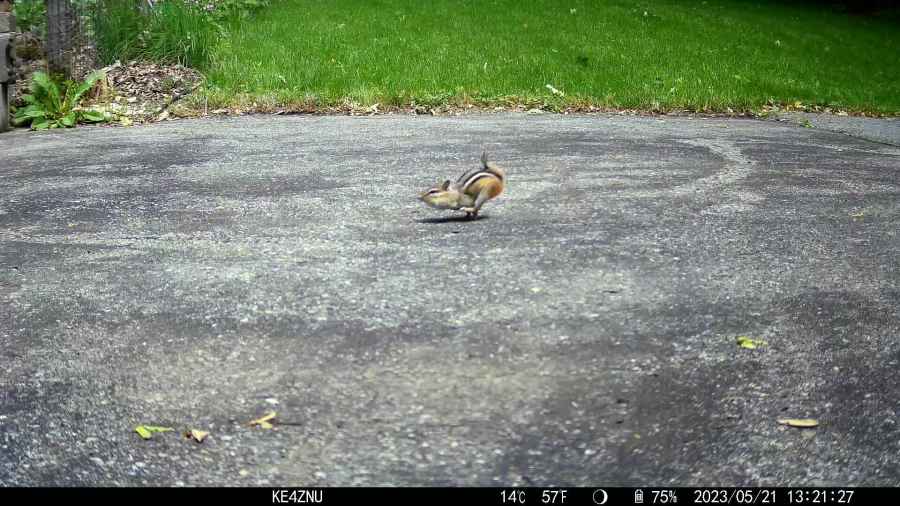
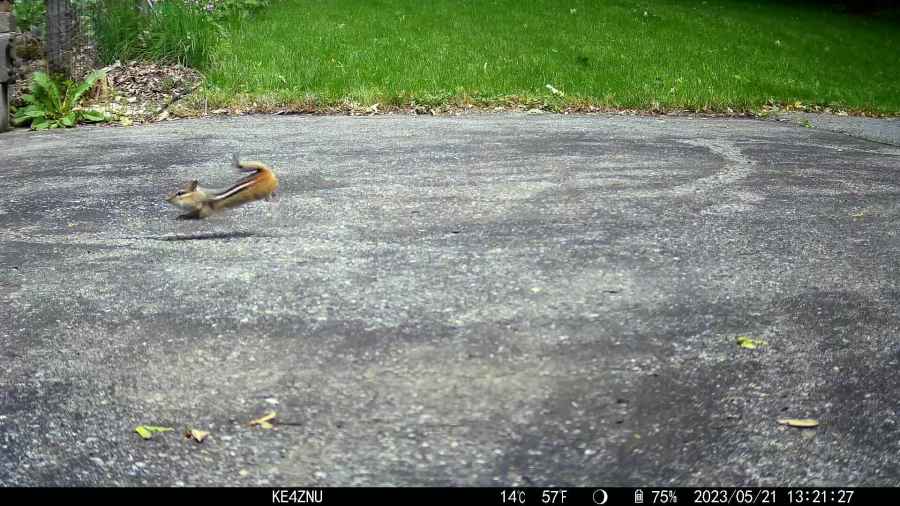
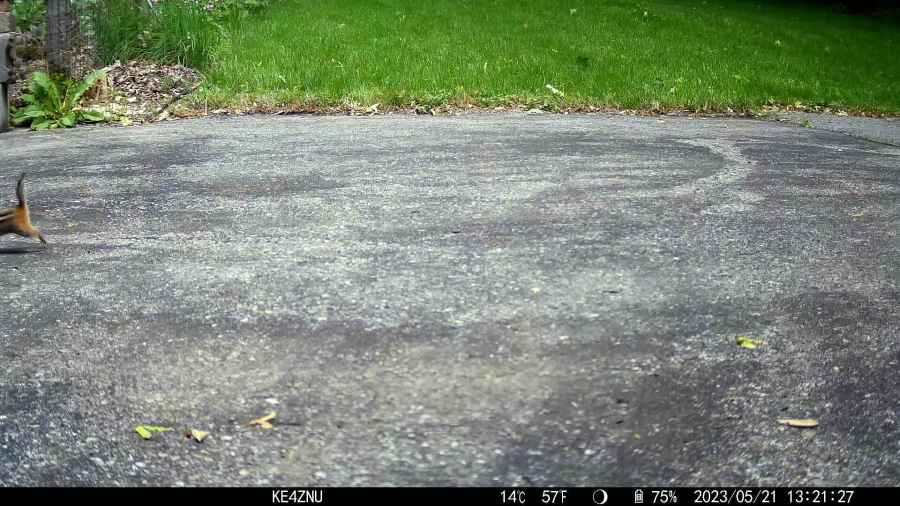
    Having just deployed a trail camera to see what might be skulking about in the middle of the night, this appeared just before the (not fresh) batteries died:

    The Early Opossum
    The Early Opossum

    It’s hard to tell with possums, but I’d say that critter is on a mission!

    I’m still figuring out proper distances; the possum is about two feet away, which is obviously much too close. Great focus on the water barrels standing by the garage, though.

  • Medium Ricotta Lid Box: QR Code vs. Chipboard

    Medium Ricotta Lid Box: QR Code vs. Chipboard

    Another box from the festi.info box configurator to collect more lids in a kitchen drawer:

    Medium Ricotta Lids box
    Medium Ricotta Lids box

    This was really a thinly veiled excuse for a deeper look at the QR code generator encoding the myriad parameters required to create the box and see what happens when you try to burn such a complex thing into chipboard.

    Spoiler: chipboard has very low contrast and really does not work well with high-density QR codes.

    Although the festi.info box generator can produce QR codes, I used qrencode (available in your Linux distro) on the command line to generate QR code image files with specific settings:

    qrencode --level=M --size=6 --dpi=254 --output='Ricotta Lids 2 lb - chipboard.png' 'http://festi.info/boxes.py/ABox?FingerJoint_angle=90.0&FingerJoint_style=rectangular&FingerJoint_surroundingspaces=2.0&FingerJoint_bottom_lip=0.0&FingerJoint_edge_width=2.0&FingerJoint_extra_length=0.0&FingerJoint_finger=2.0&FingerJoint_play=0.0&FingerJoint_space=3.0&FingerJoint_width=1.0&x=200.0&y=120.0&h=60.0&outside=0&bottom_edge=h&thickness=1.4&format=lbrn2&tabs=0.0&qr_code=0&debug=0&labels=0&reference=0&inner_corners=corner&burn=0.04&language=en&render=0'


    The key parameters:

    • --level → error correction level
    • --size → size of the smallest square (“module”) in pixels
    • --dpi → DPI of the output image file

    The default file type is PNG. The unusual 254 DPI makes each pixel exactly 0.1 mm wide and a peculiar 169.33 DPI = 0.15 mm came in handy for the first pattern.

    The final parameter is the character string to encode, which you should definitely quote to prevent the shell from wrecking things while trying to help you.

    A pattern with 4×4 pixel modules didn’t scan at all:

    Chipboard QR code - 15pct 0.15mm 4x4 - overview
    Chipboard QR code – 15pct 0.15mm 4×4 – overview

    A closer look shows the modules have ragged edges due to laser timing variations during the engraving scans and gaps between successive scans because the spot size is less than the 0.15 mm scan interval:

    Chipboard QR code - 15pct 0.15mm 4x4 - detail
    Chipboard QR code – 15pct 0.15mm 4×4 – detail

    Increasing the module to 6×6 pixels at a 0.1 mm scan interval :

    Chipboard QR code - 15pct 0.10mm 6x6 - overview
    Chipboard QR code – 15pct 0.10mm 6×6 – overview

    A closer look shows the larger module reduces the relative size of the timing errors, while the decreased line spacing tidies up the blocks:

    Chipboard QR code - 15pct 0.10mm 6x6 - detail
    Chipboard QR code – 15pct 0.10mm 6×6 – detail

    Reducing the power from 15% to 10% reduced the contrast to the point of illegibility:

    Chipboard QR code - 10pct 0.10mm 6x6 - overview
    Chipboard QR code – 10pct 0.10mm 6×6 – overview

    A closer look shows the engraving barely punches through the surface and has somewhat more ragged edges due to the tube’s pulsating startup current at very low power:

    Chipboard QR code - 10pct 0.10mm 6x6 - detail
    Chipboard QR code – 10pct 0.10mm 6×6 – detail

    I also tried 5×5 modules with similar results.

    The laser spot size sets the engraving scan interval, which then determines the DPI value for the QR code image. With all that matched up, you can send the images directly to the laser in Passthrough mode, without having LightBurn resample the pixels and change the module’s shape.

    Looked at from a different angle: given the laser spot size and the module size, the QR code image size is not under your control.

    From another angle: given a QR code image size in, say, millimeters, and the engraving scan interval, the module size is not under your control.

    All this is moot if you print QR codes on a high-resolution / high-contrast printer. It’s just the gritty nature of laser cuttery that limits what you can accomplish.

    And, of course, using a material less awful than chipboard will definitely improve the results.

    If you want a similar box of your own, here ya go:

    Medium Ricotta Lids - chipboard QR code - default
    Medium Ricotta Lids – chipboard QR code – default

    The URL is too ugly to print, but you can copy it from this link.

  • Stone Cold Swerve

    Stone Cold Swerve

    We’re southbound on Rt 376, ticking along at about 15 mph, with fresh string-trimmer debris littering the shoulder:

    T – 50 ms

    Did you notice the rock? I didn’t.

    The fairing ripples as my front tire hits the left side of the rock:

    T = 0

    I have no memory of the next two seconds.

    The offset impact turns the front wheel to the left, so the bike steers out from underneath my weight:

    T + 500 ms

    Because the bike frame was still aimed straight ahead, the wheel is steering further to the left and putting me even more off-balance. I am somehow trying to lean left far enough to get my weight lined up with the bike:

    T + 1.0 s

    One second into the event, Mary has no idea what’s going on behind her.

    My memory resumes with an image of the yellow midline just beyond my left foot:

    T + 2.0 s

    Mary heard an odd sound and asks (over the radio) “Are you all right?”

    I’m approximately balanced, turning toward the shoulder, and manage to shout “NO!”:

    T + 3.0 s

    I’m coasting toward the shoulder with my feet off the pedals:

    T + 4.0 s

    Mary is stopping and I coast past her:

    T + 5.0s

    Landing gear out:

    T + 6.0 s

    Back on the shoulder, lining up with the guide rail:

    T + 7 s

    Dead slow:

    T + 8.0 s

    Docking adapter deployed:

    T + 9.0 s

    And stopped:

    T + 10.0 s

    I sat in that exact position for nearly four minutes.

    A slideshow view of the same images so you can watch it unfold:

    Doesn’t look like much, does it?

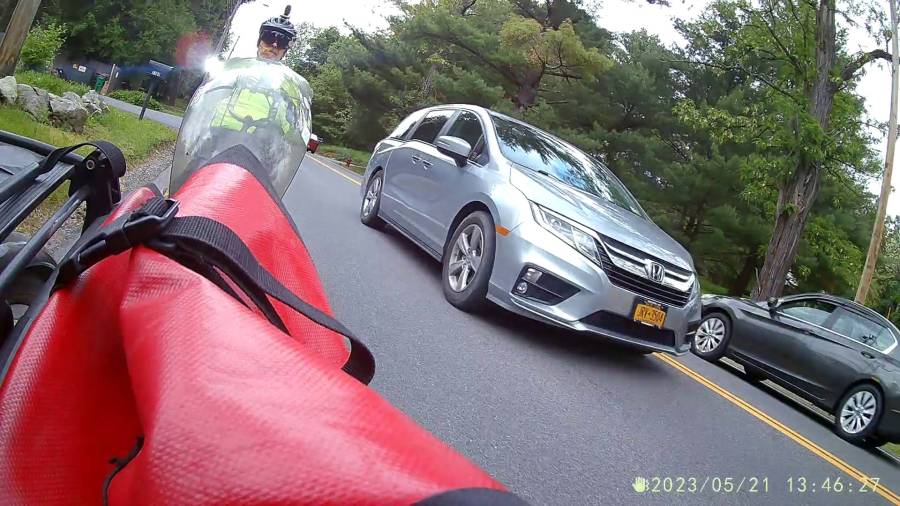
    If I could have looked over my shoulder, this is what I would have seen, starting at T = 0 with the rock impact blurring the image:

    Surely scared the daylights out of that driver, perhaps confirming all the usual expectations of crazy bicyclist behavior.

    Here’s what Mary would have seen over her shoulder, again starting at T = 0 with the fairing bulging from the impact:

    Timing is everything.

    That Benz is new enough to have automatic emergency braking, as it slowed pretty dramatically while I was busy getting out of the way, but it’s not clear whether AEB knows about small / lightweight targets like pedestrians and bicyclists.

    We completed the ride as planned, although I finally realized the front fender bracket had broken a few miles later.

    Every adult human male has at least one story beginning “But for that millisecond or inch, I wouldn’t be here.” Now I have one more.

    I must not fear. Fear is the mind-killer. Fear is the little-death that brings total obliteration. I will face my fear. I will permit it to pass over me and through me. And when it has gone past I will turn the inner eye to see its path. Where the fear has gone there will be nothing. Only I will remain.

    Frank Herbert, Dune
  • Newmowa NP-BX1: Video Duration vs Charge

    Newmowa NP-BX1: Video Duration vs Charge

    Having run the Newmowa NP-BX1 batteries through my old Sony HDR-AS30V helmet camera a few times, a plot seemed in order:

    Newmowa NP-BX1 video duration vs charge
    Newmowa NP-BX1 video duration vs charge

    The cluster of dots shows most of our rides last about an hour.

    The line is an eyeballometrical fit, slightly coerced to pass through the origin because that’s where it should go.

    The 9.1 mA·hr/min slope is in reasonable agreement with past results, given different batteries and charger. The Keweisi meter emerged first from the box.

    Straining the hr/min dimensional nonsense out of the slope suggests the camera averages 550 mA and 1.9 W. Derating those by a few percent to account for the recharge efficiency might be in order, but they’re surely in the right ballpark.

  • High Impact Art(ifact)

    High Impact Art(ifact)

    At first we thought a mighty crunch in the morning meant the trash collection truck had dropped a garbage bin from a great height, but the sound of sirens and a myriad flashing lights revealed the true cause in our neighbor’s front yard:

    NHR Crash - frontal view
    NHR Crash – frontal view

    The extent of the damage was more apparent from the road side:

    NHR Crash - passenger side
    NHR Crash – passenger side

    Another one that ain’t gonna buff right out.

    The driver was walking around uninjured and the ambulance left quietly.

    A day later, the trajectory became apparent:

    NHR Crash - trajectory
    NHR Crash – trajectory

    The right side barely kissed the tree on the right, but the front wheel hooked the utility pole (that’s the new pole in the picture), snapped it off at ground level in addition to the usual break maybe ten feet up, and bounced a piece off the other tree:

    NHR Crash - utility pole
    NHR Crash – utility pole

    I didn’t know you could shatter a cast aluminum alloy wheel, but the missing half of the outer face was lying amid the rather scrambled stone wall along driveway.

    We’re reasonably sure we know the cause. Feel free to draw your own conclusions.

    After the flatbed hauled away the car and everybody left, I harvested a few pounds of interesting debris from the lawn:

    NHR Crash - tempered glass
    NHR Crash – tempered glass

    It’s tempered glass from the driver-side windows, shattered into small chunks and barely hanging together in those sheets. Laminated windshield glass is entirely different stuff.

    The smaller chunks glitter like jewels:

    NHR Crash - tempered glass fragments
    NHR Crash – tempered glass fragments

    Obviously, the window had a bit of tint.

    The smallest chunk, seen from its flat surface, shows the cuboid fragments:

    NHR Crash - tempered glass fragment - front
    NHR Crash – tempered glass fragment – front

    A side view shows more complexity:

    NHR Crash - tempered glass fragment - side
    NHR Crash – tempered glass fragment – side

    Tempering prevents a glass sheet from shattering into long knife-blade shards. Although the edges of the fragments are not keen, we are dealing with broken glass: they are sharp.

    How sharp? They make glass knives for slicing eyes and cells.

    Broken tempered glass also sheds razor-edged flakes perfectly shaped to penetrate bike tires, although most roadside glass comes from ordinary beverage bottles. The tiniest flakes can make a mess of your eyes, so exercise at least some rudimentary shop safety practices.

    Those slabs ought to be good for something, even if they fall apart at the slightest touch …

  • HP 09872-60066 Digitizing Sights

    HP 09872-60066 Digitizing Sights

    A long-delayed bench cleanup united these two HP 09872-60066 digitizing sights:

    HP 09872-60066 Digitizing Sights
    HP 09872-60066 Digitizing Sights

    I’ve used the one on the right (above) with my HP 7475A plotters, but the other sight obviously won’t fit:

    HP 09872-60066 Digitizing Sights - diameters
    HP 09872-60066 Digitizing Sights – diameters

    The metal-shell version is advertised as “09872-60066 Calibration Pen for fit HP DesignJet 2000CP 2500CP 2800CP 3000CP 3500CP 3800CP Original New” which makes absolutely no sense, as those were inkjet and laser printers with (AFAICT) no need for a “calibration pen”. Because nobody with those printers will buy (or even look for) a widget they can’t use, the price is surprisingly low, compared to the real ones occasionally found on eBay.

    My guess: somebody halfway around the planet found a pile of Genuine HP plastic snap boxes, filled them with knockoff sights vaguely similar to the original (perhaps intended for a different plotter?), and marketed them with the usual (lack of) attention to veracity.

    Anyhow, we find our contestants standing in the light on a micropositioner under the microscope:

    HP 09872-60066 Digitizing Sights - test setup
    HP 09872-60066 Digitizing Sights – test setup

    The old sight (genuine HP plotter) has a clean field of view:

    HP 09872-60066 Digitizing Sights - old full
    HP 09872-60066 Digitizing Sights – old full

    With a tidy dot in the middle:

    HP 09872-60066 Digitizing Sights - old detail
    HP 09872-60066 Digitizing Sights – old detail

    The new (to me, anyhow) sight has rather coarse hexagonal light pipes with gaps at the edges:

    HP 09872-60066 Digitizing Sights - new full
    HP 09872-60066 Digitizing Sights – new full

    The spot at the middle is raggedly machined / drilled, with a bottom sufficiently un-flat to prevent focusing on the whole thing at once:

    HP 09872-60066 Digitizing Sights - new detail
    HP 09872-60066 Digitizing Sights – new detail

    I have a vague project in mind to turn the new (craptastic) sight into an optical alignment punch, but the spot seems a bit too large for that.