The Smell of Molten Projects in the Morning

Ed Nisley's Blog: Shop notes, electronics, firmware, machinery, 3D printing, laser cuttery, and curiosities. Contents: 100% human thinking, 0% AI slop.

Category: Photography & Images

Taking & making images.

  • Real Estate Sale Signage

    Real Estate Agencies used to post property marker signs like this:
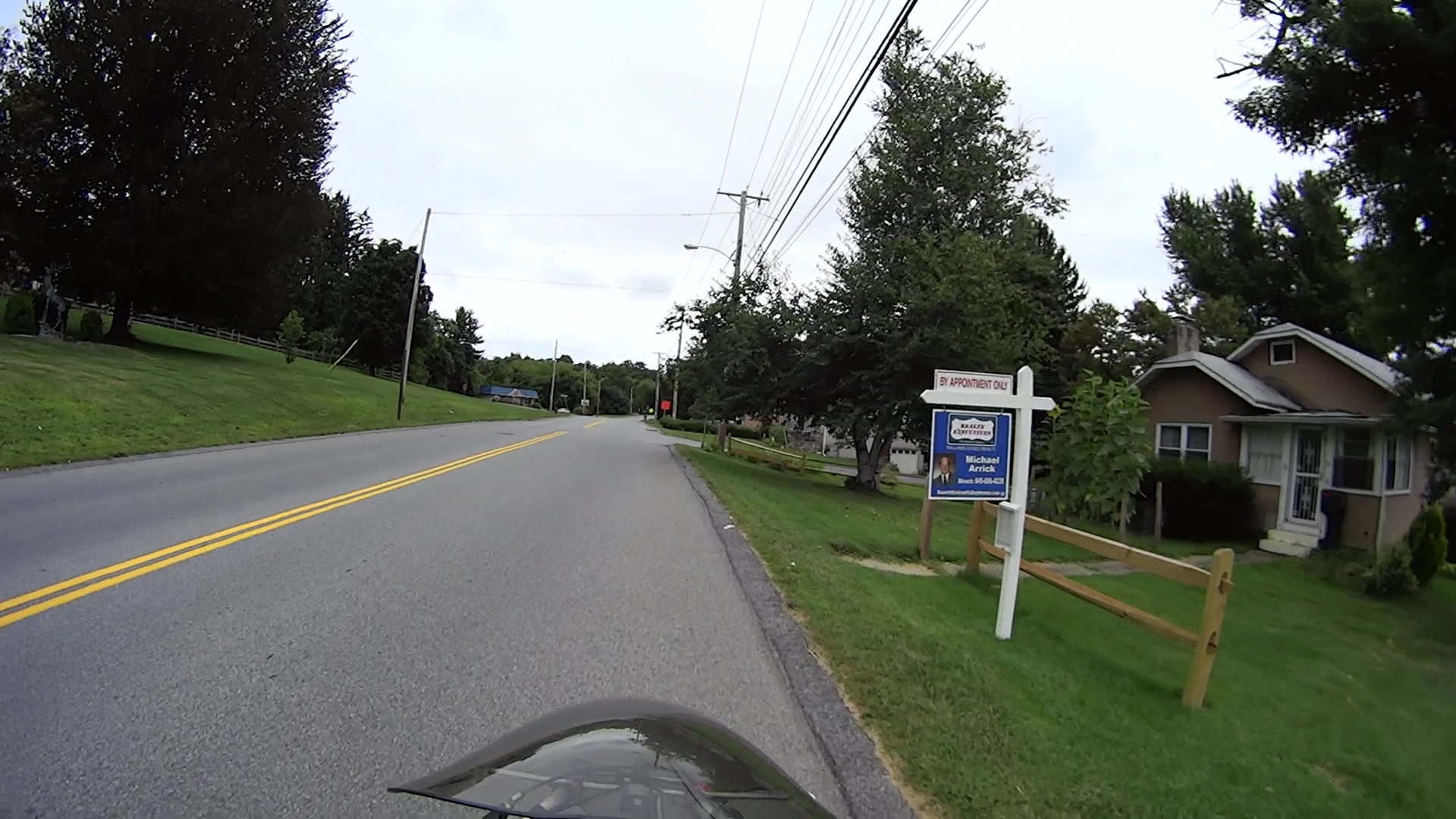
    FSReEx-168
    FSReEx-168

    Even far off to the side, a bright background color catches your eye:
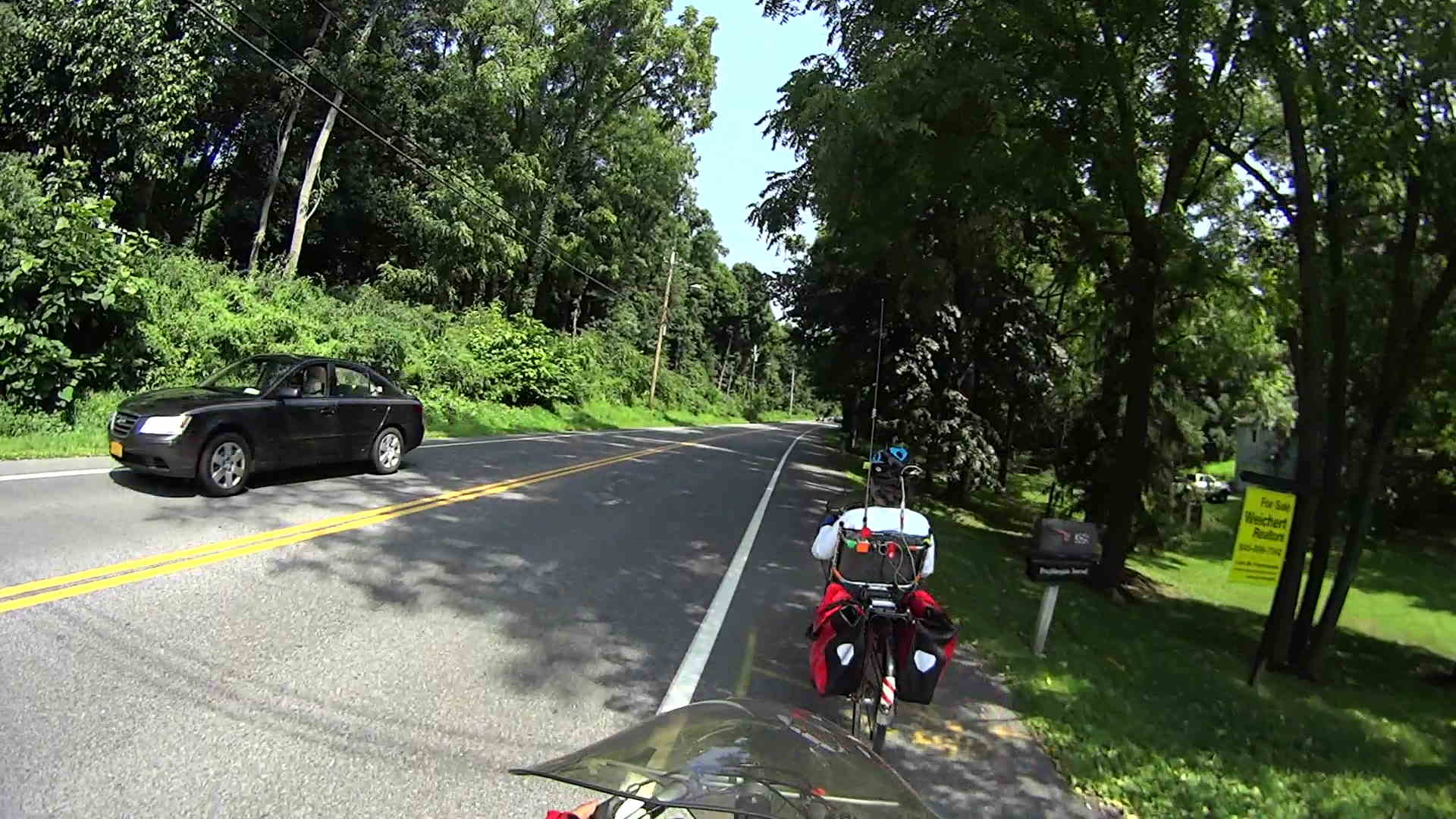
    FSWeRe-107
    FSWeRe-107

    The signs sported primary colors, reasonably large type, and simple words, making them almost readable in those pictures and definitely legible from the driver’s seat. While not particularly handsome or stylin’, they got the message across: this house is for sale.

    Then a strange thing happened.

    Berkshire Hathaway somehow got into the real estate business and Borged several of the local agencies. BH being a Name Brand with a connotation of wealth & taste, their branding imposed a subtle touch on the new signage:
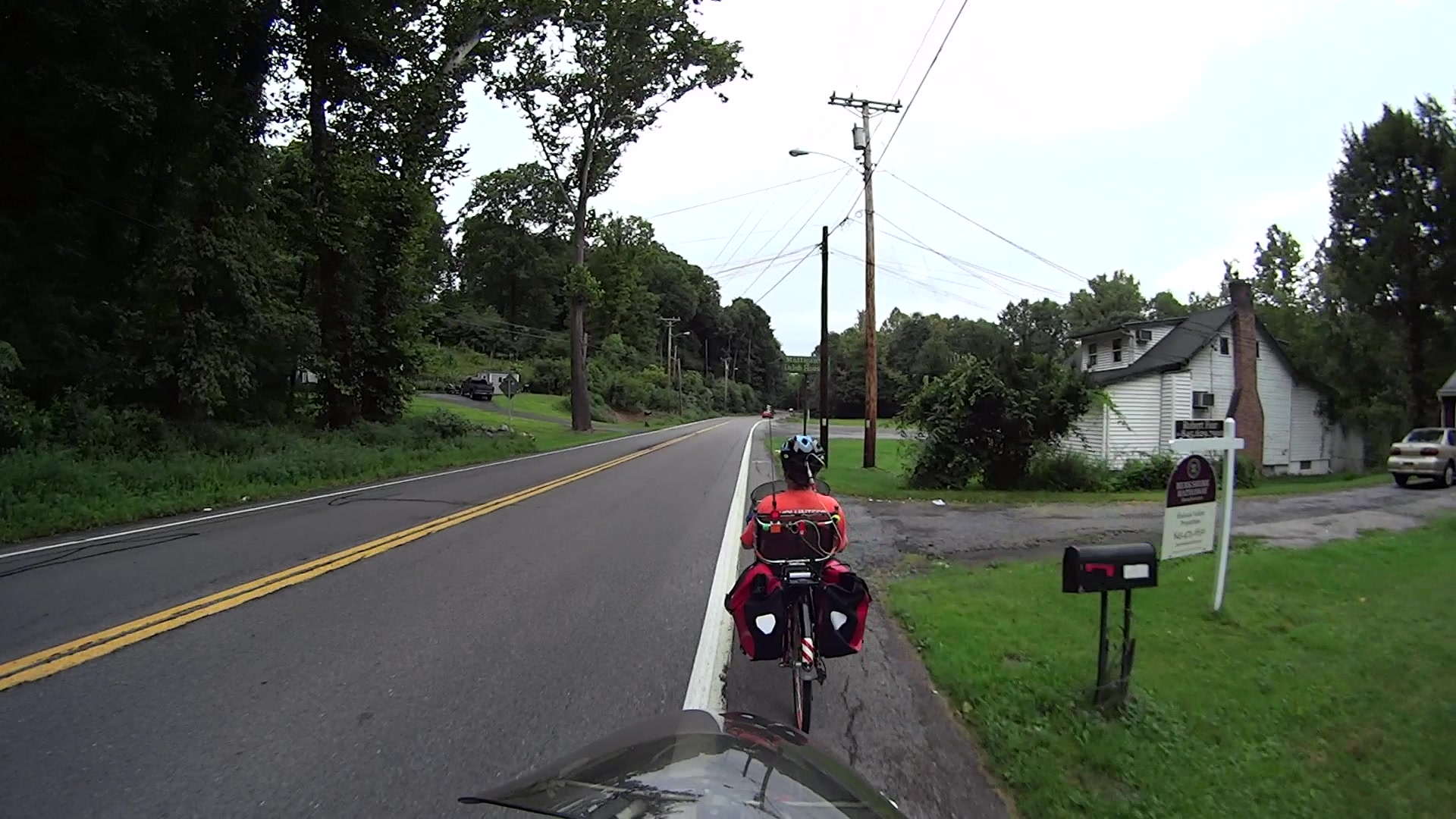
    FSBkHath-113
    FSBkHath-113

    No, you can’t quite read that in real life, either, although the agent’s name and number on the header come close to the old standard.

    One day, a old-school sign appeared along one of our usual routes:
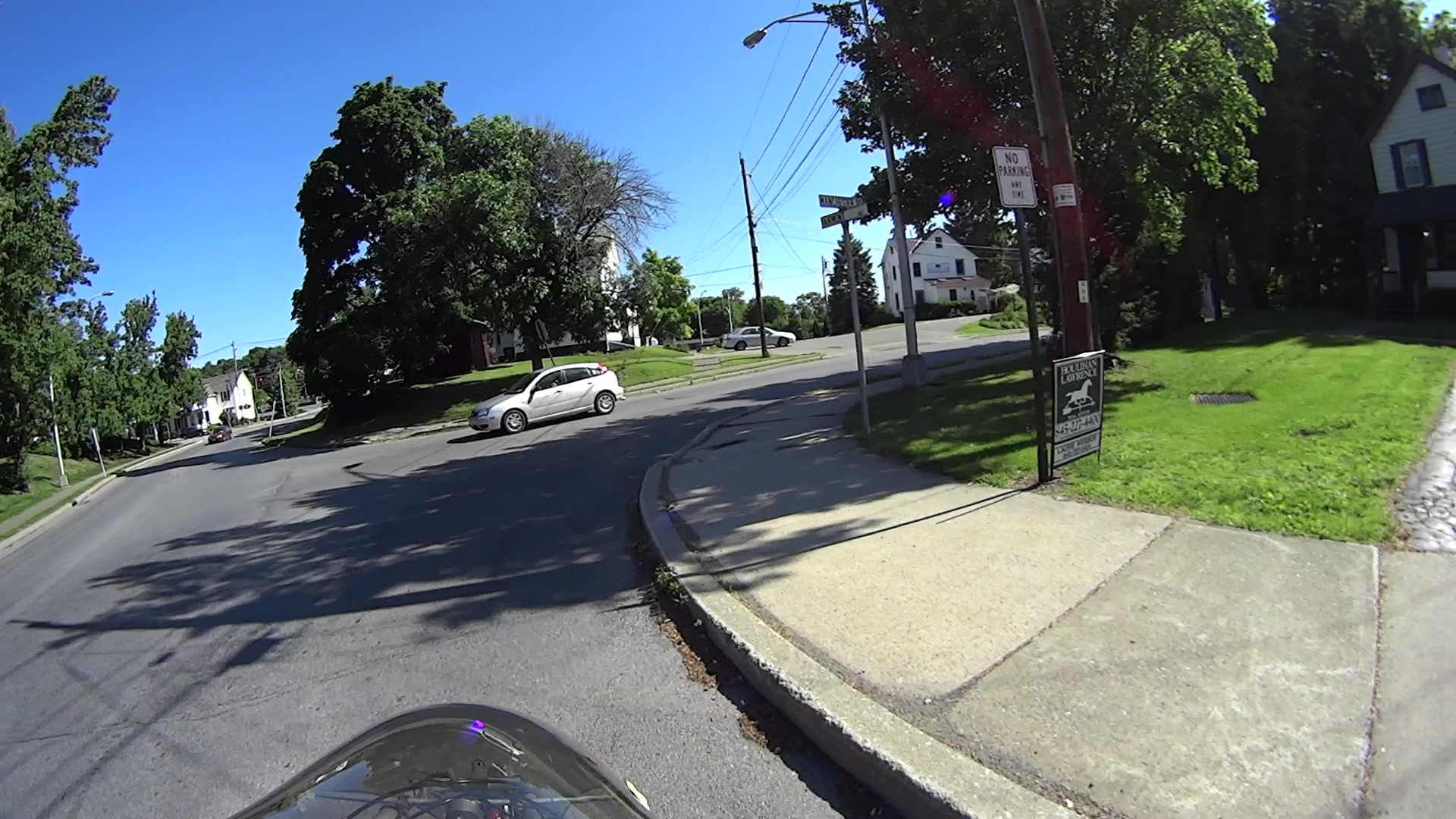
    FSHoLa-127
    FSHoLa-127

    Although white and green don’t pop out of the background, the sign has enough contrast that you can read what’s needed.

    Then they became affiliated with Christie’s, the Big Name in the realm of high-end auctions. I have no idea what Christie’s has to do with real estate, but if Berkshire Hathaway can do it, it seems Christie’s thinks they can do it even better.

    In any event, the Christie’s Corporate Standard evidently calls for very, very subtle signage:

    FSShort-231

    That sign might mark a high-end bed and breakfast, but certainly does not tell me that the place is for sale: none of the text approaches readability from the street, certainly not at normal travel speeds, and nothing about it even suggests that I should take action.

    A few weeks later, two hang tags added a COMMERCIAL note (the property evidently has potential to become an office or retail space) and the agent’s name and phone number in minuscule type:

    FSBase-128
    FSBase-128

    After a while, a very bright red do-it-yourself HOUSE FOR SALE placard suggested the property owner wasn’t entirely satisfied with the results to date:

    FSSign-148
    FSSign-148

    The high-contrast black-on-white FOR SALE header definitely doesn’t match the rest of the sign, but its more legible information might motivate you to pause and puzzle out the rest. The red placard vanished a few days after the header appeared, leaving us with this peculiar mix:
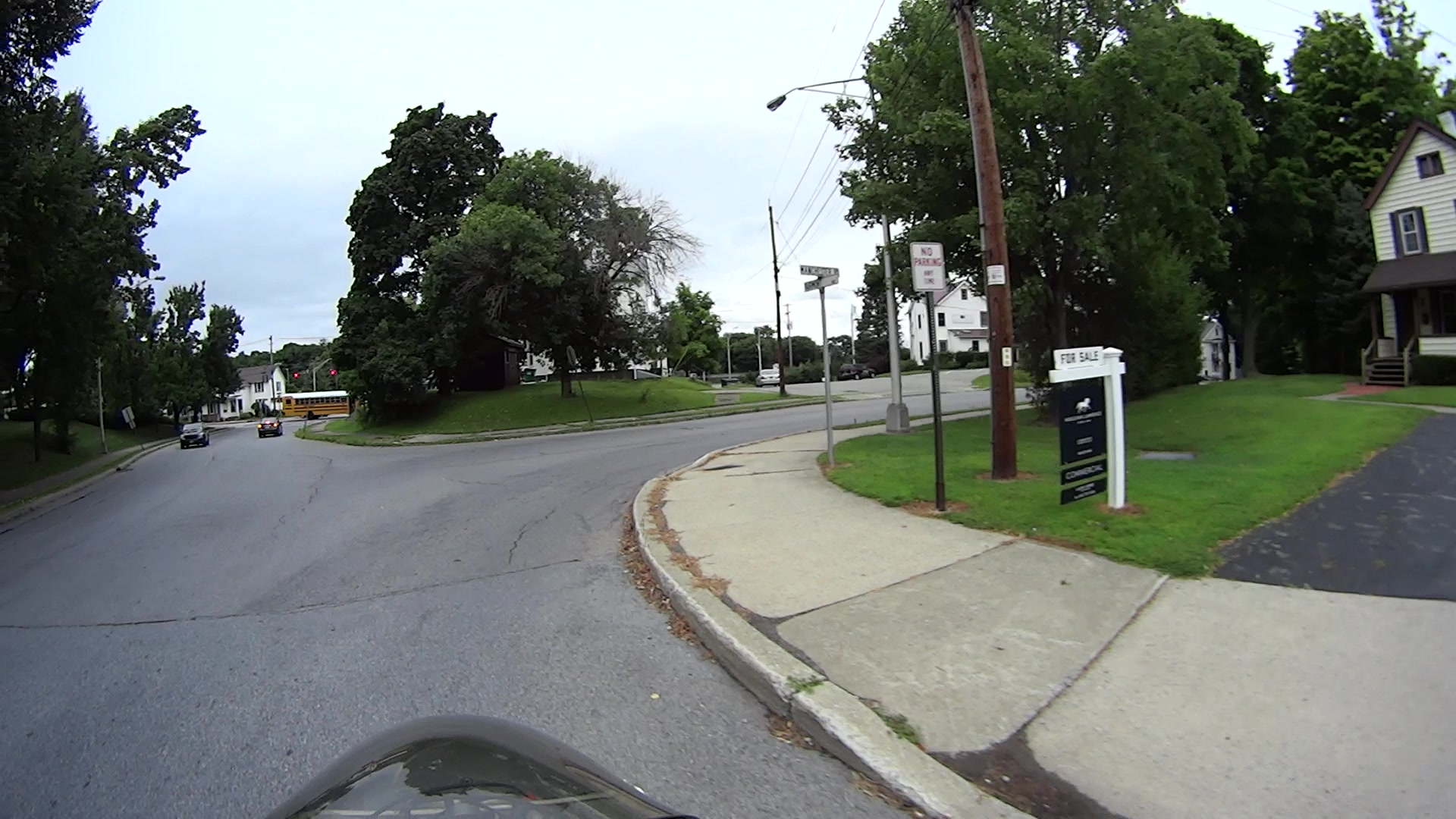
    FSHeader-153
    FSHeader-153

    None of the (numerous) Christie’s signs in the area have a header, so this may be a case of a squeaky wheel getting greased. I won’t be surprised to see a corporate image change, including larger type, as these fancy signs weather away.

    Perhaps the correct conclusion to be drawn is that, in this Internet age, nobody buys a house based on the quaint custom of driving by a house-with-sign, thinking “Hey, that’s perfect for me!”, and calling the agent, so there’s no need for anything more than a pro-forma marker identifying a property that will be selected by filters applied to MLS / Zillow databases.

    The most recent change simplifies the sign to the bare minimum:

    FSMissing
    FSMissing

    Perhaps we’ve witnessed a falling-out over typography?

    This began as a test of the Sony HDR-AS30V camera’s resolution, with the obvious conclusion it wasn’t intended as a camera suitable for recording text.

  • NP-BX1 Lithium Batteries: 6 Month Status

    The battery capacities after six months are, of course, lower:

    Sony NP-BX1 - OEM Wasabi - 2014-08-17
    Sony NP-BX1 – OEM Wasabi – 2014-08-17

    I didn’t bring the HDR-AS30V camera along on the Hudson River ride, simply because each battery lasts about 1.5 hr in 1920×1080 @ 60 fps mode and I wasn’t up to replacing batteries during the ride, then charging all three every evening. Obviously, the camera wasn’t intended for that use case.

    Somewhat surprisingly, the Wasabi batteries deliver the same continuous run time as the Sony battery: 1:30 vs 1:33. I used 250 mA for those discharge curves, but I think something around 500 mA would better match the camera load.

    I’m sorely tempted to drill a hole in the camera’s case and wire in a honkin’ big prismatic lithium cell.

  • Cycling the Hudson Valley: 2014

    Seven days and 300 miles of pedal pushing:

    KE4ZNU route - 2014-07-28 through 2014-08-04
    KE4ZNU route – 2014-07-28 through 2014-08-04

    We rode north to the start of the Cycling the Hudson Valley ride in (wait for it) Hudson, rode south while crossing the Hudson six times, then I rode north from Da Bronx while the other 100 riders proceeded south to the tip of Manhattan and the finish line in Brooklyn. Mary, alas, drove the last few days to avoid aggravating a tender tendon.

    While everybody else had a touristing day in Hyde Park, we slept in our own beds for two nights.

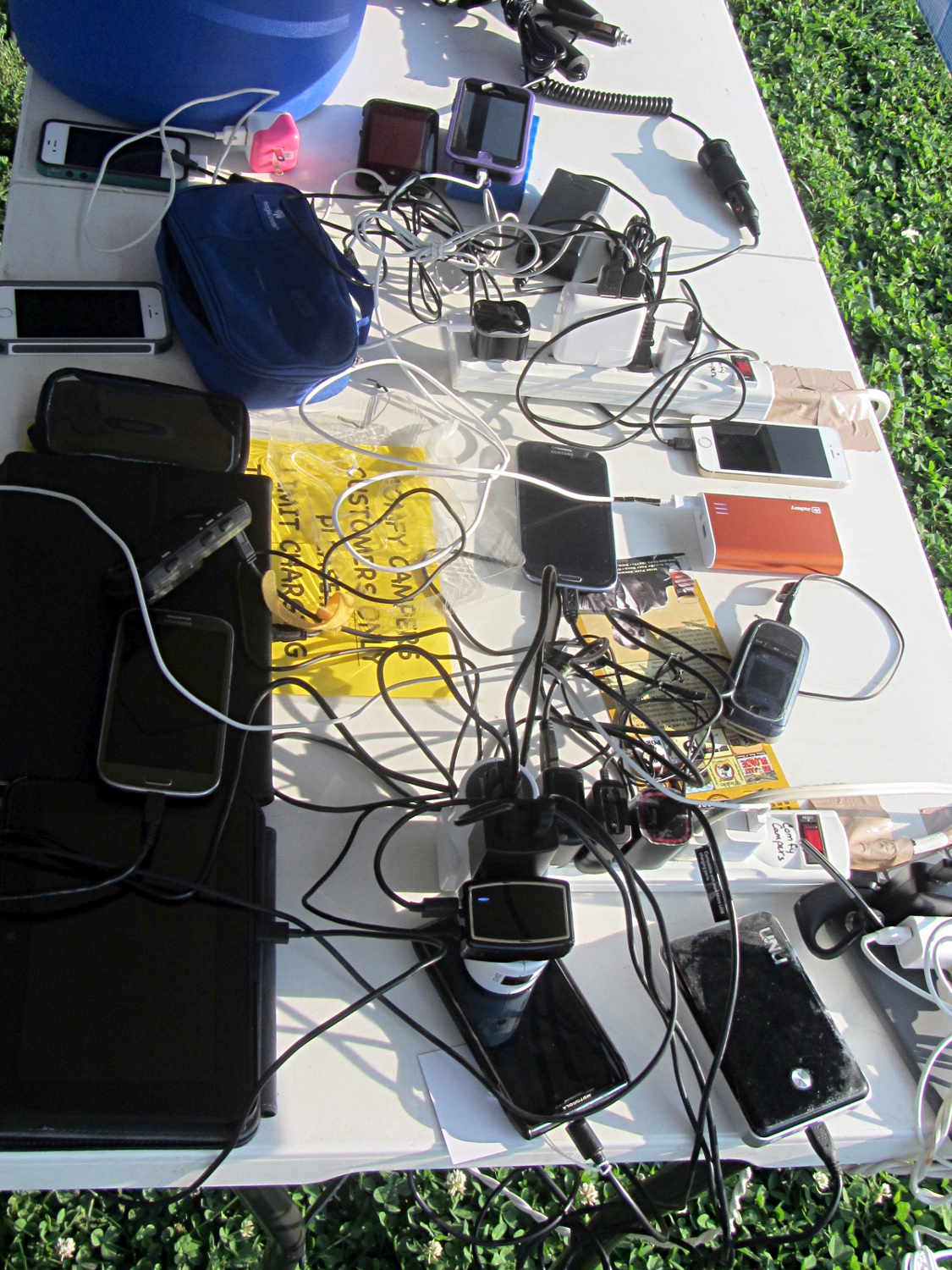
    Everything you need to know about modern bicycle touring:

    Cycling the Hudson Valley - Charging Station
    Cycling the Hudson Valley – Charging Station

    The straight line along the right side of the map, from just below the New Croton Reservoir to Hopewell Junction, represents data loss from riding in a valley, plus knocking the coaxial power plug out of the battery pack where the South County Trail becomes one with Rt 100 / Saw Mill River Road for a few miles.

    That last day had plenty of hillclimbing, even on the rail trail, but with a rewarding section of Rt 52 that drops 500 feet in a mile; I hit 41 mph while passing under I-84.

    A good time was had by all!

  • Clymene Moth

    The first Clymene Moth we ever saw:

    Clymene Moth
    Clymene Moth

    It’s a poor picture, but the moth was up and away after that; as always, the poor picture you get is better than the great picture you might have gotten.

    A few days later, we spotted two of them on a brick wall, so there must be a bunch more out there.

  • Monthly Image: Overblown Vette

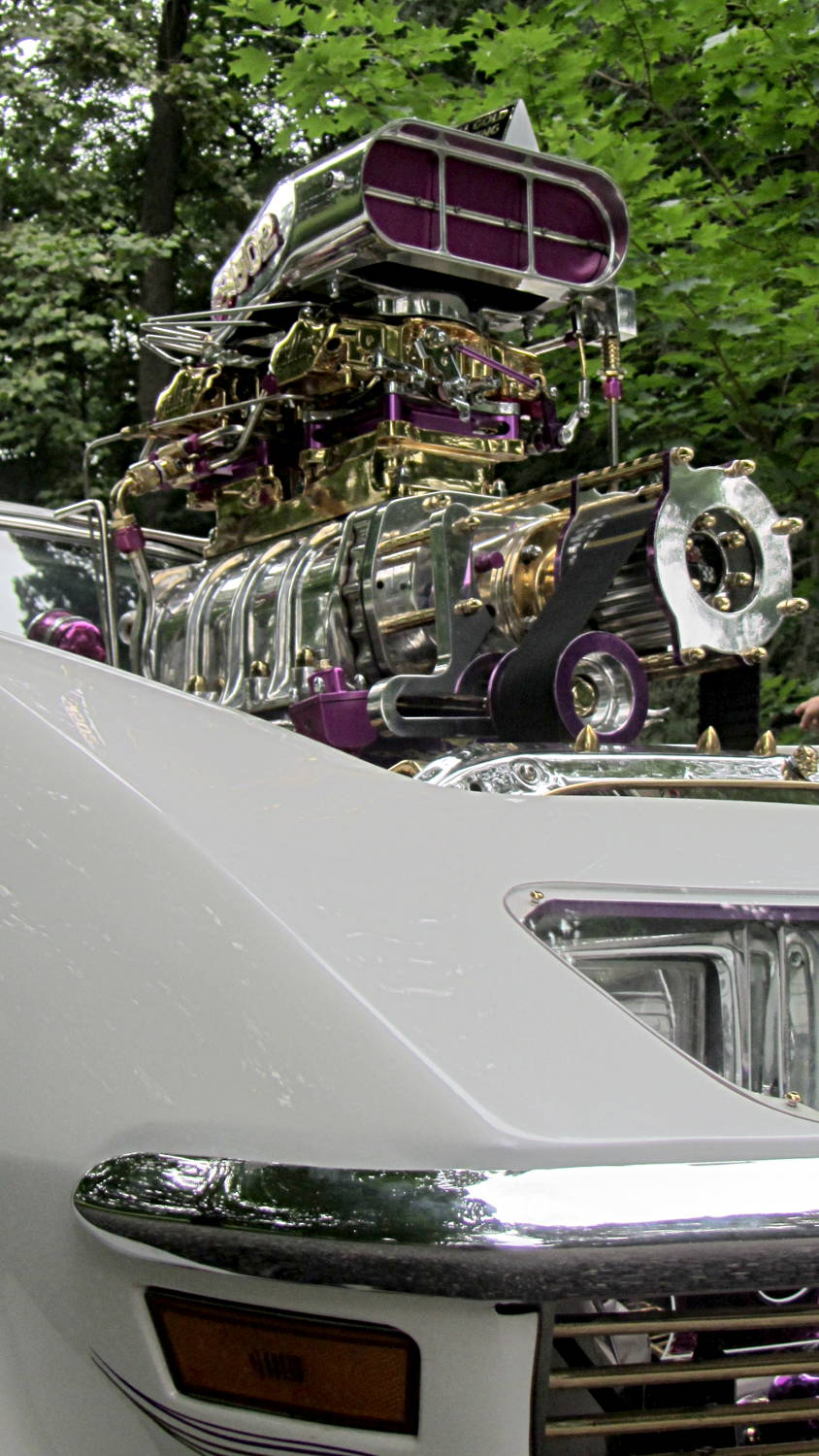
    I should do something like this to the Forester:

    Seriously Blown Vette
    Seriously Blown Vette

    We were volunteering at the annual Locust Grove Classic Car Show, which also included a monster 1913 FIAT made in Poughkeepise.

  • Verifying a 64 GB MicroSD Card

    Having just acquired a pair of 64 GB MicroSD cards for the HDR-AS30V camera, I found that I don’t have enough free disk space for 64 GB of white noise and, thus, can’t use the same technique as for the 32 GB card. I now, however, have a stockpile of helmet camera video files that are close enough to white noise for my purposes and come in convenient chunks.

    Start by copying enough big video files to nearly fill the card:

    sudo mount /dev/sdb1 /mnt/backup
    sudo mount -o uid=ed /dev/sdc1 /mnt/part
    FUSE exfat 1.0.1
    cd /mnt/backup/Video
    find -iname MAH*MP4 -size +3G | head -16 | xargs -I{} rsync -vrt --progress {} /mnt/part
    sending incremental file list
    MAH00122.MP4
      4,275,755,727 100%   11.94MB/s    0:05:41 (xfr#1, to-chk=0/1)
    
    sent 4,276,799,695 bytes  received 35 bytes  12,487,006.51 bytes/sec
    total size is 4,275,755,727  speedup is 1.00
    ... snippage ...
    

    The head -16 ensures that you won’t waste a lot of time copying too many files. The card has about 59 GB free, so 16 x 4 GB is about right.

    The -vrt adds verbosity and omits permission settings that ExFAT doesn’t understand; otherwise, you’d just use -va and be done with it.

    Then tuck some smaller files into the remaining nooks and crannies:

    find -iname MAH*MP4 -size -400M | head -16 | xargs -I{} rsync -vrt --progress {} /mnt/part
    ... snippage ...
    

    Some fiddling with the -size -400M and head -16 values may be in order, depending on how many snippets of video data you may have.

    Compare the copies with the original files:

    cd /mnt/part
    for f in * ; do find /mnt/backup/Video/ -name $f | xargs diff $f ; done
    

    If you don’t see anything, then they’re all good!

    There’s probably an algorithmic solution that would eliminate the guesstimation, but very nearly all of the time goes to copying and comparing, so it can’t make much difference.

  • Image File Recovery Redux

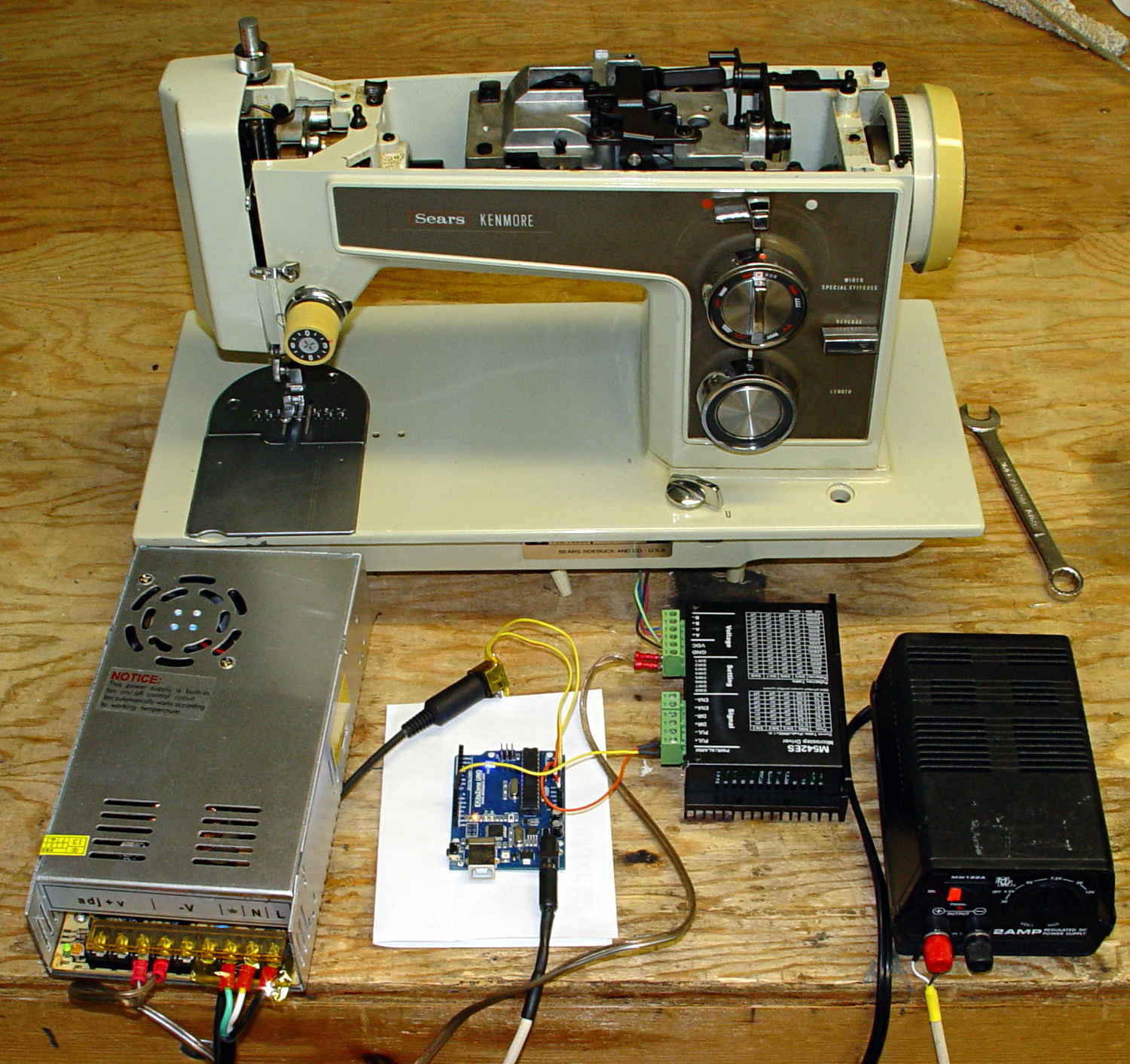
    Took a picture of the sewing machine setup with the Sony DSC-F717, transferred it into DigiKam, got the “done transferring, you can disconnect the camera” message, believed it, disconnected the camera, deleted the image file, and then discovered that DigiKam mislaid the image file.

    Rather than re-set-up and re-take the shot, I followed my own directions and recovered the image from the Memory Stick:

    dmesg | tail
    [43176.079853] usb 2-1.6.3: New USB device strings: Mfr=1, Product=2, SerialNumber=0
    [43176.079855] usb 2-1.6.3: Product: Sony PTP
    [43176.079856] usb 2-1.6.3: Manufacturer: Sony
    [43198.073652] usb 2-1.6.3: USB disconnect, device number 22
    [43333.788533] sd 9:0:0:0: [sdc] 1947648 512-byte logical blocks: (997 MB/951 MiB)
    [43333.803292] sd 9:0:0:0: [sdc] No Caching mode page found
    [43333.803299] sd 9:0:0:0: [sdc] Assuming drive cache: write through
    [43333.824681] sd 9:0:0:0: [sdc] No Caching mode page found
    [43333.824688] sd 9:0:0:0: [sdc] Assuming drive cache: write through
    [43333.825491]  sdc: sdc1
    sudo dd if=/dev/sdc of=/tmp/pix.bin bs=1M
    ^C615+0 records in
    614+0 records out
    643825664 bytes (644 MB) copied, 38.5841 s, 16.7 MB/s
    strings -t x pix.bin | grep Exif | head
      68006 Exif
     208006 Exif
     3f8005 _Exif
     7b8006 Exif
    13d8006 Exif
    15b0005 wExif
    1798005 CExif
    19c0006 Exif
    1b90006 Exif
    1f98005 %Exif
    dd if=pix.bin of=image03.jpg bs=$((16#1000)) count=1K skip=$((16#3f8))
    1024+0 records in
    1024+0 records out
    4194304 bytes (4.2 MB) copied, 0.0121431 s, 345 MB/s
    display image03.jpg
    convert image03.jpg dsc00656.jpg
    

    Obviously, there was a bit more flailing around than you see here, but that’s the gist of the adventure. For what it’s worth, image01 was a random blurred shot and image02 is the ID picture I keep on all my cameras.

    The convert step discards all the junk after the end of the image, so the dsc00656.jpg file doesn’t include anything unexpected.

    The picture isn’t all that much to look at, even after cropping out the background, but …

    Kenmore 158 - stepper drive test
    Kenmore 158 – stepper drive test

    The advantage of the manual method: renewing one’s acquaintance with tools that come in handy for other tasks.