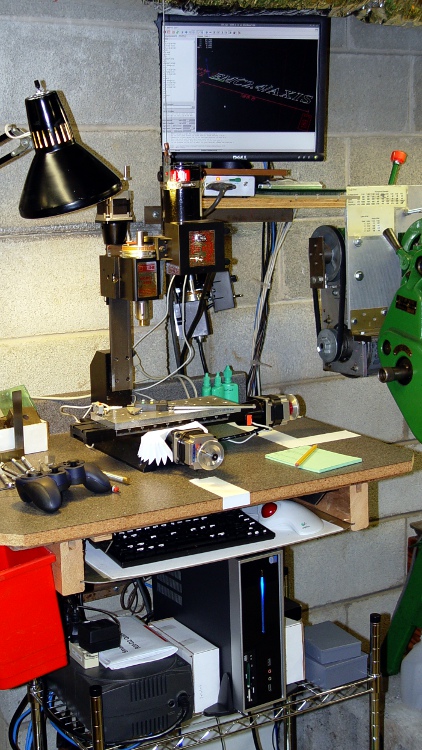
The dual-core-ness of the D520, as set up there, allows a distinct improvement in the EMC2 BASE_PERIOD setting, which is exactly why I undertook this adventure.
The 100 µs period I used on the Dell Dimension 4550 ensured the occasional long-latency burps wouldn’t cause much trouble… and they didn’t. The setup used the HAL step generator’s ability to supply a single pulse within one base period, so the maximum stepping rate was 1/100 µs = 10 k steps / second.
However, that also determines the granularity of speed changes, so the controller can only drive the motors at multiples of the basic 100 µs without interpolating. For example, the four fastest step rates are:
- 1/100 µs = 10 k step/sec
- 1/200 µs =5 k step/sec
- 1/300 µs = 3.3 k step/sec
- 1/400 µs = 2.5 k step/sec
The motors have 200 major steps / revolution and run in quarter-step mode: 800 microsteps / revolution. The axes have 20 turn-per-inch leadscrews, thus requiring 16 k step pulses per inch of travel.
That means the corresponding traverse speeds are (step/sec) / (step/inch):
- 10 k step/sec -> 0.625 in/sec = 37 in/min
- 5 k step/sec -> 0.313 in/sec = 18.75 in/min
- 3.3 k step/sec -> 0.206 in/sec = 12.37 in/min
- 2.5 k step/sec -> 0.156 in/sec = 9.37 in/min
Those are fairly large jumps between the speeds, which means the motor acceleration when the step rate changes is fairly high. HAL interpolates by bunching groups of pulses, but higher resolution is better.
The Atom CPU has latencies under 10 µs, with no large burps that I’ve seen so far, so I set the BASE_PERIOD to 50 µs. However, that required changing the HAL step generator to produce a pulse during two successive periods (one high, one low) to keep the pulses wide enough for the motor controller. That means the highest step rate is still 10 k steps/sec and the top speed is still 37 inch/min.
However, HAL can now adjust the period in smaller increments with lower acceleration between the jumps. The four fastest rates are now:
- 1/100 µs = 10 k step/sec -> 0.625 in/sec = 37 in/min
- 1/150 µs =6.7 k step/sec -> 0.417 in/sec = 25 in/min
- 1/200 µs = 5 k step/sec -> 0.313 in/sec = 18.75 in/min
- 1/250 µs = 4 k step/sec -> 0.250 in/sec = 15 in/min
A stock Sherline CNC milling machine is rated for 22 inch/min (0.37 inch/sec) rapid motion on all three axes. That means the maximum step rate is
- (0.37 inch/sec) * (16 k step/in) = 5.9 kHz
Quite some years ago, I rebuilt my Sherline controller box to reduce its electrical and acoustic noise, then did a clean-room reimplementation of the firmware in the PIC microcontrollers. After the dust settled, my firmware could handle 8 k steps / sec, which works out to 0.5 in/sec = 30 in/min.
That turns out to be slightly more aggressive than the whole lashup can tolerate; I can hear the motors take occasional hits as they miss the odd step at 30 inch/min.
So I set the overall MAX_LINEAR_VELOCITY = 0.400 inch/sec = 24 inch/min, which is also the MAX_VELOCITY for both X and Y. The Z axis, as always, is happier with a bit slower top speed: 0.333 inch/sec = 20 inch/min. The maximum step rate is 0.4 x 16 k = 6.4 kHz, comfortably under the controller’s upper limit.
The MAX_ACCELERATION for X and Y = 5.0 in/sec2, with Z at 3.0. STEPGEN_MAXACCEL for each axis is twice that; I have each axis set for a few mils of backlash compensation.
With all that in mind, the changed configuration files look like this, with the others remaining as described there.
Sherline.hal, with the new stepgen pulse specs
# Generated by stepconf at Sat Aug 23 12:10:22 2008
# If you make changes to this file, they will be
# overwritten when you run stepconf again
loadrt trivkins
loadrt [EMCMOT]EMCMOT base_period_nsec=[EMCMOT]BASE_PERIOD servo_period_nsec=[EMCMOT]SERVO_PERIOD traj_period_nsec=[EMCMOT]SERVO_PERIOD key=[EMCMOT]SHMEM_KEY num_joints=[TRAJ]AXES
loadrt probe_parport
loadrt hal_parport cfg="0x378 out"
setp parport.0.reset-time 60000
loadrt stepgen step_type=0,0,0,0
loadrt pwmgen output_type=0

addf parport.0.read base-thread
addf stepgen.make-pulses base-thread
addf pwmgen.make-pulses base-thread
addf parport.0.write base-thread
addf parport.0.reset base-thread

addf stepgen.capture-position servo-thread
addf motion-command-handler servo-thread
addf motion-controller servo-thread
addf stepgen.update-freq servo-thread
addf pwmgen.update servo-thread

net spindle-cmd <= motion.spindle-speed-out => pwmgen.0.value
net spindle-enable <= motion.spindle-on => pwmgen.0.enable
net spindle-pwm <= pwmgen.0.pwm
setp pwmgen.0.pwm-freq 100.0
setp pwmgen.0.scale 1166.66666667
setp pwmgen.0.offset 0.114285714286
setp pwmgen.0.dither-pwm true
net spindle-cw <= motion.spindle-forward

net estop-out => parport.0.pin-01-out
net xdir => parport.0.pin-02-out
net xstep => parport.0.pin-03-out
setp parport.0.pin-03-out-reset 0
setp parport.0.pin-04-out-invert 1
net ydir => parport.0.pin-04-out
net ystep => parport.0.pin-05-out
setp parport.0.pin-05-out-reset 0
setp parport.0.pin-06-out-invert 1
net zdir => parport.0.pin-06-out
net zstep => parport.0.pin-07-out
setp parport.0.pin-07-out-reset 0
net adir => parport.0.pin-08-out
net astep => parport.0.pin-09-out
setp parport.0.pin-09-out-reset 0
net spindle-cw => parport.0.pin-14-out
net spindle-pwm => parport.0.pin-16-out
net xenable => parport.0.pin-17-out

setp stepgen.0.position-scale [AXIS_0]SCALE
setp stepgen.0.steplen 1
setp stepgen.0.stepspace 1
setp stepgen.0.dirhold 60000
setp stepgen.0.dirsetup 60000
setp stepgen.0.maxaccel [AXIS_0]STEPGEN_MAXACCEL
net xpos-cmd axis.0.motor-pos-cmd => stepgen.0.position-cmd
net xpos-fb stepgen.0.position-fb => axis.0.motor-pos-fb
net xstep <= stepgen.0.step
net xdir <= stepgen.0.dir
net xenable axis.0.amp-enable-out => stepgen.0.enable

setp stepgen.1.position-scale [AXIS_1]SCALE
setp stepgen.1.steplen 1
setp stepgen.1.stepspace 1
setp stepgen.1.dirhold 60000
setp stepgen.1.dirsetup 60000
setp stepgen.1.maxaccel [AXIS_1]STEPGEN_MAXACCEL
net ypos-cmd axis.1.motor-pos-cmd => stepgen.1.position-cmd
net ypos-fb stepgen.1.position-fb => axis.1.motor-pos-fb
net ystep <= stepgen.1.step
net ydir <= stepgen.1.dir
net yenable axis.1.amp-enable-out => stepgen.1.enable

setp stepgen.2.position-scale [AXIS_2]SCALE
setp stepgen.2.steplen 1
setp stepgen.2.stepspace 1
setp stepgen.2.dirhold 60000
setp stepgen.2.dirsetup 60000
setp stepgen.2.maxaccel [AXIS_2]STEPGEN_MAXACCEL
net zpos-cmd axis.2.motor-pos-cmd => stepgen.2.position-cmd
net zpos-fb stepgen.2.position-fb => axis.2.motor-pos-fb
net zstep <= stepgen.2.step
net zdir <= stepgen.2.dir
net zenable axis.2.amp-enable-out => stepgen.2.enable

setp stepgen.3.position-scale [AXIS_3]SCALE
setp stepgen.3.steplen 1
setp stepgen.3.stepspace 1
setp stepgen.3.dirhold 60000
setp stepgen.3.dirsetup 60000
setp stepgen.3.maxaccel [AXIS_3]STEPGEN_MAXACCEL
net apos-cmd axis.3.motor-pos-cmd => stepgen.3.position-cmd
net apos-fb stepgen.3.position-fb => axis.3.motor-pos-fb
net astep <= stepgen.3.step
net adir <= stepgen.3.dir
net aenable axis.3.amp-enable-out => stepgen.3.enable

net estop-out <= iocontrol.0.user-enable-out
net estop-out => iocontrol.0.emc-enable-in

loadusr -W hal_manualtoolchange
net tool-change iocontrol.0.tool-change => hal_manualtoolchange.change
net tool-changed iocontrol.0.tool-changed <= hal_manualtoolchange.changed
net tool-number iocontrol.0.tool-prep-number => hal_manualtoolchange.number
net tool-prepare-loopback iocontrol.0.tool-prepare => iocontrol.0.tool-prepared
Sherline.ini, with new periods, speeds, and accelerations
# Ed Nisley - KE4ZNU
# Just do not run stepconf ever again...

[EMC]
MACHINE = Sherline-XYZA
DEBUG = 0
RS274NGC_STARTUP_CODE = G21 G40 G49 G54 G80 G90 G92.1 G94 G97 G98

[DISPLAY]
DISPLAY = axis
EDITOR = gedit
GEOMETRY = AXYZ
POSITION_OFFSET = RELATIVE
POSITION_FEEDBACK = ACTUAL
MAX_FEED_OVERRIDE = 3.0
INTRO_GRAPHIC = /home/ed/emc2/configs/Sherline-XYZA/Sherline.gif
INTRO_TIME = 3
#PROGRAM_PREFIX = /mnt/bulkdata/
PROGRAM_PREFIX = ~/emc2/nc_files
#INCREMENTS = .1in .05in .01in .005in .001in .0005in .0001in
INCREMENTS = 10 mm, 1 mm, 0.1 mm, 90 deg, 45 deg, 10 deg

[FILTER]
PROGRAM_EXTENSION = .py Python Script
py = python

[TASK]
TASK = milltask
CYCLE_TIME = 0.010

[RS274NGC]
PARAMETER_FILE = emc.var

[EMCMOT]
EMCMOT = motmod
SHMEM_KEY = 111
COMM_TIMEOUT = 1.0
COMM_WAIT = 0.010
BASE_PERIOD = 50000
SERVO_PERIOD = 1000000

[HAL]
HALUI=halui
HALFILE = Sherline.hal
HALFILE = custom.hal
HALFILE = Logitech_Gamepad.hal
POSTGUI_HALFILE = custom_postgui.hal

[TRAJ]
AXES = 4
COORDINATES = X Y Z A
MAX_ANGULAR_VELOCITY = 45.00
DEFAULT_ANGULAR_VELOCITY = 36.0
LINEAR_UNITS = inch
ANGULAR_UNITS = degree
CYCLE_TIME = 0.010
DEFAULT_VELOCITY = 0.400
MAX_LINEAR_VELOCITY = 0.400
POSITION_FILE =	lastposition.txt
NO_FORCE_HOMING = 1

[EMCIO]
EMCIO = io
CYCLE_TIME = 0.100
TOOL_TABLE = Sherline.tbl
TOOL_CHANGE_AT_G30 = 1

[AXIS_0]
TYPE = LINEAR
MAX_VELOCITY = 0.400
MAX_ACCELERATION = 5.0
STEPGEN_MAXACCEL = 10.0
SCALE = 16000.0
FERROR = 0.05
MIN_FERROR = 0.01
MIN_LIMIT = -1.0
MAX_LIMIT = 9.5
BACKLASH = 0.003
HOME_IS_SHARED = 1
HOME_SEQUENCE = 2
HOME_SEARCH_VEL = 0.3
HOME_LATCH_VEL = 0.016
HOME_FINAL_VEL = 0.4
HOME_OFFSET = 9.1
HOME = 4.5

[AXIS_1]
TYPE = LINEAR
MAX_VELOCITY = 0.400
MAX_ACCELERATION = 5.0
STEPGEN_MAXACCEL = 10.0
SCALE = 16000.0
FERROR = 0.05
MIN_FERROR = 0.01
MIN_LIMIT = -0.5
MAX_LIMIT = 4.90
BACKLASH = 0.003
HOME_IS_SHARED = 1
HOME_SEQUENCE = 1
HOME_SEARCH_VEL = -0.3
HOME_LATCH_VEL = -0.016
HOME_FINAL_VEL = 0.4
HOME_OFFSET = 0.0
HOME = 4.0

[AXIS_2]
TYPE = LINEAR
MAX_VELOCITY = 0.333
MAX_ACCELERATION = 3.0
STEPGEN_MAXACCEL = 6.0
SCALE = 16000.0
FERROR = 0.05
MIN_FERROR = 0.01
MIN_LIMIT = 0.0
MAX_LIMIT = 6.930
BACKLASH = 0.005
HOME_IS_SHARED = 1
HOME_SEQUENCE = 0
HOME_SEARCH_VEL = 0.200
HOME_LATCH_VEL = 0.016
HOME_FINAL_VEL = 0.3
HOME_OFFSET = 6.93
HOME = 6.5

[AXIS_3]
TYPE = ANGULAR
###WRAPPED_ROTARY = 1
MAX_VELOCITY = 40.0
MAX_ACCELERATION = 250.0
STEPGEN_MAXACCEL = 275.0
SCALE = 160.0
FERROR = 1
MIN_FERROR = .25
MIN_LIMIT = -999999999.9
MAX_LIMIT =  999999999.9
HOME_SEARCH_VEL = 0
HOME_LATCH_VEL = 0
HOME = 0.0