Ed Nisley's Blog: Shop notes, electronics, firmware, machinery, 3D printing, laser cuttery, and curiosities. Contents: 100% human thinking, 0% AI slop.
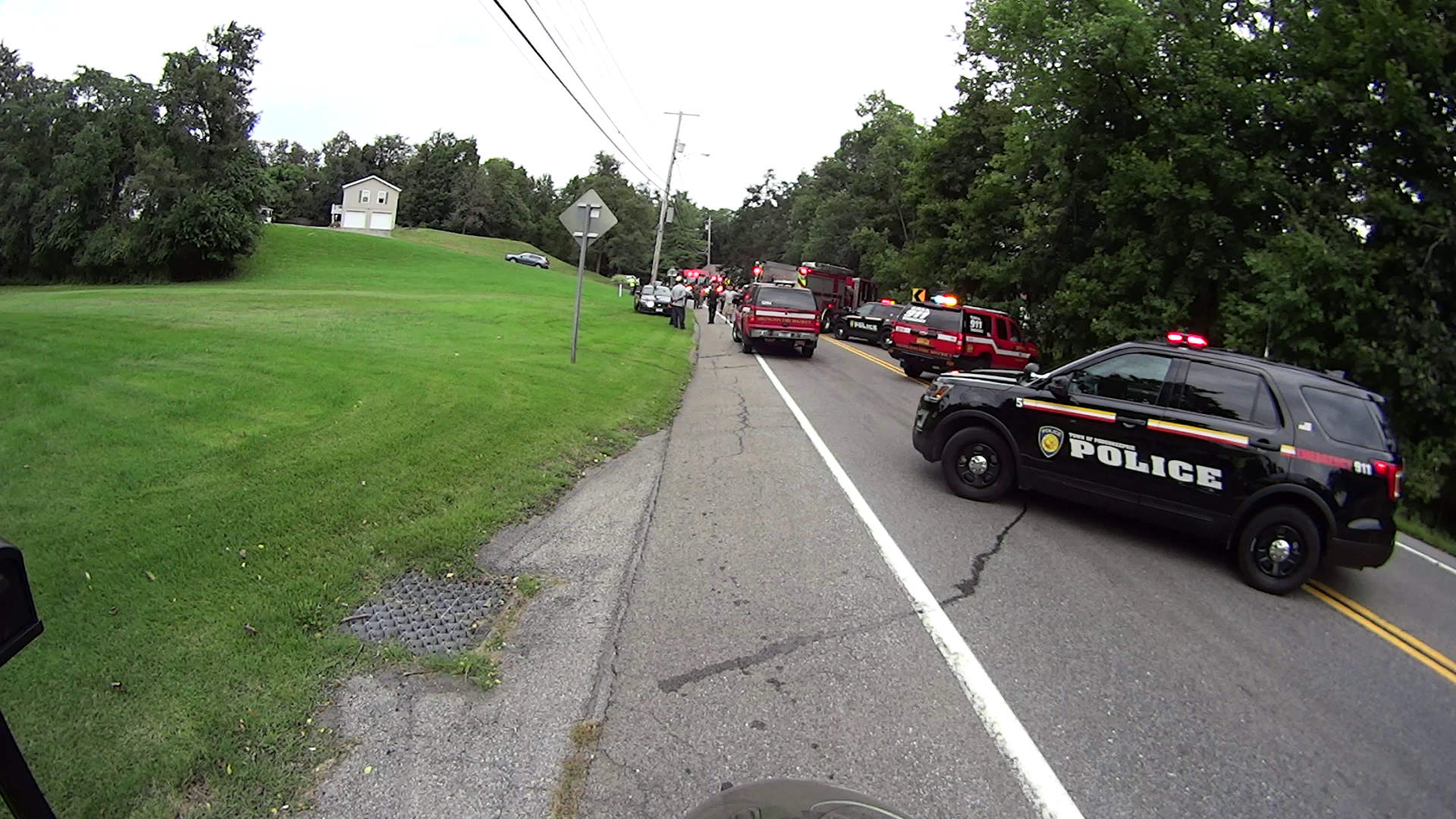
When you come upon a scene like this, you know someone’s having a Bad Day:
Rt 376 Collision Scene – approach – 2018-09-21
I rode slowly past a line of stopped cars, became a pedestrian, walked through the lawns on the left, then turned back into a bicyclist.
It appeared to be a three-car collision, with two vehicles aligned almost perfectly nose-to-nose in the northbound lane:
Rt 376 Collision Scene – overview – 2018-09-21
The red 2015-ish Forester apparently snagged a rear wheel on the far side of another contestant:
Rt 376 Collision Scene – Forester – 2018-09-21
Talk about heart-stopping: Mary had driven off to a meeting some hours before. Even though the wrecked Forester differed in enough details to make me absolutelycertain it wasn’t ours , Mary got a firmer-than-usual hug when she got home.
A picture not shown: two expressionless officers supervising a guy having great difficulty walking the fog line.
I’ll never know the rest of the story, but the overall outline seems clear.
I carry a garish scar under my right arm from my collision with a frameless driver door window while commuting from classes at Lehigh U, back in the day, so I’m as bike-aware as any driver you’ll ever meet. After reading several articles describing the Dutch Reach, I put a reminder on the Forester’s driver door handle:
Dutch Reach reminder
The bright yellow block reminds me to peer into the mirror (*) before yanking the handle, regardless of which hand I’m using. Haven’t had any close calls yet, but practice makes perfect.
It’s surprisingly hard to retrain a habit, though …
(*) Update: Yes, I should look over my shoulder, too. At least now I’m aware of the situation and don’t just open the door without thinking. One step at a time.
Backstory: we get Kirkland almond butter from Amazon, because it has consistently good quality at a reasonable price. Kirkland being the Costco house brand, we’re obviously buying it from someone arbitraging the Costco price. The nearest Costco is over an hour away, so spending $60 for a membership (*) just to get almond butter doesn’t make sense.
However, I’ve discovered Amazon’s “buy it again” prompting generally doesn’t offer the best deal, so I start each purchase cycle with a general search. The current results proved interesting (clicky for more dots):
Amazon – unit pricing FAIL
Let’s go through this slowly.
The first result shows the “unit pricing” isn’t done automatically, because it’s completely wrong:
Amazon – unit pricing puzzle
I can figure half of $27.52 isn’t $9.17, but dividing $27.52 by three really is. Dividing by two, the actual size, says the correct “unit price” is $13.76 each. Oddly, searching a day later showed the price went up to $28.69, with the same incorrect divide-by-three unit pricing error.
The “Amazon’s Choice” result simply means a bunch of people bought from that listing, not that Amazon has an actual involvement apart from raking in their take. There’s no unit pricing, but each jar works out to $13.59.
The last result confirms Amazon’s unit pricing bogosity by (correctly!) dividing $26.23 by two, but then claiming the unit price is “per ounce”.
Weirdly, everybody selling the two-pack prices it that way:
Amazon – unit pricing consistent FAIL
We’re surely not looking at half a dozen heads of the same hydra, so this bogosity derives from the commingled UPC (ASIN, whatever) warehouse stock technique giving Amazon a way to avoid responsibility for counterfeits. Somebody (presumably at Amazon) selected the calculation to produce the unit price, but fat-fingered “per ounce” rather than “per each”, and now vendors just bid for that UPC without sweating the details.
You’d (well, I’d) think a bit of Amazon’s much-vaunted machine learning would go a long way toward sorting this out, but it doesn’t.
Word: any sufficiently advanced stupidity is indistinguishable from malice.
(*) Right now, it’s $8.79 direct from Costco online and their 5% non-member surcharge seems survivable.
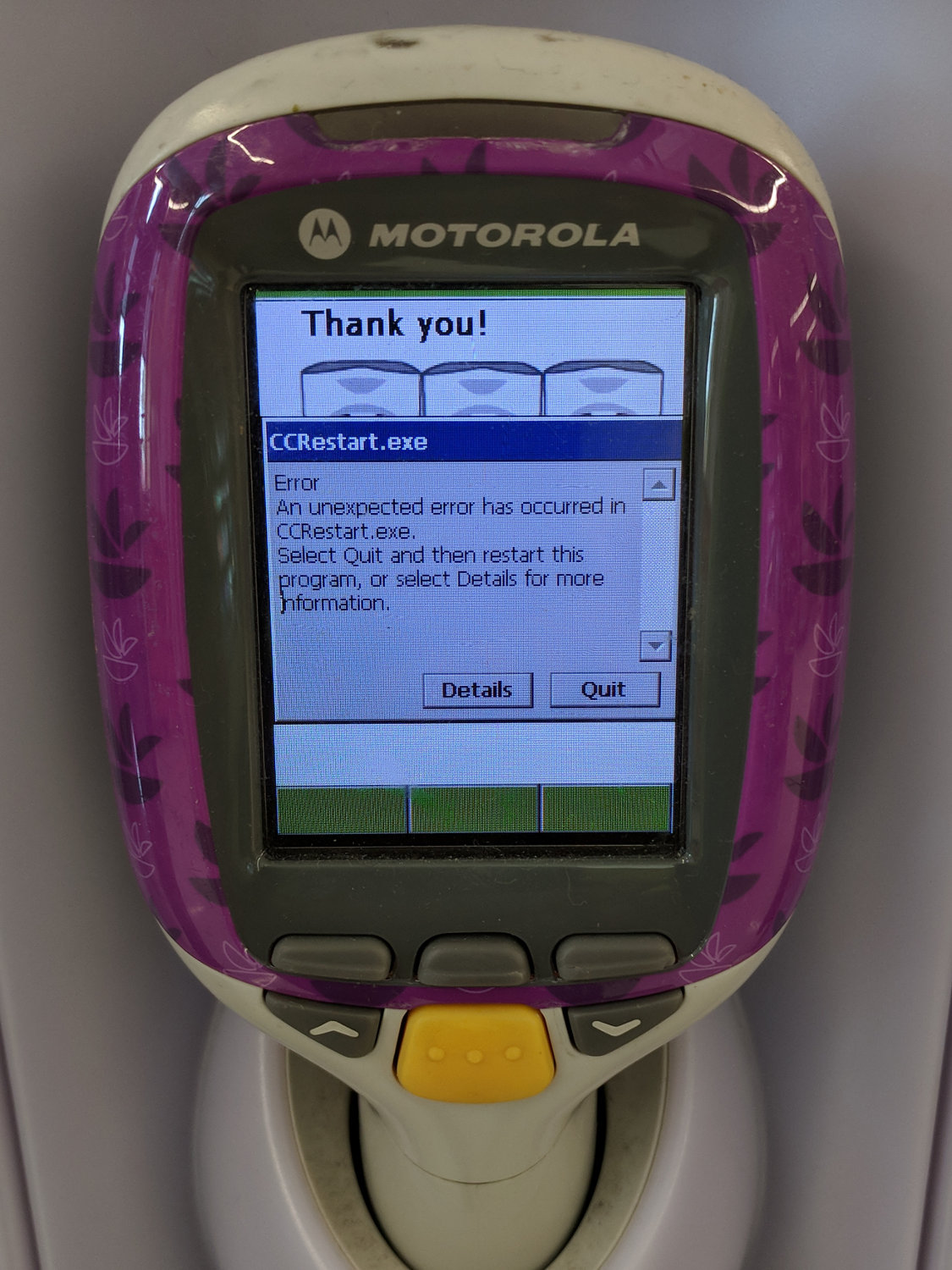
One of the scanners glowed brightly in the rack just inside the Stop and Shop:
Stop-and-Shop Scanner Error
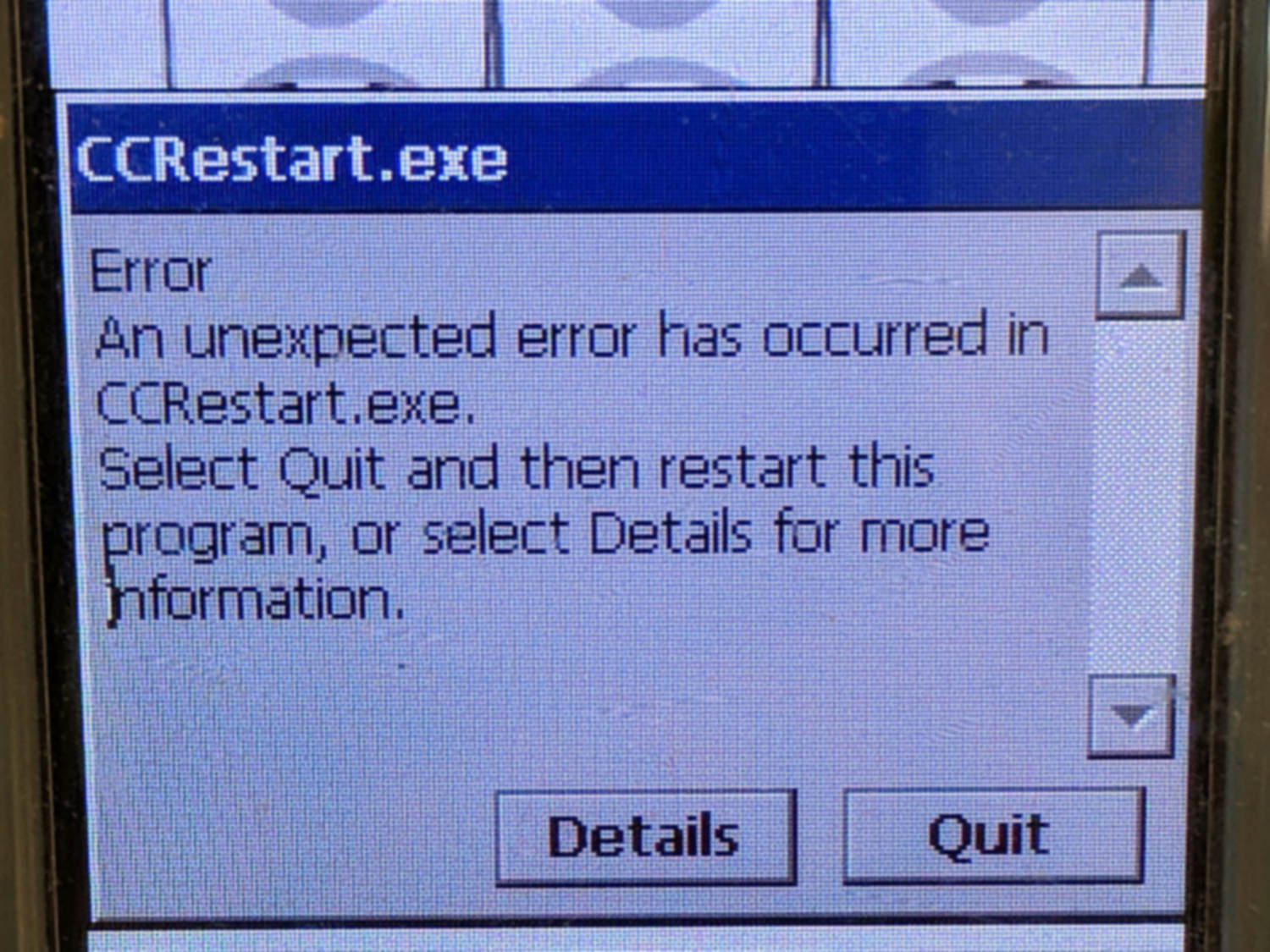
A closer look:
Stop-and-Shop Scanner Error – detail
If I understand this correctly, CCRestart just crashed, so you must restart CCRestart. The entrance of a deep rabbit hole looms behind the Quit button.
The file extension and the overall UI make it reasonable to assume the scanners run Window CE, just like some voting machines.
To the best of my knowledge, the screen isn’t touch-sensitive. I passed up the opportunity to poke the buttons below the screen …
Looking up their NDC number helps translate the bullshit Latinesque nomenclature:
Glandula Suprarenalis Suis = boar adrenal glands
Thyroidinum = cow thyroid glands
Somatropin = human growth hormone
They’re exceedingly proud of that NDC number, touting “SOMADERM Gel is the only transdermal, FDA registered product”. Indeed, it’s registered, about which the FDC has this to say:
Assigned NDC numbers are not in any way an indication of FDA approval of the product.
and
Marketing Category UNAPPROVED HOMEOPATHIC
With that in mind, consider the dilutions:
Glandula Suprarenalis Suis = 1 part per million
Thyroidinum = 10 part per billion
Somatropin = 1×10-30 = there are no words
Homeopathic “drugs” never list the starting concentration or amounts in the product, but diluting something by a factor of ten-to-the-thirty ensures not one single molecule of the original compound will make it into the bottle. This, of course, means the HGH is at “maximum strength”, in the homeopathic way of magical thinking.
You’ll surely find some molecules of pig brain and maybe even a few molecules of cow glands, but I suspect they’re not buying the “active” ingredients in shipping container lots. In round numbers, one pig adrenal, one cow thyroid, and one drop of actual HGH would supply their needs well into the future.
I would like to see how they dilute those ingredients, because I doubt they have legions of trained homeopaths succussing bottles against elastic surfaces.
Of course, such dilution requires careful attention to detail, lest a stray molecule make its way into the final product, which surely justifies the punch line:
One pair of wasps built this impressive structure behind the patio door, beside the bathroom window:
Organ Pipe Mud Dauber Wasp Nest – side view
The female wasp built six tubes over the course of an August week, carrying blobs of mud the size of her head and abdomen from sources about 30 seconds away (1 minute round trip). Each blob produces half of one serration around the tube, with a seam running down the middle, and requires 20 seconds to smooth into place. We got tired just watching her!
Each tube has many compartments, each containing a wasp larva and a paralyzed spider, with a mud cap inside the end:
Organ Pipe Mud Dauber Wasp Nest – bottom view B
We watched the wasps attack, sting, and remove spiders of a specific size from the corners of our window frames.
The young wasps in the innermost tube may not make it out alive, because they must chew through at least one outer tube before flying away:
Organ Pipe Mud Dauber Wasp Nest – bottom view A
Perhaps layering the outer tubes around a central tube makes for a more compact and durable nest, with the possible sacrifice of offspring in the center.