Ed Nisley's Blog: Shop notes, electronics, firmware, machinery, 3D printing, laser cuttery, and curiosities. Contents: 100% human thinking, 0% AI slop.
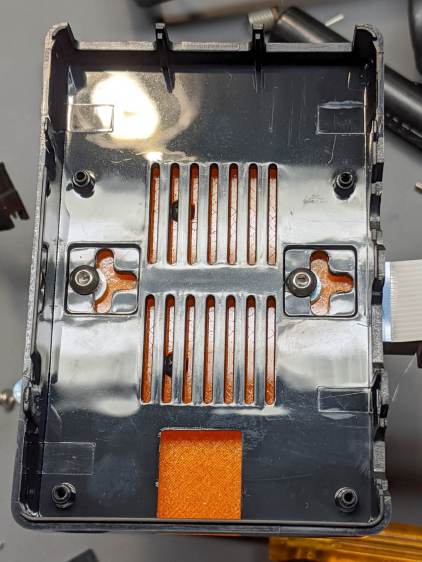
As far as I can tell, Raspberry Pi cases are a solved problem, so 3D printing an intricate widget to stick a Pi on the back of an HQ camera seems unnecessary unless you really, really like solid modeling, which, admittedly, can be a thing. All you really need is a simple adapter between the camera PCB and the case of your choice:
The plate has recesses to put the screw heads below the surface. I used nylon screws, but it doesn’t really matter.
The case has all the right openings, slots in the bottom for a pair of screws, and costs six bucks. A pair of M3 brass inserts epoxied into the plate capture the screws:
RPi HQ Camera – case adapter plate – screws
Thick washers punched from an old credit card go under the screws to compensate for the case’s silicone bump feet. I suppose Doing the Right Thing would involve 3D printed spacers matching the cross-shaped case cutouts.
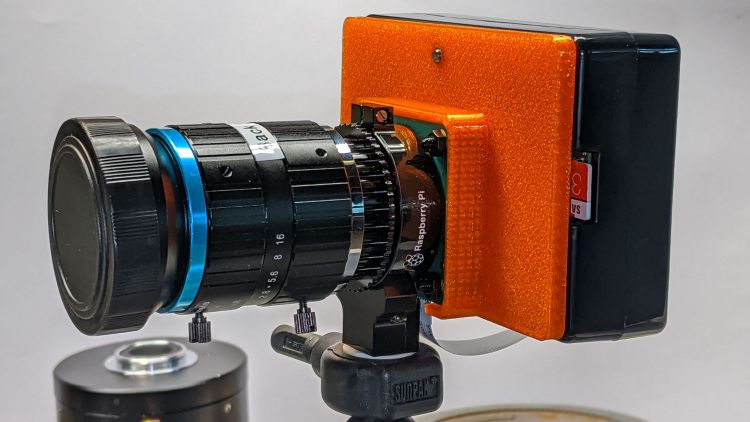
Not everyone agrees with my choice of retina-burn orange PETG:
RPi HQ Camera – 16 mm lens – case adapter plate
Yes, that’s a C-mount TV lens lurking in the background, about which more later.
This file contains hidden or bidirectional Unicode text that may be interpreted or compiled differently than what appears below. To review, open the file in an editor that reveals hidden Unicode characters.
Learn more about bidirectional Unicode characters
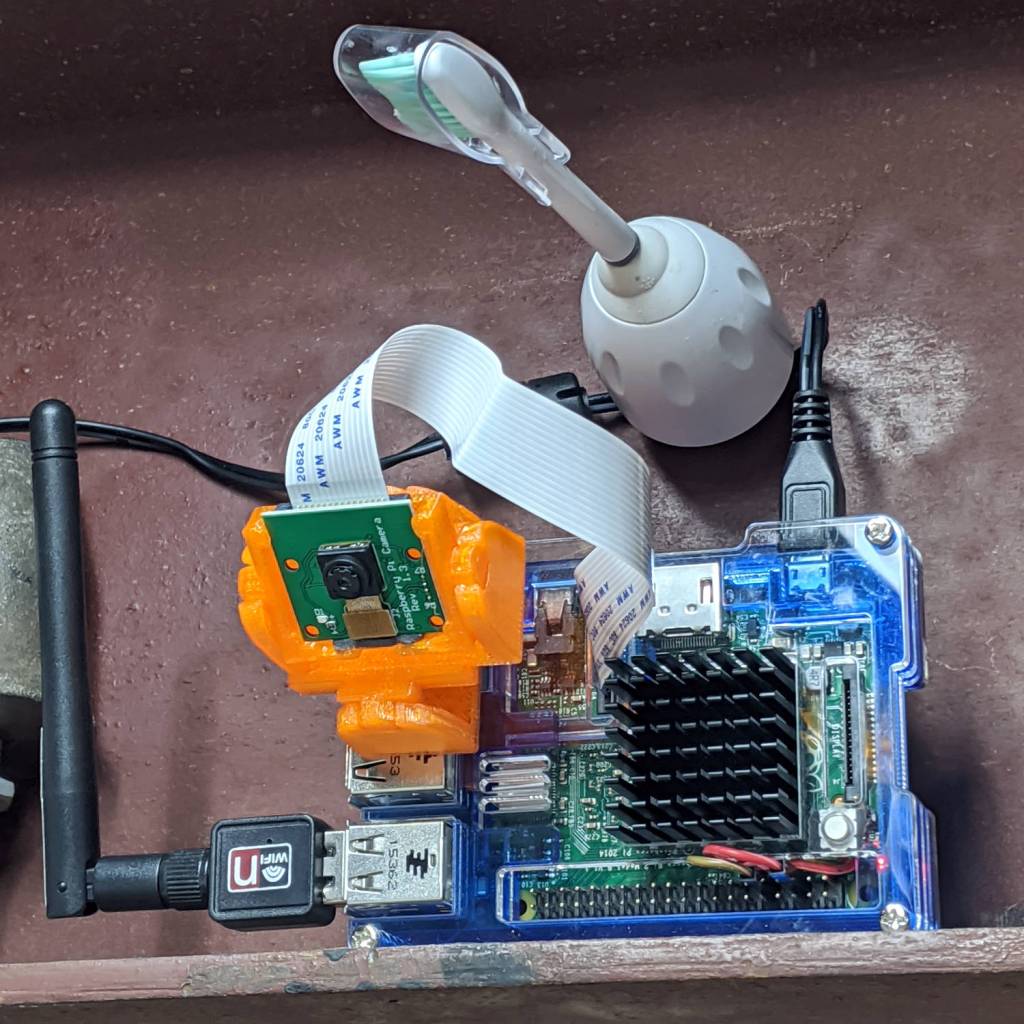
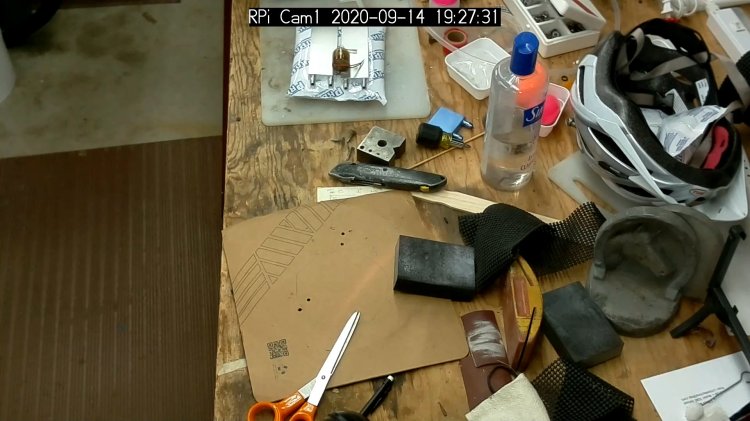
As part of spiffing my video presence for SquidWrench Zoom meetings, I put a knockoff RPi V1 camera into an Az-El mount, stuck it to a Raspberry Pi, installed the latest OS Formerly Known as Raspbian, did a little setup, and perched it on the I-beam over the workbench:
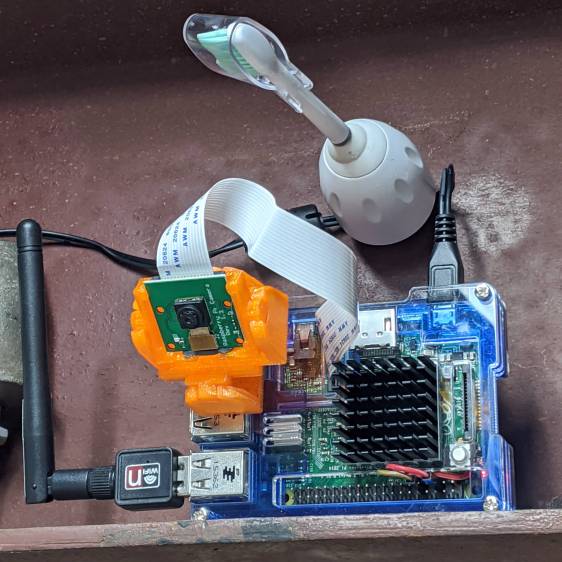
Raspberry Pi – workbench camera setup
The toothbrush head has a convenient pair of neodymium magnets affixing the RPi’s power cable to the beam, thereby preventing the whole lashup from falling off. The Pi, being an old Model B V 1.1, lacks onboard WiFi and requires a USB WiFi dongle. The white button at the lower right of the heatsink properly shuts the OS down and starts it up again.
Zoom can show video only from video devices / cameras attached to the laptop, so the trick is to make video from the RPi look like it’s coming from a local laptop device.
Start by exporting video from the Raspberry Pi:
raspivid --nopreview -t 0 -rot 180 -awb sun --sharpness -50 --flicker 60hz -w 1920 -h 1080 -ae 48 -a 1032 -a 'RPi Cam1 %Y-%m-%d %X' -b 1000000 -l -o tcp://0.0.0.0:5000
The -rot 180 -awb sun --sharpness -50 --flicker 60hz parameters make the picture look better. The bottom of the video image There is no way to predict which side of the video will be on the same side as the cable, if that’s any help figuring out which end is up, and the 6500 K LED tubes apparently fill the shop with “sun”.
The -l parameter causes raspivid to wait until it gets an incoming tcp connection on port 5000 from any other IP address, whereupon it begins capturing video and sending it out.
That’s the edge of the workbench over there on the left, looking distinctly like a cliff.
The RPi will happily stream video all day long to ffmpeg while you start / stop the display program pulling the bits from the video device. However, killing ffmpeg also kills raspivid, requiring a manual restart of both programs. This isn’t a dealbreaker for my simple needs, but it makes unattended streaming from, say, a yard camera somewhat tricky.
There appear to be an infinite number of variations on this theme, not all of which work, and some of which rest upon an unsteady ziggurat of sketchy / unmaintained software.
Addendum: If you have a couple of RPi cameras, it’s handy to run the matching ssh and ffmpeg sessions in screen / tmux / whatever terminal multiplexer you prefer. I find it easier to flip through those sessions with Ctrl-A N, rather than manage half a dozen tabs in a single terminal window. Your mileage may differ.
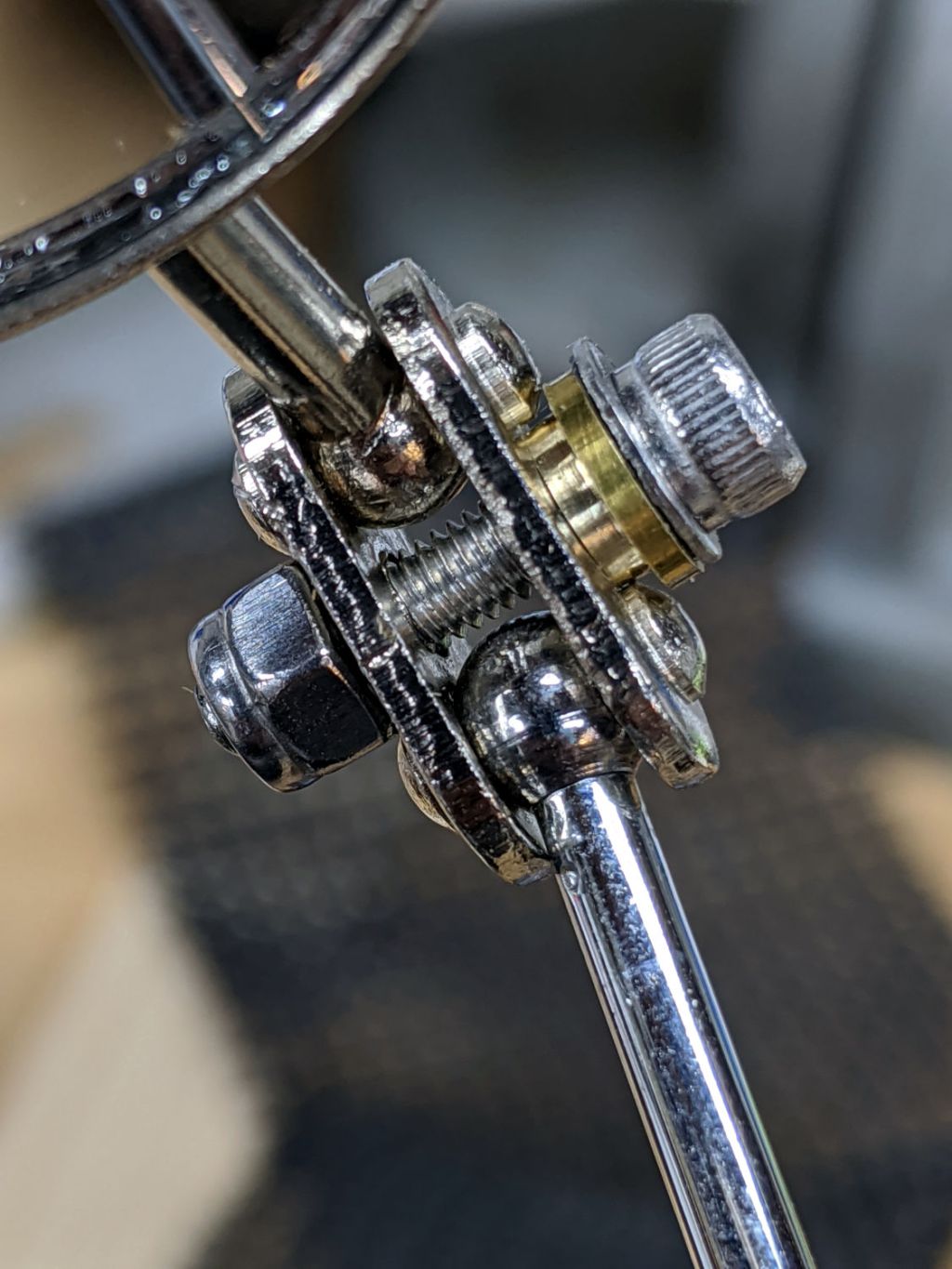
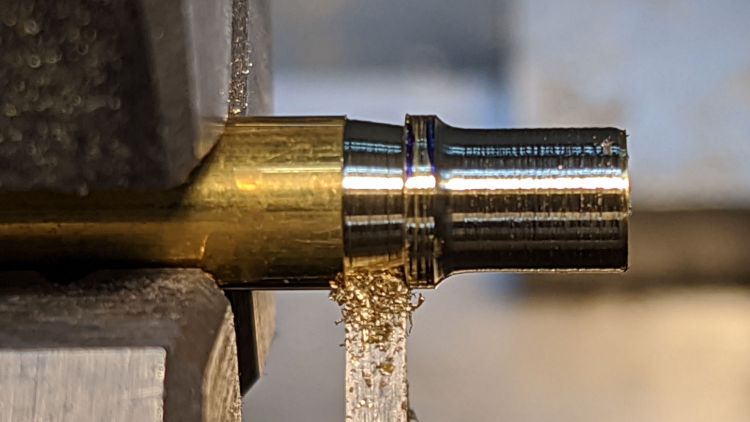
The general idea is to hold the wave washer (it’s mashed under the flat washer, honest) above those bumps on the plate holding the mirror and stalk balls. It’s a few millimeters from the end of a ¼ inch brass rod, drilled for the M3 screw, and reduced to 4.5 mm with a parting tool to clear the bumps.
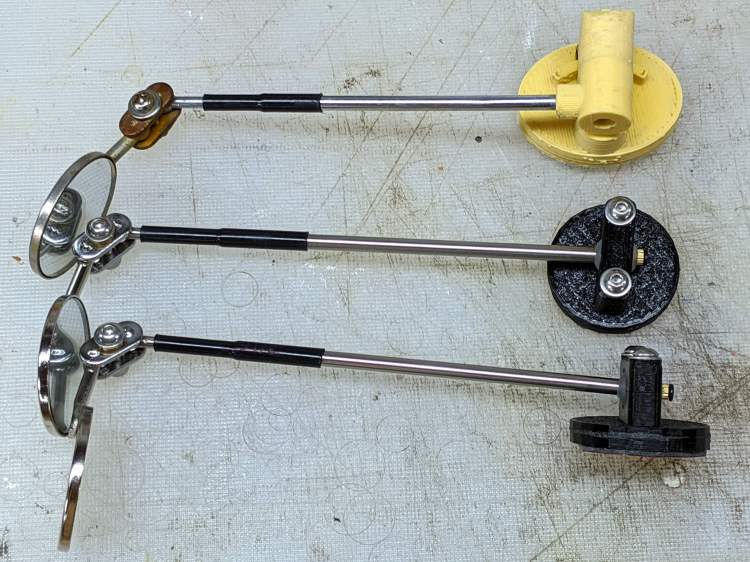
While I was at it, I made two spare mirrors, just to have ’em around:
I should replace the steel clamp plates with a stainless-steel doodad of some sort to eliminate the unsightly rust, but that’s definitely in the nature of fine tuning.
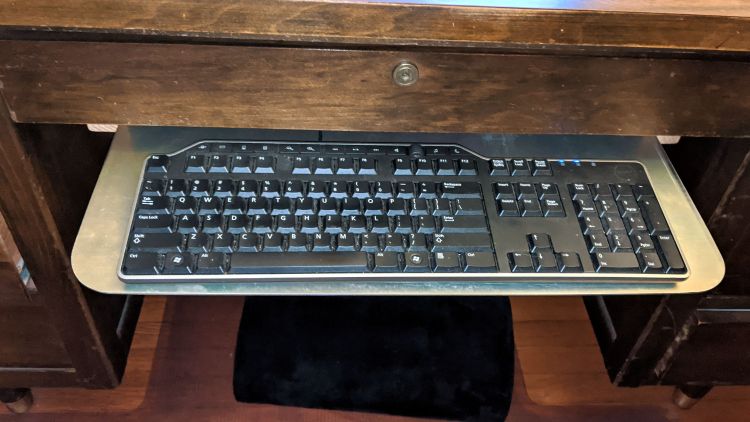
Long ago and far away, I moved the keyboards off our desk surfaces to a more convenient location on a tray under the middle drawer. Mary’s desk recently gained a somewhat thinner keyboard with a thumbwheel volume control, so she wanted the tray moved up:
Keyboard Tray Relocation – in place
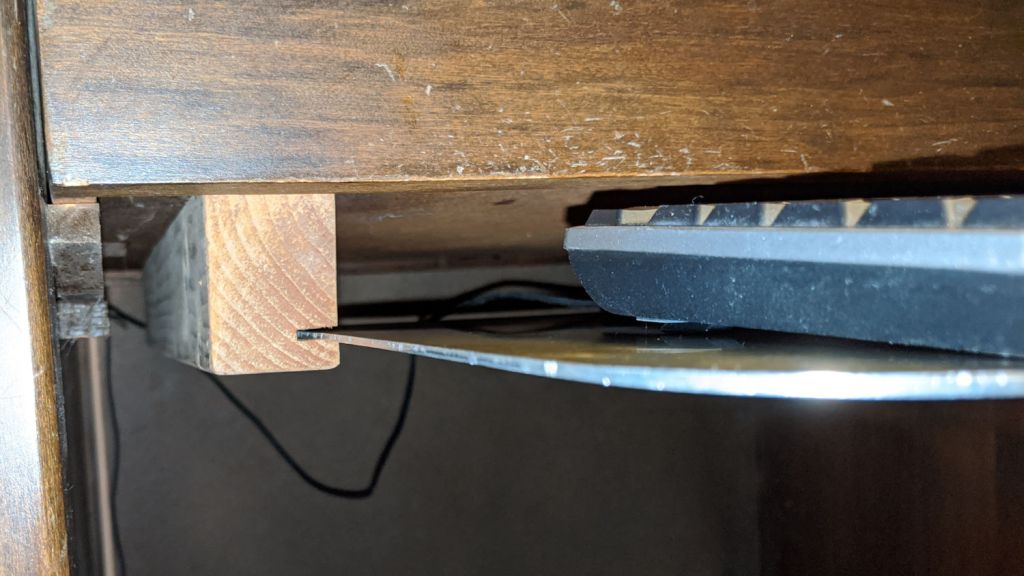
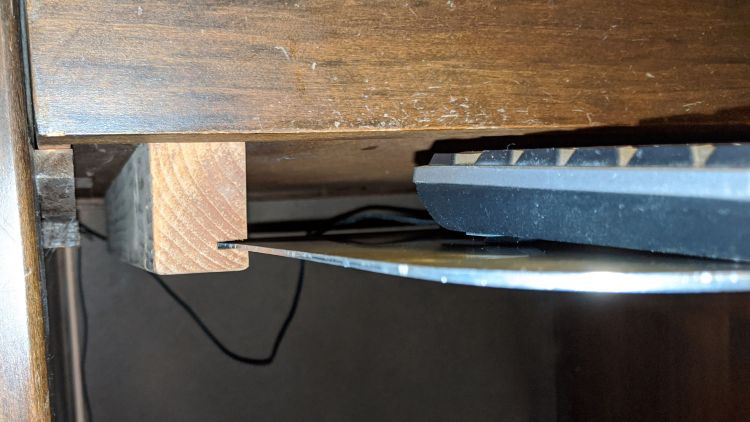
The supports on either side started out as 2×4 lumber with a slot cut (using the radial arm saw I no longer have) for the aluminum sheet:
Keyboard Tray Relocation – support view
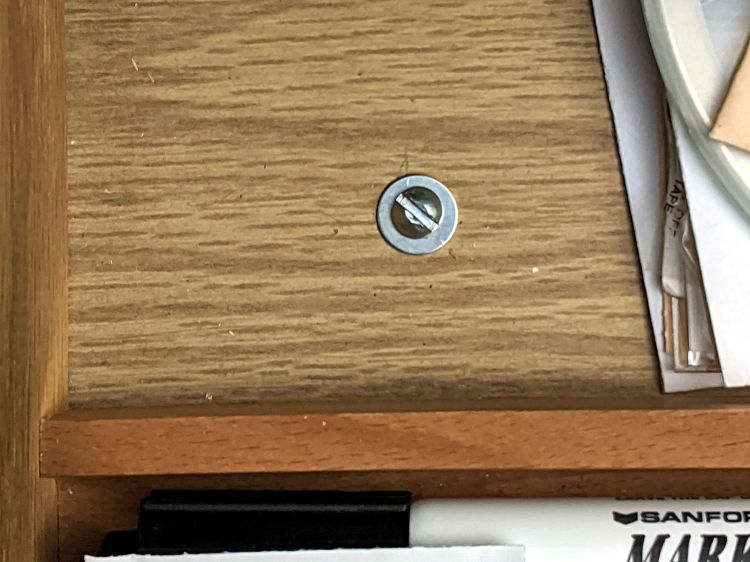
For the record, a pair of screws hold each support to the drawer:
Keyboard Tray Relocation – support screw
Not elegant. Works fine. Good enough!
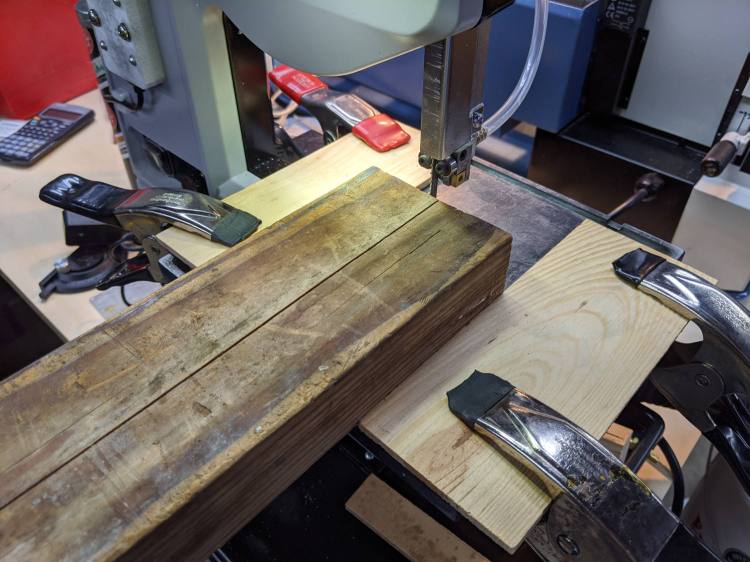
Tiny Bandsaw™ wasn’t designed for ripsawing lumber, but the same Proxxon 10/14 TPI blade I use for aluminum worked better than I expected to lop a 1-¼ inch strip from the wood slats:
Keyboard Tray Relocation – bandsaw fixture
That’s a reenactment based on a true story. The wood scraps clamped on the bandsaw table leave enough clearance for the 2×4 slide to freely, yet not enough for the blade to wander off track.
You can tell how long ago I built the original trays: nary a trace of 3D printing!
However, it’s worth noting my original, butt-ugly Az-El mounts lasted for all of those nine years, admittedly with adjustments along the way, which is far more than the commercial mountsmaking me unhappy enough to scratch my itch.
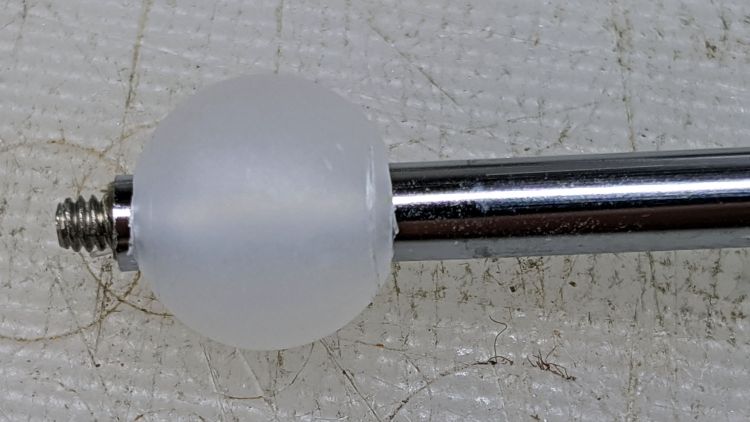
Scaling it down for a 10 mm polypropylene ball around the base of the 30 mm inspection mirror’s shaft simplified everything:
Helmet Mirror Ball Mount – drilled ball test
I’m reasonably sure I couldn’t have bought 100 polypro balls for eight bucks a decade ago, but we’ll never know. Drilling the hole was a complete botch job, about which more later. The shaft came from a spare mirror mount I made up a while ago; a new shaft appears below.
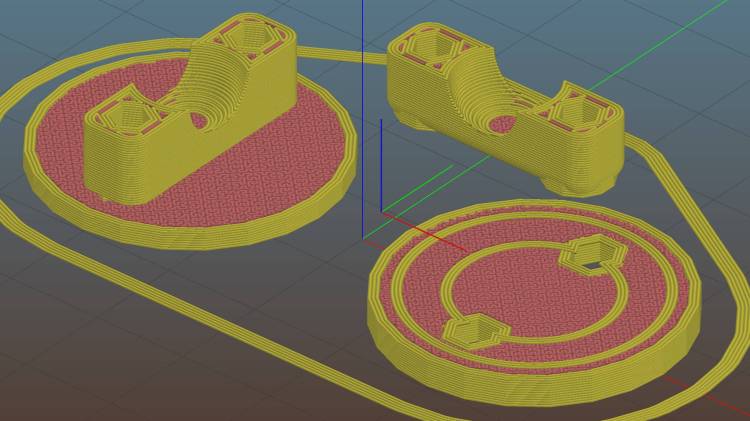
The solid model, like Gaul, is in three parts divided:
Helmet Mirror Ball Mount – Slic3r
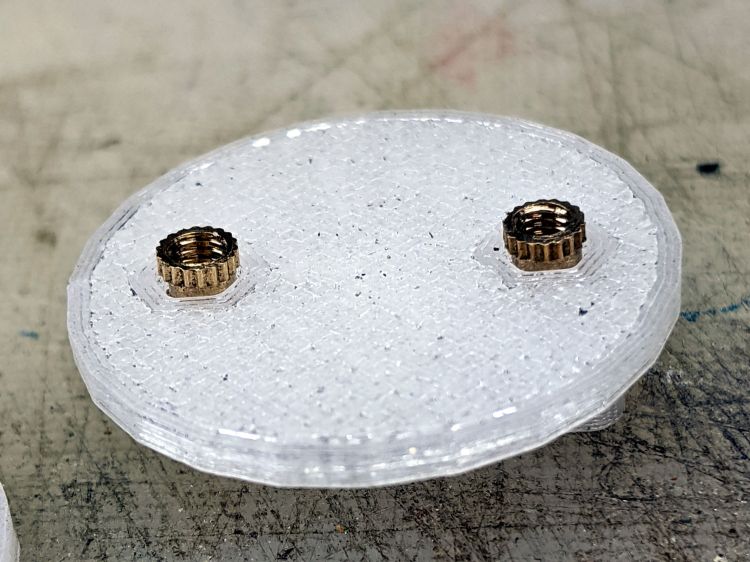
The helmet plate (on the right) has a slight indent more-or-less matching the helmet curvature and gets a layer of good double-stick foam tape. The clamp base (on the left) has a pair of brass inserts epoxied into matching recesses below the M3 clearance holes:
Helmet Mirror Ball Mount – inserts
A layer of epoxy then sticks the helmet plate in place, with the inserts providing positive alignment:
Helmet Mirror Ball Mount – plates
The clamp screws pull the inserts against the plastic in the clamp base, so they can’t pull out or through, and the plates give the epoxy enough bonding surface that (I’m pretty sure) they won’t ever come apart.
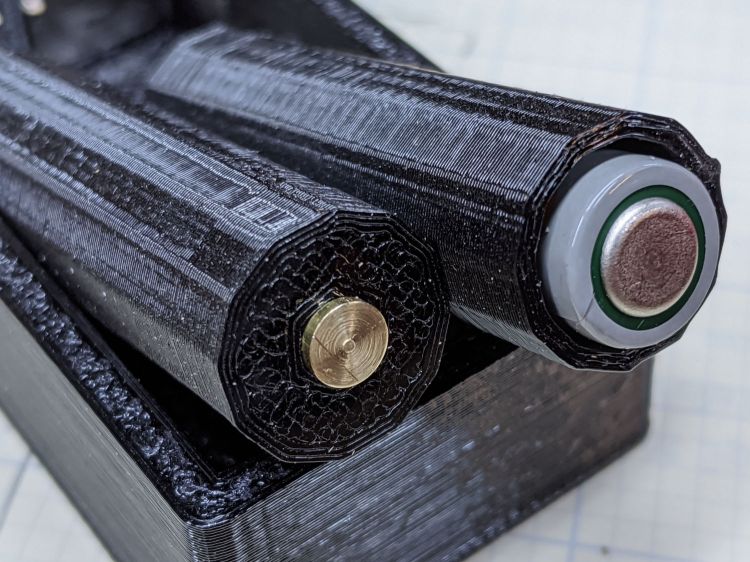
I turned down a 2 mm brass insert to fit inside the butt end of the mirror shaft and topped it off with a random screw harvested from a dead hard drive:
Helmet Mirror Ball Mount – assembled – rear view
At the start, it wasn’t obvious the shaft would stay stuck in the ball, so I figured making it impossible to pull out would eliminate the need to find it by the side of the road. As things turned out, the clamp exerts enough force to ensure the shaft ain’t goin’ nowhere, so I’ll plug future shafts with epoxy.
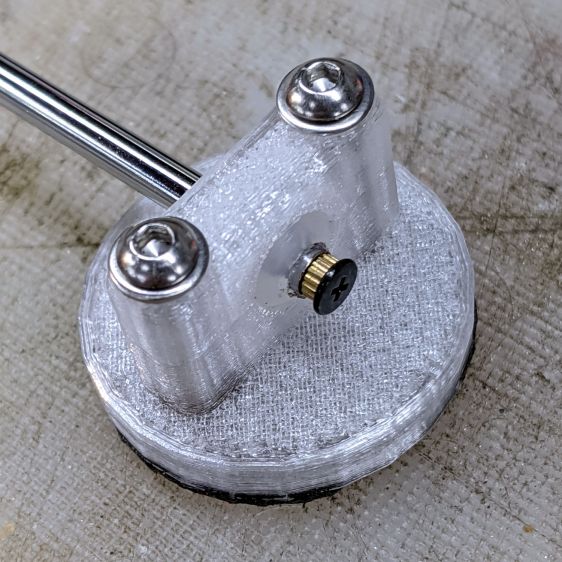
The front side of the clamp looks downright sleek:
Helmet Mirror Ball Mount – assembled – front view
Well, how about “chunky”?
The weird gray-black highlights are optical effects from clear / natural PETG, rather than embedded grunge; it looks better in person. I should have used retina-burn orange or stylin’ black.
This mount is much smaller than the old one and should, in the event of a crash, not cause much injury. Based on how the running light clamp fractures, I expect the clamp will simply tear out of the base on impact. In the last decade, neither of us has crashed, so I don’t know what the old mount would do.
The clamp is 7 mm thick (front-to-back), set by the M3 washer diameter, with 1.5 mm of ball sticking out on each side. The model has a kerf one thread high (0.25 mm) between the pieces to add clamping force and, with the screws tightened down, moving the ball requires a disturbingly large effort. I added a touch of rosin and that ball straight-up won’t move, which probably means the shaft will bend upon droppage; I have several spare mirrors in stock.
On the other paw, the ball turns smoothly in the clamp and it’s easy to position the shaft as needed: much better than the old Az-El mount!
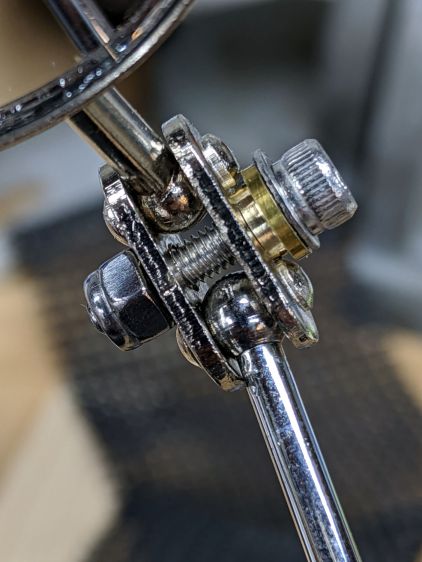
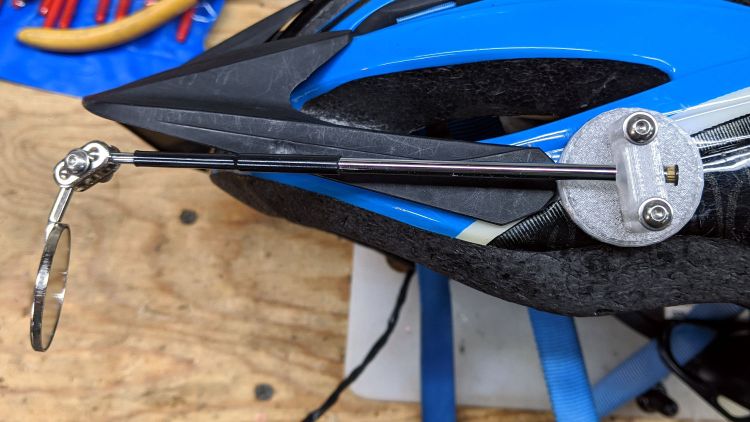
The inspection mirror hangs from a double ball joint which arrives with a crappy screw + nut. I epoxied the old mirror mount nut in place, but this time around I drilled the plates for a 3 mm stainless SHCS, used a wave washer for a bit of flexible force, and topped it off with a nyloc nut:
Helmet Mirror Ball Mount – mirror joint
I’m unhappy with how it looks and don’t like how the washer hangs in free space between those bumps, so I may eventually turn little brass fittings to even things out. It’s either that or more epoxy.
So far, though, it’s working pretty well and both units meet customer requirements.
This file contains hidden or bidirectional Unicode text that may be interpreted or compiled differently than what appears below. To review, open the file in an editor that reveals hidden Unicode characters.
Learn more about bidirectional Unicode characters
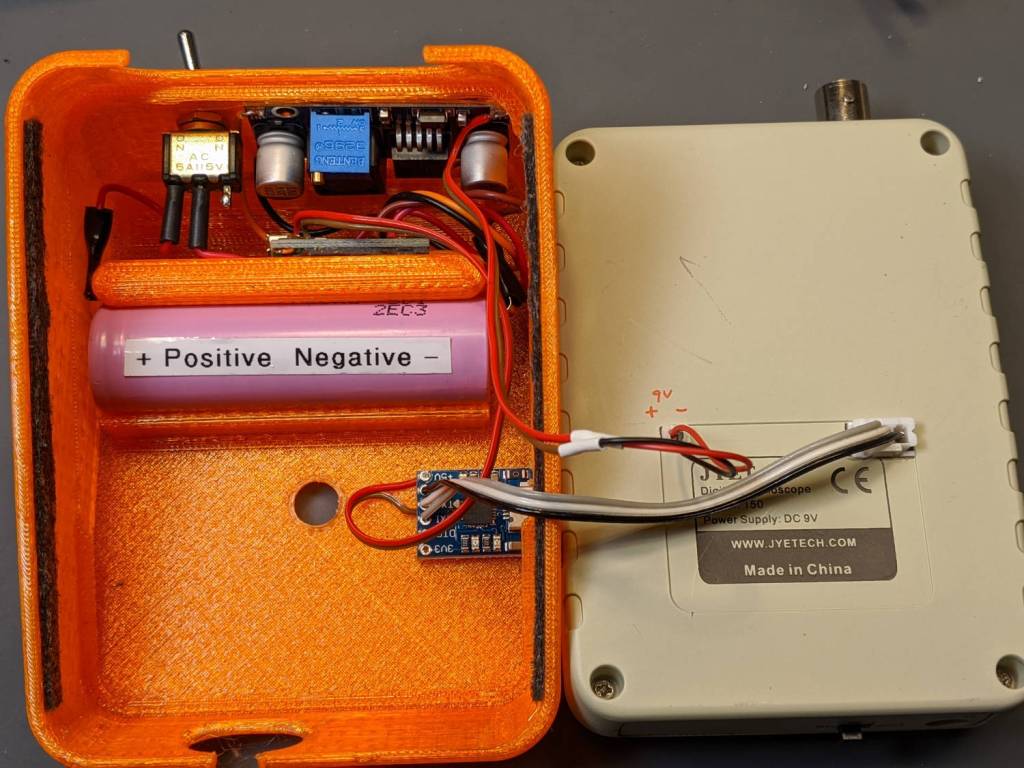
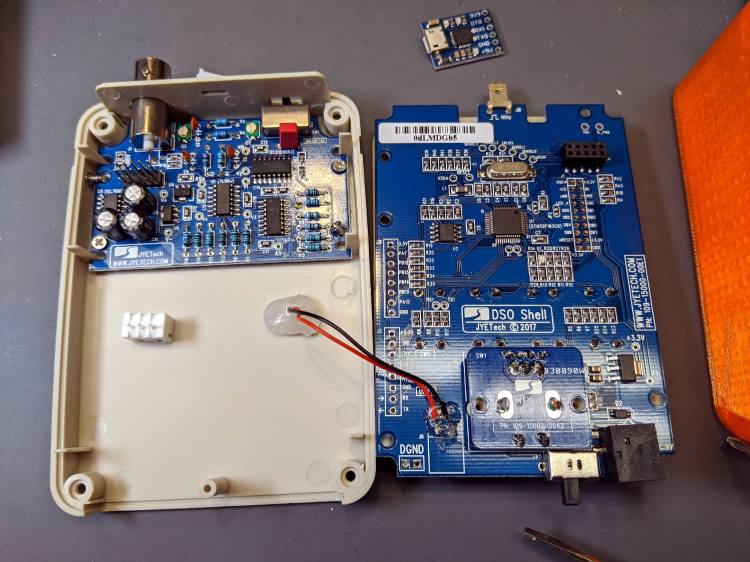
Taking all those pictures of the DSO150 screen reminded me it has a data dump function: press the V/Div and ADJ buttons to squirt configuration, measurements, and trace data from the TX pad on the main board, just in front of the red-black power wires hot-melt glued in place:
DSO150 USB serial adapter – interior
The picture shows the “before” stage, while I was figuring out where to carve another hole in the case.
NB: The 113-15001-111 DSO150 firmware version includes the serial output option, so you won’t need third-party firmware. Similarly, current PCBs bring the serial pins to neatly labeled header pads. You should refer to the JYETech DSO150 / DSO Shell product page for the details.
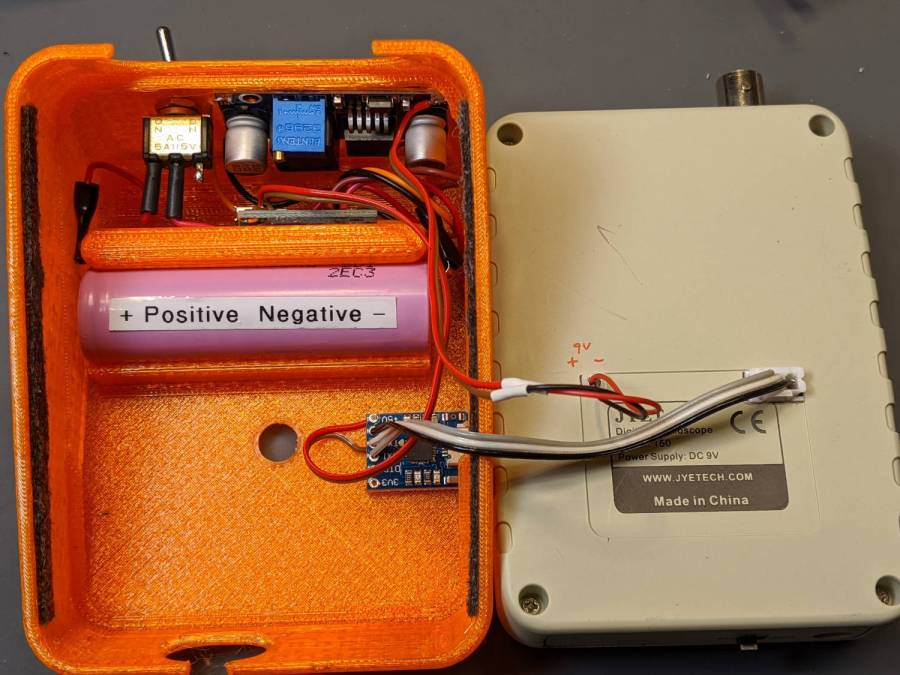
After all the cuttin’ and filin’ was done, it looked like this:
DSO150 USB serial adapter – exterior
The power switch on the back of the case (top of the picture) disconnects the lithium cell from the charge controller board (now tucked behind the battery) to eliminate any trickle current discharge. Charging the battery thus requires turning that switch on and turning the scope off with its own power switch (along its front edge). Capturing trace data requires having both switches on (duh), whereupon the scope’s normal operating current convinces the charge controller that the cell hasn’t reached full charge. Turn the scope off and, most likely, the controller will tell you the cell is fully charged.
An intro blurb squirts from the port at 115200 in good old 8N1 format when you turn the scope on:
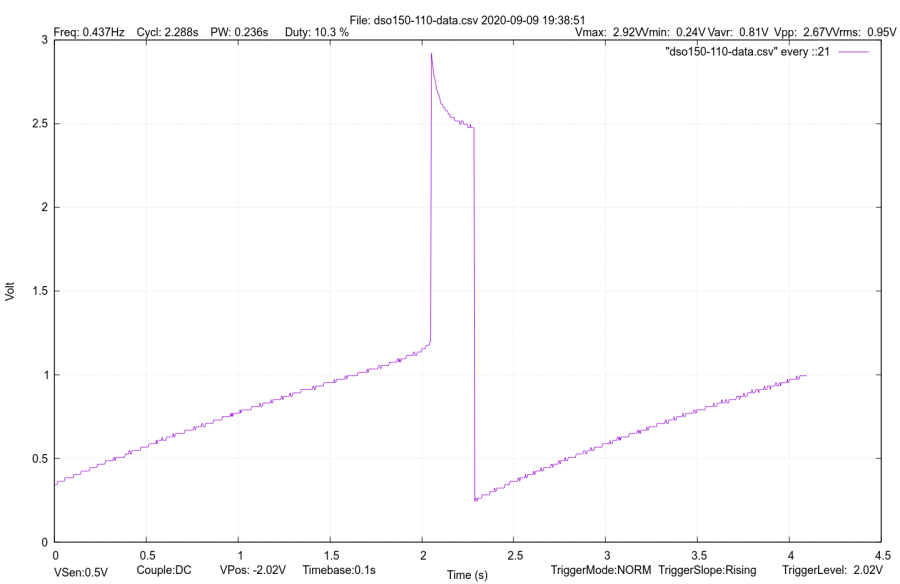
It’s all in neatly comma-separated-value format, so you can slam it into a spreadsheet and have your way with it. Utilities also exist to capture the data, extract the values, and send them directly to GNUplot, etc.
Like so:
DSO150 test image
If I expected to do a lot of that, I’d boldify the traces and embiggen the text, all of which is in the nature of fine tuning.
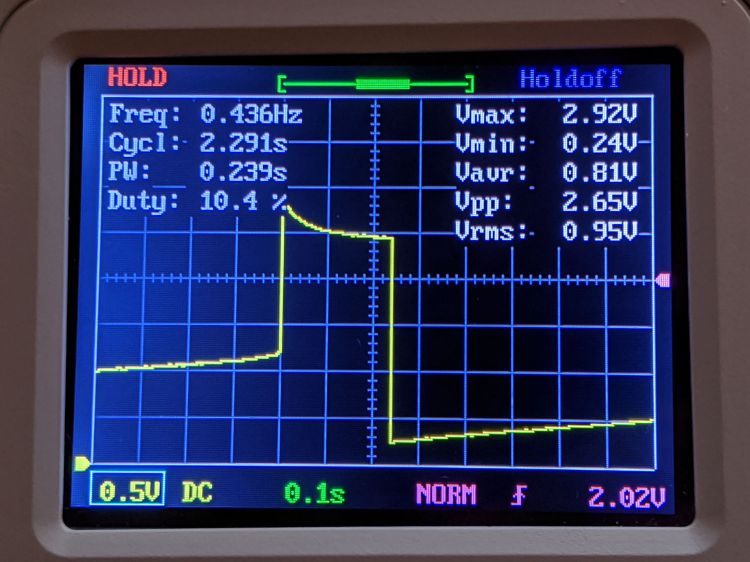
It’s hard to reproduce the beauty of the DSO150’s display, though:
DSO150 test image
The DSO150 remains pretty good for being the worst oscilloscope I’m willing to use …