Ed Nisley's Blog: Shop notes, electronics, firmware, machinery, 3D printing, laser cuttery, and curiosities. Contents: 100% human thinking, 0% AI slop.
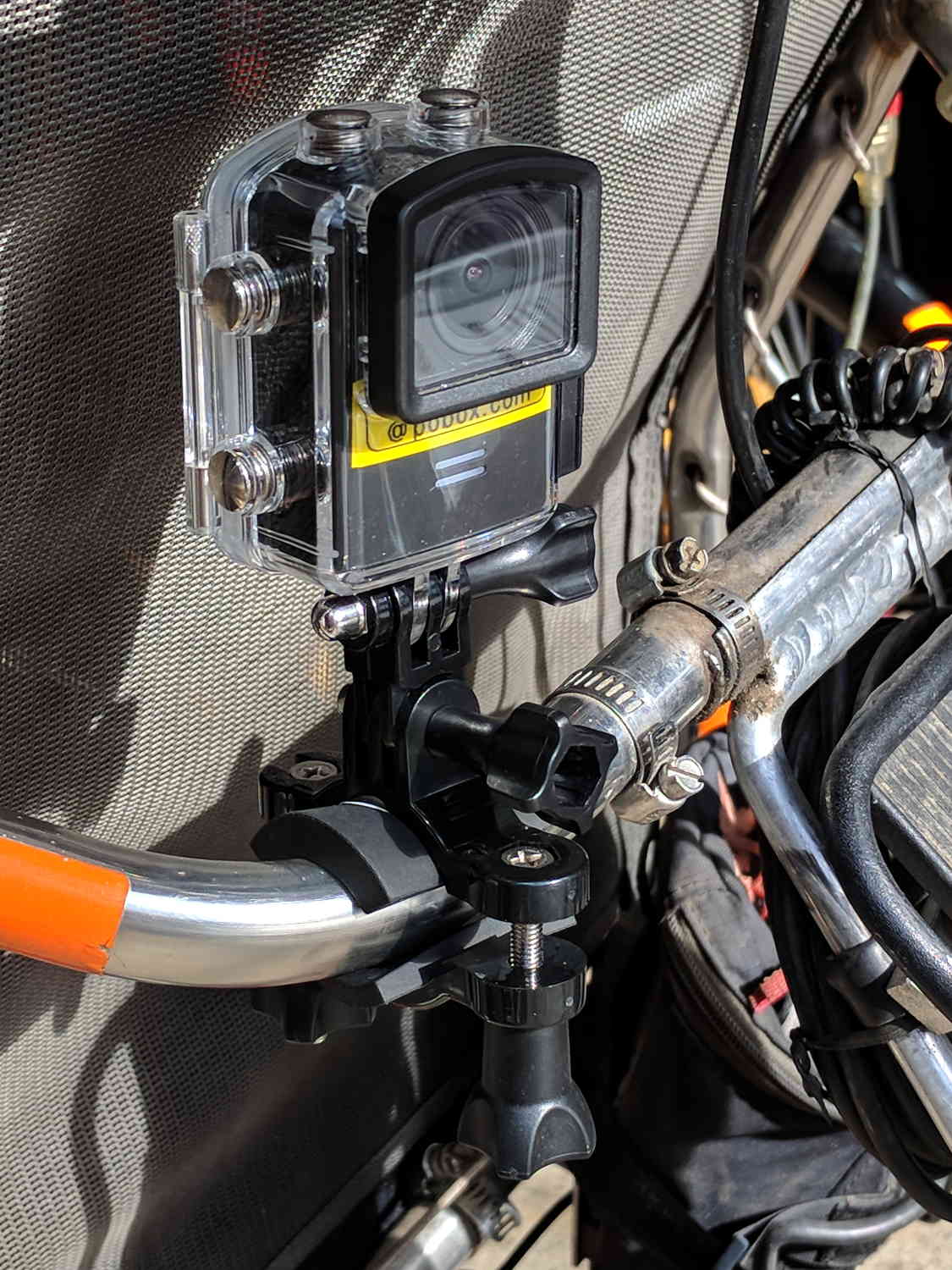
Including a waterproof case, some right-angle connectors, and a pipe clamp:
M20 in waterproof case – Tour Easy seat
The stack turns out to be about as flexy as one might imagine, definitely a Bad Thing for a bike-mounted camera, and a somewhat more rugged mount seems in order.
A diagram from the M20 manual shows the parts:
SJCAM M20 Overview – Manual pg 5
Some camera dimensions:
40.2 mm wide + 0.5 mm for the Up/Down buttons
21.8 mm thick + 1.0 mm cylindrical front curve + 1.0 mm rear screen
50.0 mm tall + 4.0 mm cylindrical top curve + buttons
21.7 mm OD × 6.0 mm long lens housing, 1.3 mm down from top center
All the edges have neat chamfers or radius rounding on the order of a few millimeters.
Applying the chord equation to the spans inside the rounding:
Front radius: 162.5 mm
Top radius: 42.5 mm
The new batteries survive for a bit over an hour, not quite enough for our usual rides. Rather than conjure a fake battery pack connected to an external 18650 cell with a wire chewed through the case, the least awful way to go may involve a relatively small battery pack (with internal 18650 cells, of course) plugged into the USB port with a right-angle cable and a rigid mount holding both the camera and the pack to the seat frame.
Gastón sent me a note describing how he got serial communications working with an old-school HP 54600-series oscilloscopes. After swapping some hints and tests, it’s worth recording so I (and, perhaps, you!) can make use of it the next time around:
I recently bought a 54616B for which I also bought the 54659 Measurements/Storage module. It comes with an RS232 9-pin port and that, besides the possibility to have the full plethora of additional measurements including FFT, made me buy it.
I saw I had the same problem you had by that time (the oscilloscope printed alright through the serial port but utterly ignored all of the commands I sent to it) so, as I found a solution, I thought it would be nice to share it with you as you share all of your doings with many people on the web.
I discovered that the real problem was not in the interface but in the documentation (go figure, huh!). The terminator character must be, instead of a NL, a semicolon. The NL terminator is probably still valid for the GP-IB interface.
I have tested this setup at 19200 baud, “DTR” flow control on the scope side and a generic USB-Serial converter (Cypress semiconductor) plus a null modem cable and it worked just fine. The software on my PC is Windows 7, but I am running an Xubuntu Xenial under Virtualbox and did the tests using minicom.
Sending NLs did not seem to affect the communication at all but be aware that the error handling routines on the scope side are not the best, meaning that most probably after some errors or just one (which you will see emerge on the scope screen) you will need to reboot the scope to be able to communicate again. No big deal but it could be annoying.
This is a sample of a command sequence to measure the frequency of the calibrator connected to the Channel 1 input:
Let me know if it works for you, or if I can be of any help.
Which knocked me out of my chair!
Wow!
That’s the first time the scope’s serial output pin produced a different voltage in the last, uh, three decades! [grin]
You’re absolutely right about the command parser: it falls off the rails at the slightest provocation and leaves no suicide notes behind.
Gingerly following your technique, I found the scope’s serial interface must be in its “connected to computer” mode; the printer & plotter modes (not surprisingly) don’t respond to commands.
Even with that, I’m unable to get a consistent response to (what seem to be) correctly formatted commands. If I send some *RST; commands, eventually it’ll reset, but I sometimes can’t get anything back from status inquires like *SRE?; and so forth.
Sometimes, a linefeed (Ctrl-J) works as a terminator, sometimes it doesn’t. Even with a semicolon at the end of the command, it sometimes responds only after a Ctrl-J. Recovering from errors seems to require a random number of successive ; and linefeed characters.
What definitely doesn’t work: a normal carriage return + linefeed combination! I think that explains my complete lack of success many years ago, as I probably used a terminal program that automatically sent CR+LF at the end of each line.
However, it’s now doing something in response to serial commands, which it never did before.
The only way to use the interface will be with a (tediously debugged) program sending a preset command sequence and receiving a known series of responses. Hand-carving a series of commands just won’t work.
Gastón did a bit more poking around:
It seems that the implementation for the different oscilloscopes of the same family was different. This was to be expectable but I didn’t think it would be *so* different.
In my case, as said, linefeed does nothing at all. This weekend I will try (just for grins of course) to use linefeeds interspersed with the letters of a single command to see to what extent they are ignored.
In my opinion, the inconsistent response you get could have to do with the implementation of the interface on the computer side, or even marginal baud rate or jitter. I had to resort to the Xubuntu-within-Virtualbox-within-Windows7 just because I couldn’t get a consistent communication from Windows 7 alone from my “usual” laptop. I tried another laptop with Xubuntu as OS and the serial port worked only up to 9600 baud, and with some errors from time to time, shown as “Override error” and “RS232 Protocol Error” on the scope screen. From this ones, the oscilloscope did recover without problems. Parser ones in my case are fatal every time. They show as “Unknown Header” and that’s a death signal. The oscilloscope functionality, though, is not affected in any way.
Just as an aside, my HP 54659A interface uses a Philips SCN2661AC1A28 as UART.
I agree with you regarding to the way to use it is with a program that only sends the right sequence of commands and receives in turn a known series of responses. Back in the ’90s I worked with a functional level board tester which used several HPIB-managed instruments (HP3314 arbitrary waveform generator, two programmable power supplies), a couple others with VXI bus, among which there was a display-less version of an HP545xx oscilloscope. That beast was managed from an IBM PS/2 model 70 (a 486 based one) with National Instruments interface boards. Not a hobby setup in any way. Every single time I managed to send the wrong command to the oscilloscope, I had to reboot both the board tester rack and the PC… so the parser’s lack of humor is not exclusive of the 546xx series :).
Even with a fully debugged command sequence, sometimes the oscilloscope decided to act up… this last didn’t happen very often but when it did, it was extremely annoying for the tester operator as the sequence was a lengthy one (about 10 minutes per board) and when it failed, it meant sometimes half an hour of time lost, between recognition of a tester failure (and not simply a board that required multiple test retries and thus took longer than usual), reboot of both instruments rack and computer, and rerun.
And a followup which may discourage all but the stout of heart:
To add to the general confusion, I tried with Ctrl-J instead of a semicolon, and the commands are accepted too. It seems that my tty terminal setup is not as good as I thought it was.
The semicolon, from what I have been reading, is a command separator within a line and perhaps that is why it is accepted as readily as the linefeed. I did test sending newlines between the characters and I got a “Syntax Error” in the scope screen from which the only way to recover was an oscilloscope reboot.
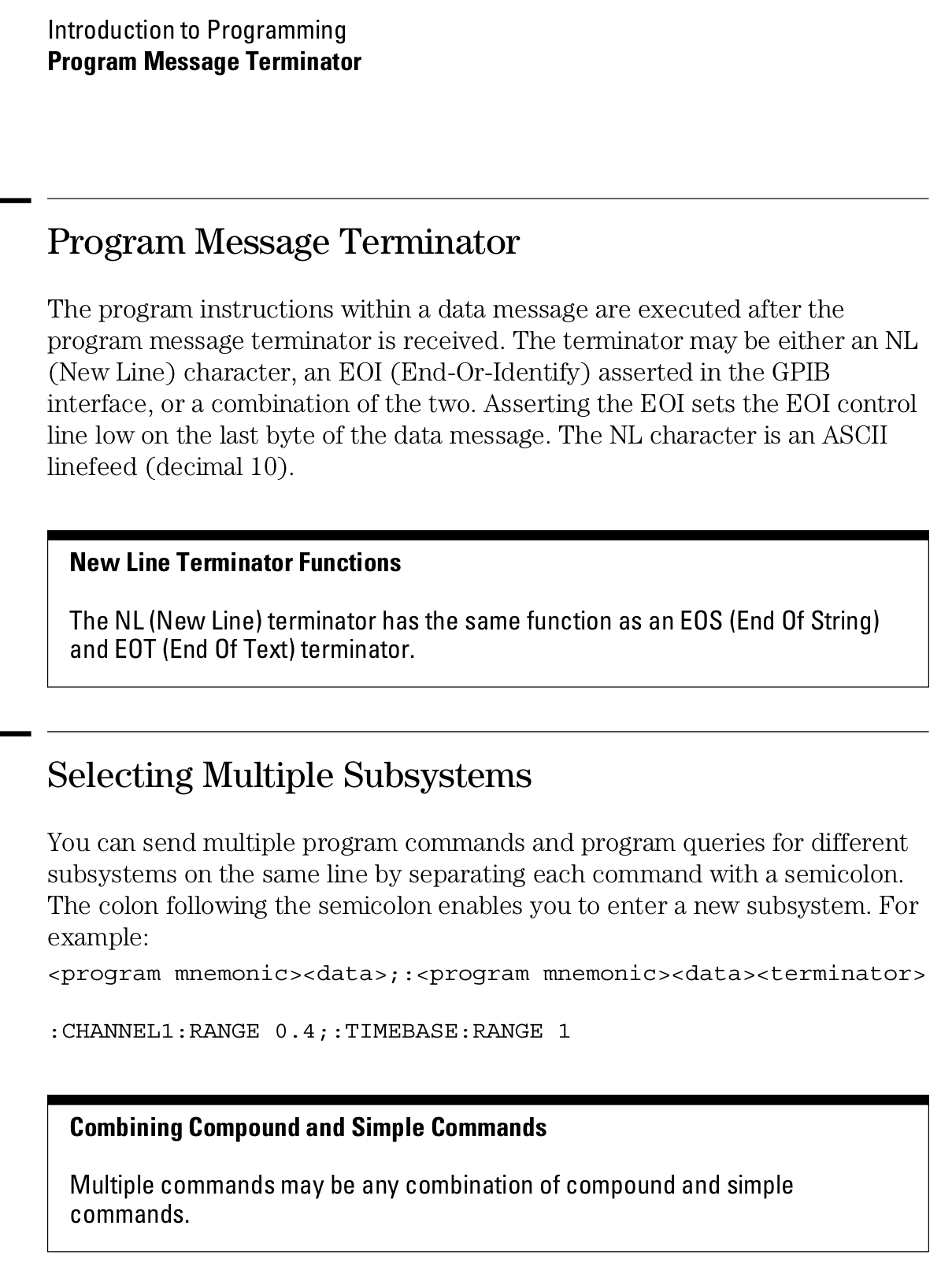
Page 1-12 from the Programmer’s Guide (54600-97032) may be of interest (clicky for more dots):
The hole fits a 25 mm fan, but the thing runs cool enough it should survive without forced air; think of it as a contingency. Mounting the case on standoffs seems like a Good Idea, however, as the bottom plate includes many vent slots for Good Circulation.
The top plate builds upside-down, so I had Slic3r add teeny support plugs inside the recessed screw holes. I think button-head screws would fit neatly in the recesses, but we’re obviously not in this for the looks.
The tiny white stud is a Reset switch hot-melt glued into the slot. I plan to just turn off the AC power after shutting the RPi down, so a power-on will suffice as a reset.
This will eventually end up on a board supporting the GRBL controller box:
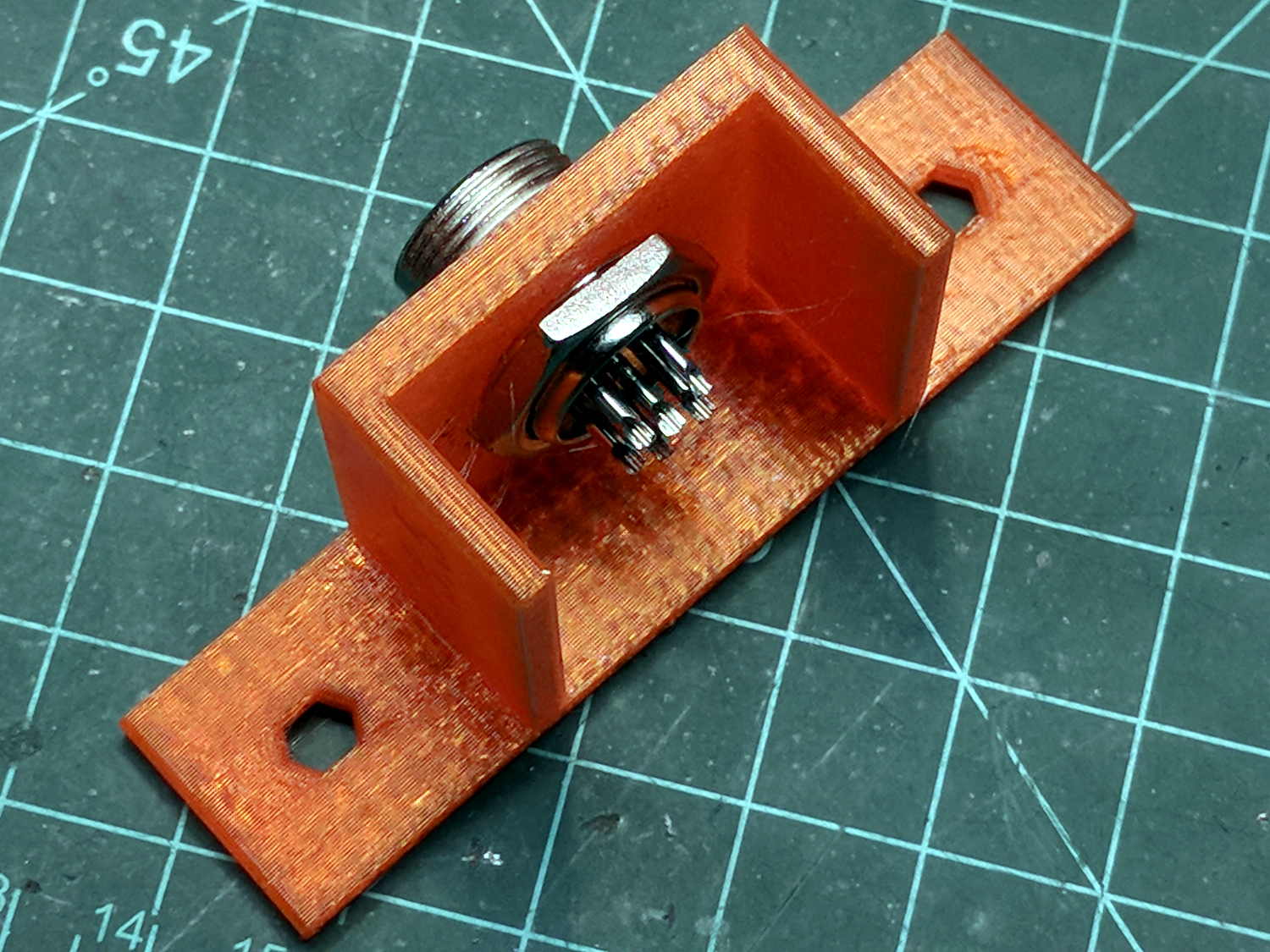
Control Box – Connector Mount – Slic3r
It’s a direct cut-n-paste descendant of the old NEMA motor mount.
The nut threads onto the connector behind the bulkhead, so you must either wire it in place or make very sure you can feed all the terminations through the hole:
Connector Mount
Given the previous hairball, I think in-situ soldering has a lot to recommend it:
This file contains hidden or bidirectional Unicode text that may be interpreted or compiled differently than what appears below. To review, open the file in an editor that reveals hidden Unicode characters.
Learn more about bidirectional Unicode characters
The longer traces show their original capacity, back in the day.
Whacking a chisel into the obvious split lines broke the solvent glue bonds holding the case sections together, after which some slow prying defeated the double sticky foam tape on the cells:
Baofeng BL-5 battery pack – innards
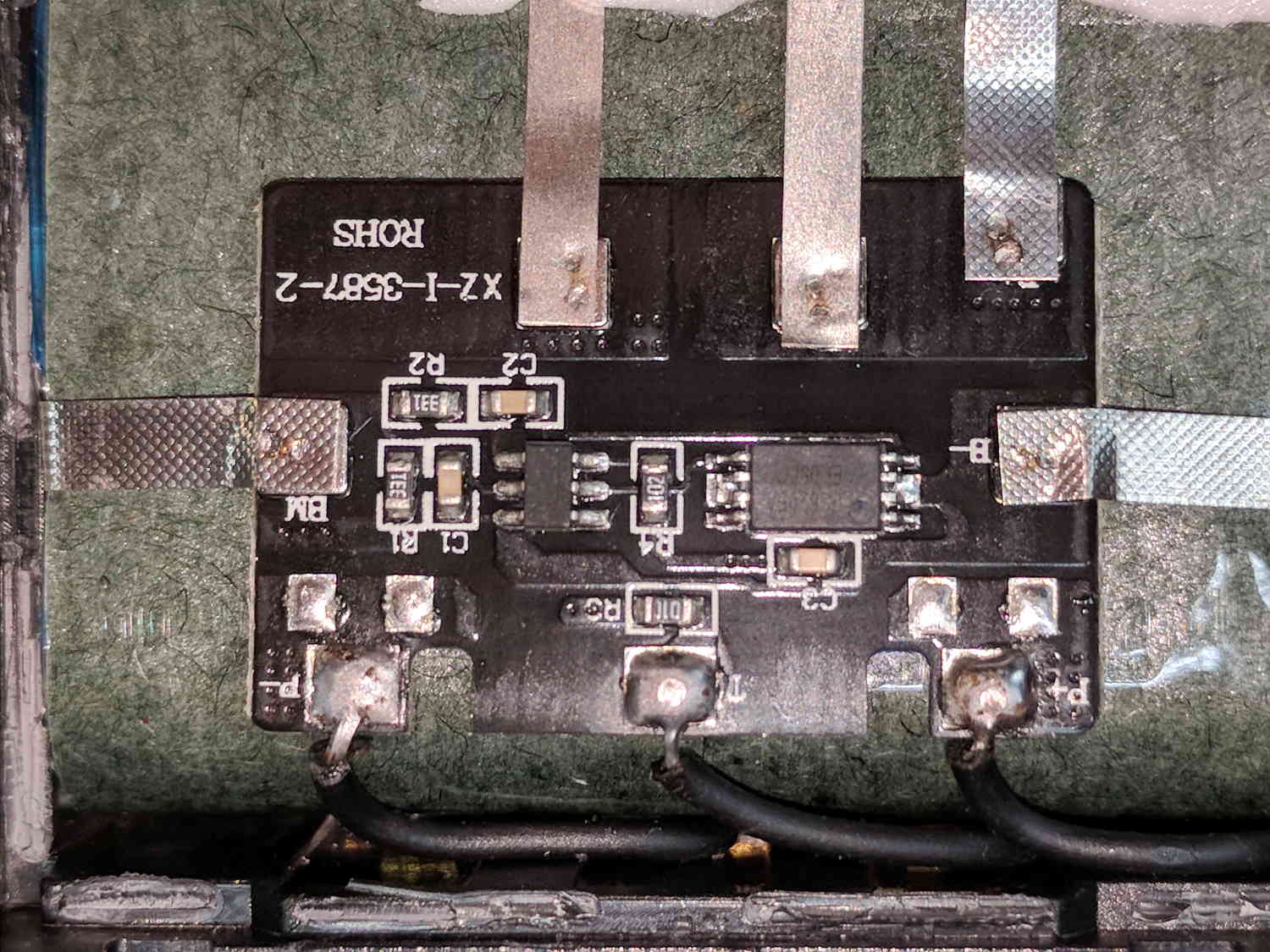
A closer look at the (dis)charge controller PCB:
Baofeng BL-5 battery pack – protection PCB
The other side of the PCB has no components, so what you see is what you get. The larger IC proclaims FS8205A EP050C, which may indicate a vague relation to an S8205 protection IC. The datasheet shows a 16 pin TSSOP package containing an IC for four or five cell batteries, completely unlike the 8 pin package on the PCB, but when you buy enough of anything, you can get anything you want.
In common with all cheap lithium batteries around here, the “thermistor” terminal connects to a 10 kΩ SMD resistor steadfastly maintaining its resistance in the face of all temperature variations.
Some probing shows one feeble cell in each pack. Perhaps a Frankenbattery built from the debris will have enough capacity for a standard ride around the block.
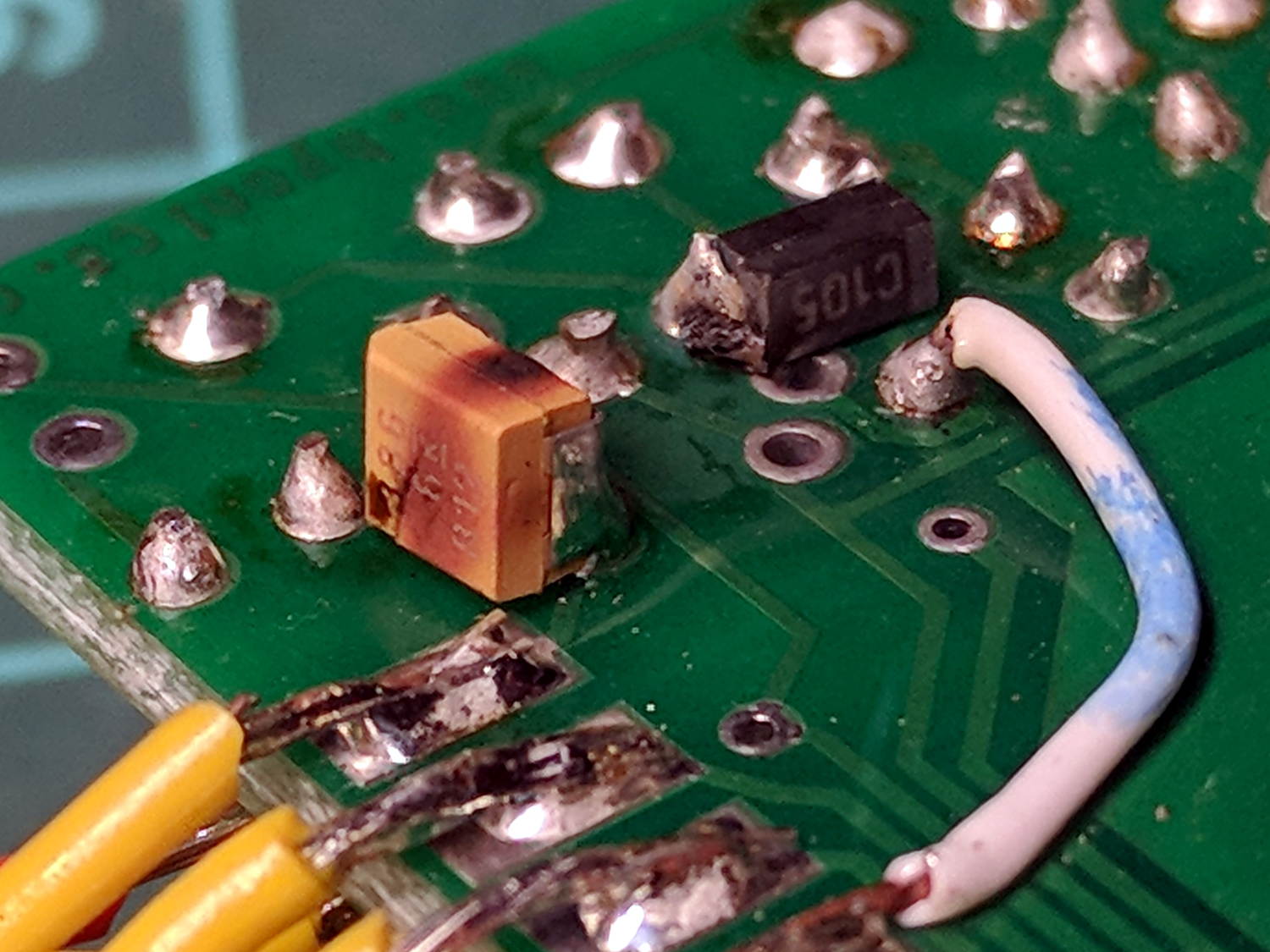
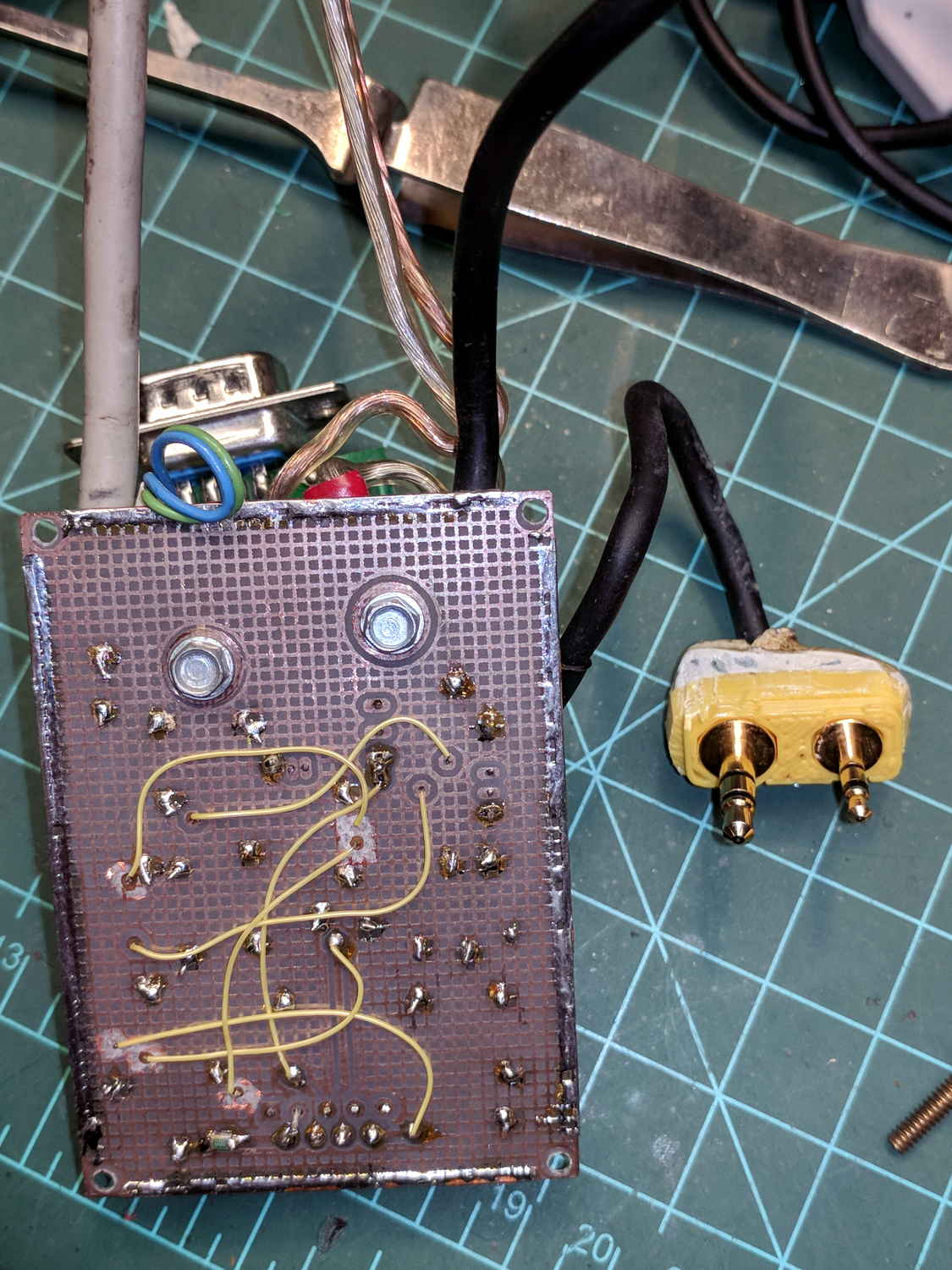
The TinyTrak3 on the Wouxun adapter wasn’t working, showing a dim red Power LED to indicate it wasn’t getting enough juice. A bit of tracing showed my adapter board provided just over 5 V to the poor thing, not the nearly 9 V it should be getting, which led me to believe the transistor switching the supply had failed. A bit more tracing, however, revealed the true problem:
Failed electrolytic cap
The schmutz on the black cap matches up with a crater in the rear of the (originally not so) brown cap.
The Little Box o’ SMD Caps revealed two nearly identical sets of 33 μF caps, one with a 6 V rating, the other with 16 V rating. Yup, when I added that cap in the hopes of reducing RFI troubles, I soldered the wrong one onto the PCB: it’s my fault!
The poor thing lasted for over six years with just under 9 V applied to it, so I can’t complain.
I removed the corpse and reassembled the box without the additional cap (and without the terminals contacting the back of the Wouxun, because reasons). If RFI turns out to be a problem, I’ll take another look at the situation.
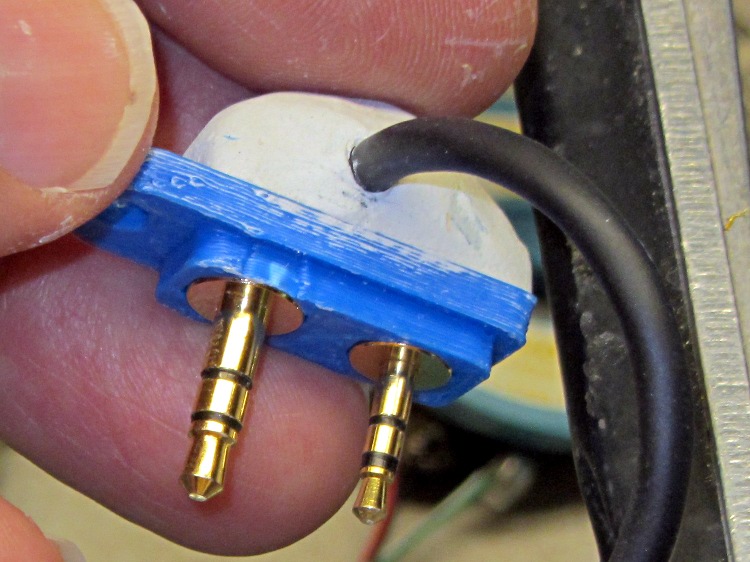
… of course don’t fit the Baofeng radio. This being in the nature of a final fix, I chopped off enough protrusions to make the remainder fit snugly into the recess.
Based on one ride, both Baofeng batteries have very little capacity left after several years on the shelf, which comes as absolutely no surprise whatsoever.






 The Smell of Molten Projects in the Morning