Ed Nisley's Blog: Shop notes, electronics, firmware, machinery, 3D printing, laser cuttery, and curiosities. Contents: 100% human thinking, 0% AI slop.
My original idea for the APRS + voice gadget was a snap-in battery pack replacement holding the circuit boards and connected to an external battery pack. A trio of deadWouxun radios, plus the ready availability of 18650 lithium cells, suggested putting two cells in the backpack, along with the circuitry, and skipping the external pack.
The grid is parallel to the case body and centered left-to-right, with a Y grid line set at the front face of the pack, where it’s also flush with the lid surface. You can read off the coordinates of all the points, feed them into your CAD model, and maybe, with a bit of care, get something 3D-print-able.
Haven’t used it yet, but it’s bound to come in handy at some point.
Although I cannot explain why those ferrite beads lit up, it seems connecting the DE-9 shell to the serial device ground is an Extremely Bad Idea. I removed that wire from the HP 8591 spectrum analyzer cable and everything seems to work, so I’ll declare victory:
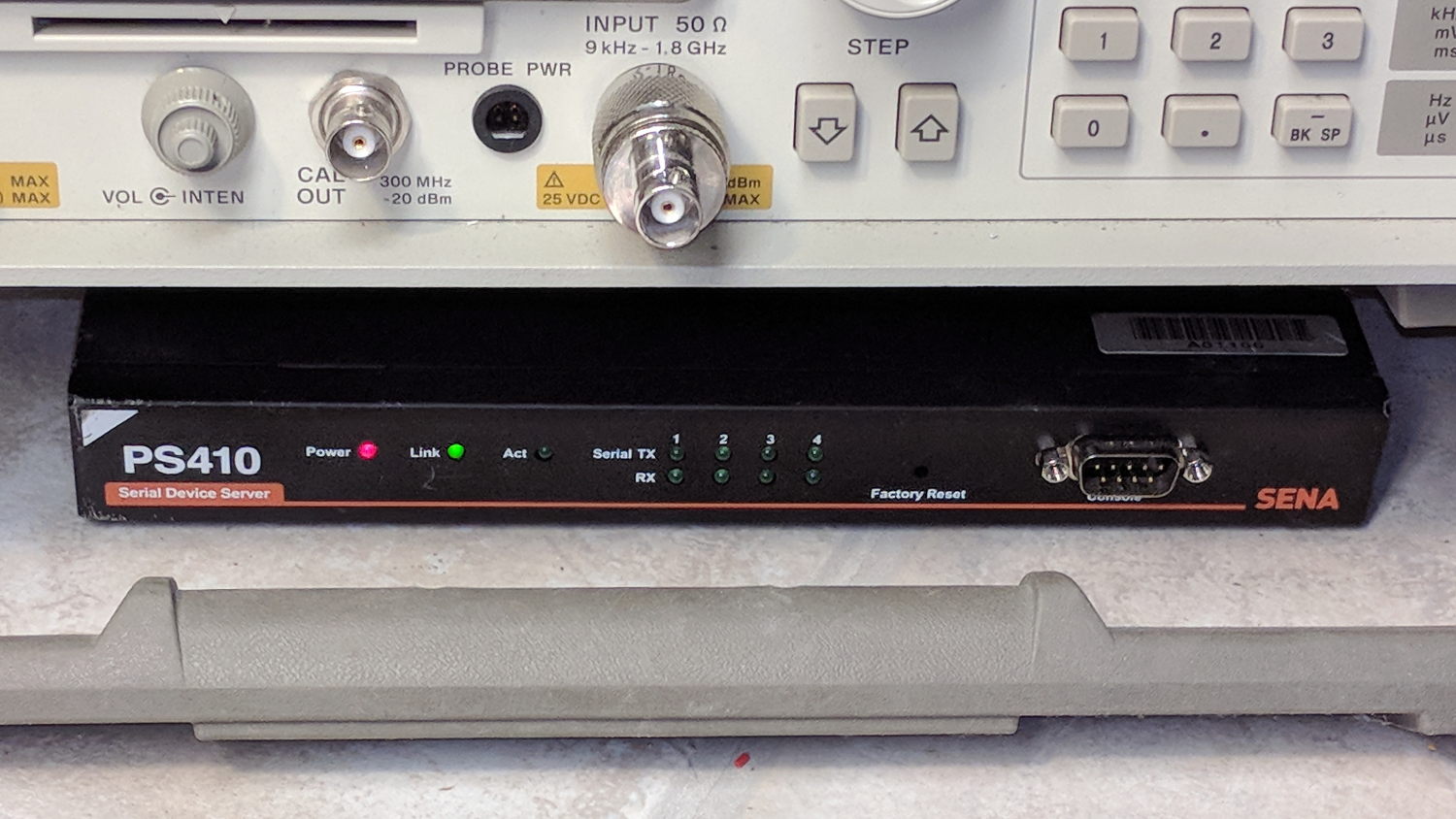
Sena PS410 Serial Server – in action
Not shown: the tangle of cables tucked behind that tidy box. You can plug a serial terminal into the DE-9 connector, but it’s much easier to use the PS410’s web interface.
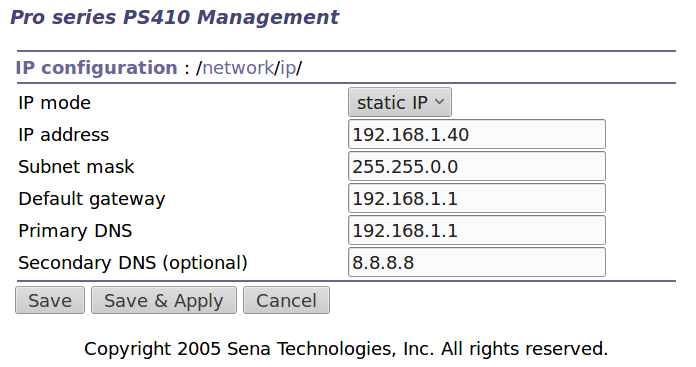
It needs a static IP address to make it findable, although I also told the router to force the same address should it start up in DHCP mode:
IP Configuration
Yeah, Google DNS, if all else fails.
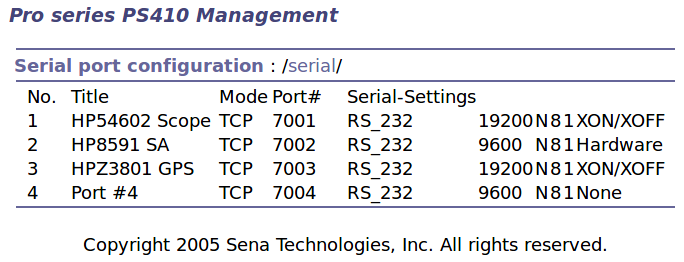
The serial port overview:
Serial port overview
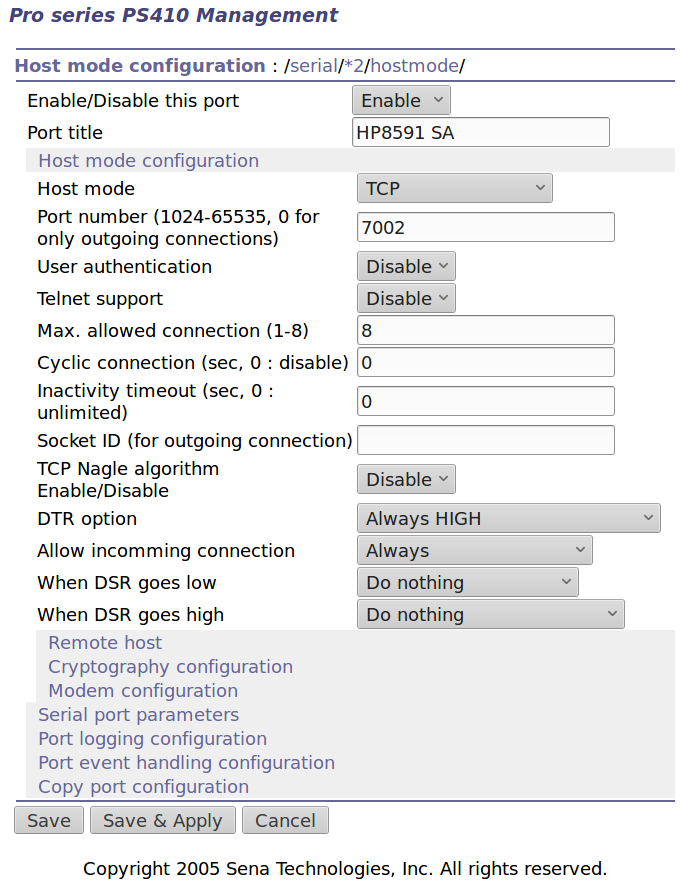
I’ll go into more detail in a while about individual device setups and the scripts slurping screen shots out of them, but giving each one a useful name is a Good Idea, even though it doesn’t appear anywhere else. I changed the default Inactivity Timeout for each port from the default 100 seconds to zero, thereby preventing the PS410 from closing the connection due to inactivity:
Serial Port 2 – host params
The DTR and DSR defaults work out well; the other choices solve problems I don’t have. Indeed, the PS410 has a myriad configuration options best left in their Disabled state.
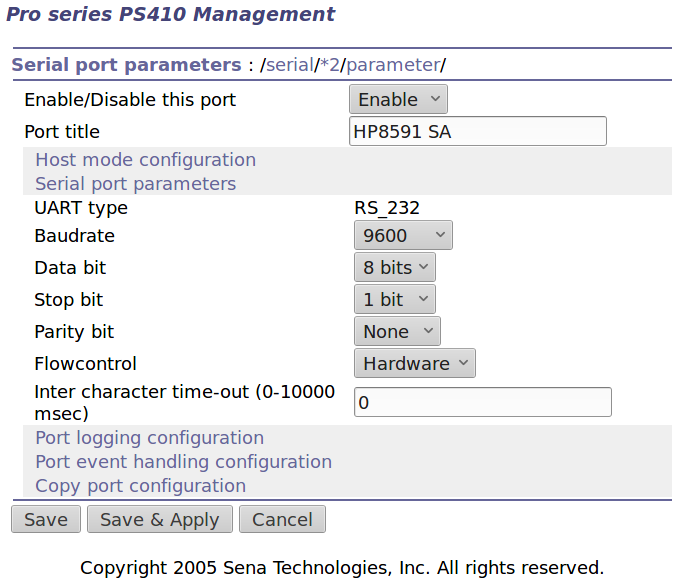
The serial parameters for each port need tweaking to suit the hardware gadget on the other end of the cable:
Serial Port 2 – serial params
Flow Control applies between the PS410 and the gadget. You can choose:
Disabled
XON/XOFF – in-band characters
RTS/CTS – RS-232 hardware signals
Somewhat to my surprise, It Just Worked despite my blundering.
The USB serial adapters I use to capture HP54602 scope and HP8591 spectrum analyzer screenshots, as well as monitor the HP Z8501 GPS time standard, lack unique identifiers and appear as unpredictable device nodes.
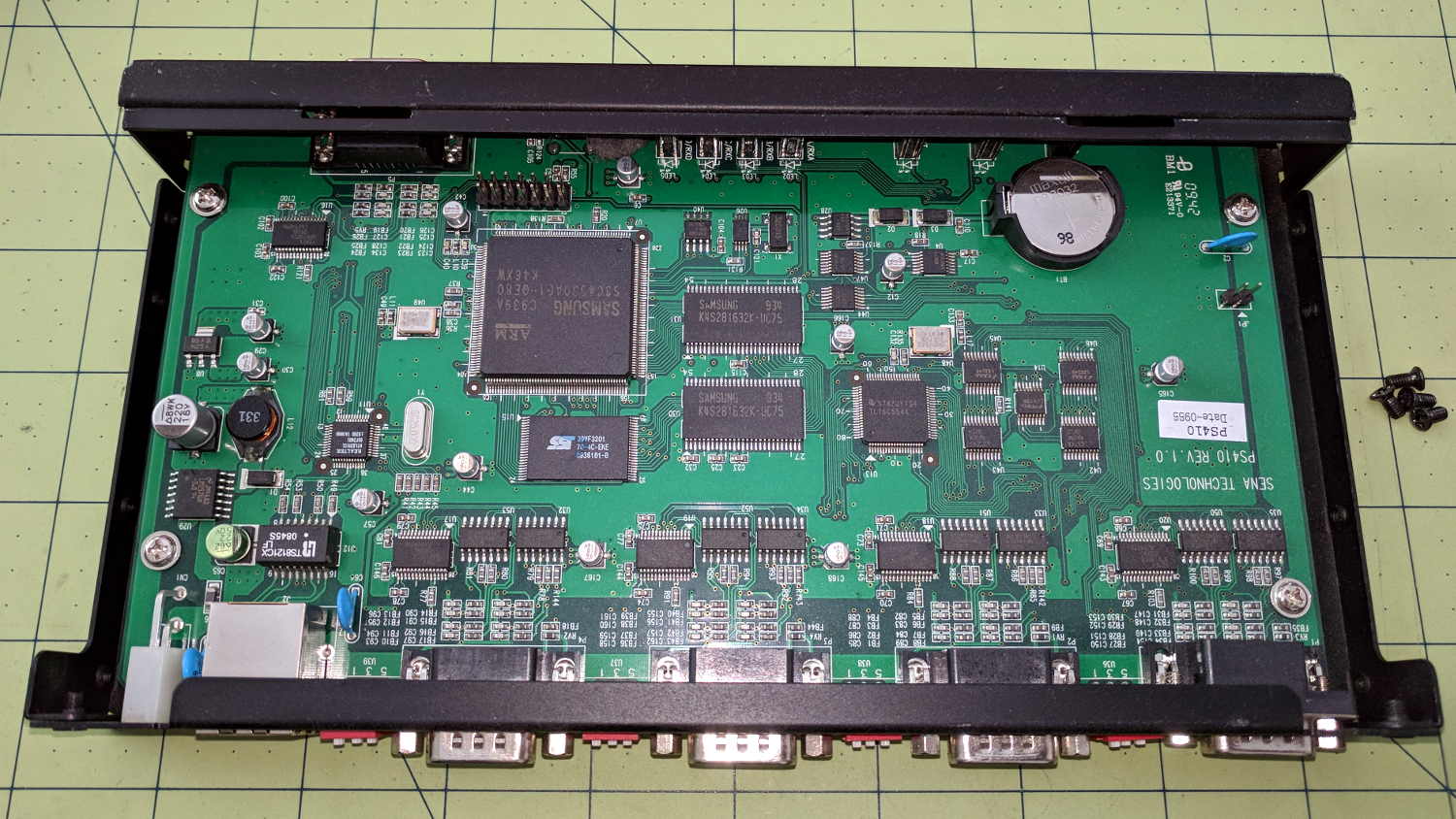
After putting up with this for far too long, I dropped $15 on a Sena Technologies PS410 serial server:
Sena PS410 Serial Server – interior
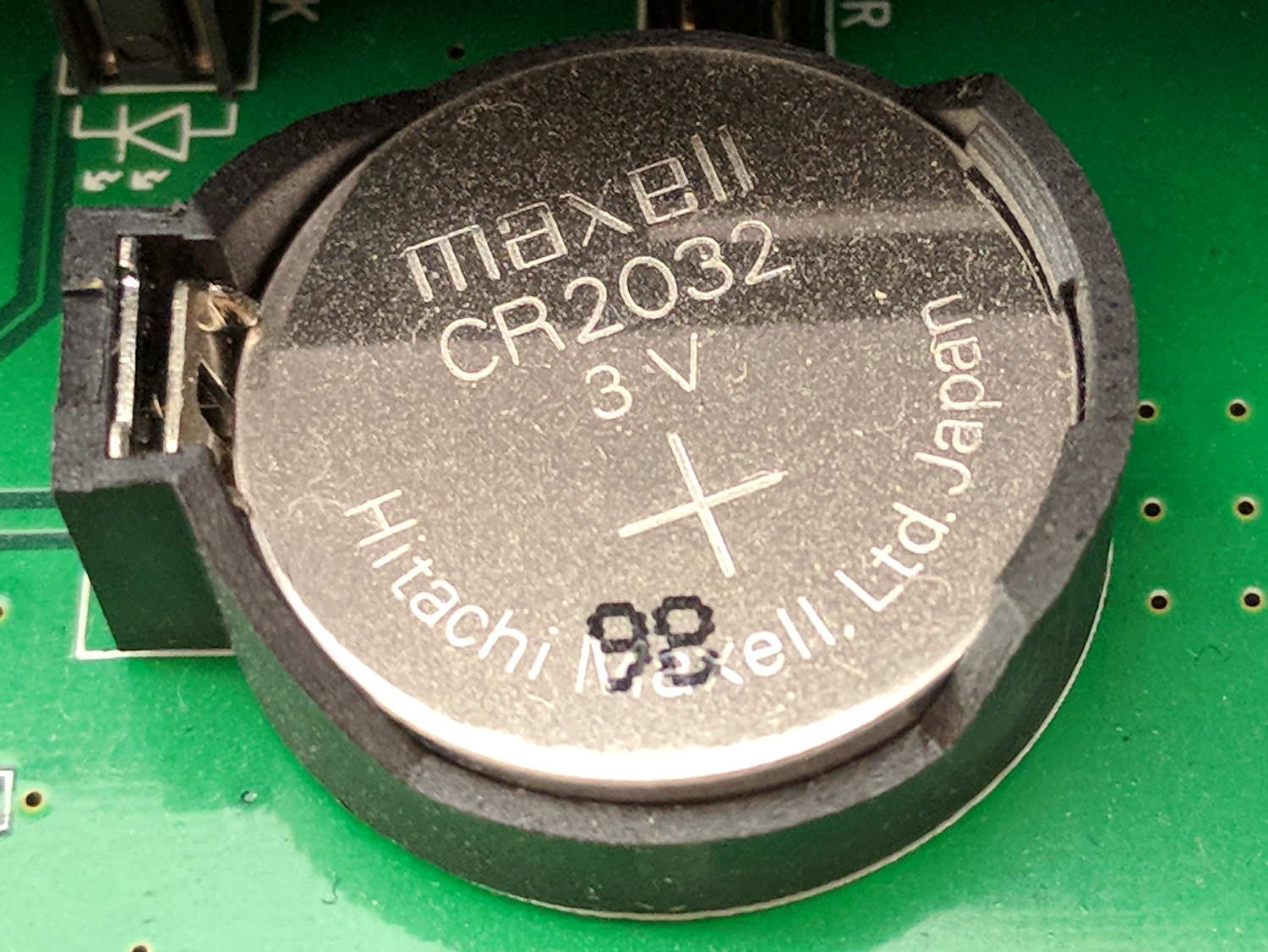
It needed a new lithium coin cell, of course:
Sena PS410 Serial Server – as-received CR2032
The PCB and chip date codes suggest a 2009 build, so “98” might mean August 2009. Whether that’s the manufacturing date or the best used by date, ya never know.
The eBay deal didn’t include the power supply, so I hacked a coaxial jack on the back:
Sena PS410 Serial Server – hacked power jack
A 14 VDC IBM laptop brick from the pile suits the “9 to 36 V” range printed on the case.
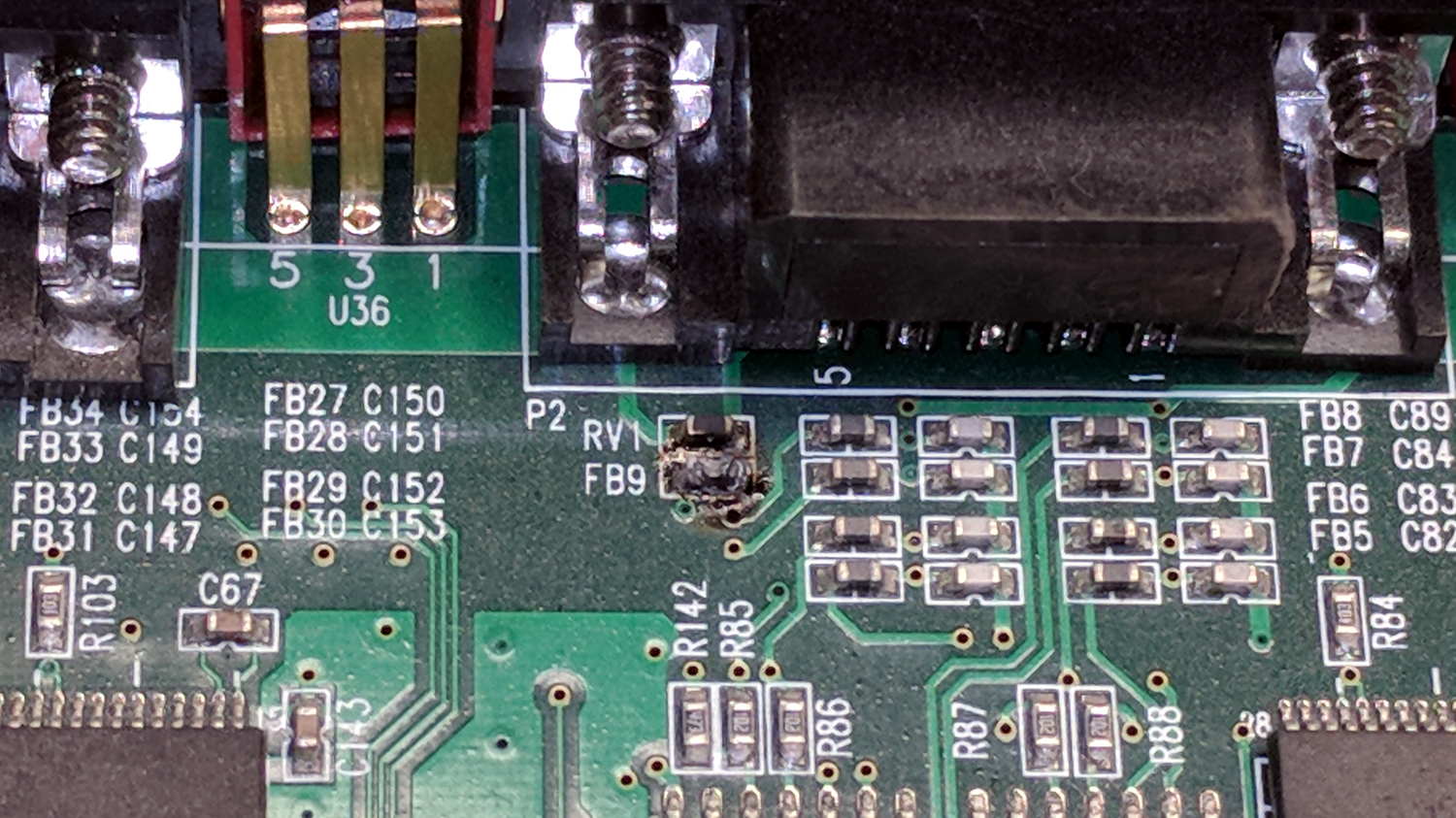
Poking the “factory reset” switch did what you’d expect and the “console” serial port on the front worked fine. I plugged in the scope, the spectrum analyzer, and the GPS receiver, whereupon the bench took on the unmistakable aroma of electronic death:
Sena PS410 Serial Server – charred ferrite chip
Some probing suggests FB9 used to be a ferrite bead between serial port 2’s ground pin and the frame ground.
To compress an afternoon of tinkering into one sentence, there seems to be an occasional 35 VAC difference between the spectrum analyzer and the scope, but only when one or the other is plugged into the PS410. Everything is (now!) plugged into the same branch circuit and, in fact, the same outlet via many power strips, but the difference remains. A different power supply makes no difference, either.
I managed to burn out the ferrite bead on Port 1 with only the scope and the power supply plugged in, by connecting the scope’s ground lead to the shell of Port 2. That makes no sense: there is no voltage difference between the scope’s serial ground and its probe ground.
Something Is Not Right, but I’m baffled.
I have established that the server works fine, even with the charred beads, which is a Good Thing.
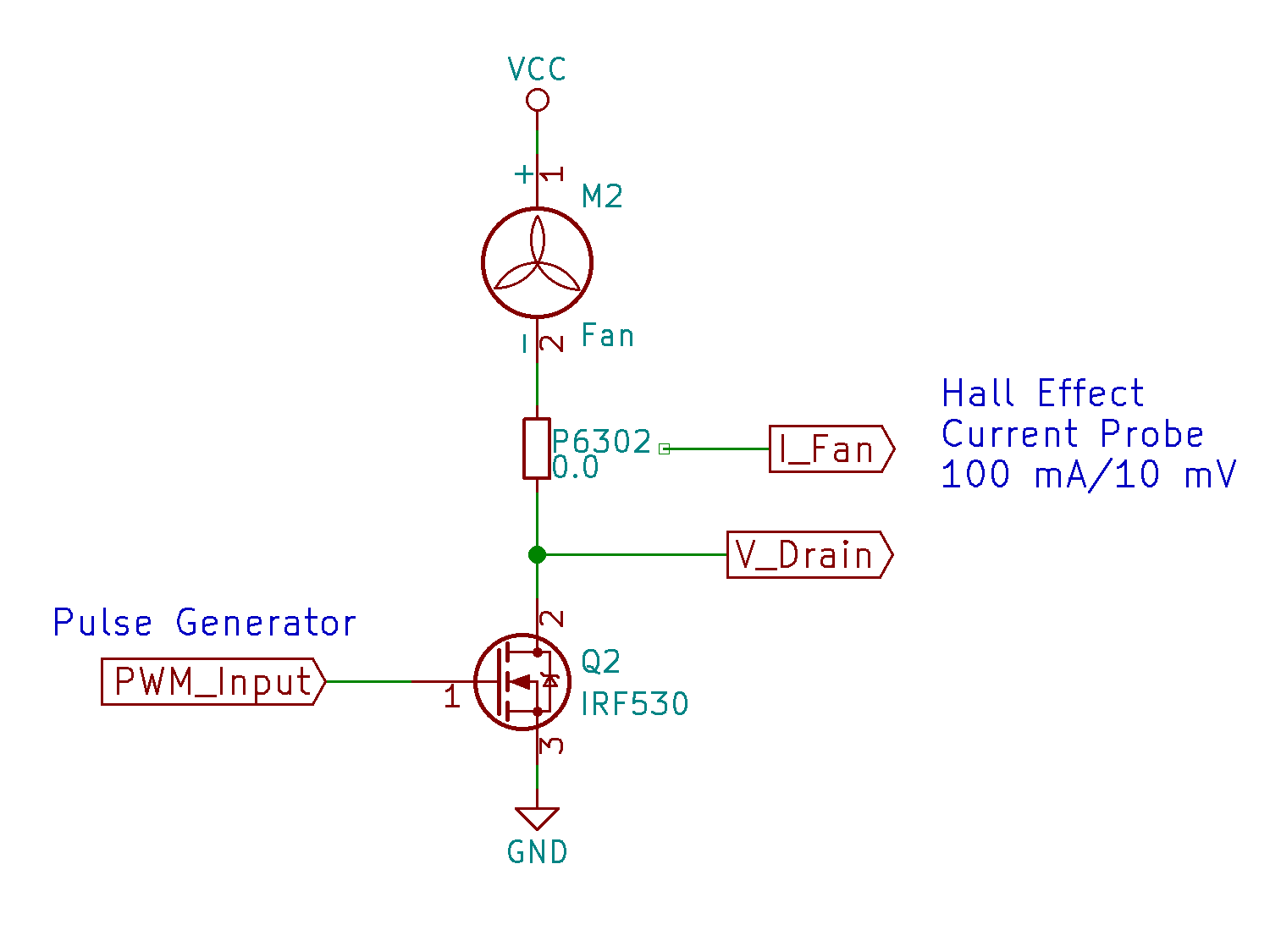
A simpleminded MOSFET circuit provides PWM drive for the BLDC blower:
BLDC Fan PWM Test Fixture – schematic
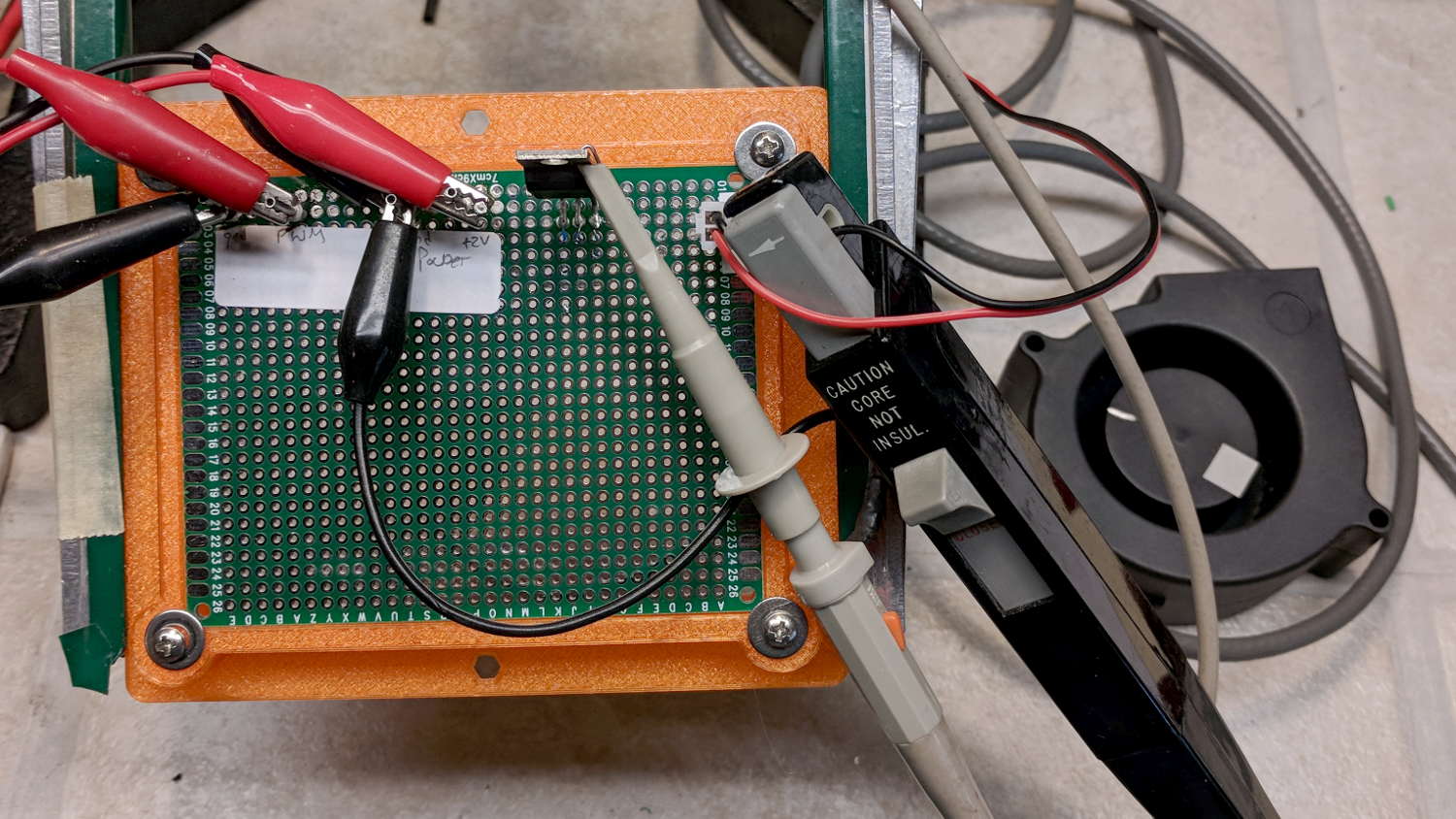
The Tek P6302 current probe looms much larger in real life than in the schematic:
BLDC fan PWM Test Fixture
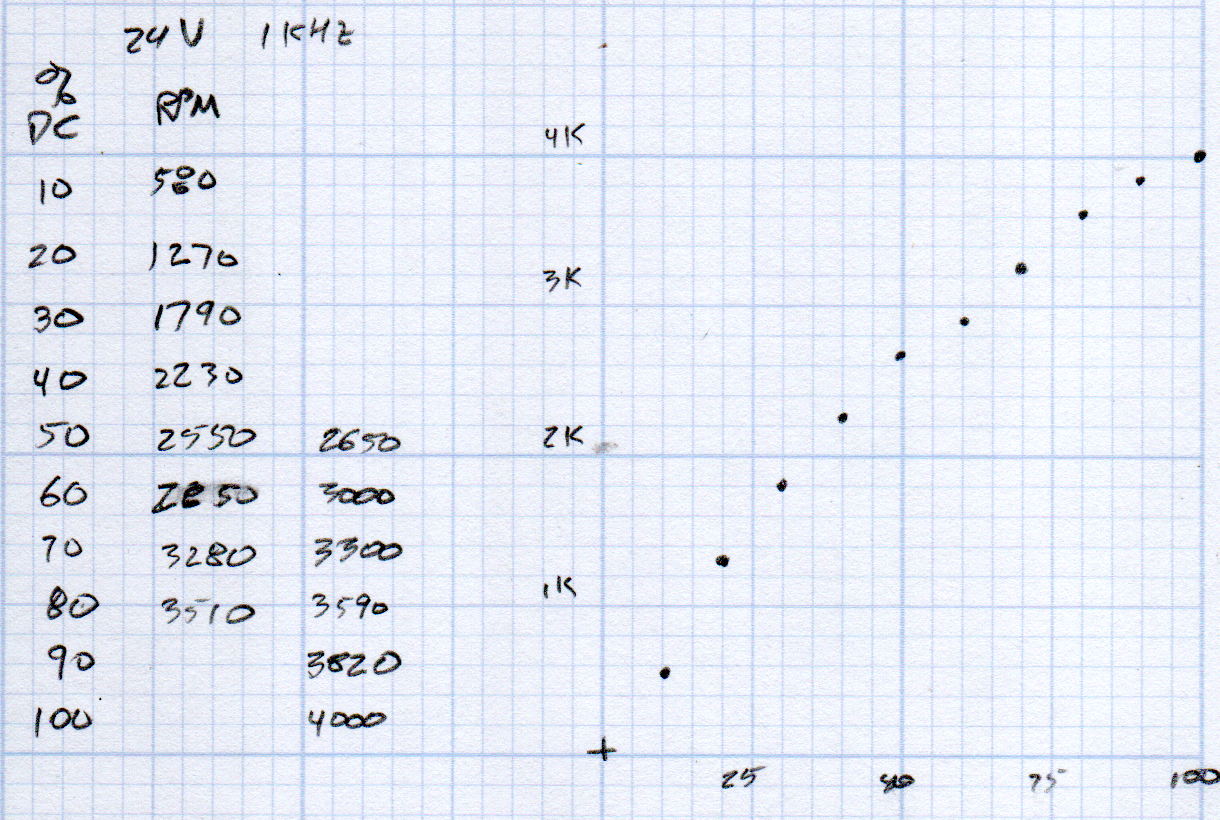
A quick dataset shows the RPM variation against PWM duty cycle:
BLDC Blower – RPM vs PWM – doodles
Unsurprisingly, the RPM curve resembles the earlier results against a variable DC supply voltage:
BLDC Blower – RPM I P vs V
Capturing the current waveform is stalled behind another project, but it has exactly the voltage spikes you’d expect from forcibly switching an inductive load.
Separately charging all four cells from the Baofeng BL-5 packs covered the Electronics Bench with wires:
Baofeng BL-5 cell charging
The cell sits on a ceramic tile as a nod to fire safety, although I doubt it makes any difference.
The discharge tests showed two nearly identical pairs:
Baofeng BL-5 Cells – Separate Charge – 2018-02-24
Surprisingly, cells A and B (upper traces) were deaders in the original packs. Cells C and D (lower traces) were more-or-less fully charged, but now have a lower terminal voltage and slightly lower capacity. I have no explanation for that, nor for the voltage undulations.
The rebuilt packs pair up A+B and C+D.
Reassembling pairs into the pack shell and resoldering all the leads produces a good pack:
Baofeng BL-5 battery rebuild
I later added a snippet of heavy manila paper under the nickel tape bent around the edge of the pack as a third level of insulation, in the interest of having the nickel tape not produce a dead short between the isolated – terminal and the + cell case.
Memo to Self: tape the long wiggly leads from the protection PCB to the radio contacts (at the left side) before soldering the PCB to the cell terminals, because an inadvertent short will convert the 8205A battery protection IC into a Light-Emitting IC, at least for a moment, and subsequently release the Acrid Smell of Electrical Death. A handful of charge PCBs are en route halfway around the planet, from which I intend to liberate one IC for this board; with luck, I didn’t incinerate anything else.
The pack works fine in the radio, as does the APRS interface:
APRS Coverage in Poughkeepsie – 2018-03-01
Unfortunately, two APRS iGates vanished in the last year, leaving poor coverage south of Poughkeepsie.
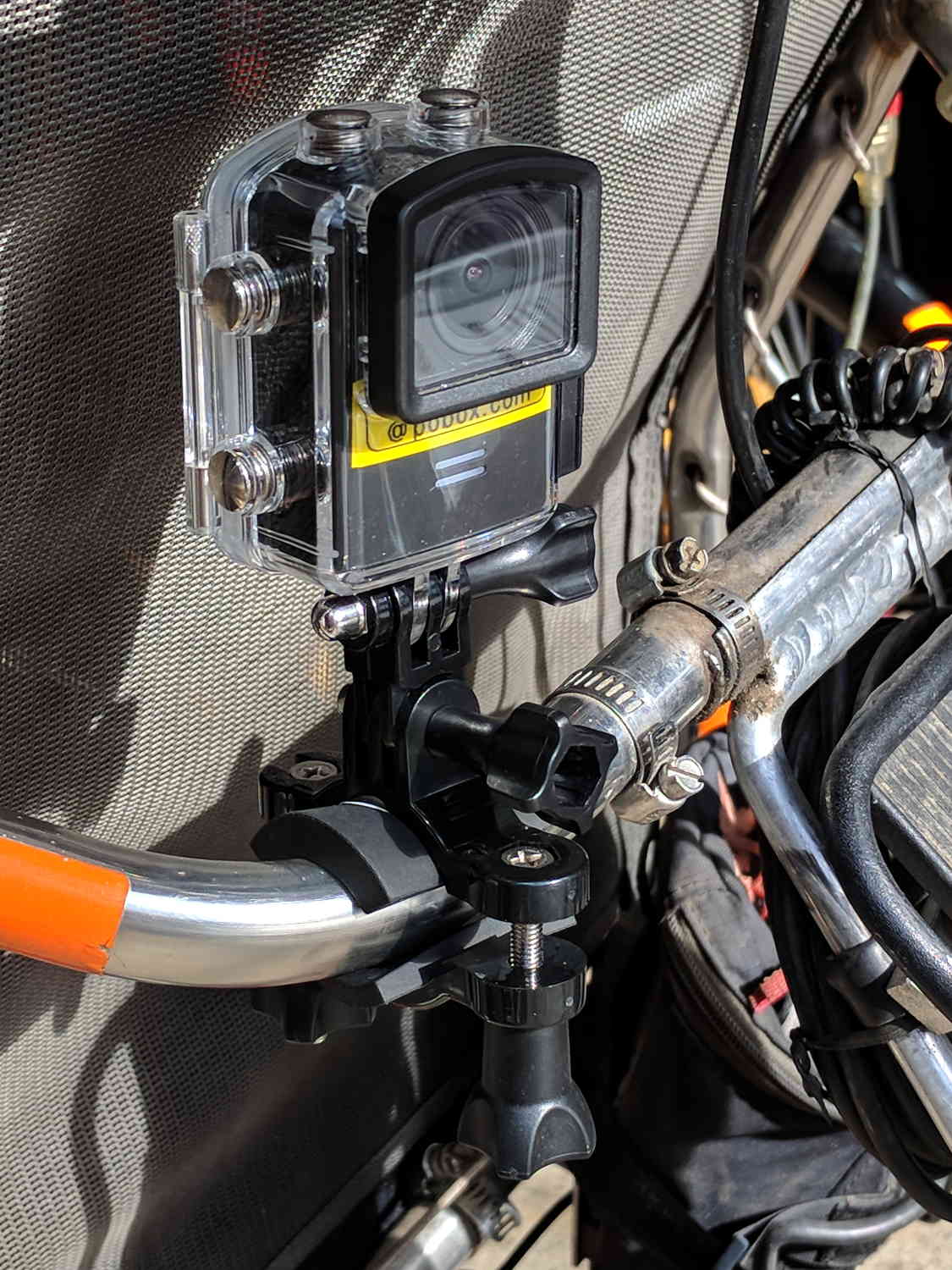
Including a waterproof case, some right-angle connectors, and a pipe clamp:
M20 in waterproof case – Tour Easy seat
The stack turns out to be about as flexy as one might imagine, definitely a Bad Thing for a bike-mounted camera, and a somewhat more rugged mount seems in order.
A diagram from the M20 manual shows the parts:
SJCAM M20 Overview – Manual pg 5
Some camera dimensions:
40.2 mm wide + 0.5 mm for the Up/Down buttons
21.8 mm thick + 1.0 mm cylindrical front curve + 1.0 mm rear screen
50.0 mm tall + 4.0 mm cylindrical top curve + buttons
21.7 mm OD × 6.0 mm long lens housing, 1.3 mm down from top center
All the edges have neat chamfers or radius rounding on the order of a few millimeters.
Applying the chord equation to the spans inside the rounding:
Front radius: 162.5 mm
Top radius: 42.5 mm
The new batteries survive for a bit over an hour, not quite enough for our usual rides. Rather than conjure a fake battery pack connected to an external 18650 cell with a wire chewed through the case, the least awful way to go may involve a relatively small battery pack (with internal 18650 cells, of course) plugged into the USB port with a right-angle cable and a rigid mount holding both the camera and the pack to the seat frame.
Gastón sent me a note describing how he got serial communications working with an old-school HP 54600-series oscilloscopes. After swapping some hints and tests, it’s worth recording so I (and, perhaps, you!) can make use of it the next time around:
I recently bought a 54616B for which I also bought the 54659 Measurements/Storage module. It comes with an RS232 9-pin port and that, besides the possibility to have the full plethora of additional measurements including FFT, made me buy it.
I saw I had the same problem you had by that time (the oscilloscope printed alright through the serial port but utterly ignored all of the commands I sent to it) so, as I found a solution, I thought it would be nice to share it with you as you share all of your doings with many people on the web.
I discovered that the real problem was not in the interface but in the documentation (go figure, huh!). The terminator character must be, instead of a NL, a semicolon. The NL terminator is probably still valid for the GP-IB interface.
I have tested this setup at 19200 baud, “DTR” flow control on the scope side and a generic USB-Serial converter (Cypress semiconductor) plus a null modem cable and it worked just fine. The software on my PC is Windows 7, but I am running an Xubuntu Xenial under Virtualbox and did the tests using minicom.
Sending NLs did not seem to affect the communication at all but be aware that the error handling routines on the scope side are not the best, meaning that most probably after some errors or just one (which you will see emerge on the scope screen) you will need to reboot the scope to be able to communicate again. No big deal but it could be annoying.
This is a sample of a command sequence to measure the frequency of the calibrator connected to the Channel 1 input:
Let me know if it works for you, or if I can be of any help.
Which knocked me out of my chair!
Wow!
That’s the first time the scope’s serial output pin produced a different voltage in the last, uh, three decades! [grin]
You’re absolutely right about the command parser: it falls off the rails at the slightest provocation and leaves no suicide notes behind.
Gingerly following your technique, I found the scope’s serial interface must be in its “connected to computer” mode; the printer & plotter modes (not surprisingly) don’t respond to commands.
Even with that, I’m unable to get a consistent response to (what seem to be) correctly formatted commands. If I send some *RST; commands, eventually it’ll reset, but I sometimes can’t get anything back from status inquires like *SRE?; and so forth.
Sometimes, a linefeed (Ctrl-J) works as a terminator, sometimes it doesn’t. Even with a semicolon at the end of the command, it sometimes responds only after a Ctrl-J. Recovering from errors seems to require a random number of successive ; and linefeed characters.
What definitely doesn’t work: a normal carriage return + linefeed combination! I think that explains my complete lack of success many years ago, as I probably used a terminal program that automatically sent CR+LF at the end of each line.
However, it’s now doing something in response to serial commands, which it never did before.
The only way to use the interface will be with a (tediously debugged) program sending a preset command sequence and receiving a known series of responses. Hand-carving a series of commands just won’t work.
Gastón did a bit more poking around:
It seems that the implementation for the different oscilloscopes of the same family was different. This was to be expectable but I didn’t think it would be *so* different.
In my case, as said, linefeed does nothing at all. This weekend I will try (just for grins of course) to use linefeeds interspersed with the letters of a single command to see to what extent they are ignored.
In my opinion, the inconsistent response you get could have to do with the implementation of the interface on the computer side, or even marginal baud rate or jitter. I had to resort to the Xubuntu-within-Virtualbox-within-Windows7 just because I couldn’t get a consistent communication from Windows 7 alone from my “usual” laptop. I tried another laptop with Xubuntu as OS and the serial port worked only up to 9600 baud, and with some errors from time to time, shown as “Override error” and “RS232 Protocol Error” on the scope screen. From this ones, the oscilloscope did recover without problems. Parser ones in my case are fatal every time. They show as “Unknown Header” and that’s a death signal. The oscilloscope functionality, though, is not affected in any way.
Just as an aside, my HP 54659A interface uses a Philips SCN2661AC1A28 as UART.
I agree with you regarding to the way to use it is with a program that only sends the right sequence of commands and receives in turn a known series of responses. Back in the ’90s I worked with a functional level board tester which used several HPIB-managed instruments (HP3314 arbitrary waveform generator, two programmable power supplies), a couple others with VXI bus, among which there was a display-less version of an HP545xx oscilloscope. That beast was managed from an IBM PS/2 model 70 (a 486 based one) with National Instruments interface boards. Not a hobby setup in any way. Every single time I managed to send the wrong command to the oscilloscope, I had to reboot both the board tester rack and the PC… so the parser’s lack of humor is not exclusive of the 546xx series :).
Even with a fully debugged command sequence, sometimes the oscilloscope decided to act up… this last didn’t happen very often but when it did, it was extremely annoying for the tester operator as the sequence was a lengthy one (about 10 minutes per board) and when it failed, it meant sometimes half an hour of time lost, between recognition of a tester failure (and not simply a board that required multiple test retries and thus took longer than usual), reboot of both instruments rack and computer, and rerun.
And a followup which may discourage all but the stout of heart:
To add to the general confusion, I tried with Ctrl-J instead of a semicolon, and the commands are accepted too. It seems that my tty terminal setup is not as good as I thought it was.
The semicolon, from what I have been reading, is a command separator within a line and perhaps that is why it is accepted as readily as the linefeed. I did test sending newlines between the characters and I got a “Syntax Error” in the scope screen from which the only way to recover was an oscilloscope reboot.
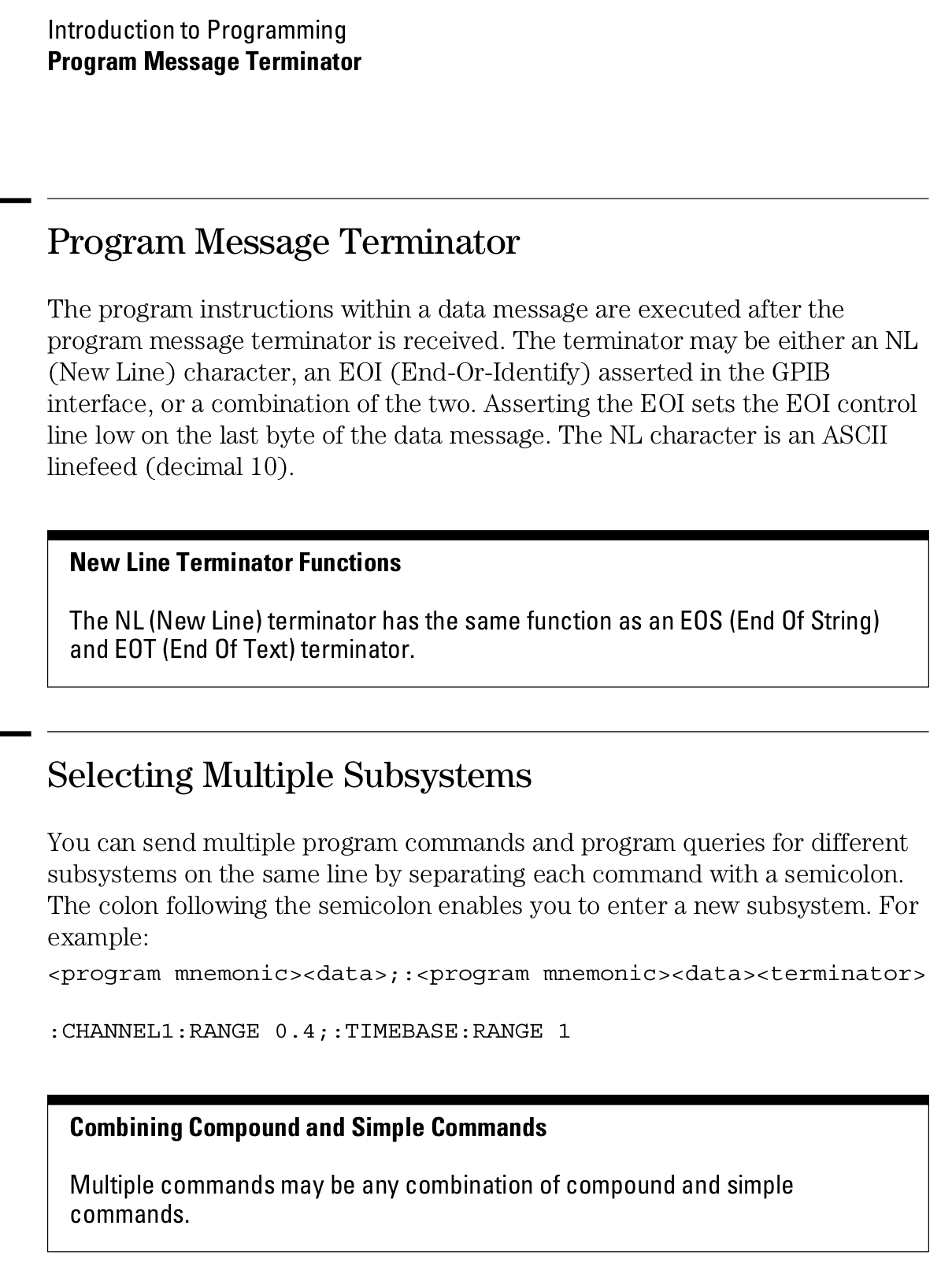
Page 1-12 from the Programmer’s Guide (54600-97032) may be of interest (clicky for more dots):





 The Smell of Molten Projects in the Morning