Ed Nisley's Blog: Shop notes, electronics, firmware, machinery, 3D printing, laser cuttery, and curiosities. Contents: 100% human thinking, 0% AI slop.
These were cheap-after-rebate phones with 2/3 AA NiCd cells that lasted nigh onto five years. We rarely talk on the phone and even more rarely use these, so they’re on the dreaded continuous trickle charge and low usage cycle that kills rechargeable batteries. Of course, they’ve been sitting there for five years…
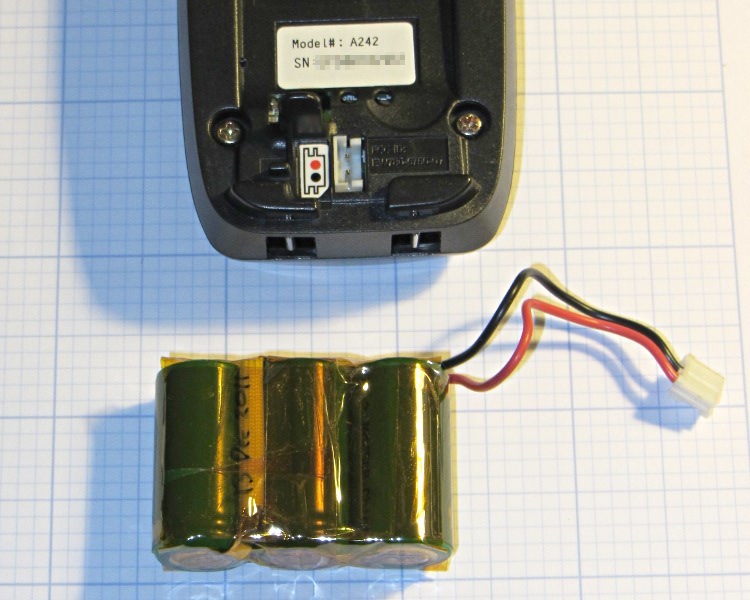
The rebuild was no big deal, although I had to replace the original 360 mAh NiCd cells with 650 mAh NiMH cells (with tabs) because that’s what’s available nowadays. The trickle rate will be even lower relative to the capacity, of course, which may or may not be a Bad Thing.
The packs contained a simple fuse consisting of a thinned section of the usual nickel strap connecting two cells, covered with a fiberglass sleeve under the shrink overwrap. For lack of anything smarter, I harvested the fuse and soldered it in the new pack. although the risk of a catastrophic short seems fairly low:
NiCd pack with thin-wire fuse
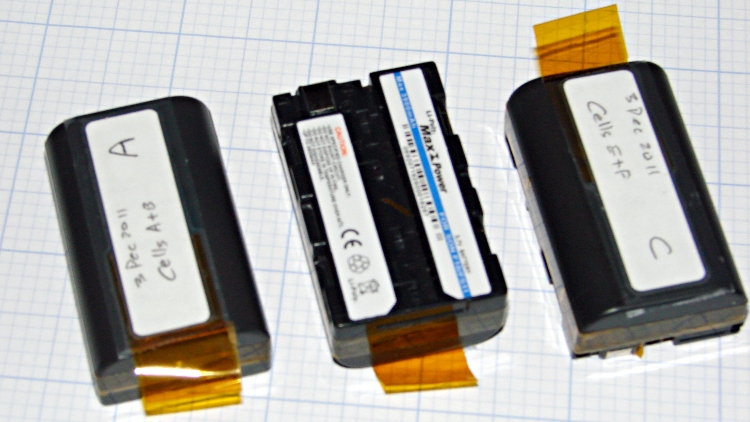
The final result looks about as you’d expect, complete with obligatory Kapton tape wrap:
Ativa phone – rebuilt battery
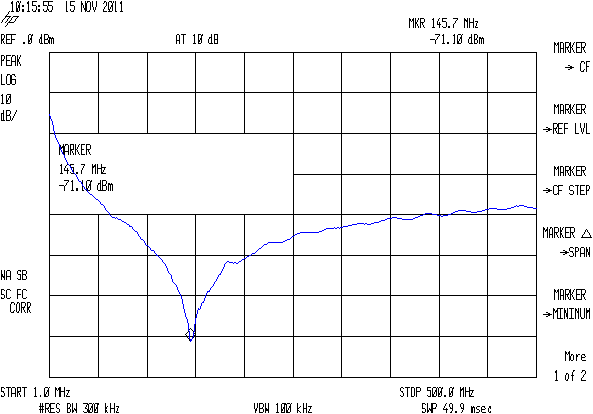
The old pack is kaput and new pack delivers pretty nearly its rated capacity at an arbitrary 550 mA discharge (which is, admittedly, a bit stiff for the old pack):
Ativa phone battery tests
That takes care of one phone… the other one’s probably in the same condition, so I have enough cells to rebuild it, too.
The script I use to fetch screen dumps from my HP8591 spectrum analyzer works fine, but it turns out that the screen images have (at least) two sizes.
The hp2xx program converts the screen dumps from HP-GL text files to PNG bitmaps:
for f in *hgl ; do hp2xx -m png -c 1436 "$f" ; done
The usual size is 593x414 pixels:
SMD 470 pF – Comm Spec
The other size is 593x395 pixels:
SMD 470 pF – Surplus
As nearly as I can tell, the spectrum analyzer mashes the Y coordinate when any of the soft keys along the right edge have reverse-video highlights, which print as outlined boxes. There may be other sizes; those are the two I’ve stumbled over so far. This doesn’t much matter unless I’m using the images in a column, in which case it’s awkward to have two sizes: a one-size-fits-all script to trim off the soft keys doesn’t produce the proper results.
Musing on how to figure this programmatically…
The file command gives the pixel dimensions, with the file name (which may contain blanks: so sue me) set off with a colon:
You need single quotes around the geometry parameter to prevent Bash (or Dash or whatever) from gnawing on the bang character (yes, that’s how you pronounce “!”).
The images are lossless PNGs because they consist entirely of single-pixel lines and characters; alas, resizing by non-integer factors close to 1.0 introduces nasty picket-fence aliasing artifacts:
Resize x 1.049
I resize the pix by a nice, even factor of two (which also adds aliasing artifacts, but in small and very regular doses) and set the dots/inch value so the images print at about the right size without further hassle along the production pipeline:
mogrify -density 300 -resize 200% whatever.png
Which looks like this:
Resize 2.00
Resizing from the smaller images to (roughly) the final size in one step doesn’t look quite so awful:
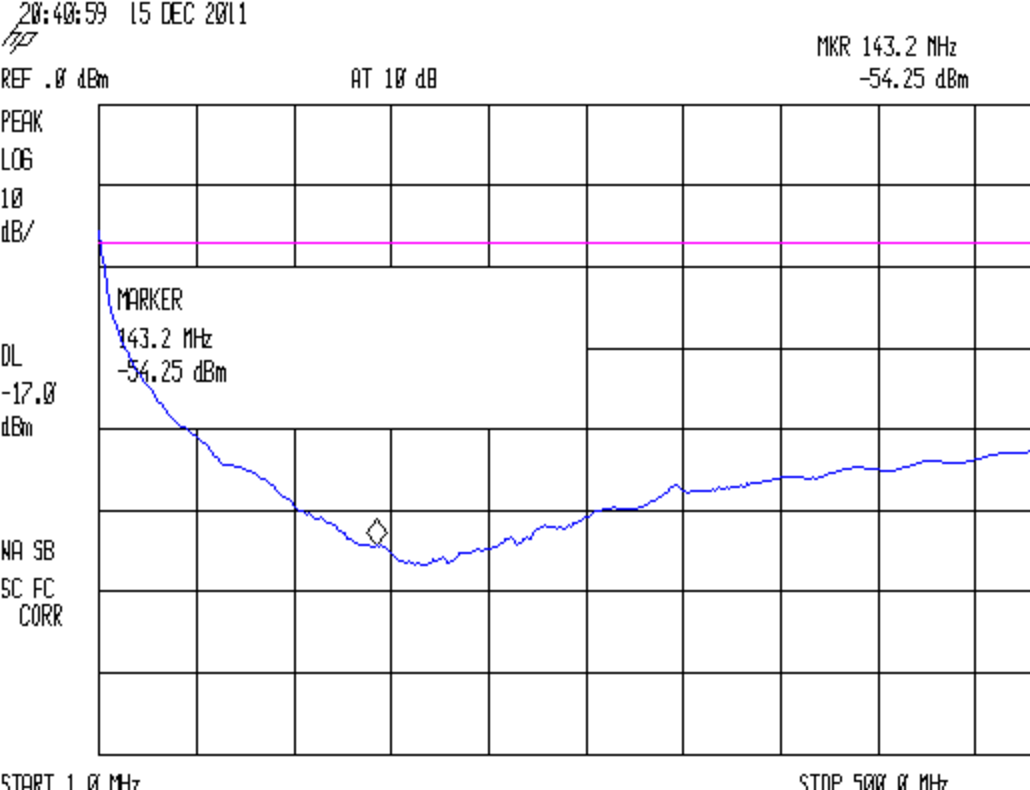
I’d wondered whether suppressing RFI by picking capacitors by their self-resonant frequency, so that each cap would suppress a known input signal. Turns out that’s entirely possible, even for the amateur VHF and UHF bands:
Wouxun PCB – 100 nF 680 80 pF AVX – PTT
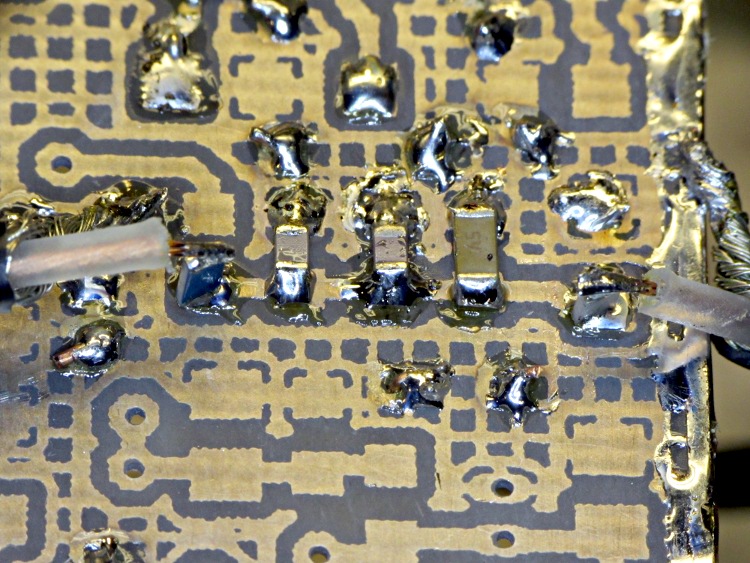
The three caps producing that trace look like this on the brassboard PCB for the Wouxun GPS+voice interface, with spectrum analyzer input & output through RG-174 coax with 22 Ω and 470 Ω SMD resistors tombstoned on the pads at the end of the string:
GPS voice PCB – SMD caps on PTT input
The scattered solder blobs cover Z-wires connecting the top ground plane to the continuous ground pour on the bottom surface. The solder strip along the edge joins the copper tape bonding the surfaces together around the perimeter. Basically, this is as well-controlled a layout as one can rationally get, without full RF matched-impedance zaniness.
However, the whack-a-mole RFI suppression concept makes absolutely no sense whatsoever for anything other than a mass-production board with rigidly controlled component parameters, which isn’t what you see here. Basically, ceramic caps have poor tolerances, bad thermal stability, and standard values too far apart to make fine tuning practical: lining up the self-resonance with a desired frequency requires trial-and-error selection for every capacitor.
Those peaks between the self-resonances can be much higher than you’d expect, too, because they represent parallel resonances where the total impedance can approach an open circuit. Remember that caps above resonance look like inductors and caps below resonance look like caps, so two parallel caps form a nice RL tank circuit for signals between their self-resonant frequencies. The caps have very low ESR, making the Q unreasonably high.
If you were hoping for / requiring broad-spectrum RFI suppression, paralleling caps will definitely make things worse, which is probably not what you expected, either.
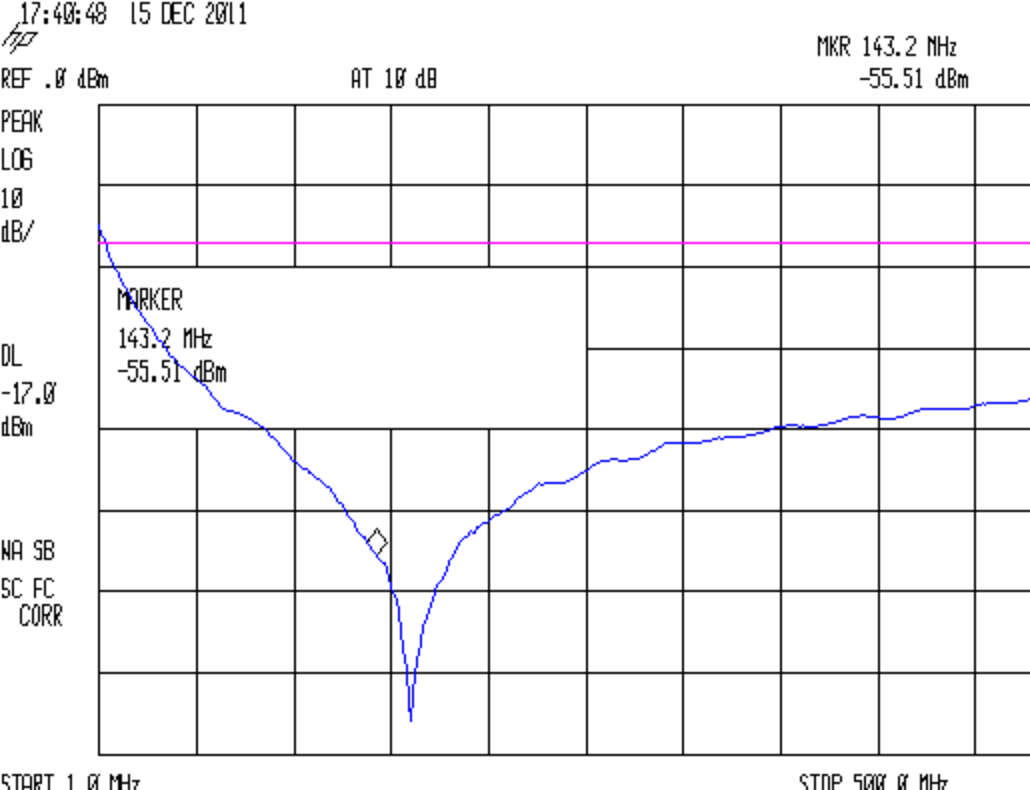
The whole scheme also suffers from measurement error due to parasitic inductance from the position of the SA and TG “probes”. Compare this trace:
Wouxun PCB – 330 pF – HTPTT near
Made with the SA and TG connected to the same pad:
SA and TG – same pad
With this trace:
Wouxun PCB – 330 pF – HTPTT far
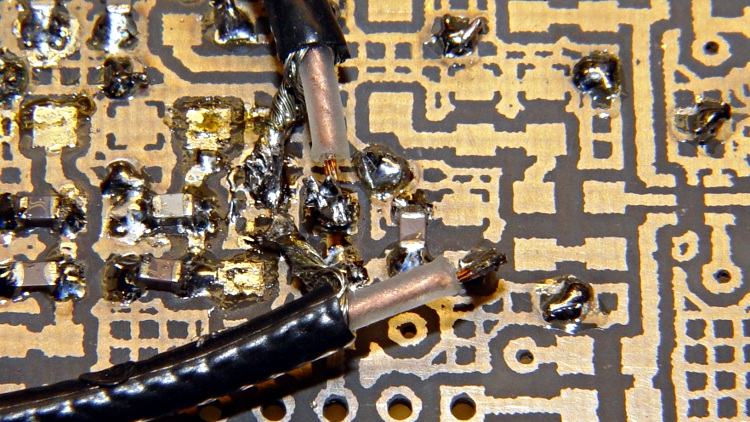
Which involves moving the SA input to a pad on the other end of the trace, the better part of 8 mm away:
SA and TG – different pads
Yes, those layouts are identical when you’re talking about signals near DC.
The pigtail leads certainly contribute some inductance, as does the the PCB trace itself. I suspect you could model that effect, but I’m not sure you could generate a predictive model without a 3D field solver and a whole bunch of calibration measurements. If you really care about the location of that self-resonant peak, I’m not sure which trace / layout you’d trust.
Of course, if you use a cap with a very broad self-resonant peak, then it’s all good. Except, equally of course, that I have no idea how you’d specify one of these to your purchasing agent:
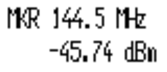
Wouxun PCB – 992 pF – HTMIC
That’s a 1 nF cap from the same assortment (made by AVX, a nominally reputable manufacturer, if the eBay vendor is to be believed) that produced the other peaks. Obviously there’s something different about those caps (and the 1.5 nF caps in the next compartment of the assortment, too): it’s not a measurement error! Notice that it has the expected high impedance at low frequencies, so you’d probably want a larger cap in parallel, which would give you at least a moderate parallel-resonant peak in between.
So if there’s a single frequency that needs squelching you can probably find a suitable cap by rummaging around in your assortment. More than that, though, just isn’t practical.
Just about the only other discussion I’ve seen about this comes from the folks at Ultracad Designs, who have run the numbers much further than may seem be reasonable, even by my standards.
For the last few days, my trust Weller EC1000 soldering iron (well, station) has been misbehaving: shortly after cleaning the tip, it would become covered in charred residue and slag. Today, the LED I’d hacked across the heater terminals inside the base stayed dark, even though the tip was hot, and then became sensitive to the handle position. Obviously there’s a loose wire inside, right?
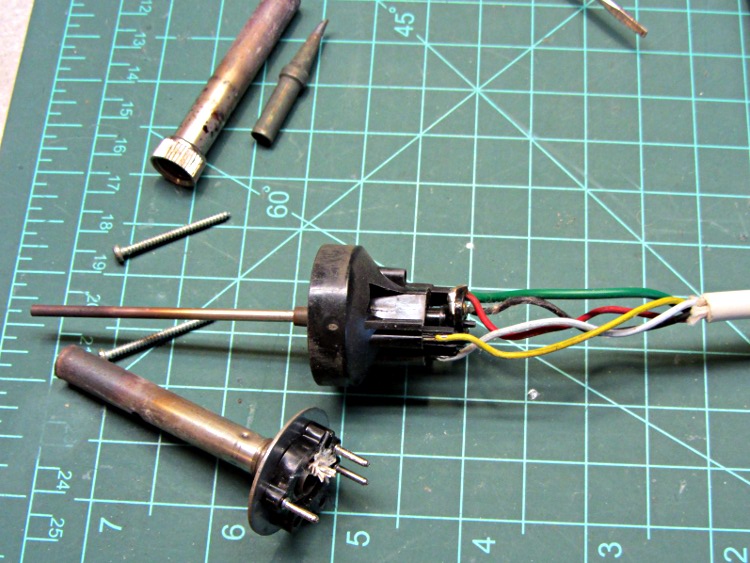
So I took the handle apart by removing the two screws on the front plate:
Weller EC1201A soldering handle innards
The trick to getting the guts out is to push down on the tab inside the handle that locks the cord strain relief block into the handle. After that, everything comes apart with very little force at all.
Contrary to what I thought, the heater is in the tube surrounding the temperature sensor probe. Looking at the connector on the front of the base unit, the key is on the left side and the wires going clockwise from above the key are:
Yellow: heater
White: heater
Black: sensor
Red: sensor
Green: shield
I would have sworn the red & black were the heater, as they have special-looking brass/bronze/copper colored pins & sockets. Wrong again.
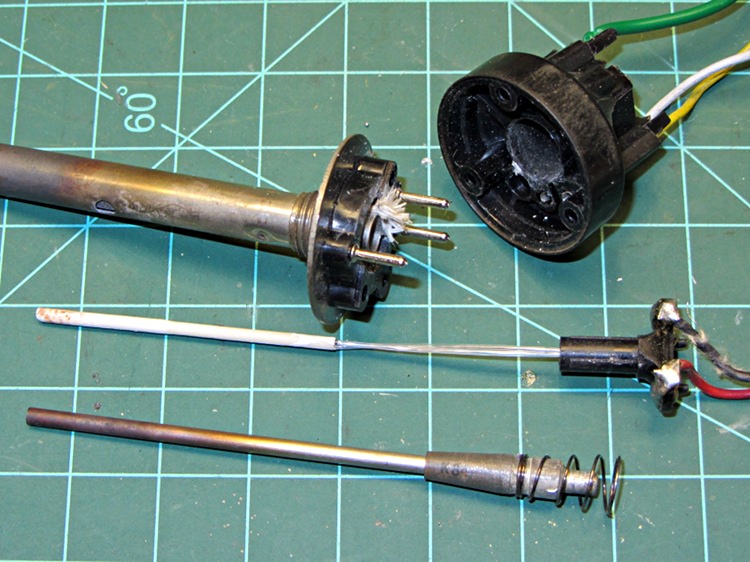
The temperature probe comes apart thusly:
Weller EC1201A temperature probe disassembly
Basically, slide the connector and ceramic-coated sensor out of the back of the black shell, then pull the spring-loaded sheath out the front.
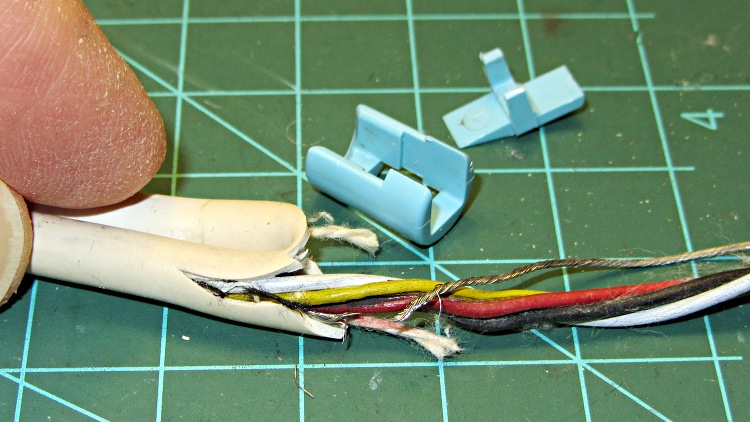
I hoped for a laying-on-of-hands fix, but it was not to be: the tip heats while the LED (which I wired there early in the iron’s life) across the heater power remains off. But the LED blinked on intermittently with slight pressure on the iron’s tip; a bit more poking and prodding isolated an intermittent open-circuit to the ground wire just outboard of the strain relief at the handle:
Soldering iron cable failure
A bit more poking & tugging isolated an intermittent high-resistance short (a few hundred ohms, more or less) to a section of cable half a foot from the base connector at the bottom of the cable’s natural loop when the iron’s in the holder.
Unfortunately, fixing all that didn’t restore the iron to life. It seems that the temperature sensor (a thermocouple?) has failed, allowing the tip to heat well beyond any rational temperature. Now that I’m looking, a cleaned solder layer turns blue with oxidation in a matter of seconds and rosin chars instantly. The temperature control knob has no effect whatsoever.
The date codes inside the box show it’s been with me since late 1982, so on a dollars-per-year basis the thing has been a bargain. A new sensor is $60, a new handle is twice that, and I think it’s time for a new iron… at less than the price of the sensor alone, I think that’s OK.
Mary prefers dim digits on the bedroom alarm clock, far below what the usual DIM switch setting provides. I’d slipped a two-stop neutral density filter in front of our old clock’s VFD tube, but the new one has nice green LED digits that ought to have a tweakable current-setting resistor behind the switch. Indeed, a bit of surgery revealed the switch & resistors:
RCA clock – DIM switch and resistors
It turns out that the 220 Ω resistors set the DIM current, with the 100 Ω resistors in parallel to set the BRIGHT current. Weirdly, the display operates in two halves: one resistor for the lower and middle segments, the other for the top segments. The resistor numbers give a hint of what the schematic might look like:
RCA clock – LED current-set resistors
The current control isn’t all that good, because the brightness varies with the number of active segments. With 470 Ω resistors (yes, from that assortment) in place, the variation became much more obvious; the LEDs are operating far down on their exponential I-vs-V curve. We defined the result to be Good Enough for the purpose.
Four short screws hold the circuit board in place, but one of them arrived loosely held in a pre-stripped hole. I cut eight lengths of black Skirt filament, anointed them with solvent adhesive, dropped two apiece into each screw hole, and ran the screws back in place. I likely won’t be back in there, so it should be a lifetime fix:
RCA clock – ABS filament in screw hole
Done!
As with all the trade names you remember from back in the Old Days, the present incarnation of “RCA” has nothing whatosever to do with the original Radio Corporation of America:
Measuring some low-value resistances with one of my DVMs produced weird results: dead shorts around 10 Ω.
Differential diagnosis:
Test lead tips clean
Wires firmly mounted in probes
Banana plugs OK
Short banana jumper across jacks reads 10+ Ω
Took the meter apart and what do we see? An ABC ceramic fuse in good old PCB clips:
DVM fuse holder
Spinning the fuse dropped the resistance by a few ohms. Adding a minute drop of DeoxIT to each end, rotating the fuse to scrub it in, and wiping off the excess put the total resistance back around 0.2 Ω where it should be.