The Smell of Molten Projects in the Morning

Ed Nisley's Blog: Shop notes, electronics, firmware, machinery, 3D printing, laser cuttery, and curiosities. Contents: 100% human thinking, 0% AI slop.

Category: Electronics Workbench

Electrical & Electronic gadgets

  • SJCam M50 Condensation

    SJCam M50 Condensation

    I put the camera in the front yard to monitor a new groundhog hole, then mowed the lawn. Although smoke drifting in from the Canadian fires has posed a problem, the air quality wasn’t this bad:

    SJCam M50 camera condensation - foggy image
    SJCam M50 camera condensation – foggy image

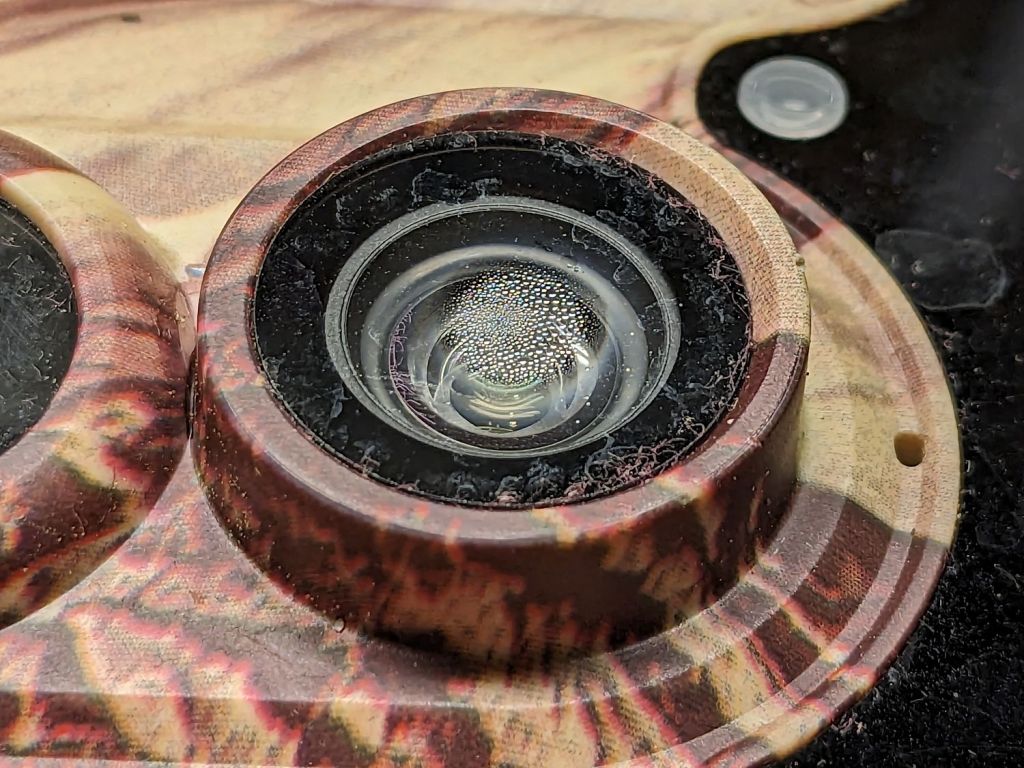
    It turns out the camera’s case seal isn’t quite up to the task:

    SJCam M50 camera condensation - detail
    SJCam M50 camera condensation – detail

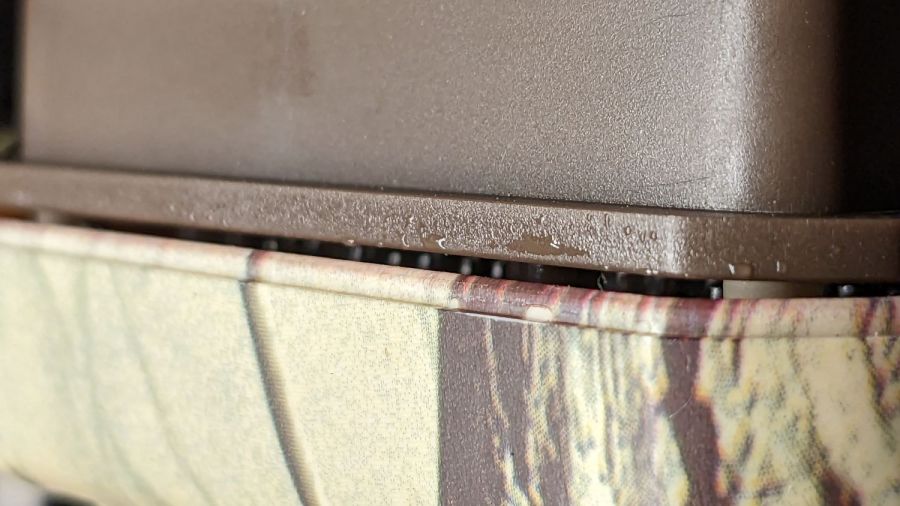
    The lip around the front half of the case presses against a rubber gasket around the rear half, which means the water on the electronics chassis is inside the camera case:

    SJCam M50 camera condensation - case edge
    SJCam M50 camera condensation – case edge

    Fortunately, the water condensed on the inside of the glass lens protector, rather than on the camera itself:

    SJCam M50 camera condensation - interior
    SJCam M50 camera condensation – interior

    I let the whole thing dry out on the bench for a few days and all seems right again.

    The leak does make me think leaving it out in the rain is a Bad Idea™, which isn’t the sort of thought one should have about a trail camera.

    Diurnal pumping can explain many electronic failures. For the record, the monitoring station on the Walkway Over the Hudson vanished a while ago, probably due to rampant electronic corrosion.

  • Sunbeam Clothes Iron Salvage

    Sunbeam Clothes Iron Salvage

    For just under twenty bucks, Mary has a new clothes iron and I harvested the heating element from the longsuffering Sunbeam iron:

    Sunbeam clothes iron - heater connections
    Sunbeam clothes iron – heater connections

    Per the notations:

    • AC Line enters on middle terminal to thermostat
    • Thermostat controlled Line on left terminal to heater
    • AC Neutral to heater terminal on right

    The heater measures 12.6 Ω cold, so 9.5 A → 1.1 kW.

    The iron had an insulating sleeve on the thermostat shaft capped with a plastic dial, which makes perfect sense for something in contact with the hot side of the AC power cord.

    The IC date codes suggest it’s been around since 2002, so it’s about two decades old. In that time, one of the two electrolytic capacitors succumbed to the plague:

    Sunbeam clothes iron - capacitor plague
    Sunbeam clothes iron – capacitor plague

    I think the relay and electronics implemented the iron’s timed shutoff function, but it does seem rather complex for that.

  • Kenmore 362.75581890 Oven Igniter: That Didn’t Take Long

    Kenmore 362.75581890 Oven Igniter: That Didn’t Take Long

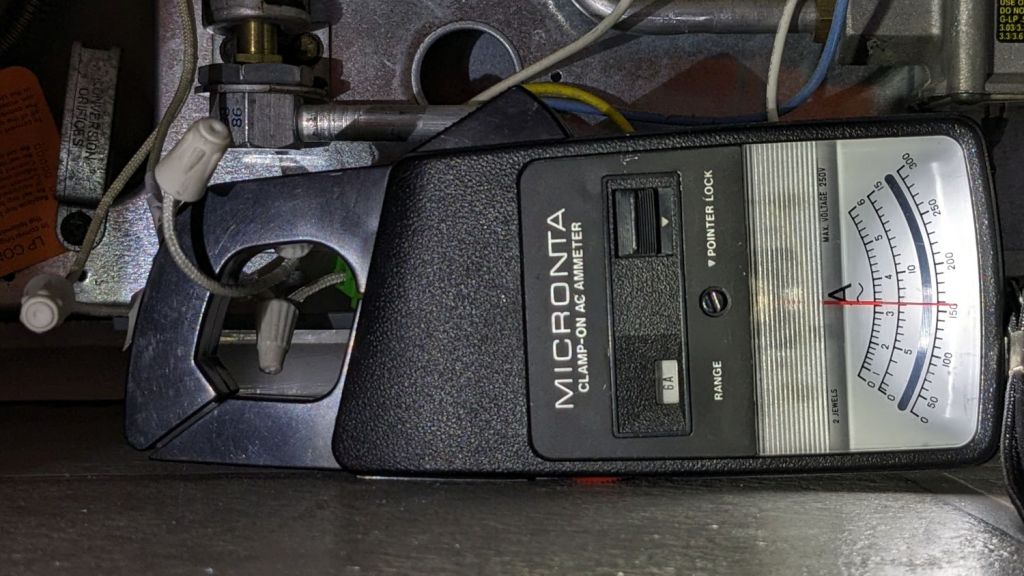
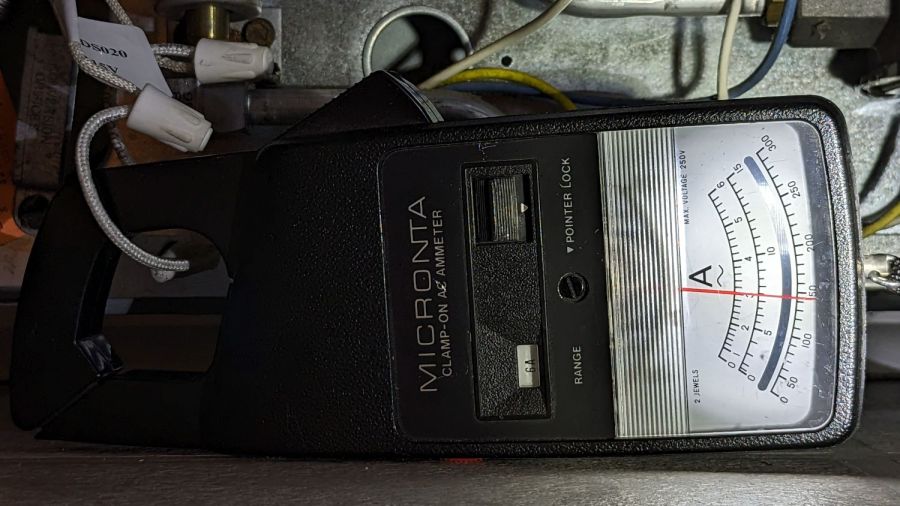
    So the oven igniter I installed in January failed to ignite the oven when its current draw fell far enough below the valve’s 3.3 A minimum:

    Oven Igniter - 2.3 A current
    Oven Igniter – 2.3 A current

    Of course, the seller no longer offers that particular igniter.

    I described the problem:

    The igniter just failed. The oven gas valve requires 3.3 to 3.6 amps to open, but this igniter now draws only 2.3 amps, as shown by the clamp-on current meter.

    Because of the low current, the valve does not open and the oven does not heat.

    The igniter should last more than five months!
    How do I go about getting a replacement or a refund?
    Thanks …

    Which generated pretty much the reply you’d expect:

    We are very sorry, because your product is 5 months from the date of purchase, we cannot offer you a refund.
    Please purchase another replacement.

    Which made me a bit salty:

    ” the best quality for greater power connection, higher load and longer service life “

    ” We stand by our products, and our customers are our focus as a business. If you have any quality problem, please contact Funmit customer service team in time, and we will try our best to solve your problems “

    So five months is “longer service life” with “the best quality”.

    Bonus: now I understand what “try our best” means, too.

    But to no avail:

    Have a nice day! We are glad to serve you.
    We are very sorry that you are not satisfied with our products.
    Amazon.com Return Policy:Amazon.com Voluntary 30-Day Return Guarantee: You can return many items you have purchased within 30 days following delivery of the item to you. Our Voluntary 30-Day Return Guarantee does not affect your legal right of withdrawal in any way.
    However, the product has passed the return and exchange period, so it cannot provide you with a warranty.
    If you have other questions, please contact us in time, we will serve you wholeheartedly. Thank you.
    Sincere wishes,
    –By Funmit

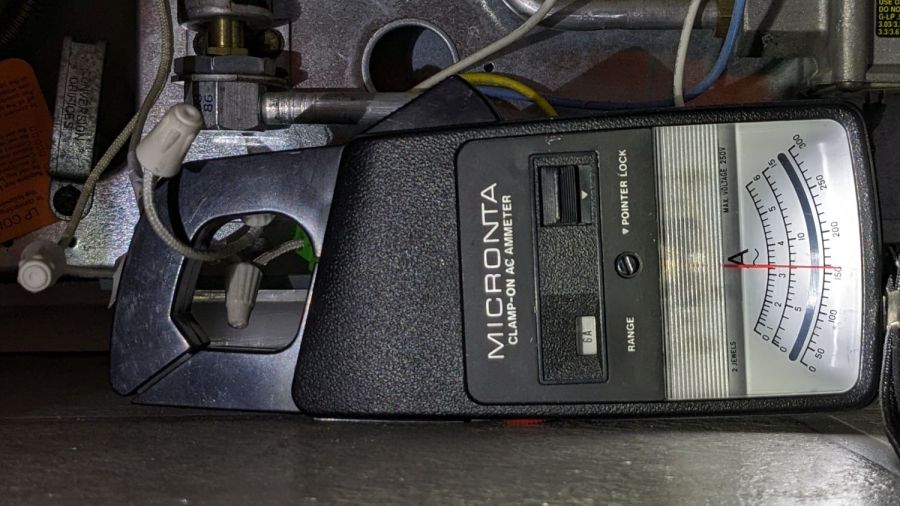
    So I bought a slightly more expensive igniter from a different randomly named seller that draws a slightly under-spec but entirely typical 3 A:

    Oven Igniter - 3.0 A initial current
    Oven Igniter – 3.0 A initial current

    This one, however, allegedly comes with a one year warranty:

    Quality you can Trust – All Snap Products are made with premium materials and are tested so they last
    Buy with Confidence – Snap Supply Parts always come with a 1 Year Warranty

    Which surely requires the seller remaining in business until then.

    We shall see how this works out.

  • Laser Water Chiller: Alarm Wiring

    Laser Water Chiller: Alarm Wiring

    I recently replaced the hack-o-matic icemaker + fountain pump cooler with a LightObject Q600 water chiller, an entirely uneventful process. The Q600 has a back panel “aviation connector” with an alarm output for water flow (more precisely, lack thereof) or over / under temperature: pins 1 and 3 are closed during normal conditions and open during alarms (and when the power is off).

    I finally wired the chiller into the OMTech 60 W laser’s internal water flow switch circuit, so that should either flow sensor have a problem with the water or the chiller detects an out of bounds temperature, the laser won’t fire.

    You may recall the laser’s HV power supply arrived with its Water Protect input jumpered to ground, which I then wired to the lid interlock switch to (presumably) reduce the likelihood the replacement power supply will fail hot. The laser’s water flow switch goes to the Ruida controller’s WP input, where it behaves as it should.

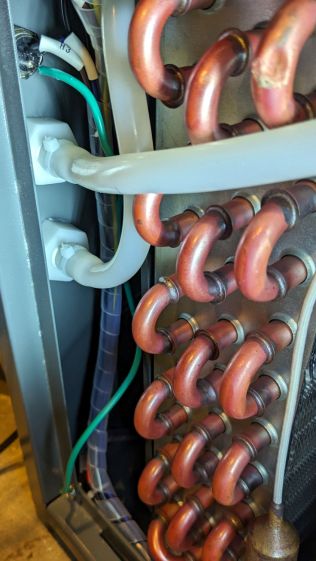
    Pin 2 of the chiller’s alarm connector is not connected to anything, so I added a safety ground wire for no good reason:

    Laser Water Chiller - safety ground wire
    Laser Water Chiller – safety ground wire

    The dent in the evaporator tube (upper left) is worrisome.

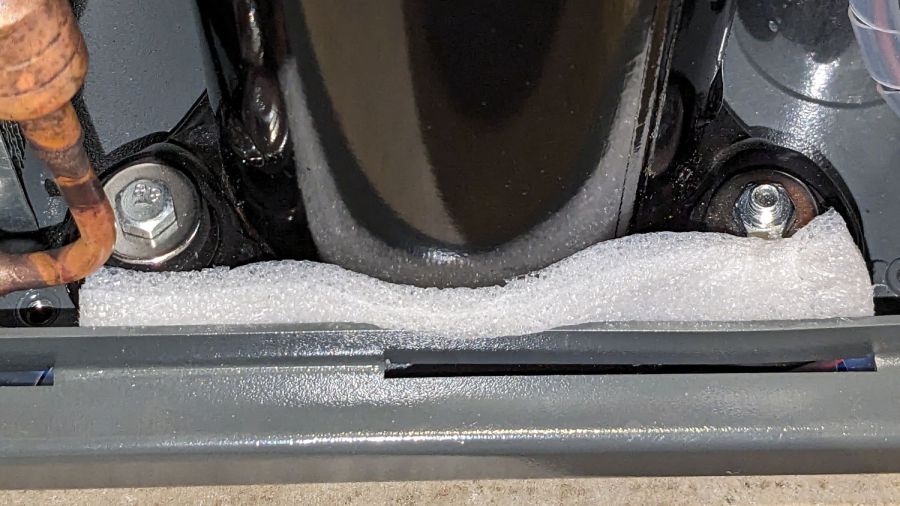
    While I had the side panel off, I jammed a strip of closed-cell foam around the base of the compressor to silence a truly spectacular rattle:

    Laser Water Chiller - compressor vibration suppression
    Laser Water Chiller – compressor vibration suppression

    I think the three mounting screws (yes, of these two: one up, one down, for no reason I can see) are looser than they should be, but I’m reluctant to tip the whole thing over with a tank full of water to get at the nuts / bolt heads on the bottom.

    The connectors have a twist-lock notch that you must release after removing the screw (on the far side) holding the shell to the body:

    Laser Water Chiller - connector shell keyway
    Laser Water Chiller – connector shell keyway

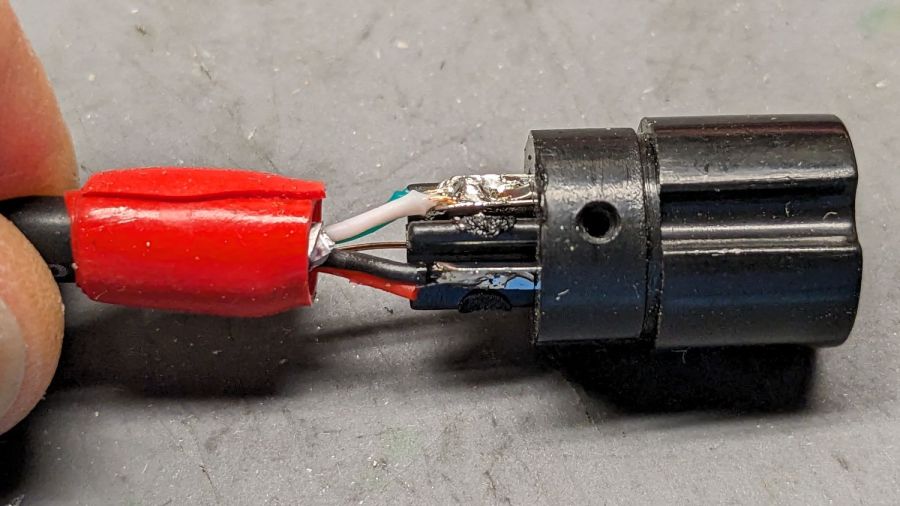
    I repurposed a USB cable from the Big Box o’ Cables, wrapped with enough silicone tape to fill the cable clamp:

    Laser Water Chiller - connector closeout
    Laser Water Chiller – connector closeout

    In retrospect, I should have paired the red + green and black + white wires, but nobody will ever notice. The drain wire carries the safety ground from pin 2 to the shielding, not that it matters. Both ends of the cable have identical connectors.

    The laser cabinet has a convenient hole, albeit just a bit larger than required, which now has a simple adapter plate with the proper flats:

    Laser Chiller Alarm Connector Plate
    Laser Chiller Alarm Connector Plate

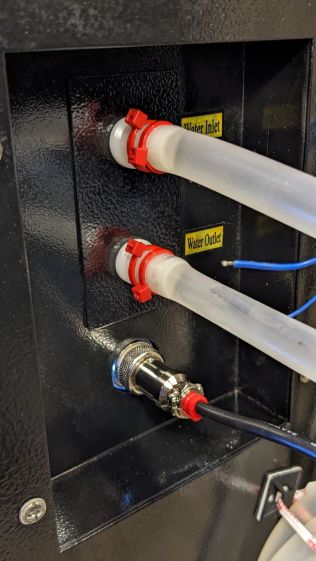
    The blue ring is the same size as the hole, so as to ease lining it up, and the red perimeter surrounds the connector with strips of good double-sided foam tape for maximum sticktivity. Done in clear acrylic from the scrap pile, the platform’s internal lights give it that subtle blue-white hi-tech glow:

    Laser Water Chiller - laser connector installed
    Laser Water Chiller – laser connector installed

    The doubled-up cable ties on the water hose barb connectors are a Good Idea™ due to the somewhat higher pressure of the chiller’s water pump. The bottom of that recess had traces of water on it and, of course, having a hose pop off its barb is a Bad Thing™.

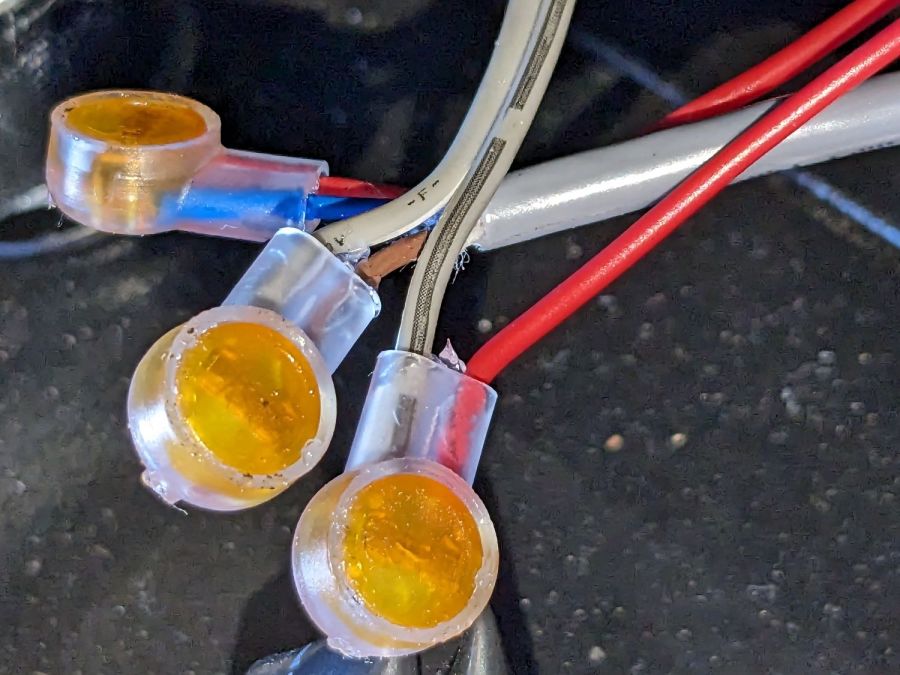
    The new connector is wired in series with the internal flow switch, using a trio of grossly overqualified silicone-filled splices:

    Laser Water Chiller - laser flow switch splices
    Laser Water Chiller – laser flow switch splices

    I did not connect the safety ground from the chiller to the laser’s frame, because they do not share a common breaker circuit and I have better things to do than chase ground loops.

    For whatever it’s worth, the gray cable that came with the laser might also be a repurposed USB cable, too: it has two fat wires and two thin wires, although it’s not wearing USB livery.

    The laser is happy when the chiller is running and unhappy when it’s off, so life is good.

  • MaxLite Candelabra CFL: FAIL

    MaxLite Candelabra CFL: FAIL

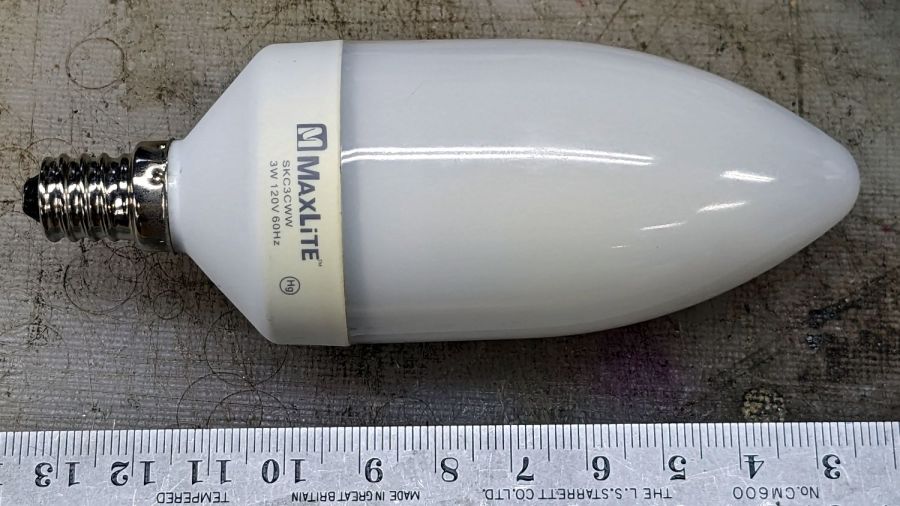
    The bathroom ceiling fixture has a nightlight position that we use occasionally, but eventually the little 7 W Christmas Tree bulb failed and I installed this hulk from a box of CFL bulbs a friend scrapped out after switching to LED bulbs:

    MaxLite CFL - overview
    MaxLite CFL – overview

    I never tested whether it actually drew 3 W, but, hey I could feel good. Right? Right?

    Anyhow, this one failed after a few years, too. The “bulb” envelope looked like it might make an attractive blinkie or glowie, so I decided to harvest it.

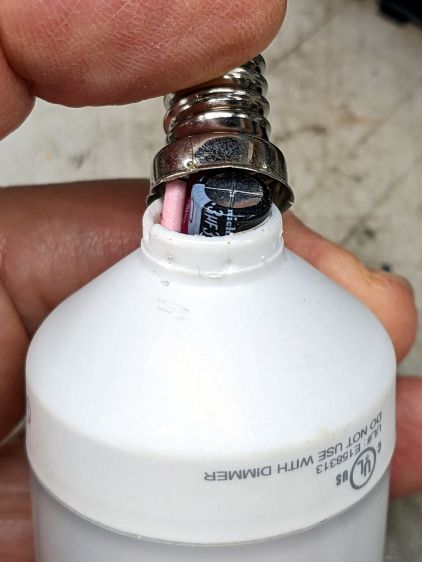
    The candelabra screw base felt loose and popped off with a push:

    MaxLite CFL - overflow cap
    MaxLite CFL – overflow cap

    Perhaps they chose the envelope before finalizing the circuitry?

    This is why you need a lathe in your shop:

    MaxLite CFL - lathe cutting
    MaxLite CFL – lathe cutting

    It wasn’t particularly well centered, so that was done dead slow and finished with a few hand turns of the chuck. Obviously, I need a crank for the spindle.

    The rest of the circuitry is pretty well packed under that tall cap:

    MaxLite CFL - circuitry
    MaxLite CFL – circuitry

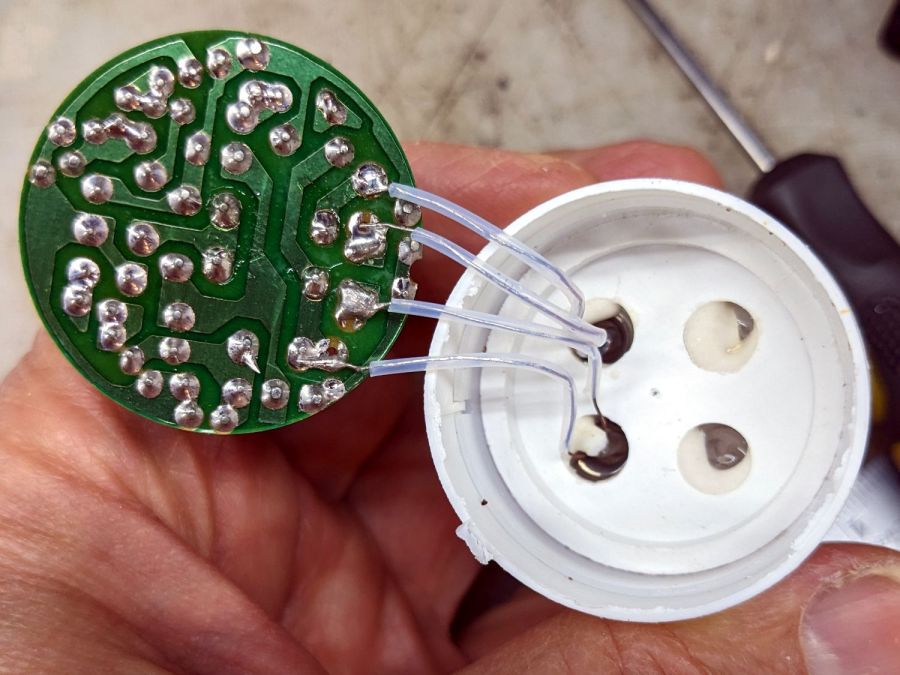
    Pulling the PCB out revealed the tube wiring:

    MaxLite CFL - tube wires
    MaxLite CFL – tube wires

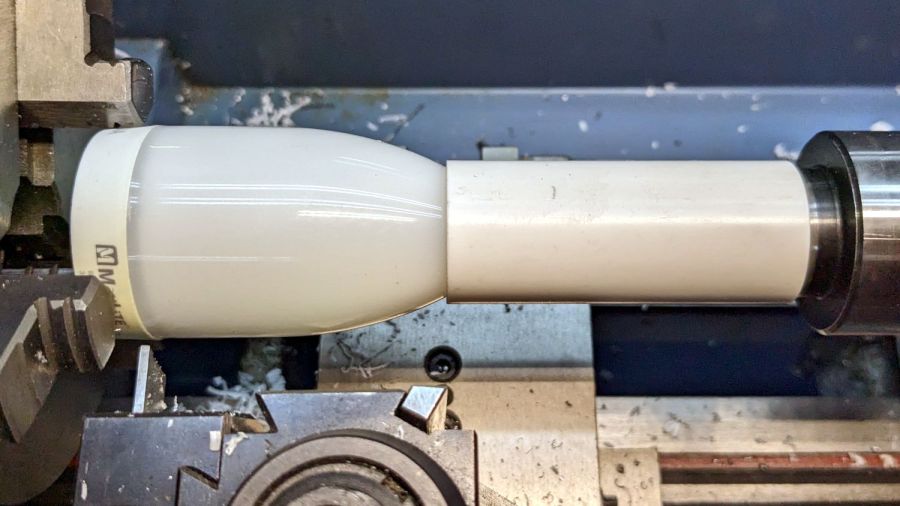
    Cut the wires and chuck it up again:

    MaxLite CFL - envelope turning setup
    MaxLite CFL – envelope turning setup

    Turn dead slow again until it breaks through:

    MaxLite CFL - envelope breakthrough
    MaxLite CFL – envelope breakthrough

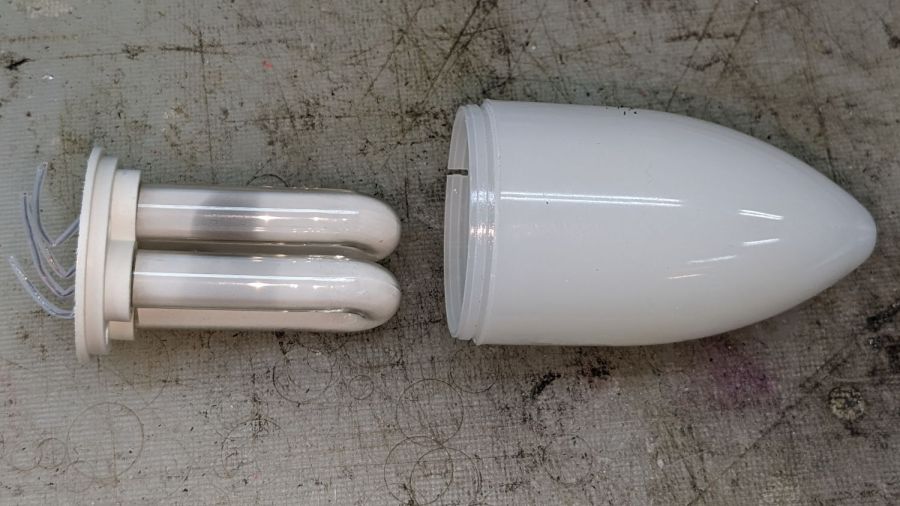
    Then finish by hand:

    MaxLite CFL - tube and envelope
    MaxLite CFL – tube and envelope

    It’s too cute to throw out, but … sheesh you can see why recycling this stuff is so difficult.

    For whatever it’s worth, I replaced it with a 3 W LED candelabra bulb that is way too bright.

  • HW Bucked Lithium AA Cells

    HW Bucked Lithium AA Cells

    The trail camera uses two parallel banks of four series AA cells to get enough oomph for its IR floodlight. I’m not convinced using bucked lithium AA cells in that configuration is a Good Idea, but it’s worth investigating.

    These are labeled HW, rather than Fuvaly, because it seems one cannot swim twice in the same river:

    HW bucked Li AA cells
    HW bucked Li AA cells

    In any event, they come close to their claimed 2.8 W·hr capacity:

    HW bucked Li AA - 2023-05
    HW bucked Li AA – 2023-05

    The lower pair of traces (red & black) are single cells at 2.7-ish W·hr, the blue trace is a pair at 5.4 W·hr, and the green trace is a quartet at 9.8 W·hr. Surprisingly close, given some previous results in this field.

    Recharging the cells after those tests shows they all take 3 hours ± a few minutes to soak up 730 mA·hr ± a few mA·hr, so they’re decently matched.

    Measuring the terminal voltage with a 10 mA load after that charge lets me match a pair of quartets to 1 mV, which is obviously absurd:

    HW bucked Li cells - initial charge 2023-05-05
    HW bucked Li cells – initial charge 2023-05-05

    The numbers in the upper left corner show the initial charge of four cells at a time required the same time within a minute and the same energy within 4%.

    Sticking them in the trail camera must await using up the current set of alkaline AA cells.

    Bonus: a lithium fire in a trail camera won’t burn down the house.

    After all, pictures like this are definitely worth the hassle:

    Young Buck in velvet - 2023-05-03
    Young Buck in velvet – 2023-05-03

    Looks like a pair of WiFi antennas …

  • Dirt Devil Stick Vacuum: Floor Brush Salvage

    Dirt Devil Stick Vacuum: Floor Brush Salvage

    The knuckle joint on the Dirt Devil stick vacuum failed, so it followed us home instead of leaping into the trash:

    Dirt Devil - broken swivel joint
    Dirt Devil – broken swivel joint

    Although the fitting seems to be made of ABS, it’s now missing major chunks of plastic in the high-stress areas, so rebuilding it seems not worth the effort.

    Because we don’t have any carpets and this one will never leave the basement, I extracted the carpet beater brush and its motor, only to find Yet Another Example of poor assembly practices:

    Dirt Devil - stray strands
    Dirt Devil – stray strands

    It’s a 12 V (-ish, I didn’t measure whatever comes out of the vacuum head) DC motor and those errant strands aren’t quite long enough to meet in the middle. The yellow rectangle is a thermal fuse that would be shorted out if the strands were a bit longer.

    The broken joint lets the head swivel from side to side, but the elevation joint is still good. If I don’t expect too much, the thing might still suffice for extracting dust from under the benches:

    Dirt Devil - taped joint
    Dirt Devil – taped joint

    Worst case, I can swap in a classic floor brush using one of the adapters I made a while ago:

    Dirt Devil adapters - assembled
    Dirt Devil adapters – assembled

    That was easy, if only because I skipped the hard part …