The Smell of Molten Projects in the Morning

Ed Nisley's Blog: Shop notes, electronics, firmware, machinery, 3D printing, laser cuttery, and curiosities. Contents: 100% human thinking, 0% AI slop.

Category: Electronics Workbench

Electrical & Electronic gadgets

  • Random LED Dots: Hardware Layout

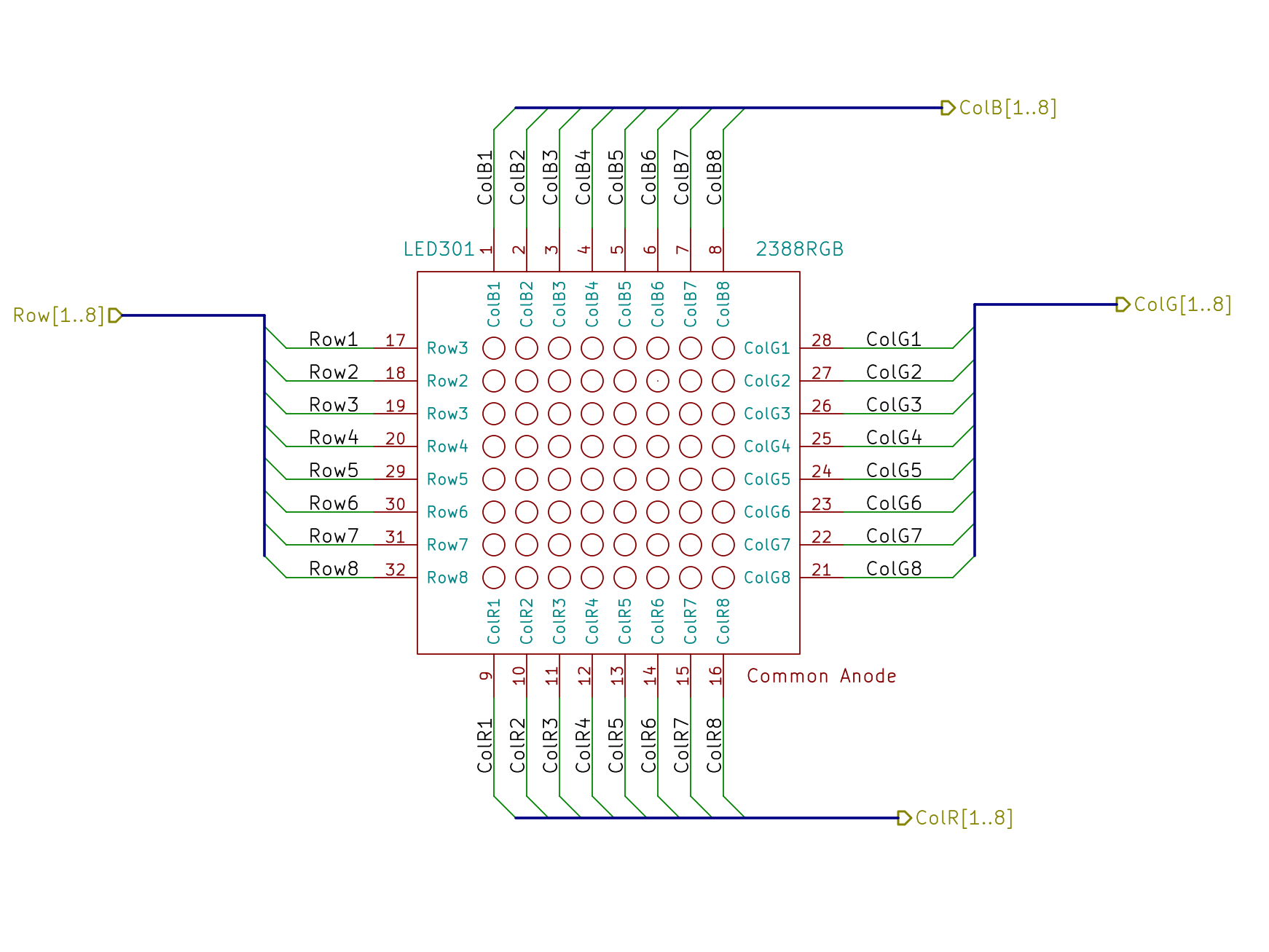
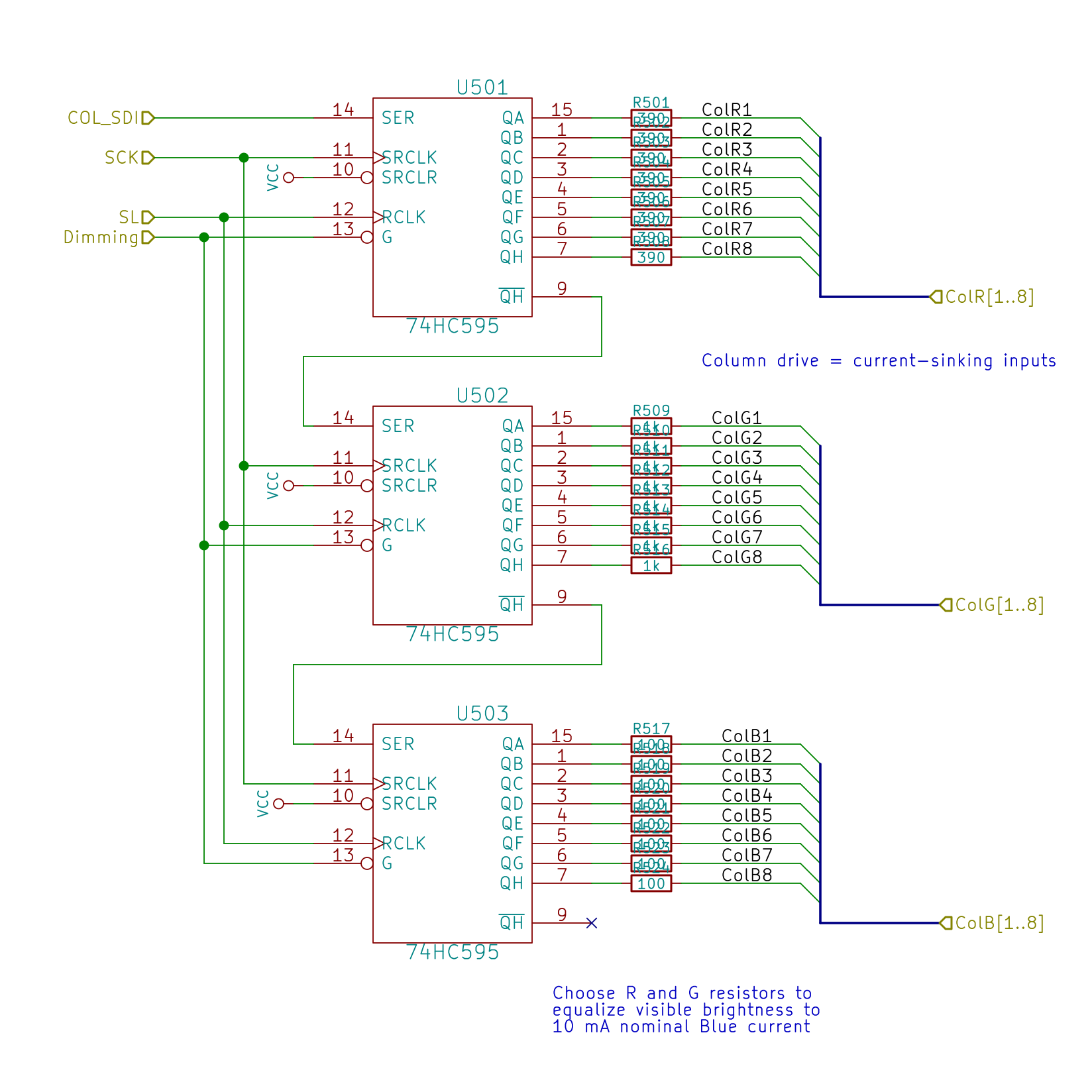
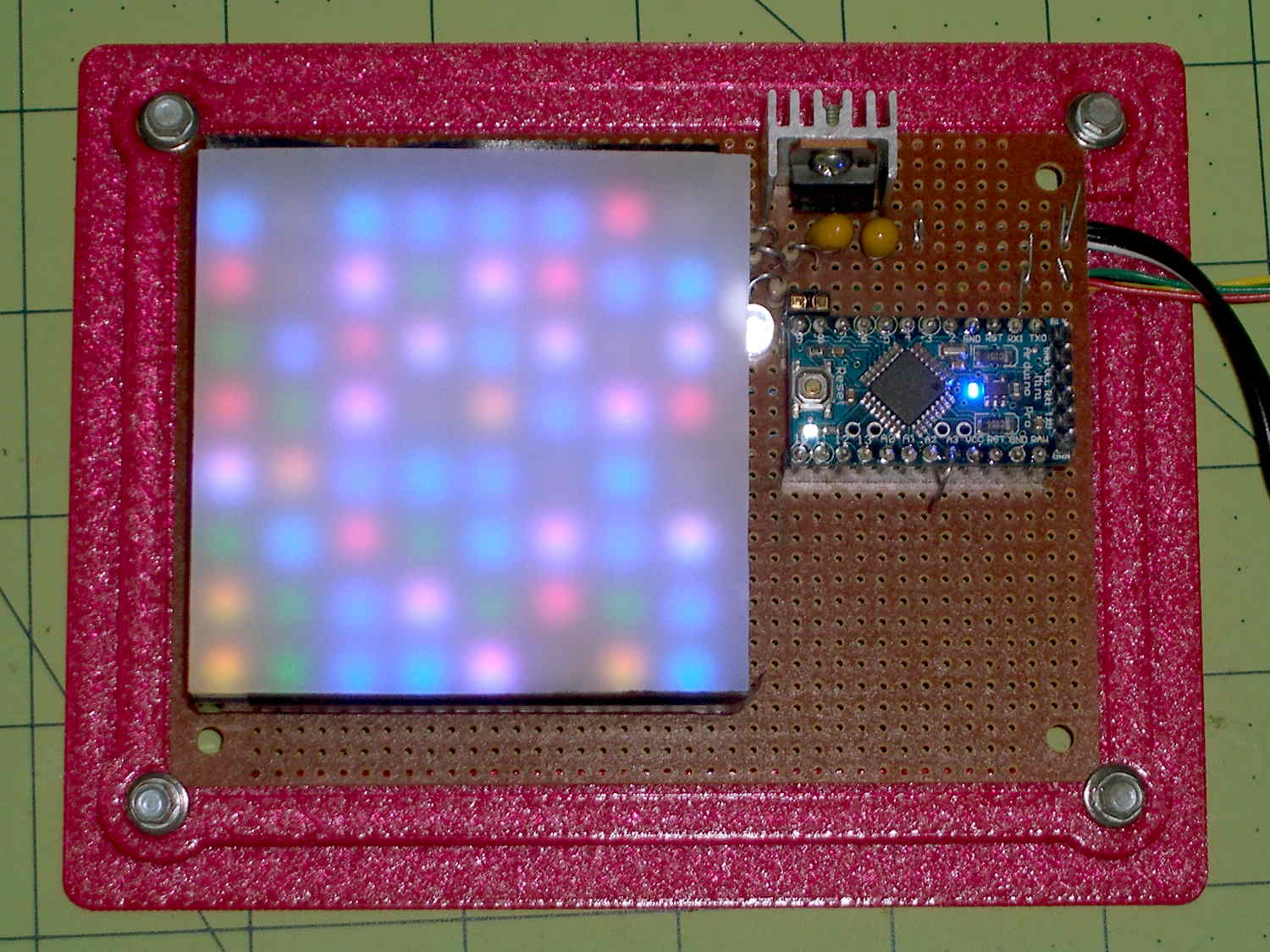
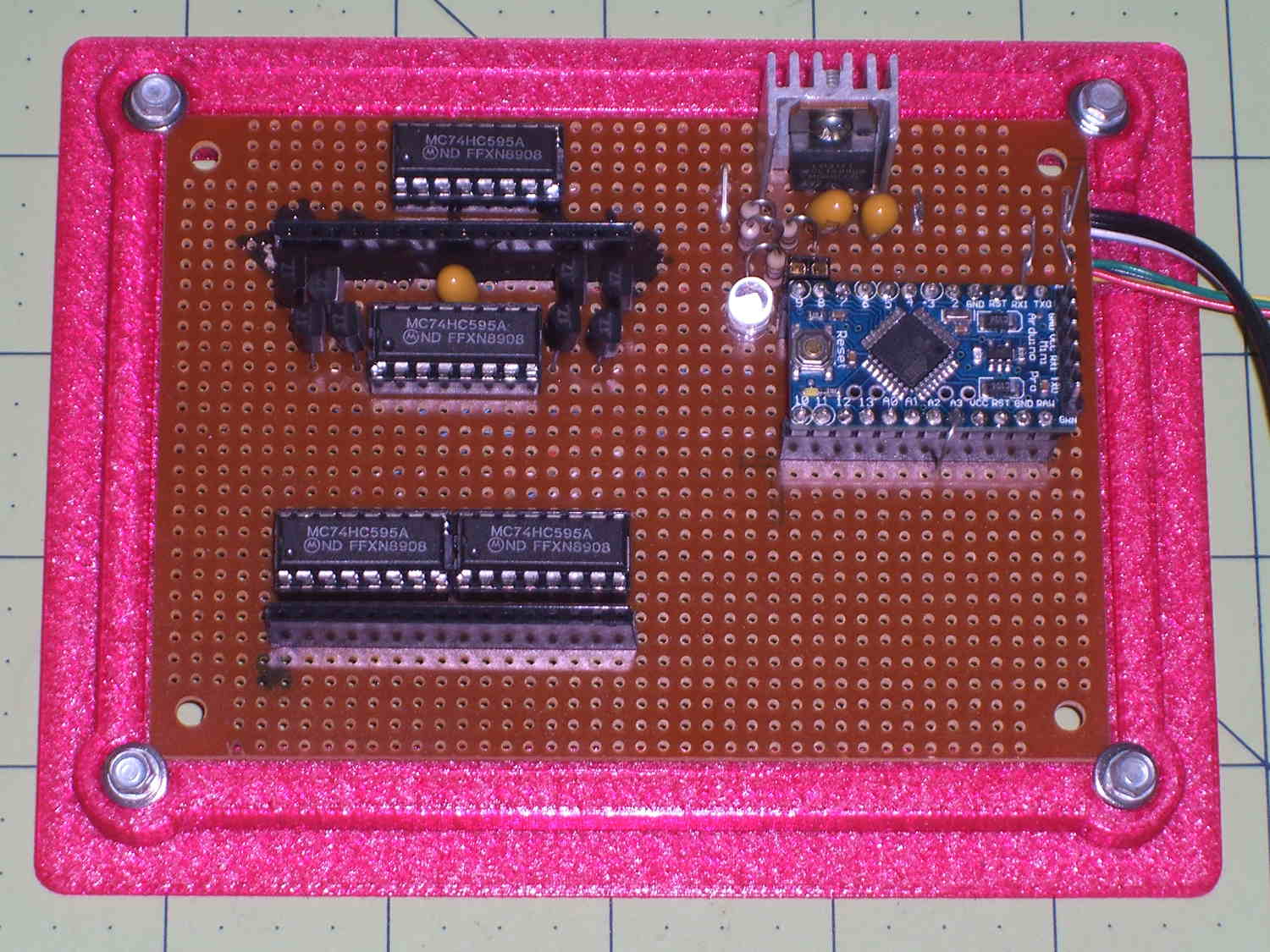
    Quite some time ago, Sophi gave me a common-anode RGB LED panel and told me to make something of it. In a spate of desk-clearing, I hammered out a quick-and-dirty multiplexed display from found materials: 2N2907 transistors as row source drivers and 74HC595 shift registers abused as column sink drivers, plus the obligatory Arduino Pro Mini and 3D printed holder:

    Random LED Dots - circuit board
    Random LED Dots – circuit board

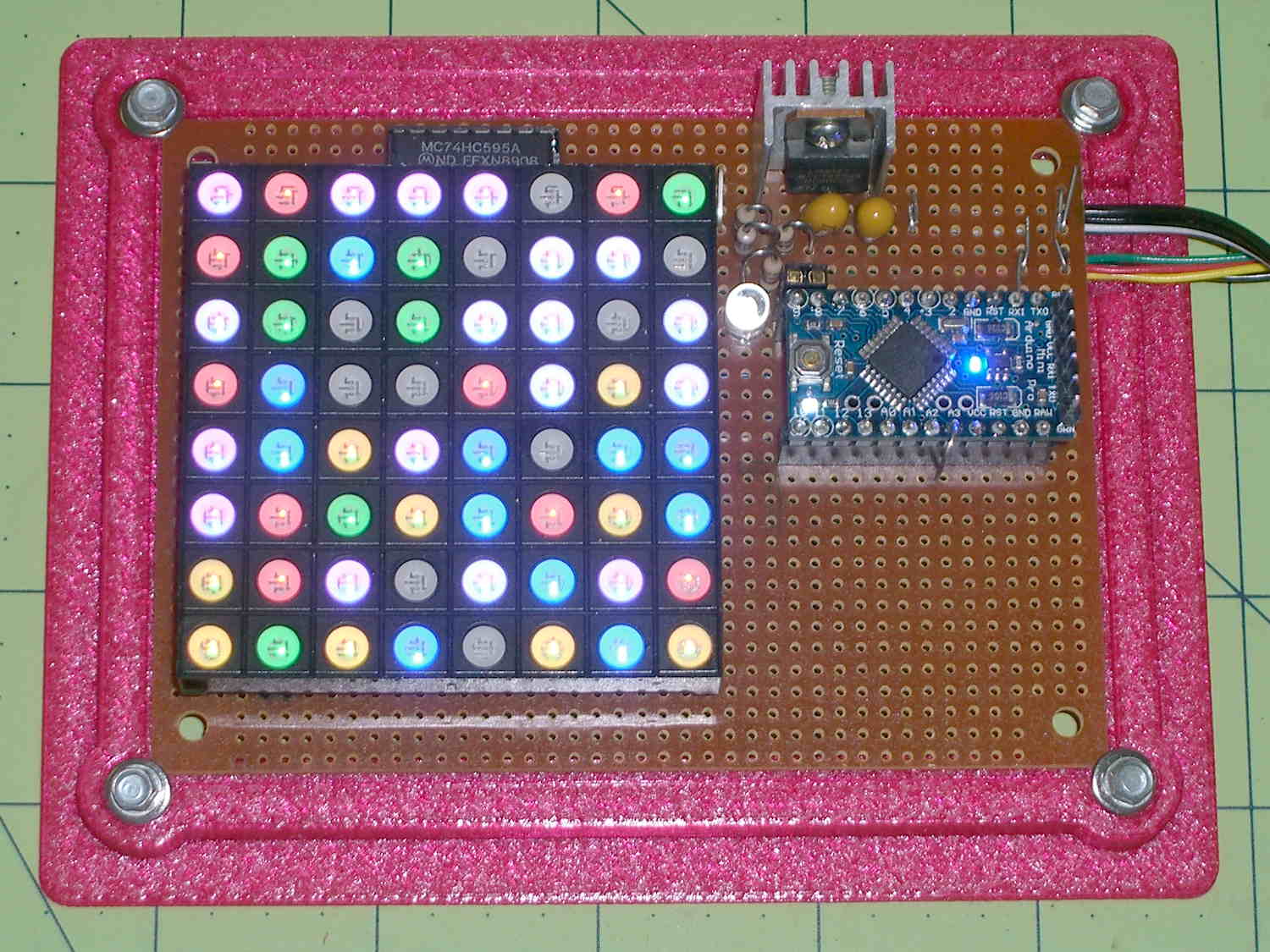
    A sheet of milk-white acrylic diffuses the glittery LED dots into pastel disks. I think it might look better without the diffuser; it certainly has a harder-edged tech look:

    Random LED Dots - overview - no diffuser
    Random LED Dots – overview – no diffuser

    A neutral-density filter would boost the contrast without hiding any of the details.

    It obviously needs an enclosure, but, around here, that’s in the nature of fine tuning.

    The transistors and shift registers  cower under the panel:

    Random LED Dots - circuit layout - top
    Random LED Dots – circuit layout – top

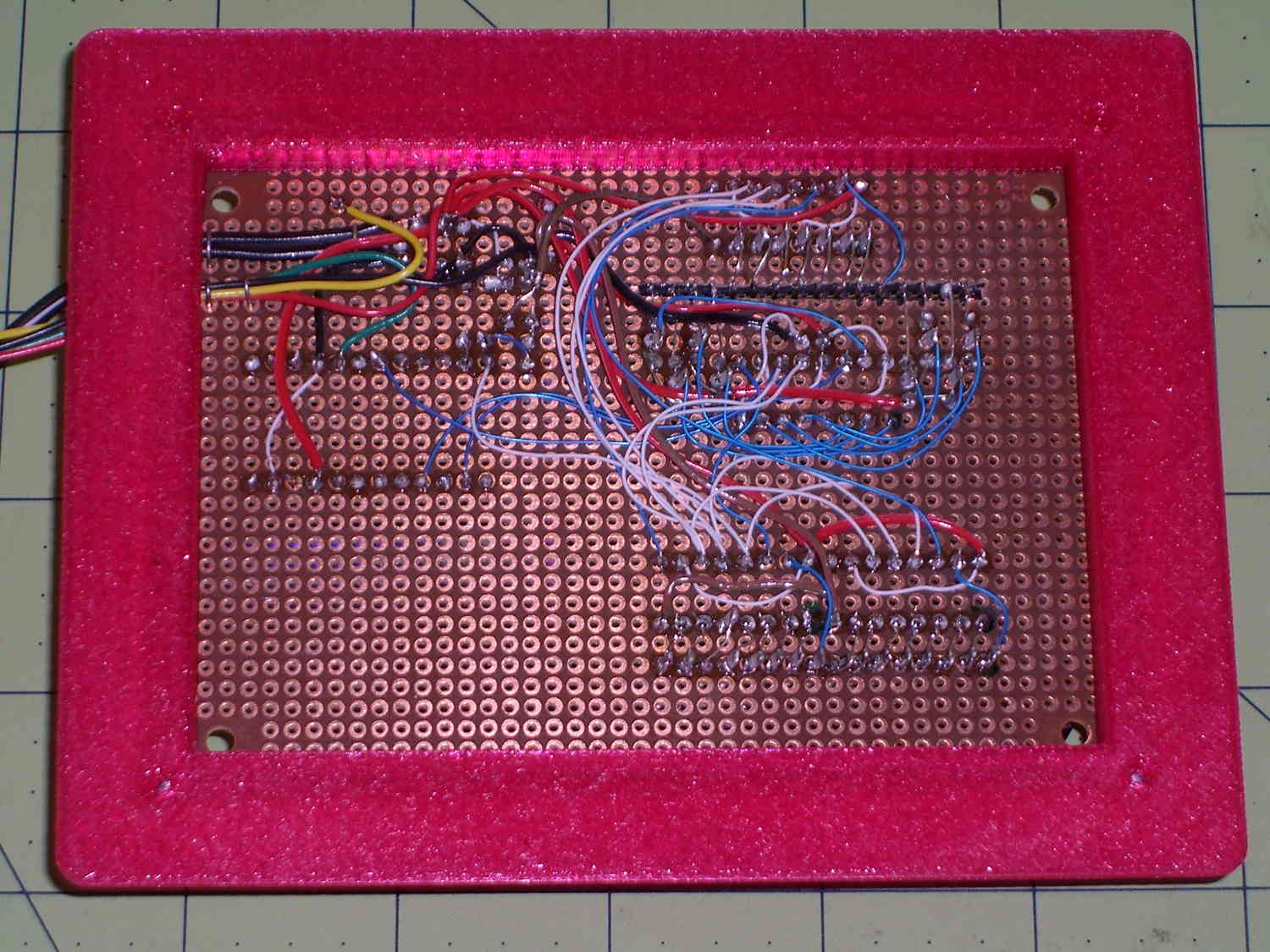
    The bottom view exposes the hand wiring, plus the slot required to adapt the LED panel’s non-100-mil layout to the protoboard’s holes. I chopped out the slot with a Dremel saw, attached socket strips to the panel, and epoxied the floating strip in place:

    Random LED Dots - circuit layout - bottom
    Random LED Dots – circuit layout – bottom

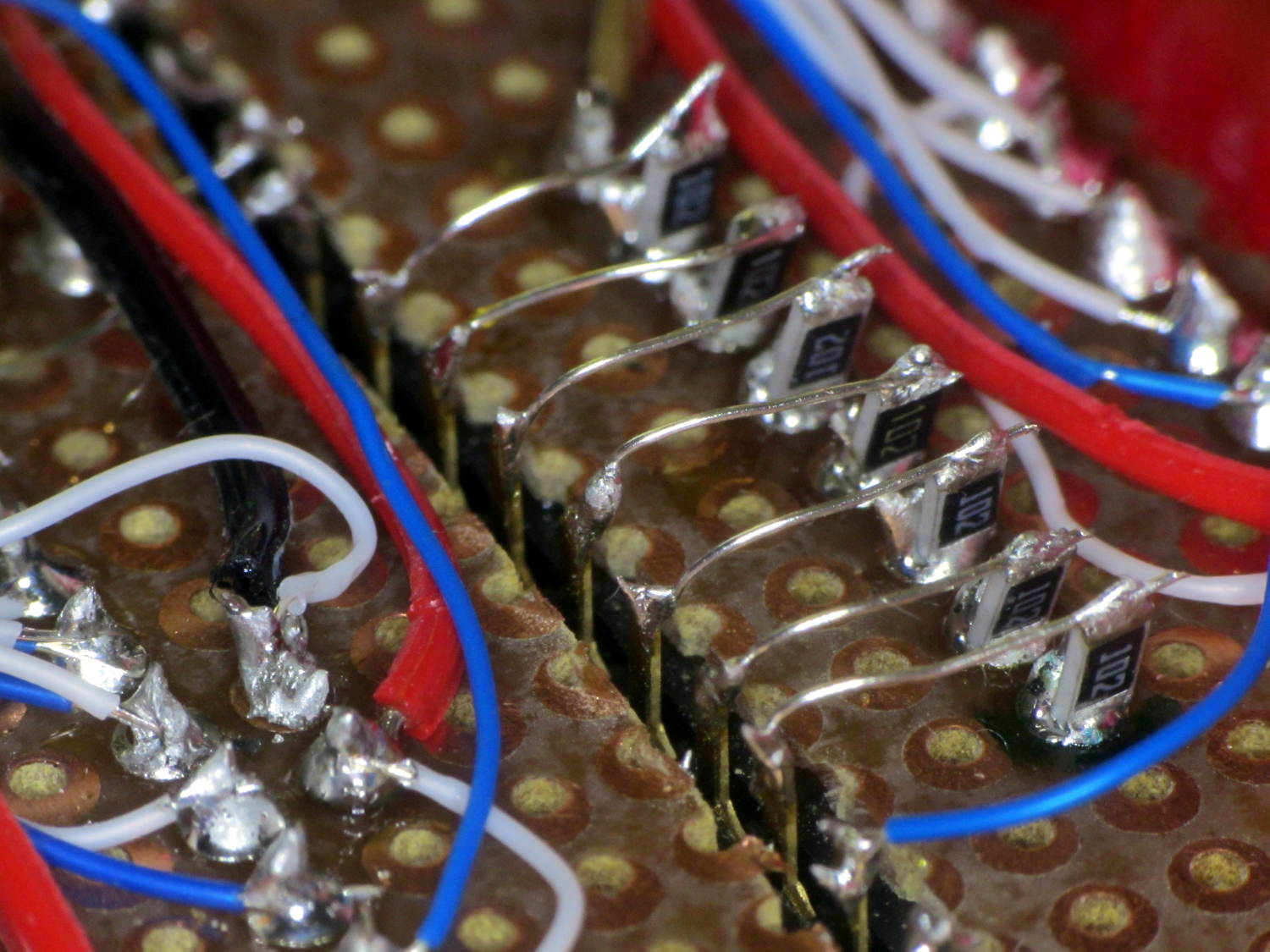
    The prospect of wiring 32 discrete resistors filled me with dread, so I just tombstoned SMD resistors onto the protoboard solder blobs:

    Random LED Dots - circuit layout - RB SMD resistors
    Random LED Dots – circuit layout – RB SMD resistors

    The slot required slightly longer bridge wires:

    Random LED Dots - circuit layout - G SMD resistors
    Random LED Dots – circuit layout – G SMD resistors

    The layout, such as it is, made those short, direct wires possible. A PCB with SMD chips would be even better.

    More on the circuitry tomorrow…

  • Monthly Image: Bootleg Bell Ringers

    MHVLUG meetings end around 8 pm and, depending on this-and-that, the bell atop Old Main on the Vassar College campus will be tolling the hour as we emerge. Here’s a scene-setting photo from Wikimedia, taken from about where I parked the car:

    Vassar College Old Main Building
    Vassar College Old Main Building

    Although the bell didn’t have its usual steady rhythm after the most recent meeting, I didn’t expect this:

    Bell Ringers atop Vassar Old Main
    Bell Ringers atop Vassar Old Main

    The tree grows in the near foreground, not over Old Main.

    Two of them realized the risk of permanent hearing damage, but do you see the real hazard?

    Take a closer look:

    Bell Ringers atop Vassar Old Main - detail
    Bell Ringers atop Vassar Old Main – detail

    No, it’s not the guy leaning against the historic-but-flimsy railing. That folded-dipole antenna over on the right side most likely connects to Vassar’s 45 W UHF EMS repeater; at that range, RF can burn deeply.

    Obviously, the student body needs more amateur radio operators…

    Taken with the Canon SX230HS braced on the side of the Forester and zoomed all the way.

  • Proto Board Holder: 80×110 mm Version

    A simple holder for 80×110 mm prototyping boards:

    Random LED Dots - circuit board
    Random LED Dots – circuit board

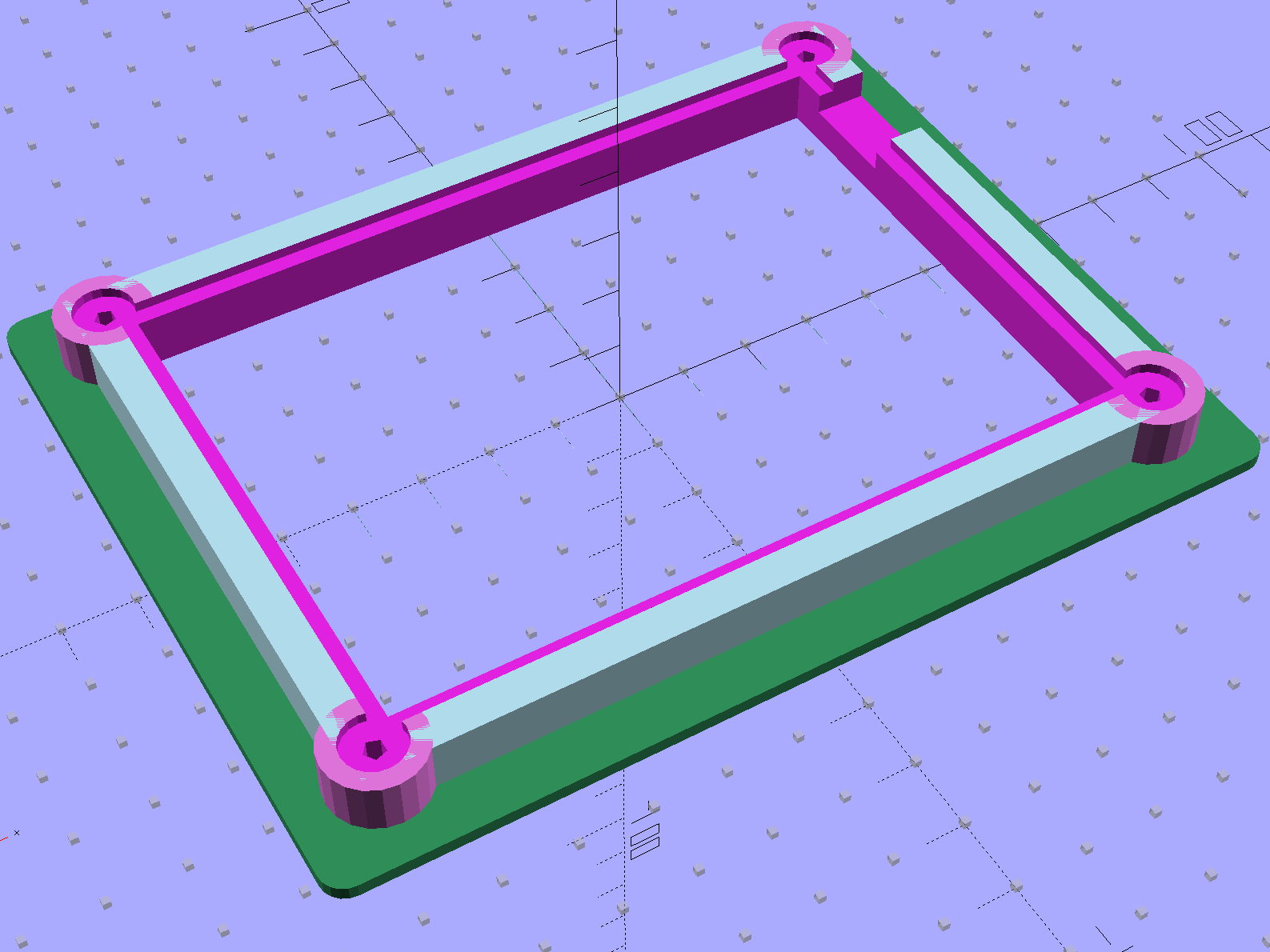
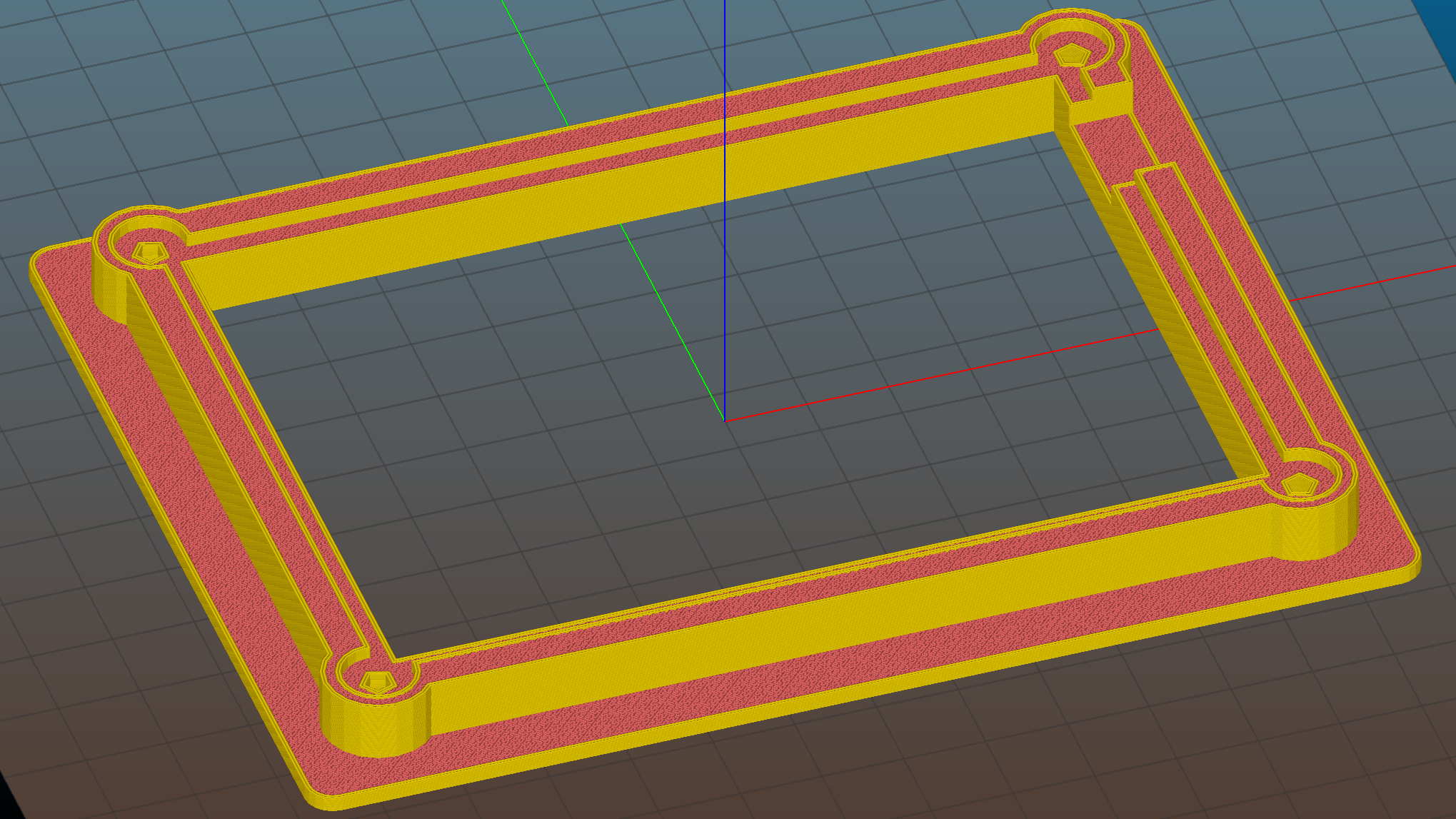
    It’s similar to the holder for the LED current controller board, minus the center screws, plus nicely rounded corners and a cutout for wires emerging from underneath:

    Proto board holder
    Proto board holder

    Slic3r’s Hilbert Curve infill definitely looks better than the usual straight-line pattern:

    Circuit Board Holder - Slic3r preview
    Circuit Board Holder – Slic3r preview

    The OpenSCAD source code:

    // Test support frame for Hall Effect LED Blinky Light
    // Ed Nisley KE4ZNU - Sept 2013
    
    Layout = "Fancy";				// Fancy Plain
    
    PlainColor = "LightBlue";
    
    ClampFlange = true;
    
    //- Extrusion parameters - must match reality!
    
    ThreadThick = 0.25;
    ThreadWidth = 0.40;
    
    function IntegerMultiple(Size,Unit) = Unit * ceil(Size / Unit);
    
    Protrusion = 0.1;
    
    HoleWindage = 0.2;
    
    //- Screw sizes
    
    inch = 25.4;
    
    Tap4_40 = 0.089 * inch;
    Clear4_40 = 0.110 * inch;
    Head4_40 = 0.211 * inch;
    Head4_40Thick = 0.065 * inch;
    Nut4_40Dia = 0.228 * inch;
    Nut4_40Thick = 0.086 * inch;
    Washer4_40OD = 0.270 * inch;
    Washer4_40ID = 0.123 * inch;
    
    //- PCB sizes
    
    PCBSize = [110.0,80.0,1.5];
    PCBShelf = 2.0;
    
    Clearance = 2*[ThreadWidth,ThreadWidth,0];
    
    WallThick = IntegerMultiple(5.0,ThreadWidth);
    FrameHeight = 8.0;
    
    ScrewOffset = 0.0 + Clear4_40/2;
    
    OAHeight = FrameHeight + Clearance[2] + PCBSize[2];
    
    FlangeExtension = 5.0;
    FlangeThick = IntegerMultiple(2.0,ThreadThick);
    Flange = PCBSize
    			+ 2*[ScrewOffset,ScrewOffset,0]
    			+ 2*[Washer4_40OD,Washer4_40OD,0]
    			+ [2*FlangeExtension,2*FlangeExtension,(FlangeThick - PCBSize[2])]
    			;
    
    echo("Flange: ",Flange);
    NumSides = 4*5;
    
    WireChannel = [Flange[0],15.0,3.0 + PCBSize[2]];
    WireChannelOffset = [Flange[0]/2,25.0,( + FrameHeight + PCBSize[2] - WireChannel[2]/2)];
    
    //- Adjust hole diameter to make the size come out right
    
    module PolyCyl(Dia,Height,ForceSides=0) {			// based on nophead's polyholes
    
      Sides = (ForceSides != 0) ? ForceSides : (ceil(Dia) + 2);
    
      FixDia = Dia / cos(180/Sides);
    
      cylinder(r=(FixDia + HoleWindage)/2,h=Height,$fn=Sides);
    }
    
    //- Put peg grid on build surface
    
    module ShowPegGrid(Space = 10.0,Size = 1.0) {
    
      RangeX = floor(100 / Space);
      RangeY = floor(125 / Space);
    
    	for (x=[-RangeX:RangeX])
    	  for (y=[-RangeY:RangeY])
    		translate([x*Space,y*Space,Size/2])
    		  %cube(Size,center=true);
    
    }
    
    //- Build it
    
    ShowPegGrid();
    
    difference() {
    	union() {									// body block and screw bosses
    		translate([0,0,OAHeight/2])
    			color(PlainColor)
    			cube(PCBSize + Clearance + [2*WallThick,2*WallThick,FrameHeight],center=true);
    		for (x=[-1,1], y=[-1,1]) {
    			translate([x*(PCBSize[0]/2 + ScrewOffset),
    						y*(PCBSize[1]/2 + ScrewOffset),
    						0])
    				color((Layout == "Fancy") ? "Orchid" : PlainColor)
    				cylinder(r=Washer4_40OD,h=OAHeight,$fn=NumSides);
    		}
    		if (ClampFlange)
    			color((Layout == "Fancy") ? "SeaGreen" : PlainColor)
    			linear_extrude(height=Flange[2])
    				hull()
    					for (i=[-1,1], j=[-1,1]) {
    						translate([i*(Flange[0]/2 - Washer4_40OD/2),j*(Flange[1]/2 - Washer4_40OD/2)])
    							circle(d=Washer4_40OD,$fn=NumSides);
    					}
    	}
    
    	for (x=[-1,1], y=[-1,1]) {				// screw holes and washer recesses
    		translate([x*(PCBSize[0]/2 + ScrewOffset),
    					y*(PCBSize[1]/2 + ScrewOffset),
    					-Protrusion])
    			rotate((x-1)*90)
    			PolyCyl(Tap4_40,(OAHeight + 2*Protrusion));
    		translate([x*(PCBSize[0]/2 + ScrewOffset),
    					y*(PCBSize[1]/2 + ScrewOffset),
    					OAHeight - PCBSize[2]])
    			PolyCyl(1.2*Washer4_40OD,(PCBSize[2] + Protrusion),NumSides);
    	}
    
    	translate([0,0,OAHeight/2])					// through hole below PCB
    		cube(PCBSize - 2*[PCBShelf,PCBShelf,0] + [0,0,2*OAHeight],center=true);
    
    	translate([0,0,(OAHeight - (PCBSize[2] + Clearance[2])/2 + Protrusion/2)])	// PCB pocket on top
    		cube(PCBSize + Clearance + [0,0,Protrusion],center=true);
    
    	translate(WireChannelOffset)									// clearance for cable on solder side
    		cube(WireChannel + [0,0,Protrusion],center=true);
    }
    
  • HP 7475A Plotter: Serial Cable for Hardware Handshaking

    The HP 7475A wakes up with hardware handshaking enabled: DTR starts high and goes low when the internal 1 KB buffer has less than 80 bytes remaining. The plotter also supports XON/XOFF handshaking, a sad software thing you’d use only if you had no other choice.

    The Chiplotle doc provides a wiring diagram for a suitable 9-to-25 pin cable, so I printed one and doodled on it while pondering the Great Cable Stash:

    HP7475A Plotter - Serial Cable
    HP7475A Plotter – Serial Cable

    The color codes over on the left of the top diagram match a prebuilt cable I hoped to repurpose, but it had only five conductors, none of which were DSR or CTS. Pfui!

    So I used a hank of gorgeous flexy 9-conductor cable (which came with premolded DE-9 ends of the wrong gender, now amputated into pigtails and back in the GCS), which supported the connections redrawn on the bottom in proper numeric order, used the obvious color sequence (Bn R O Y G Bl V W K), then soldered suitable connectors on each end:

    HP 7475A Plotter - serial cable
    HP 7475A Plotter – serial cable

    And it worked the first time…

  • HP 7475A Plotter: Rehabilitation

    [Update: Wecome Hackaday! You may want to look at:

    Searching for 7475a will bring up many, many other posts]

    After mentioning that I wished I still had my HP 7475A plotter, Dithermaster sent me one from his heap. As he explained, a mouse family had used it as a combination hotel-granary-latrine:

    HP 7475A - chassis latrine
    HP 7475A – chassis latrine

    For whatever it’s worth, if you must get a bazillion seeds out of a plotter, ship it halfway across the continent: UPS performs a lengthy three-axis vibration test that shakes all the loose bits through the vents.

    You’ll probably want the original HP 7475A documentation from the (unofficial) HP Computer Museum before digging in. Not mentioned anywhere: the two washers at the rear edge of the case are not identical. The one holding the power supply in place is slightly longer than the one at the serial connector. Mine are now color-coded to their locations.

    A critter whizzed on U13, the serial adapter chip, just beyond the big black filter capacitor:

    HP 7475A - PCB latrine area
    HP 7475A – PCB latrine area

    I rinsed everything (except, no fool I, the membrane keypad at the front of the PCB) with warm water, flushed the latrine areas with dilute baking soda (alkaline, to neutralize the urea), rinsed with hot water, blew-dry with compressed air, then let the pieces sit for a few days.

    After reassembly, the plotter didn’t start up. It’s a third of a century old, what did you expect?

    Measuring the electrolytic capacitors showed they were all in surprisingly good condition, with only C27 and C34 (on this Option 001 = RS-232 board) having moderately high ESR. They’re the pale blue axial caps just right of the heatsink, both 22 μF 25 V:

    • C27: Processor Reset timing (U14 – p. 6-27/6-28)
    • C34: +5 V filter cap (U21 – power supply p. 6-31)

    The corresponding caps on the Option 002 = HP-IB board are C20 and C25. FWIW, if you have an HP-IB plotter, you should probably just hack an Arduino into the motor control connections and run it with Grbl; you’d get a bare-bones plotter eating G-Code, not HP-GL, but that’s not entirely a Bad Thing. Adapting the tool change code to handle the pen carousel is left as an exercise for the desperate.

    I replaced the offending caps with 33 μF 50 V radial caps from the heap:

    HP 7475A - re-capped PCB
    HP 7475A – re-capped PCB

    And then it performed its Demonstration Plot (load paper, hold down P1 + P2 buttons, turn on power) perfectly. The fossilized pens left no trace behind; we all expected that.

    The serial port connection on the back required, from bottom to top:

    All of which came from the Big Box o’ Serial Adapters and produced this rather unsteady ziggurat:

    HP 7475A - serial port adapters - typical
    HP 7475A – serial port adapters – typical

    Seeing as how I’ve been adapting serial connections since before the HP 74754A was a thing, the Adapter Box has All! The! Adapter! Genders! plus Der Blinkenlights! They don’t come in nearly as handy nowadays, though, which is a Good Thing.

    Some optimization pared down the ziggurat and added a short extension cable:

    HP 7475A - serial port adapters - hardcore
    HP 7475A – serial port adapters – hardcore

    Eventually, I’ll build a custom cable, but it’s good enough for now.

    The switches select 9600 b/s serial data in 8N1 format. Yes, the plotter tops out at 9600 b/s, but remember we’re dealing with a pen plotter that executes terse ASCII commands. It offers both XON/XOFF and DTR/DSR hardware handshaking to prevent overruning the internal 1 kB buffer, plus a myriad other software-selectable options relevant to long-forgotten datacomm systems.

    Lest I forget, dots now mark the switch settings for 9600 8N1, A (letter) paper, US (inch) units, direct serial connection:

    HP 7475A - DIP switch settings
    HP 7475A – DIP switch settings

    And then it Just Worked: type IN;SP1; into minicom and the plotter grabs Pen 1. The rest is a simple matter of software.

    Now, to deal with the pen situation…

  • It Wasn’t Quite Touching, So Ship It

    Picked up a Prime Switched Outlet to help tame the U2711 monitor’s DisplayPort incompatibility and, being that type of guy, had to open it up to see what’s inside.

    Good thing I did:

    Prime Switched Outlet - stray wire strand
    Prime Switched Outlet – stray wire strand

    Admittedly, white is neutral, so that stray wire would should just pop the GFI, but, still …

    You can wind up with events like this:

    Burnt outlet expander
    Burnt outlet expander
  • LED Bulb in High-Vibration Environment

    The garage door opener just ate another rough-duty bulb, so let’s see how a $7 LED bulb fares:

    Walmart 60 W LED Bulb - garage door opener
    Walmart 60 W LED Bulb – garage door opener

    It has no external heatsink fins and the color temperature looks just like the old-school incandescent bulb it’s replacing, so they’re getting a clue about what’s acceptable to ordinary folks.

    That’s equivalent to a 60 W incandescent bulb, too, at least according to the package:

    Walmart 60 W LED Bulb - package data
    Walmart 60 W LED Bulb – package data

    I love the “Return the package and reciept for replacement or money back” part…