The Smell of Molten Projects in the Morning

Ed Nisley's Blog: Shop notes, electronics, firmware, machinery, 3D printing, laser cuttery, and curiosities. Contents: 100% human thinking, 0% AI slop.

Category: Administrivia

Overhead

  • Business Proposal

    This must be the season for scams, as WordPress recently forwarded this message through the Contact form:

    My name is Mary. I was just reading Personal 3D Printing: 2014 Status Report – I’m doing some private research on 3D printing and the article is great! I loved images! Great sense of humor and amazing taste in choosing images! :D

    But that is not the only reason why I’m writing.

    I’m actually writing on behalf of San Francisco Circuits, a PCB solutions provider in Northern California. I came across your site, read some interesting stuff and thought I’d come to you directly and ask if you’re interested in guest posting on Softsolder.com?

    We have writers on staff that write articles on circuit design, fabrication, assembly, and everything else PCB related.

    Let me know if you are interested!

    Thanks!

    You may recall that post:

    • The images came from stock photographs
    • It had nothing to do with PCB fabrication

    In fact, very little of what you read here has to do with PCB fabrication. Yes, I home-brew PCBs, but that’s about as non-mainstream as you can get.

    Some interesting bits of metadata:

    • San Francisco Circuits actually exists
    • The reply-to domain is in Australia: go8.com.au
    • The message came from a Croatian IP address: 212.92.194.119

    The go8 domain has a placeholder web page. The Petrovic Family Trust probably runs an email server that we’re not privy to; I’d lay long odds they’re blissfully unaware of her account.

    SF Circuits probably doesn’t know anything about her, either, and I’m absolutely certain those “staff” writers she touts know exactly squat about “everything else PCB related”.

    Should I ask her for writing samples or pointers to their work elsewhere on the Intertubes? How much would they pay to write posts for me? If I had nothing better to do, I’d string her along for a while…

    In fact, given how this spam stuff works, I suspect “Mary” isn’t her name and she’s not even female, but I’m never going to know the rest of the story.

    One point in her favor, though: she has figured out how to get paid for doing stuff on the Intertubes.

  • Firefox Accounts: Total FAIL

    So I’m in the process of installing Xubuntu 14.04LTS on a box and get to the point where I’m ready to install various daemons and utilities, then tweak their settings, so it’s time to have the new Firefox inhale all my settings from the Firefox on my 13.10 desktop, which will let me find all my blog posts with that information. This used to be a simple matter of going into the new Firefox’s Preferences, getting a one-time pairing code, typing it into the other desktop, and away it went, synchronizing the two installations.

    But, no.

    While I wasn’t watching, Firefox crept up to Version 29 and, at some point, Mozilla introduced Firefox Accounts. Why would they do that? Here’s a hint:

    Firefox Accounts is a consumer account system which provides access to services run by Mozilla, such as Firefox Marketplace and the next version of Firefox Sync.

    Firefox Marketplace? Say no more: money changes everything!

    Oh, and the “next version of Firefox Sync” is totally incompatible with the “old version” used by all existing Firefox installations.

    But it gets worse (emphasis mine):

    What if I don’t want to update to the new Sync?

    • While the old version of Sync will continue to work, the latest version of Firefox doesn’t support adding new devices to the old version of Sync. This means that you won’t be able to sync with a new device.
    • Mozilla will continue to host the old version of Sync for a limited time to allow for migration to Firefox Accounts.

    In order to sync the 14.10 Firefox, I must upgrade the 13.10 Firefox, but after I do that, none of the other boxes will be able to sync with either of them. I haven’t checked whether Firefox Version 29 is offered for the 10.04LTS installation that’s running on the LinuxCNC boxes.

    My 13.10 desktop has endured many, many, many automatic Firefox upgrades during their recent version incrementing mania and, for whatever reason, it doesn’t offer “New Sync” as an option, despite being at the same Version 29 as the 14.04 installation. This is likely a problem with some Firefox extension or another, but I disabled them to no avail.

    When all else fails, you always create a new profile by starting the Firefox Profile Manager:

    firefox -profilemanager

    That works as expected; the new and completely bare profile let me create a new Firefox Account, which entails the usual to-ing and fro-ing with emailed one-time authorizations and suchlike. OK, now I can use the shiny new Firefox Marketplace, should I so desire. Be still, my heart!

    So, we progress.

    But my original intent was to get all the setup data into the 14.04 Firefox, so (on the 13.10 Firefox) I followed the directions about transferring the old settings into the new profile, which involves tediously hand-copying a bunch of files from one cryptic directory to another. This is a brutally user-hostile operation that only geeks should endure; there is absolutely no automation to be found.

    Having a new profile, albeit without any of the old extensions, I attempt to sync my settings, only to discover that the new Firefox Sync will not synchronize my stored passwords, which was pretty much the whole point of this exercise.

    Turns out that’s deliberate:

    Firefox Sync will not synchronize your passwords if a master password is set. If you would like to continue synchronizing your passwords, try removing your master password before synchronizing.

    Now, why would I have a master password? Because, long ago, the good folks at Mozilla highly recommended it (emphasis mine):

    It takes only fifteen seconds for a prying user sitting at your computer to see the list of all the passwords you have told Firefox or Thunderbird to save. The list is shown plain as day. It can include webmail and forum passwords or email server passwords. Using a Master Password is highly recommended, to prevent such prying users from seeing the list. By setting a Master Password, anyone using your profile will be prompted to enter the master password when access to your stored passwords is needed.

    So, the new Firefox Sync requires a Firefox Account that doesn’t do anything I need done and, in order to sync my 13.10 settings into the 14.04 box, I must have a new Firefox Account and make both Firefox installations less secure.

    I think it’s possible to remove the master password, sync the stored passwords, then restore the master password. When you remove the password, you get a confirmation message:

    You have deleted your Master Password. Your stored web and email passwords, form data, and private keys will not be protected.

    Firefox allegedly uses the Gnome keyring to get a master password protecting the whole Firefox session, but displaying all the stored passwords is just a few clicks away after that; needless to say, Firefox on 13.10 doesn’t use the keyring. Given that Chromium on Xubuntu 13.10 does not use the Gnome keyring, it’s entirely unprotected. Maybe the 14.04 box will use the keyring for both browsers?

    What the hell do those people smoke? I want some of that, right here, right now!

    Verily, money changes everything…
  • Blog Summary: 2013

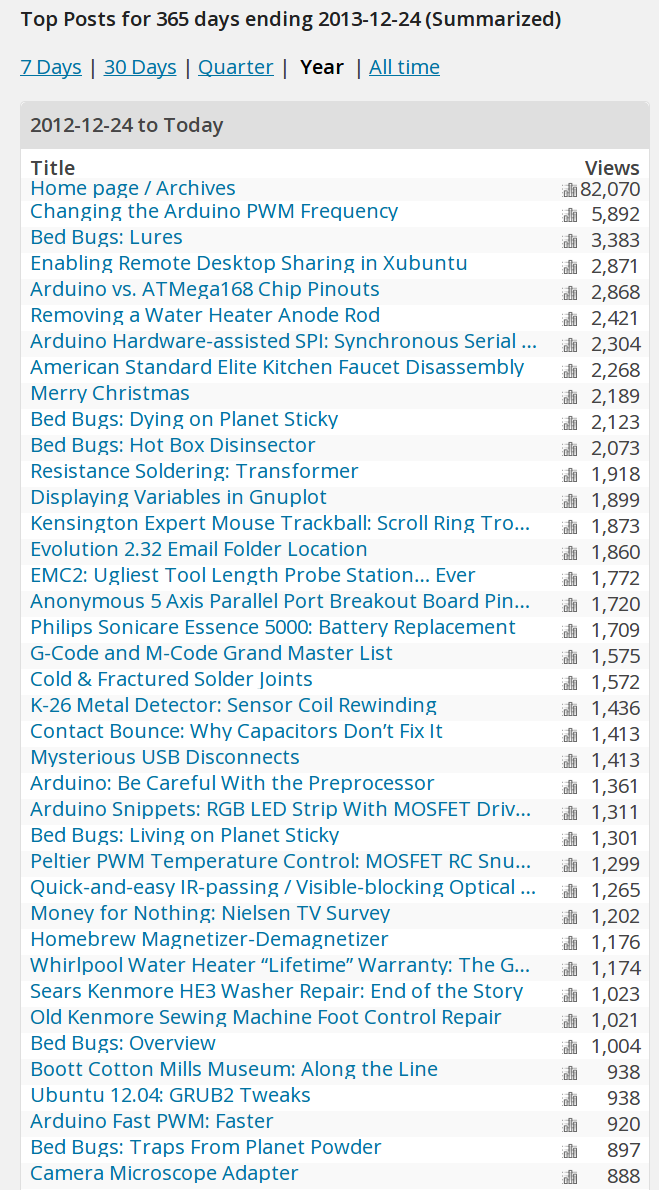
    I should give up on the tech and write about, oh, kittens…

    Blog summary - YE 2013
    Blog summary – YE 2013

    If I knew anything about the Raspberry Pi’s PWM, writing about it might displace that Arduino PWM post from the top spot…

    And, once again, the fifth most popular post documents my struggle to remove a water heater anode rod. That says something, but I’m not sure what.

    The Christmas post from 2011 featuring the snow-covered pine tree evidently comes up near the top of everybody’s image search; I wonder how many homebrew Christmas cards feature it?

    Onward, into the new year…

  • Gift From a Spammer: Captcha Cracking Data

    Although I’d prefer open commenting, that just isn’t practical: spambots manage to create WordPress.com user accounts and post about 300 spams per day, of which I see perhaps a dozen false positives. Asking you to either sign in or provide some details helps slow the torrent.

    Another inept spammer recently posted Yet Another un-expanded comment template, but the bungled script added some interesting information to the bottom. Here’s the last few lines from several pages of raw comment gibberish, with the URLs snipped out to protect the innocent:

    {number|quantity|amount|range|variety|selection|multitude|wide variety|phone number|figure|telephone number} {=|Equals|Equates to|Is equal to|Means|Implies} {price|cost|value|price tag|selling price|amount|expense|rate|total price|charge|fee} {return|come back|go back|give back|returning|gain|profit|yield|revisit|bring back|keep coming back}).

    [Generic URL snippage] Result: chosen nickname “ronalngh”; captcha recognized; success;
    [Asian URL snippage] Result: chosen nickname “ronalvzo”; captcha decoded (4 attempts); success – posted to first encountered partition “理桁桊钼囗睇?钺铊”;
    [Russian URL snippage] Result: SERVER ERROR (host dpk-svetlana.ru); chosen nickname “tomsckt”; registered (100%); logged in; success (profile was registered successfully, but there is no permissions for creating new topic);

    Thus confirming that even captchas don’t pose much of a challenge these days…

  • Search Engine Optimization: Which One Is Not Like The Other Ones?

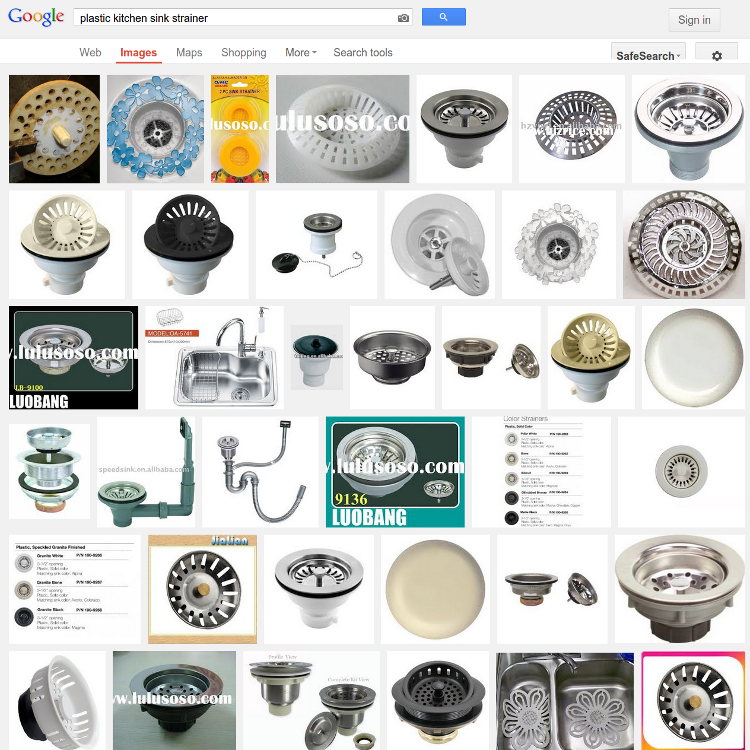
    Now that Google encrypts your search terms (so they can sell the results to their customers), it’s harder to determine where folks come from. WordPress does report whatever search terms it can, though, and a recent search for plastic kitchen sink strainer caught my eye.

    Here’s what you get (or, at least, what I got on that day) by feeding those words into Google Image Search:

    Plastic Kitchen Sink Strainer - Image search results
    Plastic Kitchen Sink Strainer – Image search results

    Search engine optimization like that is to die for, eh?

    The related post described a cleanup operation that didn’t really achieve very much in the long run:

    Skimming the strainer
    Skimming the strainer

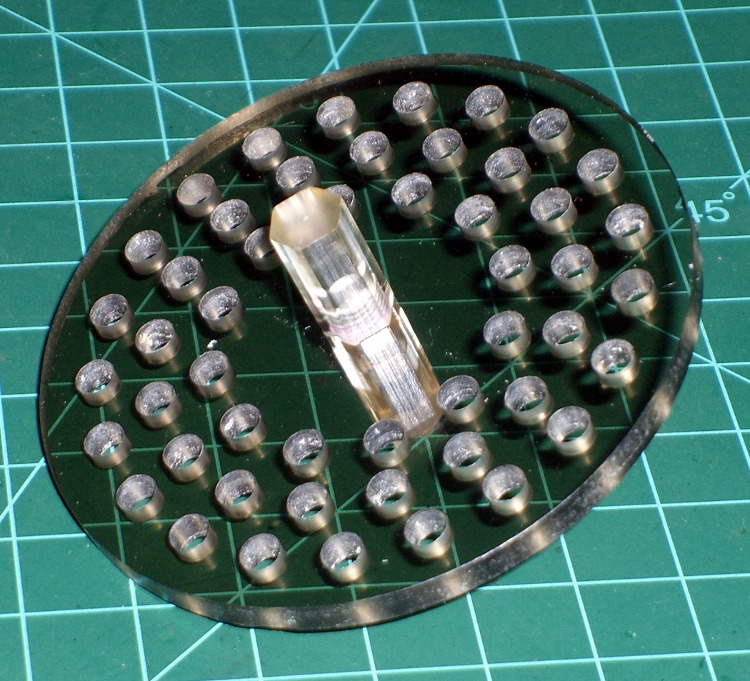
    Some years ago I machined a pair of smoke gray acrylic sink strainers (using LinuxCNC / EMC2 loops and trig functions) on the Sherline and wrote it up for my Digital Machinist column. They came out quite nicely:

    CNC Sink Strainer
    CNC Sink Strainer

    Then I did a 3D printed version on the Thing-O-Matic:

    Strainer plate fill
    Strainer plate fill

    Which produced a note about small features and another Digital Machinist column, of course.

    Subtractive machining is definitely the right hammer for some jobs…

  • Trinity Home Firefighting Robot Contest: 2013 Edition

    Dressing the Granny Doll
    Dressing the Granny Doll

    I’ll be volunteering at the TCHFFRC this weekend, so if you happen to be near Hartford CT, drop in to see some high-pressure robot debugging.

    You’ll find me behind the Robot Inspection Table, making sure everybody’s building robots that meet the same specifications. That’s a step up from a few years ago, when I got to dress the Granny Doll used in the RoboWaiter Contest…

  • Leaked Spam Template

    A wannabe spammer inadvertently sent me a nice comment-spam template:

    {{You must|You need to|You have to|You should} {take advantage of|make the most of|benefit from|take full advantage of} {all the|all of the|each of the|every one of the} software advancements that {happen to be|are actually|are|are generally} {a successful|an effective|an excellent|a prosperous} {Internet marketer|Online marketer|Internet entrepreneur|Affiliate marketer}. {If your|In case your|Should your|When your} work {begins to|starts to|actually starts to} suffer, {the competition|your competition|competition|your competitors} could {leave you|make you|create} {in the|within the|inside the|from the} dust. Show {that you are|that you will be|that you are currently|you are} always {on the|around the|in the|about the} {cutting edge|innovative|leading edge|really advanced}, {and they will|and they can} {learn to|learn how to|figure out how to|discover how to} trust {you and your|both you and your|you and the|your} products.

    Multiplying the number of choices together gives a tidy 4.8×10⁹ different comments, each one heartbreakingly close to making sense.

    It’s now in my spam collection, along with some other nuggets snatched from the Internet’s outfall pipe