The Smell of Molten Projects in the Morning

Ed Nisley's Blog: Shop notes, electronics, firmware, machinery, 3D printing, laser cuttery, and curiosities. Contents: 100% human thinking, 0% AI slop.

Author: Ed

  • Reversal Zits: Analysis

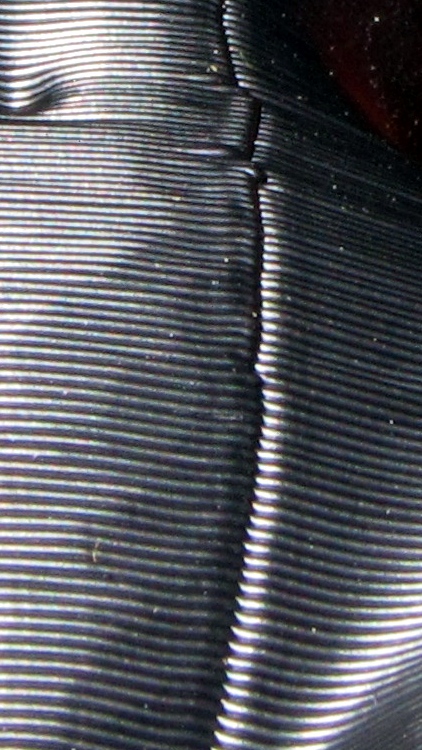
    The Pink Panther Woman provided a clear view of the Reversal zit problem. With Clip = 0.1, she has what looks like a horrible surgical scar on her left side that extends from groin to, uh, bosom, with the defect punching inward:
    PPW - Clip gaps
    PPW – Clip gaps

    From bosom to collarbone, however, the scar consists of the usual Reversal zits extending outward:

    PPW - Reversal zits
    PPW – Reversal zits

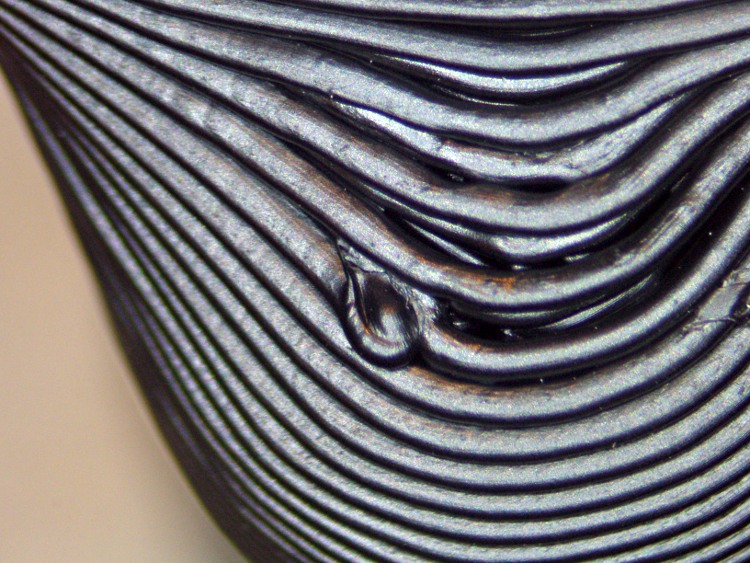
    This microscope shot shows the outie zits in grisly detail:

    PPW - outie zits
    PPW – outie zits

    And another on her right side that’s nicely isolated:
    PPW - outie - right
    PPW – outie – right

    Skeinlayer shows the nozzle motions around that zit:
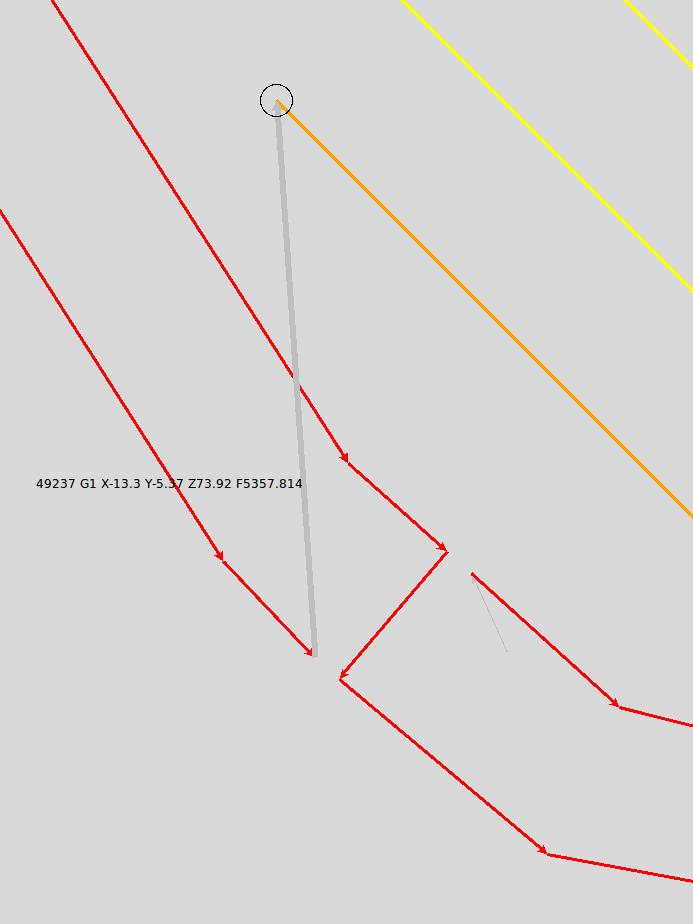
    PPW outie zit - right breast top - skeinlayer
    PPW outie zit – right breast top – skeinlayer

    The corresponding G-Code:

    G1 X-13.14 Y-7.69 Z73.92 F1607.344
    M108 R25.0
    M102
    G04 P125.0
    M103
    (</perimeter>)
    (</boundaryPerimeter>)
    G1 X-13.3 Y-5.37 Z73.92 F5357.814
    M108 R25.0
    M101
    G04 P125.0
    M108 R1.786
    G1 X-11.21 Y-7.46 Z73.92 F1607.344
    M108 R25.0
    M102
    G04 P125.0
    M103
    G1 X-0.81 Y16.67 Z73.92 F5357.814
    M108 R25.0
    M101
    G04 P125.0
    M108 R1.786
    G1 X-0.1 Y16.9 Z73.92 F1607.344
    

    The three highlighted lines correspond to the last Perimeter thread, the gray move to the Infill, and the first Infill thread. This was printed at 30 mm/s with 100 mm/s moves, so the Cool plugin has reduced the speeds from 1800 mm/min and 6000 mm/min to what appears in the code.

    Reversal is doing exactly what it should: inhaling the thread at the end of the Perimeter, moving, then exhaling before starting the Infill. The result isn’t nearly as good as you’d (well, I’d) expect, though.

    However, here’s what Skeinlayer shows for an innie zit at her waist:

    PPW inne zit - left waist - skeinlayer
    PPW inne zit – left waist – skeinlayer

    The corresponding G-Code:

    G1 X6.1 Y-12.63 Z49.5 F582.649
    M108 R25.0
    M102
    G04 P125.0
    M103
    (</perimeter>)
    (</boundaryPerimeter>)
    (</nestedRing>)
    M104 S190.0
    M108 R2.0
    (</layer>)
    (<layer> 49.83 )
    M104 S188.654
    (<nestedRing>)
    (<boundaryPerimeter>)
    ... snippage of XML baggage ...
    (<loop> outer )
    M108 R0.654
    G1 X5.81 Y-11.93 Z49.83 F1962.126
    M108 R25.0
    M101
    G04 P125.0
    M108 R0.654
    G1 X7.09 Y-11.11 Z49.83 F588.638
    

    The first highlighted line is the last Perimeter thread on the previous layer, the second is the gray highlighted move to this layer’s Loop, and the third is the first Loop thread. The speeds here are even lower than you saw above; she has a rather slender waist.

    As before, Reversal properly inhales the filament at the end of the previous layer. What’s new & different, though, is that the nozzle moves upward 0.33 mm immediately after finishing the Reversal motion. The result is a very small outward zit, plus the gap (probably) caused by the Clip setting.

    What I don’t yet understand is why an in-plane motion causes such a large blob of ABS. It seems that there’s not much left, if a 0.33 mm upward motion can thin it to nearly nothing, but the outie zits seem to have plenty of plastic hanging out.

    One obvious cause would be an inordinate delay between the end of the thread and the start of the Reversal action. The Arduino must (receive and) decode and execute the M108 G25.0 (or, more precisely, the S3G binary equivalent) before decoding and executing the M102 that starts the extruder motor, which could account for at least some of the problem. I want to blink an LED during the dead time between each command, slap that trace on a scope, and eyeball the command latency; given the number of I/O pins on an Arduino Mega, there should be plenty available.

    Another possibility is mechanical backlash caused by the extruder’s 7:51 gear train. I’m not convinced that’s an issue, as herringbone gears do a good job of eliminating backlash and it feels eminently tight. I need a testcase that puts the backlash on a visible thread.

    More study is obviously needed, huh?

  • Canon SX230HS Image Stabilization vs. Tripod

    Just got a new pocket camera (a Canon SX230HS) to replace that one, read the manual (I can’t help it), and discovered that they recommend turning image stabilization off for tripod shots. A bit of rummaging turns up conflicting advice, so I figured a quick test was in order.

    [Edit: it’s really the Canon SX230HS, not the 320 as I originally mistyped. I’m not changing the post’s permalink, for obvious reasons, and I’m stuck with bogus filenames. Grumble, etc.]

    This is a dot-for-dot crop from two images of the torso of the Pink Panther Woman in black ABS, showing the rather nasty seam produced with Clip = 0.1. The pix are seconds apart at f/8 with manual focus and flash illumination, so they’re as alike as I can make them. Clicky for more dots.

    Pop quiz: which side has stabilization turned on?

    Canon SX320HS Image Stabilization
    Canon SX320HS Image Stabilization

    Answer: left = ON, right = OFF. Yeah, I was surprised, too; even the dust specks look the same.

    So, as nearly as I can tell, image stabilization doesn’t add any jitter to a tripod shot. At least not on the scale I’m using, which is a Good Thing: turning it on & off requires a trip through the menus.

  • Reversal Zits: Clip Variations

    The Skeinforge Clip plugin trims the ends of closed loops to eliminate the overlap. I’ve found that setting Clip > 0.1 causes openings in small circles that shows up in the Polyholes testpiece, so I generally run with Clip = 0.0.

    Here’s a pair with Clip = 0.1 and Clip = 0.0:

    Octopodes - Clip variations
    Octopodes – Clip variations

    As before, pretty much no difference.

  • Reversal Zits: SD Card Variations

    Whenever what might possibly be a timing problem crops up, the first suggestion seems to be “Print from the SD Card!” because the communication USB link between the PC and printer is so fragile it can’t keep the printer fed properly. This seems odd to me and some recent findings indicate that the latency problem is largely due to a weapons-grade blunder in the Java stack, but I figured I’d try it to see what happens.

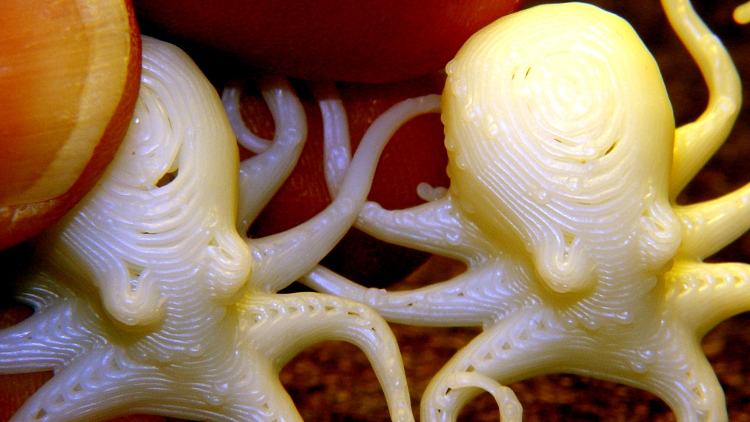
    This rather garishly contrast-stretched image shows the zits along the left side of the right-hand critter’s dome, plus an assortment below their eyes. The one on the left was from the SD Card, the one on the right was through the USB link:

    Octopodes - SD Card variations
    Octopodes – SD Card variations

    The zits may be a bit hard to see in the image, but I can’t see any difference in person, either.

    For what it’s worth, I have never personally seen a problem that was resolved by printing from the SD Card. I think Linux does a better job of keeping the USB pipeline fed, despite Java’s baked-in RXTX delay, than Windows, but I really don’t have any data to support that. Other than that most of the complaints about USB latency seem to come from Windows users, that is.

  • Reversal Zits: Oozebane Variations

    Of late, the Thing-O-Matic has been producing very nice results with one annoyance: zits at the end of threads that seem to be caused by the Skeinforge Reversal plugin. That may be unjustly tarring it, so I’ve been running parameter variations while cranking out tchotchkes for an upcoming presentation.

    This stack of Chalk Men shows the problem.

    Chalk Men - Oozebane variations
    Chalk Men – Oozebane variations

    The bottom and top have my standard 25 rev/min, 125 ms Reversal settings and don’t look all that bad. The middle two have Oozebane turned on: lower = 1.0 and upper = 0.25.

    Fairly obviously, 1 mm of Oozebane early start produces dangling strands and the corresponding 1 mm of early shutdown leaves just less than 1 mm of gap. Not useful.

    Reducing Oozebane to 0.25 mm produces results only slightly worse than no Oozebane at all.

    The rest of the thinly documented Oozebane parameter space doesn’t seem helpful. I think it was intended more for DC motor extruders than steppers, although it didn’t seem useful even then.

    So Oozebane doesn’t seem to help.

  • I Loves Me My Tour Easy

    ZNU APRS speed
    ZNU APRS speed

    My speedometer stored 39.3 mph max somewhere near that point, downhill along nice S curves that end, alas, in that abrupt left turn at the creek. By glancing across the field inside the corner, hoping for the best, and clipping the yellow line, I can emerge at 20+ mph, but some day that’ll have a bad outcome.

    I can’t hold that pace on the flats, of course, but the 22 mile ride came out at 15 mph average and, unlike the guy on the Rail Trail about five miles later, I wasn’t trying to find a more comfortable position on the saddle.

    News Flash: when you go Rail Trail dueling, don’t match your knobby-tire mountain bike against a faired Tour Easy, even if the TE driver is the canonical Fat Old Guy with a Beard and the bike carries all manner of racks and packs and accoutrements. Heh!

  • Thing-O-Matic: Extruder Motor Support

    Extruder motor support
    Extruder motor support

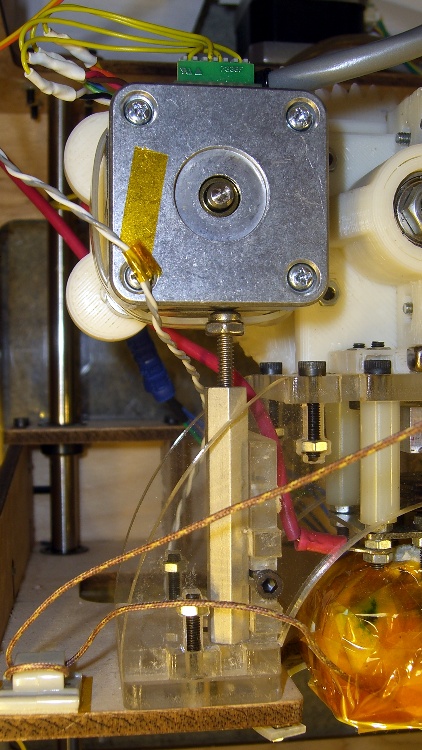
    In the process of tracking down the source of those Reversal zits, I noticed the motor mount flexed slightly as it reversed. That could produce a bit of backlash, so I added a quick-and-dirty support strut under the motor.

    It’s a threaded standoff with a screw in one end. The nut (secured with a dab of Loctite) lets a wrench do the height adjustment. It just stands there, held in place by compression loading.

    Unfortunately, it really didn’t have much of an effect on the problem, about which I’ll say more in a bit.

    Stepper extruder design has advanced during the last half year, so I may print up the latest iteration of Greg’s Extruder. There’s also a beefy NEMA 17 on its way around the curve of the planet that might suffice as a direct-drive extruder motor along the lines of the MBI MK6 StepStruder motor, but with lower winding resistance for better performance.