The Smell of Molten Projects in the Morning

Ed Nisley's Blog: Shop notes, electronics, firmware, machinery, 3D printing, laser cuttery, and curiosities. Contents: 100% human thinking, 0% AI slop.

Author: Ed

  • Thing-O-Matic: Overhead Filament Spool Holder

    Three spools of filament just arrived and needed a home; up to this point, I’ve been using the Lazy Susan Filament Spool for loose bundles atop the Thing-O-Matic. Until I use the last of the loose filament, which could take a while, I figured I could tack the spools to the floor joists.

    It turns out 1-1/2 inch PVC drain pipe fits perfectly through the spool bore, so I squared up the ends of a chunk long enough to span the floor joists at a convenient distance from the printer. That steady rest doesn’t see a lot of use, but when I need it, I need it bad:
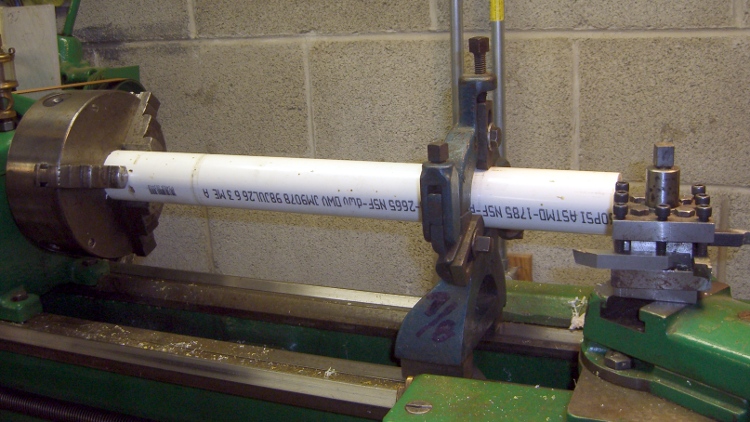
    Turning spool axle
    Turning spool axle

    The endplate solid model looks about like you’d expect:
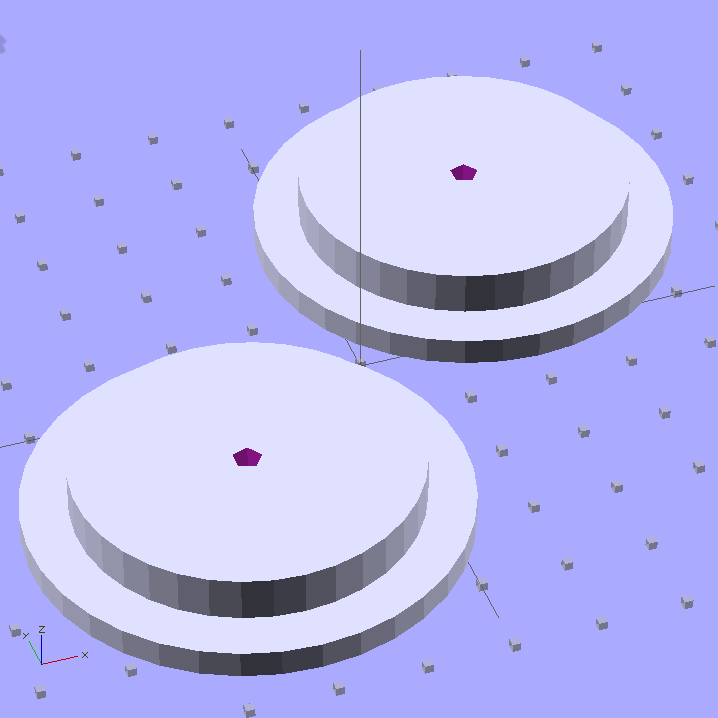
    Filament spool axle endplates
    Filament spool axle endplates

    I could turn those things from two chunks of plate, but this is much neater; a 3D printer makes short work of custom-sized parts.

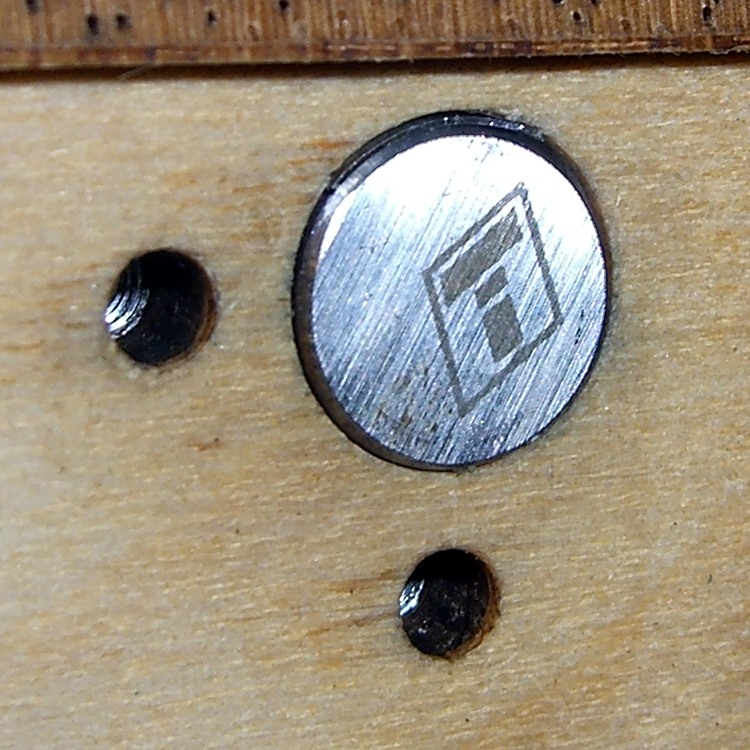
    The two pegs of yellow filament keep the axle endplate from turning on the central screw (and, inevitably, unscrewing themselves); add glue in the blind holes and trim to fit with a flush-cutting nipper. The aluminum brackets come from a pile I’ve been using for years: as almost always, the holes were in exactly the right places.

    Filament spool axle endplate
    Filament spool axle endplate

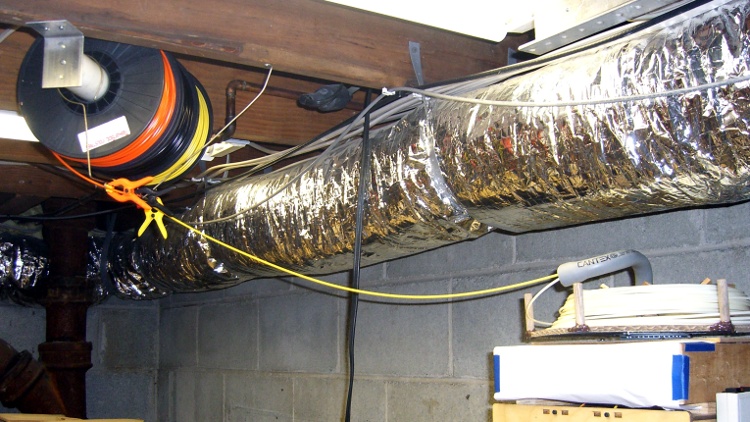
    With all that in hand, up it went:

    Overhead filament spools
    Overhead filament spools

    I bent some coat hanger wire into a guide bar with three eyelets for the filaments, plus another chunk to hold the guide in position. Three small (color coordinated!) clamps prevent the unused filament from unwinding.

    I’m not completely happy with this arrangement, because there’s not enough control over the filament energy: the coil around each spool wants to expand into a tangle exactly the size and shape of the Basement Laboratory and there’s not a lot preventing that. I think a variation on tbuser’s Spool Guard theme might be in order: let the filament expand within a tightly enclosed space around each spool.

    The OpenSCAD source code:

    // Filament spool shaft adapter
    // Ed Nisley KE4ZNU July 2011
    
    include </home/ed/Thing-O-Matic/lib/MCAD/units.scad>
    
    Layout = "Show";					// Show or Build
    
    //-- Extrusion parameters
    
    ThreadThick = 0.33;
    ThreadWT = 2.0;
    ThreadWidth = ThreadThick * ThreadWT;
    
    HoleWindage = 0.1;			// enlarge hole dia by this amount
    Protrusion = ThreadThick;
    
    //-- End Plate dimensions
    
    PlateOD = 51.0;
    PlateThick = ThreadThick * ceil(3.0 / ThreadThick);
    
    AxleID = 40.0;
    AxleThick = ThreadThick * ceil(5.0 / ThreadThick);
    
    HoleSpacing = 0.75 * inch;
    
    StubDepth = ThreadThick * ceil(2.5 / ThreadThick);
    StubDia = 3.0;
    
    ScrewDepth = PlateThick + AxleThick;
    
    PrintOffset = 0.8*PlateOD/2;			// fraction of dia to offset objects for printing
    
    Tap6_32 = 0.1065 * inch;
    Clear6_32 = 0.1495 * inch;
    Head6_32 = 0.270 * inch;
    Head6_32Thick = 0.097 * inch;
    Nut6_32Dia = 0.361 * inch;		// across points
    Nut6_32Thick = 0.114 * inch;
    
    //----------------------
    // Useful routines
    
    module PolyCyl(Dia,Height,ForceSides=0) {			// based on nophead's polyholes
    
      Sides = (ForceSides != 0) ? ForceSides : (ceil(Dia) + 2);
    
      FixDia = Dia / cos(180/Sides);
    
      cylinder(r=(FixDia + HoleWindage)/2,
               h=Height,
    	   $fn=Sides);
    }
    
    PegSize = 1.0;
    
    module ShowPegGrid(Size) {
    	for (x=[-5:5])
    	  for (y=[-5:5])
    		translate([x*10,y*10,Size/2])
    		  %cube(Size,center=true);
    
    }
    
    //----------------------
    // Single endplate
    
    module AxleEndPlate() {
    
      difference() {
    	union() {
    	  cylinder(r=PlateOD/2,h=PlateThick,$fa=10);
    	  translate([0,0,PlateThick])
    		cylinder(r=AxleID/2,h=AxleThick,$fa=10);
    	}
    
    	translate([0,0,-Protrusion])
    	  PolyCyl(Tap6_32,ScrewDepth + 2*Protrusion);
    
    	for(y=[-HoleSpacing,HoleSpacing])
    	  translate([0,y,-Protrusion])
    		PolyCyl(StubDia,StubDepth + Protrusion);
    
      }
    
    }
    
    //----------------------
    // Lash it together
    
    if (Layout == "Show")
    	ShowPegGrid(PegSize);
    
    translate([-PrintOffset,-PrintOffset,0]) AxleEndPlate();
    
    translate([PrintOffset,PrintOffset,0]) AxleEndPlate();
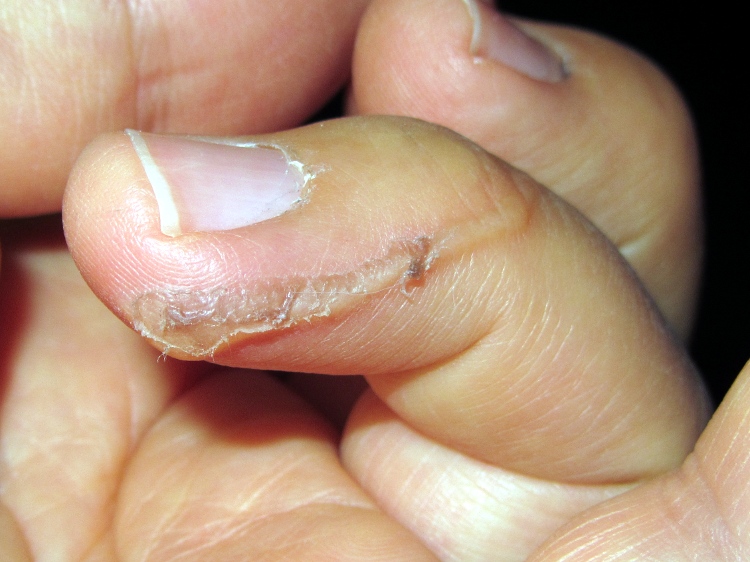
    
    
  • Hot Melt Glue Burn

    I managed to slobber some fresh hot melt glue on my finger…

    Glue burn - after cooling
    Glue burn – after cooling

    It was whoop-dee-do brown carpentry glue from a gun that claims 350 °F output, so what looks like toasted flesh is actually the last remnants of the glue. The advice seems to converge around do not peel the glue (because you’ll rip the damaged skin and leave yourself with an infection) and keep the burn cool.

    After a few hours cuddling with an ice pack I figured I was probably going to live through this. The next morning the glue flaked off, leaving a mighty blister behind.

    Glue burn - blister
    Glue burn – blister

    Looks like something Piter de Vries might have enjoyed inflicting, had Frank Herbert only known about hot melt glue guns: “… there’s a sort of beauty in the pattern of pus-white blisters on naked skin, eh, Baron?”

    One should don all manner of Personal Protective Equipment before using a glue gun, but I bet you don’t, either.

  • Thing-O-Matic: Un-twisting the Build Platform

    Shimmed X-axis rod
    Shimmed X-axis rod

    The aluminum build platform plates remain both flat and level, but the outline and test extrusions are consistently thin by 0.05 to 0.10 mm in the right rear corner and thick by about the same amount in the right front. That means the rear corner is too high and the front corner is too low, but the whole left side is flat to within my ability to measure it.

    The effect is significant, because I’m laying down the first layer at 10 mm/s with a layer thickness of 0.33 mm; the first layer looks exactly like all the other layers in the object. With the middle of the plate at 0.33 mm below the nozzle, the fill can be cramped at 0.23 mm and sparse at 0.43 mm. The long-term Z-min switch repeatability seems to be no better than 0.05 mm, so when the midline goes below 0.30 mm, the higher rear corner really crowds the plastic.

    Given that the left side is level front-to-back, the only way a flat plate can appear non-flat is if the X and Y axis rods aren’t quite parallel: the stage rolls or yaws as it moves.

    That could indicate a bent rod, but the last time I rolled those rods on a surface plate, they’re perfectly straight. Maybe something horrible has happened, but any stress capable of bending one of those rods will wreck the printer in passing.

    Alas, a static platform adjustment can’t fix a dynamic motion, but tweaking the rods to be (more) parallel could reduce the problem. I tried visualizing the possible causes and cures, then decided to stop thinking so much, just change something, then measure the results.

    Why my head exploded:

    • The thickness varies from front-to-back, so the Y axis rods are non-parallel, which should affect both the left and right sides. But the left side is perfectly level and the right side is not.
    • The thickness varies from left-to-right, so the X axis rods are non-parallel, which should affect both the front and back sides. But they vary oppositely: the front tilts down to the right and the back tilts up to the right. The midline from left to right, however, is level to within my ability to measure it.

    I had shimmed the rear X axis rod quite some time ago, so I decided to try a simple adjustment: move the shim from top to bottom. The picture shows the 0.4 mm shim in its original location at the top of the rod; the edge is barely visible. For lack of anything smarter, I moved the shim to the bottom of the rod to push the end upward.

    Shazam! The results of a test extrusion in units of 0.01 mm:

    39 35
    40 35 40
    33 36

    [Update: Typo in the rear-left was 49, should be 39. Drat!]

    Which says it’s give-or-take 0.05 mm around the middle, with the rear-left corner now a tad low; bear in mind that 0.05 mm is about the limit of my measurement ability. It’s off to a good start, anyway, and we’ll see how it fares over the next few weeks.

    Methinks if you’re serious about this 3D printing thing, you need a printer with real axis alignment adjustments and enough stability to make them meaningful. Nophead uses custom code that tweaks the G-Code’s Z-axis coordinates on the fly based on an initial three-point probe, which is a wonderful solution that’s not in the cards for RepG. EMC2 could incorporate that in the kinematics module, but at the moment it does just XY leadscrew mapping. It’s simpler, albeit more expensive on a per-machine basis, to get the mechanical alignment right the first time.

  • Ampeg B-12-XY: Recapping

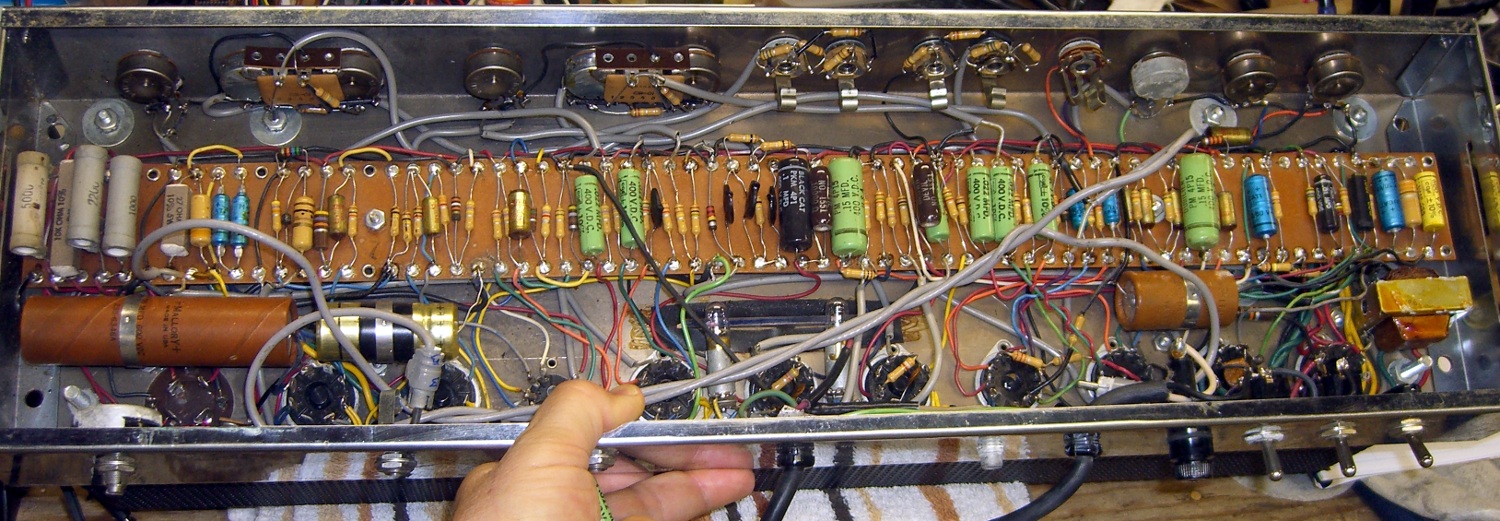
    Just for completeness, here’s the original underside:

    Ampeg B-12-XY - Underside - old caps
    Ampeg B-12-XY – Underside – old caps

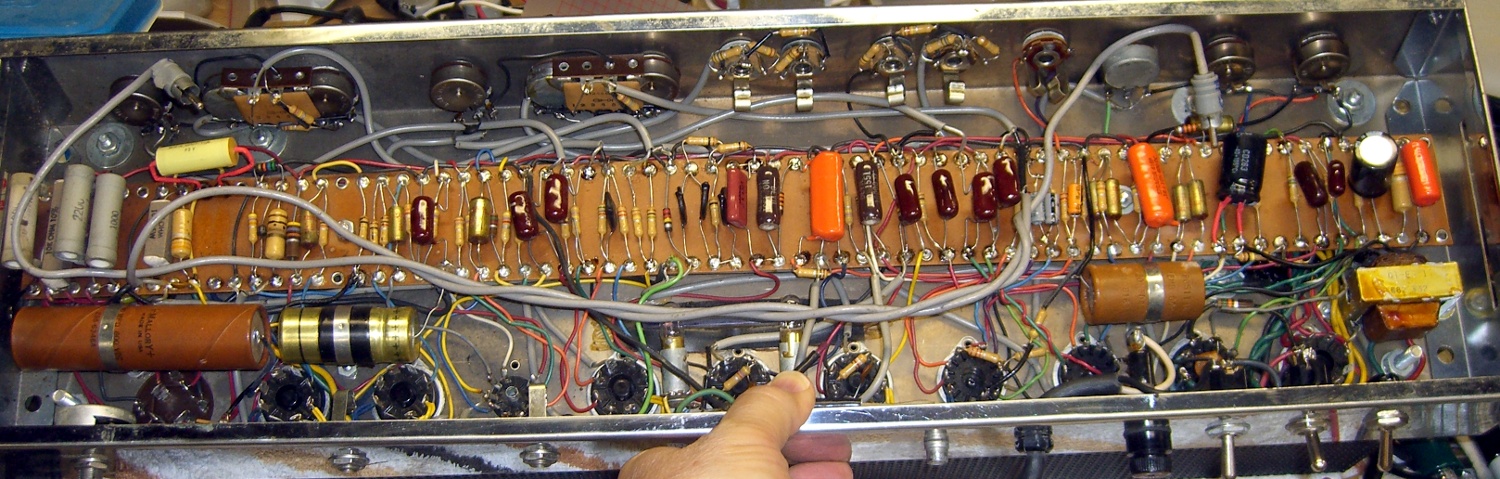
    And with the new caps, many from Eks’ stash and a few from mine:

    Ampeg B-12-XY - Underside - new caps
    Ampeg B-12-XY – Underside – new caps

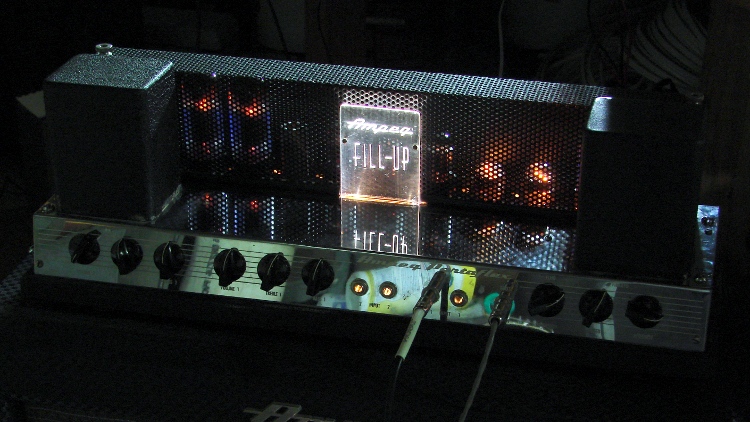
    With all those in place, the firebottles lit up properly, the power tube plates remained dark, and it sounded great. The edge-lit engraved acrylic panel in the middle is a wonderful custom mod!

    Ampeg B-12-XY Firebottles
    Ampeg B-12-XY Firebottles

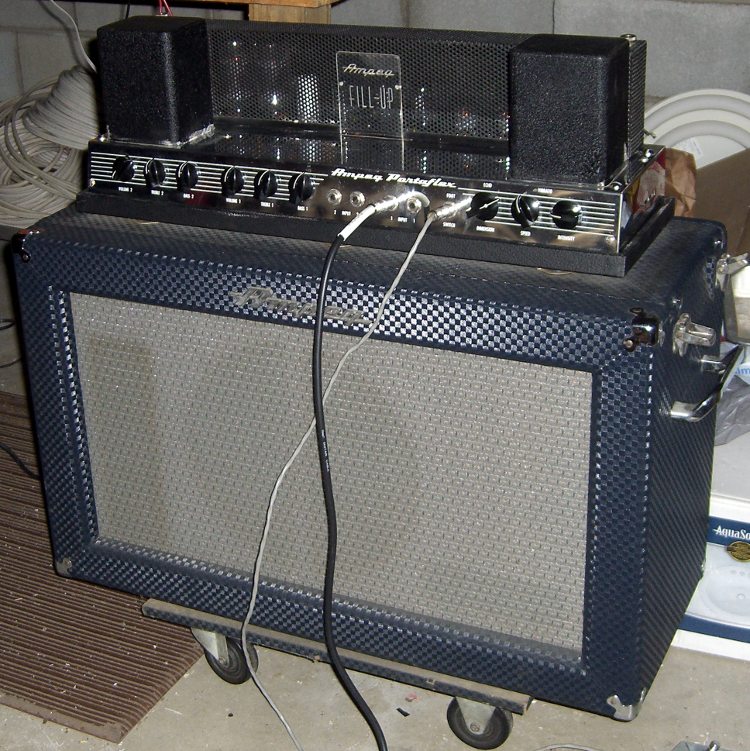
    It’s in mint condition, with the original footswitch and a remote Echo speaker box with a pair of drivers:

    Ampeg B-12-XY - ready to rock
    Ampeg B-12-XY – ready to rock

    It still has those original huge electrolytics, though. Eks says the best test comes after half an hour: if the cans remain cool, the leakage and ESR will be good enough.That’s the case, so we’re rolling with them. However, the amp has some residual hum that the Hum nulling pot can’t remove, plus a bit of noise, which means those ‘lytics probably hover at the bare minimum values required to keep it going.

    I discovered (inadvertently, of course) that swapping the two identical 6D10 triple triode tubes killed the Vibrato oscillator. That triode would oscillate for a few seconds after the footswitch grounded the cathode, but one tube didn’t have enough gain to keep it going. More likely than not, the feedback resistors have increased in value, too. Swapping the 6D10s restored it to operating condition.

    My Shop Assistant compared her tiny DSP Fender amp with this monster and concluded that DSP effects only sound good when you don’t have the original for comparison. Of course, you could lose that tiddly amp inside the Ampeg’s speaker case.

    I should’a learned to play the guitar…

  • Ampeg B-12-XY: Tin Whiskers!

    After Eks set me straight on cleaning the contacts involved with the Ampeg’s Echo circuitry, we emerged from his shop into brilliant sunshine. He looked into the thing and shouted “Tin whiskers!”

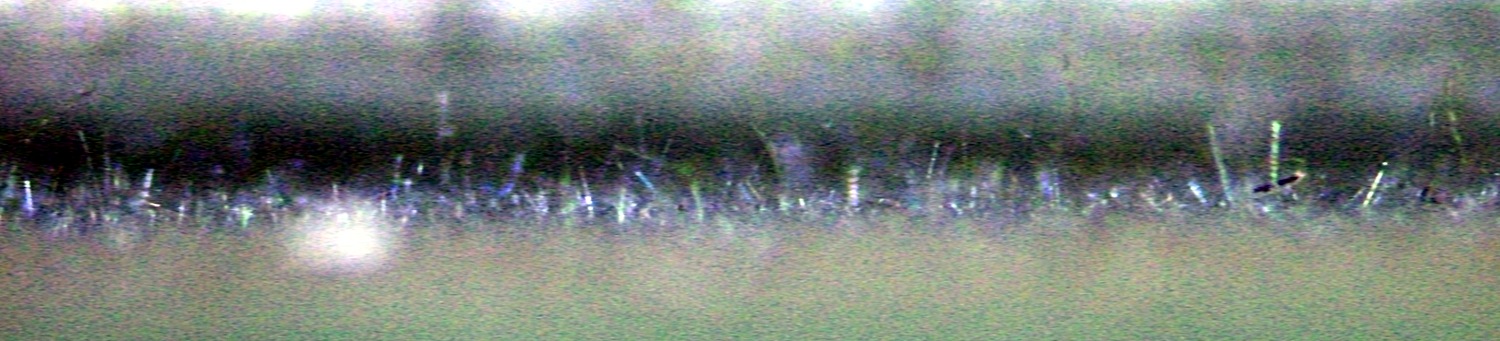
    It turns out the Hammond folks made the outer frame from tin- (or, shudder, cadmium-) plated steel that has grown a dense crop of whiskers on its interior surface. They glittered in the sunlight like a carpet of crushed glass, with the longest ones maybe 3 mm tall!

    This view looks nearly parallel to the side of the channel (upward as it mounts on the speaker box), with the steel wall to the bottom of the image. I applied gruesome contrast stretching to make the whiskers more visible:

    Ampeg Spring Echo Unit - Tin Whiskers
    Ampeg Spring Echo Unit – Tin Whiskers

    This is the first time I’d ever seen a tin whisker in person and there’s a bazillion of ’em in there!

    If that Ampeg had transistorized components, it’d be dead as a doornail! Fortunately, a tin whisker doesn’t stand a chance in an analog vacuum-tube circuit. The power supply puts 400-ish V into 40 μF caps, providing plenty of energy to vaporize the errant whisker; all you’d hear is a pop.

  • Ampeg B-12-XY: Echo Circuit

    Mad Phil asked me to fix up his trusty Ampeg B-12-XY (*) bass guitar amp, having recently fired it up and discovered that the power output tube plates glowed red-hot. I’d planned to replace the electrolytic caps, but Eks, who does this sort of thing all the time, suggested that leaky interstage coupling caps can also cause that problem; the leakage wrecks the phase splitter bias and thus kills the drivers.

    While poking around in the amp I found that the Echo hardware circuitry doesn’t match the schematic for either the B-12-X or B-12-XY. Mad Phil says that’s probably because he had the factory upgrade his original B-12-X to a B-12-XY for the munificent sum of $25, back in the day. It’s unlikely you’ll ever need this, but here’s what I found:

    Ampeg B-12-XY - as-found Echo circuit
    Ampeg B-12-XY – as-found Echo circuit

    The topology resembles the -XY schematic, but with different tube sections and part values.

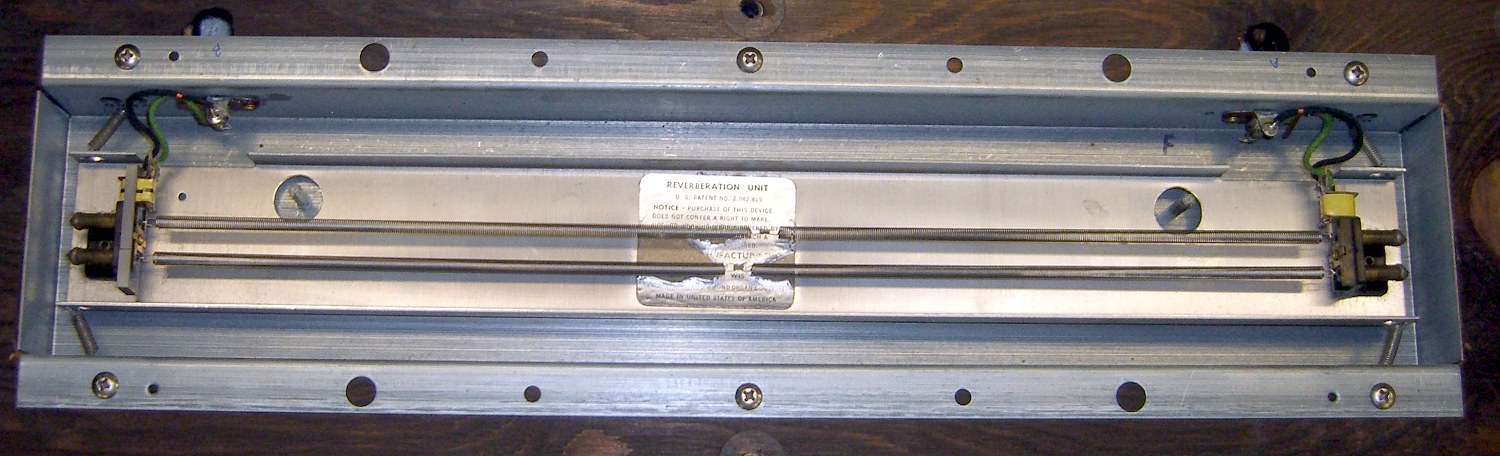
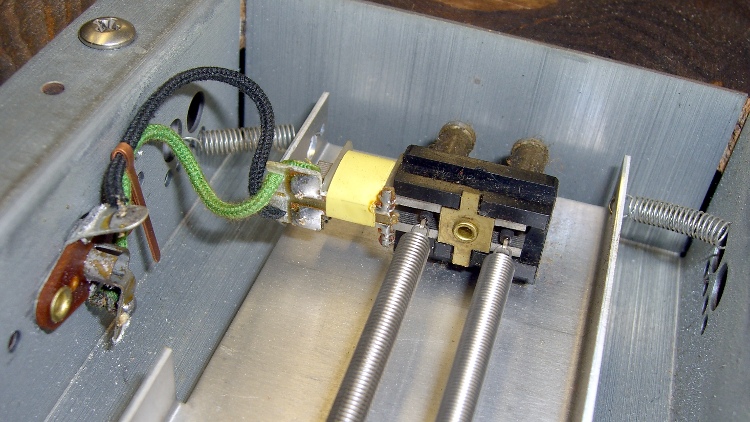
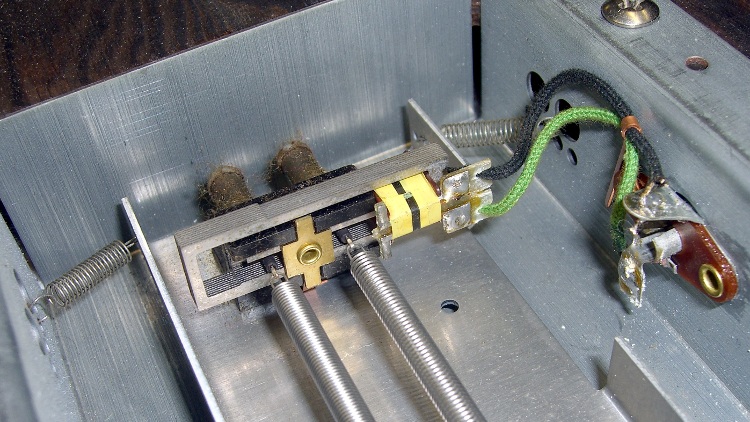
    The Echo unit over there on the left consists of two springs with magnetic transducers on each end, evidently made by the Hammond Organ folks, who should know something about reverb. This is the bottom view, with the unit attached to the board that supports the amp chassis:

    Ampeg Spring Echo Unit
    Ampeg Spring Echo Unit

    The input transducer, just in case you forget to label the ends before you take it apart:

    Ampeg Spring Echo - input end
    Ampeg Spring Echo – input end

    And the output transducer:

    Ampeg Spring Echo - output end
    Ampeg Spring Echo – output end

    Getting the thing off the speaker box posed a bit of a problem. Remove the four big screws holding the chassis to the board, tilt it carefully forward, hold it in place while you remove the six nuts-and-washers from the vibration isolators, then transport the whole disjointed affair to the workbench. Turns out you (well, I) can’t get the RCA plugs out of the Echo unit’s sockets from the top of the board, but the unit’s mounting screws are on the bottom of the board, where you can’t get to them before you remove the board. Of course, the cables leading to the aforementioned RCA plugs tether the chassis to the Echo unit with pretty nearly no slack at all.

    With everything apart, I rounded the ends of the RCA plug cutouts enough to get them out from the top the next time around, with the board screwed in place atop the speaker box:

    Ampeg Spring Echo unit - top view
    Ampeg Spring Echo unit – top view

    After putting the whole thing together with new caps, the Echo circuit didn’t work. I had cleaned the contacts and connectors, but Eks showed me how it’s really done. Apart from the rotted caps, all the other problems came from minor corrosion in switches, connectors, and tube sockets. Now I know better.

    * Yes, the model numbers really end in X and XY.

  • Monthly Aphorism: On Preventing Problems

    • You get one chance to throw the snake over the side

    The Great Greene grew up in the Midwest, with the type of summer job one might expect of a teen in an area surrounded by grain fields. One summer he found himself standing knee-deep in the wheat pouring into a cart beside a combine harvester, tasked with shoveling grain into the corners to level the load.

    In addition to combines, the fields were full of rattlesnakes.

    A rattlesnake adopts a characteristic pose when it senses a predator: body coiled, head and tail up, rattle vibrating vigorously. The smaller critters that dine on rattlesnakes (evidently, young rattlesnakes are tasty little pushovers) have figured out, over the course of their long shared evolutionary history, that such a display means this isn’t an immature rattlesnake and they should move along, move along. Raptors pay no attention, having invented the whole death-from-above thing long before we figured out powered flight.

    Combines, having not evolved alongside rattlesnakes and being entirely unaware of the threat display, also pay no attention and simply sweep the entire snake into the threshing machinery, where the snake’s characteristic writhing-ball-of-fury reponse to an attack only serves to give the machinery a better grip. The rattlesnake emerges from the combine’s front end as a snakeskin belt surrounded by gibbage.

    The combine’s sorters and sieves and transports that separate grain from straw don’t work well on rattlesnake remains, to the extent that much of the snake emerges from the conveyor belt as a damp blob dropped atop the pile of grain in the cart.

    In addition to leveling the grain, the Great Greene was responsible for tossing debris over the side. He observed that the machinery downstream of the combine couldn’t do much more than sort out the larger chunks (it’s not like you can wash grain), so if he missed a snake the smaller bits were certain to wind up in your breakfast cereal bowl.

    He said he got most of them…