The Smell of Molten Projects in the Morning

Ed Nisley's Blog: Shop notes, electronics, firmware, machinery, 3D printing, laser cuttery, and curiosities. Contents: 100% human thinking, 0% AI slop.

Author: Ed

  • Michelin Hair, Without A Flat

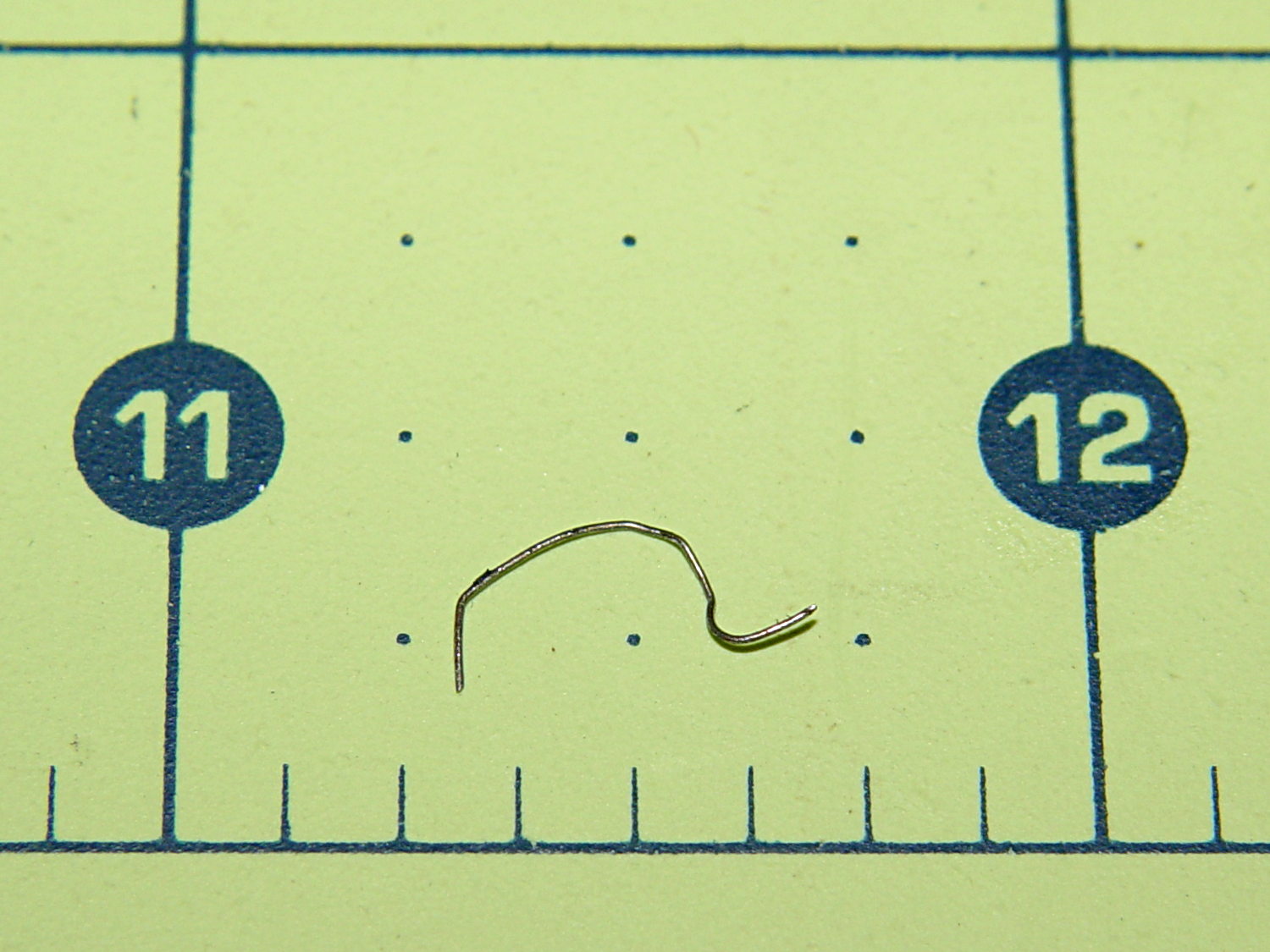
    Mary heard a faint sound from the back of her bike that neither she nor I could track down. Standing in the garage, we decided it was slightly louder when the wheel turned backwards, but the sound didn’t correlate with anything.

    Eventually, I held my hand over the wheel while turning it, whereupon the problem made itself obvious:

    Michelin Hair from bike tire
    Michelin Hair from bike tire

    Another Michelin Hair from a steel-belted automobile or truck tire!

    The short hook on the right side embedded itself the in the tread, with the rest sticking out. Turning the wheel backwards dragged the longer arc on the fender, making a slightly louder sound. Of course, the tightest fender-to-tire clearance occurs just behind the seat, where it isn’t easily visible.

    Fortunately, the hook wasn’t quite long enough to punch through the Schwalbe Marathon’s armor layer and the tire liner.

    Whew!

  • Firefox Accounts: Total FAIL

    So I’m in the process of installing Xubuntu 14.04LTS on a box and get to the point where I’m ready to install various daemons and utilities, then tweak their settings, so it’s time to have the new Firefox inhale all my settings from the Firefox on my 13.10 desktop, which will let me find all my blog posts with that information. This used to be a simple matter of going into the new Firefox’s Preferences, getting a one-time pairing code, typing it into the other desktop, and away it went, synchronizing the two installations.

    But, no.

    While I wasn’t watching, Firefox crept up to Version 29 and, at some point, Mozilla introduced Firefox Accounts. Why would they do that? Here’s a hint:

    Firefox Accounts is a consumer account system which provides access to services run by Mozilla, such as Firefox Marketplace and the next version of Firefox Sync.

    Firefox Marketplace? Say no more: money changes everything!

    Oh, and the “next version of Firefox Sync” is totally incompatible with the “old version” used by all existing Firefox installations.

    But it gets worse (emphasis mine):

    What if I don’t want to update to the new Sync?

    • While the old version of Sync will continue to work, the latest version of Firefox doesn’t support adding new devices to the old version of Sync. This means that you won’t be able to sync with a new device.
    • Mozilla will continue to host the old version of Sync for a limited time to allow for migration to Firefox Accounts.

    In order to sync the 14.10 Firefox, I must upgrade the 13.10 Firefox, but after I do that, none of the other boxes will be able to sync with either of them. I haven’t checked whether Firefox Version 29 is offered for the 10.04LTS installation that’s running on the LinuxCNC boxes.

    My 13.10 desktop has endured many, many, many automatic Firefox upgrades during their recent version incrementing mania and, for whatever reason, it doesn’t offer “New Sync” as an option, despite being at the same Version 29 as the 14.04 installation. This is likely a problem with some Firefox extension or another, but I disabled them to no avail.

    When all else fails, you always create a new profile by starting the Firefox Profile Manager:

    firefox -profilemanager

    That works as expected; the new and completely bare profile let me create a new Firefox Account, which entails the usual to-ing and fro-ing with emailed one-time authorizations and suchlike. OK, now I can use the shiny new Firefox Marketplace, should I so desire. Be still, my heart!

    So, we progress.

    But my original intent was to get all the setup data into the 14.04 Firefox, so (on the 13.10 Firefox) I followed the directions about transferring the old settings into the new profile, which involves tediously hand-copying a bunch of files from one cryptic directory to another. This is a brutally user-hostile operation that only geeks should endure; there is absolutely no automation to be found.

    Having a new profile, albeit without any of the old extensions, I attempt to sync my settings, only to discover that the new Firefox Sync will not synchronize my stored passwords, which was pretty much the whole point of this exercise.

    Turns out that’s deliberate:

    Firefox Sync will not synchronize your passwords if a master password is set. If you would like to continue synchronizing your passwords, try removing your master password before synchronizing.

    Now, why would I have a master password? Because, long ago, the good folks at Mozilla highly recommended it (emphasis mine):

    It takes only fifteen seconds for a prying user sitting at your computer to see the list of all the passwords you have told Firefox or Thunderbird to save. The list is shown plain as day. It can include webmail and forum passwords or email server passwords. Using a Master Password is highly recommended, to prevent such prying users from seeing the list. By setting a Master Password, anyone using your profile will be prompted to enter the master password when access to your stored passwords is needed.

    So, the new Firefox Sync requires a Firefox Account that doesn’t do anything I need done and, in order to sync my 13.10 settings into the 14.04 box, I must have a new Firefox Account and make both Firefox installations less secure.

    I think it’s possible to remove the master password, sync the stored passwords, then restore the master password. When you remove the password, you get a confirmation message:

    You have deleted your Master Password. Your stored web and email passwords, form data, and private keys will not be protected.

    Firefox allegedly uses the Gnome keyring to get a master password protecting the whole Firefox session, but displaying all the stored passwords is just a few clicks away after that; needless to say, Firefox on 13.10 doesn’t use the keyring. Given that Chromium on Xubuntu 13.10 does not use the Gnome keyring, it’s entirely unprotected. Maybe the 14.04 box will use the keyring for both browsers?

    What the hell do those people smoke? I want some of that, right here, right now!

    Verily, money changes everything…
  • 3D Printing Demo at the HV Boy Scout CamporALL: Image Processing

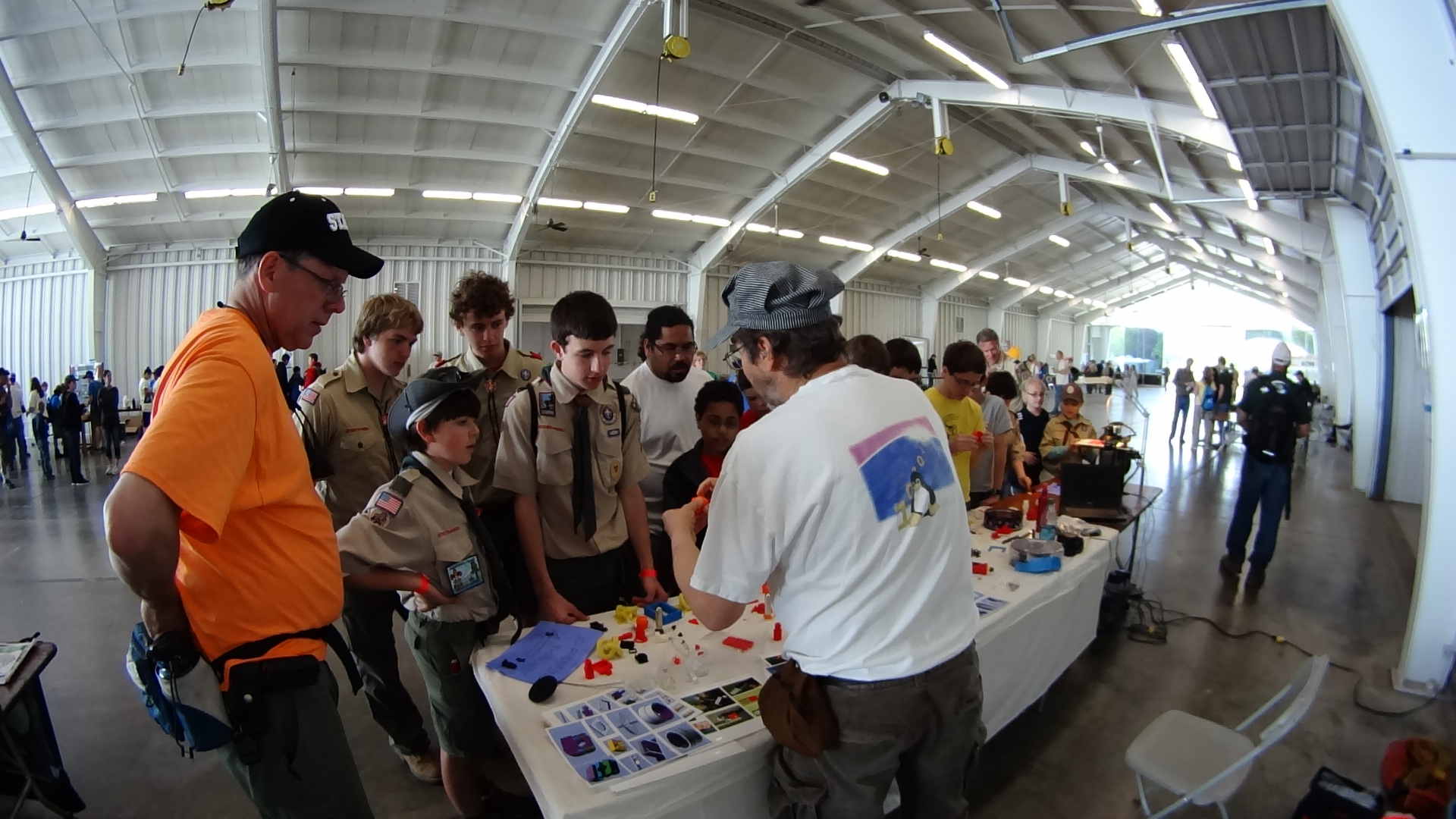
    More than five hours of stand-up comedy condensed into two minutes of frenzied video showing activity like this:

    3D Printing Demo - HV Scout CamporALL 2014
    3D Printing Demo – HV Scout CamporALL 2014

    The Sony HDR-AS30V perched atop a tripod behind the table, where only one errant Scout bumped it, recording one image every 5 seconds. The non-adjustable focus seems biased for selfies, but the compression definitely produces softer images in subdued lighting conditions, so it’s hard to say.

    Each NP-BX1 battery lasts about 2.5 hr in that mode and I brought all three, but simply forgot to install the third one. As a result, we don’t get to see the last 2+ hours… it was a long day.

    The “image processing” behind the movie went a little something like this, modulo a few edits to elide my blundering around:

    sudo mount /dev/sdb1 /mnt/backup
    sudo mount -o uid=ed /dev/sdd1 /mnt/part
    mkdir /mnt/backup/Video/2014-05-17
    rsync -au /mnt/part/DCIM/100MSDCF/ /mnt/backup/Video/2014-05-17
    rsync -au /mnt/part/DCIM/101MSDCF/ /mnt/backup/Video/2014-05-17
    cd /tmp
    mkdir Video
    cd Video
    sn=1 ; for f in /mnt/backup/Video/2014-05-17/*JPG ; do printf -v dn 'dsc%05d.jpg' "$(( sn++ ))" ; cp -a $f $dn ; done
    mkdir Shrink
    for f in *jpg ; do convert $f -resize 50% Shrink/$f ; done
    cd Shrink/
    avconv -r 30 -i dsc%05d.jpg -q 5 3DPrinting-q5.mp4
    mv 3DPrinting-q5.mp4 "3D Printing Demo - HV Scout CamporALL 2104.mp4"
    

    One could, of course, do all that in fewer steps, if one knew the answers ahead of time, which should may apply when I refer back to this post.

    Using rsync -au to copy the files from the camera to the 2 TB backup drive neatly solves the problems that occur when the camera’s USB port abruptly disconnects itself during the copy: rsync can recover without losing or trashing any files. Alas, after the camera disconnects, it requires a power cycle to recover its wits.

    The USB camera connection reads data at 6 MB/s. Removing the MicroSD card and jamming it in the card-reader slot on my monitor runs at 18 MB/s. Apart from the fact that the MicroSD card seems so flimsy, I wonder how long the spring-detent latch inside the camera will continue working. On the other paw, when the USB port finally breaks, it’ll take the GPS assist data path along with it.

    Not shown: the rename 'y/A-Z/a-z/' *JPG that converts the original filenames to lowercase, which I did after the fact. Because blundering around, OK?

    The 3964 original 1920×1080 images, hot from the camera, weigh in at 2.2 GB and the half-size video emerged at 118 MB. The default avconv quality setting produces surprisingly crappy results, so I used -q 5. Some after-the-fact fiddling showed that -qscale 5 produces the same file size with about the same apparent quality.

    None of that matters, because Youtube set the maximum resolution to 480 and applied ruthless compression. Now I know better…

  • Family Energy Cold Call: The Key Number

    A cold call from Family Energy, completely in violation of our presence on the FTC Do Not Call registry, produced an offer: “lock in” a rate of 8.9 ¢/kWh for two years. My experience has been that anybody cold calling me does not have my best interest in mind and a few minutes of search-fu showed that, while Family Energy may not be a scam, they certainly employ unique marketing methods for an “energy supply company”.

    For reference, the last two years of Central Hudson supply charges:

    Central Hudson Gas & Electric  
    Dollars per kWh  
    Date MFC Supply Ch Market Price Market Pr Adj Net Supply Ch
    2012-03-08 0.00190 0.05982 0.00635 0.06807
    2012-05-09 0.00190 0.05665 0.00524 0.06379
    2012-07-12 0.00191 0.06396 0.00532 0.07119
    2012-09-10 0.00196 0.07805 0.00260 0.08261
    2012-11-08 0.00196 0.05206 -0.00100 0.05302
    2013-01-12 0.00196 0.05027 0.00322 0.05545
    2013-03-12 0.00196 0.08340 0.00241 0.08777
    2013-05-09 0.00196 0.07359 0.00116 0.07671
    2013-07-10 0.00197 0.05458 0.00397 0.06052
    2013-09-09 0.00203 0.08143 0.00420 0.08766
    2013-11-05 0.00203 0.06634 -0.00368 0.06469
    2014-01-08 0.00203 0.05816 0.00061 0.06080
    2014-03-12 0.00203 0.14779 -0.00534 0.14448
     
    Average 0.07514

    That’s the only part of the bill Family Energy (and other suppliers) can replace; the remainder pays for delivering the energy to our meter.

    Family Energy’s marketing obviously plays off the staggering price spike in the most recent bill, but the CHG&E rate is lower than their “locked in” offer. In fact, if you exclude the last line, the CHG&E average is 6.9 ¢/kWh. The price spike came from the 2014 midwinter natural gas shortage and, assuming no simultaneous equipment failures, prices should return to the normal pattern.

    We may be building / upgrading pipelines, but expect the usual stalling, because environment.

    Family Energy does offer a $25 cash-back if your annual bill exceeds the CHG&E rate, up to a maximum of $75, but that’s chump change compared to the size of our bills…

    All I know is what I read on the Intertubes, but it seems the Family Energy door-to-door sales droids have even less interest in overall customer satisfaction.

  • Silica Gel Regeneration

    The humidity in the basement safe has been on the rise for the last few months:

    Basement Safe Humidity
    Basement Safe Humidity

    So I dumped all three bags of spent silica gel onto cookie sheets and baked them at 250 °F for a bit less than 12 hours overnight. As the (gas) oven temperature isn’t all that well regulated, I set it to 230 °F and hoped for the best. I have no way of knowing what the actual temperature was during the night.

    The silica gel inside the bag from the safe weighed 583 g and the two bags that had been sitting in the basement air weighed 663 g. After baking, all three trays of beads weighed 496 g, slightly less than the 500 g direct from the factory-sealed cans.

    The beads looked undamaged from their ordeal.

    Two dozen scattered beads collected from the countertop and floor weighed 0.4 g, for an average weight of 0.017 g each. I definitely didn’t lose 12 g of beads during this adventure!

    The translucent white beads vanish against an off-white laminate kitchen floor under ordinary lighting. They’re retroreflective enough that peering along the side of an LED flashlight lights them up; I’m pretty sure I got most of ’em.

    Memo to Self: Next time, try 6 hours starting in the morning.

  • Subaru Forester Manual: Oddities

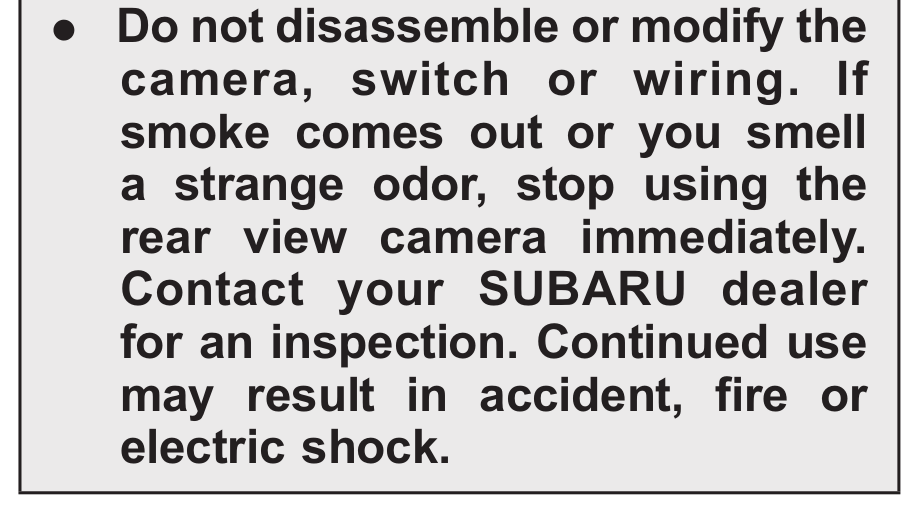
    Our shiny new Subaru Forester came with a 540 page user manual and, being that type of guy, I’ve been reading through it. I suspect warnings like this come from a lawsuit in the not-too-far-distant past:

    Camera Disassembly Warning
    Camera Disassembly Warning

    They seem to be very, very worried about small animals:

    Check for Small Animals
    Check for Small Animals

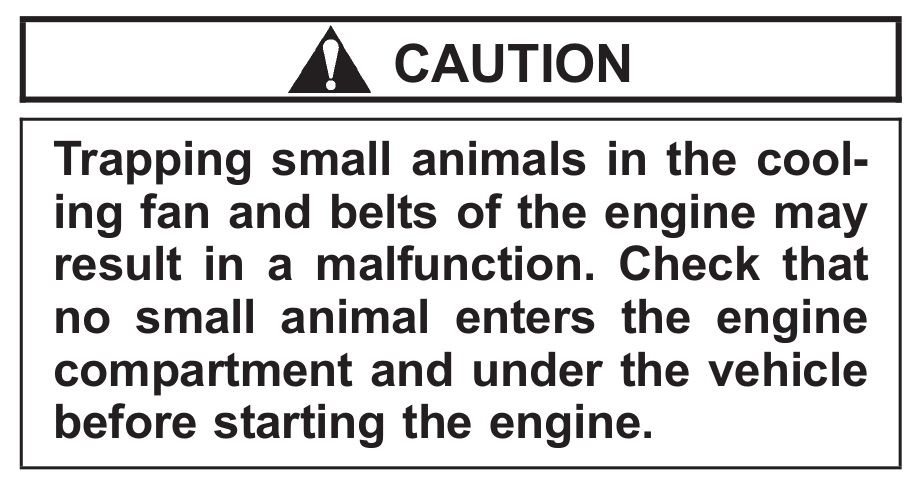
    In this situation, I’d hope the engine would fare better than, say, a squirrel:

    Trapping Small Animals
    Trapping Small Animals

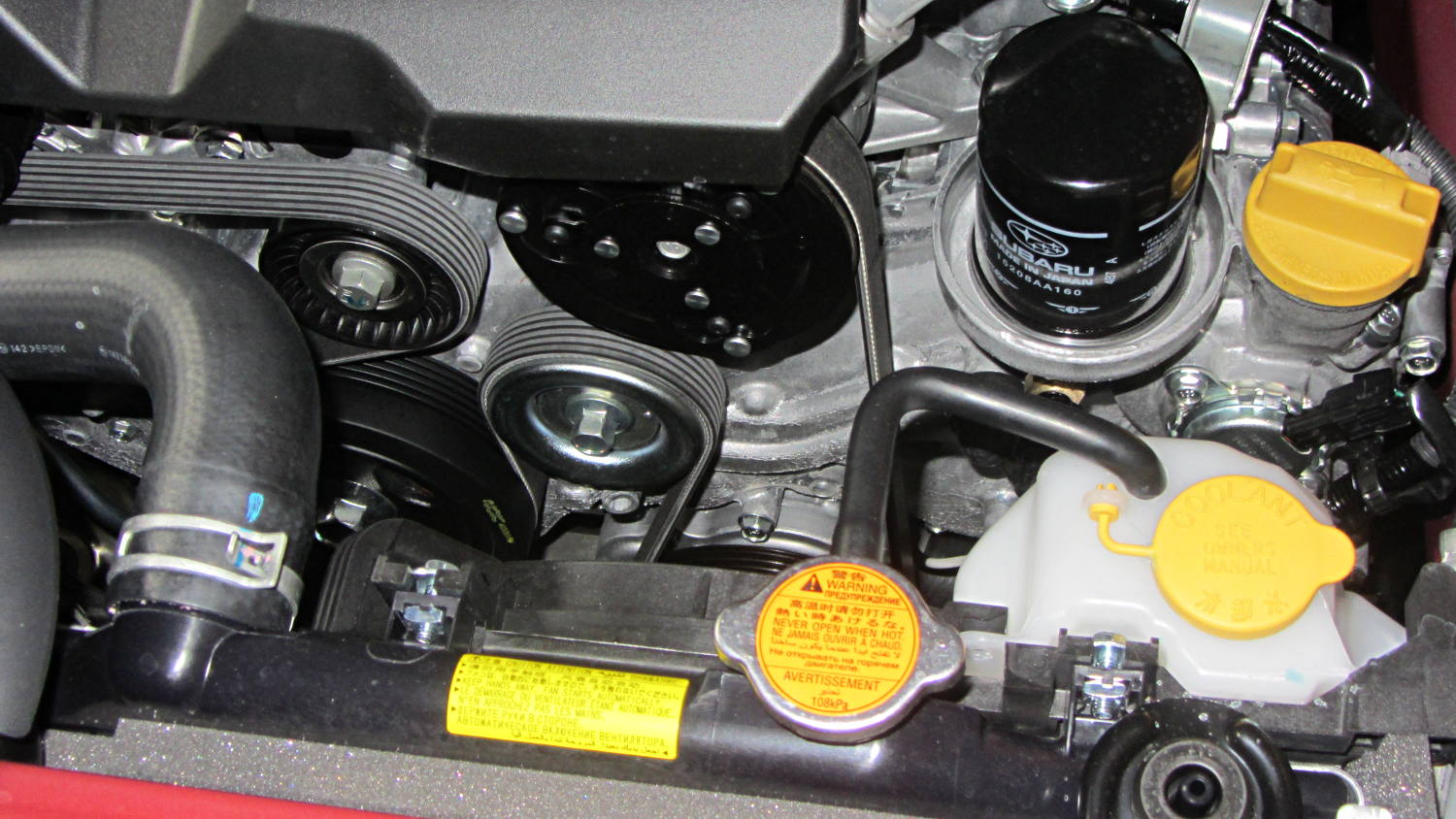
    Unlike the Toyota Sienna’s enclosed belt, I could actually replace this one, so I suppose a squirrel could take up residence somewhere in there:

    Subaru Forester - belt and oil filter
    Subaru Forester – belt and oil filter

    And look at that oil filter: right up top, inside a bowl! The never-sufficiently-to-be-damned Toyota engineers mounted the Sienna’s filter horizontally, halfway up the side of the transverse V6 engine, where it slobbers oil down the block and over the front exhaust manifold.

    So far, so good…

  • Monthly Image: Walkway Maintenance, with Airplane

    We planned to ride west on the Walkway and return east on the Mid-Hudson bridge, but encountered an obstruction in mid-span:

    Maintenance Crane on Walkway Over the Hudson
    Maintenance Crane on Walkway Over the Hudson

    Pedestrians and cyclists on diamond-frame (a.k.a., “wedgie”) bikes could sneak past the outrigger legs on the south (left) side of the crane, although that’s surely a Bad Idea for worksite safety. Our big ‘bents wouldn’t fit through, so we just turned around and enjoyed the ride home; a good time was had by all.

    While tweaking that picture, I noticed a speck of dirt on the monitor that, upon closer investigation, turned out to be a hidden object:

    Maintenance Crane on Walkway Over the Hudson - airplane
    Maintenance Crane on Walkway Over the Hudson – airplane

    Obligatory XKCD