The Smell of Molten Projects in the Morning

Ed Nisley's Blog: Shop notes, electronics, firmware, machinery, 3D printing, laser cuttery, and curiosities. Contents: 100% human thinking, 0% AI slop.

Author: Ed

  • Crosman BB Bottle Cap

    Crosman BB Bottle Cap

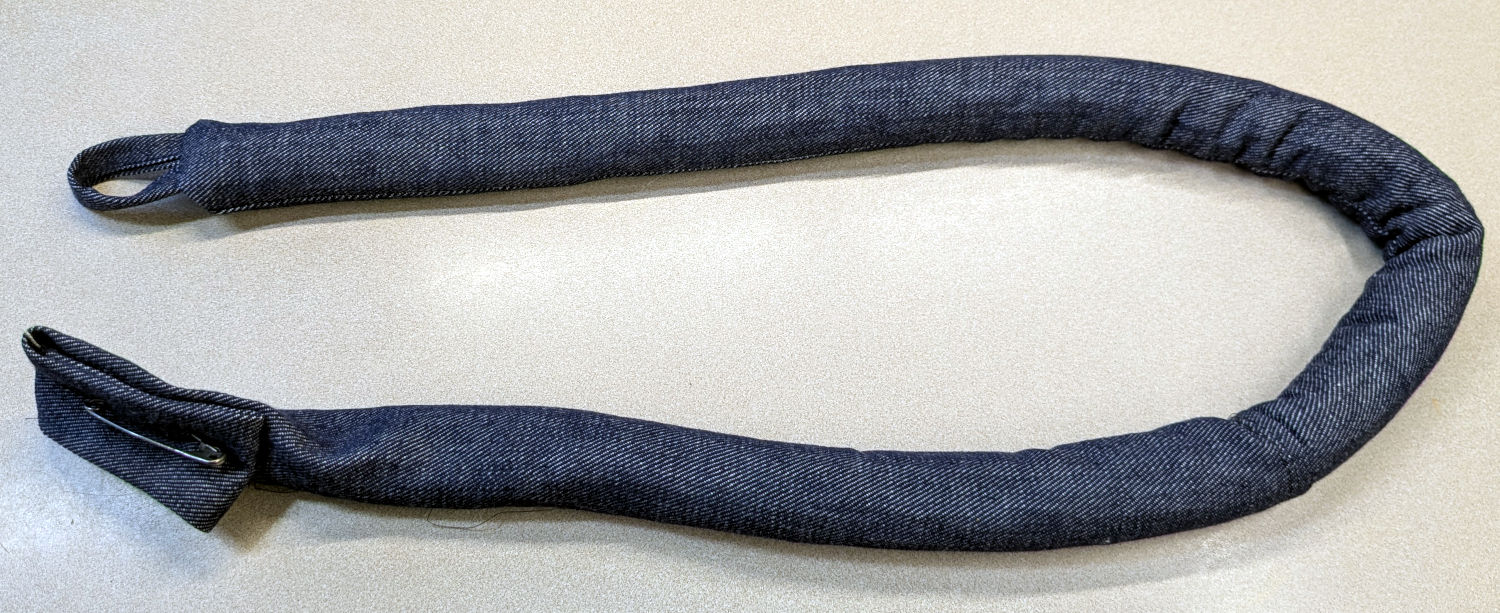
    Mary made a frame weight to maintain tension on the fabric in the HQ Sixteen longarm:
    Longarm fabric frame weight
    Longarm fabric frame weight

    It’s a sturdy cloth tube filled with BBs, somewhat like a grossly overweight door snake (a.k.a. draft stopper).

    The bottle of 6000 copper-plated steel BBs arrived in an overwrap bag of the sort Amazon applies to all bottled products. This was a Good Thing, because the scrap of packing paper did nothing to cushion the bottle in an otherwise empty box. The bag contained most of the shattered cap and a few BBs, with escapees rattling around inside the box and surely a few left along the way.

    So I conjured a replacement cap from TPU:
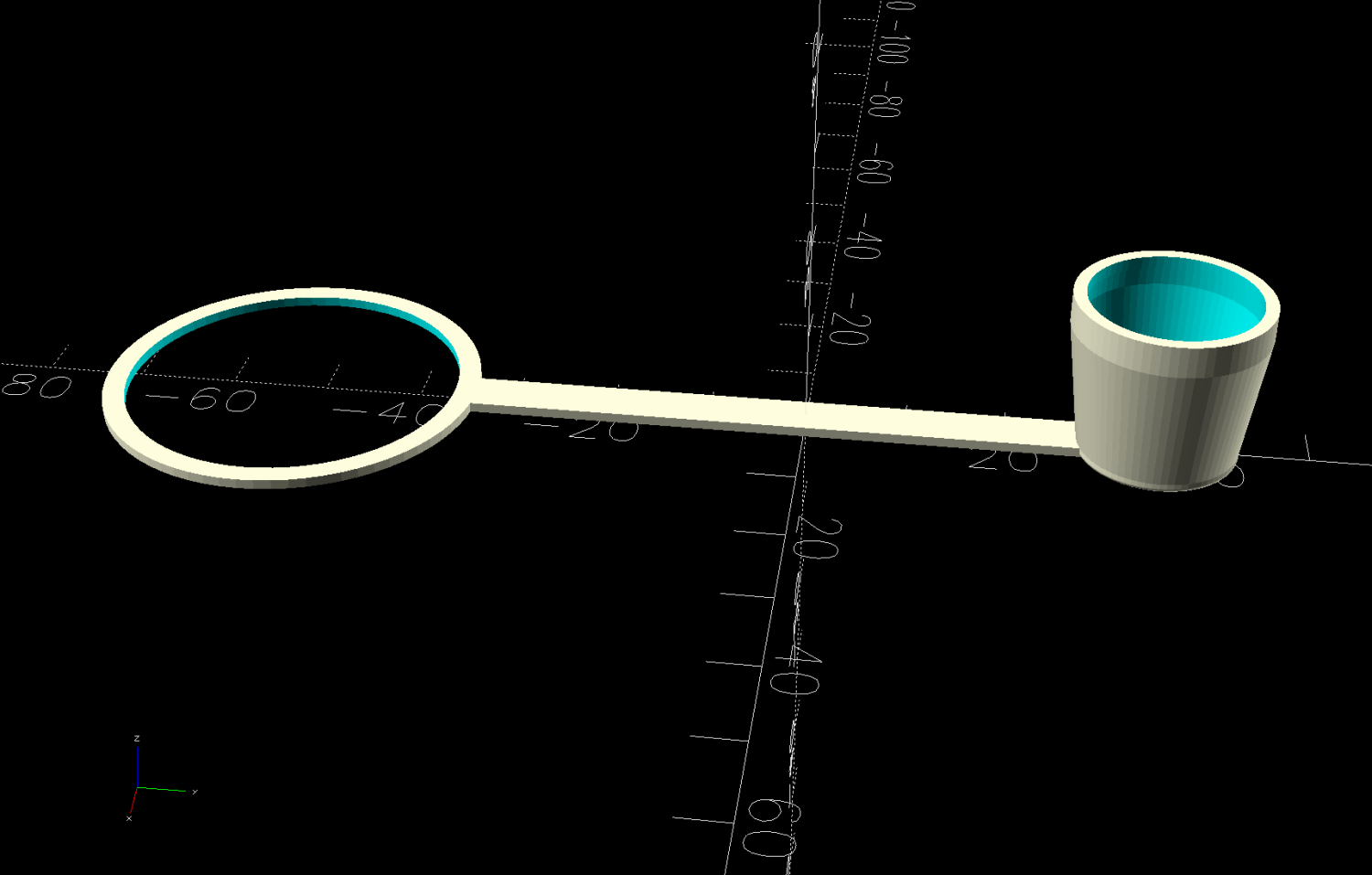
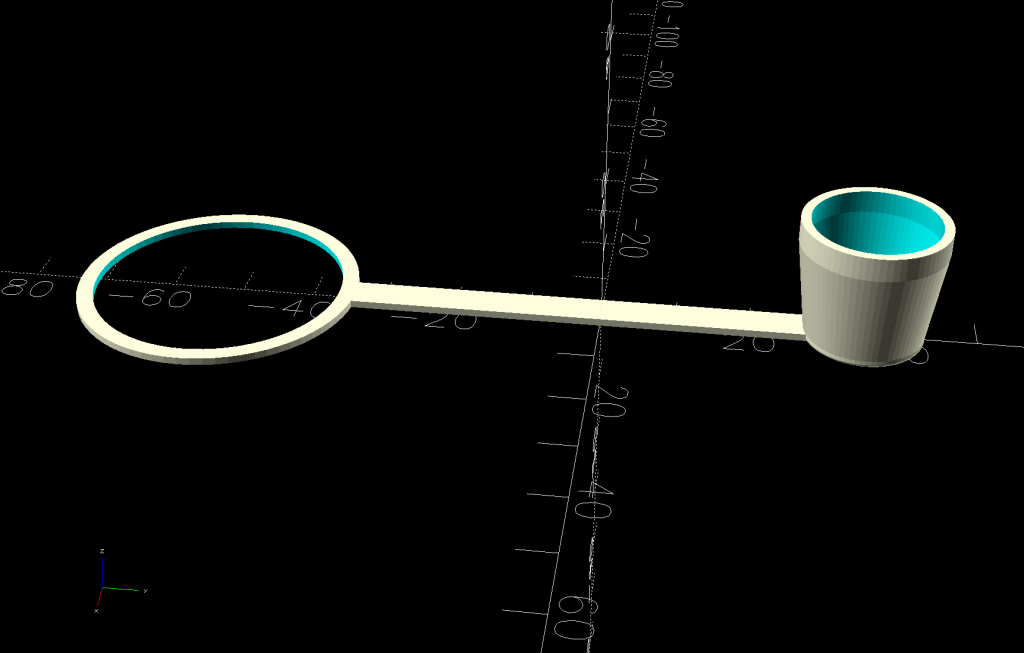
    Crosman BB bottle cap - solid model - build view
    Crosman BB bottle cap – solid model – build view

    It fits around the bottle neck and snaps onto the spout just like the original:
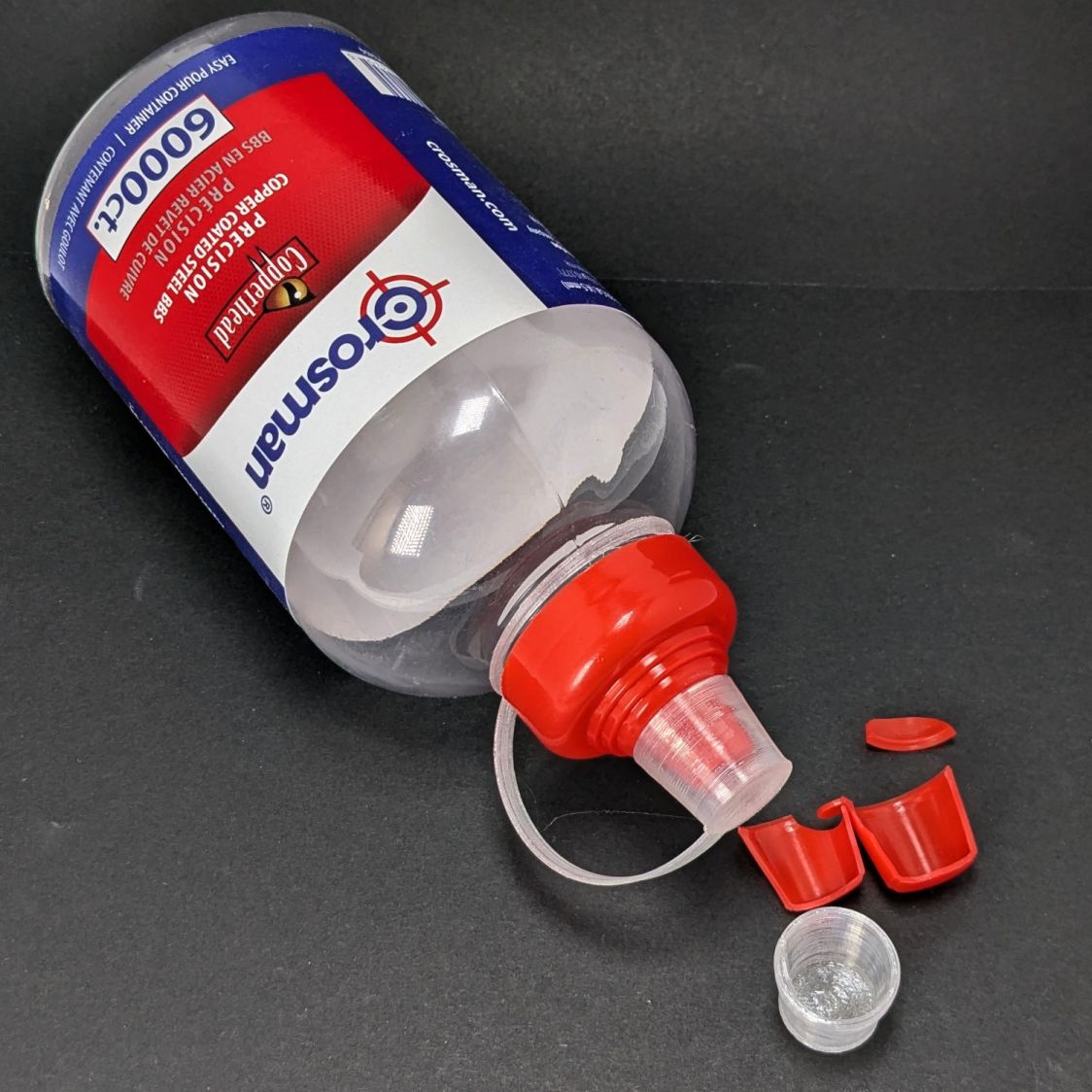
    Crosman BB bottle cap
    Crosman BB bottle cap

    Except this one is unbreakable.

    The strapless TPU cap was a quick test to verify the fiddly shoulder snapping onto the bottle snout:

    Crosman BB bottle cap - solid model - section view
    Crosman BB bottle cap – solid model – section view

    As it turned out, we poured all 6000 BBs (minus those few lost-in-transit strays) into the cloth tube, but the bottle will come in handy for something someday.

    The OpenSCAD source code as a GitHub Gist:

    // Crosman BB bottle cap
    // Ed Nisley – KE4ZNU
    // 2026-02-22
    include <BOSL2/std.scad>
    Layout = "Show"; // [Show,Build,Section]
    /* [Hidden] */
    ID = 0;
    OD = 1;
    LENGTH = 2;
    HoleWindage = 0.2;
    Protrusion = 0.1;
    NumSides = 6*3*4;
    $fn=NumSides;
    WallThick = 1.0;
    Heights = [1.2,2.0,13.0,WallThick]; // for easy tweaking
    Ring = [34.5,39,WallThick];
    Strap = [70.0,5.0,Ring[LENGTH]];
    CapOAL = sum(Heights);
    //—–
    // Conjure it with magic numbers
    module Cap() {
    tube(Heights[0],id=16.8,wall=WallThick+0.6/2,anchor=BOTTOM) position(TOP)
    tube(Heights[1],id=17.4,wall=WallThick,anchor=BOTTOM) position(TOP)
    tube(Heights[2],id1=17.4,id2=14.0,wall=WallThick,anchor=BOTTOM) position(TOP)
    cyl(Heights[3],d=14.0+2*WallThick,rounding2=WallThick/2,anchor=BOTTOM) position(BOTTOM)
    cuboid(Strap,anchor=BOTTOM+LEFT) position(BOTTOM+RIGHT)
    left(1.0)
    tube(Ring[LENGTH],id=Ring[ID],od=Ring[OD],anchor=BOTTOM+LEFT);
    }
    //—–
    // Build things
    if (Layout == "Show") {
    Cap();
    }
    if (Layout == "Section") {
    difference() {
    Cap();
    down(Protrusion)
    cuboid(2*Strap.x,anchor=BOTTOM+LEFT+FRONT);
    }
    }
    if (Layout == "Build") {
    back(Strap.x/2)
    zrot(90)
    up(CapOAL)
    yrot(180)
    Cap();
    }
  • HQ Sixteen: Fabric Rod Bearings

    HQ Sixteen: Fabric Rod Bearings

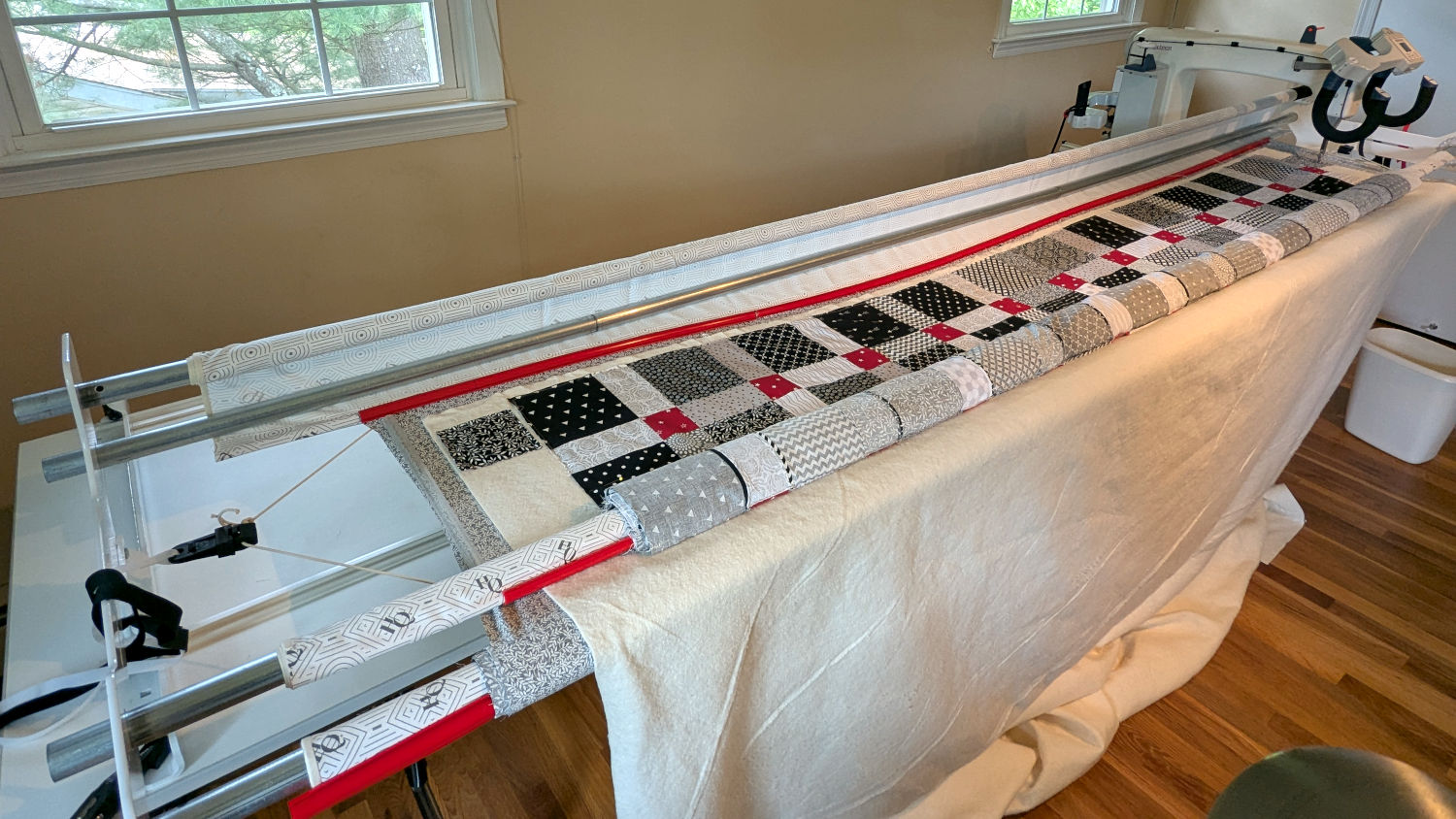
    The rods (a.k.a. tubes or poles) holding & guiding the quilt top / batting / backing fabric on Mary’s HQ Sixteen longarm quilting machine span the eleven feet of the table:

    HQ Sixteen - table overview
    HQ Sixteen – table overview

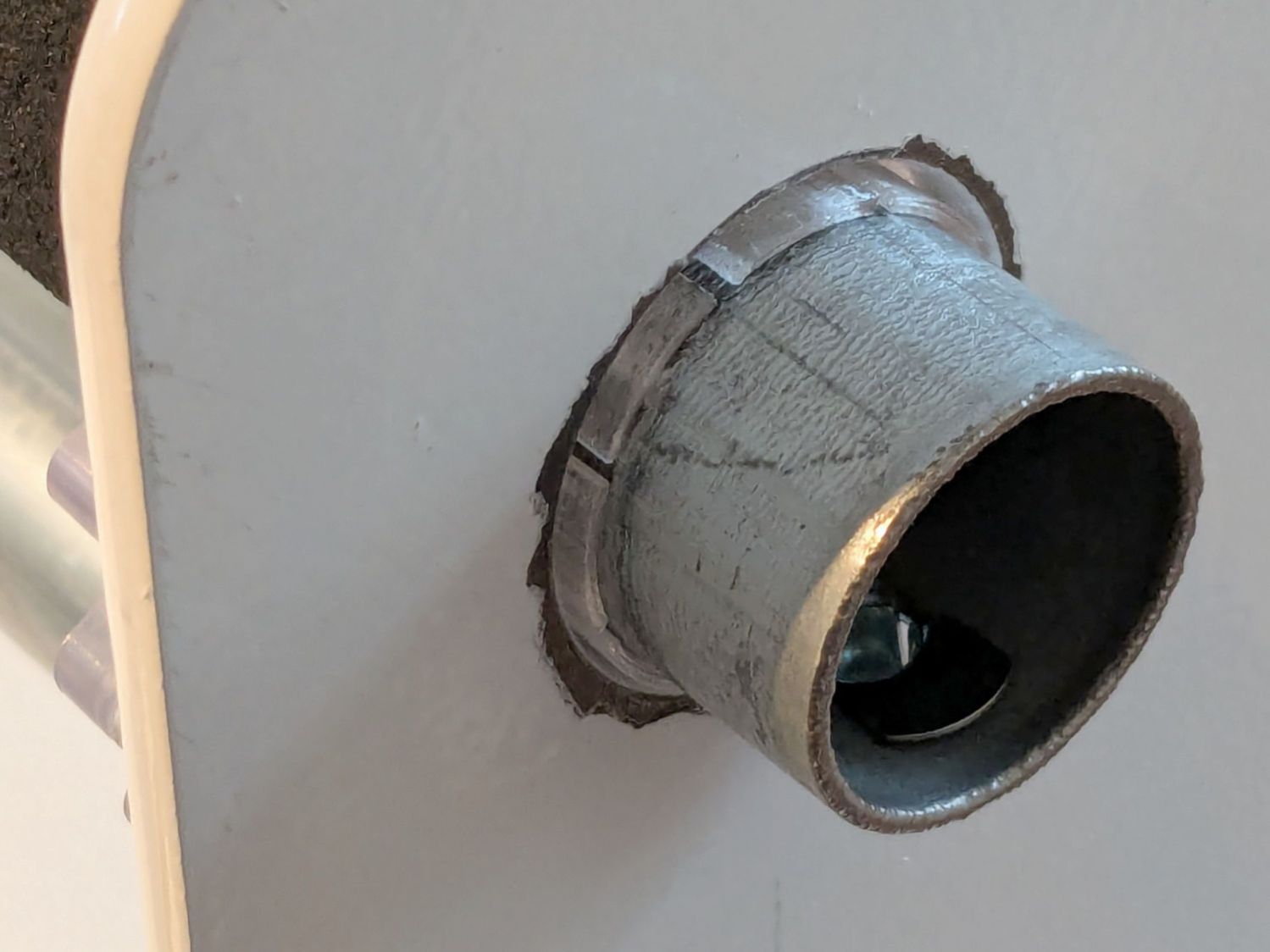
    The two end plates are 1/4 inch steel plate with four punched holes for the rods / tubes, which look remarkably like EMT. The machine is two decades old and Mary is (at least) the third owner, so it’s no surprise the rods long ago wore through the white powder-coat paint on the plates and, during the course of a long quilting project, now deposit black dust on the table.

    Black dust not being tolerable near a quilt-in-progress, Mary asked for an improvement.

    The tube OD is 28.7 mm (so it’s probably 1 inch EMT) and the plate hole ID is 31.2 mm (likely a scant 1-¼ inch punch), leaving barely a millimeter of clearance all around. I wanted to make a bearing from suitably slippery Delrin / acetal, but figured 3D printed PETG would suffice for at least while.

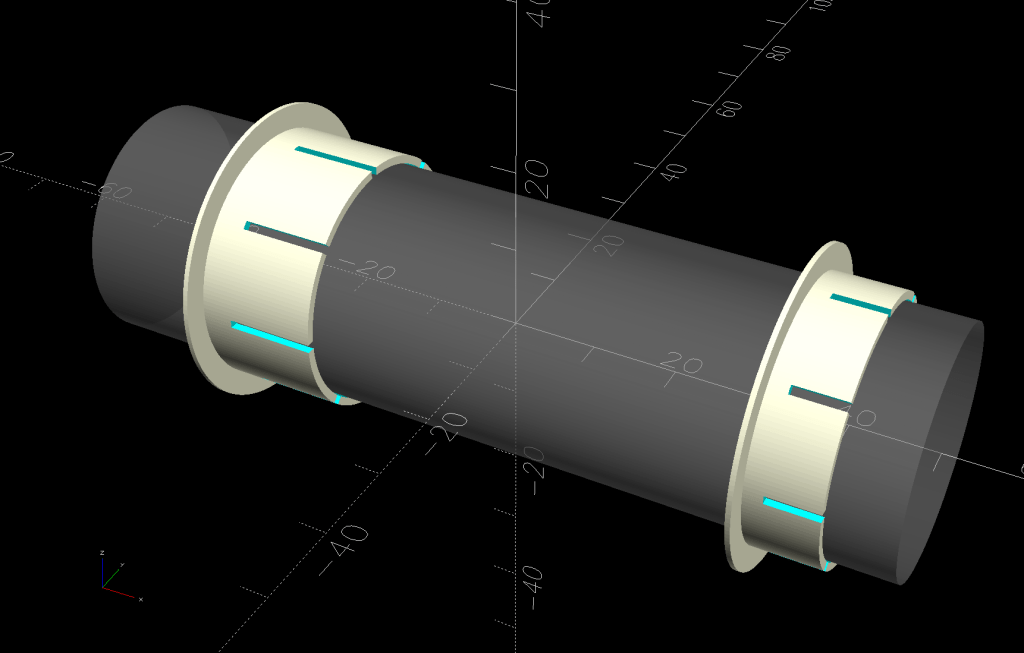
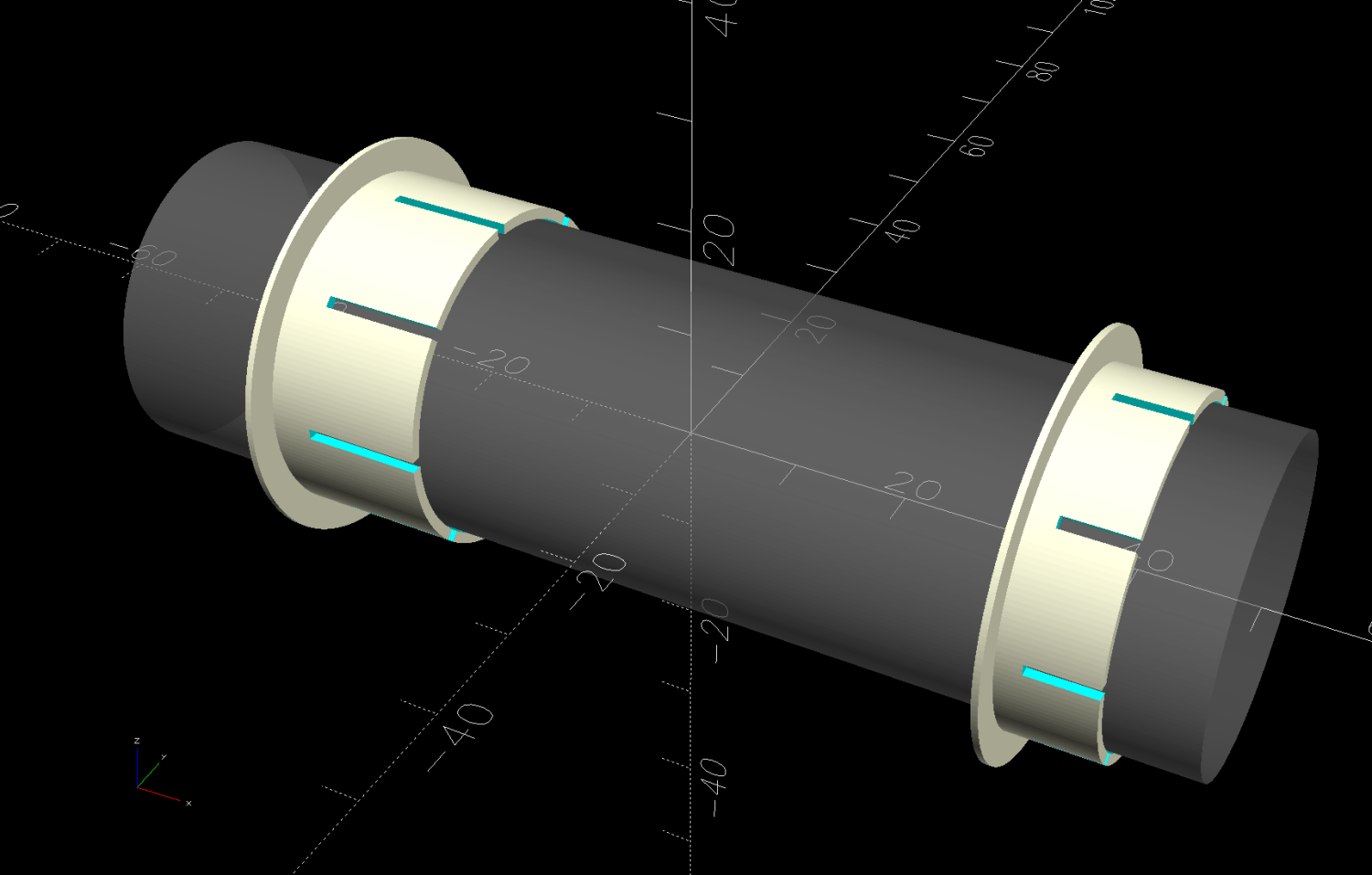
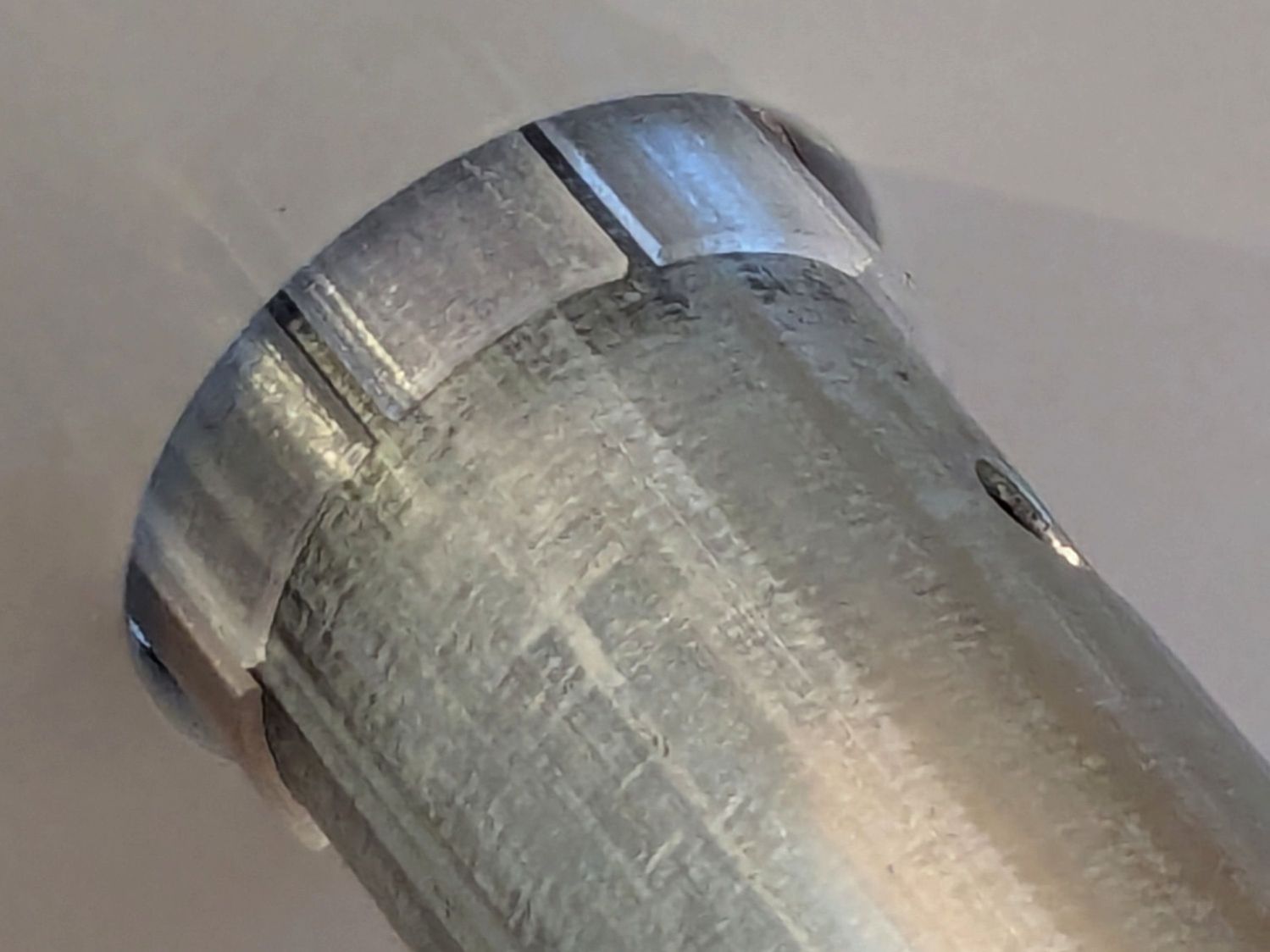
    The proper term is “bushing“, because it has no moving parts:

    Rod Bearing Sleeve - solid model - show view
    Rod Bearing Sleeve – solid model – show view

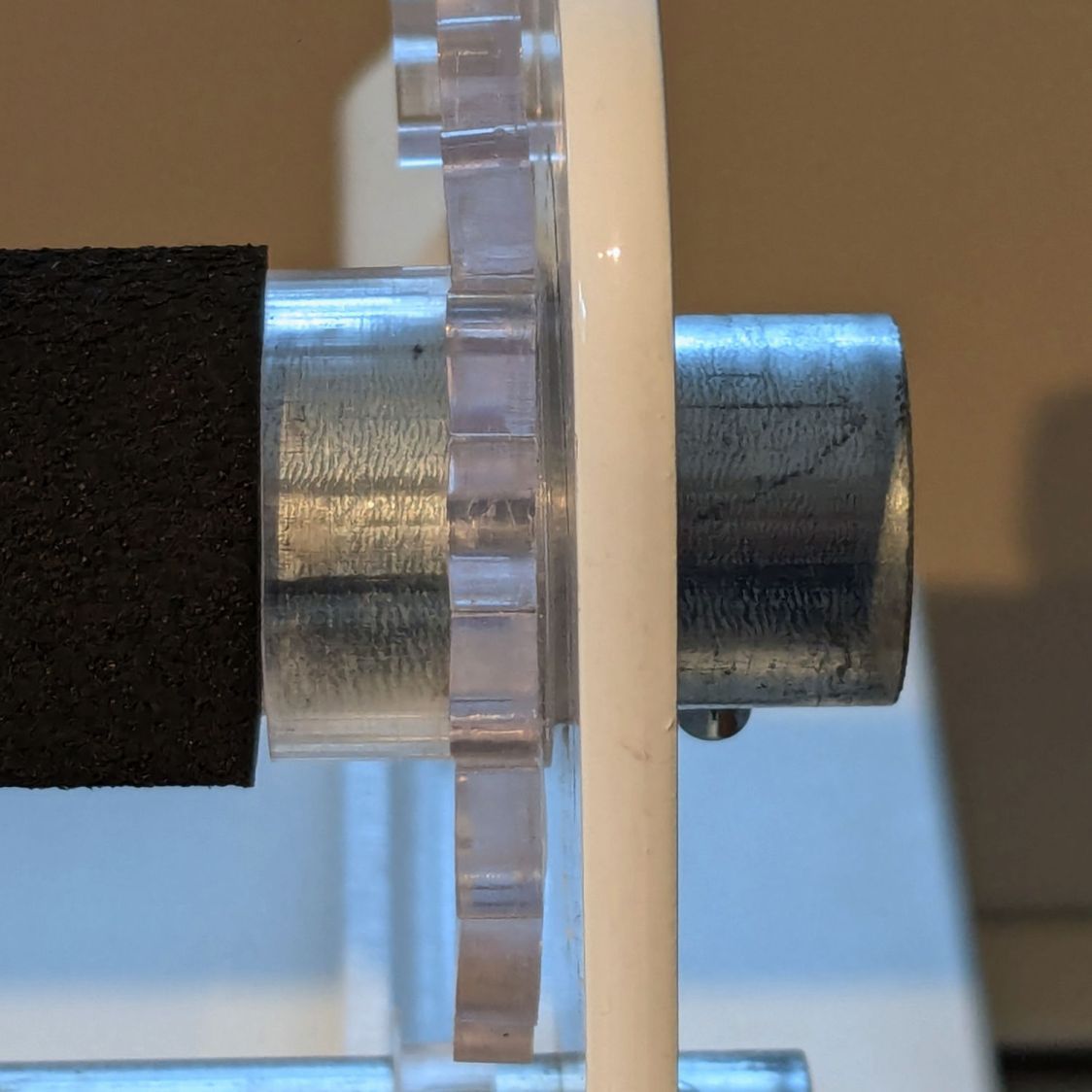
    On the right side, the bushing rim must fit between the sprockets and the plate:

    HQ Sixteen rod - right front
    HQ Sixteen rod – right front

    The spring-loaded pin holding the tube in place (visible on the inside bottom) sets the maximum length:

    HQ Sixteen rod - right outer
    HQ Sixteen rod – right outer

    The left side has none of that, so I made the bushings a little longer:

    HQ Sixteen rod - left inner
    HQ Sixteen rod – left inner

    The left-side bushings will need a better design should normal back-and-forth sliding push them out of place.

    A touch of silicone grease around the plate holes makes those bushings / bearings turn sooo smooth.

    The OpenSCAD source code as a GitHub Gist:

    // Bearing sleeve for HQ Sixteen table rods
    // Ed Nisley – KE4ZNU
    // 2026-02-20
    include <BOSL2/std.scad>
    Layout = "Show"; // [Show,Build]
    /* [Hidden] */
    ID = 0;
    OD = 1;
    LENGTH = 2;
    HoleWindage = 0.2;
    Protrusion = 0.1;
    NumSides = 8*3*2*4;
    $fn=NumSides;
    Rod = [25.0,28.7,100.0]; // very short rod
    Sleeve = [Rod[OD] + 0.3,31.2 – 0.2,9.0]; // LENGTH = overall
    Rim = [Sleeve[ID],Sleeve[OD] + 6.0,0.6];
    IdlerLength = 15.0;
    NumSlots = 2*4;
    Kerf = 1.0;
    Gap = 5.0;
    module Bearing(oal) {
    difference() {
    union() {
    tube(oal,id=Sleeve[ID],od=Sleeve[OD],anchor=BOTTOM);
    tube(Rim[LENGTH],id=Rim[ID],od=Rim[OD],anchor=BOTTOM);
    }
    for (a=[0:NumSlots-1])
    zrot(a*360/NumSlots)
    up(oal/4 + Rim[LENGTH])
    right(Sleeve[ID]/2)
    cuboid([Sleeve[OD],Kerf,oal],anchor=BOTTOM);
    }
    }
    //—–
    // Build things
    if (Layout == "Show") {
    color("Gray",0.5)
    xcyl(Rod[LENGTH],d=Rod[OD]);
    right(Rod[LENGTH]/3)
    yrot(90)
    Bearing(Sleeve[LENGTH]);
    left(Rod[LENGTH]/3)
    yrot(90)
    Bearing(IdlerLength);
    }
    if (Layout == "Build") {
    right(Rim[OD]/2 + Gap/2)
    Bearing(Sleeve[LENGTH]);
    left(Rim[OD]/2 + Gap/2)
    Bearing(IdlerLength);
    }
  • Google Pixel 6a Battery Performance Program: Just Take The Money

    Google Pixel 6a Battery Performance Program: Just Take The Money

    Our Google Pixel 6a phones qualify for their “Battery Performance Program”, which involves severely limiting the battery charge and discharge levels to avoid “potential battery overheating”. After the mandatory capacity limit kicked in, I must now let the phone suck a socket by the middle of the afternoon so that it will survive until bedtime; if I had a more active lifestyle, it’d be flat dead by noon.

    My options under the Program are thus:

    • Have the battery replaced by the local iFixit shop, without a warranty covering “Whoops, broke your phone. Too bad, so sad.”
    • Get a $100 check
    • Get $150 off a new phone at The Google Store

    Even though I do not have a deep emotional attachment to the 6a, the first option is obviously a bad deal. Somewhat against my better judgement, I opted to take the $150 discount on a shiny new Pixel 10a.

    Redeeming the $150 from the Battery Program involves (their words + my bullets & emphasis):

    • visit store.google.com,
    • add the desired item(s) to the cart,
    • then enter discount code during checkout for an instant $150 discount on your purchase.
    • Promotional code is for one-time use only with no residual balance;
    • can be combined with other offers

    So I set up an order with the cart looking like this:

    Pixel 10a order form
    Pixel 10a order form

    The alert reader will note the inability to enter the “discount code” associated with the Battery Program.

    Two hours of chat-typing with Google Customer Support over the course of two days established the hard fact that “can be combined with other offers” does not apply in this case, because the $100 discount precludes any additional offers.

    6:16:15 PM Ed Nisley: There is no way to add a second discount code.
    6:16:59 PM Ed Nisley: So I cannot add the $150 battery code to the order
    6:19:38 PM Ed Nisley: But quoting the email with the battery code: "can be combined with other offers"
    6:20:01 PM Ed Nisley: How do I include the battery code in this order?
    6:21:17 PM Stella:  Got it  , let me check with my resources.
    6:22:47 PM Stella: I have checked the details with my team, and unfortunately, you cannot apply two promo codes at the same time. You may use only one code per order. I apologize for any inconvenience this may cause.
    6:24:57 PM Ed Nisley: So Google saying the battery code can be combined with the other offers is a lie?
    6:26:46 PM Stella: I apologize for the inconvenience this has caused.
    6:27:08 PM Ed Nisley: It's not an inconvenience, it's $150 I'm not getting.
    6:27:28 PM Ed Nisley: Despite having it be Google's fault in the first place for the bad batteries.
    6:28:14 PM Stella: I understand your point. While the Pixel 6a promo code can be combined with ongoing store promotions, it cannot be used in conjunction with another promo code. Per our policy, two promo codes cannot be combined for a single order. I hope you understand.
    6:28:47 PM Ed Nisley: This is contradictory: "can be combined with ongoing store promotions, it cannot be used in conjunction with another promo code"
    6:29:09 PM Ed Nisley: If it can't be combined with another promo code, how can it be combined with ongoing store promotions?
    6:29:47 PM Stella: I understand your point here.
    6:29:53 PM Stella: I do understand that the provided resolution doesn't meet your expectations. But, please understand that I cannot go beyond the system restrictions.


    Thus whittling the $150 battery discount down to $50, because I can have either $100 or $150, but not both.

    There is obviously no recourse. I will definitely take the cash-in-hand $100 when we do this dance with Mary’s phone.

    Google doesn’t care, because they’re bigger than the phone company ever was and they know it.

  • Punched Cards: Layered Apollo Eagle

    Punched Cards: Layered Apollo Eagle

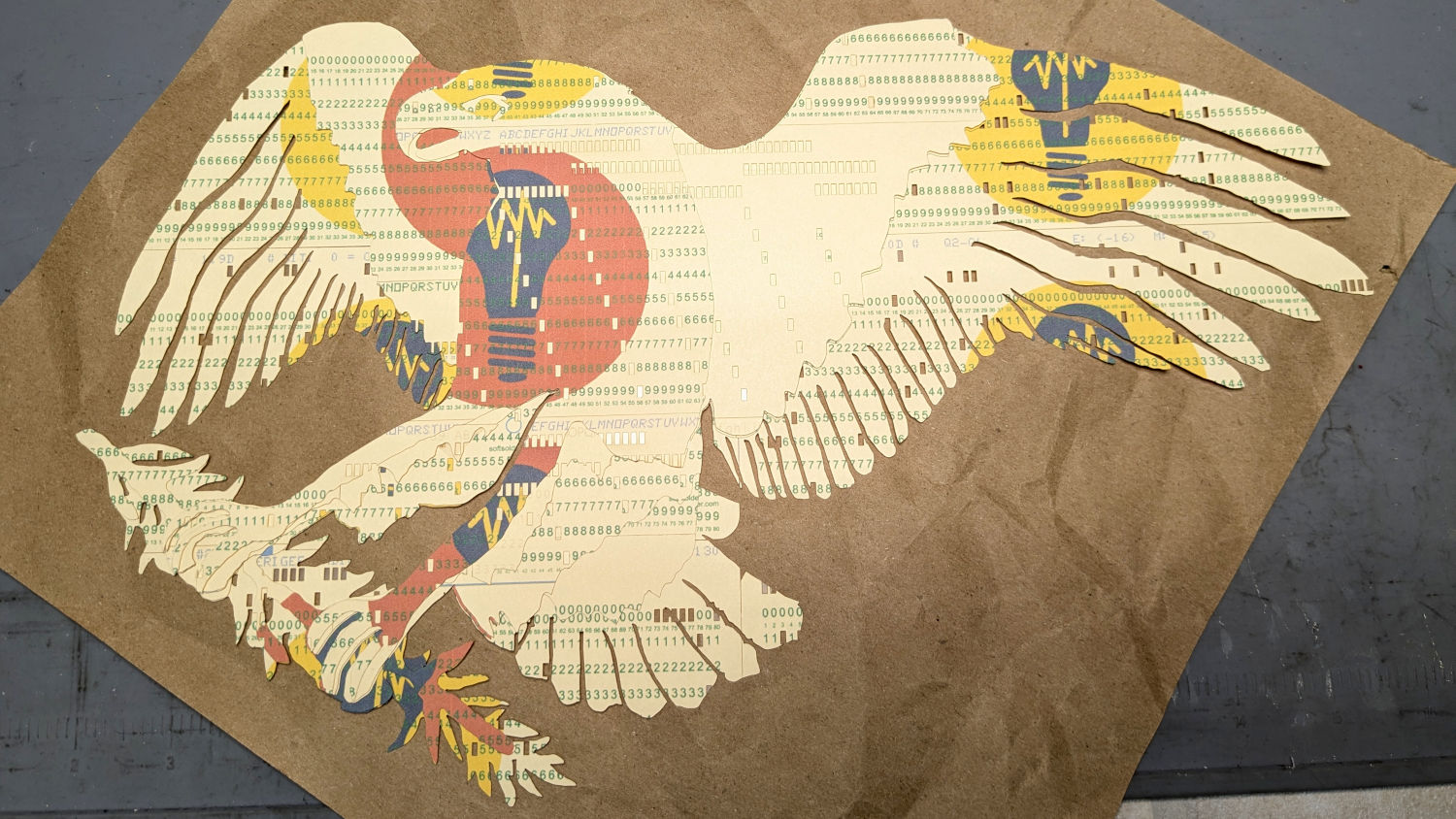
    What with punching the Apollo 11 CSM source code into the cards, converting the mission’s eagle into a layered shape made some sense.

    The original Apollo 11 mission patch:

    Apollo 11 mission patch - rescaled
    Apollo 11 mission patch – rescaled

    After considerable faffing, a few of the fifteen layers look like this in GIMP:

    Apollo 11 Patch - eagle layers
    Apollo 11 Patch – eagle layers

    Each layer is a connected white region defining the cut perimeter, which will expose some part of the layer(s) below it in the stack. The small squares in the corners provide a bounding box to make all the layers snap to the same location.

    Then:

    • Select each layer’s shape + corner boxes with GIMP’s Color Select tool
    • Convert the selection to a path
    • Export paths as SVG files (all fifteen of them!)
    • Import SVGs into LightBurn & arrange neatly
    • Put outlines on a cut layer, corner squares on a tool layer
    • Burn each layer separately

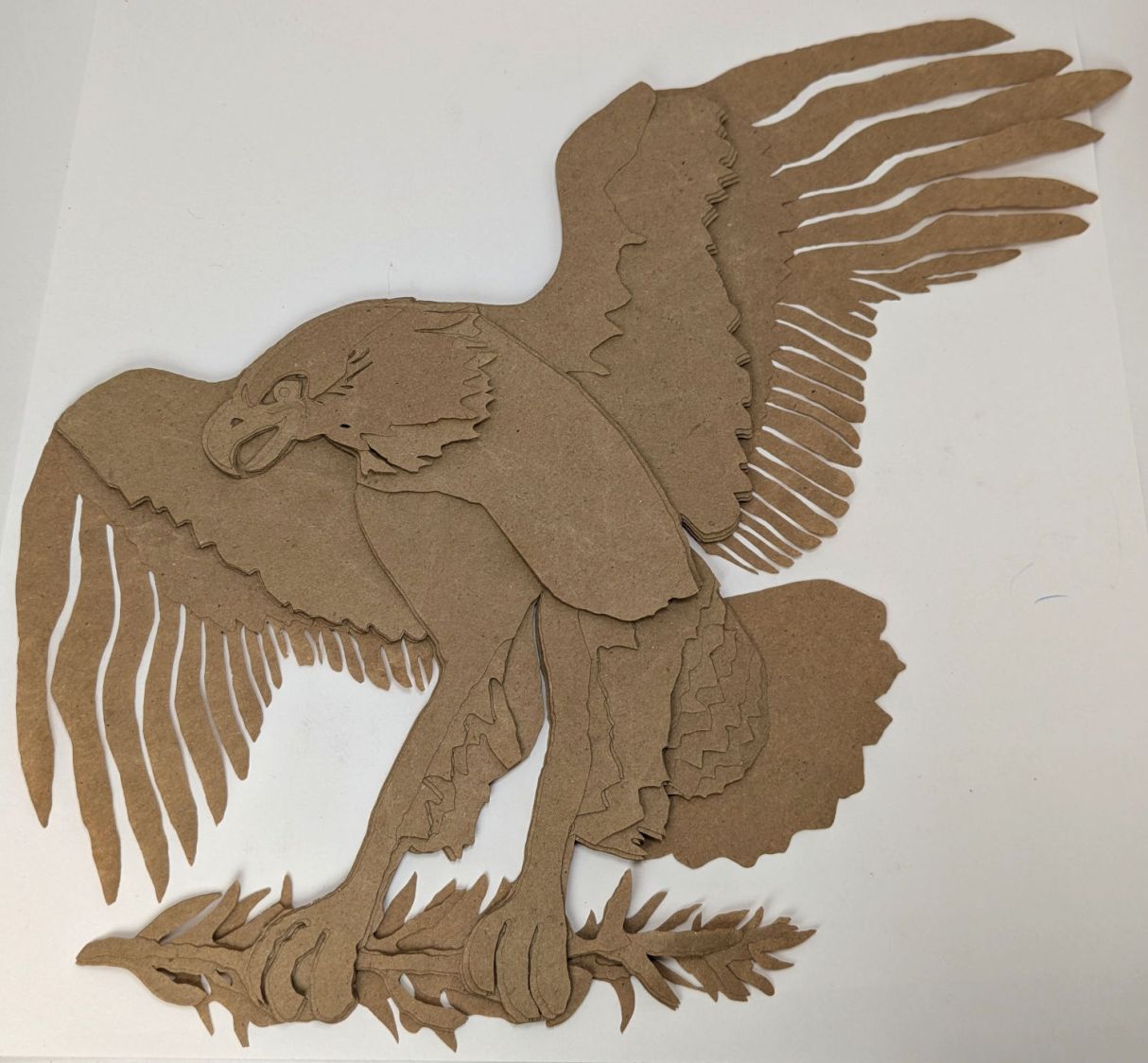
    Testing the concept with packing paper looked surprisingly good:

    Apollo 11 Eagle - layer test piece
    Apollo 11 Eagle – layer test piece

    A few key layers on punched cards:

    Apollo 11 Eagle - card partial test piece
    Apollo 11 Eagle – card partial test piece

    The changes for each of those iterations required tweaking the original layer images to eliminate obvious-in-retrospect problems, recreating the SVG files, and importing into LightBurn. This is a relentlessly manual process.

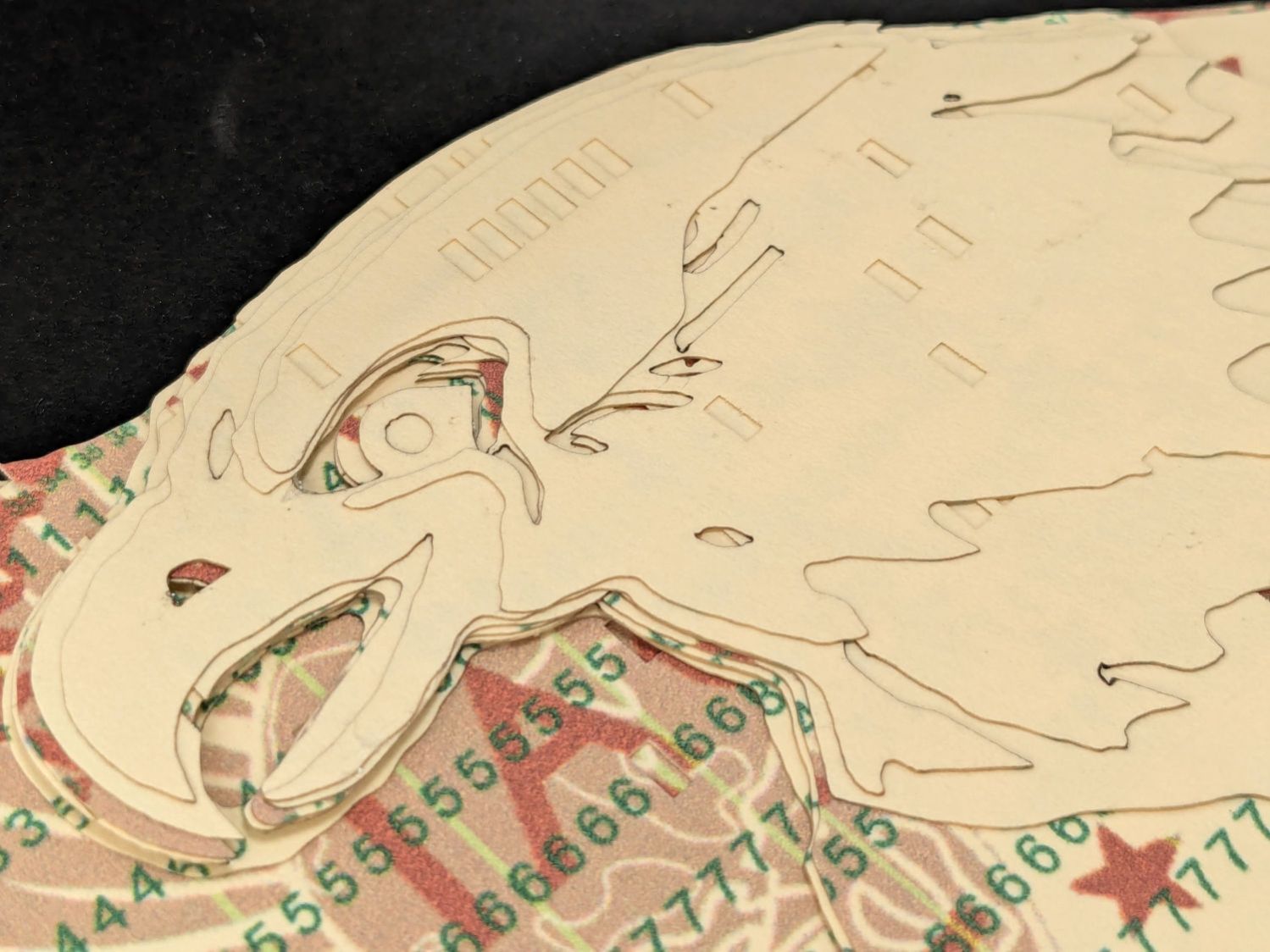
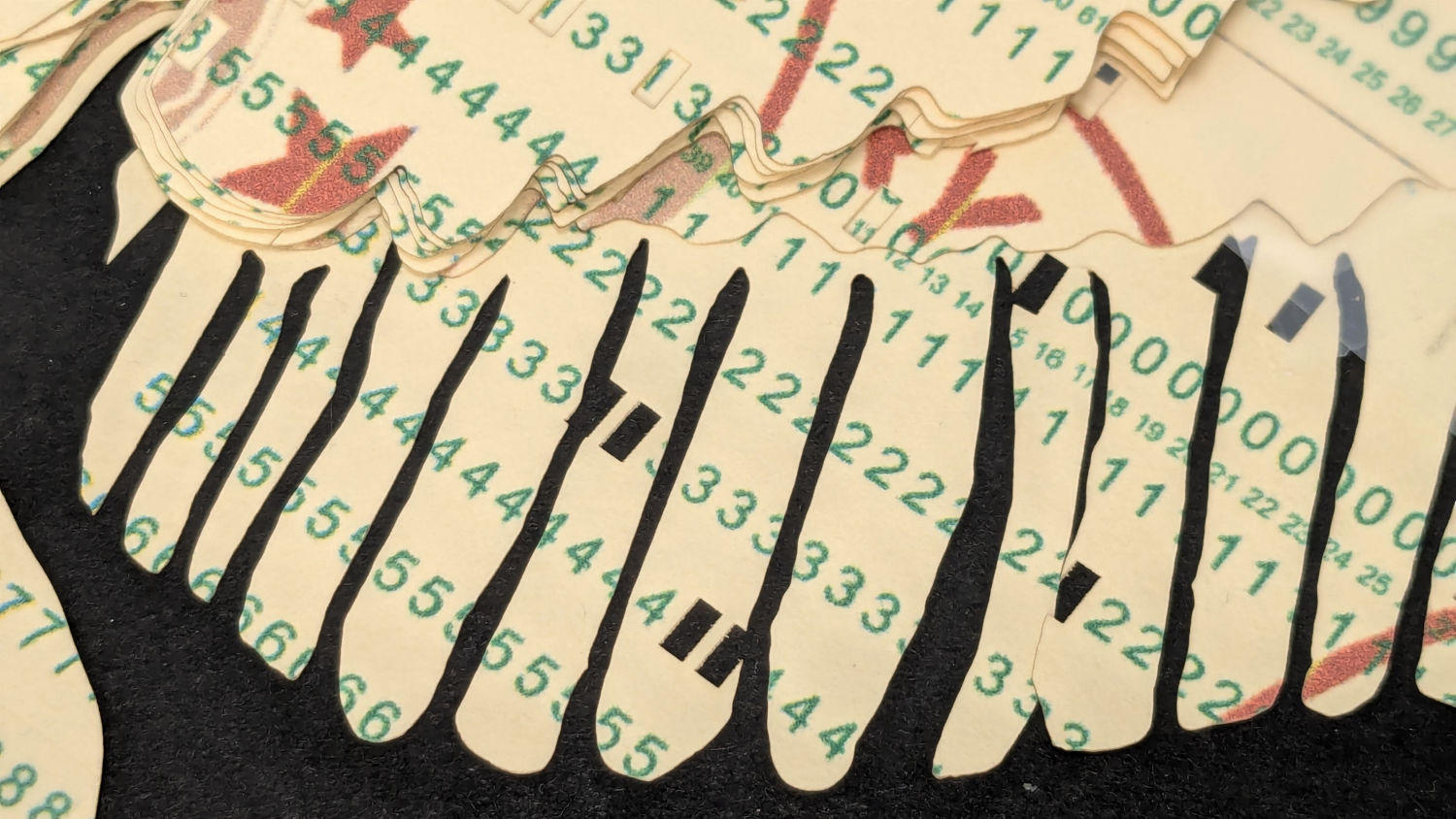
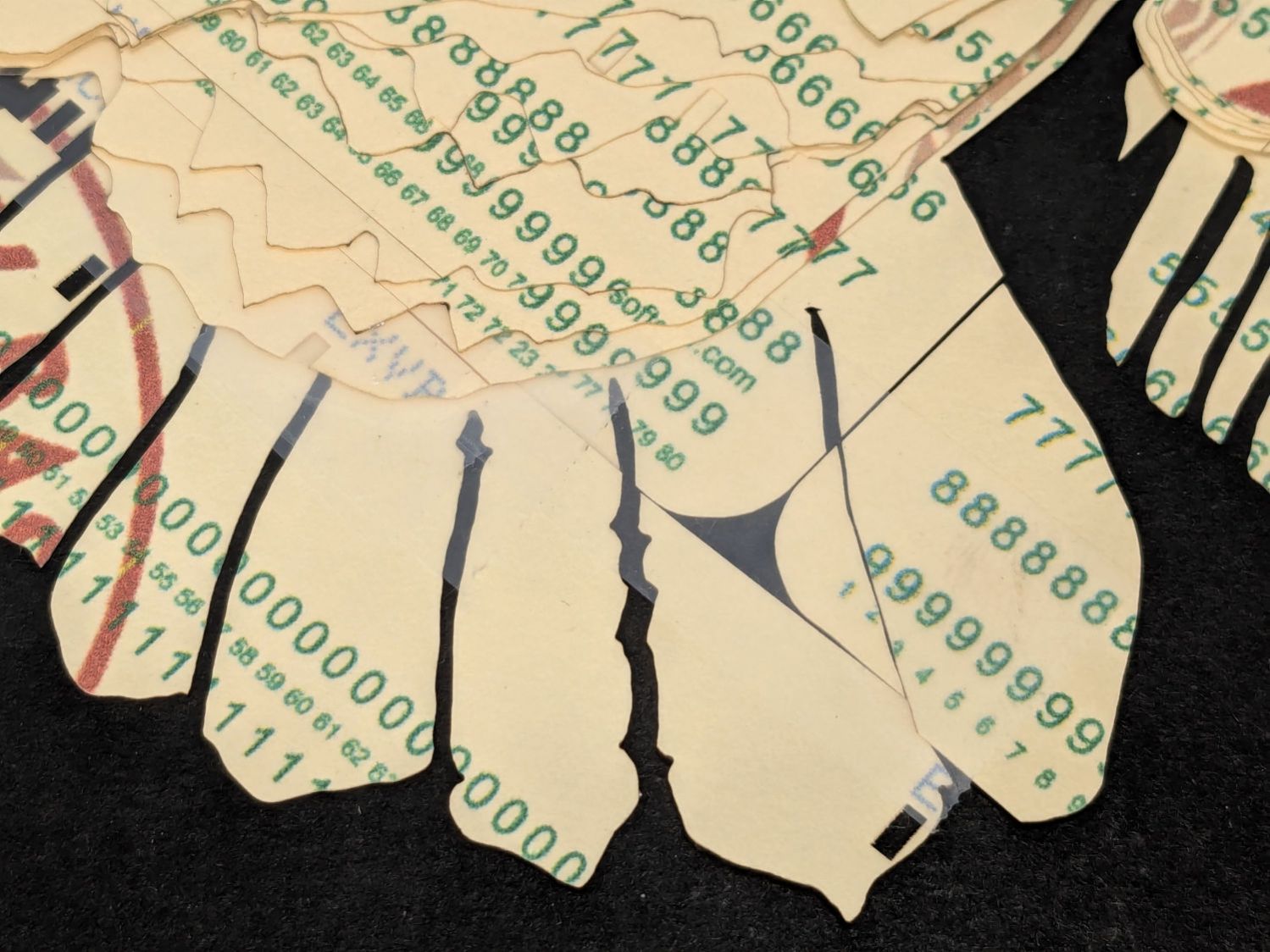
    Then I ran a full-up test of all fifteen layers on cards punched with the Apollo source code.

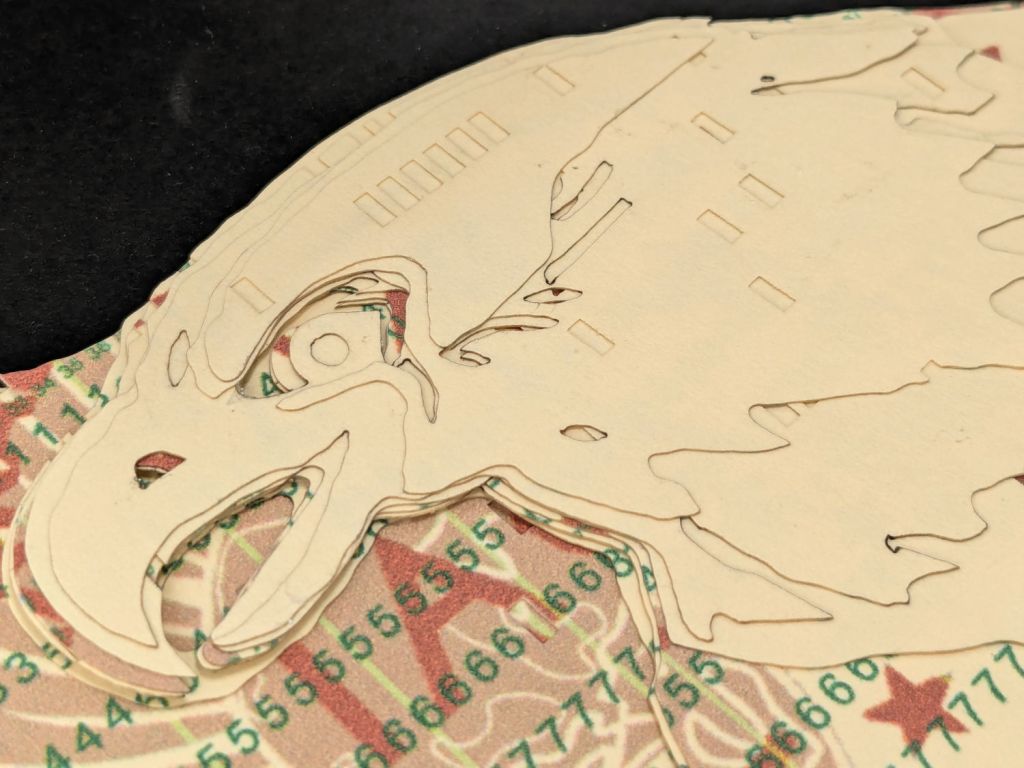
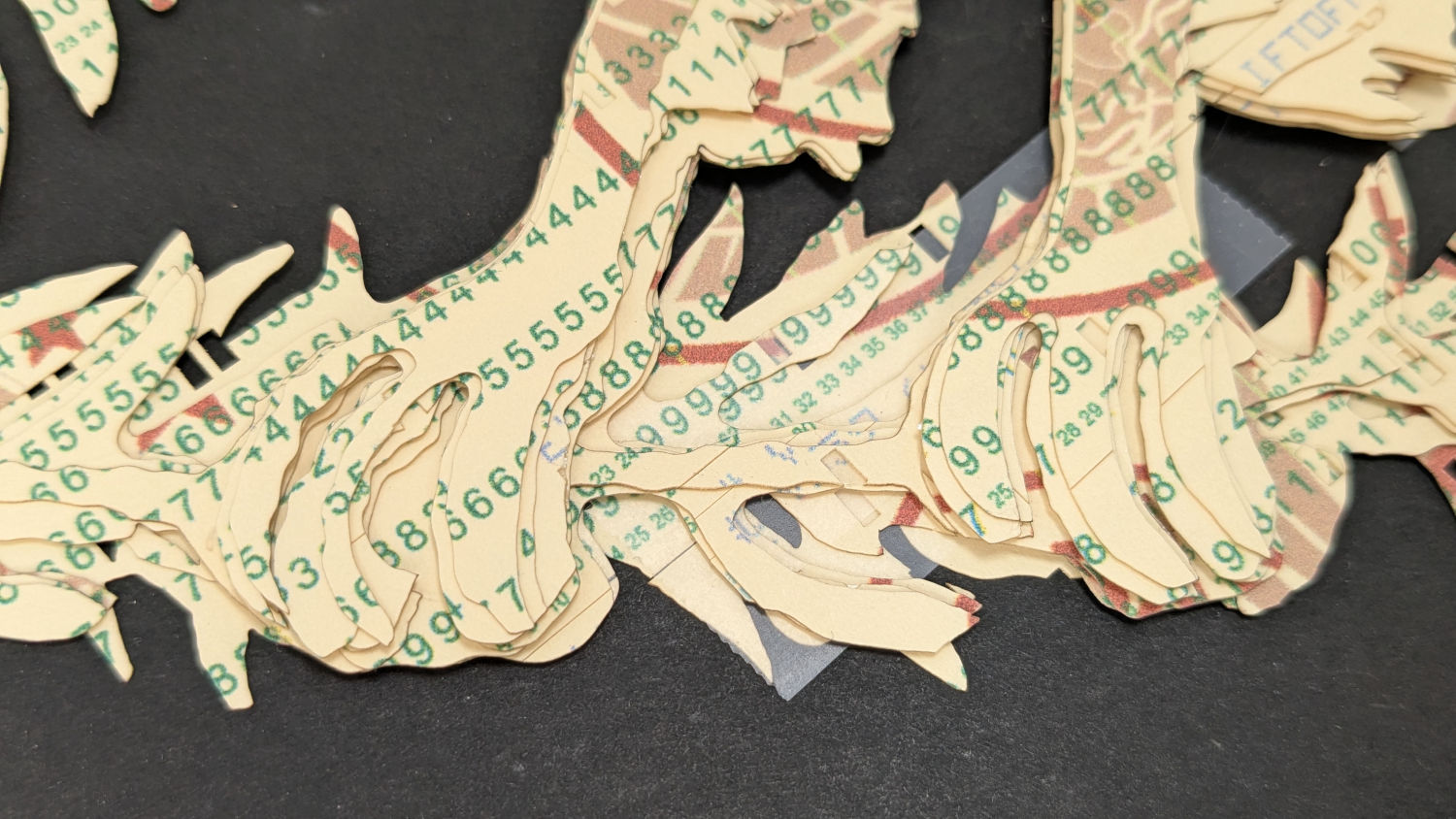
    Cutting the head layers from face-down cards made them sufficiently white, although it’d be nice to have a different beak color and darker eyes :

    Apollo 11 Eagle patch - layer test - head
    Apollo 11 Eagle patch – layer test – head

    I must arrange the cards with text to put more holes in the wings, although too many will cause fragile feathers:

    Apollo 11 Eagle patch - layer test - wing
    Apollo 11 Eagle patch – layer test – wing

    The white tail should be also done with face-down cards, more holes, and the three-way joint between the cards shifted under the tail layers to its left:

    Apollo 11 Eagle patch - layer test - tail
    Apollo 11 Eagle patch – layer test – tail

    The feet and olive branch were a total faceplant, as successive layers did not register accurately enough to overlay the leaves:

    Apollo 11 Eagle patch - layer test - feet
    Apollo 11 Eagle patch – layer test – feet

    Not to mention those ug-u-lee claws.

    The wing layers need more rounding along their edges, perhaps with some thin cuts to emphasize the feathers.

    On the whole, though, I think it turned out well.

    Things to do:

    • Registration holes / pins up to the top layer
    • Remove speckles on all the layers
    • Arrange cards for more hole density where needed
    • Better glue application
    • Different card colors?

  • Work Sharp Precision Sharpener: Knob Lock

    Work Sharp Precision Sharpener: Knob Lock

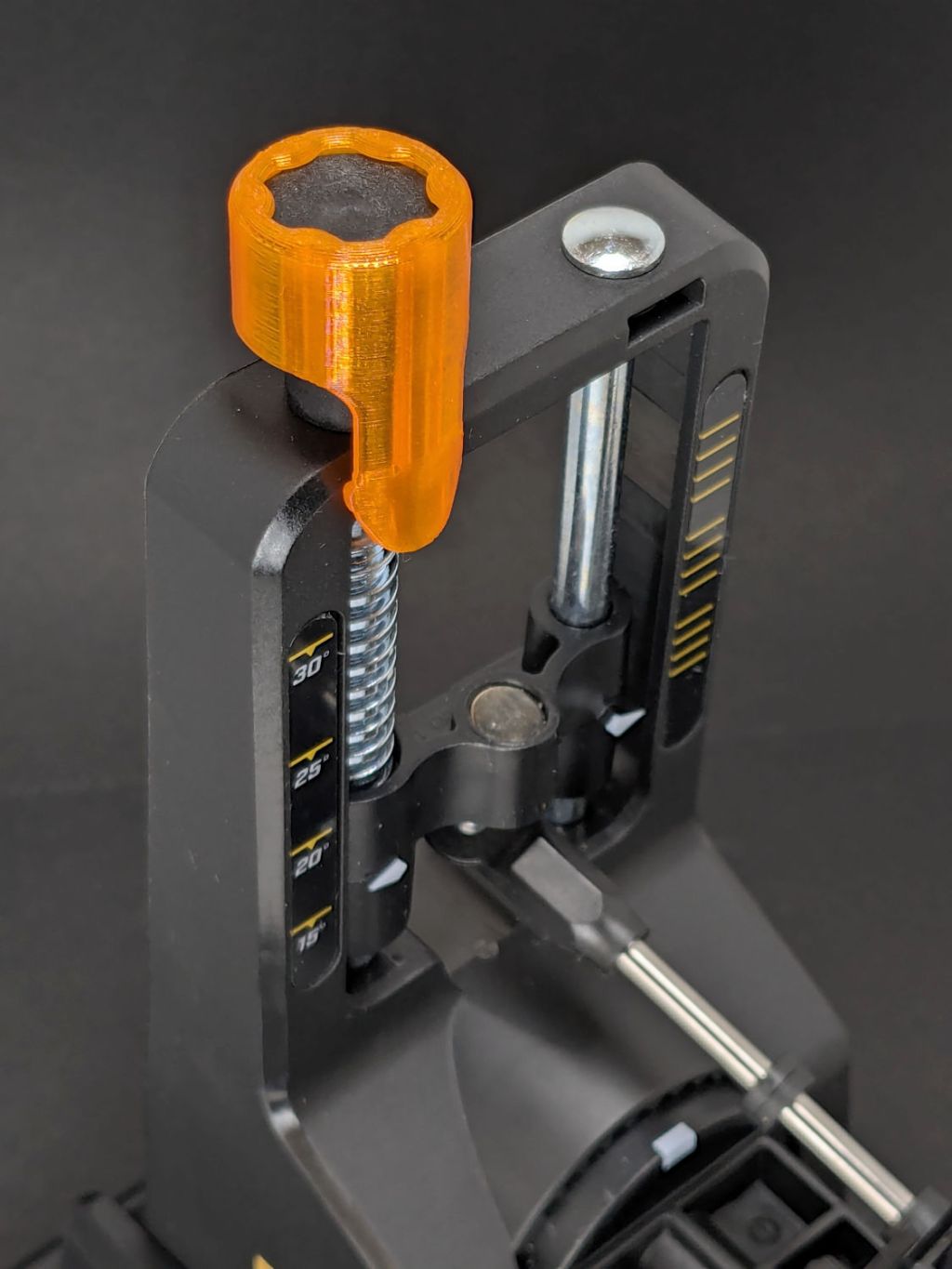
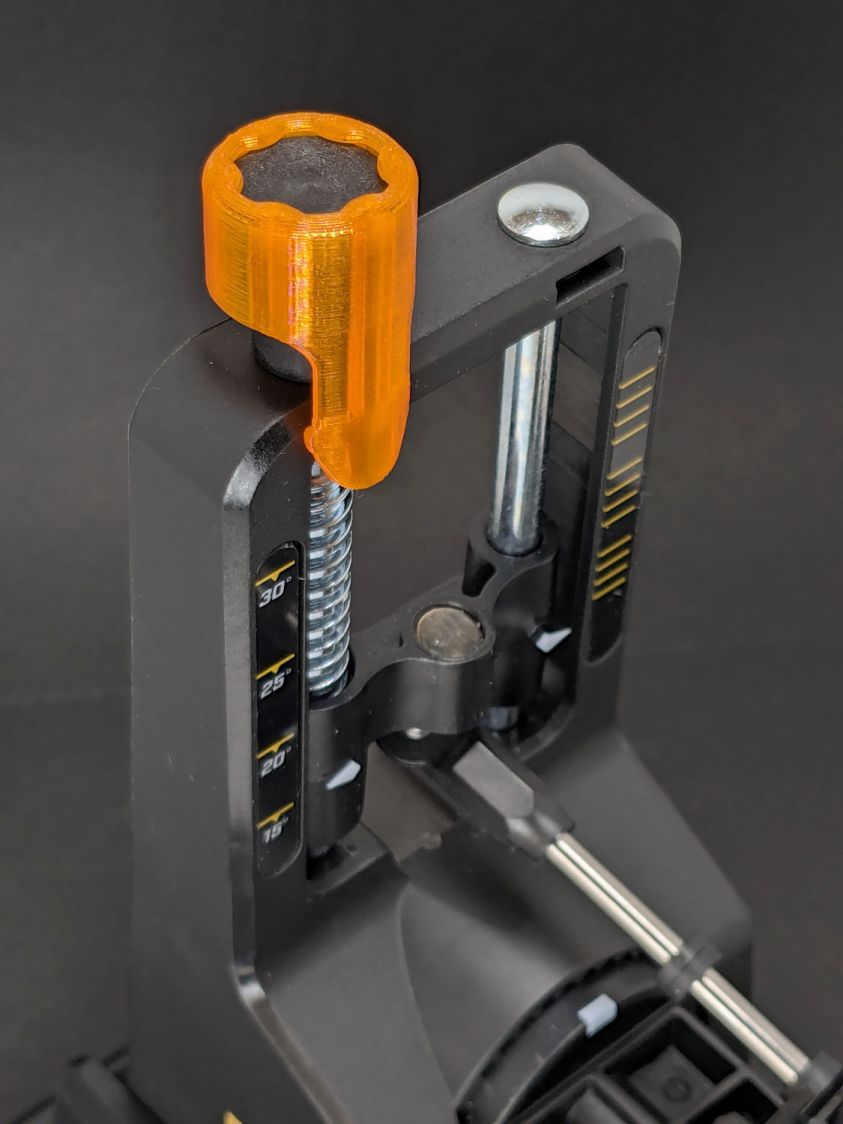
    Having recently sharpened a small blade at a very low angle, I must put in a good word for the knob lock found on Printables:

    WorkSharp - knob lock
    WorkSharp – knob lock

    The protrusion on the tab fits into the back side of the frame, but it works well enough in front, too.

    Wearing cut-resistant gloves remain a good idea.

  • Cheap HD USB Camera: Base Disassembly

    Cheap HD USB Camera: Base Disassembly

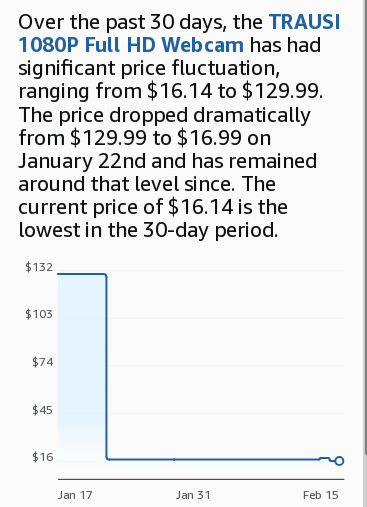
    A brace of cheap HD USB cameras may improve the scenery around here during video meetings. They were $16, marked down from an absurd $130:

    HD USB Camera price history
    HD USB Camera price history

    Some poor schlubs certainly dropped more than twice the price of a Genuine Logitech camera on these critters, but a nearly total lack of demand must have had some effect.

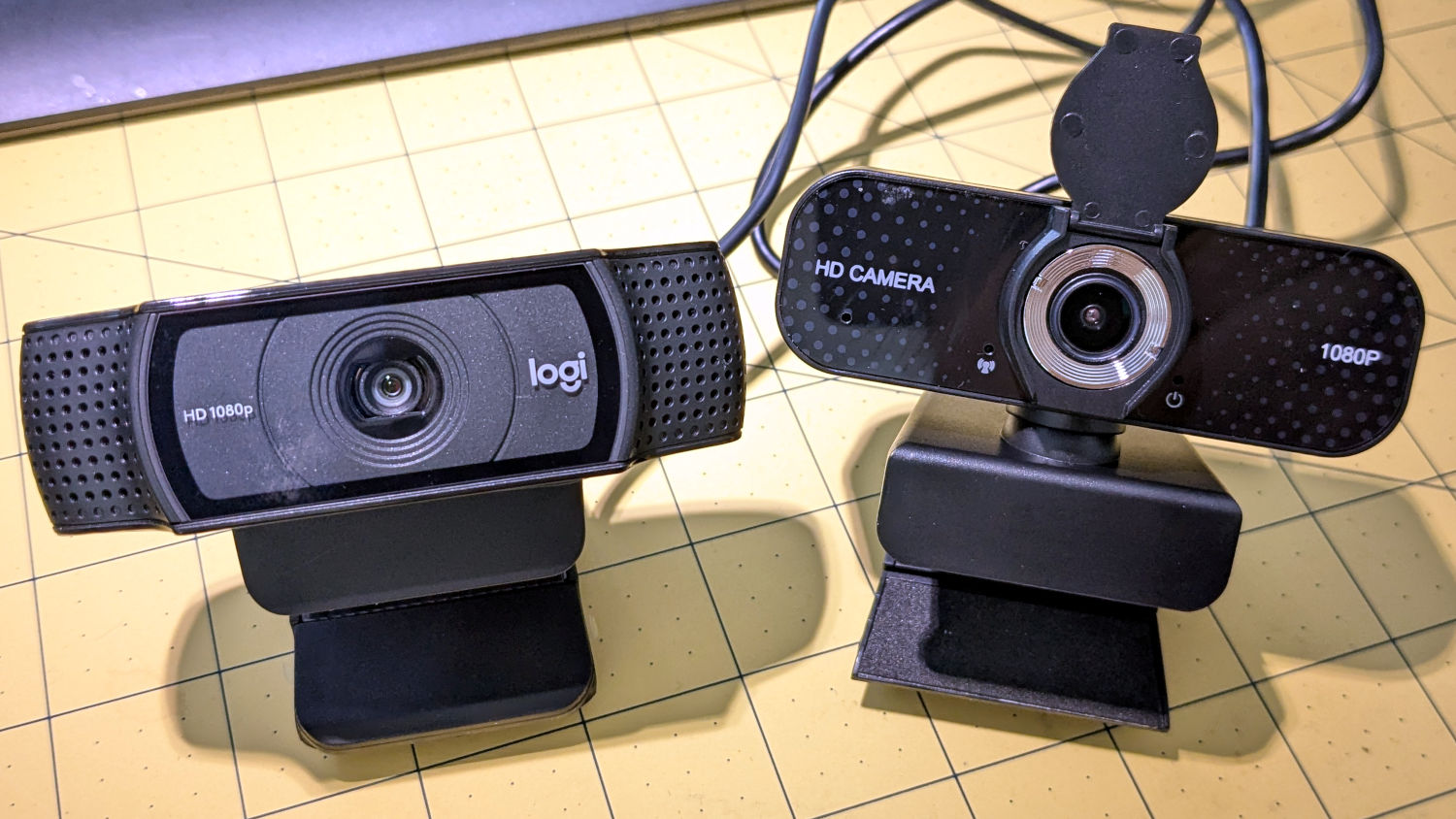
    They do take their stylin’ cues from Logitech, although the speckled pattern on a shiny plastic sheet is amusing:

    HD USB Camera - styling vs Logitech C920
    HD USB Camera – styling vs Logitech C920

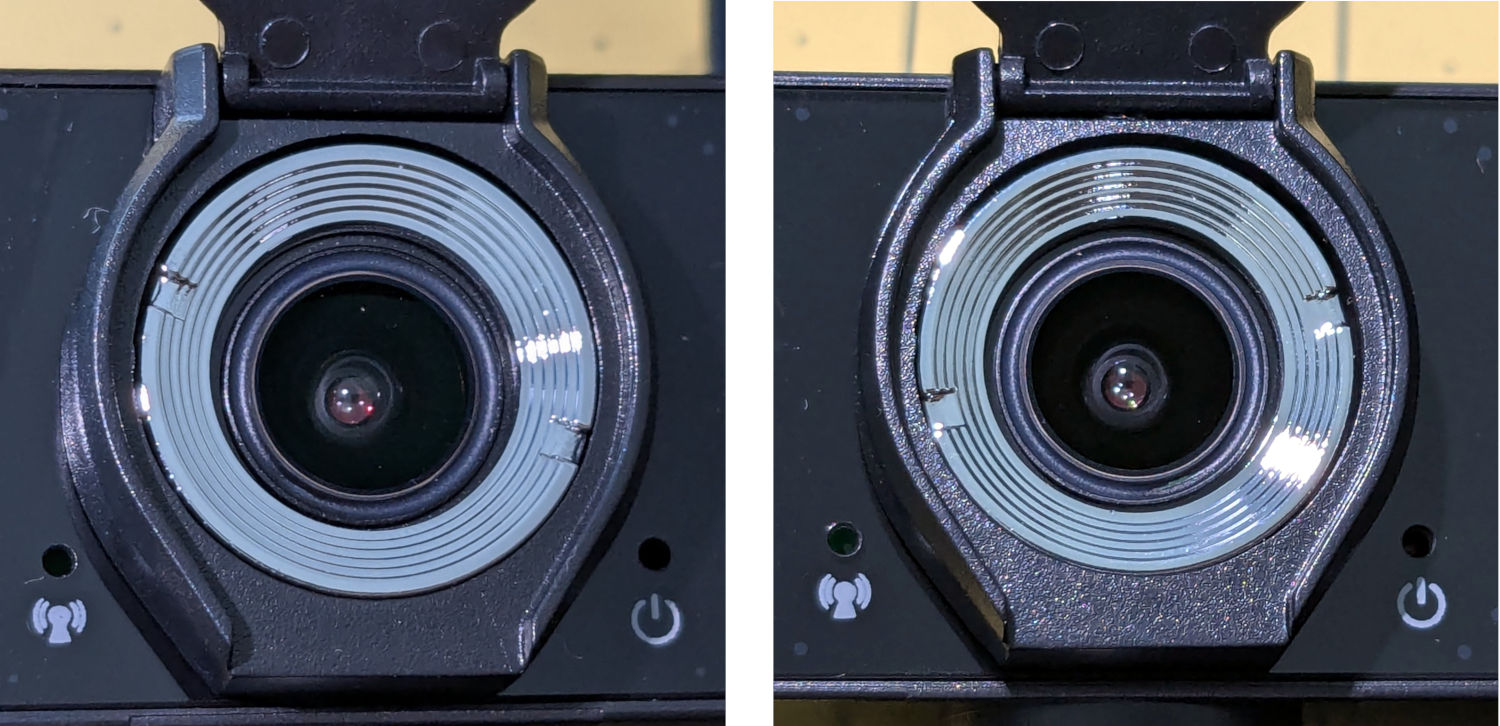
    Unsurprisingly, the lens is fixed / manual focus. What looked like focus rings were in different positions on the two cameras:

    HD USB Camera - lens focus notches
    HD USB Camera – lens focus notches

    It turns out the rings were not glued in place, perhaps because they have absolutely no effect on the camera’s focus. Maybe there’s another camera model where they rotate the lens in a threaded socket, but this ain’t that.

    The front panel has three pores:

    • A red Power LED is always on when it’s plugged in
    • A green On the air LED lights up when the camera is selected; I have no idea what the WiFi-ish glyph is supposed to represent
    • The “advanced noise canceling microphone” sits behind a pore offscreen left; the claim seems dubious.

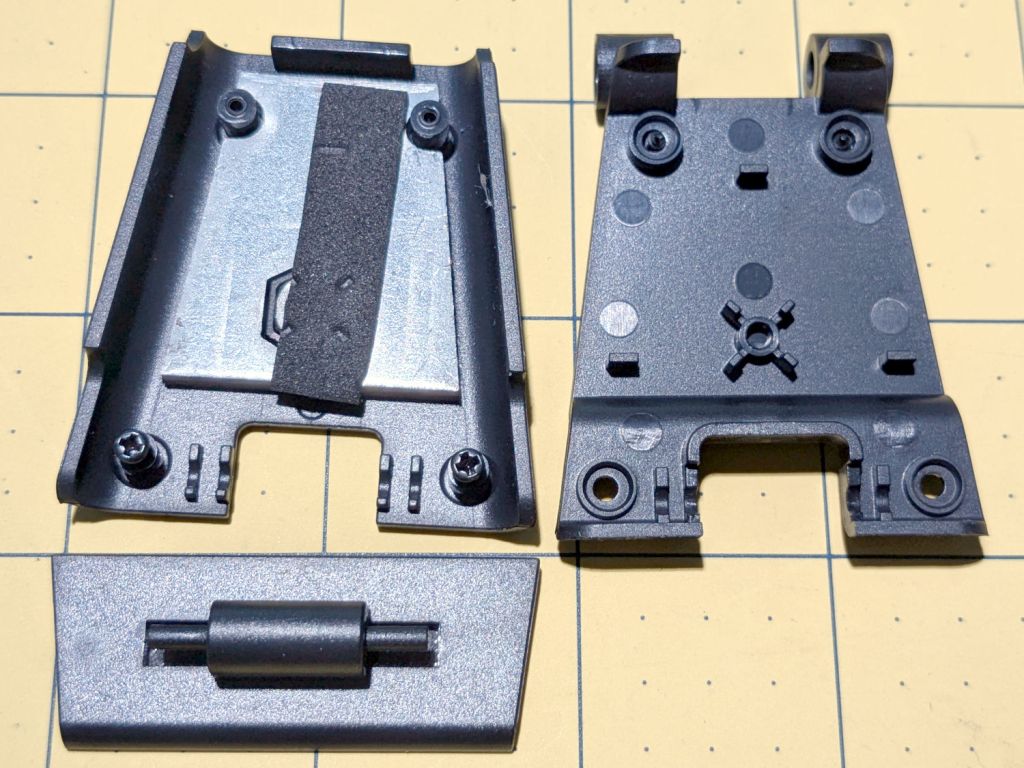
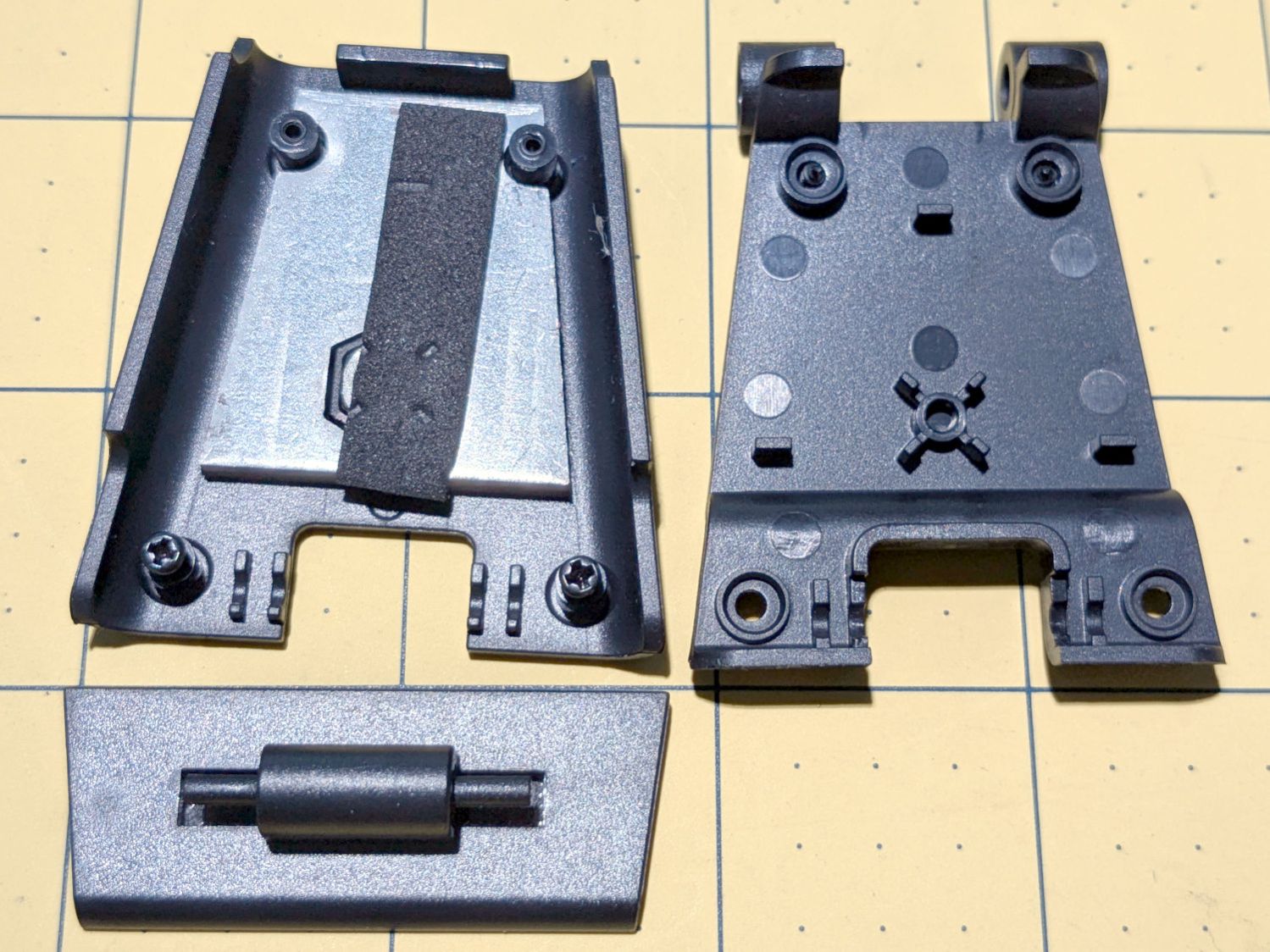
    Because these may go into smaller spaces, I dismantled the base to see what was involved. Most of the screws lie underneath thin foam sheets:

    HD USB Camera - ball mount interior
    HD USB Camera – ball mount interior

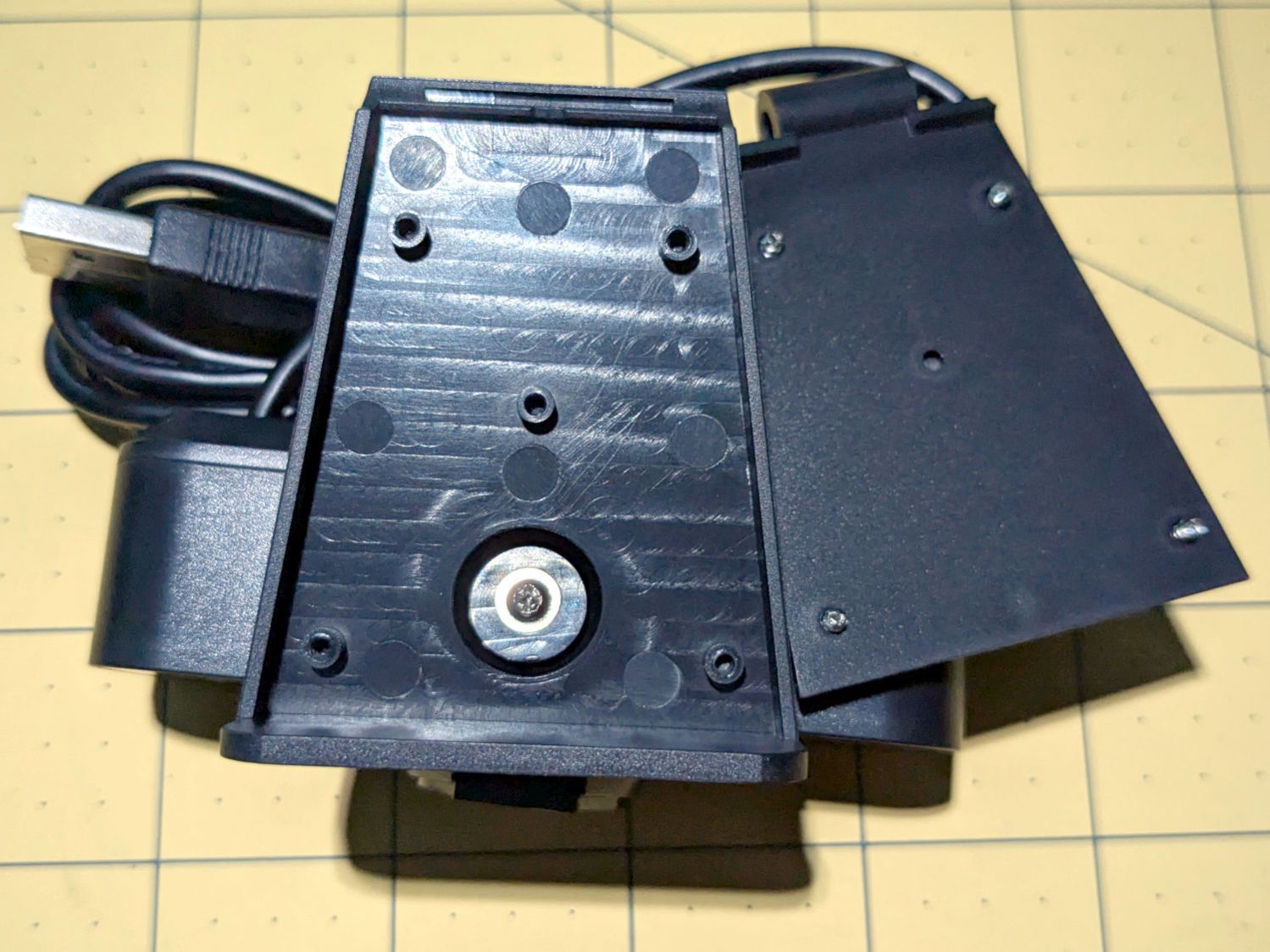
    The lower plate has a tripod mount and a folding bracket:

    HD USB Camera - baseplate interior
    HD USB Camera – baseplate interior

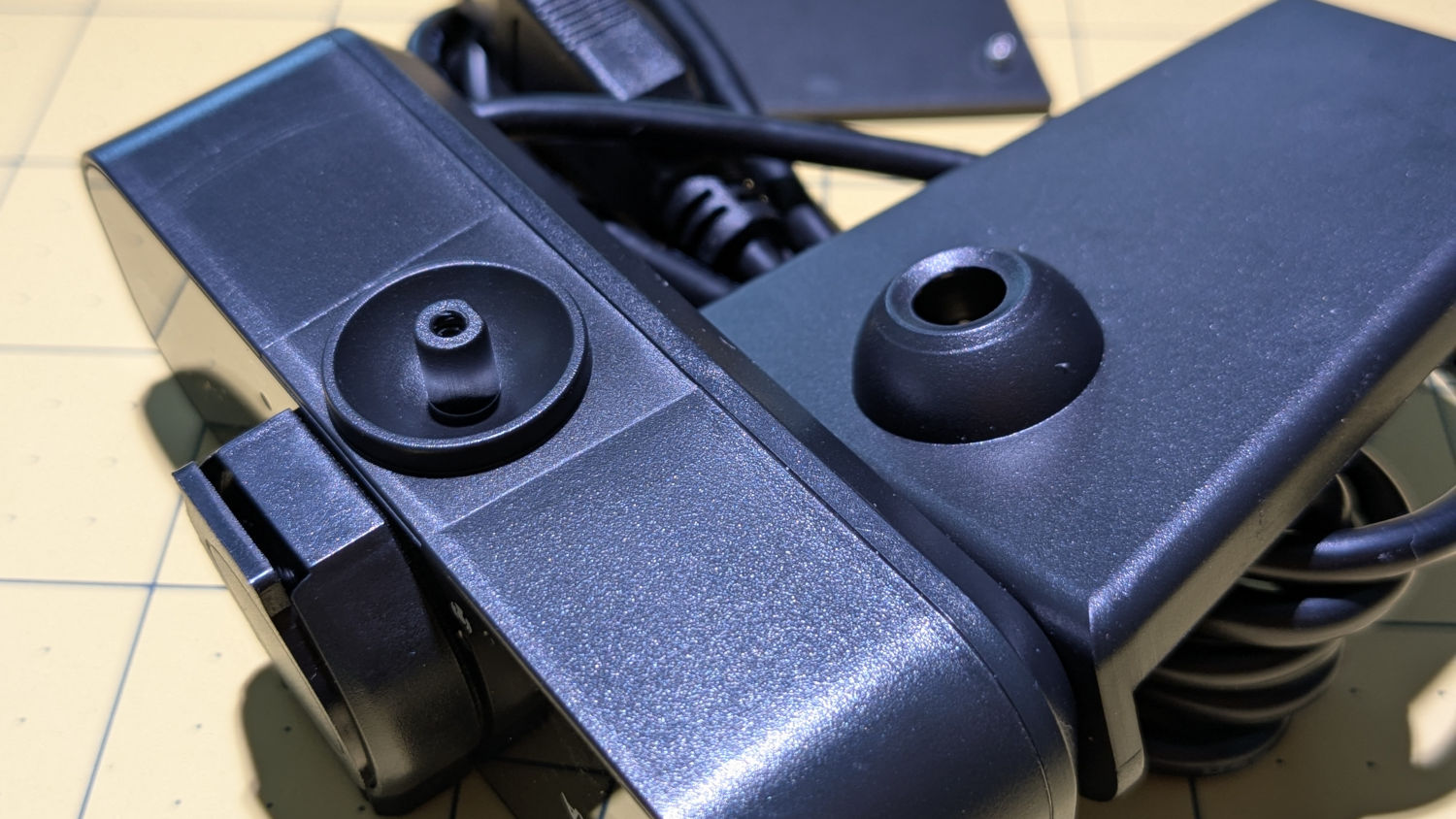
    The camera body has a ball mount with a few degrees of movment:

    HD USB Camera - ball mount detail
    HD USB Camera – ball mount detail

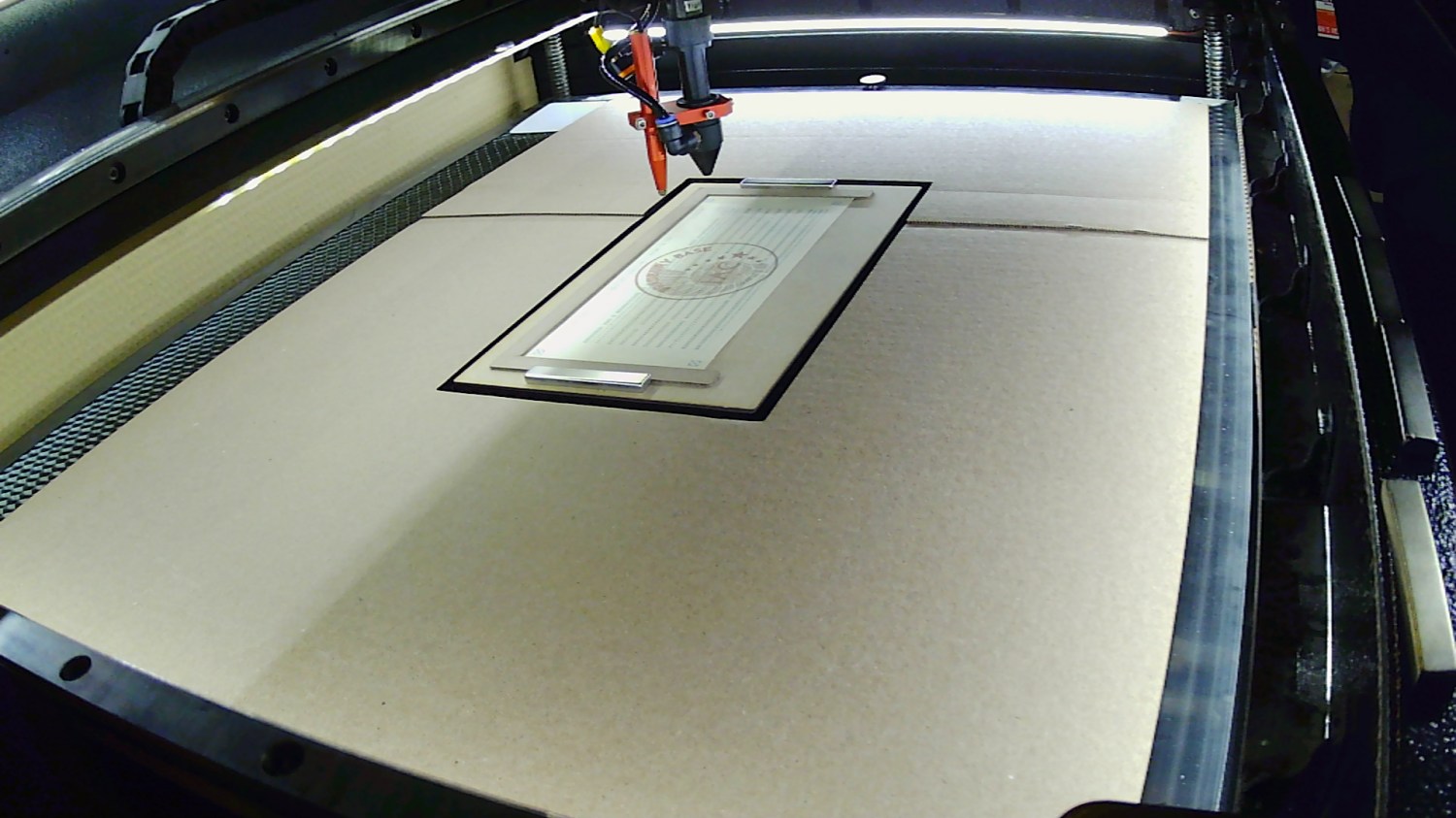
    Reassembled and stuck inside the laser cabinet with some good double-sided foam tape, it definitely produces a better image than the previous camera:

    Platform camera view
    Platform camera view

    Whatever noise cancellation the mic may provide is irrelevant in there: nobody’s listening.

  • Snowplow vs. Streetlight

    Snowplow vs. Streetlight

    Spotted on one of our regular walks up the hill:

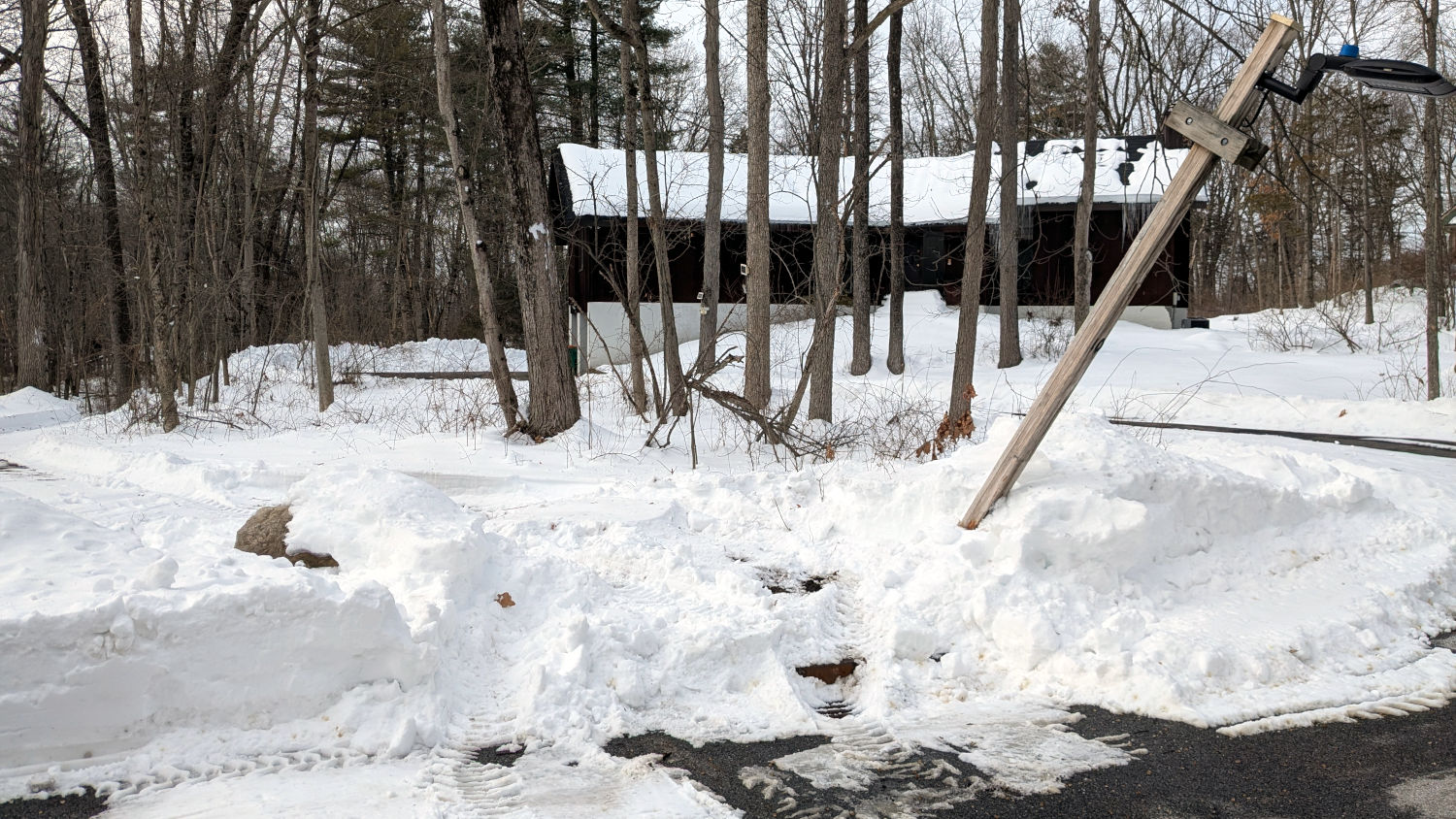
    Damaged pole - snow tracks
    Damaged pole – snow tracks

    Vassar College sent a plow along the walking path linking the campus with the faculty enclave on Old Silvermine Place, but the clearance between the lamp pole and the boulder blocking the entrance wasn’t quite adequate.

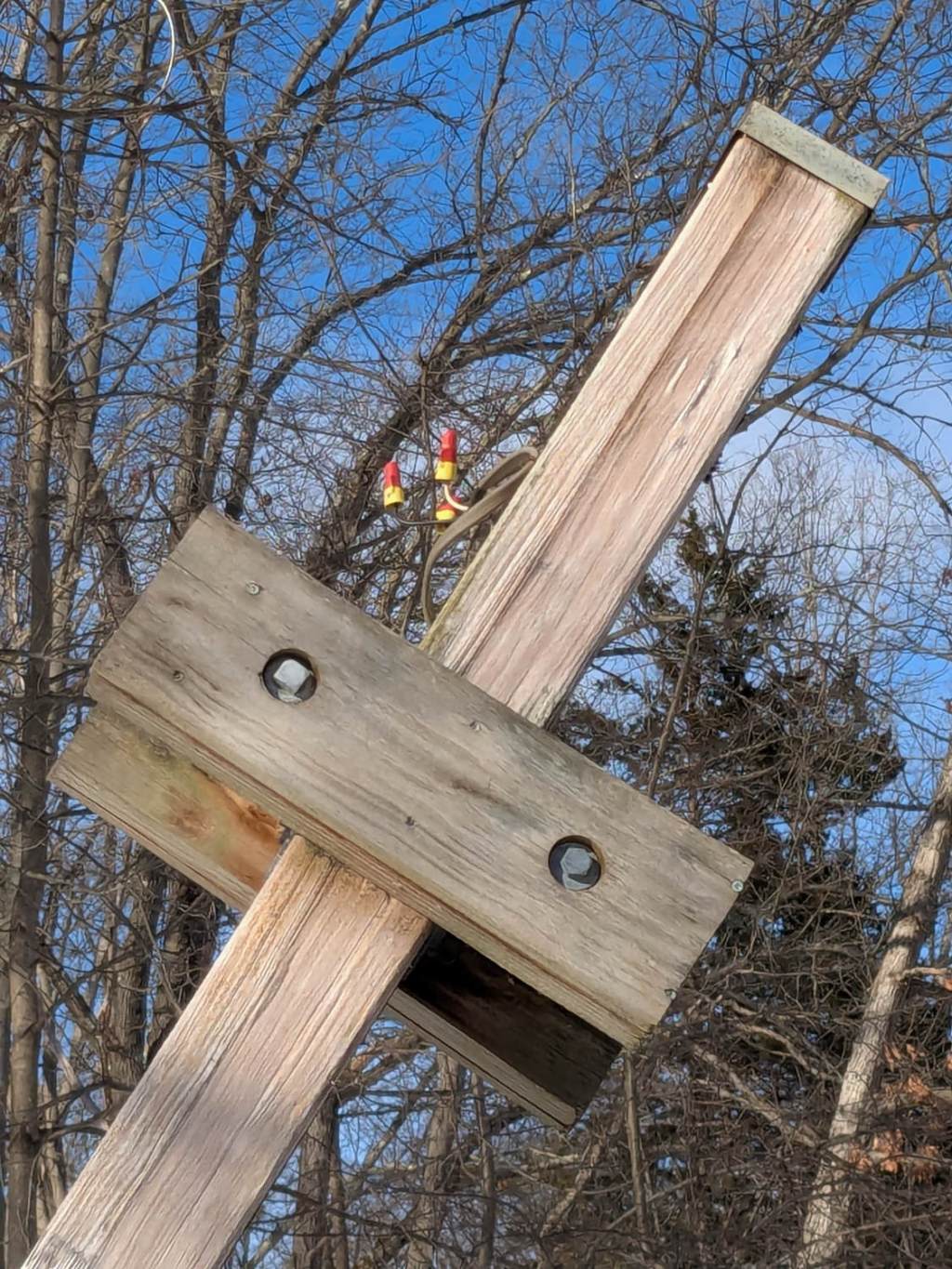
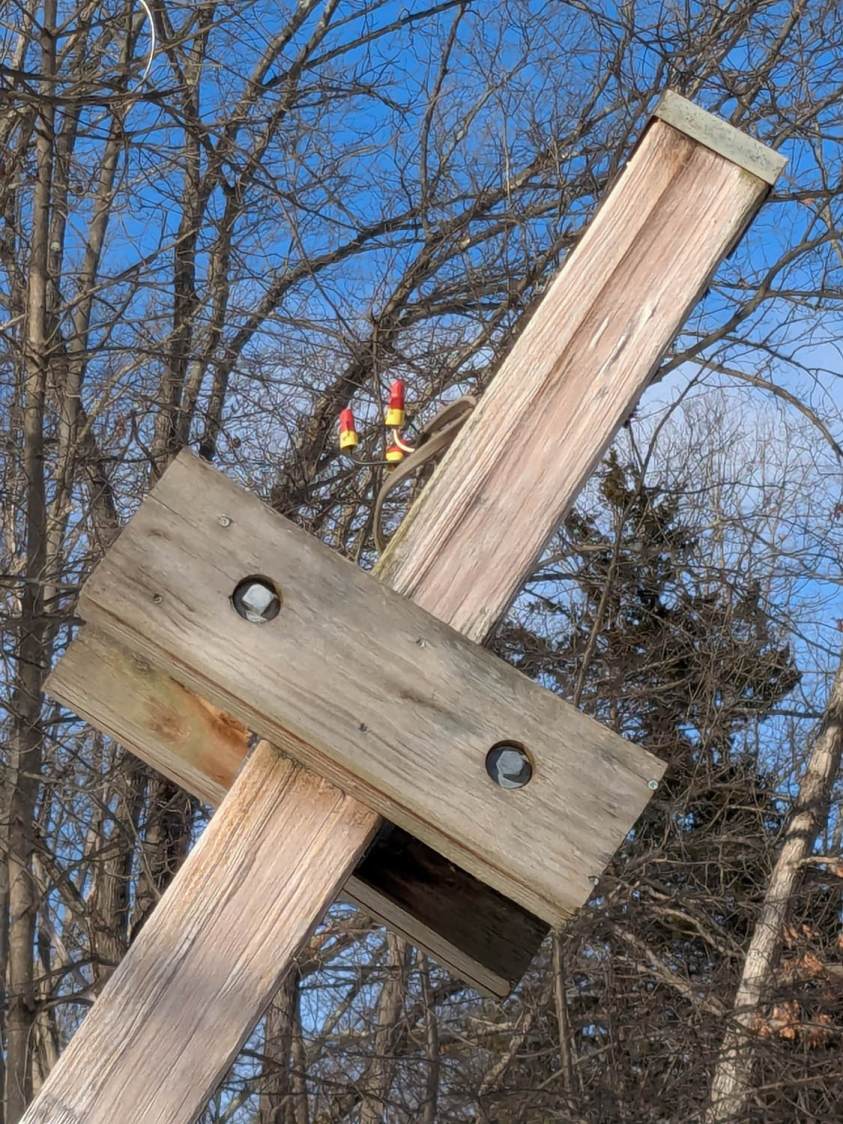
    Some days later, the light fixture was missing and the power cable sported three cheerful wire nuts:

    Damaged pole - wire nuts
    Damaged pole – wire nuts

    Another pole has been lying flat on the ground for (at least) the last two years and I’ve always wondered if its wires (within easy reach) were live under their nuts. Knowing the lamp power is 277 VAC from a 480 VAC three-phase service, I’m disinclined to find out.

    Yes, I notice such things.