The Smell of Molten Projects in the Morning

Ed Nisley's Blog: Shop notes, electronics, firmware, machinery, 3D printing, laser cuttery, and curiosities. Contents: 100% human thinking, 0% AI slop.

Author: Ed

  • ATX Power Supply: System Board Connector Bracket

    The GX270 case contains a perfectly serviceable ATX power supply that can power all the bits & pieces that don’t run directly from the AC power line. I torched the connector off the system board, but there’s no practical way to mount it standing up through the prototyping board I’m using for the low voltage electronics. This bracket surrounds that connector and holds it at right angles to the board, with a pair of screws clamping it in place:

    ATX Connector Bracket - front
    ATX Connector Bracket – front

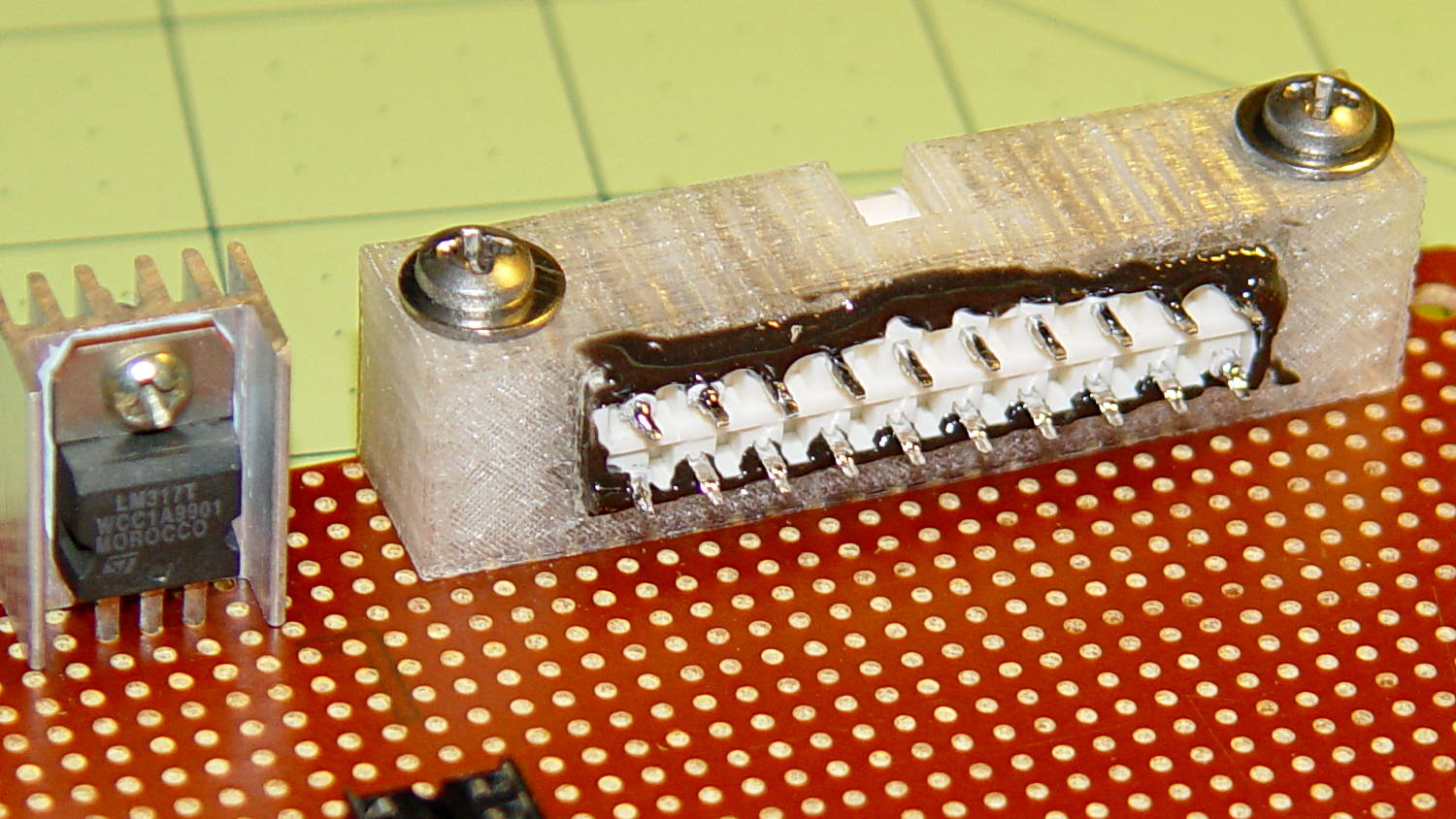
    I invoked the shade of Willy McCoy, slashed the outside of the connector with a razor knife, buttered it up with epoxy, and shoved it flush inside the adapter. That messy epoxy bead around the joint should prevent it from pulling out to the front:
    ATX Connector Bracket - rear
    ATX Connector Bracket – rear

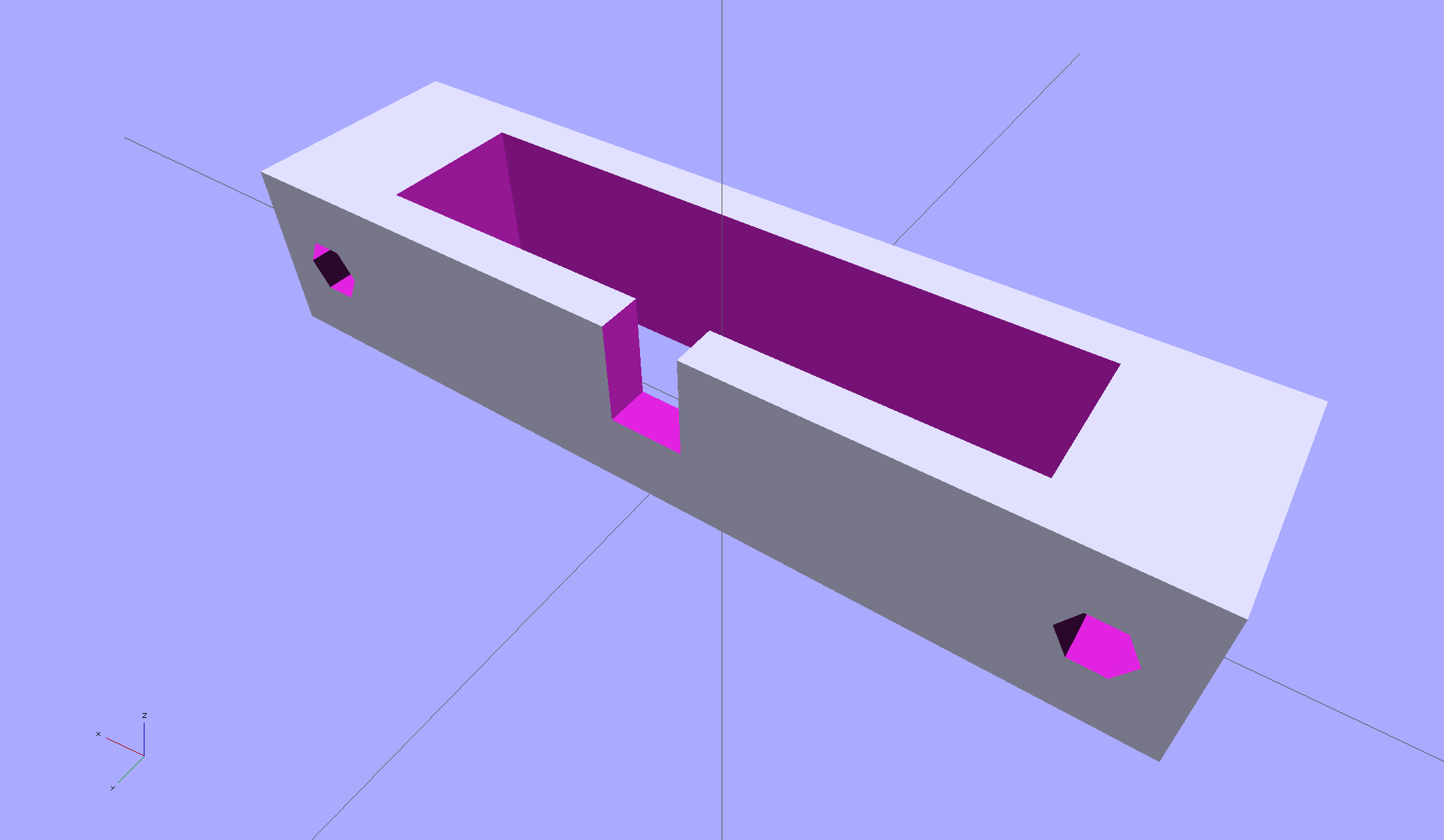
    The solid model looks like you’d expect:
    ATX Connector Mount
    ATX Connector Mount

    In the unlikely event you need one, make sure the slot clears the locking clip on your ATX connector, as they differ between (at least) the 20 and 24 pin versions. This is actually a split 20/24 connector, with the smaller connector terminating elsewhere to power the LED strips.

    The OpenSCAD source code:

    // ATX power supply connector mounting bracket
    // Ed Nisley - KE4ZNU - September 2014
    
    //- Extrusion parameters must match reality!
    
    ThreadThick = 0.20;
    ThreadWidth = 0.40;
    
    HoleWindage = 0.2;			// extra clearance
    
    Protrusion = 0.1;			// make holes end cleanly
    
    AlignPinOD = 1.70;			// assembly alignment pins: filament dia
    
    function IntegerMultiple(Size,Unit) = Unit * ceil(Size / Unit);
    
    //----------------------
    // Dimensions
    
    Screw = [3.5,7.0];						// mounting screws
    OD = 0;
    HEAD_OD = 1;
    
    Wall = 3.0;
    
    ATX = [43.5,9.75,12.0];					// connector outline
    
    Shell = ATX + [2*(2*Wall + Screw[OD]),2*Wall,0.0];	// mount outline
    
    Latch = [5.0,5.0,7.0];							// latch overlay
    
    ScrewOC = ATX[0] + Screw[OD] + 2*Wall;
    
    echo(str("Screw OC: ",ScrewOC," mm"));
    
    //----------------------
    // Useful routines
    
    module PolyCyl(Dia,Height,ForceSides=0) {			// based on nophead's polyholes
    
      Sides = (ForceSides != 0) ? ForceSides : (ceil(Dia) + 2);
    
      FixDia = Dia / cos(180/Sides);
    
      cylinder(r=(FixDia + HoleWindage)/2,
               h=Height,
               $fn=Sides);
    }
    
    module ShowPegGrid(Space = 10.0,Size = 1.0) {
    
      RangeX = floor(100 / Space);
      RangeY = floor(125 / Space);
    
    	for (x=[-RangeX:RangeX])
    	  for (y=[-RangeY:RangeY])
    		translate([x*Space,y*Space,Size/2])
    		  %cube(Size,center=true);
    
    }
    
    ShowPegGrid();
    
    difference() {
    	translate([0,0,Shell[2]/2])						// mount shell
    		cube(Shell,center=true);
    	translate([0,0,ATX[2]/2])					// connector shell
    		cube(ATX + [0,0,2*Protrusion],center=true);
    
    	translate([0,(Latch[1]/2 + ATX[1]/2 - Protrusion),(-Latch[2]/2 + Shell[2])])
    		cube(Latch + [0,Protrusion,Protrusion],center=true);
    
    	for (i=[-1,1])
    		translate([i*ScrewOC/2,(Shell[1]/2 + Protrusion),Shell[2]/2])
    			rotate([90,0,0])
    				PolyCyl(Screw[OD],(Shell[1] + 2*Protrusion));
    
    }

    
  • Monthly Science: Bicycling!

    Mary finished out the National Bike Challenge with a rank of 3353 of 47 k riders, which, by my reckoning, is wonderfully good. She’s #1 in the Poughkeepsie area (admittedly, of only eight riders), with the second-place rider at 90% of her point score.

    She did it by riding on her usual missions, along our usual routes, around the usual obstacles:

    NYS Rt 376 at Westview Terrace
    NYS Rt 376 at Westview Terrace

    Her bike odometer recently rolled past 20 k miles; at least one battery change stole a pile o’ miles from her total, so the bike has accumulated more than that.

    As the song goes, my gal is red hot… in the best way!

  • Low Voltage Interface Adapter Plate

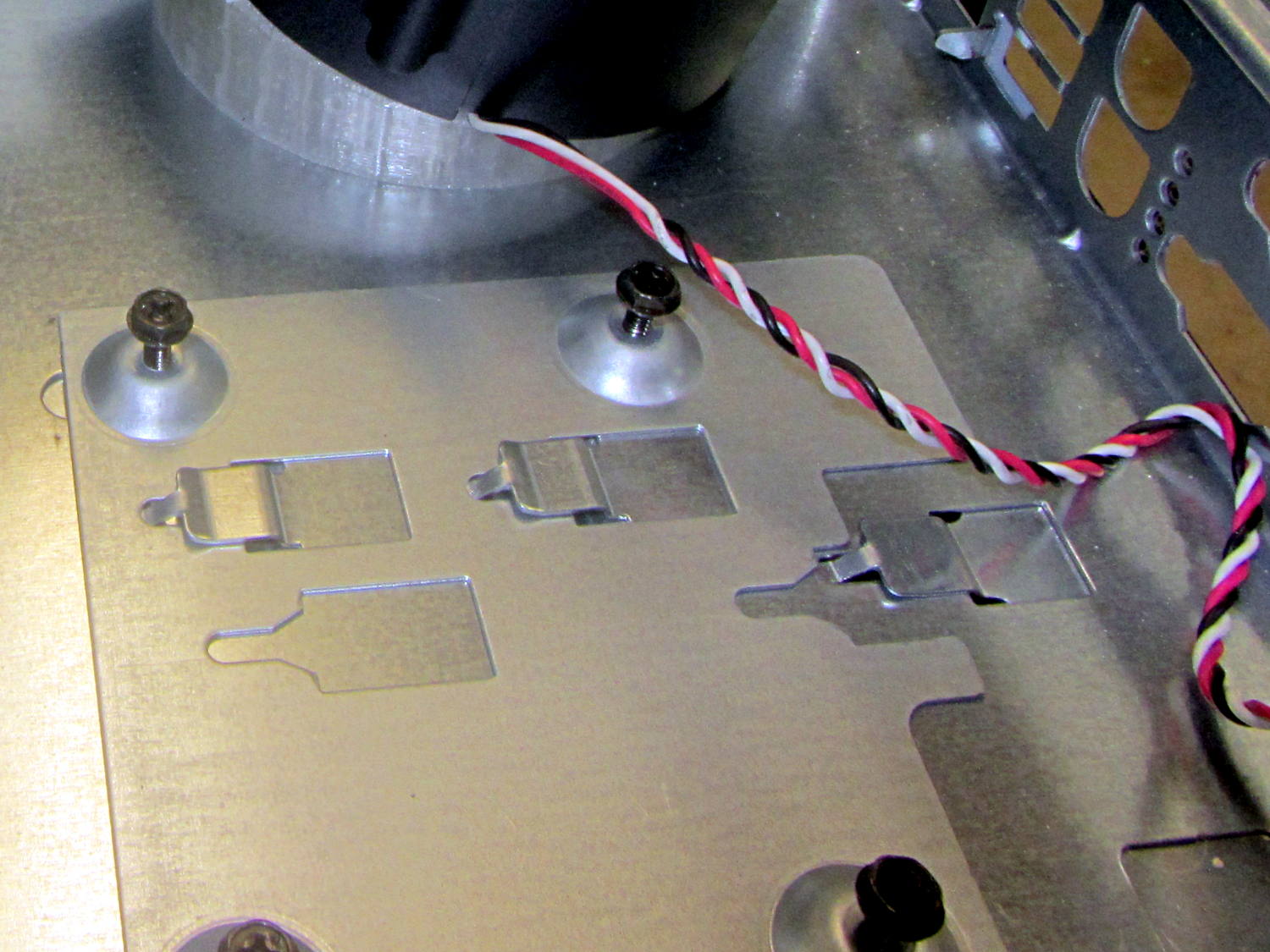
    The Dell GX270 chassis has a small support plate under the CPU, evidently to support the heatsink and fan:

    Optiplex GX270 CPU heatsink mount
    Optiplex GX270 CPU heatsink mount

    It slides neatly into those clips on the system board tray, but it’s not actually locked into position. I think that allows it to slide around a bit under the system board, providing vertical support without constraining the board’s horizontal position. Anyhow, it looked like the easiest way to support the prototyping board that will hold the low voltage interface circuitry.

    By some mischance, I found a nice aluminum plate exactly the right width, so only one side needed a saw cut and squaring. Coordinate drilling four #6 clearance holes matched the support:

    LV Interface Adapter Plate - drilling
    LV Interface Adapter Plate – drilling

    That corner of the tray had another system board retaining clip, but rather than bashing it flat, I just sawed a slit in the plate so it can slide right into position. Note the perfect alignment of that screw hole:

    LV Interface Adapter Plate - retainer
    LV Interface Adapter Plate – retainer

    I love it when all my mistakes cancel out!

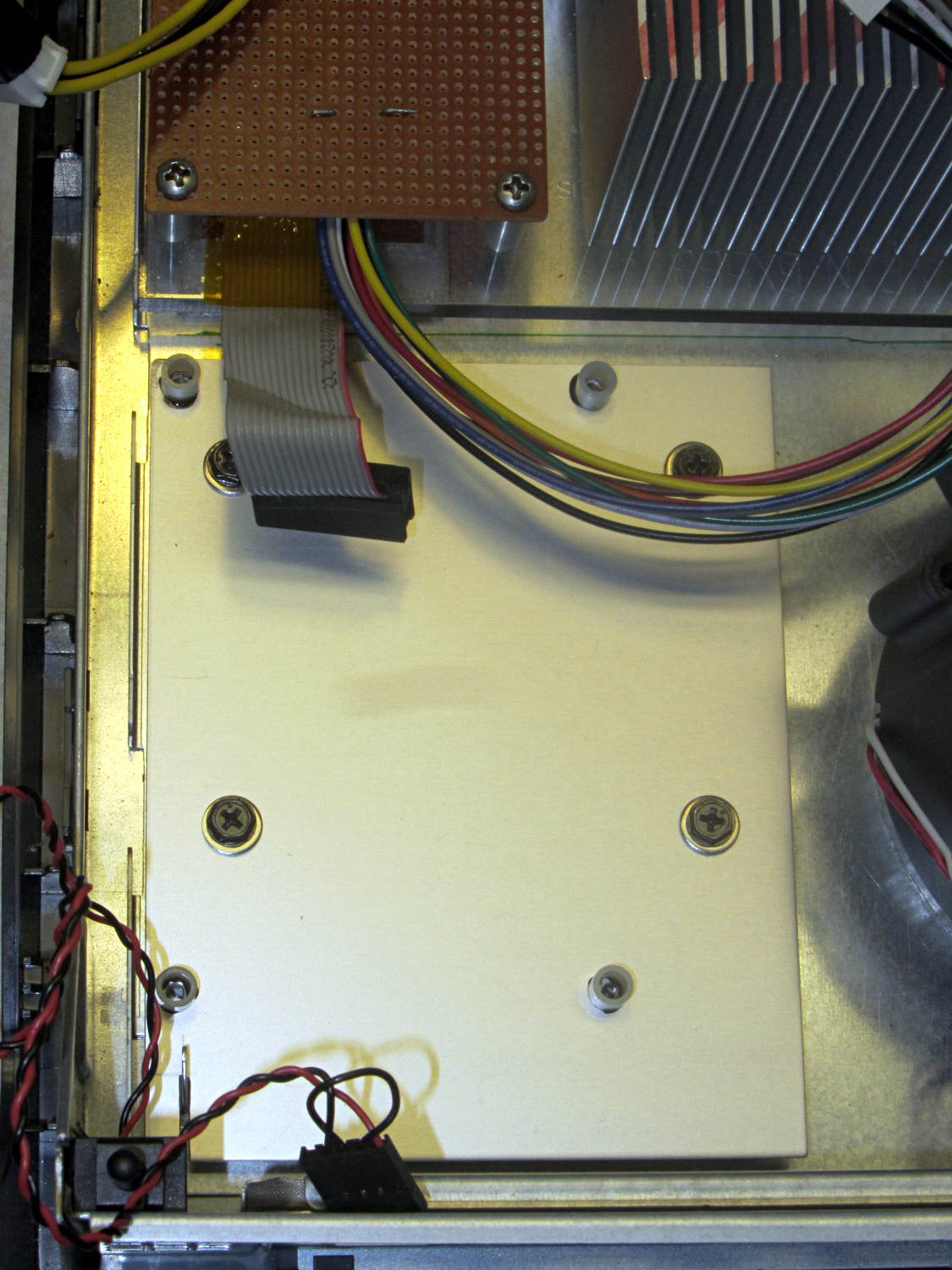
    Four more holes matched the prototyping circuit board and, while I had some epoxy mixed up for another part, I fastened four standoffs over the holes. A washer under each original screw soaked up exactly enough space that the screws barely indented the case and, as if by magic, hold the support plate firmly in place:

    LV Interface Adapter Plate - installed
    LV Interface Adapter Plate – installed

    Of course, that means I must remove the circuit board to get the tray out, but the AC interface board must also come out, so we’re not talking a spur-of-the-moment operation.

    The switch in the lower left corner is the original Dell “intrusion monitoring” switch harvested from a complex metal stamping in the diagonally opposite corner of the case. It’s epoxied to the case wall, with the plunger contacting a shim epoxied to the top of the case, and will eventually disconnect the AC line power from the drive electronics: case open = switch closed = lethal power off.

  • ET227 Transistor: Monster Heatsink Mounting

    Back in the day, heatsinks like this sat atop Moah Powah Pentium CPUs:

    ET227 transistor on heatsink
    ET227 transistor on heatsink

    I picked it because the hulking ET227 transistor fit neatly on its backside, it seemed capable of handling 30 to 50 W of power, and I have several of them in the Big Box o’ Heatsinks. No careful thermal analysis was involved…

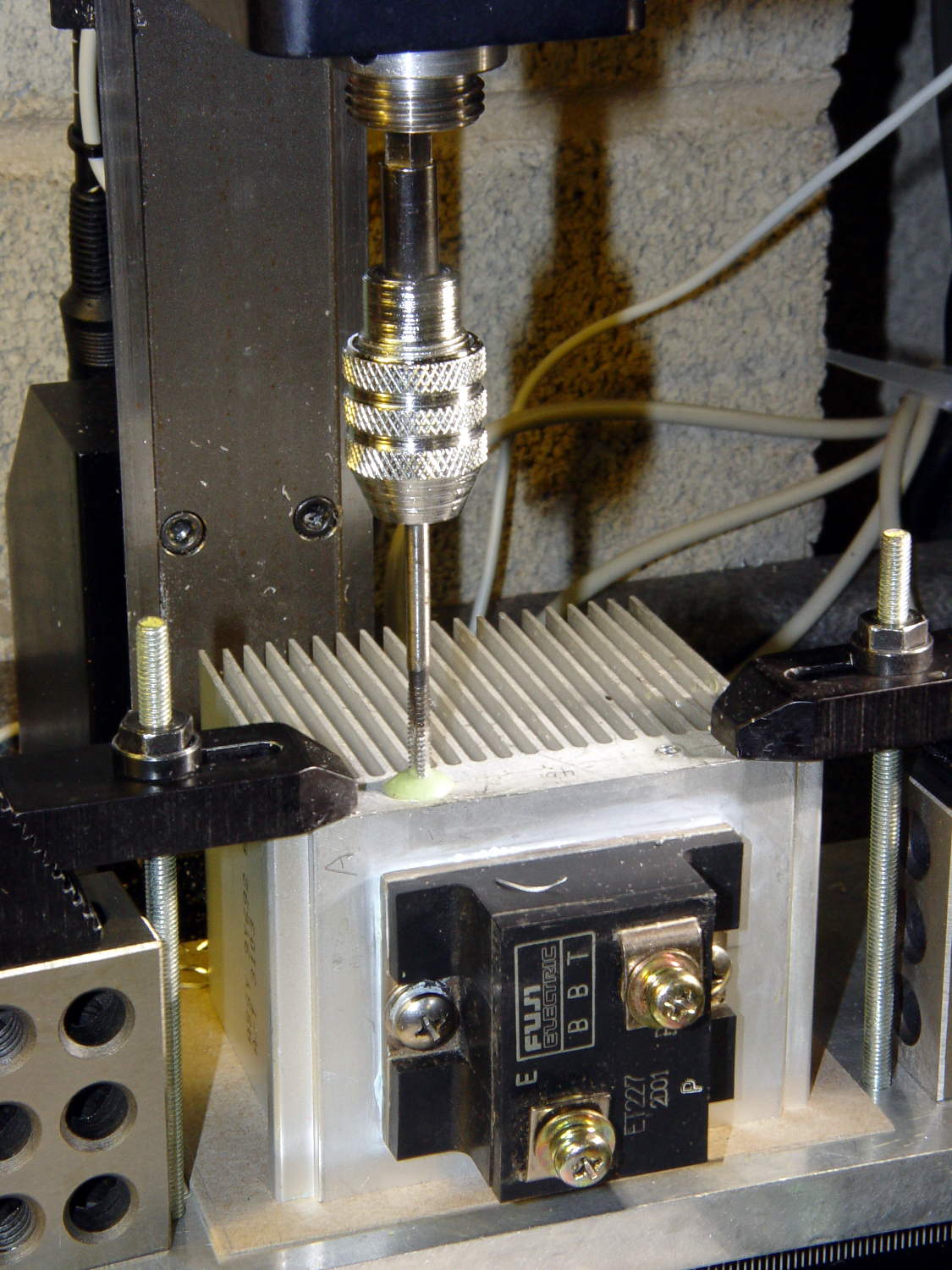
    Mounting it on the polycarbonate sheet inside the repurposed GX270 case involved drilling & tapping a pair of 6-32 holes in one side:

    ET227 Heatsink - tapping
    ET227 Heatsink – tapping

    That’s not rigid tapping on a Sherline, it’s aligning a hand-turned tap in the spindle bore. Sorry.

    And, yeah, you’re not supposed to leave the semiconductors mounted when you’re drilling the heatsink. I figure there’s nothing I can possibly do without using a hammer that will bother that transistor in the slightest. What, me worry?

    The transistor collector runs at line voltage, which means the entire heatsink will pose a lethal shock hazard. I thought about isolating the collector and failed to come up with anything I’d trust to be both thermally conductive and electrically insulating over the long term; the screw heads must be isolated from the collector plate, too.

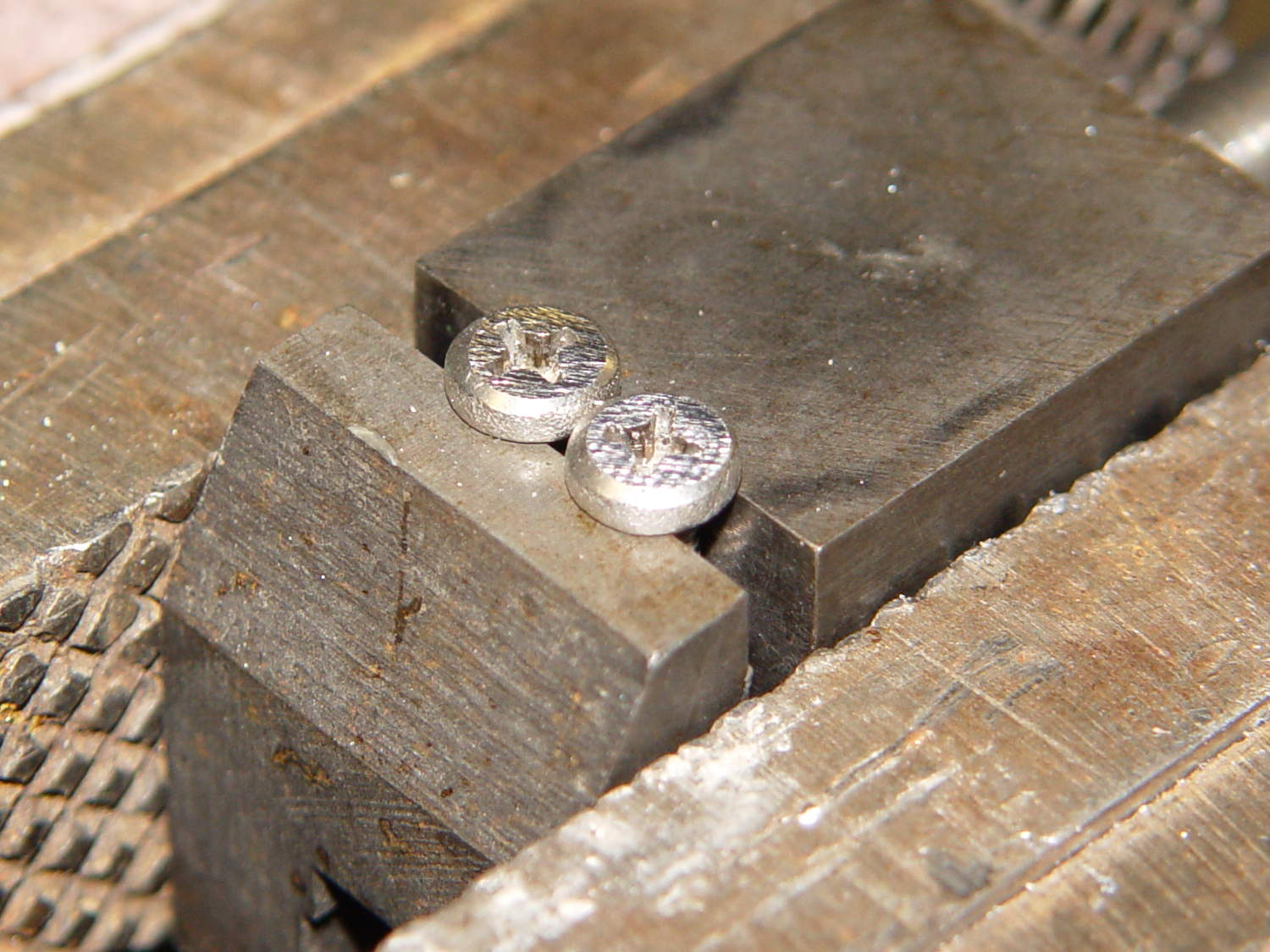
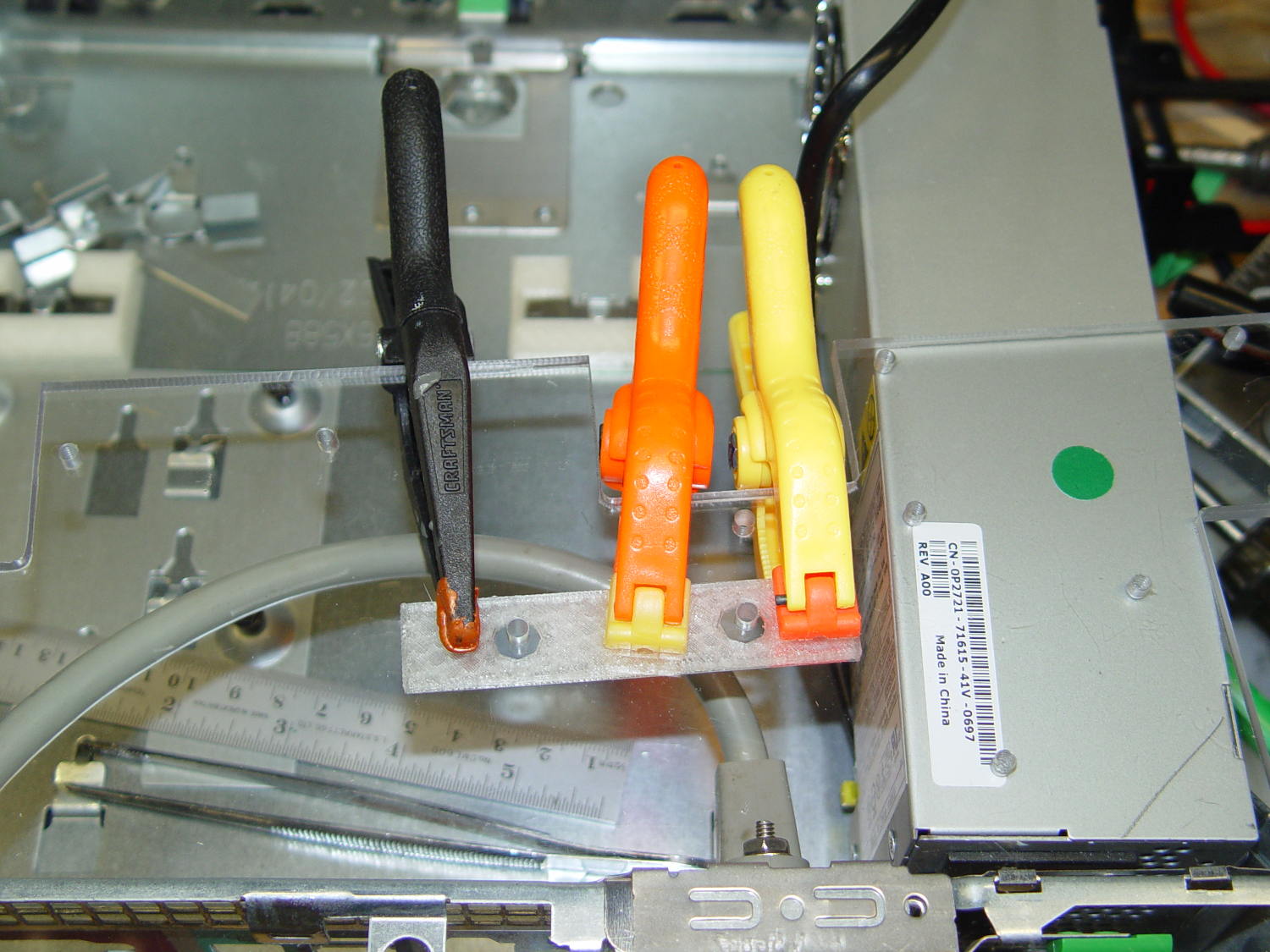
    The screws stick out below the polycarbonate sheet, just above the grounded EMI shell lining the case, so I flattened them a bit:

    ET227 Heatsink - mounting screws
    ET227 Heatsink – mounting screws

    The simple rectangular strip to the rear of the chassis mounting clips is just slightly thicker than the screw heads, so they can’t possibly contact the case:

    Chassis Clips
    Chassis Clips

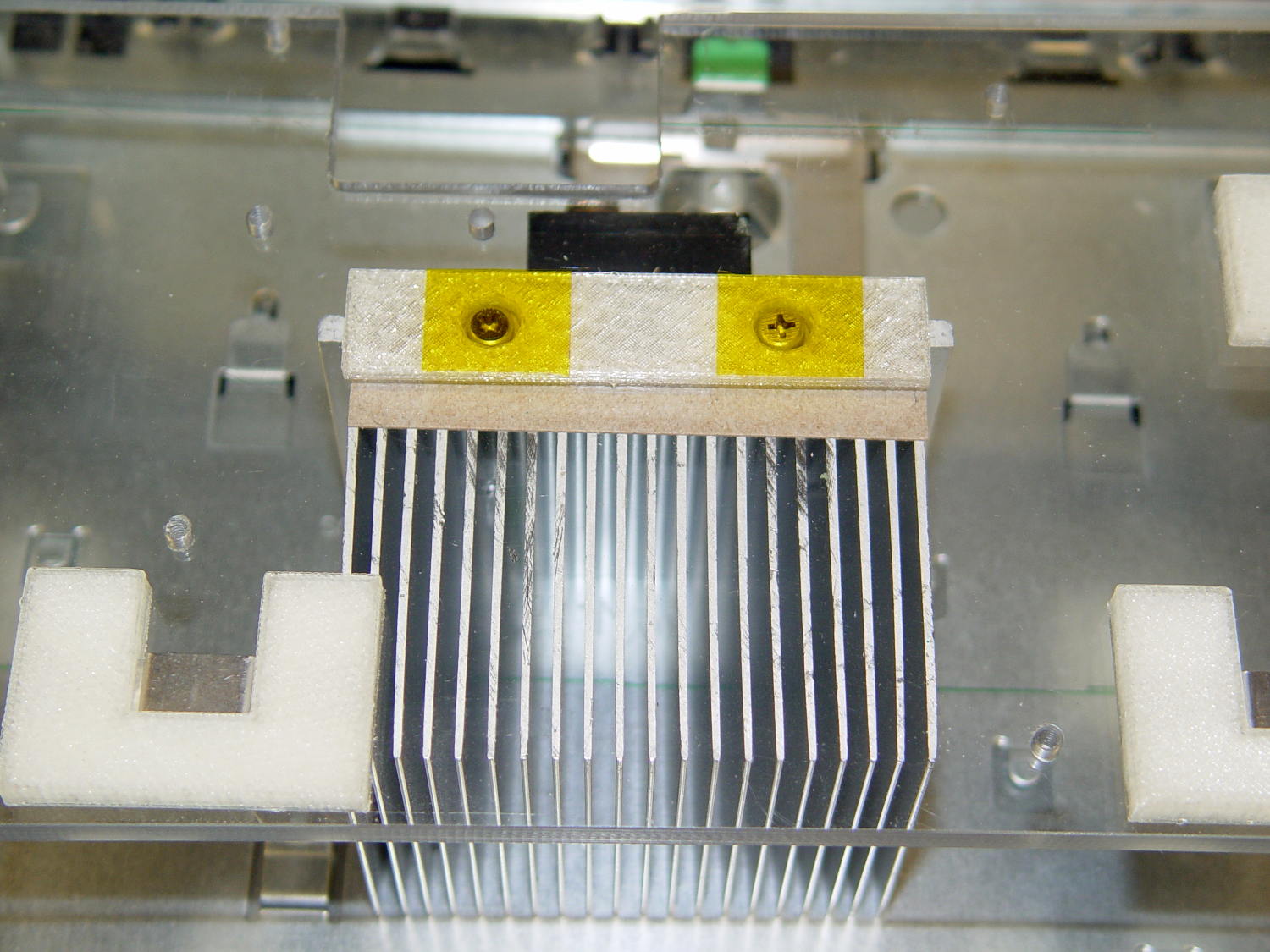
    It gets glued to the underside of the nearly invisible sheet:

    ET227 heatsink - gluing screw shield
    ET227 heatsink – gluing screw shield

    With Kapton tape over the heads, Just In Case:

    ET227 Heatsink - mounted
    ET227 Heatsink – mounted

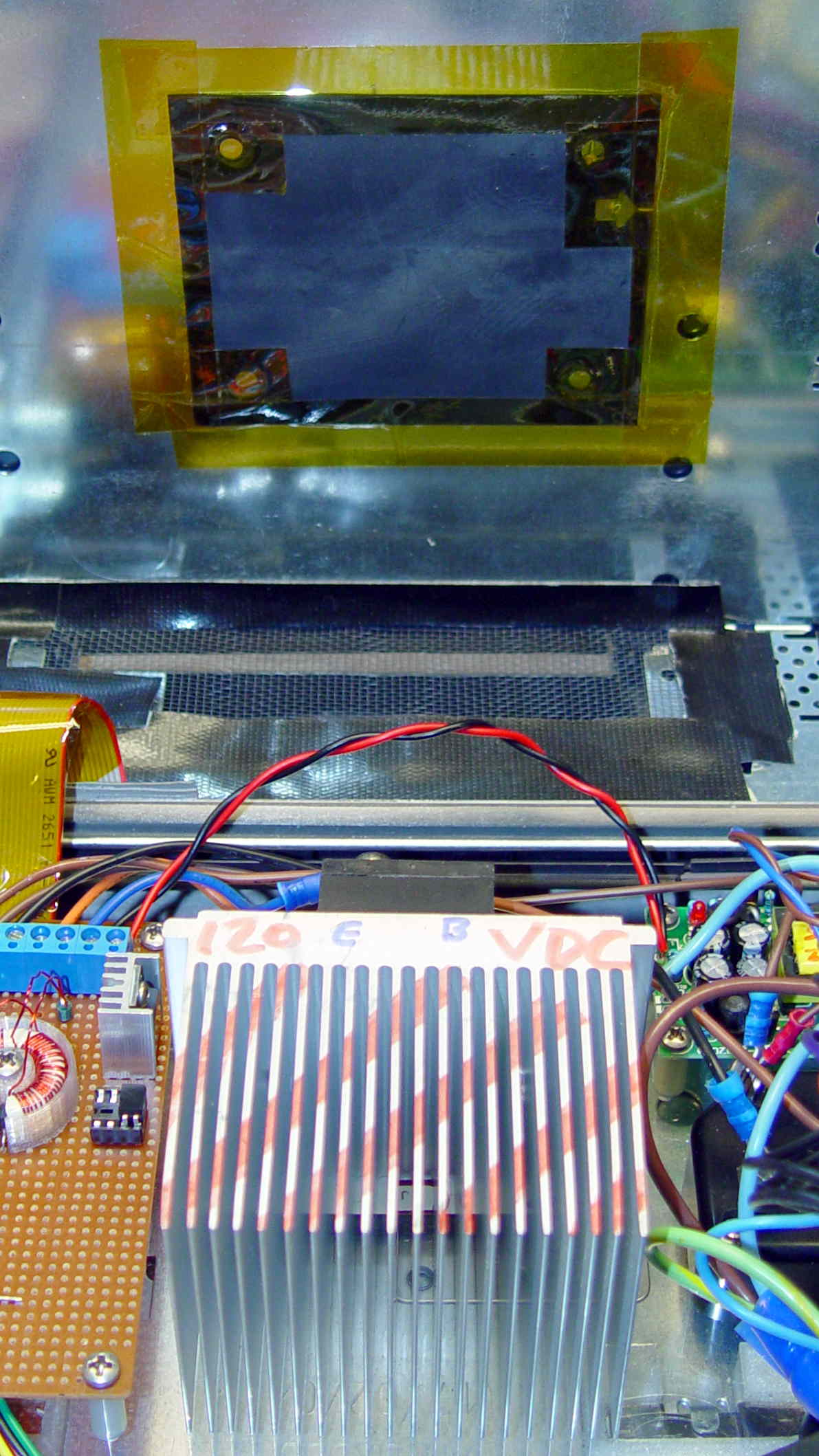
    It makes a nice linear counterpoint to the jumble of AC interface wiring:

    AC Interface Chassis
    AC Interface Chassis

    The insulating sheet on the case lid came from the bottom of the original GX270 system board, where I think it served much the same purpose. It’s surely not rated for AC line voltages, but the thought must count for something:

    AC Interface Chassis
    AC Interface Chassis

    More of the parts are flying in formation…

  • Love at First Sight?

    Woolly bear caterpillar on corn cob
    Woolly bear caterpillar on corn cob

    The corn cob sat on the patio after an outdoor supper, awaiting a trip to the trash can, when an all-black woolly bear caterpillar appeared from nowhere.

    I’m sure it’s a direct descendant of that one. We put this one in the garden, too, for the same reason.

  • Chipmunk Feeding Zone

    Mary puts damaged cherry tomatoes beside our resident chipmunk’s favorite hideout:

    Chipmunk Feeding Zone
    Chipmunk Feeding Zone

    The critter eats them from the inside out, then tosses the shredded skins.

    Since she started leaving her offerings, the chipmunk has been leaving the good cherry tomatoes in her garden untouched. We’re both astonished at how many tomatoes fit inside one chipmunk…

  • Rectifier Mounting Screw Tweakage

    The sewing machine motor runs from 120 V AC or DC, drawing a few amps with the rotor locked, so a hulking 300 V 10 A bridge rectifier (Motorola MDA962-4, if you’re keeping score) seems grossly overrated. On the other paw, I have one, so why not?

    The mounting holes pass 6-32 machine screws, but the recesses in the top seem meant for fillister head screws that I don’t have. Fortunately, I do have a lathe:

    MDA962-4 rectifier - screw head adjustment
    MDA962-4 rectifier – screw head adjustment

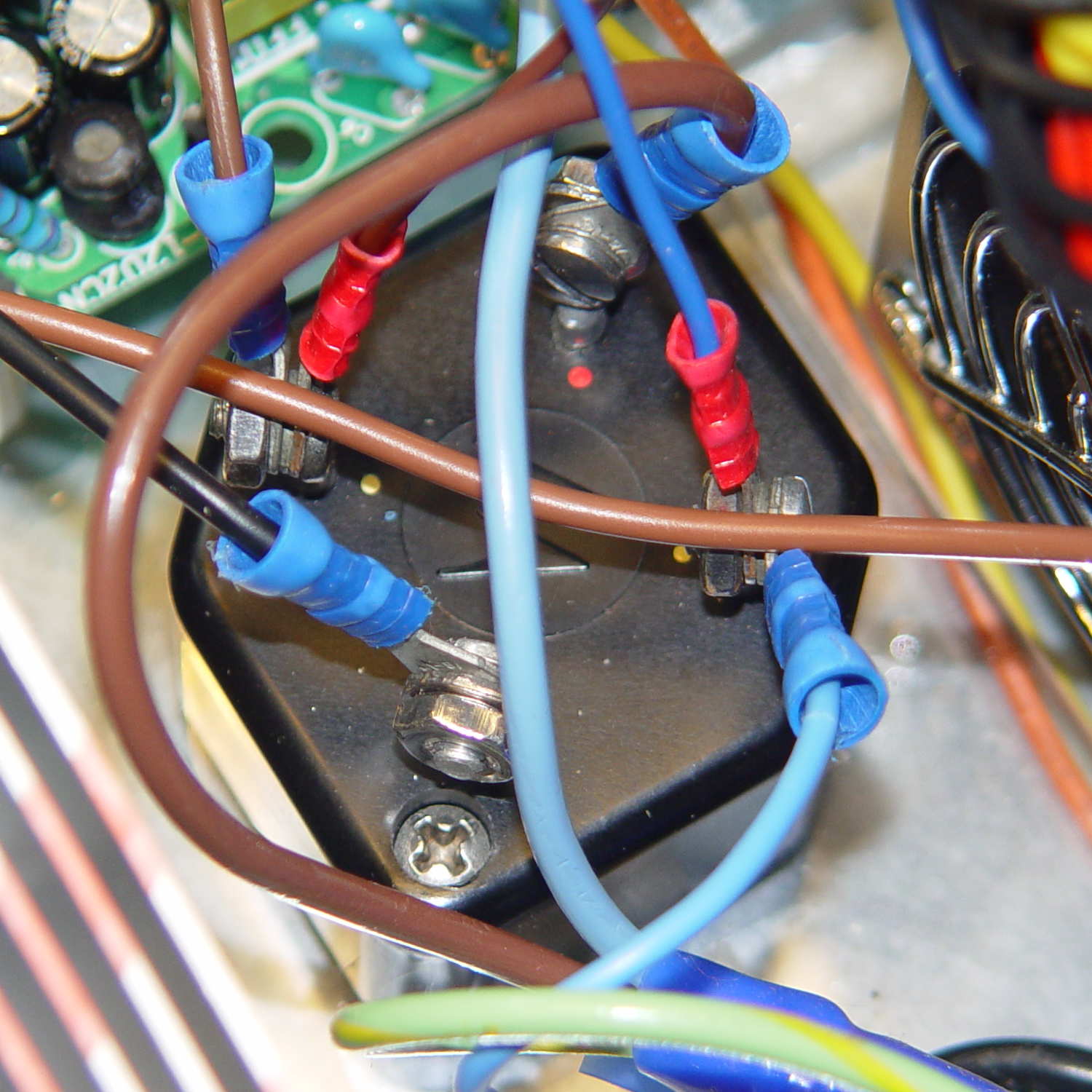
    And then they just drop into place:

    MDA962-4 Bridge Rectifier - installed
    MDA962-4 Bridge Rectifier – installed

    You can see why recessing the screw head below the top of the rectifier is a Good Thing.

    That was easy…