Ed Nisley's Blog: Shop notes, electronics, firmware, machinery, 3D printing, laser cuttery, and curiosities. Contents: 100% human thinking, 0% AI slop.
These Dirac-delta pulses seem to be a new thing, with one “reader” hitting many posts, rather than many readers hitting a single post. I can’t tell if it’s a new way for search engines to scan pages or an entirely new algorithm doing the scanning.
Should you run across another blog with similar verbiage, you know where it started …
I wanted to work with that desktop from my Comfy Chair upstairs, because I’m unwilling to stand up a Windows box specifically for another LightBurn installation, along with a nightmare KVM switch tangle for all the displays / keyboards / trackballs I run with Linux.
At the Win 11 PC, turn on Remote Desktop connections:
Remote Desktop enable
The Administrator is automatically allowed access, but I also allowed access for my local User (who does not have a Microsoft account), which requires the Administrator’s password. You’ll want to store that in a password manager, because typing line noise gets tedious.
Upstairs on the Comfy Chair at the Linux box, install Remmina from the repository, then tweak some preferences:
Remmina prefs – General
This being a LAN connection, pick the highest quality scaling, although that shouldn’t matter with a fullscreen display. I added a screen resolution matching my desktop landscape monitor:
Remmina config – screen resolutions
Somewhat to my surprise, selecting an RDP screen resolution larger than the HDMI monitor on the Win 11 box worked perfectly.
Because the remote display will fill the entire screen in fullscreen mode, set the toolbar to “Peeking” mode making it barely visible at the top of the screen:
Remmina prefs – Appearance
I have yet to (figure out how to) enable the hotkey turning fullscreen mode on and off, so if the toolbar isn’t readily available there is no way to get out of fullscreen mode.
Set up the RDP connection to the Win 11 box, using either the static IP address or whatever name the router assigns:
Remmina config – Basic
I set the Win 11 box for a static IP address, then told the router to assign that IP to the box if it ever woke up asking for an address through a DHCP request. The process differs depending on which router you have and may not be needed. I (try to) nail down all the IP addresses, so anything using DHCP will be obviously in need of attention.
Select the highest quality compression:
Remmina config – Advanced
With all that set up, double-clicking the appropriate line should fire up an RDP connection, perhaps with a peephole view of the Win 11 desktop:
Remmina – small RDP window
Hit the Toggle Fullscreen icon (hollow square, fifth down) to embiggen it:
The thin line along the center top is the Remmina toolbar, peeking over the edge. Move the mouse cursor up there to roll it down into view:
Remmina – fullscreen RDP window – detail
Because this is a fullscreen view, hitting the Toggle Fullscreen icon (highlighted blue) is the only way out. It required a disturbing number of iterations before realizing none of the hotkeys worked, then figuring out how to enable toolbar peeking.
Moving the mouse pointer to the bottom of the screen rolls up the Win 11 Task Bar (which I always set to Hide mode to get it out of the way):
Remmina – fullscreen – task bar
I pinned the LightBurn icon to the task bar where it’s easy to hit, as that’s the whole point of the exercise.
And then It Just Works™:
Remmina – fullscreen LightBurn
Because this is Windows, one user can sign onto the box from either the local keyboard or the RDP connection, but not both.
Being an Old School type of guy, I reflexively save my work before trotting either upstairs or downstairs and signing on wherever I end up, but it’s the same file in the same program on the same hardware.
The performance over the LAN and through Remmina is good enough to make the fullscreen session feels exactly like running LightBurn locally. In truth, LightBurn is not a particularly resource-heavy program.
Then I deleted both Linux installations from the LightBurn license portal …
It’s a BeeLink Mini S12 (whatever that means) and squats near the low end of PC performance these days. I chose it based on reports from folks at Squidwrench having used similar units for various purposes without much pain, plus motivation from one of those weird Amazon “coupons” knocking the price down; it now sells for about that same price without the coupon.
It’s advertised as coming with Windows 11, but my advisors recommended a clean installation to get rid of crapware and possible pre-installed malware. I decided to start with the as-delivered system, then use the same product key to blow away the default installation.
The box / packaging did not include a Microsoft Windows Product Key and going through the first boot setup process produced this disconcerting result:
Win 11 license key – not found
More disconcerting: Windows Defender (Microsoft’s antivirus scanner / system integrity checker) was inactive and could not be installed from the MS “Store”. While not conclusive proof of pre-installed malware, the situation certainly seemed suspicious.
The seller sent a key that seemed to be for Windows 10:
BeeLink MS Product Key – Win 10 – redacted
Having been assured this would also validate a Win 11 installation, I did a clean installation using a USB flash drive produced by the MS installer, was never asked for a key, and eventually got to this point:
Win 11 Pro Installed Key – requires Digital License – redacted
Despite the missing OEM key and the footnote, everything seems just ducky:
Win 11 Activation with Digital License
I assume a clean installation blows away any malware resident on the “hard drive” (an M.2 solid state drive, of course), including rootkits and boot sector malware. My threat model does not include malware in the BIOS / UEFI firmware, which may be overoptimistic.
I declined all the optional MS products, refused various MS subscriptions, and generally tried to kill off a myriad invasive / advertising / “customized for you” features along the way. A casual search will produce many helpful guides for that process; I expect the details will change as MS continues to extract information from us. I set up a non-Administrator account for myself specifically to run LightBurn.
With that accomplished, I gave it a static IP address, created network shares to various directories on the “file server” (an ancient off-lease Dell Optiplex) holding the files I previously used with Linux LightBurn, installed Window LightBurn, got its preferences sorted out / restored from backup, and things eventually worked pretty much as intended.
This setup is intended for layout tweaking and laser control, not for protracted design work while standing in what’s now a 57 °F = 14 °C basement.
For what it’s worth, I must run the laser’s water chiller for half an hour to raise the cooling water to the normal 20 °C operating range; it has a water-cooled pump serving as a little heater.
The next step involved enabling Remote Desktop Protocol access so I can access the Windows box from my Comfy Chair at my usual battle station upstairs. More on that tomorrow …
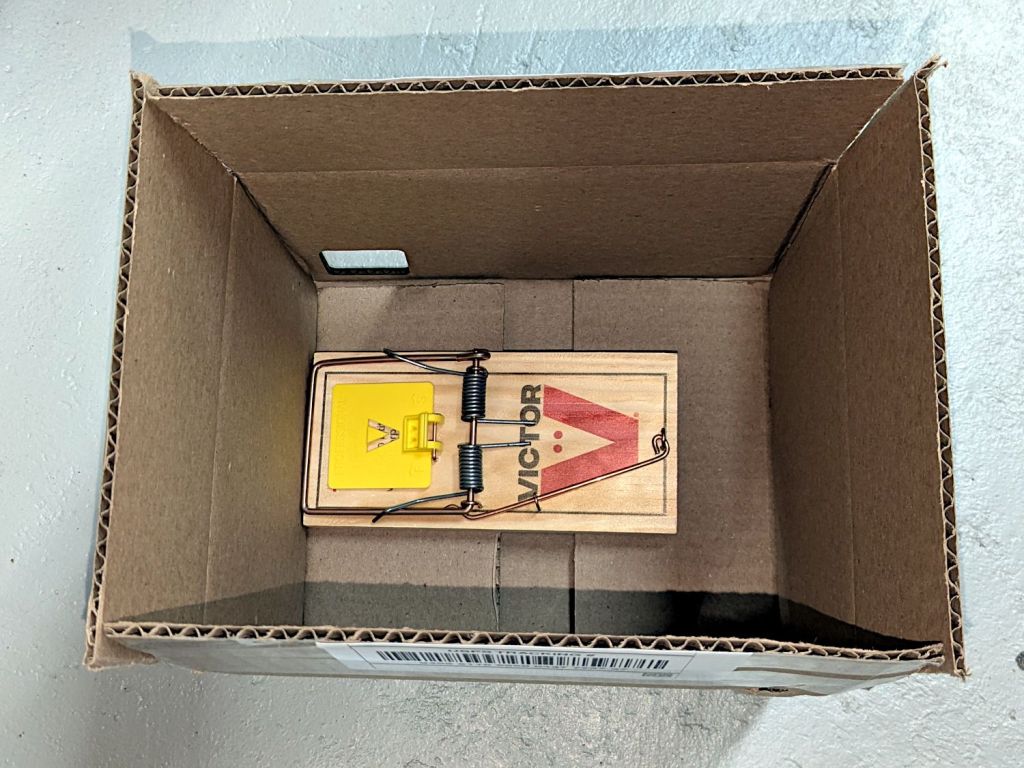
A highly effective way to bait a rat trap for garden voles:
Rat trap – still baited
The trap is a Victor M205 (in a 12-pack as M326) with a big yellow plastic bait pedal. The bait is pieces of walnut, secured to the pedal with generous strands of hot melt glue. The trick involves mechanically capturing the walnut by slobbering glue over & around it, forcing the vole to pull & tug while gnawing the last bit of goodness.
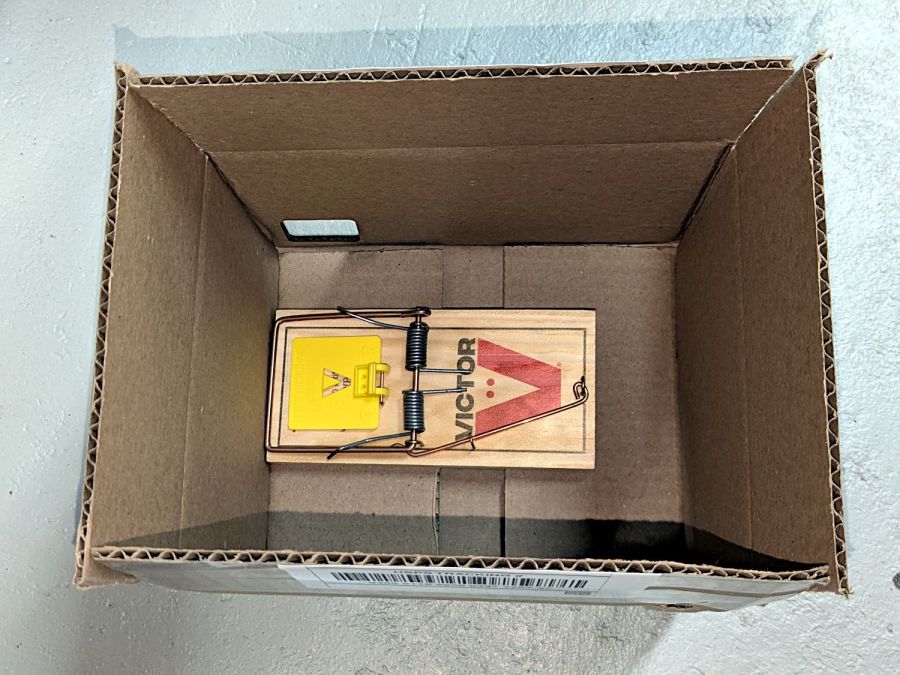
Which generally ends badly:
Rat trap – gnawed bait
I do not begrudge the critters a fancy last meal; it’s gotta be better than their usual diet of carrots / radishes / turnips.
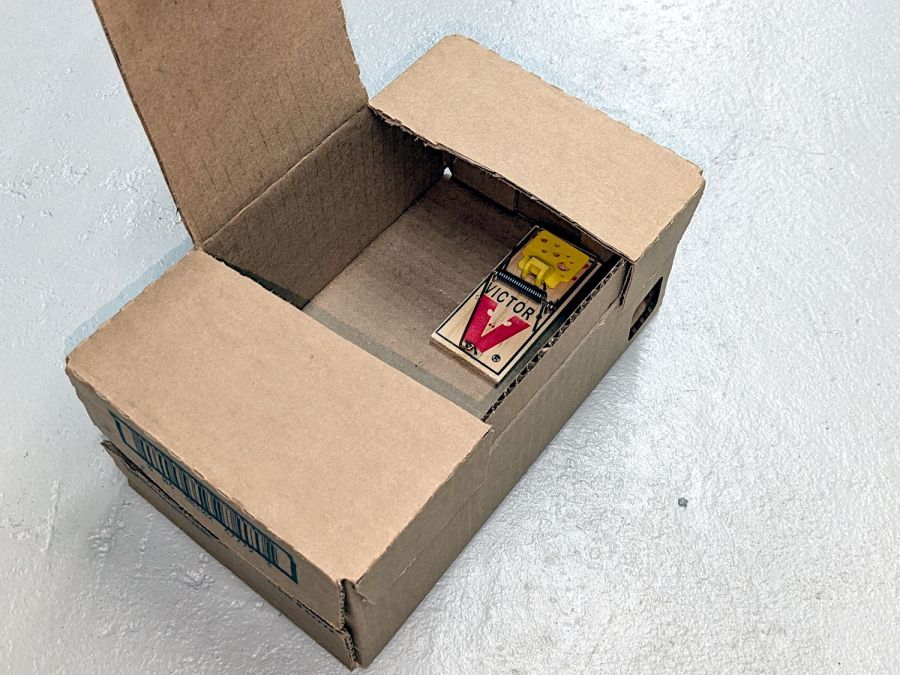
Voles have no qualms about eating the bait from a sprung trap with a dead compadre a few millimeters away:
Rat trap – empty bait
They will sometimes eat the walnuts and their dead compadre.
The plastic pedals work much better than the old-style metal pedals at holding the steel arm wire. The wire slides freely on the plastic, in contrast to the previous high-friction metal-on-metal latch.
Some of the traps were entirely too sensitive and required slightly bending the tip of the arm wire upward to increase the friction on the plastic plate. Always always always handle armed traps by the wooden edges beside the kill bar, so when it accidentally snaps your fingers are nowhere near the business end.
After I figured out how to properly bait the traps and we set out half a dozen traps in the most attractive crops, Mary’s garden produced 54 dead voles over the course of 90 days, sometimes in groups of three or four at a time. While this did not prevent all the crop damage, it definitely reduced the problem.
Next year we’ll start early and probably reach triple digits by midsummer.
The same technique with Victor M035 mouse traps (in 12-packs as M035-12) is brutally effective on house mice.
These cute little toys serve as 3D printer torture tests:
Surprise Eggs
Obviously, each egg can hold only one of those toys, but I had to run them off in both retina-burn orange PETG and black PETG-CF for comparison.
These Surprise Egg models came from Thingiverse, but they’re also available on Printables. You’ll find many more, of course, at a variety of scales, with these on the small end.
The white eggs print with no difficulty at all, as does most of the equipment contained within:
Surprise Eggs – contents – orange PETG
Most moving parts require careful back-and-forth movement to break them free, but they’re surprisingly functional. The PETG-CF, printed with an Extrusion Multiplier = 0.8, looks better, although the moving parts were more firmly stuck together.
Not all of the equipment came out perfectly:
Surprise Eggs – contents on platform
Even without any special preparation, the MK4 didn’t have much trouble. If you were doing those for real, you could add stickum to the sheet or switch to a sheet with absurdly high PETG griptivity.
Although I devoted considerable attention to leveling & shimming the table under Mary’s HQ Sixteen, the machine rolls on ball bearing wheels atop (relatively) smooth plastic tracks. Parked at a few spots along the dozen feet of table, the machine will slowly and quietly roll away. This calls for some sort of parking brake, but until inspiration strikes, a simple anchor will suffice:
HQ Sixteen – anchor
It’s a cocoa container chosen from (one of) my Boxes o’ Containers, with a husky chunk of steel atop some very sticky double-sided foam tape inside the red lid.
You can see one of the ball bearing wheel just above the strap applying tension to the practice quilt out of view on the left. The thing that looks like a wheel just under the strap is an encoder for the stitch regulator that we haven’t connected yet.
To prevent the machine from simply bulldozing the container along with it, the lid sits on a sheet of EVA craft foam stuck to a sheet of rigid foam board (with adhesive on both sides).
Scan the lid:
Container lid scan
Select all the red pixels, do a little cleanup, turn it into a binary mask:
Container lid mask
Import it into LightBurn, trace the perimeter, do some curve optimization / smoothing, duplicate the outline, set one to cut EVA foam and the other to cut adhesive board, and Fire The Laser.
Elapsed time: about fifteen minutes from realizing what was needed to plunking the anchor in place.
I briefly considered a full-frontal laser-cut finger-jointed box for the weight, but … Mary’s not a big fan of that campfire smell, particularly in a room dedicated to the Fiber Arts.
One string of three white LEDs in the left handlebar of Mary’s Handi-Quilter HQ Sixteen died over the past two decades:
HQ Sixteen – left LED deaders
A view minus the glare:
HQ Sixteen – left LED PCB
I replaced all 15 LEDs with new-old-stock white LEDs from my stash, while neglecting to pay close attention to the silkscreened orientation marks.
I used up a lot of solder wick while re-extracting seven of the LEDs :
HQ Sixteen – left LED PCB – orientation
The LED in the front-right corner is in the string with the two LEDs just above it, while pointing in the opposite direction. This definitely violates the Principle of Least Surprise.
Being of sound mind, I tested all the replacement LEDs before installing them:
HQ Sixteen – LED testing
Which tedious process weeded out a couple of deaders, one with its case on backwards, and a handful of completely different white LEDs evidently from a different manufacturing batch. Buying low-budget LEDs directly from a sketchy source halfway around the planet does have its downsides.
Being that type of guy, I also tested the removed LEDs. Weirdly, one of the strings had two dead LEDs, which suggests one failed short and the increased current took another LED down with it.
Two of the three strings in the central PCB had died and were replaced without incident: they all pointed in the same direction and I can deal with consistency.