Ed Nisley's Blog: Shop notes, electronics, firmware, machinery, 3D printing, laser cuttery, and curiosities. Contents: 100% human thinking, 0% AI slop.
The small upward duct on the right side directs the exhaust air away from the platform. This is apparently critical for very high-temperature plastics like ABS and PC, but I did have one print fail due to excessively cold breezes on the platform.
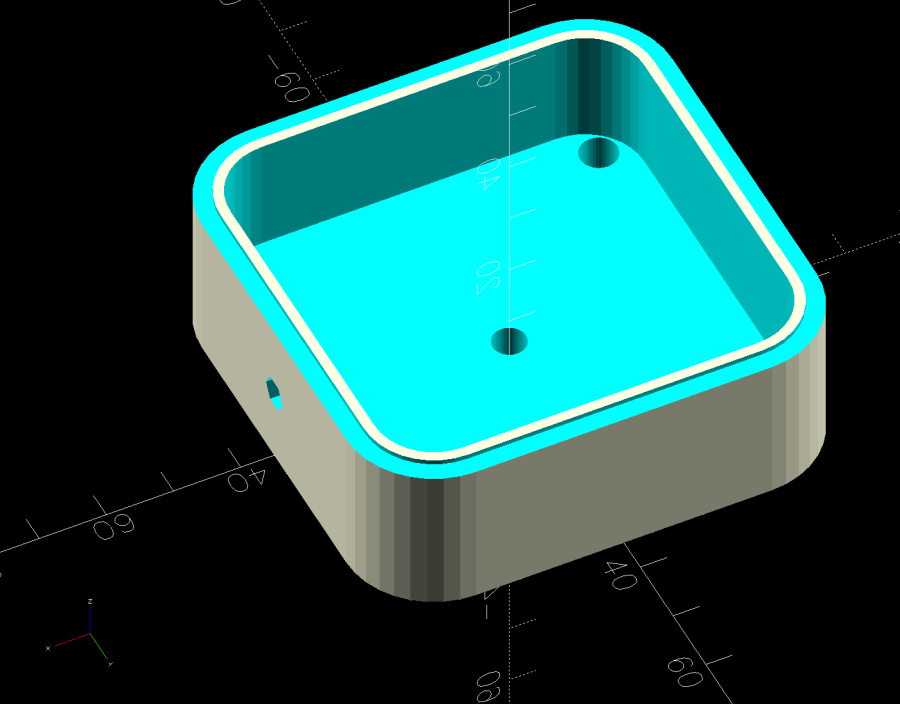
There’s also an angled heater cable connector cover, with a matching cover on the electronics box routing the cable rearward to dress it away from the hulking extruder cable:
Mary’s much-improved / -repaired Sears Sewing Table wanted to move around on the wood floor in the Sewing Room, so I captured its casters in little pads:
Sears Sewing Table caster pad – installed
A layer of 1 mm cork with PSA adhesive provides griptivity against the floor, a solid layer of 3 mm plywood spreads the wheel force over the cork, and a top ring of 3 mm plywood captures the wheel.
Which looked like this during gluing:
Sears Sewing Table caster pad – gluing fixtures
The scrap on the left served to align cork & plywood; it came from the plywood contributing the shapes. The ring around the cork is a glued-up pair of plywood rings (4 mm wide, outset from the perimeter of the pads) serving to align the two plywood layers.
Verily: time spent making a fixture is never wasted!
And having a laser cutter makes fixtures trivially easy, at least for simple fixtures like those.
A flurry of alerts informed us about charges on an “inactive” credit card account: someone started using my card from a joint account with Mary. Our two cards have different numbers and security codes, although they produce charges to the same account.
The account was inactive for a simple reason: I’d never taken my card out of its mailer and never bought anything with that number. It was activated when Mary turned on her card, although it still carries that sticker:
Invalidated credit card
The customer service agent discovered Amazon had already issued a refund, so apparently the transaction tripped their fraud monitors.
He canceled that number and I’ll get another card, which I intend to continue not using, in a few days.
What I do not understand: how did my card number and security code end up in play, given that I never used it? AFAICT, the only two places that number appears are on the card and in the issuer’s database.
Do you know how such things work?
A casual web search for the (now invalidated) credit card number produces no hits. The simplest explanation: search engines don’t return results for sixteen digits resembling a credit card number.
Verily: just because you’re not paranoid doesn’t mean they’re not out to get ya!
A power transmission line (probably 115 or 138 kV) runs along the Casper Creek (f.k.a. Casperkill) and through the Vassar campus beyond our back yard, which accounted for a loud roar one morning:
Helicopter power line inspection
The pilot hovered above each pylon long enough for the inspector seated in the open door to do whatever needed doing:
Helicopter power line inspection – clear view
A casual image search suggests it’s an MD520N (N = NOTAR = “No Tail Rotor”) helicopter. Although the NOTAR back end produces much less noise than an exposed rotor, it was plenty loud enough a few hundred feet away.
Folks who know more than I do about helicopters pointed out the tail rotor I didn’t see. Here’s a tight crop from another image with the rotor in plain view:
Here’s what I think is going on, referring to the 4×8 foot (!) machine in that discussion and lightly edited to improve readability & fix minor errors …
Mirror 1 alignment gets the beam parallel to the Y axis, averaged over the gantry travel between front and rear. The path length variation on your machine is four feet.
Mirror 2 alignment gets the beam parallel to the X axis, averaged over the laser head travel from left to right. The path length variation on your machine is eight feet.
When the laser head is in the left rear corner, the total path length is maybe a foot or two. When it’s in the front right corner, the total path length is upwards of twelve feet.
The “Fourth Corner” problem comes from a slight angular misalignment of Mirror 1, because you (and I and everybody) must set it with a maximum path length around four feet (Mirror 1 to Mirror 2 with the gantry at the front end of the machine). But with the laser head in the right front corner, the path length (Mirror 1 to Mirror 3) is three times longer, so the error due to a slightly mis-set angle at Mirror 1 is correspondingly larger.
A tiny tweak to Mirror 1 changes the spot position at Mirror 2 by very little, but moves the spot at Mirror 3 by much more due to the longer path length.
Tweaking Mirror 1 cannot compensate for a warped machine frame, but it will get the beam alignment as good as it can be made.
The next point of contention was my “middle of the mirror” suggestion. AFAICT, the spot burned into the target at each mirror marks only the useful part of the beam with stray energy in a halo around it. Centering the spot keeps that stray energy away from the mirror mounts, so it doesn’t cause unnecessary heating. This will be particularly important with a high-power laser.
Angular adjustment of each mirror puts the beam parallel to the axes, but cannot also center it on the mirrors. After it’s aligned, the path from the laser tube through the nozzle depends on the position of the tube relative to the nozzle: moving the tube up/down and front/back moves the beam position on the mirrors and through the nozzle, but (in an ideal world) doesn’t change the angular alignment.
So after aligning the beam parallel to the axes, you must move the laser tube, the mirrors (up/down left/right front/back), and maybe the laser head to center the beam in the mirrors and also in the nozzle. Because we don’t live in an ideal world, moving any of those pieces wrecks their angular alignment, so it’s an iterative process.
The goal is to reach this point:
Beam Alignment – Mirror 3 detail – 2023-09-16
Those are five separate pulses, one each at the four corners and center of the platform.
The beam then goes pretty much through the center of the laser head and lens: