Ed Nisley's Blog: Shop notes, electronics, firmware, machinery, 3D printing, laser cuttery, and curiosities. Contents: 100% human thinking, 0% AI slop.
Walkway South View – Sony HDR-AS30V still image – detail
The thing has absolutely no affordance for hand-holding, so perching it on the Walkway handrail 200 feet over the Hudson required tamping down my usual risk aversion.
Both images have been slightly contrast-tweaked and lightly compressed from the original data, but not by enough to matter here. Generally, I apply ruthless compression to keep the image size under control, so these look a lot better than the usual pix around here.
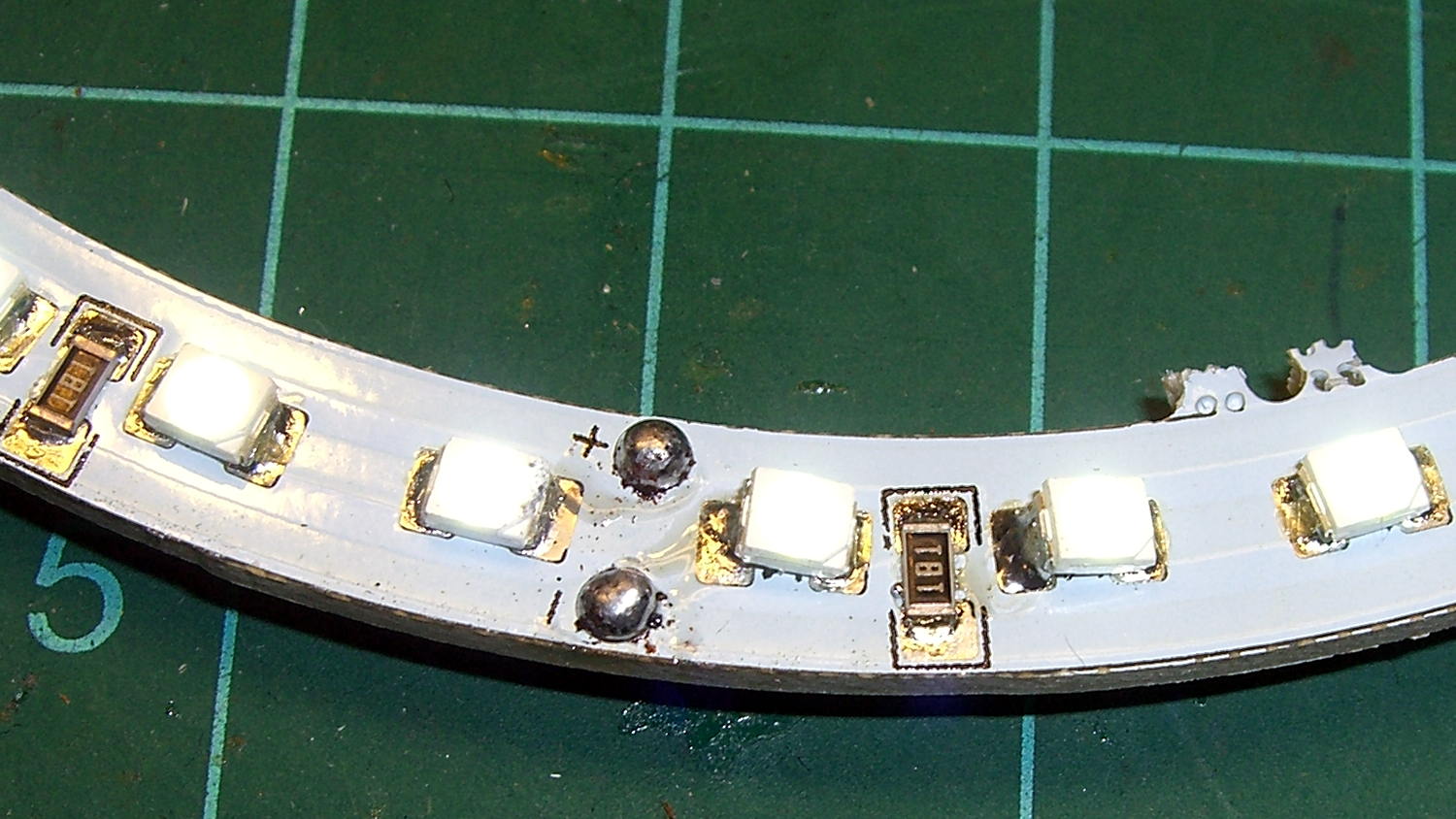
I picked up a pair of 125 mm OD white LED rings for the hand magnifier project from the usual eBay source, which arrived with the expected level of build quality:
LED Ring – SMD soldering
But, hey, all the LEDs lit up more-or-less uniformly.
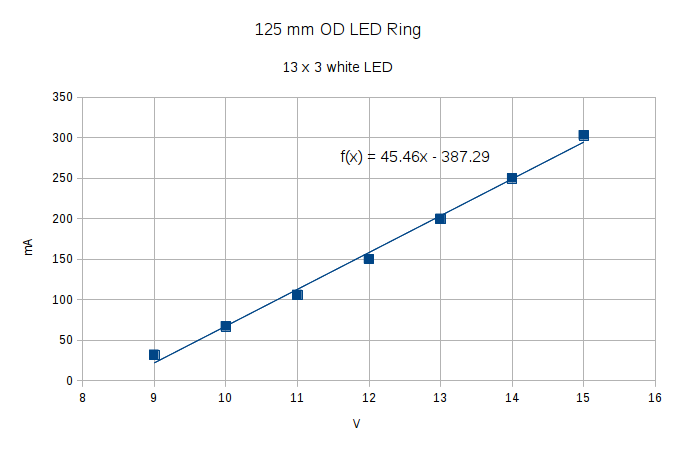
With 20 mA in each of 13 parallel strings of 3 white LEDs, the ring should draw 260 mA. It’s nominally a 12 V device sorta-kinda intended for automotive “angel eye” use, where the actual battery charging voltage runs around 14 V. The 180 Ω ballast resistors seem to be sized with that in mind:
LED Ring – SMD soldering
The reciprocal of that 45.5 mA/V slope is 220 V/mA = 220 Ω, which is close enough to the actual (we presume from their marking) 180 Ω resistors for comfort.
Driving it at 14 V to get 250 mA dissipates 3.5 W and makes it pleasantly warm.
For use with a magnifying lens, I think it deserves a brightness control. Perhaps hacking a bigger trimpot with a knob onto a cheap & tiny boost converter will suffice.
Given a hint that the Sienna’s left rear ABS / speed sensor had failed, we took a look:
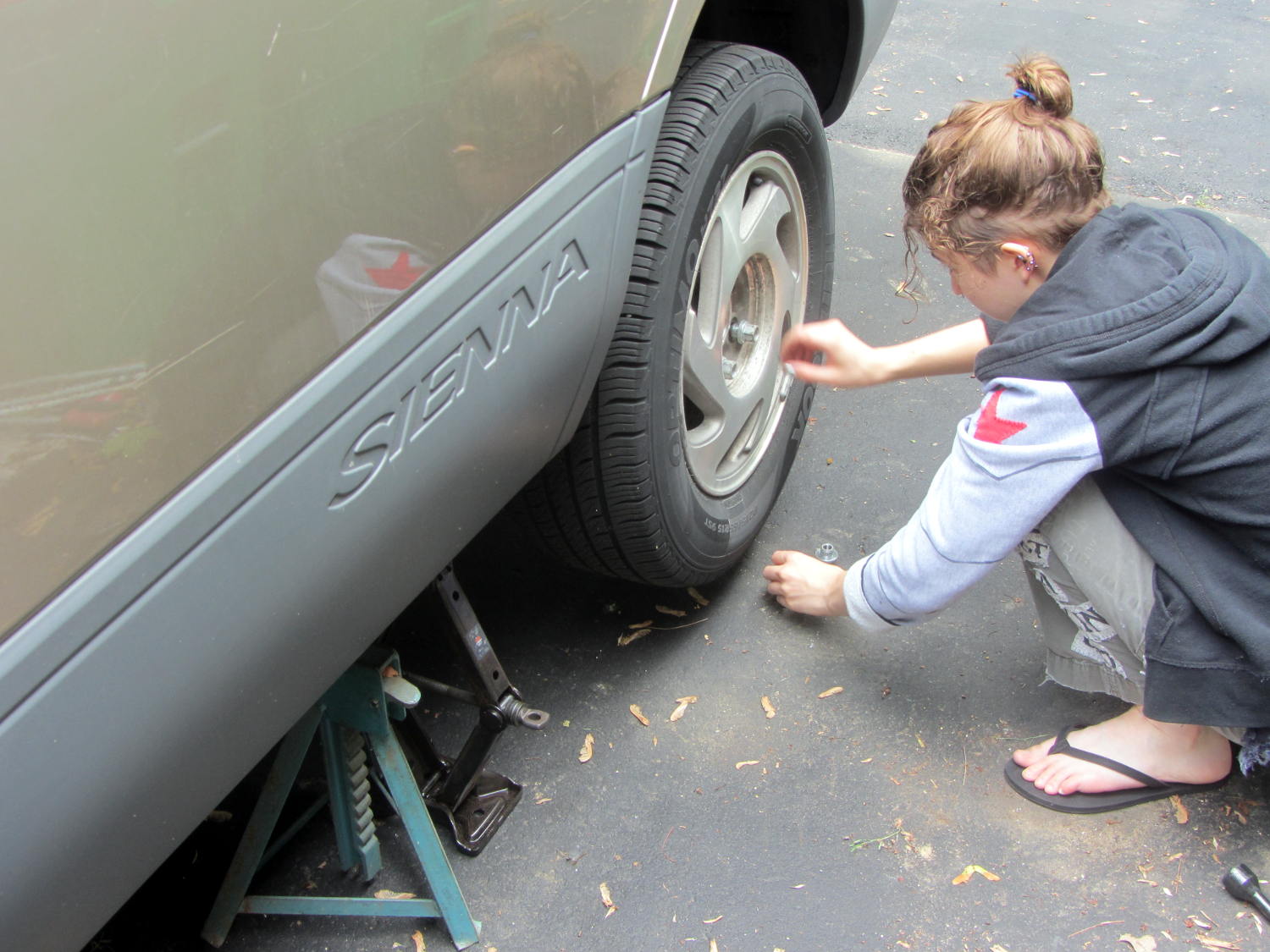
Sienna ABS failure – removing lug nuts
She removed the wheel under field conditions using only in-the-car tools for practice, with the jack stand and wheel chock because we weren’t really beside the road. It turned out that breaking The Last Lug free required bouncing her full weight on the wrench handle, which is what we expected based on previous experience.
Yes, I pointed out the inadequacy of that footwear. Yes, she loosened the lugs before jacking the van.
With the van up, the first look showed the ABS diagnostic blink code was dead on:
Sienna ABS failure – sensor cable
That bit of tubing in her fingers should contain a pair of wires, which was a bit of a puzzle.
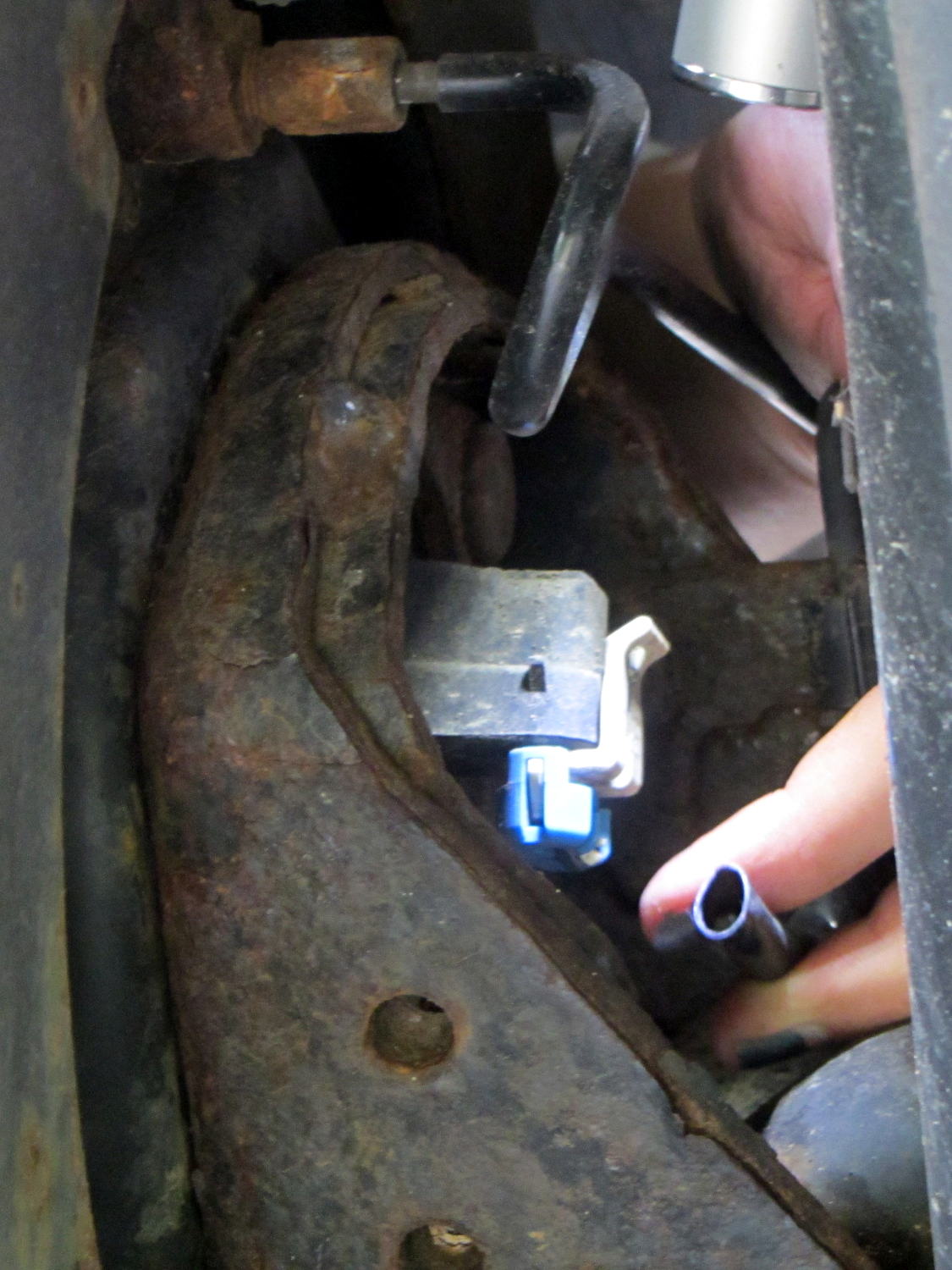
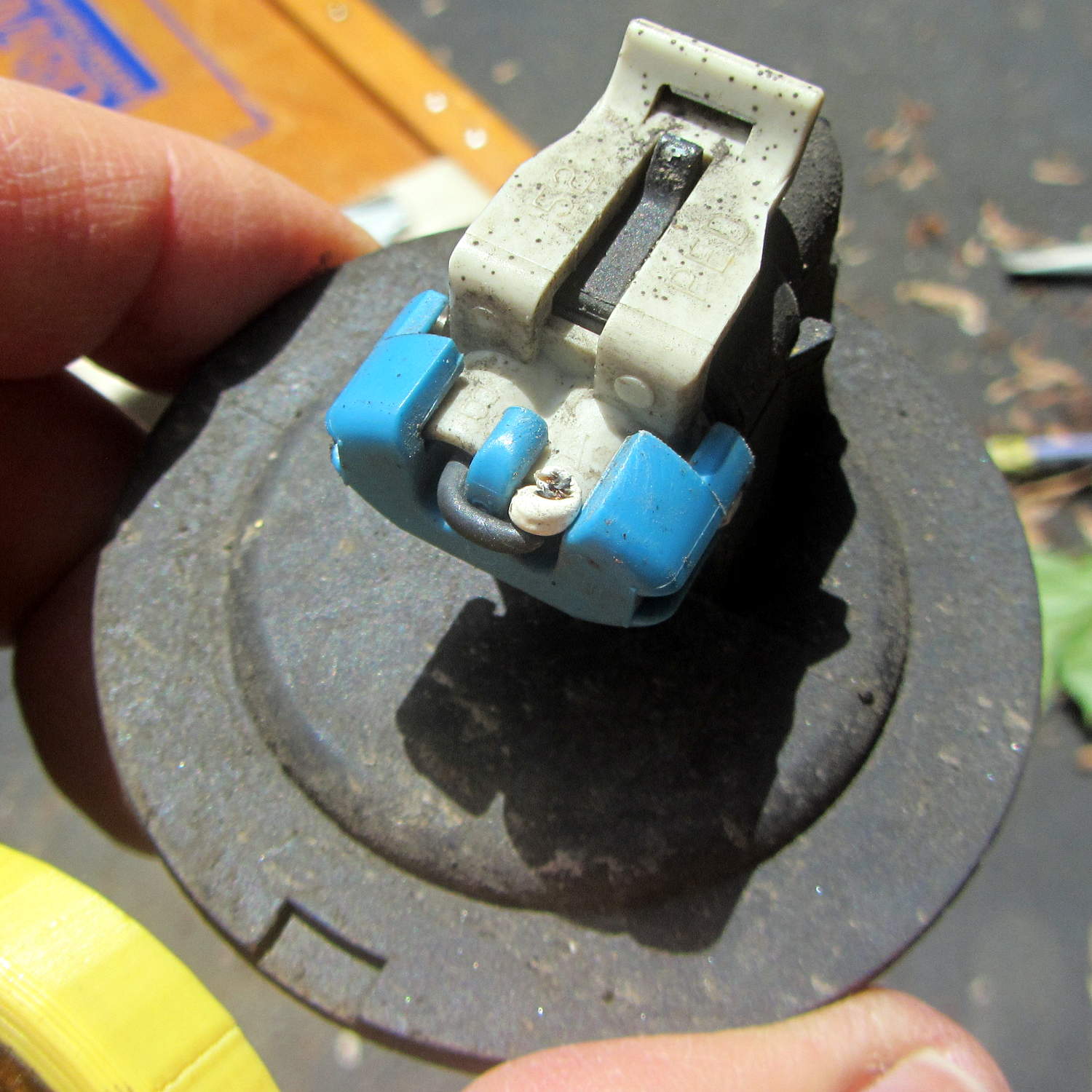
The connector remained snapped onto the sensor head, but the whole affair came out easily enough:
Sienna ABS failure – connector on sensor head
We thought those wires seemed very tightly twisted, too. I guessed that a clip holding the sensor head in place had gone missing, allowing it to rotate in place.
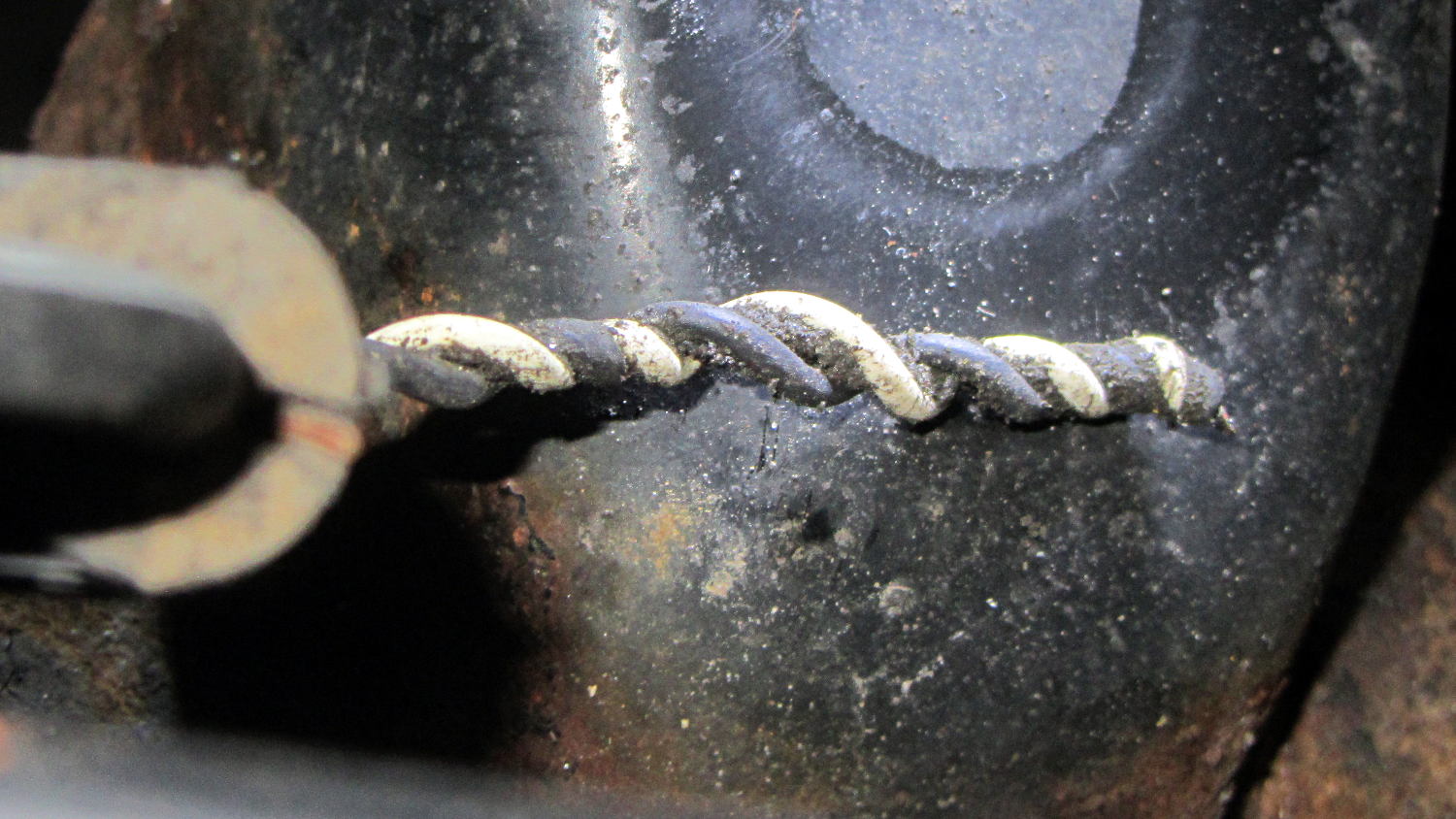
Which was partially true, as the “missing” wires were very very very tightly twisted inside that flexible tubing and, thus, much shorter than they should be:
Sienna ABS failure – hypertwisted sensor cable
Lining up the removable parts:
Sienna ABS failure – sensor head disassembly
The sensor head should be firmly glued onto the back of the wheel hub, with no clips or screws holding it in place, as we found by comparing it with the right rear wheel. That slightly rough gray ring just outside of the central cylinder was the adhesive…
She soldered longer wires to the pigtails on the connector and applied heatshrink. The hyper-twisted wires under the car got un-twisted a bit, straightened, cleaned up, then rejoined to the connector with pair of gel-filled beanie compression splices and more tubing to ease the strain.
We buttered up the sensor head flange with JB Kwik epoxy, squished it back in place for a good seal, spun the hub to make sure the sensor fingers weren’t hitting anything, then she practiced ten minutes of meditation while holding it in place and awaiting a firm set.
It turns out that the sensor head is not a replaceable part: it’s factory-bonded to the back of the hub and should never, ever come loose. Given that this one had made maybe a dozen orbits and was finger-loose in the back of the hub, with some dust & crud visible inside the hub where it shouldn’t be, replacing the wheel hub is in the plan.
Also, we still don’t know why different versions of “the same cable” have such a huge price difference; despite their sensor attribute, they definitely don’t include the sensor head.
After repairing the cable, she put the wheel back in place, reset the ABS codes, drove the van around the block, found a patch of sand to check out the ABS braking, and reported normal operation.
We’ll replace both the cable and hub, then declare victory.
The Sienna lit up the tire pressure warning light and the ABS trouble light on the trip from Rochester. The pressures were OK, if a bit low, but the early Toyota TPMS used wheel rotation sensors rather than direct pressure sensors, and we suspect a sensor went bad.
The ABS doesn’t report errors through the OBD II interface, requiring a jumper between TC and E1 in the ABS diagnostic interface block under the hood. Our Larval Engineer shows much respect for the engineer who included the pin ID layout under the flip-top lid, eliminating the need for scratch paper.
Despite diligent searching, there seems to be no Official Documentation of the blink codes appearing on the ABS trouble indicator. Fragmentary evidence suggests that a table applying to a Toyota MR2 MKII sports car would be generally applicable, which is hereby ripped to forestall link rot:
Code Number
Diagnosis
11
open circuit in solenoid relay circuit
12
short circuit in solenoid relay circuit
13
open circuit in pump motor relay circuit
14
short circuit in pump motor relay circuit
21
open or short circuit in 3 position solenoid of front right wheel
22
open or short circuit in 3 position solenoid of front left wheel
23
open or short circuit in 3 position solenoid of rear wheels
31
front right wheel speed sensor signal malfunction
32
front left wheel speed sensor signal malfunction
33
rear right wheel speed sensor signal malfunction
34
rear left wheel speed sensor signal malfunction
35
open circuit in front left or rear right wheel speed sensor
36
open circuit in front right or rear left wheel speed sensor
41
abnormal battery voltage ( < 9.5 or > 17 )
51
pump motor of actuator locked or open circuit in pump motor circuit in actuator
ALWAYS ON
computer malfunction
The 3-4 blink code indicates a left rear wheel sensor failure. Such sensors (or their cables) seem to be either $35 or $175 from the usual sources, with no indication of why some are far more expensive than others. The pictures and descriptions are unhelpful, to say the least.
We’ll try cleaning the sensor, which probably won’t improve the situation, and then replace the poor thing.
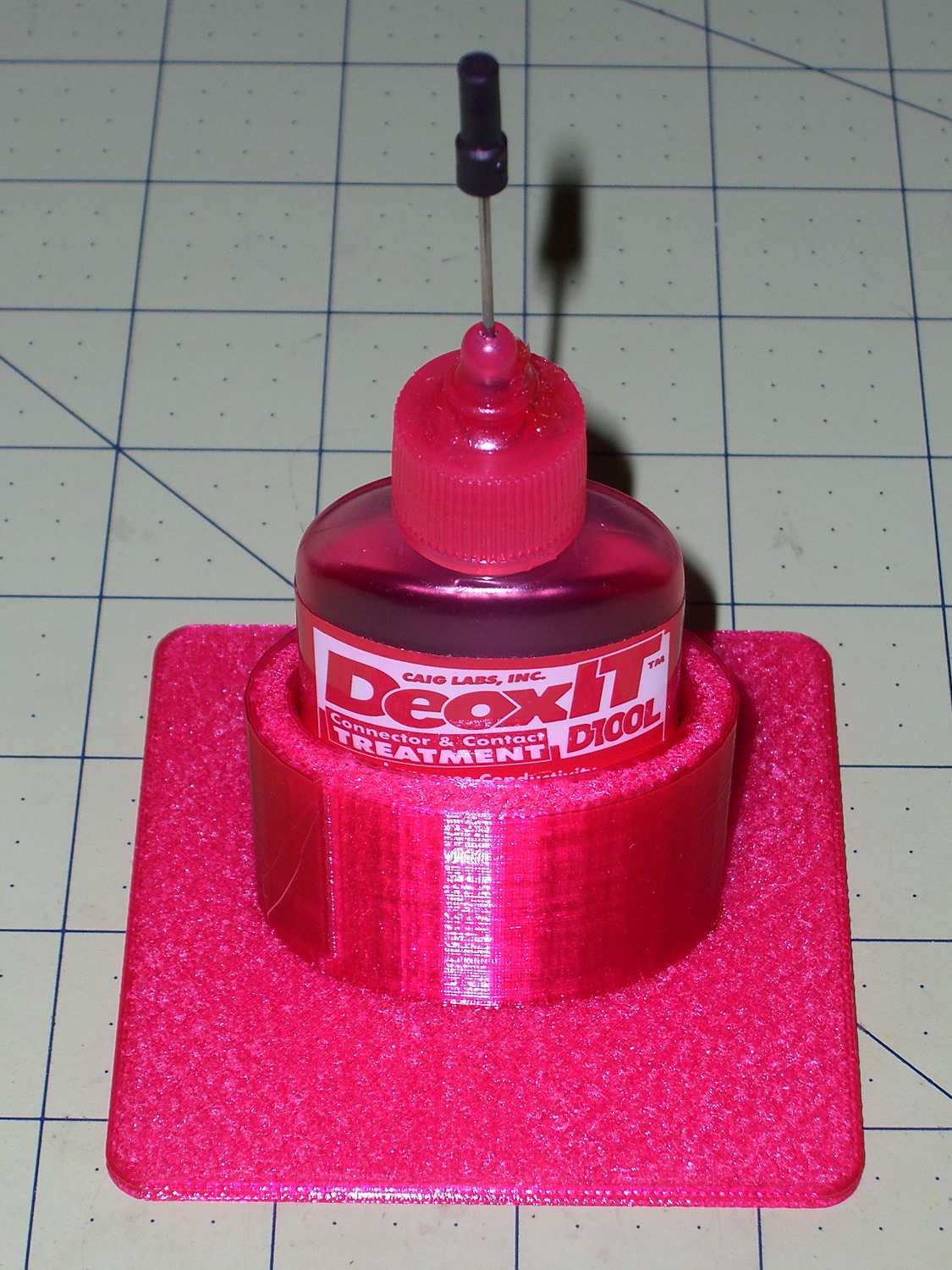
Having found my lifetime supply of DeoxIT slouched against something that didn’t appreciate a thin coating of red oil:
Caig DeoxIT bottle holder
The solid model consists of two squashed cylinders atop a slab:
DeoxIT Bottle Holder
Applying the resize() operator to both cylinders separately, before the difference() operation, maintains a uniform (and grossly overqualified) 5 mm wall thickness, which you wouldn’t get by squashing them after the difference().
The 2.5 mm slab gets nice, rounded corners from a hull() shrinkwrapping a quartet of squat cylinders; Slic3r applies Hilbert Curve infill to the top & bottom surfaces to produce a nice pattern. I admit to being easily pleased.
The OpenSCAD source code took about ten minutes to write and two hours to print:
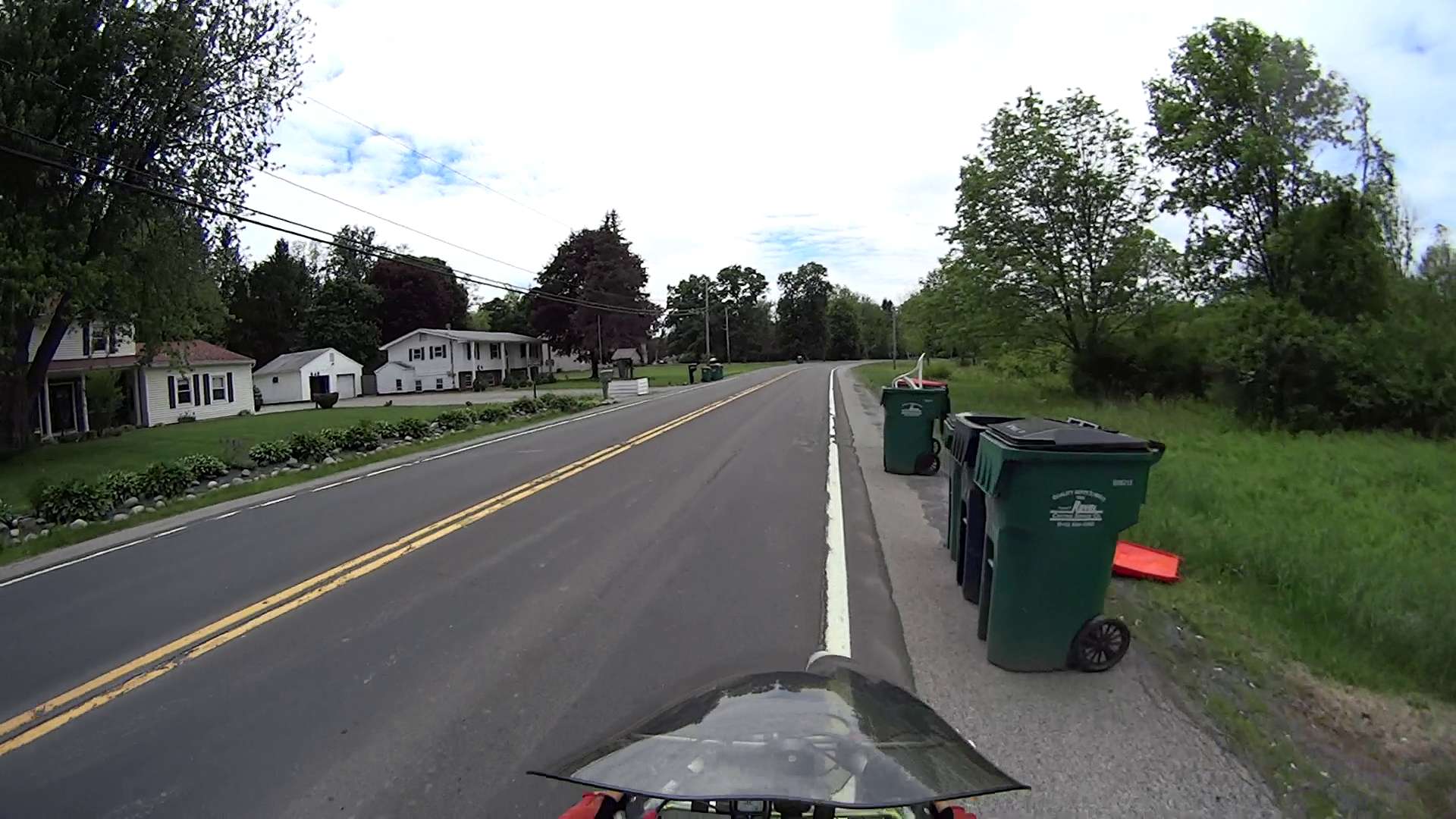
Entering Rt 376 from Diddell Road after leaving the Dutchess Rail Trail:
Rt 376 – Diddell to New Hackensack – 1
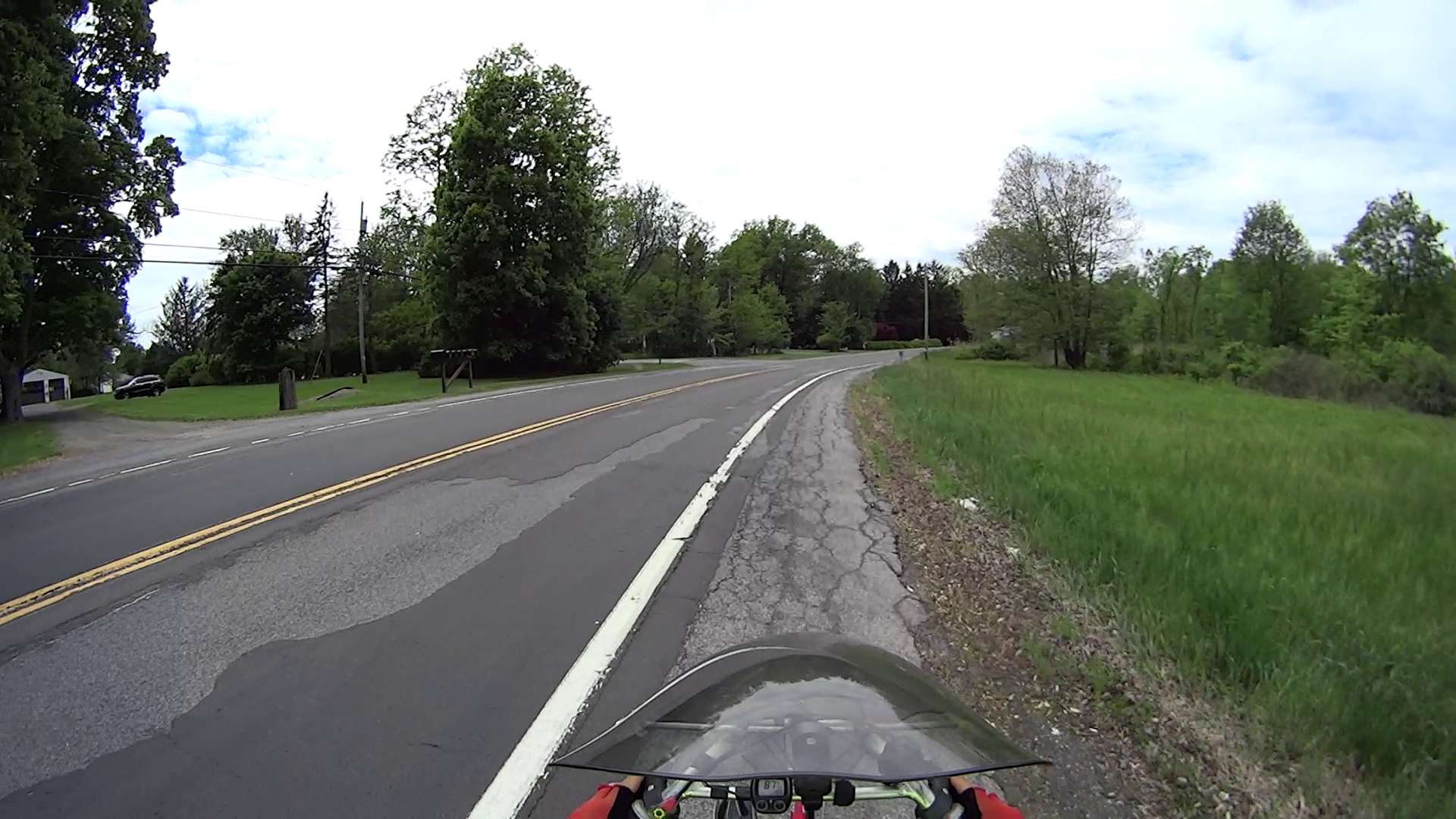
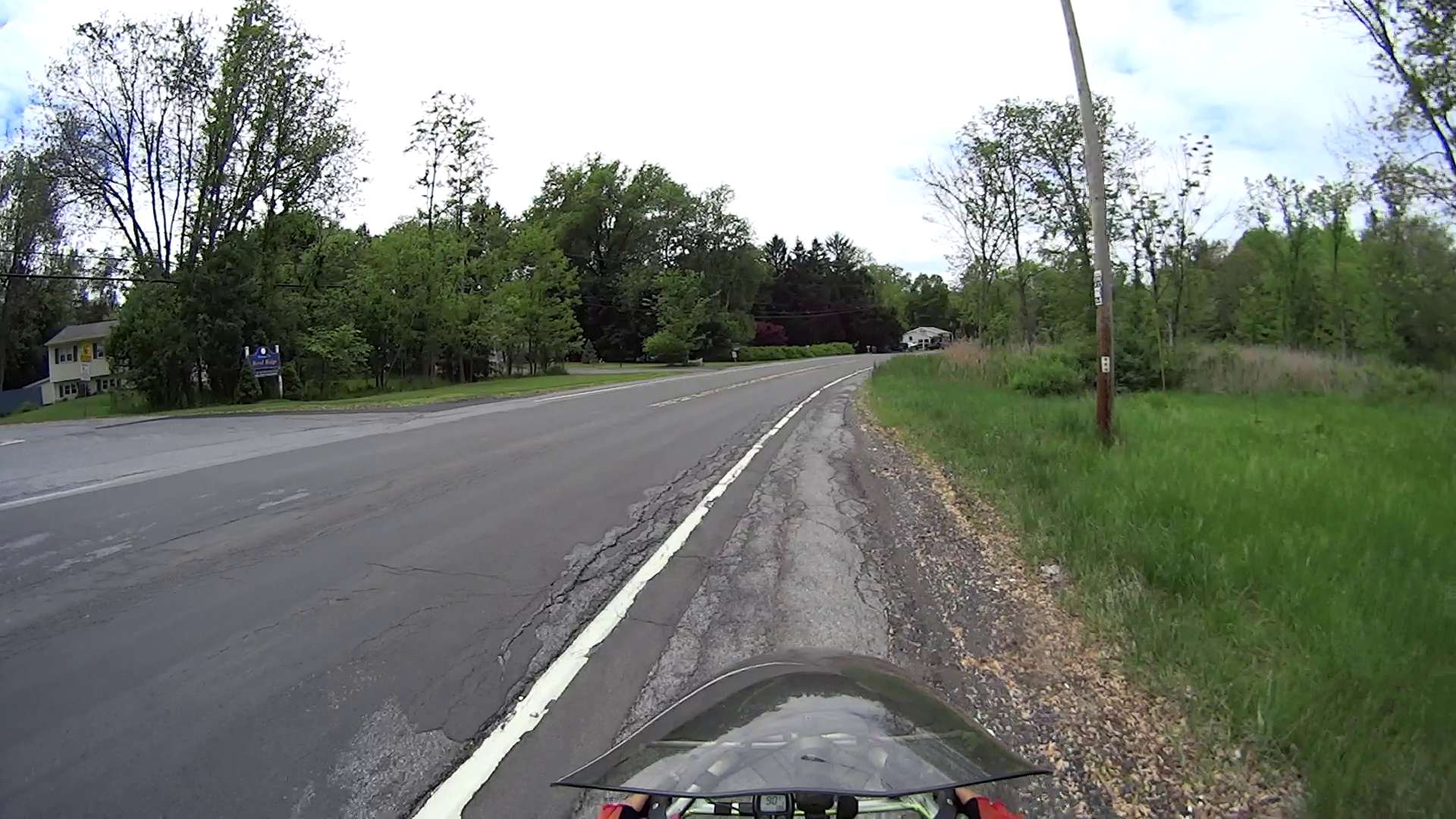
All of Rt 376 has thick gravel along the shoulder from the deteriorating asphalt.
The wheel-trapping longitudinal cracks on the shoulder show where the previous surface extended beyond the bottom paving layer. Basically, you must ride to the right of the edge of the “new” cap over the travel lane and left of the parallel cracks:
Rt 376 – Diddell to New Hackensack – 2
Sometimes, you must use the road surface. Fortunately, it’s not too bad at this spot:
Rt 376 – Diddell to New Hackensack – 3
But it quickly returns to normal:
Rt 376 – Diddell to New Hackensack – 4
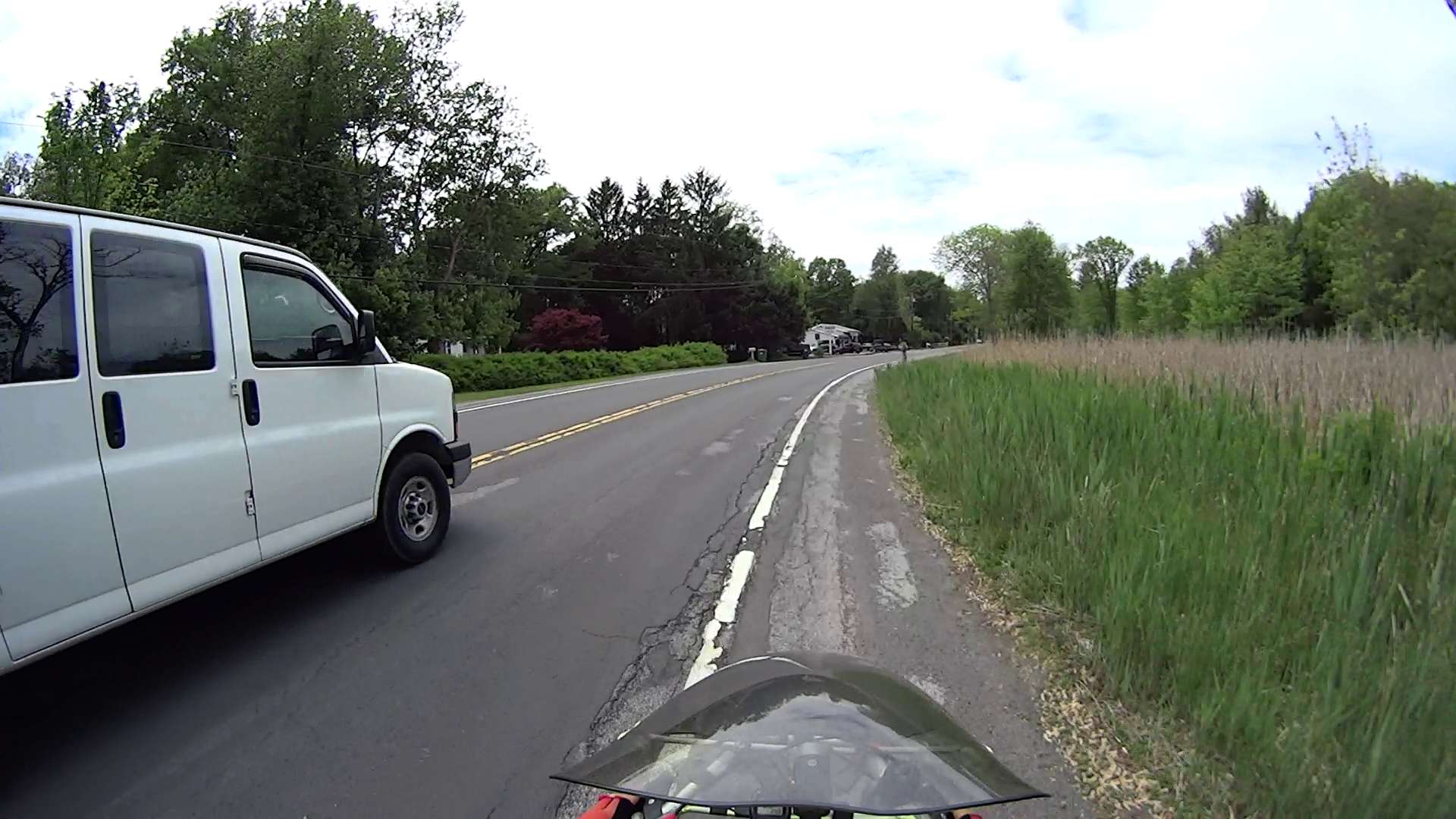
In some places, the travel lane is developing longitudinal cracks, so moving off the shoulder will require taking the lane:
Rt 376 – Diddell to New Hackensack – 5
Chooosing your line requires the ability to ride precisely between gravel, cracks, and traffic:
Rt 376 – Diddell to New Hackensack – 6
I can ride along this plateau every time, but it seems unreasonable to expect that level of ability from every bicyclist:
Rt 376 – Diddell to New Hackensack – 7
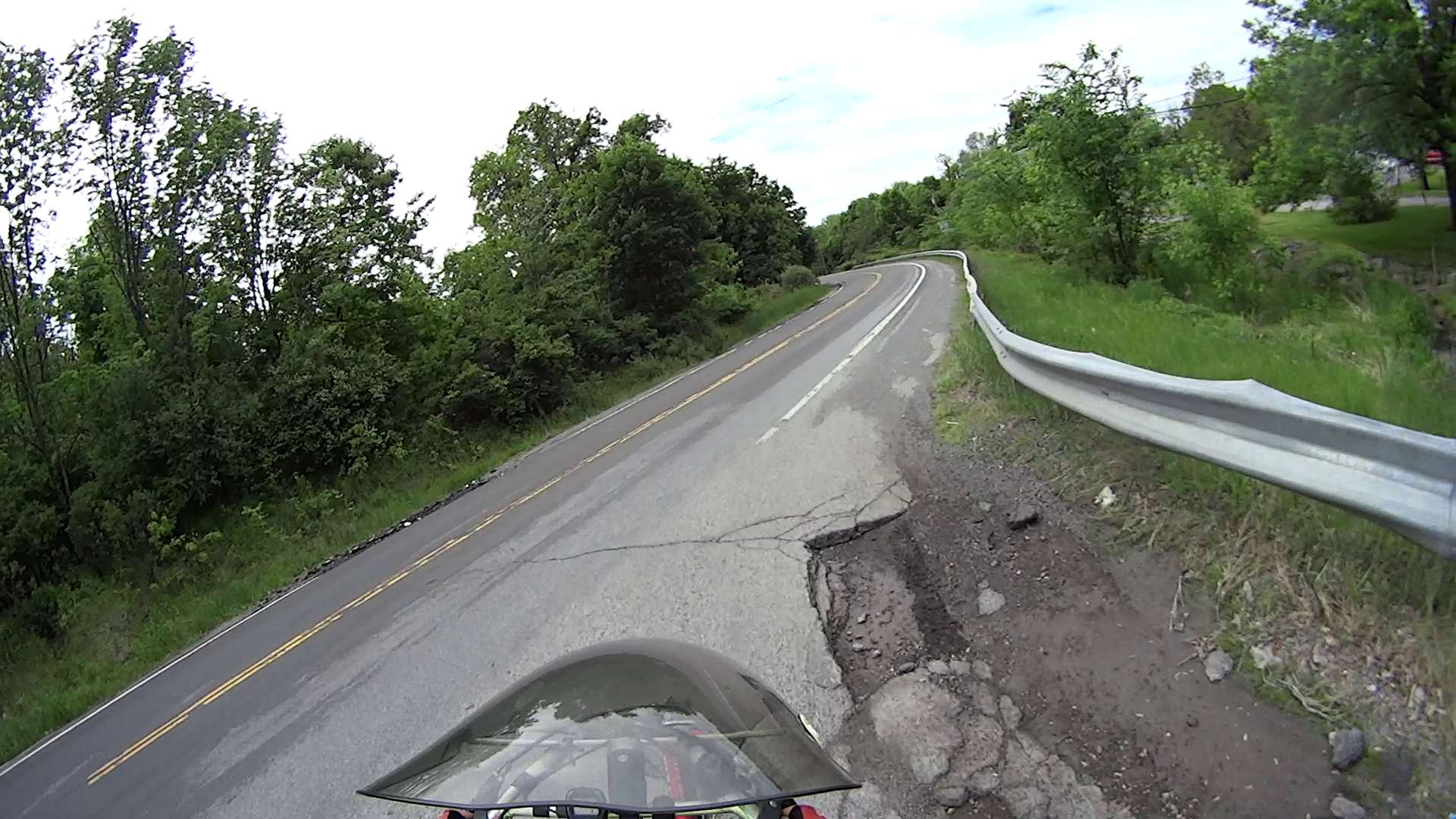
In this spot, the potholes expose three layers of paving. The only “safe” line seems to be on the very edge of the “new” cap, just to the right of the potholes:
Rt 376 – Diddell to New Hackensack – 8
The “new” cap didn’t adhere to the previous asphalt very well, perhaps because the thickness dropped below the spec. I’m crossing the travel lane to reach the left turn storage lane at the New Hackensack signal, having avoided a drain grate that occupies the ever-narrowing shoulder:
Rt 376 – Diddell to New Hackensack – 9
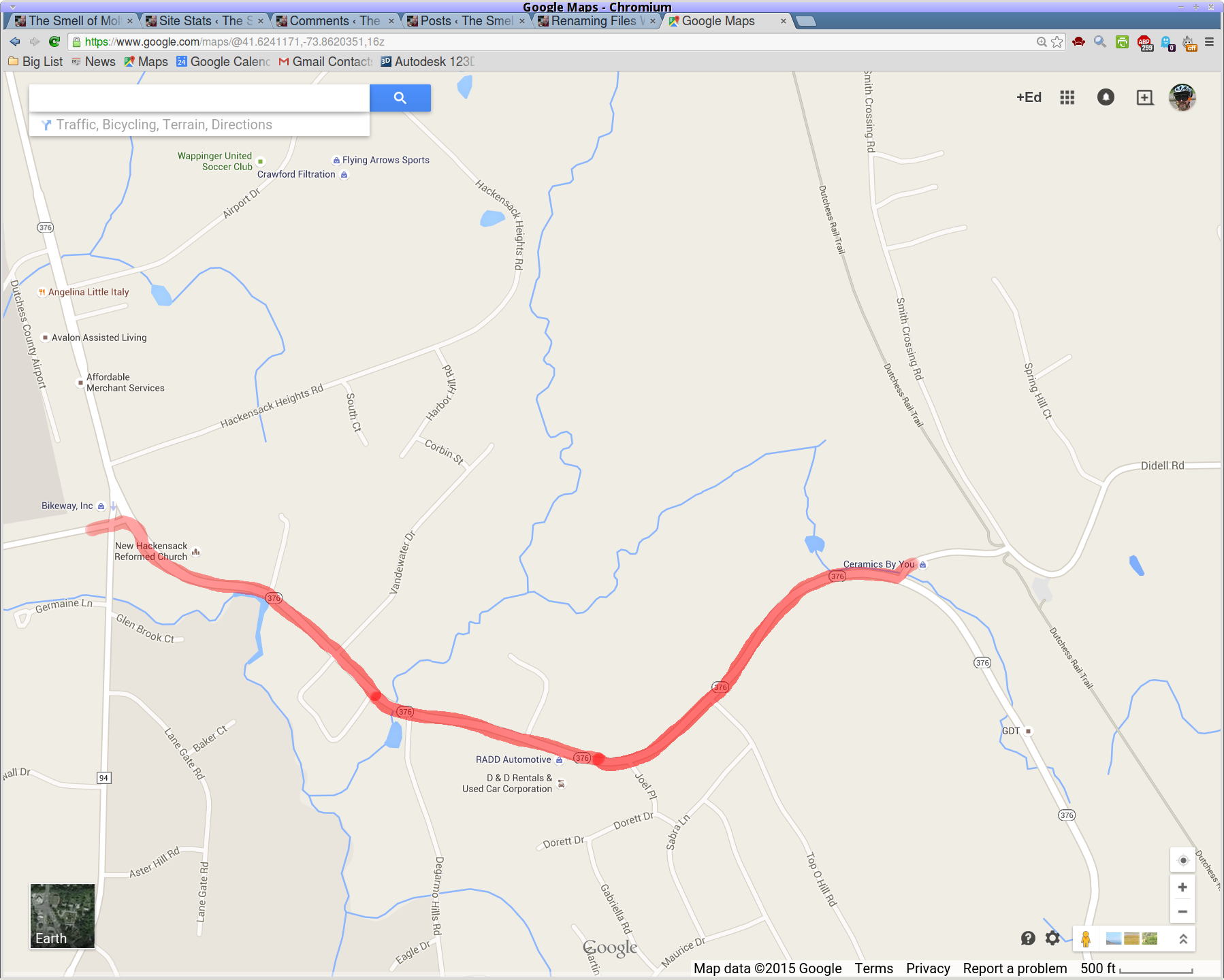
A map showing the route:
Rt 376 – Diddell to New Hackensack – map
[Edit: A comment from someone who shall remain anonymous:
This person has found an amusing way to get attention to potholes: he just adds a penis drawing to the pothole with spray paint.
After a bit of sorting, I had a quartet of “disposable” liquid ink pens with contents ranging from desiccated to gummy. With nothing to lose (and having already cut a clearance slot in the plotter case), I drilled a small hole in the top of each reservoir, squirted some inkjet printer ink into the void, and taped the hole closed.
Surprisingly, a little liquid love restored all but the black pen to working condition, if not perfect heath:
HP7475A disposable liquid pen – refilled
I think the blurred white disk floating in the reservoir sealed the end where you jam the tip in place to activate the pen. The blob of dark gunk shows the reservoir didn’t start with yellow ink, but I had nothing to lose.
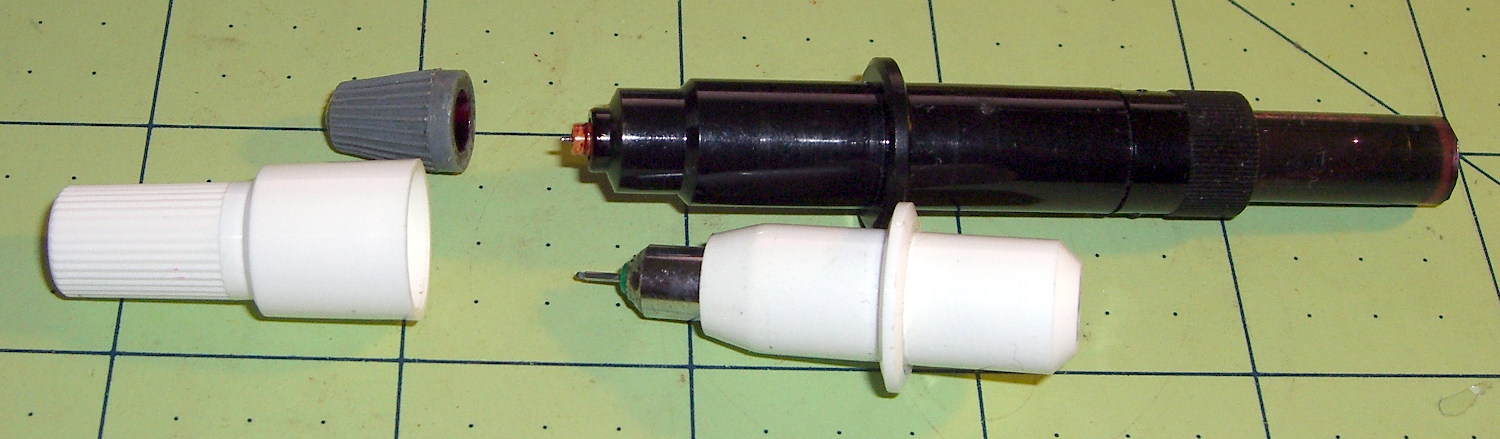
The top pen in this picture is another style / brand with a smaller reservoir:
HP7475A pens – disposable liquid and ceramic tip
The white pen in the foreground has a 0.3 mm ceramic tip, contains its original green ink, and works as well as it ever did; it might be refillable, too.
The liquid-ink pens have a serpentine vent in the tip. This is a Genuine New-Old-Stock pen in a four-pen case labeled HP 5061-7566:
HP7475A disposable liquid pen – new
The serpentine path connects the exterior vent opening (facing you) to a tiny hole (on the other side of the blue shaft) into the ink chamber. As it turns out, a new hole drilled in the reservoir admits enough air to drain the (freshly refilled) liquid ink through the serpentine path all over the workbench. Having some experience with refilling inkjet cartridges, I deployed a towel decorated with colorful splotches in anticipation of such an unexpected event, although my fingers looked considerably more cheerful than usual for a few days.
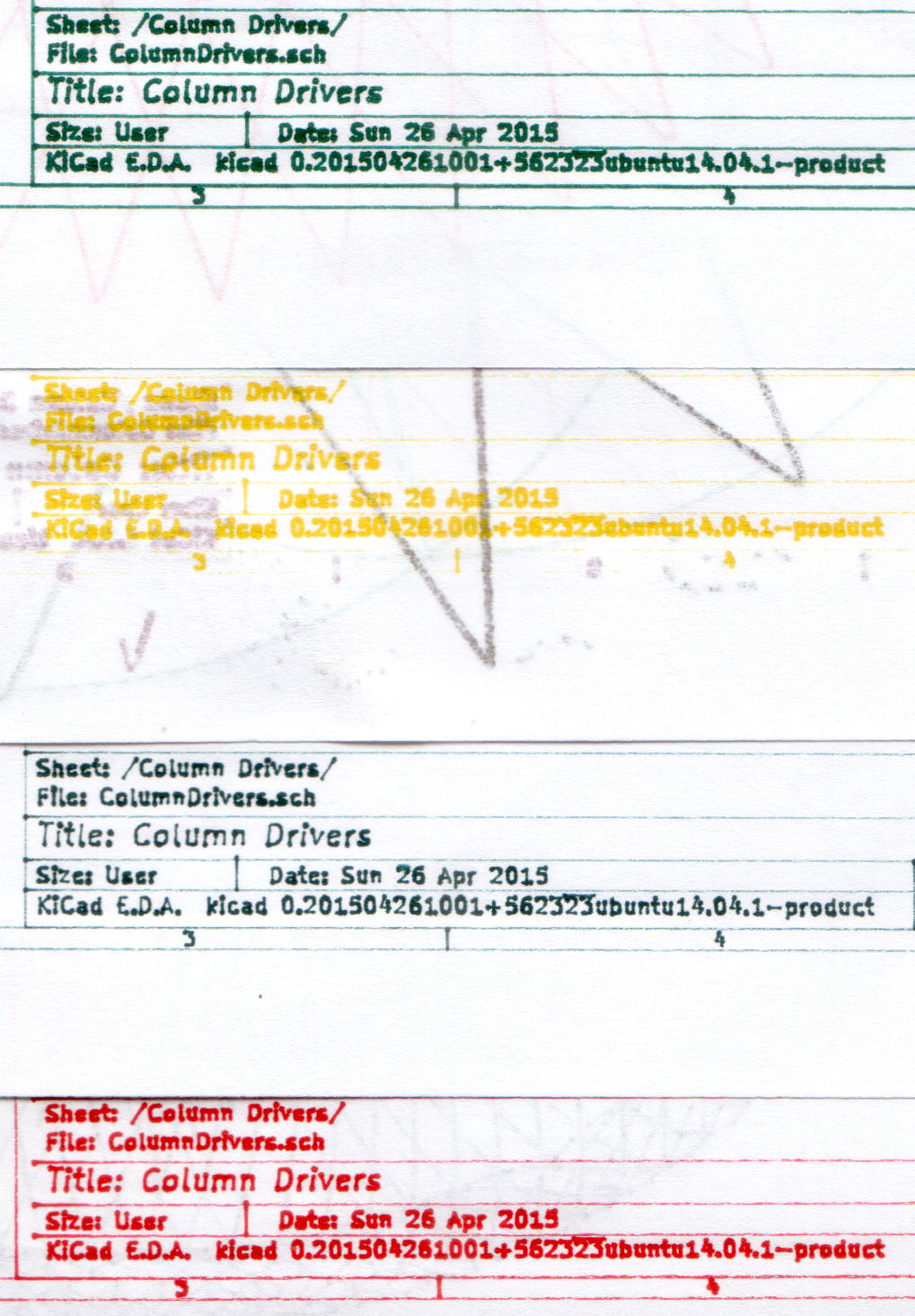
The black pen never worked quite right, but the other three did fine. The ceramic pen is at the top:
HP7475A – KBR to YCM Refilled disposable pens – G ceramic pen
Protip: the blown contrast and rear-surface bleedthrough behind the yellow ink should tell you it isn’t visible in normal room light. I must mix yellow with another color if I ever refill that pen that again.
KiCad uses only one pen for the entire schematic, even when you select “plot in color”, suggesting nobody has sent the “plotter” output stream to an actual plotter in a long, long time.
Despite the charm of watching the plotter crank out an entire schematic page, it’s not a compelling enough user experience to replace an inkjet printer. For an art project, one might be seeking an entirely different user experience and the answer might be different, too.









 The Smell of Molten Projects in the Morning