Ed Nisley's Blog: Shop notes, electronics, firmware, machinery, 3D printing, laser cuttery, and curiosities. Contents: 100% human thinking, 0% AI slop.
The ceramic-tip green pen I’ve been using finally ran dry and, having nothing to lose, I tried refilling it.
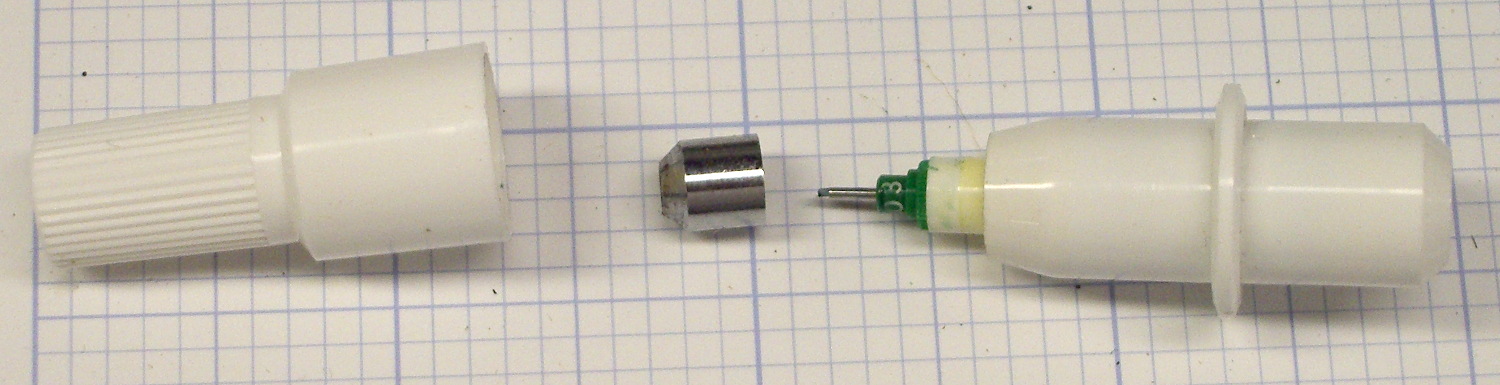
Grabbing the metal ferrule in the drill press chuck provided enough traction to twist / pull it off, revealing the pen nib assembly inside:
HP 7475A Ceramic-tip pen – ferrule
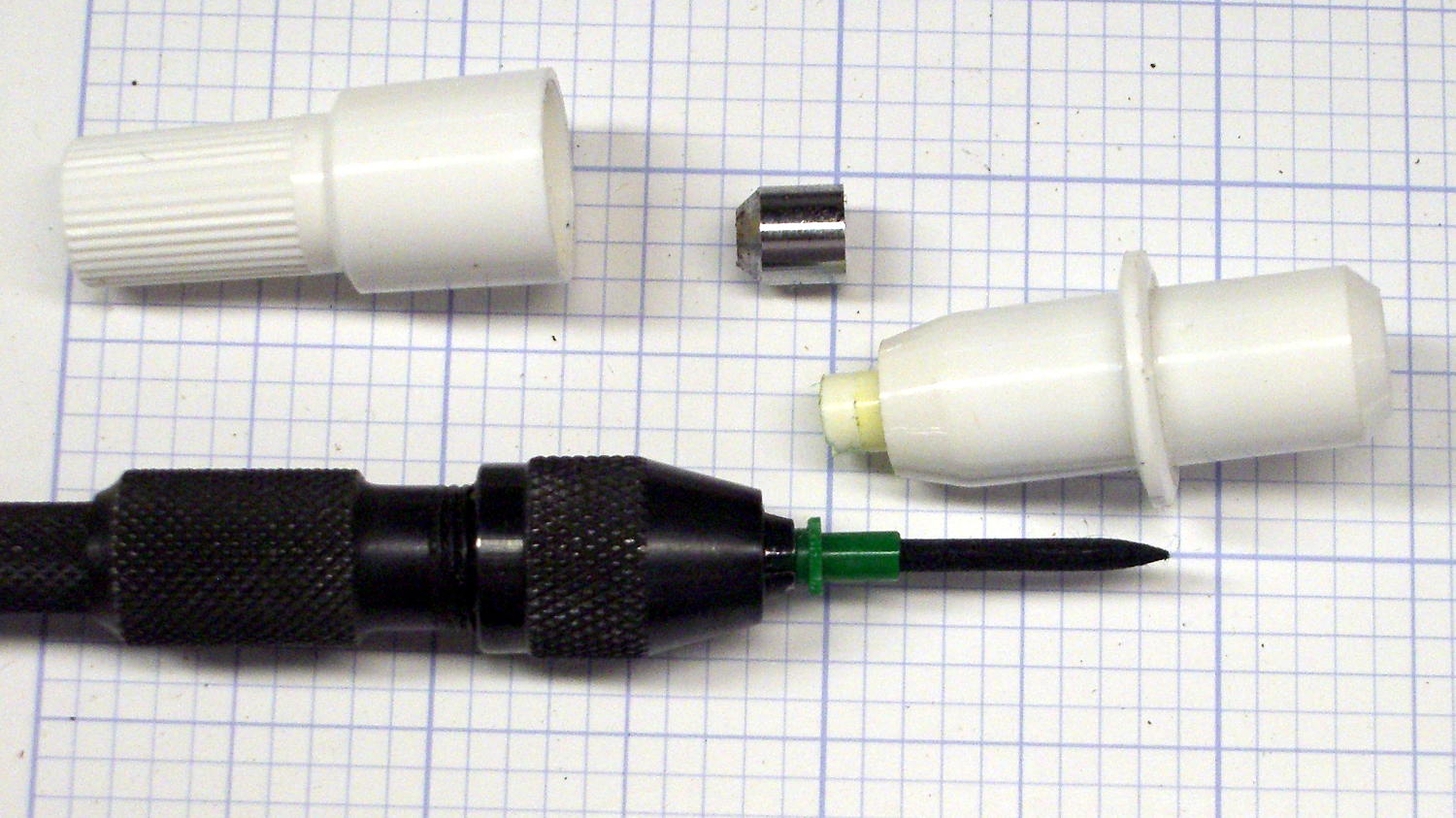
A pin vise provided enough traction to remove the nib, which had the expected fiber cylinder extending into the ink reservoir:
HP 7475A Ceramic-tip pen – disassembly
I injected 0.5 ml of yellow ink from my lifetime supply of bulk inkjet ink (*), then tried to inject 0.5 ml of cyan, which promptly overflowed. In retrospect, allowing a few minutes for the new ink to seep into whatever’s inside the reservoir would be prudent.
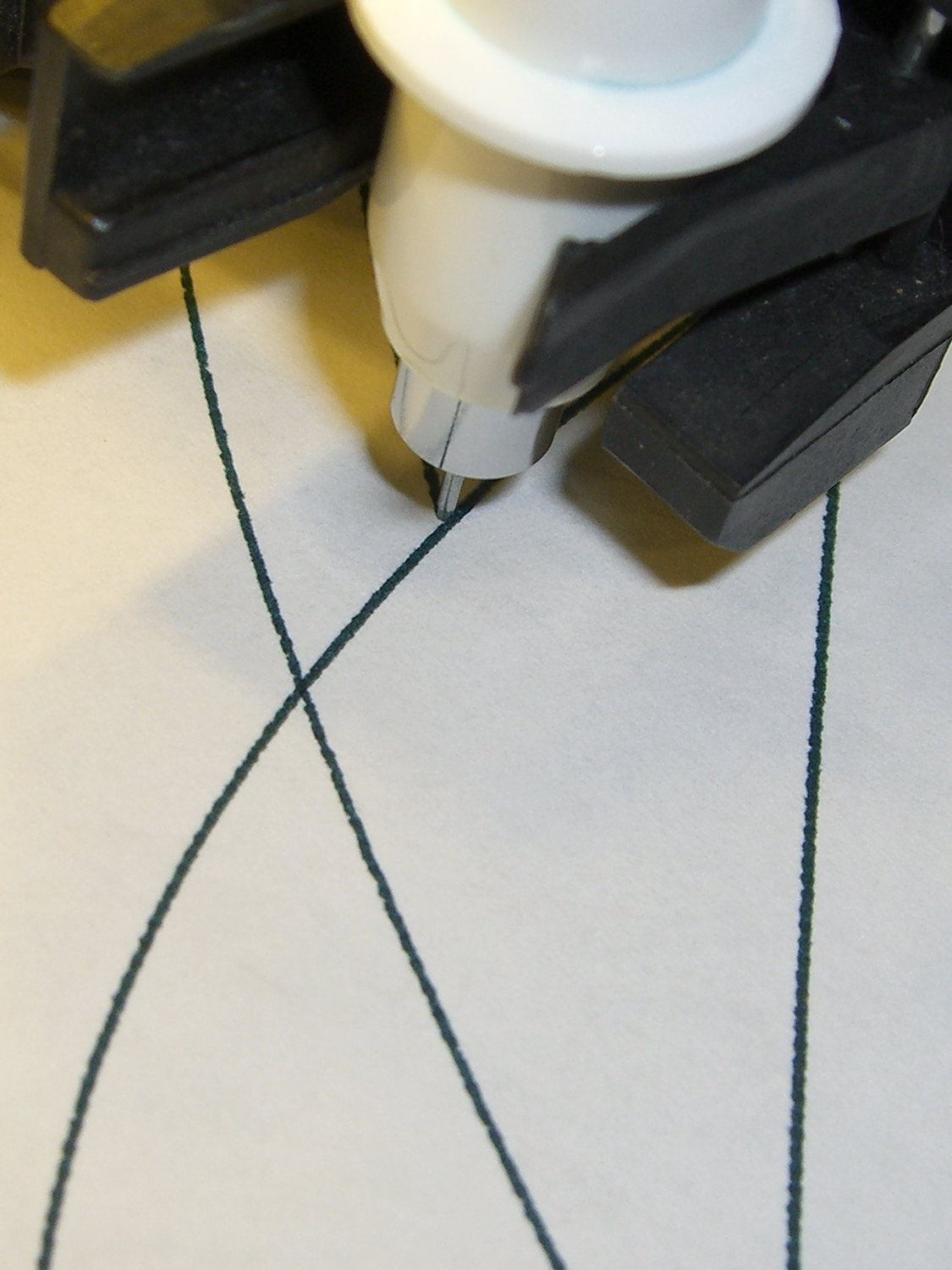
After wiping the mess off the pen and reassembling it in reverse order, it works just like new:
HP 7475A Ceramic-tip pen – C-Y refill
During the course of the first plot, the trace went from green to deep blue-green to a different green, which suggests the yellow ink took a while to make its presence known. No problem; whatever comes out of that tip is all good with me.
The stain around the rim of the pen body above the flange suggests a cap that might come off with sufficient persuasion. If it’s firmly fused to the flange, which would make perfect sense, injecting ink through a small hole drilled in the end might produce better results than ripping the nib out yet again.
(*) This leftover came from the never-sufficiently-to-be-damned HP2000C inkjet printer. ‘Nuff said.
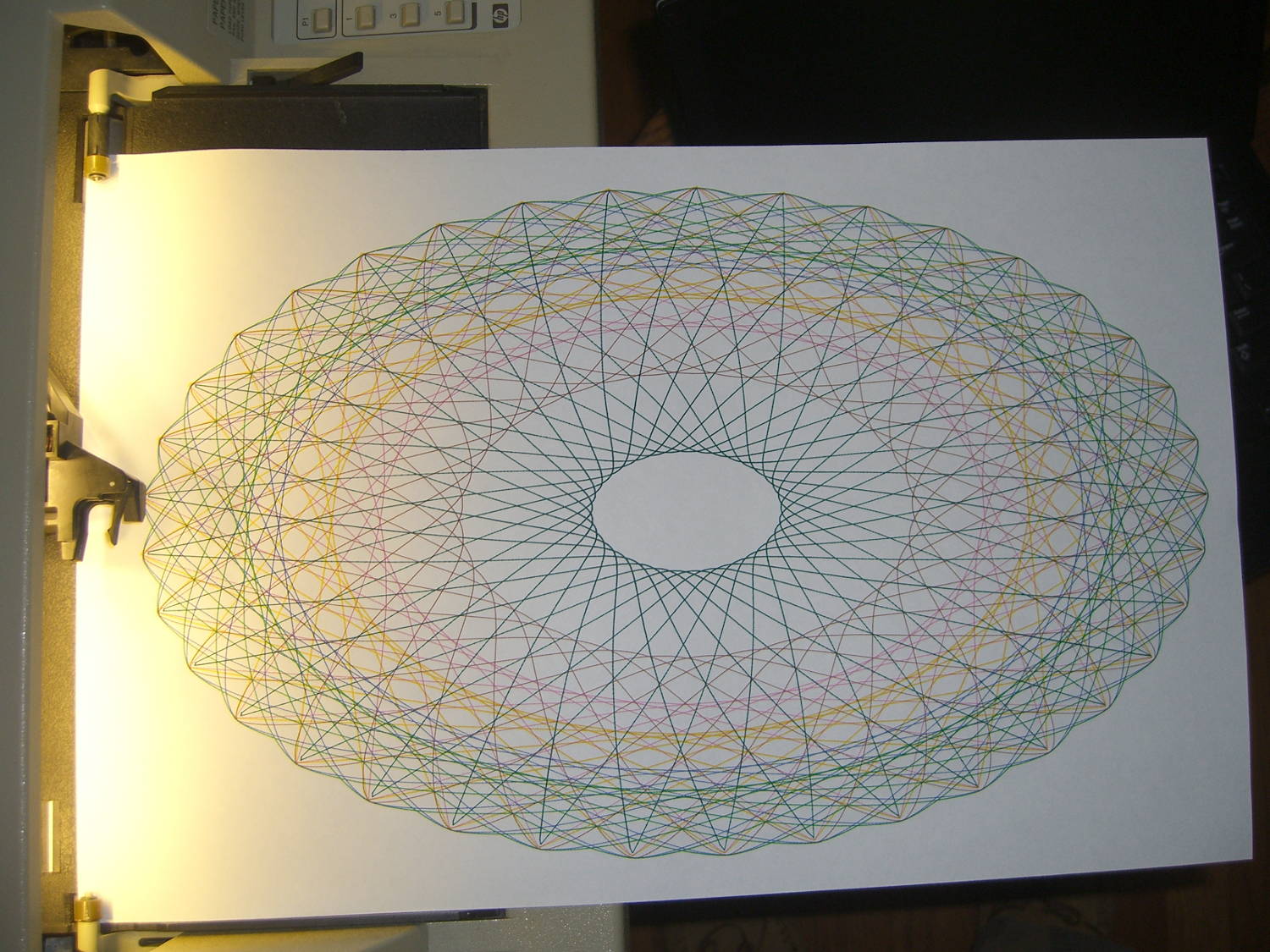
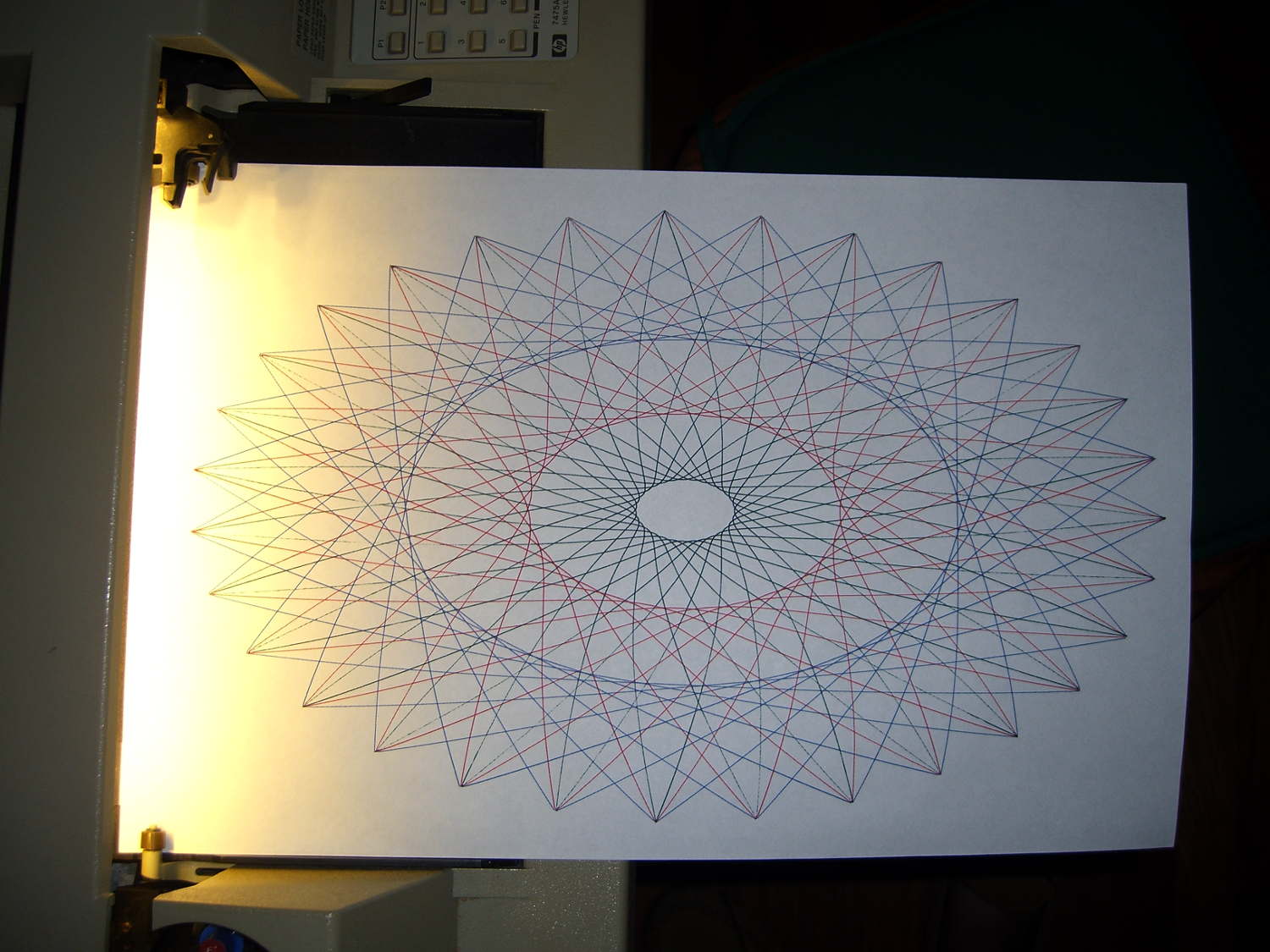
Setting n2=n3=1.5 generates smoothly rounded shapes, rather than the spiky ones produced by n2=n3=1.0, so I combined the two into a single demo routine:
HP 7475A – SuperFormula patterns
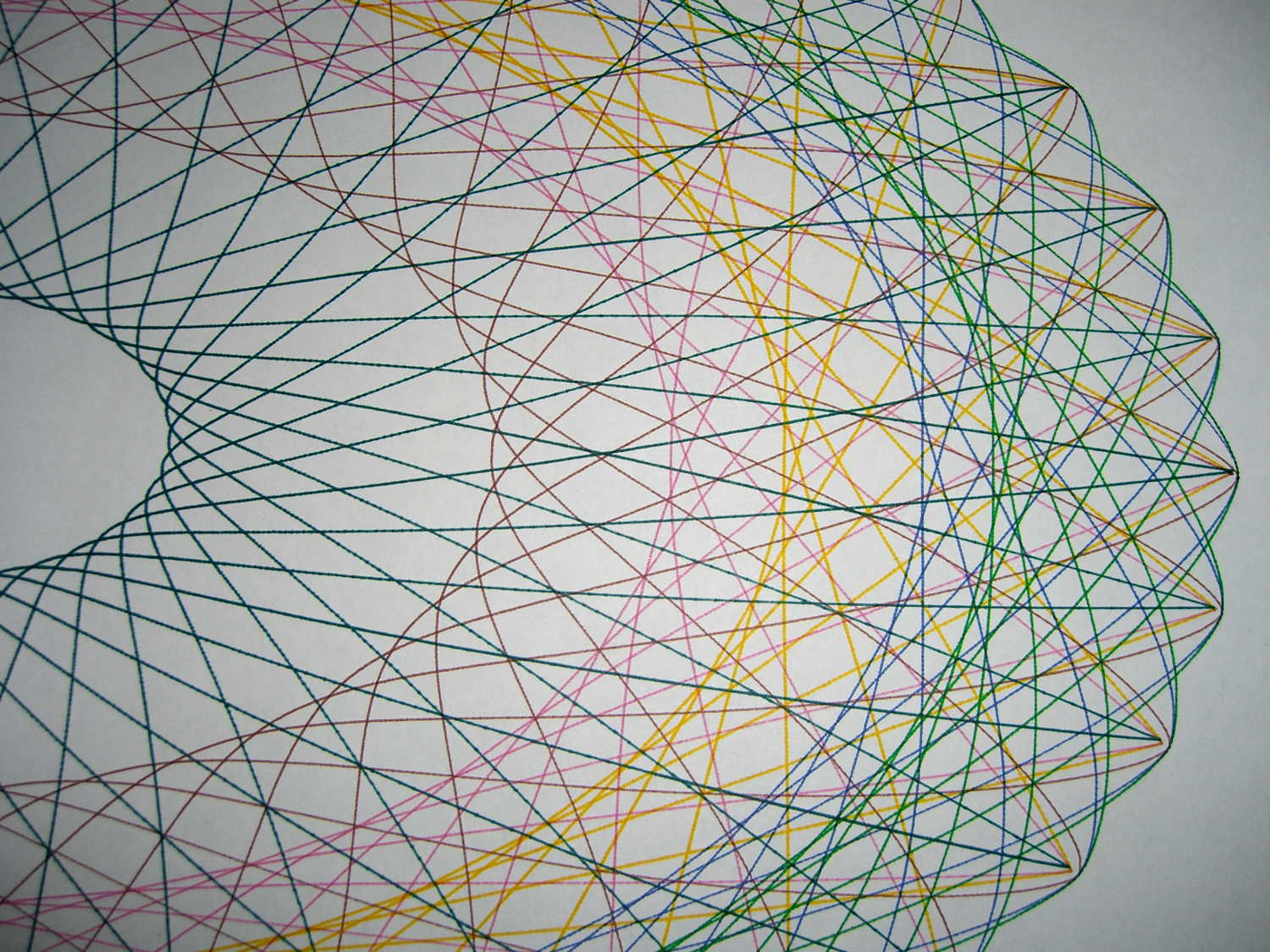
A closer look shows all the curves meet at the points, of which there are 37:
HP 7475A – SuperFormula patterns – detail
The spikes suffer from limited resolution: each curve has 10 k points, but if the extreme end of a spike lies between two points, then it gets blunted on the page. Doubling the number of points would help, although I think this has already gone well beyond the, ah, point of diminishing returns.
I used the three remaining “disposable” liquid ink pens for the spiked curves; the black pen was beyond repair. They produce gorgeous lines, although the magenta ink seems a bit thinned out by the water I used to rinse the remains of the last refill out of the spiral vent channel.
I modified the Chiplotle supershape() function to default to my choices for point_count and travel, then copied the superformula() function and changed it to return polar coordinates, because I’ll eventually try scaling the linear value as a function of the total angle, which is much easier in polar coordinates.
The demo code produces the patterns in the picture by iterating over interesting values of n1 and n2=n3, stepping through the pen carousel for each pattern. As before, m should be prime/10 to produce a prime number of spikes / bumps. You could add more iteration values, but six of ’em seem entirely sufficient.
A real demo should include a large collection of known-good parameter sets, from which it can pick six sets to make a plot. A legend documenting the parameters for each pattern, plus the date & time, would bolster the geek cred.
The Python source code with the modified Chiplotle routines:
from chiplotle import *
from math import *

def superformula_polar(a, b, m, n1, n2, n3, phi):
   ''' Computes the position of the point on a
   superformula curve.
   Superformula has first been proposed by Johan Gielis
   and is a generalization of superellipse.
   see: http://en.wikipedia.org/wiki/Superformula
   Tweaked to return polar coordinates
   '''

   t1 = cos(m * phi / 4.0) / a
   t1 = abs(t1)
   t1 = pow(t1, n2)

   t2 = sin(m * phi / 4.0) / b
   t2 = abs(t2)
   t2 = pow(t2, n3)

   t3 = -1 / float(n1)
   r = pow(t1 + t2, t3)
   if abs(r) == 0:
      return (0,0)
   else:
 #     return (r * cos(phi), r * sin(phi))
     return (r,phi)

def supershape(width, height, m, n1, n2, n3,
   point_count=10*1000, percentage=1.0, a=1.0, b=1.0, travel=None):
   '''Supershape, generated using the superformula first proposed
   by Johan Gielis.

   - `points_count` is the total number of points to compute.
   - `travel` is the length of the outline drawn in radians.
      3.1416 * 2 is a complete cycle.
   '''
   travel = travel or (10*2*pi)

   ## compute points...
   phis = [i * travel / point_count
      for i in range(1 + int(point_count * percentage))]
   points = [superformula_polar(a, b, m, n1, n2, n3, x) for x in phis]

   ## scale and transpose...
   path = [ ]
   for r, a in points:
      x = width * r * cos(a)
      y = height * r * sin(a)
      path.append(Coordinate(x, y))

   return Path(path)

## RUN DEMO CODE

if __name__ == '__main__':
   paperx = 8000
   papery = 5000
   if  not False:
     plt=instantiate_plotters()[0]
     plt.set_origin_center()
     plt.write(hpgl.VS(10))
     pen = 1
     for m in [3.7]:
        for n1 in [0.20, 0.60, 0.8]:
          for n2 in [1.0, 1.5]:
              n3 = n2
              e = supershape(paperx, papery, m, n1, n2, n3)
              plt.select_pen(pen)
              if pen < 6:
                 pen += 1
              else:
                 pen = 1
              plt.write(e)
     plt.select_pen(0)
   else:
     e = supershape(paperx, papery, 1.9, 0.8, 3, 3)
     io.view(e)
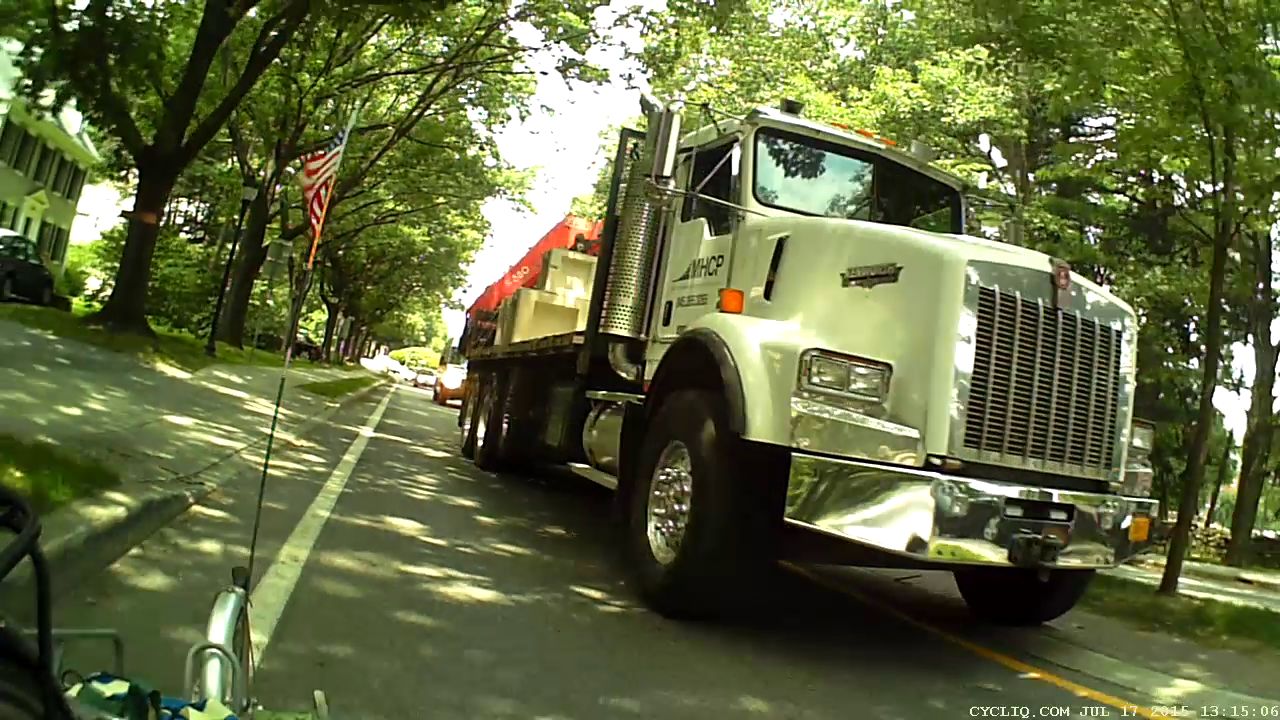
Notice the street lamp in view directly above the cab? Keep that in mind.
In order to give us that much clearance, he had to put the left wheels up on the median:
Raymond Ave – 2015-07-17 – Truck Clearance 2
That’s exactly what the NYSDOT engineer who designed Raymond Avenue explained to me drivers should do. Driving on the median is the intent of the Raymond Avenue layout.
FWIW, the “brick paver” median surface is actually stamped asphalt (or some thermoplastic material) painted brick red. It has marginal durability; the same material in the rotary islands began disintegrating after a few months, has accumulated many non-textured patches, and was obviously not intended to support routine travel.
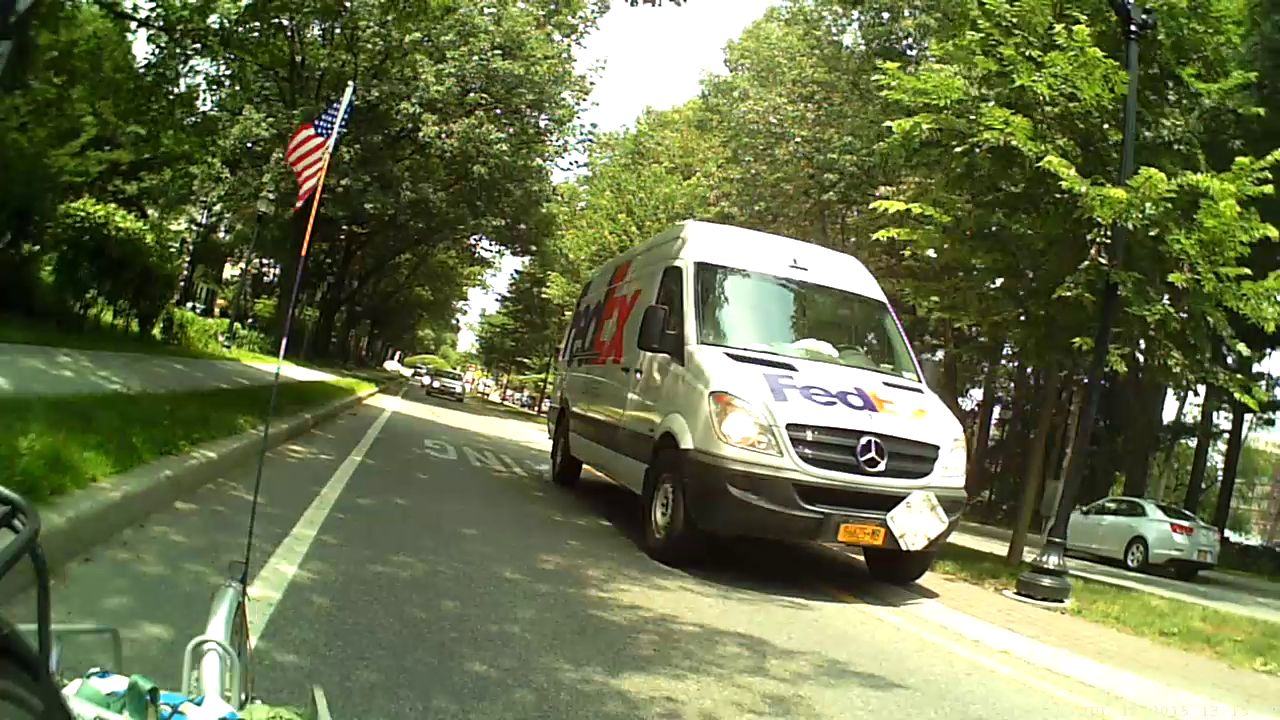
After that truck passed, the FedEx driver also gave us plenty of clearance, also with left wheels on the median:
Raymond Ave – 2015-07-17 – Truck Clearance 3
Notice the minimal clearance between that lamp post and the protruding driver-side mirror? You’re supposed to drive on the median to avoid cyclists, while simultaneously not colliding with a zero-clearance black lamp post.
Those lamp posts replaced the original bollards bracketing the crosswalk (just ahead of Mary in the first picture). Those bollards stood directly in the pseudo-brick area on both sides of the travel lane, with zero clearance from the inclined curb and roughly in line with those truck headlights: anyone driving up on the median at the crossing to avoid a cyclist would mow down a nonreflective black bollard.
And, indeed, mowed down they were.
A few years ago, NYSDOT removed the bollards from the “pedestrian refuges” (that’s their term for the crosswalk median area) and repositioned the remainder in the center of the median, presumably to protect them from drivers.
Although the Superformula can produce a bewildering variety of patterns, I wanted to build an automated demo that plotted interesting sets of similar results. Herewith, some notes after an evening of fiddling around with the machinery.
The first two parameters set the more-or-less maximum X and Y values in plotter units; the plot is centered at zero and will extend that far in both the positive and negative directions. For US paper:
A = Letter = 11 x 8½ inch → 4900 x 3900
B = 17 x 11 inch → 8000 x 5000
The point_count parameter defines the number of points to be plotted for the entire figure. They’re uniformly distributed in angle, not in distance, so some parts of the figure will plot very densely and others sparsely, but the plotter will connect all of the points with straight lines and it’ll look reasonably OK. For the figures below, 10*1000 works well.
The travel value defines the number of full cycles that the figure will make, in units of 2π. Ten cycles seems about right.
The four parameters in between those are the m, n1, n2, and n3 values plugged directly into the basic Superformula. The latter two are exponents of the trig terms; 1.0 seems less bizarre than anything else.
Sooo, that leaves only two knobs…
With travel set for 10 full cycles, m works best when set to a value that’s equal to prime/10, which produces prime points around the figure. Thus, if you want 11 points, use m=1.1 and for 51 points, use m=5.1. Some non-prime numbers produce useful patterns (as below), others collapse into just a few points.
The n1 parameter is an overall exponent for the whole formula in the form -1/n1. Increasing values, from 0.1 to about 2.0, expand the innermost points of the pattern outward and turn the figure into more of a ring and less of a lattice.
So, for example, with m=3.1, setting n1= 0.15, 0.30, 0.60 produces this pattern with 31 points:
HP 7475A – Superformula – m 3.1 vary n1
Varying both at once, thusly: (m,n1) = (1.9,0.20)=green (3.7,0.30)=red (4.9,0.40)=blue
produces this pattern:
HP 7475A – Superformula – m 1.9 3.7 4.9 n1 0.2 0.3 0.4
Yeah, 49 isn’t a prime number. It’s interesting, though.
Note that n1 doesn’t set the absolute location of the innermost points; you must see how it interacts with m before leaping to any conclusions.
It’s still not much in the way of Art, but it does keep the plotter chugging along for quite a while and that’s the whole point. I must yank the functions out of the Chiplotle library, set my default values, add one point to automagically close the last vertex, and maybe convert them to polar coordinates to adjust the magnitude as a function of angle.
Yes, that poor green ceramic-tip pen is running out of ink after all these decades.
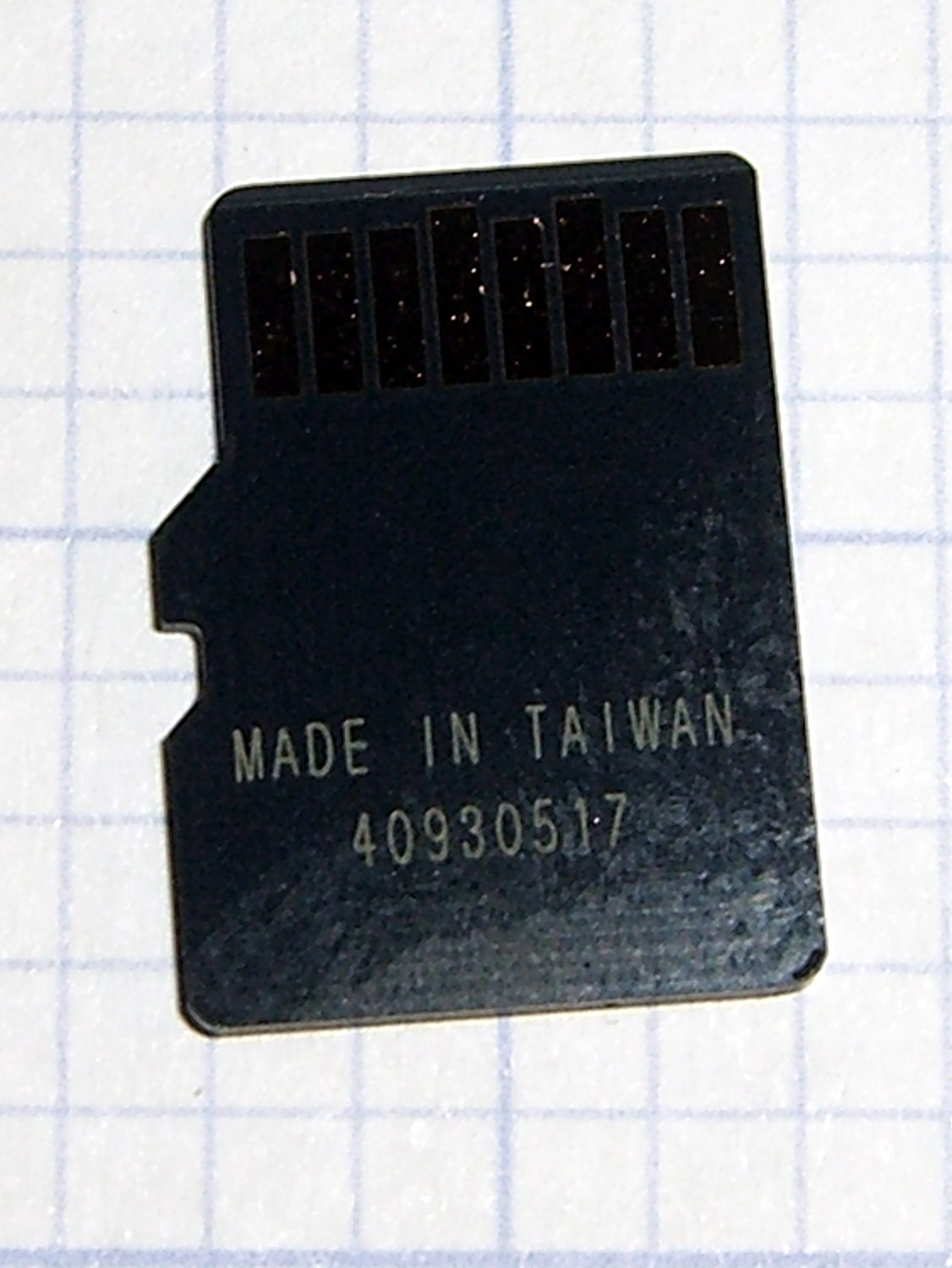
The previous cards were made in Korea, but this one came from Taiwan with a different serial number format:
Sony SR-64UX 64 GB MicroSDXC card – back
The tiny letters on the front identify it as an SR-64UX, but I haven’t been able to find any definitive Sony source describing the various cards; their catalog page listing cards for digital still cameras may be as good as it gets. This one seems to have a higher read speed, for whatever little good that may do.
It stored and regurgitated the usual deluge of video files with no problem, which is only to be expected. This time around, I checked the MD5 sums, rather than unleashing diff on the huge files:
cd /media/ed/9C33-6BBD/
for f in * ; do find /mnt/video/ -name $f | xargs md5sum $f ; done
11e31c9ba3befbef6dd3630bb68064d6 MAH00539.MP4
11e31c9ba3befbef6dd3630bb68064d6 /mnt/video/2015-07-05/MAH00539.MP4
... snippage ...
It now sits in the fancy plastic display case that the HDR-AS30V camera came in until the previous replacement card fails.
The step change in Week 22 shows when the replacement took over. After some poking around, Amazon Prime FTW.
The square-ish pulse starting in Week 26 marks a change from 55% RH to 60%RH and back again, to see how the front panel meter compares with the low end lab-grade hygrometer in the other side of the basement near the Hobo datalogger on the water inlet; they’re all off by a bit, but well within their expected tolerances. The 5% RH height of the step suggests a good match between their incremental calibrations.
It seems dehumidifiers last a few years, no matter which Brand Name you’ve decided to trust, so there’s not much point in developing a deep emotional attachment.
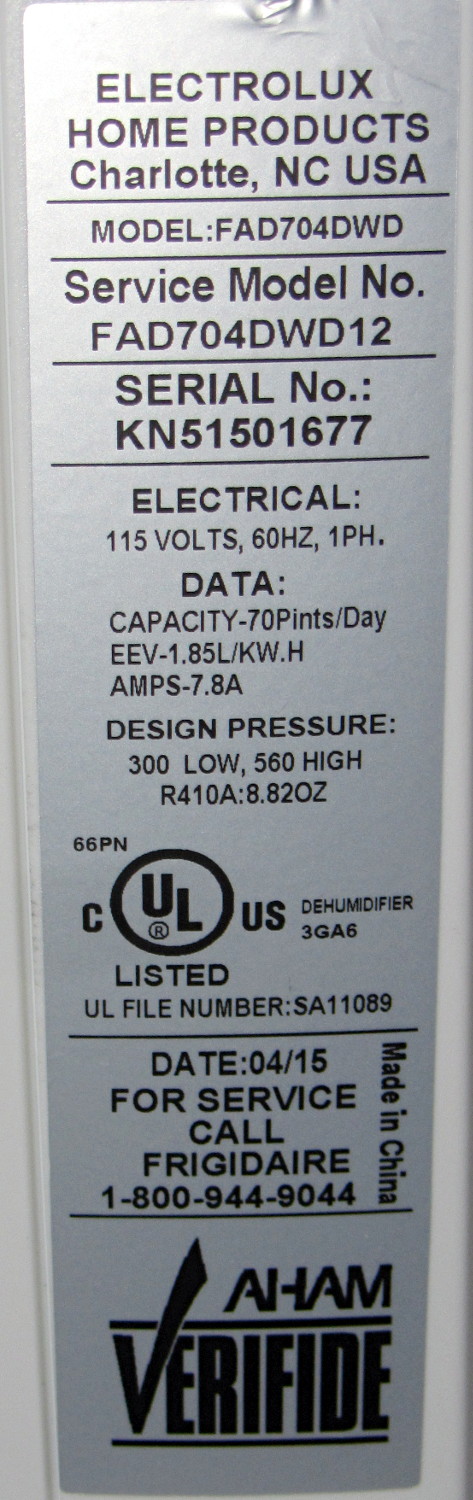
For the record, the old dehumidifier sported a GE label:
As it turns out, Electrolux bought Frigidaire a while ago, then absorbed GE’s appliances in 2014, so they’re all one big happy family now.
The various names notwithstanding, a recall notice suggests Gree Electric actually makes all the dehumidifiers badged with Brand Names you might think represent something significant.
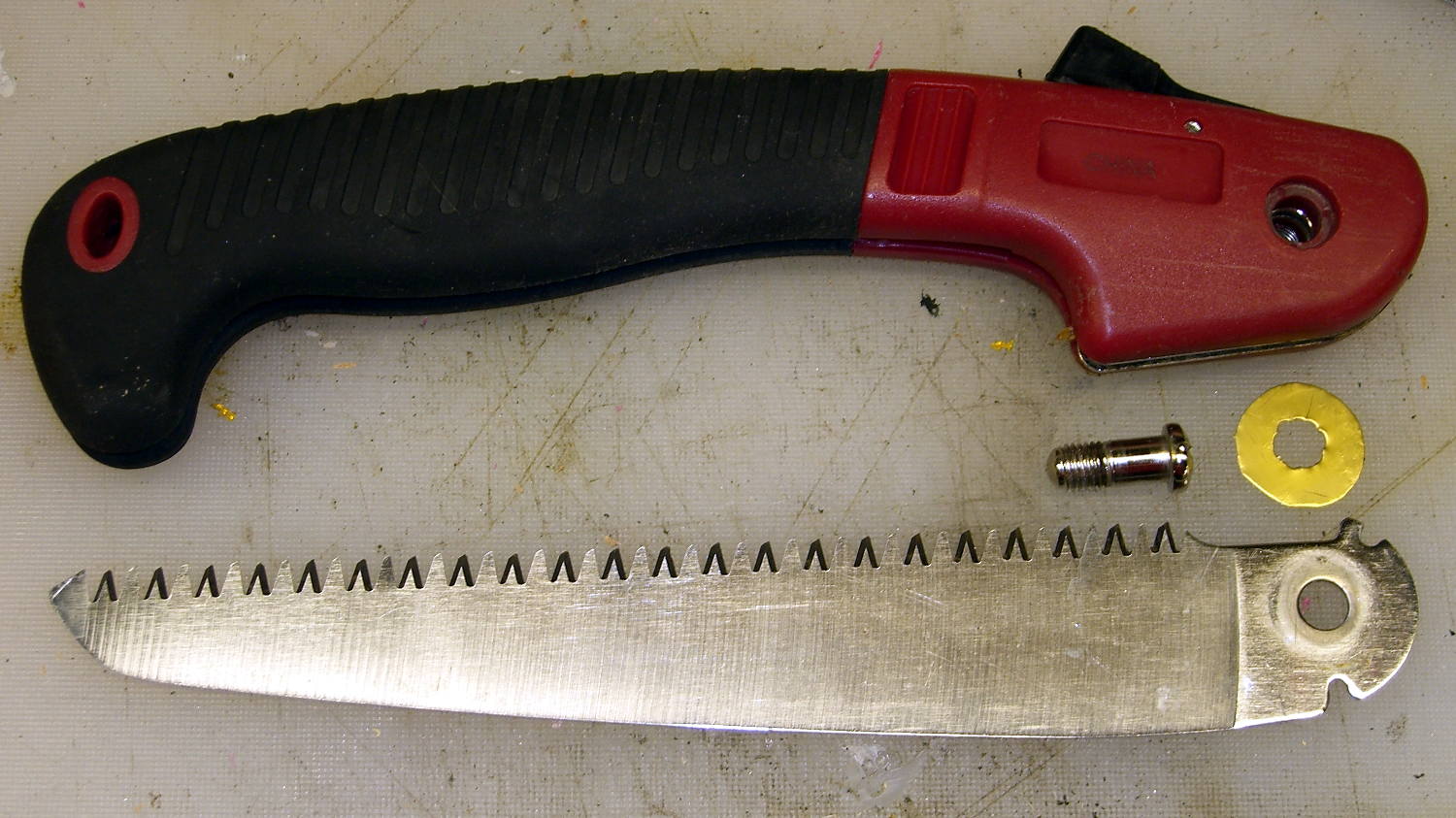
Mary found a folding saw buried under a compost heap at Vassar Farms, where it had evidently been for quite a while. It cleaned up surprisingly well:
Folding saw – pivot shim
I made a crude brass shim to stabilize the crude blade in its crudely bent metal frame; the ugly hole came from freehand punching with the rebuilt leather punch tool. Probably spent as much time doing that as they did on the whole rest of the saw: it’s not a high-quality tool.
It could be an older version of the Harbor Freight Folding Saw, minus a fancy plastic-encased joint screw. I added a dot of Loctite to discourage this one from leaping to its doom.
As with the other pruning saws in my collection, that blade scares me just looking at it. I managed to avoid slicing myself open, although I did stab a finger with a sharp brass sliver…





 The Smell of Molten Projects in the Morning