The Smell of Molten Projects in the Morning

Ed Nisley's Blog: Shop notes, electronics, firmware, machinery, 3D printing, laser cuttery, and curiosities. Contents: 100% human thinking, 0% AI slop.

Author: Ed

  • USB-to-SATA Drive Adapter Performance

    The discussion about scrubbing hard drives suggested I really should be using larger block sizes to wring better performance from the hardware.

    So I ran variations on this theme:

    time sudo dd if=/dev/urandom of=/dev/sdc bs=4K count=32K
    

    For the BS (“block size”) parameter, 1K = 1024 and 1KB = 1000. Similarly for 1M vs. 1MB.

    The results, viewed as a picture because WordPress seems unable to import a formatted spreadsheet from LibreOffice like it used to:

    USB-SATA Adapter - Barracuda 7200.10 drive
    USB-SATA Adapter – Barracuda 7200.10 drive

    Each operation transfers 128 MB (128 x 220 = 131 x 106) bytes. The variations probably come from other stuff going on, most notably the USB-to-serial adapter driving the plotter while I’m testing a tweak to the Superformula demo code.

    Reads ever so much faster than writes, so the USB adapter definitely isn’t getting in the way; I assume the drive accepts the commands & data as fast as its little heads can carry them away. The data, being relentlessly pseudo-random, won’t get compressed along the way.

    So, in round numbers, the block size just absolutely does not make any difference.

    Update: Based on an early comment from Edward Berner to a previous post, I was looking in the wrong place:

    dd if=/dev/urandom of=/dev/zero bs=4K count=32K
    32768+0 records in
    32768+0 records out
    134217728 bytes (134 MB) copied, 9.63064 s, 13.9 MB/s
    dd if=/dev/urandom of=test.bin bs=4K count=32K
    32768+0 records in
    32768+0 records out
    134217728 bytes (134 MB) copied, 10.018 s, 13.4 MB/s
    dd if=test.bin of=/dev/zero bs=4K count=32K
    32768+0 records in
    32768+0 records out
    134217728 bytes (134 MB) copied, 0.0385358 s, 3.5 GB/s
    dd if=test.bin of=test2.bin bs=4K count=32K
    32768+0 records in
    32768+0 records out
    134217728 bytes (134 MB) copied, 0.45044 s, 298 MB/s
    

    I installed an SSD on this box a while ago, so the 3.5 GB/s disk-to-discard speed represents the SSD’s read rate. The 298 MB/s disk-to-disk speed would be its write speed, probably with some clever buffering going on.

    So the real bandwidth limitation in wiping a disk comes from the pseudo-random generator behind /dev/urandom, not the disk or USB interface. It would probably be faster to fill a 1 GB (or more) file with noise at 14 MB/s, then copy it enough times to fill the drive at whatever speed the drive can handle it.

    Thanks, Edward, for figuring that out!

  • SATA vs. USB Hard Drive Write Speeds

    The stack of drives-to-be-scrubbed disgorged a pair of SATA drives, so I plugged one of them into an internal SATA port and unleashed dd on it:

    time sudo dd if=/dev/urandom of=/dev/sdb bs=4096 count=10000
    10000+0 records in
    10000+0 records out
    40960000 bytes (41 MB) copied, 4.19793 s, 9.8 MB/s
    
    real	0m4.208s
    user	0m0.004s
    sys	0m2.880s
    
    time sudo dd if=/dev/urandom of=/dev/sdb bs=1024 count=40000
    40000+0 records in
    40000+0 records out
    40960000 bytes (41 MB) copied, 7.38392 s, 5.5 MB/s
    
    real	0m7.394s
    user	0m0.004s
    sys	0m3.505s
    
    time sudo dd if=/dev/urandom of=/dev/sdb bs=16384 count=2500
    2500+0 records in
    2500+0 records out
    40960000 bytes (41 MB) copied, 4.2042 s, 9.7 MB/s
    
    real	0m4.214s
    user	0m0.000s
    sys	0m2.880s
    

    The timing for a few (tens of) thousand blocks comes out somewhat below the long-term average, which was the same 12 to 14 MB/s produced by the USB 2.0 adapter. It just doesn’t get any better than that, mostly due to rotational delays.

    In round numbers, that’s 40 to 50 GB/h, so it’s best to start scrubbing those terabyte drives early in the day…

  • Stabbing Guides

    Many of my solid models have holes for alignment pins made from filament snippets that let me glue the pieces together with near-perfect registration:

    Alignment Hole and Pin
    Alignment Hole and Pin

    A reader who designs oil-field equipment for a living pointed out that, in his world, they’re called “stabbing guides”:

    Stabbing_Point_on_Leg_1
    Stabbing_Point_on_Leg_1

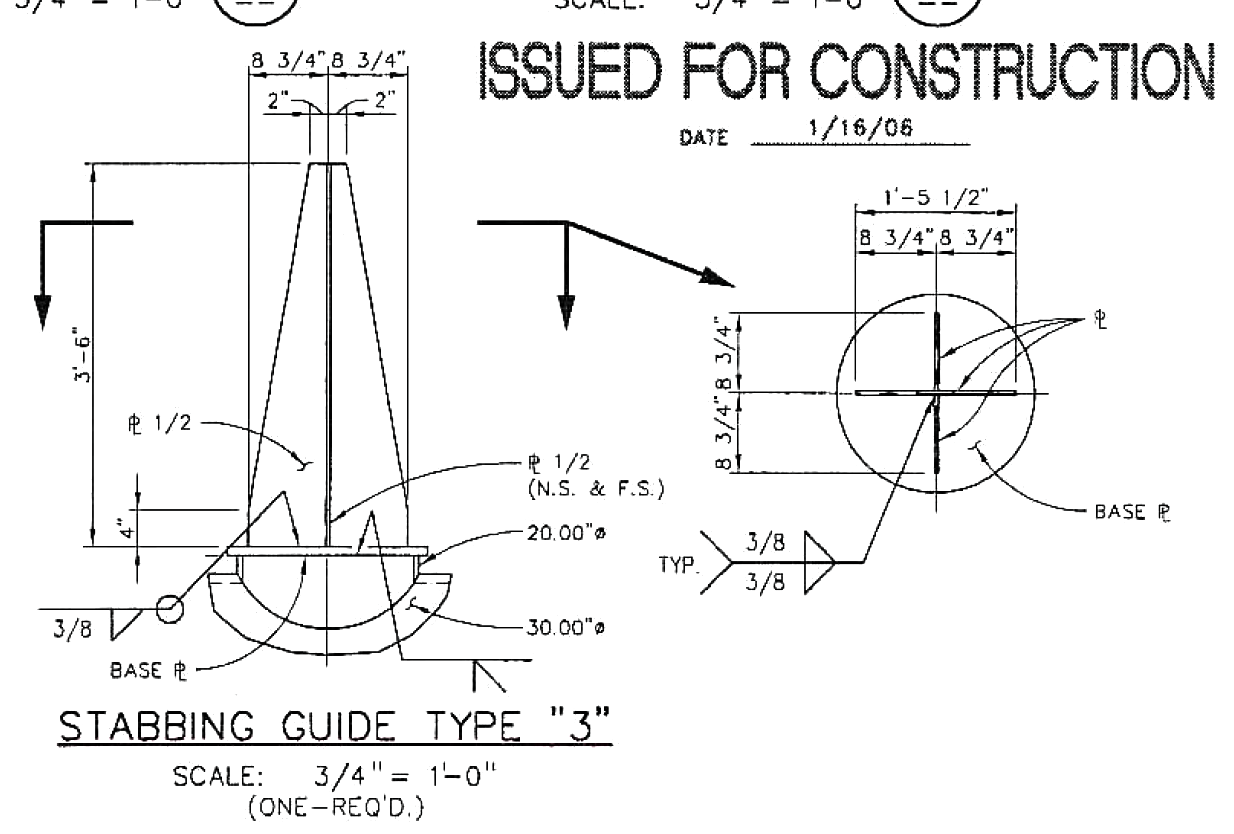
    He specifies steel plate and welding instructions:

    Stabbing_Guide_Type_3
    Stabbing_Guide_Type_3

    Stabbing guides for large modules may rise 25 feet above the deck plates…

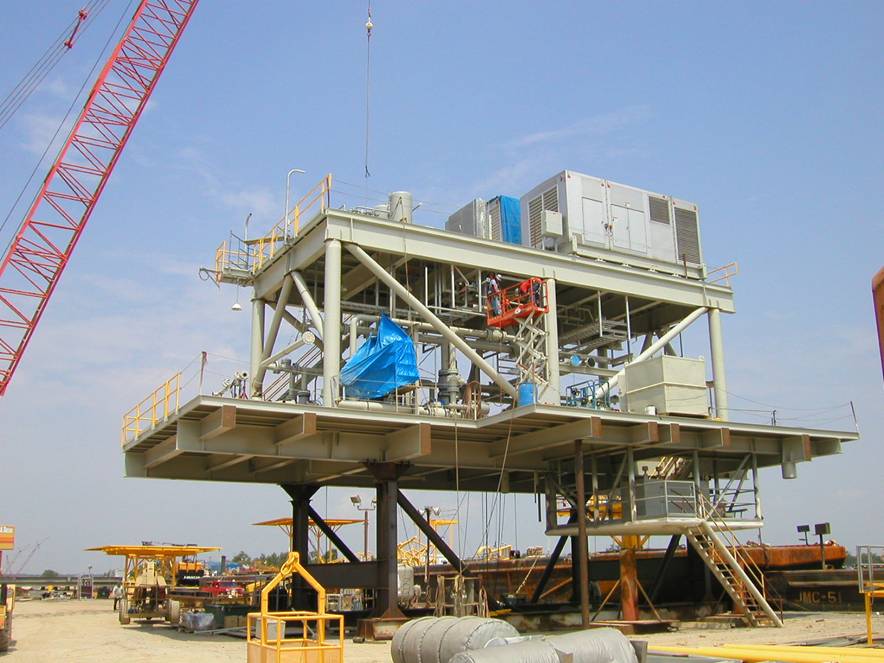
    After they install all the little bits on a “part” like this:

    Generator Module - during assembly
    Generator Module – during assembly

    It fits neatly atop the stabbing guides and gets welded to a somewhat larger structure:

    Generator Module - installed
    Generator Module – installed

    No sissy plastic for him!

    My puny pins don’t qualify as stabbing guides, but forgive me if I sneak the term in every now and then…

    Thanks, Tom!

  • Swept Claw Model

    Our Larval Engineer asked for help with an OpenSCAD model of a 3D printable claw that, she says, has nothing at all to do with the upcoming Night of Little Horrors. Not having had an excuse to fiddle with the new (and lightly documented) sweep() functions, I gnawed on the sweep-drop.scad example until this popped out:

    Swept Claw - solid model
    Swept Claw – solid model

    That might be too aggressively sloped up near the top, but it’s a start.

    The OpenSCAD source code:

    use <sweep.scad>
    use <scad-utils/transformations.scad>
    
    function shape() = [[0,-25],[0,25],[100,0]];
    
    function path(t) = [100*(1+sin(-90-t*90)), 0, (100 * t)];
    
    step = 0.01;
    
    path_transforms = [for (t=[0:step:1-step]) 
        translation(path(t)) * 
        scaling([0.5*(1-t) + 0.1,0.75*(1-t) + 0.1,1])];
        
    sweep(shape(), path_transforms);


    It’s perfectly manifold and slices just as you’d expect; you could affix it to a mounting bracket easily enough.

    Some notes on what’s going on…

    The t index determines all the other values as a function of the layer from the base at t=0 to the top at t=0.99.

    The shape() defines the overall triangular blade cross-section at the base; change the points / size to make it look like you want.

    The path() defines the XYZ translation of each slab that’s extruded from the shape() cross-section. I think the Z value sets the offset & thickness of each slab. The constant 100 in the X value interacts with the overall size of the shape(). The 90 values inside the sin() function set the phase & scale t so the claw bends the right way; that took some fiddling.

    The parameters in scaling() determine how the shape() shrinks along the path() as a function of the t parameter. The 0.1 Finagle Constants prevent the claw from tapering to a non-printable point at the tip. I think the Z value must be 1.000 to avoid weird non-manifold issues: the slabs must remain whatever thickness the sweep functions set them to be.

    It compiles & renders almost instantly: much faster than I expected from the demos.

    The folks who can (and do!) figure that kind of model (and the libraries behind it) from first principles have my undying admiration!

  • Painting By Numbers

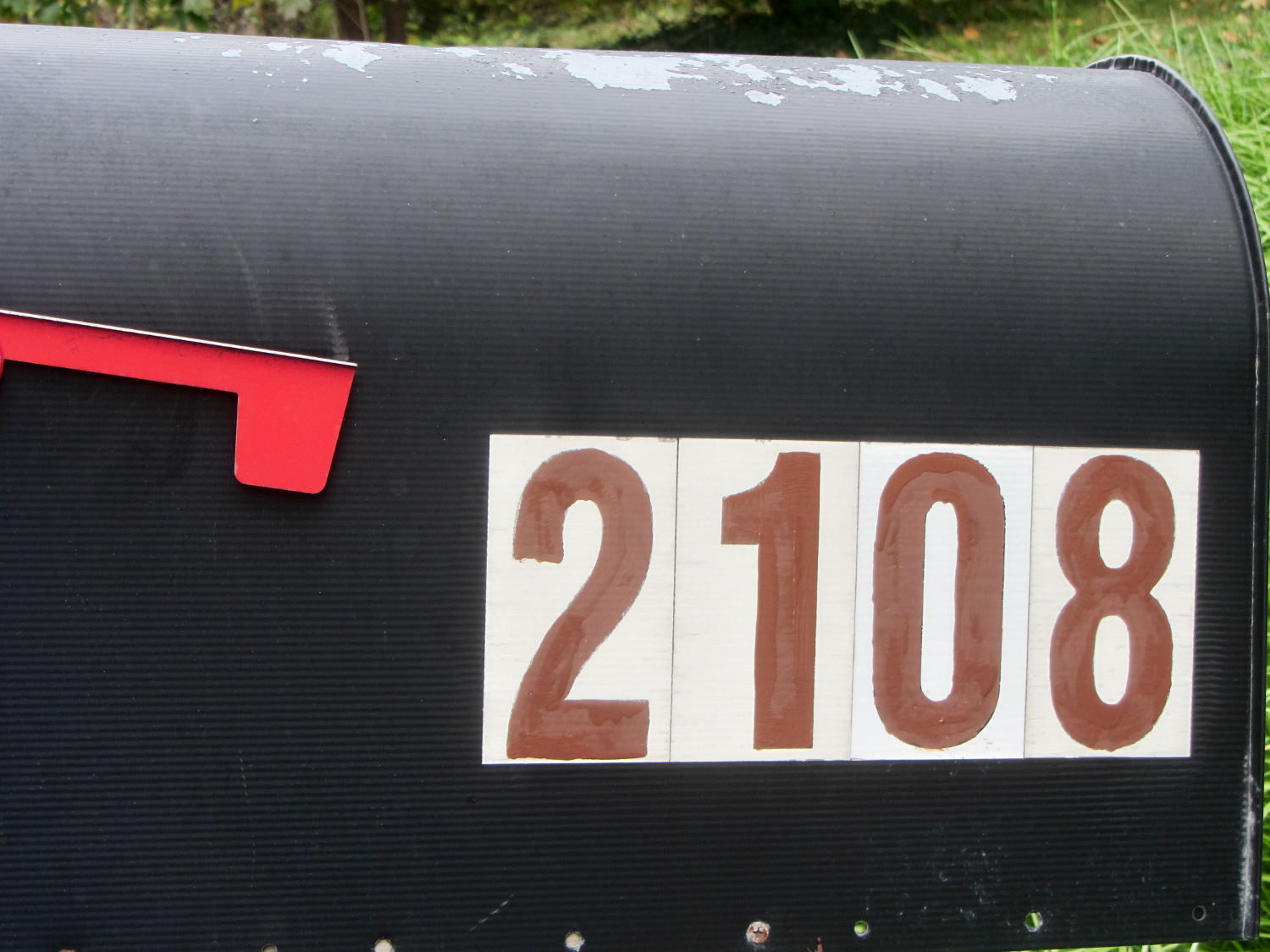
    The south- and snowplow-facing numbers on the mailbox weren’t up to the challenge:

    Mailbox - faded numbers
    Mailbox – faded numbers

    I wiped the crud off the reflective labels with denatured alcohol before painting, but that was the extent of the surface preparation.

    I’m not getting graded on my ability to paint within the lines using a foam brush and that’s a Good Thing:

    Mailbox - repainted numbers
    Mailbox – repainted numbers

    That’s Rustoleum Rusty Metal Primer, chosen entirely because it was oil-based, outdoor-rated, and near the front of the shelf. I’m not going to topcoat it; that stuff is on its own. The slight color variations show still-wet primer here & there.

    The north-facing numbers were in better shape, so a few dabs covered the obvious problems.

    Hey, I wiped that peeling paint off the top of the box, too…

  • Amazon Packaging

    Restocking the AA and AAA alkaline cell supply delivered this example of underprotection from Amazon:

    Amazon Packaging - alkaline batteries
    Amazon Packaging – alkaline batteries

    I think that scrap of plastic was once an air pillow, but it sure didn’t last long and definitely didn’t fill the entire space around the boxes.

    Allowing that much mass to thrash around inside the box can’t possibly be a Good Thing, even if the cells weren’t damaged. One would hope they’d do a better job with lithium cells.

    I’ve seen worse

  • Scrubbing Old Hard Drives

    The shelf that collects old hard drives filled up, so I’ve been wiping the data before recycling them. This takes a while, but we know what happens when your hardware falls into unexpected hands. The routine goes a little something like this…

    Set the drive’s jumper to Master, plug the drive into the USB adapter, plug the adapter directly into a USB port on the PC (because outboard hubs tend to be flaky), make sure there’s no valuable data, unmount.

    time sudo dd if=/dev/urandom of=/dev/sdc bs=4096
    [sudo] password for ed: 
    dd: error writing ‘/dev/sdc’: No space left on device
    73259047+0 records in
    73259046+0 records out
    300069052416 bytes (300 GB) copied, 22276.7 s, 13.5 MB/s
    
    real	371m19.003s
    user	0m22.884s
    sys		370m34.906s 

    Good old dd works for me; the only trick is not obliterating the system’s main hard drive with a simple finger fumble. Numbers from /dev/urandom suffice for this purpose; that’s where most of the packaged programs get their data, too. I do hardcore style, just because.

    Ordinary desktop drives, at least those from long ago, can write at a bit over 12 MB/s → 40 GB/h on the average, with the higher peak rates that generally appear in the drive descriptions remaining an occasional sight. They won’t go much faster, even when plugged directly into the system board, but it’s not as if I sit there waiting until it’s done. USB 2.0 “high speed” transfers can hit 60 MB/s, including all the overhead, so that’s not the limiting factor; I’d expect the adapter’s firmware to throttle the data long before the bus strangles.

    Use gparted to write a fresh partition table with a single NTFS (because the next user will probably run Windows) partition labeled Scrubbed spanning the entire drive.

    Then stack the drive neatly on the outbound heap:

    Scrubbed hard drives
    Scrubbed hard drives

    That cardboard box isn’t quite as full of unscrubbed drives as it was a few weeks ago.

    The stack in the back contains all those worthless 30 to 80 GB 5400 RPM drives from old Dells, plus a few 1.5 and 2.0 (!) GB drives from who knows where. I have a plan for those platters…