Ed Nisley's Blog: Shop notes, electronics, firmware, machinery, 3D printing, laser cuttery, and curiosities. Contents: 100% human thinking, 0% AI slop.
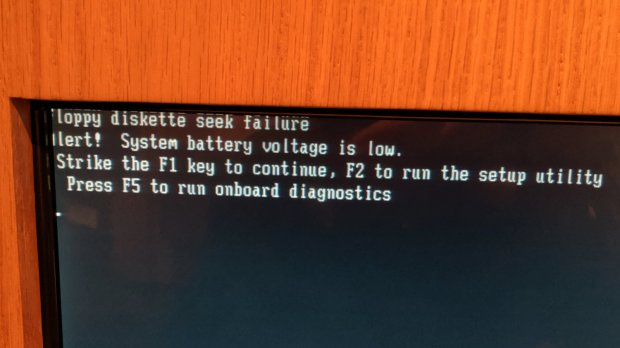
It’s been quite a while since BIOS boot sequences started with the floppy drive. Combined with a CMOS backup battery failure, I’d say this poor PC has been chugging along for two decades.
On another floor:
Kiosk – Windows Updates
Isolating a Windows kiosk from the Interwebs is an excellent design principle, but Windows Update really wants to phone home. The kiosk’s presentation ran Adobe Flash 10, so it’s been confined for maybe a decade.
Looks like it’s time for another fundraising drive to replace the PCs with Raspberry Pi controllers. The real expense, of course, goes into rebuilding the presentations using whatever tech stack is trendy these days.
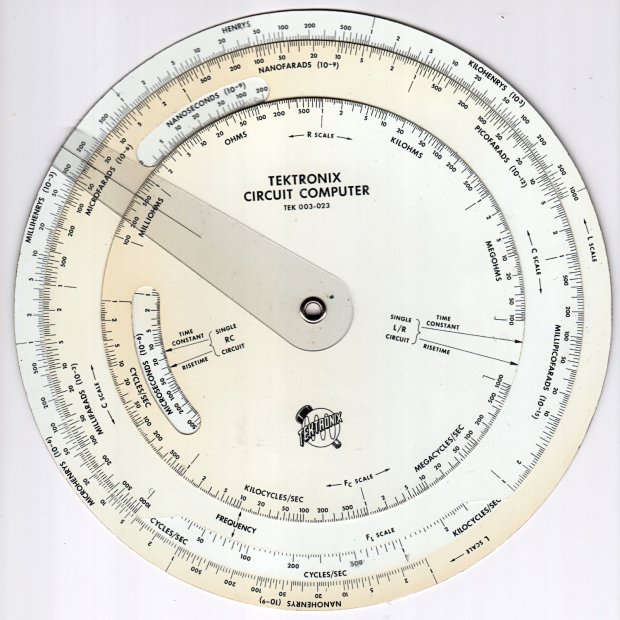
Following a linkie I can no longer find led me to retrieve the Tektronix Circuit Computer in my Box o’ Slide Rules:
Tektronix Circuit Computer – front
I’m pretty sure it came from Mad Phil’s collection. One can line up the discolored parts of the decks under their cutout windows to restore it to its previous alignment; most likely it sat at the end of a row of books (remember books?) on his reference shelf.
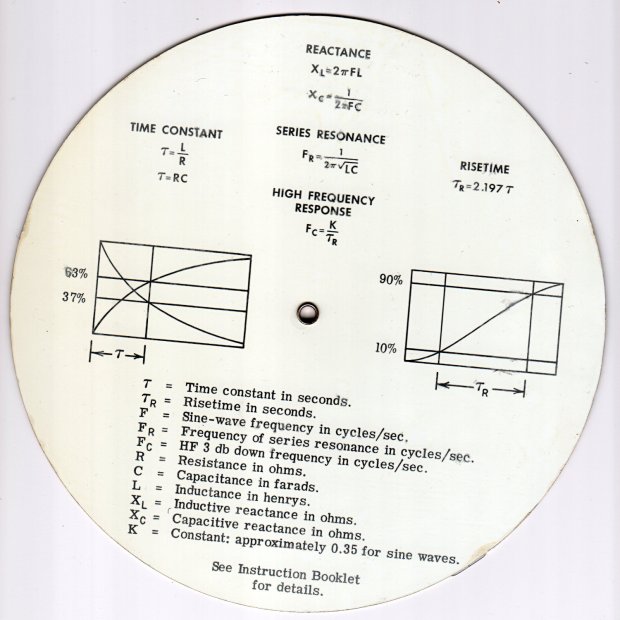
The reverse side lists the equations it can solve, plus pictorial help for the puzzled:
Tektronix Circuit Computer – rear
Some searching reveals the original version had three aluminum disks, shaped and milled and photo-printed, with a honkin’ hex nut holding the cursor in place. The one I have seems like laser-printed card stock between plastic laminating film; they don’t make ’em like that any more, either.
TEK PN 003-023 (the paper edition) runs about thirty bucks (modulo the occasional outlier) on eBay, so we’re not dealing in priceless antiquity here. The manual is readily available as a PDF, with photos in the back.
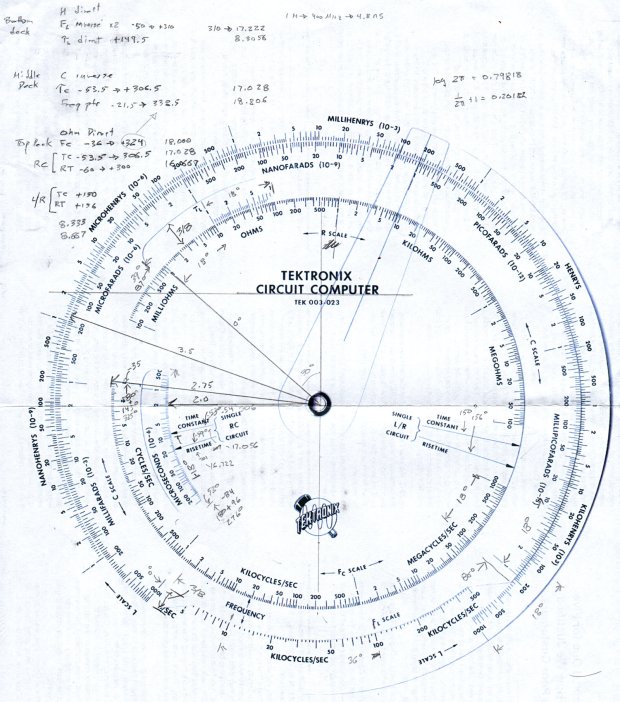
Some doodling produced key measurements:
Tektronix Circuit Computer – angle layout
All the dimensions are hard inches, of course.
Each log decade spans 18°, with the Inductive Frequency scale at 36° for the square root required to calculate circuit resonance.
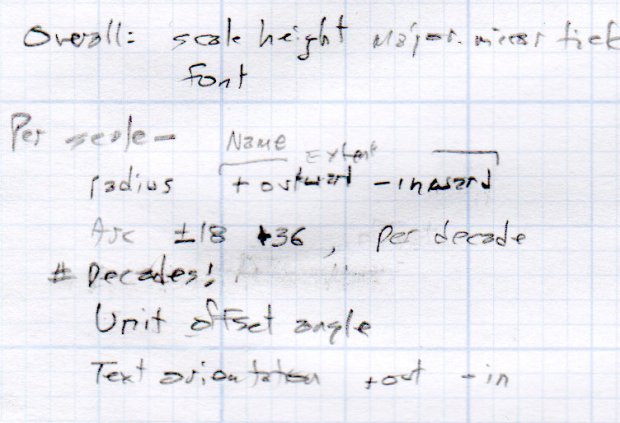
Generating the log scales requires handling all possible combinations of:
Scales increase clockwise
Scales increase counterclockwise
Ticks point outward
Ticks point inward
Text reads from center
Text reads from rim
I used the 1×100 tick on the outer scale of each deck as the 0° reference for the other scales on that deck. The 0° tick appears at the far right of plots & engravings & suchlike.
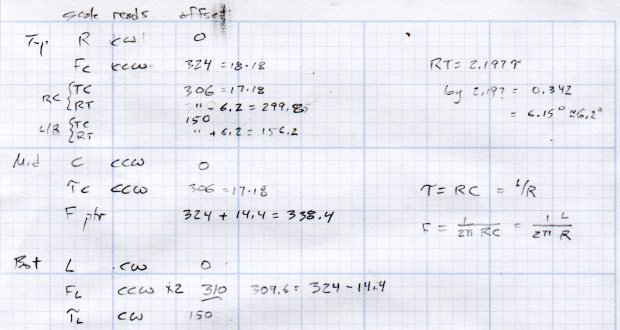
The L/R Time Constant (tau = τ) pointer on the top deck and the corresponding τL scale on the bottom deck has (what seems like) an arbitrary -150° offset from the 0° reference.
The Inductive Frequency scale has an offset of 2π, the log of which is 0.79818 = 14.37°.
The risetime calculations have a factor of 2.197, offsetting those pointers from their corresponding τ pointer by 0.342 = log(2.197) = 6.15°.
A fair bit of effort produced a GCMC program creating a full-size check plot of the bottom deck on the MPCNC:
By the conservation of perversity, the image is rotated 90° to put the 1 H tick straight up.
The 3018 can’t handle a 7.75 inch = 196 mm disk, but a CD-size (120 mm OD) engraving came out OK on white plastic filled with black crayon:
Tek CC bottom – ABS 160g 2400mm-min
The millimeter scale over on the right shows the letters stand a bit under 1 mm tall. And, yes, the middle scale should read upside-down.
Properly filling the engraved lines remains an ongoing experiment. More downforce on the diamond or more passes through the G-Code should produce deeper trenches, perhaps with correspondingly higher ridges along the sides. Sanding & polishing the plastic without removing the ink seems tedious.
The Great Dragorn of Kismet observes I have a gift for picking projects at the cutting edge of consumer demand.
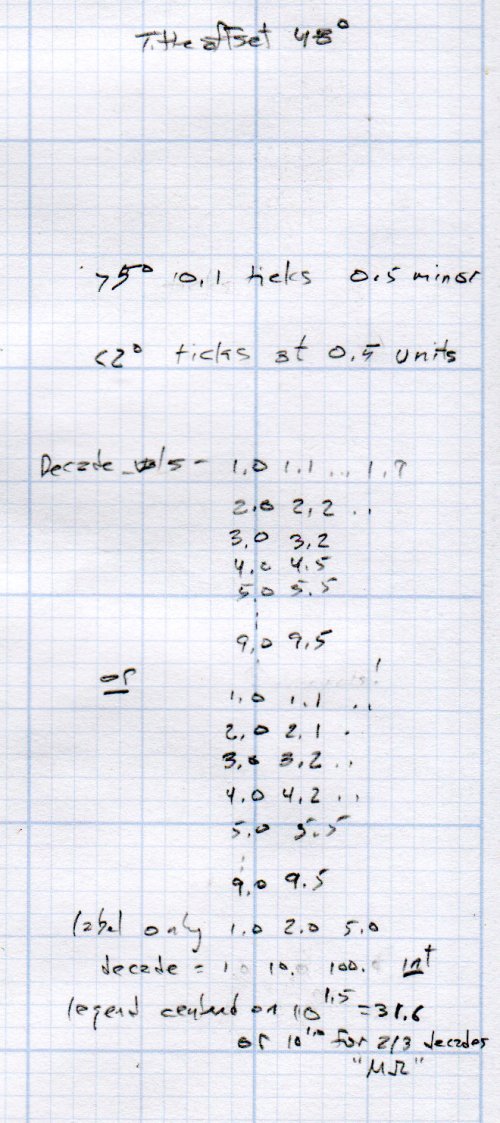
More doodles while figuring the GCMC code produced a summary of the scale offsets:
It turned out easier to build vectors of tick mark values and their corresponding lengths, with another list of ticks to be labeled, than to figure out how to automate those values.
Recharge and test to get the blue lines, with the red lines from the DOT-01 batteries:
Wasabi DOT-01 NP-BX1 – 2019-11
The double blue line came from a second recharge of that battery, just to see if more electrons would help. Nope, it’s still dead.
The Wasabi battery with the highest capacity also has the weirdly rippled voltage trace and, when I extracted it from the test holder, came out disturbingly warm and all swoll up. This is A Bad Sign™, so it spent the next few hours chillin’ on the patio and now resides in the recycle box.
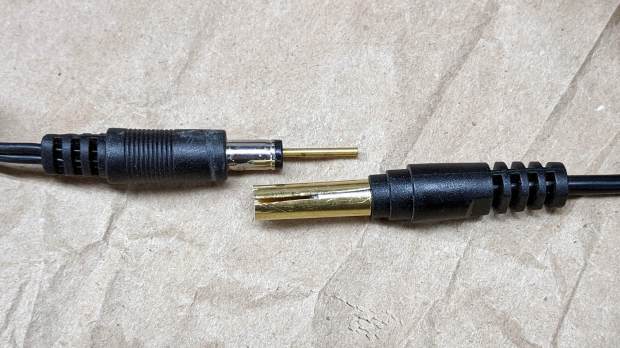
A Dell soundbar under the landscape monitor suffices for my simple audio needs, and, when the Dell U2711 went toes-up, I conjured a 12 V wart from the heap. A recent cleanup made a smaller wart available, but required mating two coaxial plugs:
Coax power plugs – brass tube connector
A snippet of brass tube suffices for the center pin. The outer shell is a larger brass tube, slit lengthwise, trimmed to fit the plug circumference and rolled around a smaller drill bit to make it springy in the right direction.
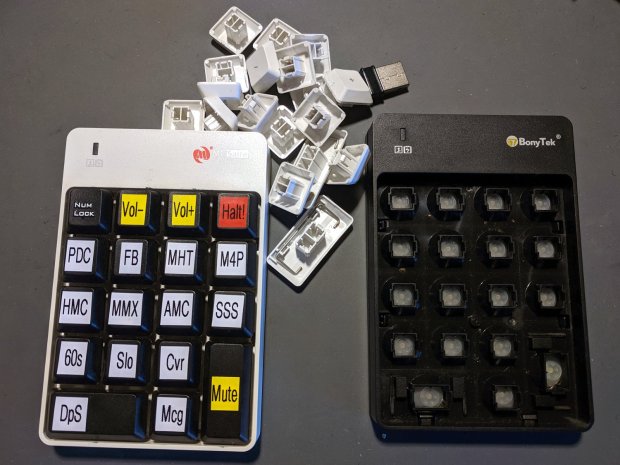
I swapped the Frankenpad + receiver to the least-conspicuous streamer and, someday, I’ll update all the labels on all the keypads to match the current streams. Until then, the white keycaps shall remain in the same bag as the defunct black keypad, tucked into the Big Box o’ USB mice & suchlike.
Along the same lines as the MPCNC pen holder, I now have one for the 3018:
CNC3018 – Collet pen holder – assembled
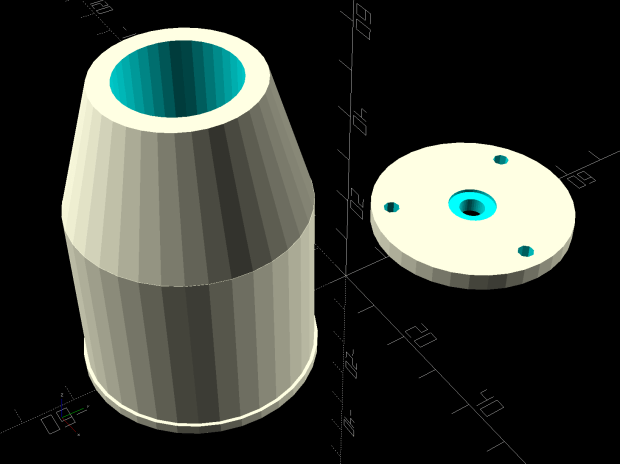
The body happened to be slightly longer than two LM12UU linear bearings stacked end-to-end, which I didn’t realize must be a constraint until I was pressing them into place:
CNC 3018-Pro Collet Holder – LM12UU – solid model
In the unlikely event I need another one, the code will sprout a max() function in the appropriate spot.
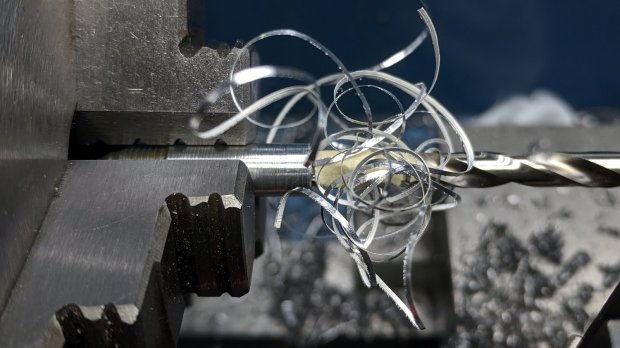
Drilling the aluminum rod for the knurled ring produced a really nice chip:
CNC3018 – Collet pen holder – drilling knurled ring
Yeah, a good drill will produce two chips, but I’ll take what I can get.
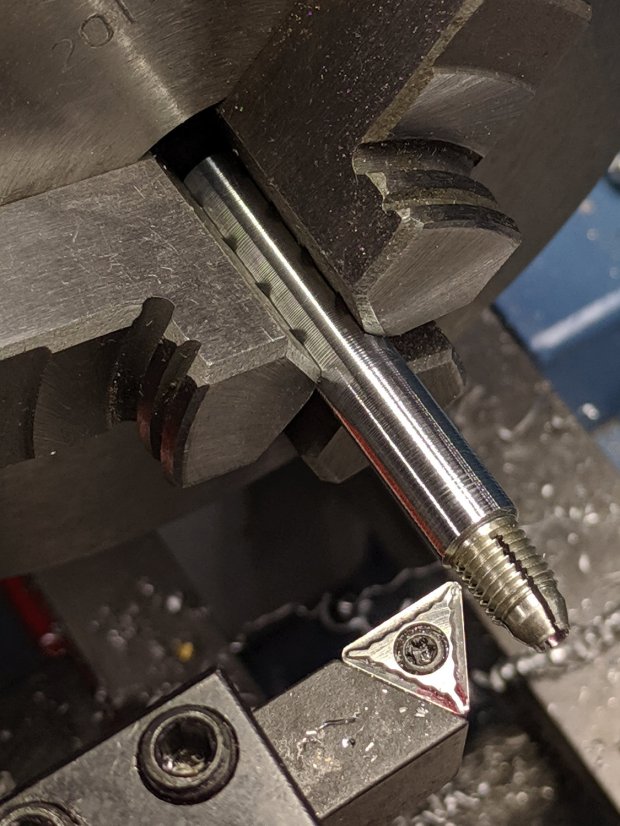
There’s not much left of the original holder after turning it down to 8 mm so it fits inside the 12 mm rod:
CNC3018 – Collet pen holder – turning collet OD
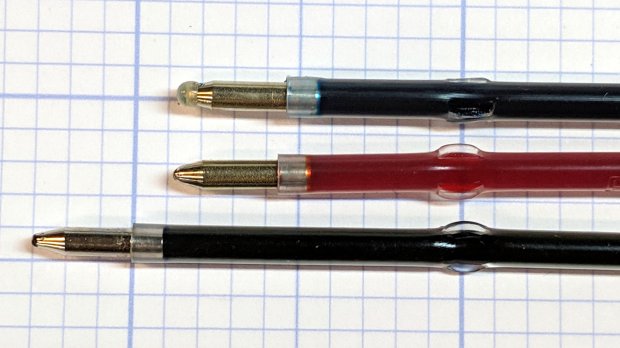
Confronted by so much shiny aluminum, I realized I didn’t need an 8 mm hole through the rod, so I cut off the collet shaft and drilled out the back end to clear the flanges on the ink tubes:
CNC3018 – Collet pen holder – drilling out collet
I figured things would eventually go badly if I trimmed enough ink-filled crimps:
This file contains hidden or bidirectional Unicode text that may be interpreted or compiled differently than what appears below. To review, open the file in an editor that reveals hidden Unicode characters.
Learn more about bidirectional Unicode characters
While washing our ancient electric crock pot (“slow cooker”), I wondered how corroded the inside of the steel shell had become. A simple nut secured the base plate and unscrewed easily enough, whereupon what I thought was a stud vanished inside the shell.
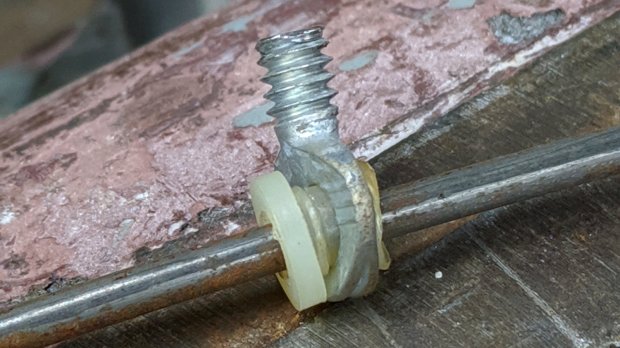
The shell wasn’t rusty enough to worry about, but the stud turned out to be a crudely chopped-off thumbscrew on a springy rod pulling the base toward the ceramic pot:
Crock Pot Base – OEM thumbscrew
Evidently, they pulled the thumbscrew through the base, tightened the nut, then cut off the thumbscrew flush with the nut.
I desperately wanted to drill a hole in a new thumbscrew and repeat the process, but I no longer have a small drawer full of assorted thumbscrews. So I must either lengthen the existing thread just enough to complete the mission or build a screw from scratch.
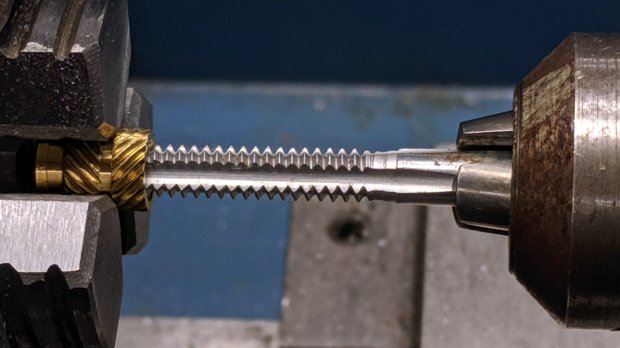
The thumbscrew is threaded 10-24, I have a bunch of 10-32 threaded inserts, so pretend they have the same thread diameter and tap one end to 10-24:
Crock Pot Base – tapping insert
Jam the new threads on the thumbscrew and jam a 10-32 setscrew into the un-wrecked end:
Crock Pot Base – thumbscrew extender
You can see the surface rust in there, right?
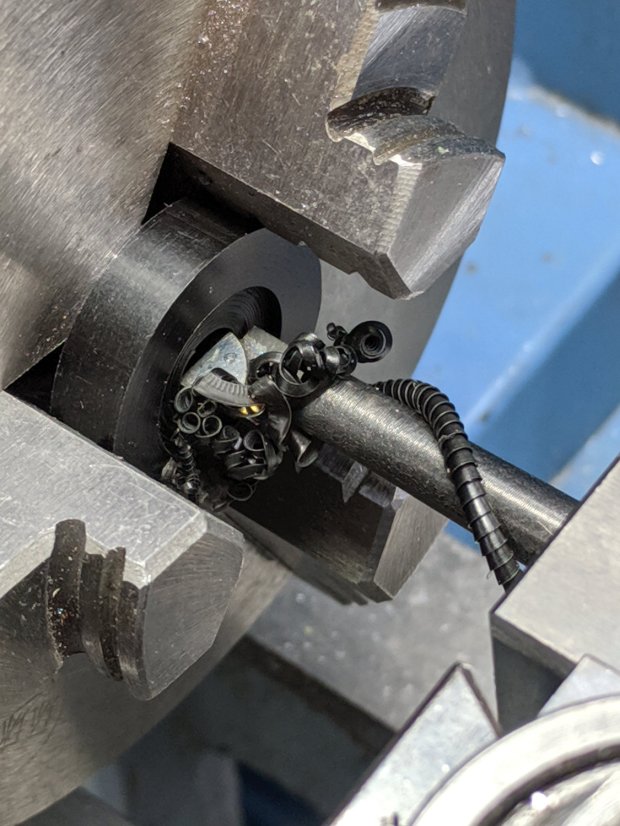
Make a Delrin bushing to fit around the insert poking through the base:
Crock Pot Base – drilling Delrin button
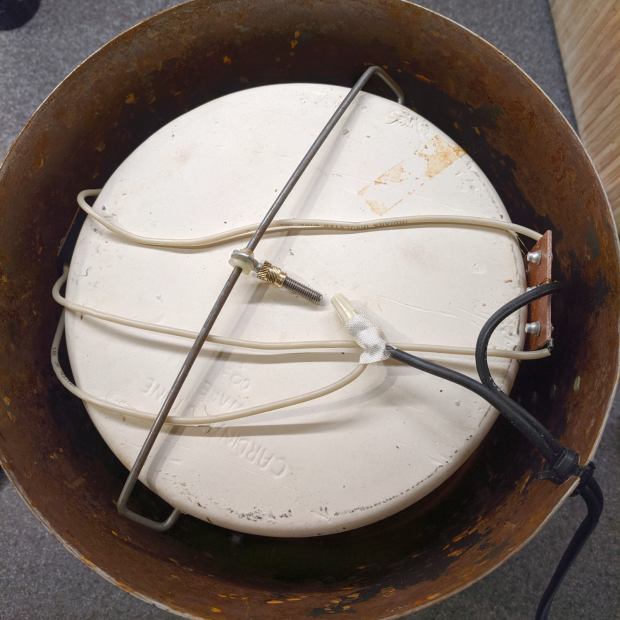
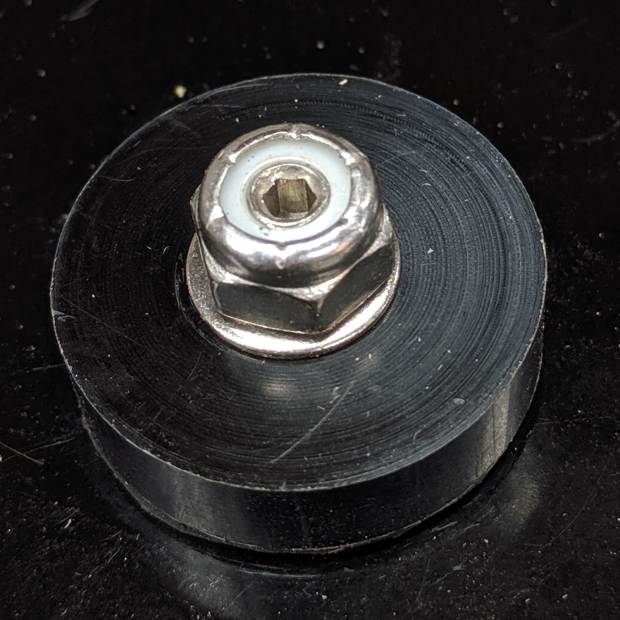
Reassemble the internal bits with permanent Loctite, top with a nyloc nut, and it’s only a little taller than the original nut:
Crock Pot Base – assembled
The setscrew let me hold the new “stud” in place while torquing the nut, plus it looks spiffy.
Memo to Self: If it ain’t broke, don’t look inside. Hah!
Surprisingly, both Amazon and eBay lack useful thumbscrew assortments …







 The Smell of Molten Projects in the Morning