The blade clamp on the Work Sharp Precision Sharpener fits into a socket that can rotate 180°:
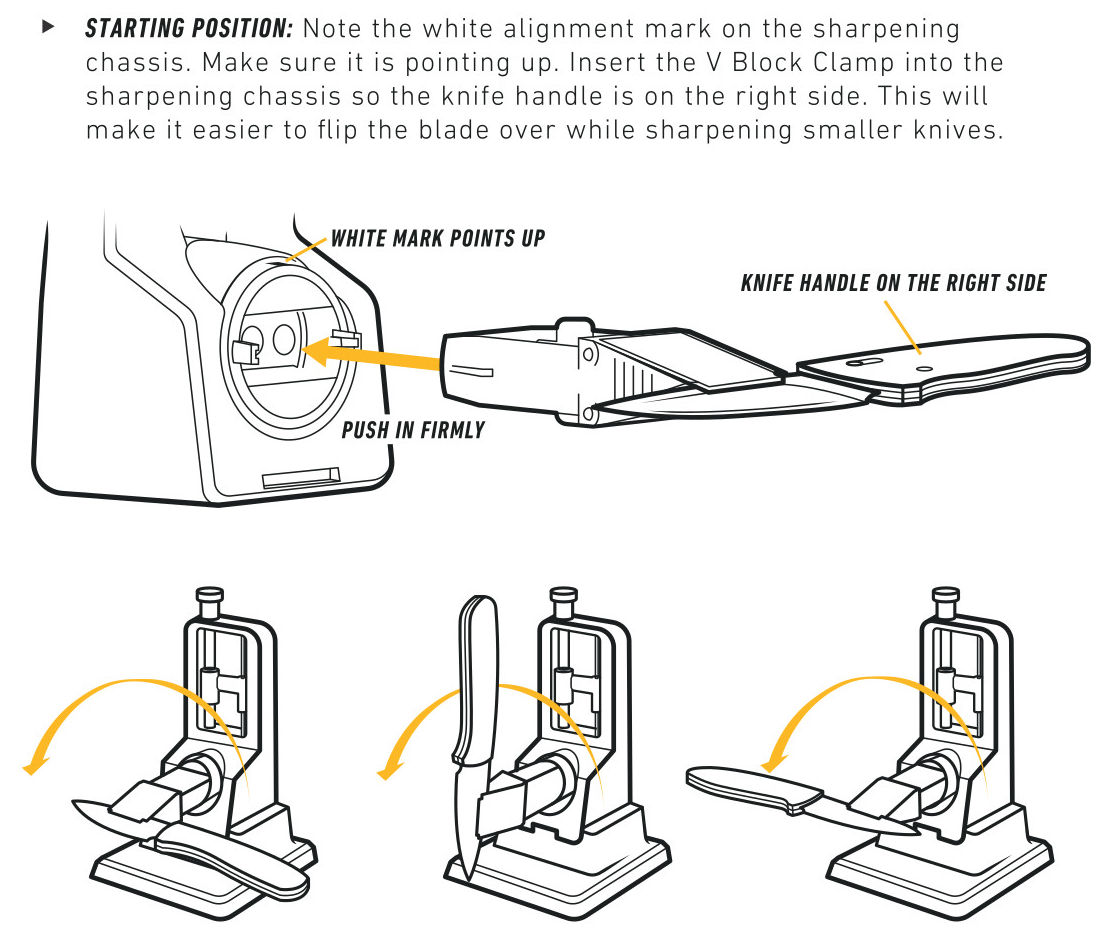
What’s not obvious is that the socket can rotate only 180°, which means you (well, I) must remember which way to turn it based on the presence or absence of the small white mark. I get it wrong somewhat more than half the time while sharpening a small symmetric blade, rather than a knife with a handle, so I added arrows to the socket.
With the white mark upward, turn 180° counterclockwise:
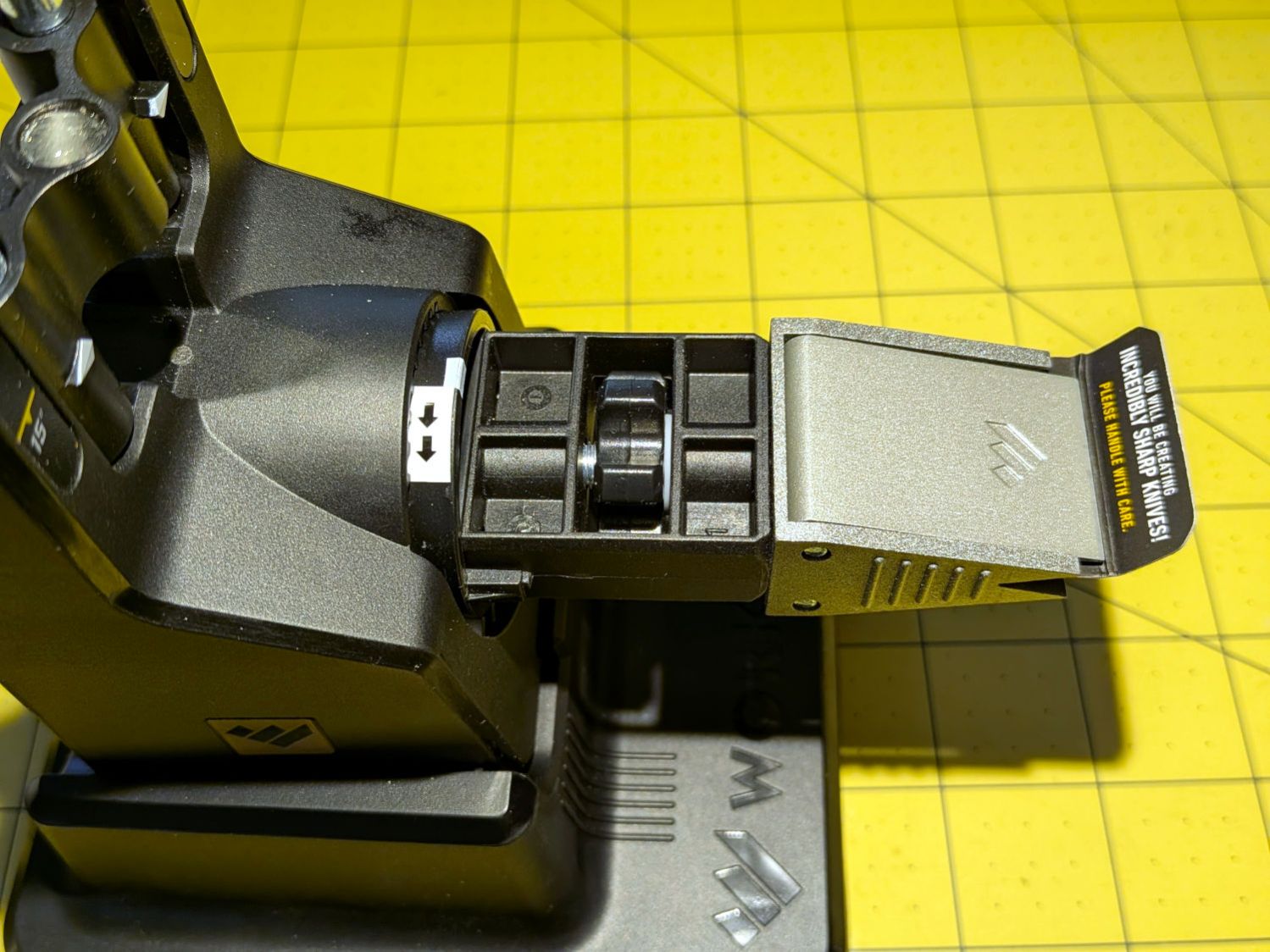
Then turn it 180° clockwise:
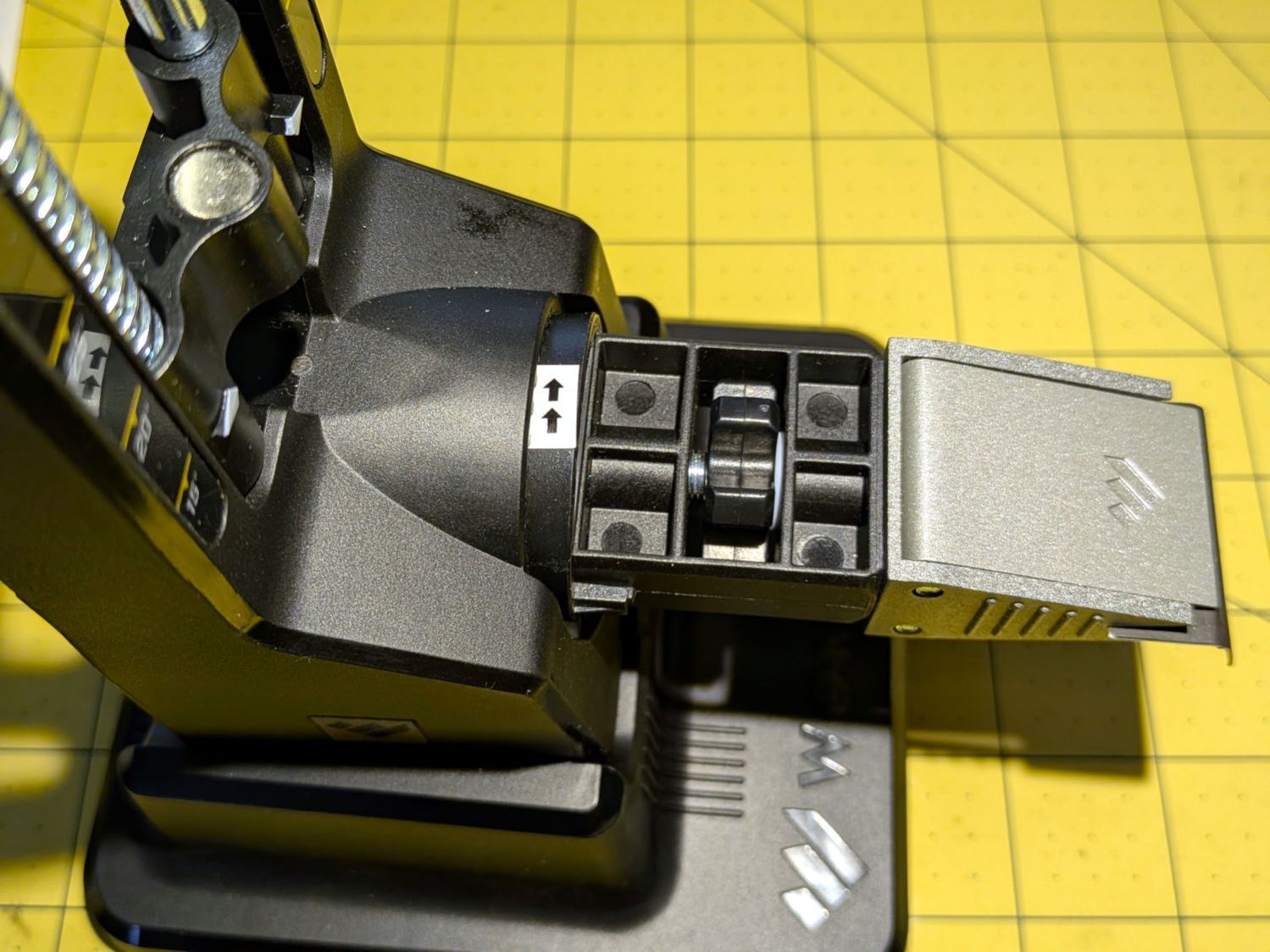
As with the slug filling the uncomfortable button on the back side of the socket, this seems like it should be a standard feature.

