Using Bash arrays is an exercise in masochism, but I got to recycle most of the oddities from the previous script, so it wasn’t a dead loss.
The cameras use individually unique / screwy / different filesystem layouts, so the script must have individual code to both copy the file and decapitalize the file extensions. This prevents using a single tidy function, although laying out the code in case statements keyed by the camera name helps identify what’s going on.
My previous approach identified the MicroSD cards by their UUIDs, which worked perfectly right up until the camera reformats the card while recovering from a filesystem crash and installs a randomly generated UUID. Because there’s no practical way to modify an existing UUID on a VFAT drive, I’m switching to the volume label as needed:
#-- action cameras and USB video storage
UUID=B40C6DD40C6D9262	/mnt/video	ntfs	user,noauto,uid=ed	0	0
UUID=B257-AE02		/mnt/Fly6	vfat	user,noauto,uid=ed	0	0
#UUID=0000-0001		/mnt/M20	vfat	user,noauto,uid=ed	0	0
UUID=3339-3338		/mnt/M20	vfat	user,noauto,uid=ed	0	0
LABEL=AS30V		/mnt/AS30V	exfat	user,noauto,uid=ed	0	0
LABEL=C100-0001		/mnt/C100_1	vfat	user,noauto,uid=ed	0	0
LABEL=C100-0002		/mnt/C100_2	vfat	user,noauto,uid=ed	0	0
UUID=0050-0001		/mnt/M50	vfat	user,noauto,uid=ed	0	0
In particular, note the two UUIDs for the M20 camera: there’s a crash and reformat in between those two lines. The two C100 cameras started out with labels because the M20 taught me the error of my ways.
The script simply iterates through a list array of the cameras and tries to mount the corresponding MicroSD card for each one: the mount points are cleverly chosen to match the camera names in the array. Should the mount succeeds, an asynchronous rsync then slurps the files onto the bulk video drive.
With all the rsync operations running, the script waits for all of them to complete before continuing. I don’t see much point in trying to identify which rsync just finished and fix up its files while the others continue to run, so the script simply stalls in a loop until everything is finished.
All in all, the script scratches my itch and, if naught else, can serve as a Bad Example™ of how to get the job done.
A picture to keep WordPress from reminding me that readers respond positively to illustrated posts:
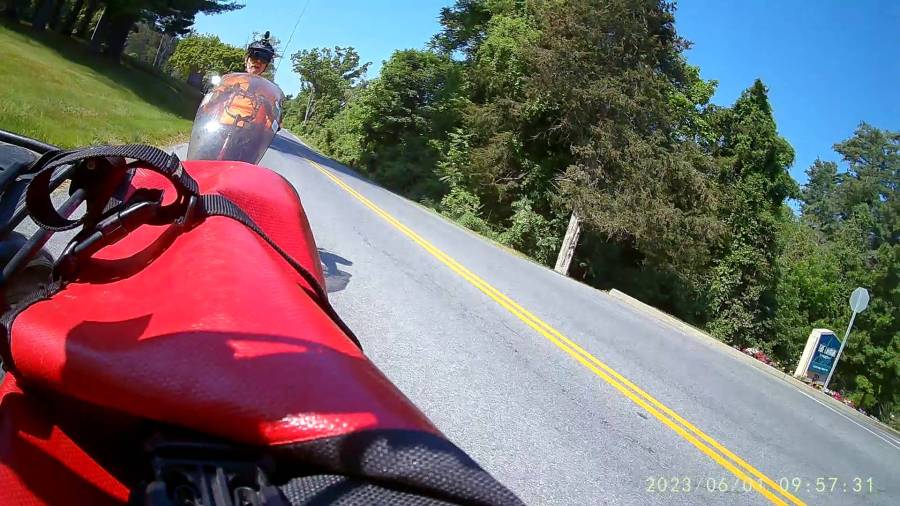
Ride on!
The Bash script as a GitHub Gist:
| #!/bin/bash | |
| # This uses too many bashisms for dash | |
| source /etc/os-release | |
| echo 'Running on' $PRETTY_NAME | |
| if [[ "$PRETTY_NAME" == *Manjaro* ]] ; then | |
| ren='perl-rename' | |
| dm='sudo dmesg' | |
| elif [[ "$PRETTY_NAME" == *Ubuntu* ]] ; then | |
| ren='rename' | |
| dm='dmesg' | |
| else | |
| echo 'New distro to me:' $PRETTY_NAME | |
| echo ' … which rename command is valid?' | |
| exit | |
| fi | |
| echo Check for good SD card spin-up | |
| $dm | tail -50 | |
| echo … Ctrl-C to bail out and fix / Enter to proceed | |
| read junk | |
| thisdate=$(date –rfc-3339=date) | |
| echo Date: $thisdate | |
| # MicroSD / readers / USB drive defined in fstab | |
| # … with UUID or PARTID as appropriate | |
| echo Mounting bulk video drive | |
| sudo mount /mnt/video | |
| if [ $? -ne 0 ]; then | |
| echo '** Cannot mount video storage drive' | |
| exit | |
| fi | |
| # Show starting space available | |
| df -h /mnt/video | |
| # list the cameras | |
| declare -a cams=( AS30V Fly6 M20 M50 C100_1 C100_2 ) | |
| declare -A targets=( \ | |
| [AS30V]=/mnt/video/AS30V/$thisdate \ | |
| [Fly6]=/mnt/video/Fly6/DCIM \ | |
| [M20]=/mnt/video/M20/$thisdate \ | |
| [M50]=/mnt/video/M50/$thisdate \ | |
| [C100_1]=/mnt/video/C100_1/$thisdate \ | |
| [C100_2]=/mnt/video/C100_2/$thisdate \ | |
| ) | |
| declare -A PIDs | |
| declare -A Copied | |
| echo Iterating through cameras: ${cams[*]} | |
| Running=0 | |
| for cam in ${cams[*]} ; do | |
| printf "\nProcessing: $cam\n" | |
| mpt="/mnt/$cam" | |
| target=${targets[$cam]} | |
| sudo mount $mpt | |
| if [ $? -eq 0 ]; then | |
| echo " Start $cam transfer from $mpt" | |
| echo " Make target directory: $target" | |
| mkdir $target | |
| case $cam in | |
| ( AS30V ) | |
| rsync -ahu –progress –exclude "*THM" $mpt/MP_ROOT/100ANV01/ $target & | |
| ;; | |
| ( Fly6 ) | |
| rsync -ahu –progress $mpt /mnt/video & | |
| ;; | |
| ( M20 ) | |
| n=$( ls $mpt/DCIM/Photo/* 2> /dev/null | wc -l ) | |
| if [ $n -gt 0 ] ; then | |
| echo " copy M20 photos first" | |
| rsync -ahu –progress $mpt/DCIM/Photo/ $target | |
| fi | |
| echo " cmd: rsync -ahu –progress $mpt/DCIM/Movie/ $target" | |
| rsync -ahu –progress $mpt/DCIM/Movie/ $target & | |
| ;; | |
| ( M50 ) | |
| n=$( ls $mpt/DCIM/PHOTO/* 2> /dev/null | wc -l ) | |
| if [ $n -gt 0 ] ; then | |
| echo " copy M50 photos first" | |
| rsync -ahu –progress $mpt/DCIM/PHOTO/ $target | |
| fi | |
| rsync -ahu –progress $mpt/DCIM/MOVIE/ $target & | |
| ;; | |
| ( C100_1 | C100_2 ) | |
| n=$( ls $mpt/DCIM/Photo/* 2> /dev/null | wc -l ) | |
| if [ $n -gt 0 ] ; then | |
| echo " copy $cam photos first" | |
| rsync -ahu –progress $mpt/DCIM/Photo/ $target | |
| fi | |
| rsync -ahu –progress $mpt/DCIM/Movie/ $target & | |
| ;; | |
| ( * ) | |
| printf "\n**** Did not find $cam in list!\n" | |
| ;; | |
| esac | |
| PIDs[$cam]=$! | |
| echo " PID for $cam: " "${PIDs[$cam]}" | |
| Copied[$cam]=1 | |
| (( Running++ )) | |
| else | |
| echo " skipping $cam" | |
| Copied[$cam]=0 | |
| fi | |
| done | |
| printf "\n—– Waiting for all rsync terminations\n" | |
| echo PIDs: "${PIDs[*]}" | |
| if [ $Running -eq 0 ] ; then | |
| echo No rsyncs started, force error | |
| rcsum=9999 | |
| else | |
| rcsum=0 | |
| while [ $Running -gt 0 ] ; do | |
| echo " waiting: $Running" | |
| wait -n -p PID | |
| rc=$? | |
| rcsum=$(( rcsum+$rc )) | |
| echo RC for $PID: $rc | |
| (( Running– )) | |
| done | |
| echo All rsyncs finished | |
| fi | |
| if [ $rcsum -eq 0 ] ; then | |
| echo '—– Final cleanups' | |
| for cam in ${cams[*]} ; do | |
| if [ "${Copied[$cam]}" -eq 1 ] ; then | |
| echo Cleanup for: $cam | |
| mpt=/mnt/$cam | |
| target=${targets[$cam]} | |
| echo Target dir: $target | |
| case $cam in | |
| ( Fly6 ) | |
| find $target -name \*AVI -print0 | xargs -0 $ren -v -f 's/AVI/avi/' | |
| rm -rf $mpt/DCIM/* | |
| ;; | |
| ( AS30V ) | |
| find $target -name \*MP4 -print0 | xargs -0 $ren -v -f 's/MP4/mp4/' | |
| rm $mpt/MP_ROOT/100ANV01/* | |
| ;; | |
| ( M50 ) | |
| find $target -name \*MP4 -print0 | xargs -0 $ren -v -f 's/MP4/mp4/' | |
| rm $mpt/DCIM/MOVIE/* | |
| n=$( ls $mpt/DCIM/PHOTO/* 2> /dev/null | wc -l ) | |
| if [ $n -gt 0 ] ; then | |
| echo placeholder $cam | |
| rm $mpt/DCIM/PHOTO/* | |
| fi | |
| ;; | |
| ( * ) | |
| find $target -name \*MP4 -print0 | xargs -0 $ren -v -f 's/MP4/mp4/' | |
| find $target -name \*JPG -print0 | xargs -0 $ren -v -f 's/JPG/jpg/' | |
| rm $mpt/DCIM/Movie/* | |
| n=$( ls $mpt/DCIM/Photo/* 2> /dev/null | wc -l ) | |
| if [ $n -gt 0 ] ; then | |
| echo placeholder $cam | |
| rm $mpt/DCIM/Photo/* | |
| fi | |
| ;; | |
| esac | |
| sudo umount $mpt | |
| else | |
| echo No cleanup for: $cam | |
| fi | |
| done | |
| echo '—– Space remaining on video drive' | |
| df -h /mnt/video | |
| sudo umount /mnt/video | |
| date | |
| echo Done! | |
| else | |
| echo Whoopsie! Total RC: $rcsum | |
| fi |
 The Smell of Molten Projects in the Morning
Comments
5 responses to “Copying Action Camera Video Files: Now With Arrays”
I did a shell script to copy (too many) MP3 files onto USB thumb drives for our two vehicles that take such. The Good Idea Fairy said if I combine all albums from a given group into a single directory, it then is (too many) – 75 or so.
Turns out doing this in shell scripting is a nightmare, so I’m relearning Perl to do the job. Since my last experience with Perl was around Y2K, the Camel book is close at hand…
I hate the Good Idea Fairy. [Wince]
Insufficient caffeine this morning. I started with 425 directories, one per CD. Can drop that to 350 if I combine all albums of certain types into larger directories. Makes for a bit easier job when driving.
Ah, first world problems. [grin]
Seems like a fine rabbit hole to explore on a rainy
dayweekend.“A picture to keep WordPress from reminding me that readers respond positively to illustrated posts”
And two days ago, a cat picture even. Mom bloggers look out. You’re really trying to take over the bloggosphere.
I even have a few food pictures: A/B/C testing for maximum SEO in full effect!
The
Hot Topicslist over there on the right shows all this techie stuff I do has zero appeal to search engines. Removing a water heater rod and the mystery thread on a broom handle, now that’s what people want to see!