My collection of old USB cameras emitted a Logitech Quickcam for Notebooks Deluxe, with a tag giving a cryptic M/N of V-UGB35. Given Logitech’s penchant for overlapping names, its USB identifiers may be more useful for positive ID:
ID 046d:08d8 Logitech, Inc. QuickCam for Notebook DeluxeIt works fine as a simple V4L camera and its 640×480 optical resolution may suffice for simple purposes, even if it’s not up to contemporary community standards.
The key disassembly step turned out to be simply pulling the pivoting base off, then recovering an errant spring clip from the Laboratory Floor:
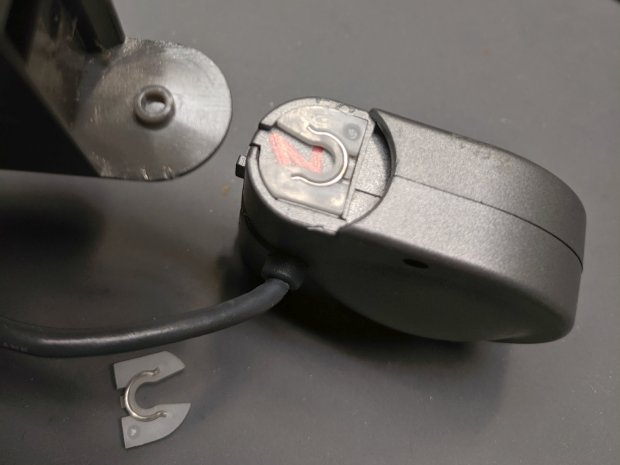
The clips have a beveled side and fit into their recesses in only one orientation; there’s no need for brute force.
Removing the two obvious case screws reveals the innards:
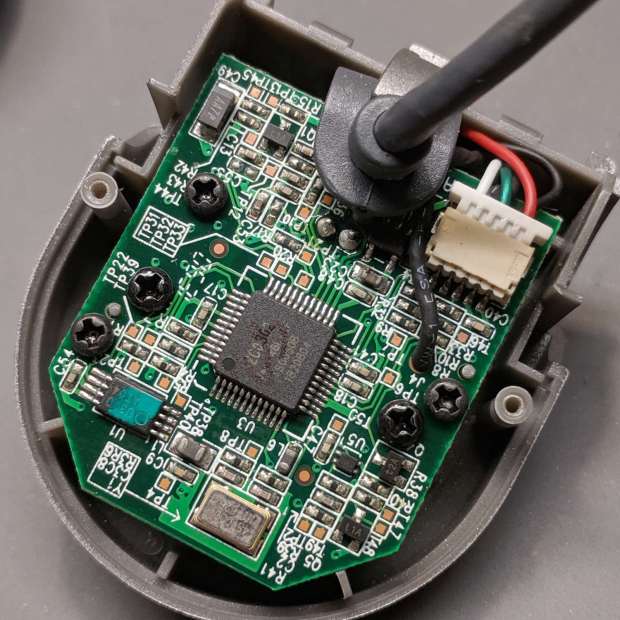
Three more screws secure the PCB:
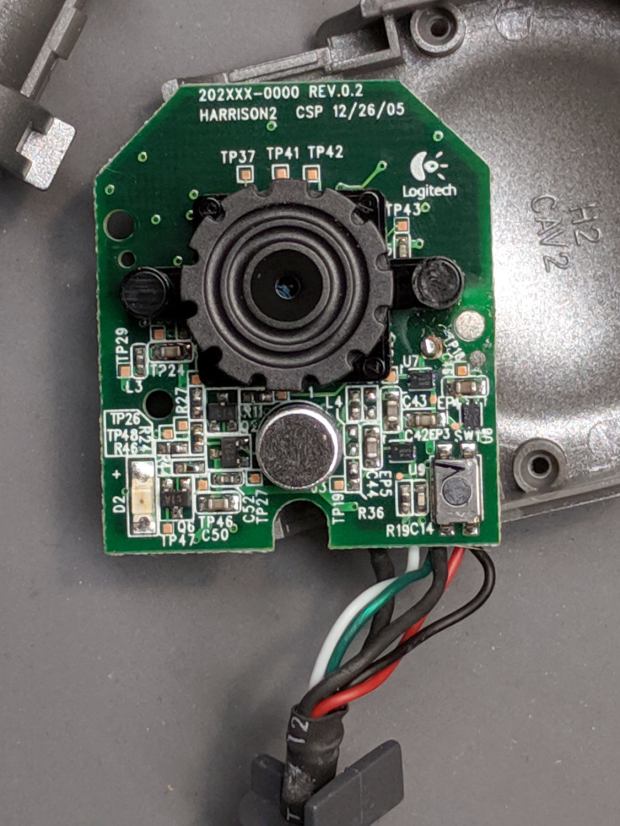
The ribbed focus knob around the lens makes it more useful than a nominally fixed-focus camera.
Reassembly is in reverse order.
I miss having obvious case screws …
 The Smell of Molten Projects in the Morning
Comments
One response to “Logitech “Quickcam for Notebooks Deluxe” USB Camera Disassembly”
[…] 640×480 resolution. For no obvious reason, it seems to work better on a Raspberry Pi than the Logitech QuickCam for Notebooks Deluxe I ripped apart a few weeks ago, where “better” is defined as “shows a stable […]