The Smell of Molten Projects in the Morning

Ed Nisley's Blog: Shop notes, electronics, firmware, machinery, 3D printing, laser cuttery, and curiosities. Contents: 100% human thinking, 0% AI slop.

Month: June 2018

  • Tour Easy Front Derailleur Cable Clamp

    In addition to sawing through the side of the cable ferrule, the front derailleur cable began breaking at the edge of the derailleur arm:
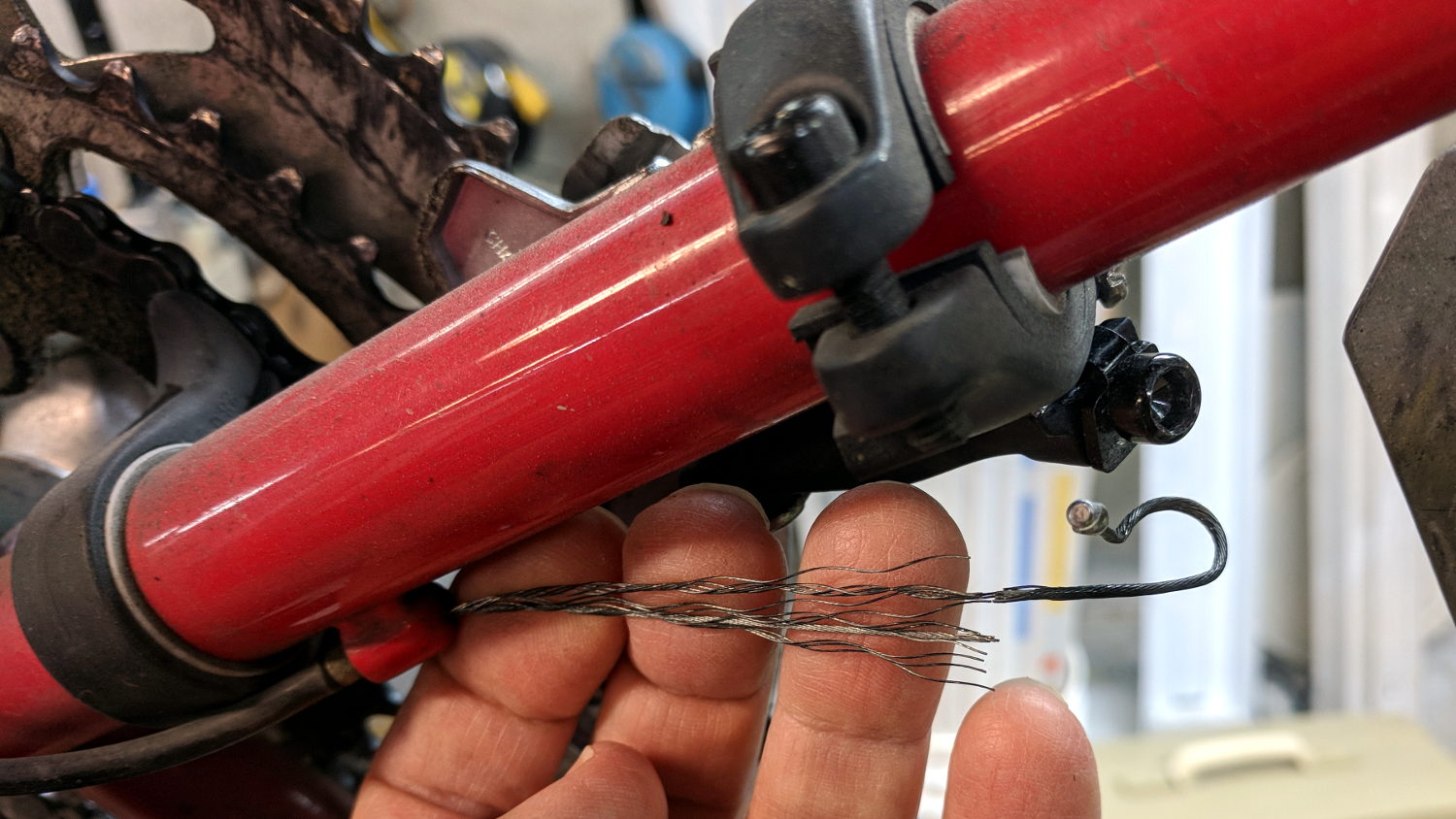
    Tour Easy Front Derailleur Cable - frayed
    Tour Easy Front Derailleur Cable – frayed

    It wouldn’t have survived another ride!

    Dan pointed out CNC machined aluminum cable clamps are a thing, but those are sized for larger frame tubes than the 1.0 inch steel used on our Tour Easy ‘bents and, although I’ve shimmed everything else on the frame, I wanted to tweak the cable angle to match the arm on the derailleur.

    A bit of OpenSCAD wrangling produces a likely candidate:

    Front Derailleur Cable Clamp - Slic3r
    Front Derailleur Cable Clamp – Slic3r

    That’s a bulked-up revision of the prototype:
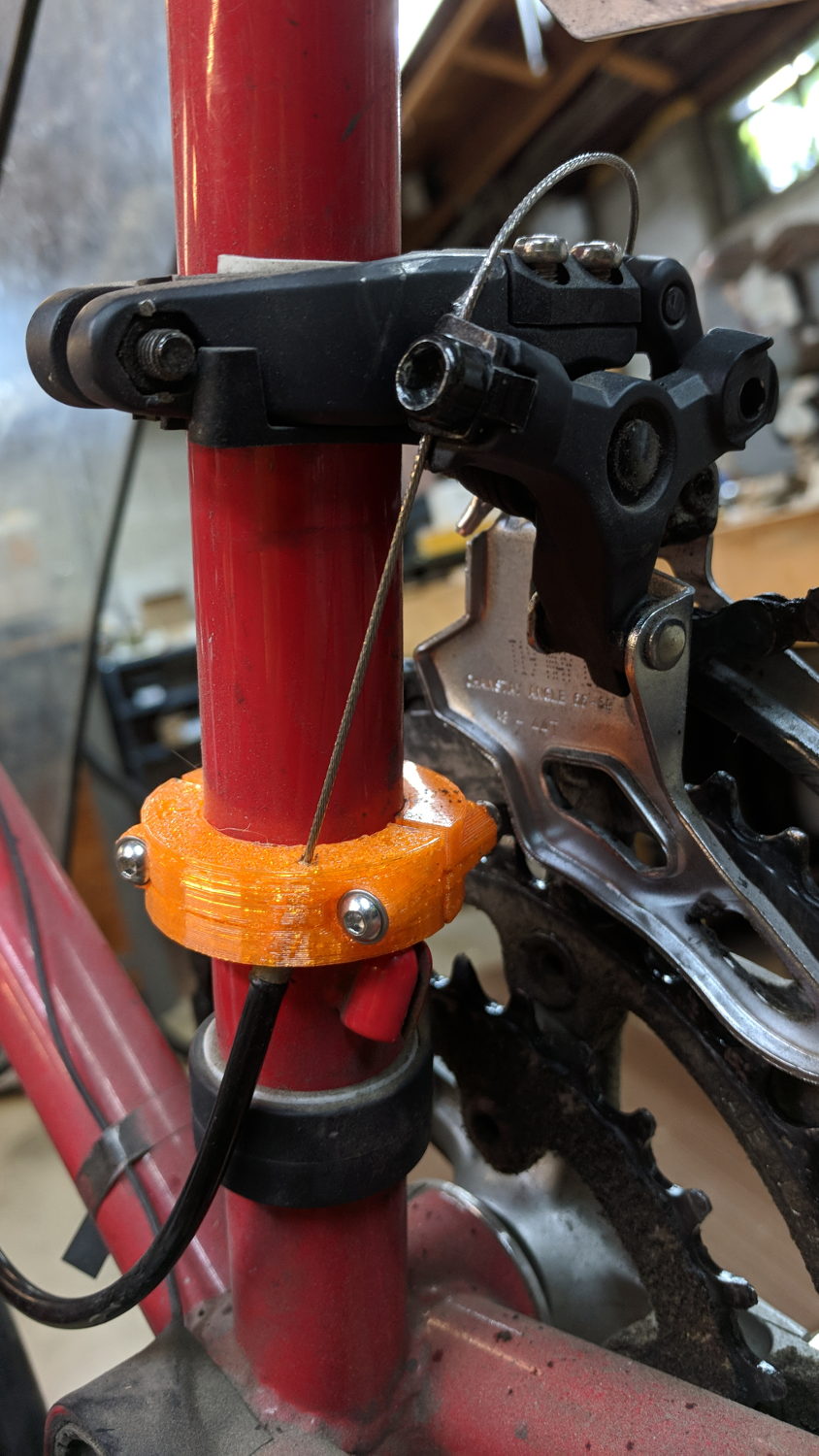
    Tour Easy Front Derailleur Cable Clamp - installed
    Tour Easy Front Derailleur Cable Clamp – installed

    Done up in orange PETG, it demonstrated the idea worked, but two perimeter threads wrapped around 15% infill isn’t quite up to the task. Note the split along the screw on the far half and various irregularities around the ferrule.

    The cable angle isn’t quite right, either, as the proper compound angle would, alas, aim the cable into the pedal crank. The bulky bushings get in the way of putting the ferrule where it should be with the screws aligned in a tidy manner, so I must get used to the jaunty angle.

    The bulkier version, done with 50% infill and four perimeter threads, has the same tilt angle, but the ferrule sits further from the screws:

    Tour Easy Front Derailleur Cable Clamp V2 - rear quarter view
    Tour Easy Front Derailleur Cable Clamp V2 – rear quarter view

    The view from the left side shows the cable angles slightly to the rear, but the smaller angle should make it happier:
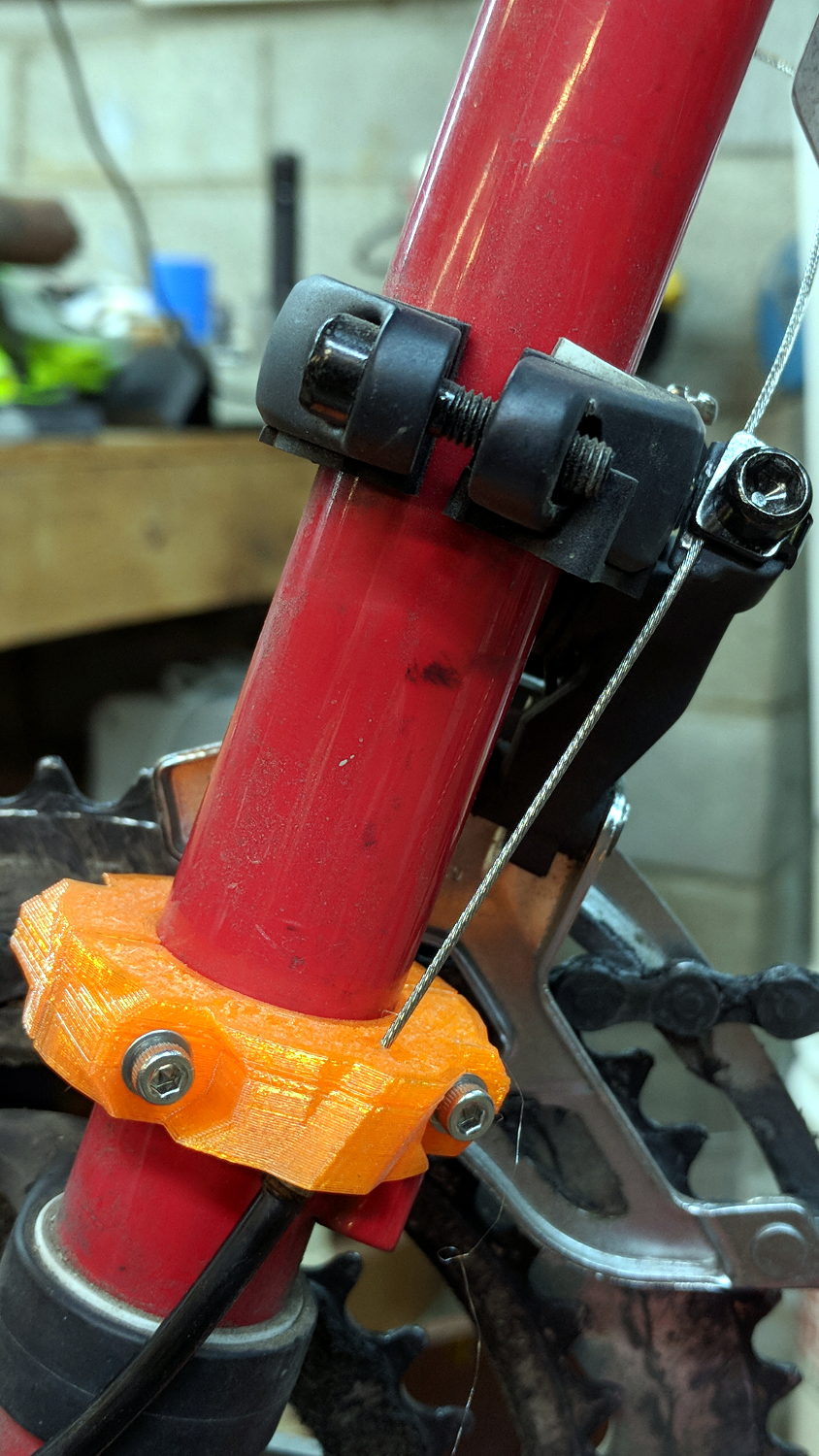
    Tour Easy Front Derailleur Cable Clamp V2 - side view
    Tour Easy Front Derailleur Cable Clamp V2 – side view

    Probably should have used black PETG. Next time, for sure!

    The OpenSCAD source code as a GitHub Gist:

    // Tour Easy Derailleur Cable Clamp
    // Ed Nisley KE4ZNU – June 2017
    /* [Build Options] */
    Layout = "Build"; // [Build, Show]
    /* [Extrusion] */
    ThreadThick = 0.25; // [0.20, 0.25]
    ThreadWidth = 0.40; // [0.40]
    function IntegerMultiple(Size,Unit) = Unit * ceil(Size / Unit);
    /* [Hidden] */
    Protrusion = 0.01; // [0.01, 0.1]
    HoleWindage = 0.2;
    ID = 0;
    OD = 1;
    LENGTH = 2;
    /* [Cable Clamp] */
    FrameOD = 25.7; // Tour Easy has hard inch tubing + paint
    Ferrule = [1.5,5.1,12.0]; // cable ferrule
    EntryPoint = [0,13,60]; // cable entry to derailleur, +Y to rear of bike
    CableTilt = -20; // tilt from parallel to frame tube
    CableTheta = 0; // rotation around clamp from +X axis
    /* [Screws and Inserts] */
    ClampScrew = [3.0,5.5,35.0]; // M3 button / socket head cap screw
    ClampWasher = [3.7,7.0,0.7]; // M3 washer
    ClampNut = [3.0,6.0,4.0]; // M3 nylock nut
    /*
    ClampScrew = [4.0,7.0,25.0]; // M4 button head cap screw
    ClampWasher = [4.5,9.0,0.8]; // M4 washer
    ClampNut = [4.0,8.0,5.0]; // M4 nylock nut
    */
    NutShift = -0; // slide bushing toward nut for clearance
    //- Set clamp ring dimensions
    WallThick = 10.0;
    BushingSides = 8;
    Bushing = [ClampScrew[ID],
    // ClampWasher[OD]/cos(180/8) + 4*ThreadWidth,
    Ferrule[LENGTH]/cos(180/BushingSides),
    ClampScrew[LENGTH] – 2*ClampWasher[LENGTH] – ClampNut[LENGTH]];
    Ring = [FrameOD + HoleWindage,FrameOD + 2*WallThick,Ferrule[LENGTH]];
    ClampScrewOC = IntegerMultiple(FrameOD + ClampWasher[OD],1);
    echo(str(" screw OC: ",ClampScrewOC));
    ClampKerf = 0.75; // kerf between separated halves
    NumSides = 8*4;
    //- Adjust hole diameter to make the size come out right
    module PolyCyl(Dia,Height,ForceSides=0) { // based on nophead's polyholes
    Sides = (ForceSides != 0) ? ForceSides : (ceil(Dia) + 2);
    FixDia = Dia / cos(180/Sides);
    cylinder(r=(FixDia + HoleWindage)/2,h=Height,$fn=Sides);
    }
    // Construct things
    module ClampRing() {
    difference() {
    union() {
    cylinder(d=Ring[OD],h=Ring[LENGTH],$fn=NumSides); // basic ring
    for (j=[-1,1]) // screw bushings
    translate([Bushing[LENGTH]/2 + NutShift,j*ClampScrewOC/2,Ring[LENGTH]/2])
    rotate([0,-90,0]) rotate(180/BushingSides)
    cylinder(d=Bushing[OD],h=Bushing[LENGTH],$fn=BushingSides);
    intersection() {
    rotate([CableTilt,0,CableTheta]) // reinforce cable ferrule
    translate([(Ring[ID] + Ring[OD])/4,0,Ferrule[LENGTH]/2])
    rotate(180/8)
    cylinder(d=3*Ferrule[OD] + 0*ThreadWidth,2*Ferrule[LENGTH],center=true,$fn=8);
    cylinder(d=2*Ring[OD],h=Ring[LENGTH],$fn=NumSides); // basic ring
    }
    }
    translate([0,0,-Protrusion]) // frame tube
    cylinder(d=Ring[ID],h=Ring[LENGTH] + 2*Protrusion,$fn=NumSides);
    rotate([CableTilt,0,CableTheta]) // cable ferrule
    translate([(Ring[ID] + Ring[OD])/4,0,-0.25*Ferrule[LENGTH]]) {
    rotate(180/8)
    PolyCyl(Ferrule[OD],Ferrule[LENGTH],8);
    rotate(-22.5)
    PolyCyl(Ferrule[ID],2*Ferrule[LENGTH],4);
    }
    for (j=[-1,1]) // screw holes
    translate([Ring[OD]/2,j*ClampScrewOC/2,Ring[LENGTH]/2])
    rotate([0,-90,0]) rotate(180/6)
    PolyCyl(Bushing[ID],Ring[OD],6);
    for (i=[-1,1], j=[-1,1]) // screw & nut seats
    translate([i*(Bushing[LENGTH]/2) + NutShift,j*ClampScrewOC/2,Ring[LENGTH]/2])
    rotate([0,i*90,0]) rotate(180/BushingSides)
    cylinder(d=Bushing[OD],h=Bushing[LENGTH],$fn=BushingSides);
    translate([0,0,Ring[LENGTH]/2]) // slice it apart
    cube([ClampKerf,2*Ring[OD],2*Ring[LENGTH]],center=true);
    }
    }
    //- Build things
    if (Layout == "Show") {
    translate(EntryPoint)
    cube(1,center=true);
    ClampRing();
    }
    if (Layout == "Build") {
    ClampRing();
    }
  • Mint Extract: The Beginning

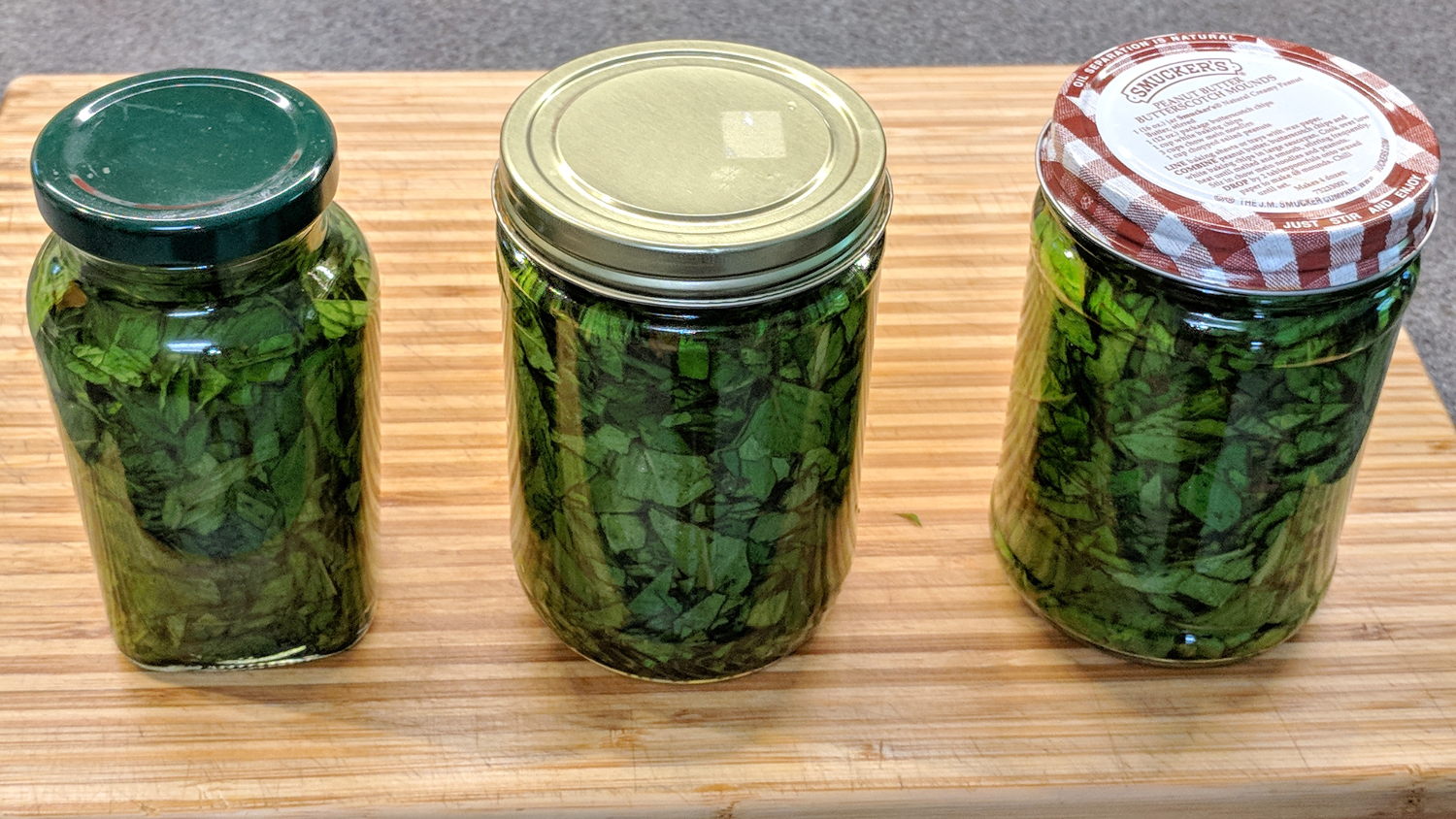
    Mary harvested a great bunch of spearmint from a place where it wouldn’t be missed and, after rinsing, plucking, and chopping, we now have a liter of Mint Extract in the making:

    Mint Extract - start - 2018-05-29
    Mint Extract – start – 2018-05-29

    The big jars got 3 oz of coarse-chopped leaves apiece, the smaller jar 1 oz, and the (removed) stems added up to 3.5 oz, so call it 1/3 waste. Not that this is an exact science, but I’d say 3/4 pound of just-picked mint, packed slightly tighter than those jars, would produce a liter of extract.

    Because we started with fresh-picked leaves, a liter of 190 proof = 95% ethanol Everclear (*) will extract the oil better than the 80 proof = 40% ethanol vodka I used for dried vanilla beans.

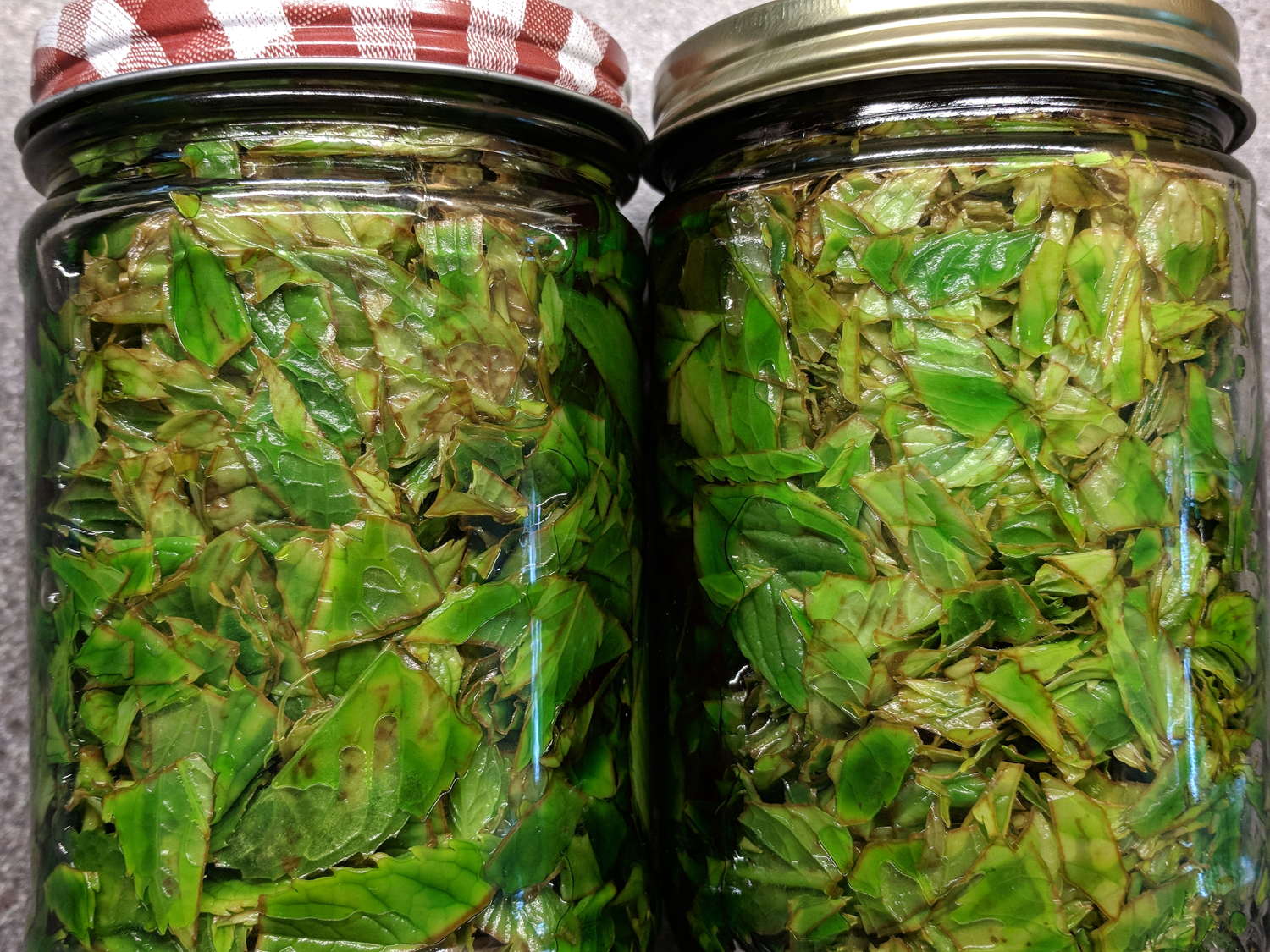
    A day later, the leaves definitely look dehydrated:

    Mint Extract - browning leaves - 2018-05-30
    Mint Extract – browning leaves – 2018-05-30

    Those bottles are lying on their sides with the camera above, looking through the air bubble to the leaves. Unlike commercial mint extract, this stuff is green!

    It’ll be finished after a month of daily agitation, but surely it’s an exponential process: a few hundred μl already pep up a mug o’ cocoa just fine.

    In very round numbers, I get 10 drops / 0.1 ml, so 1 drop = 10 μl.

    Bonus: the cutting board smells wonderful.

    (*) It may be Olde White Guy Privilege, but clerks don’t even blink when I stagger up to the counter clutching a bottle of high-octane hooch; they don’t even card my age!

  • QRPme Pocket Pal II: RF Waveforms and Meter Test

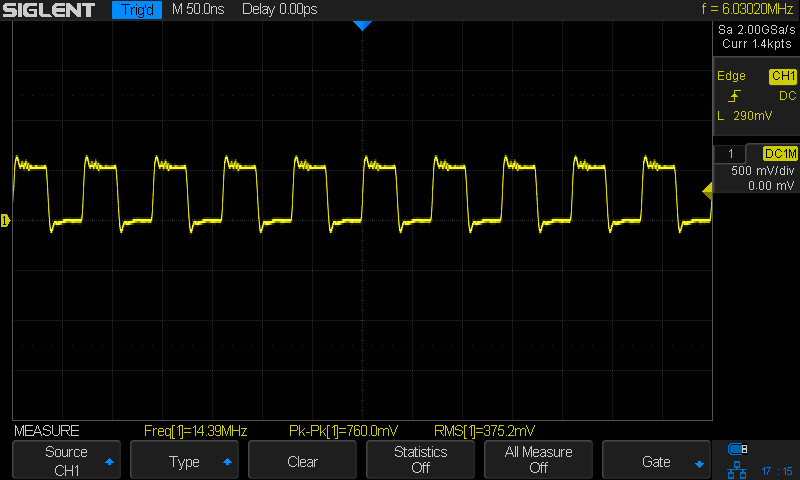
    The QRPme Pocket Pal II produces RF test signals in the 20 meter and 40 meter bands, both square-ish waves derived from its 14.31818 MHz oscillator-in-a-can:

    QRPme 20 meter - clip leads
    QRPme 20 meter – clip leads

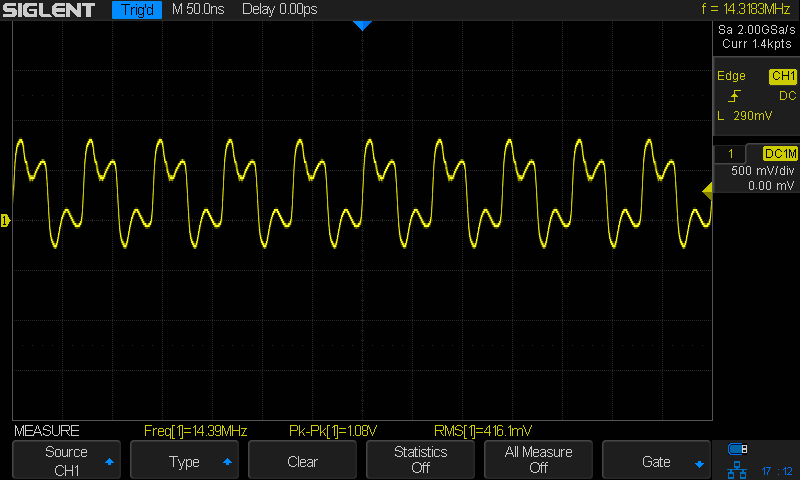
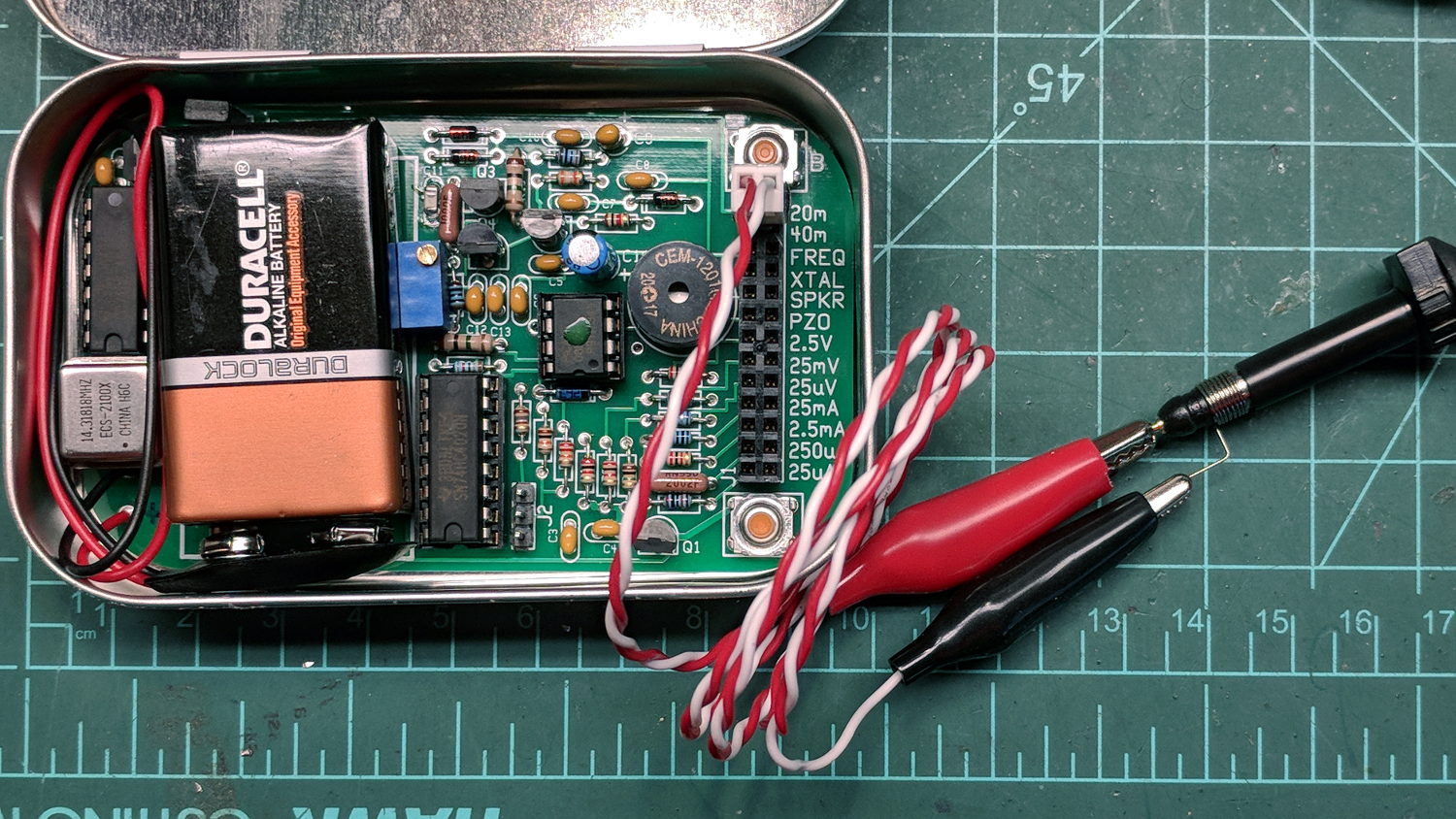
    That’s the 20 meter signal, seen through the twisted pair test lead with alligator clips clamped on the scope probe, thusly:

    QRPme Pocket Pal II - clip leads to probe tip
    QRPme Pocket Pal II – clip leads to probe tip

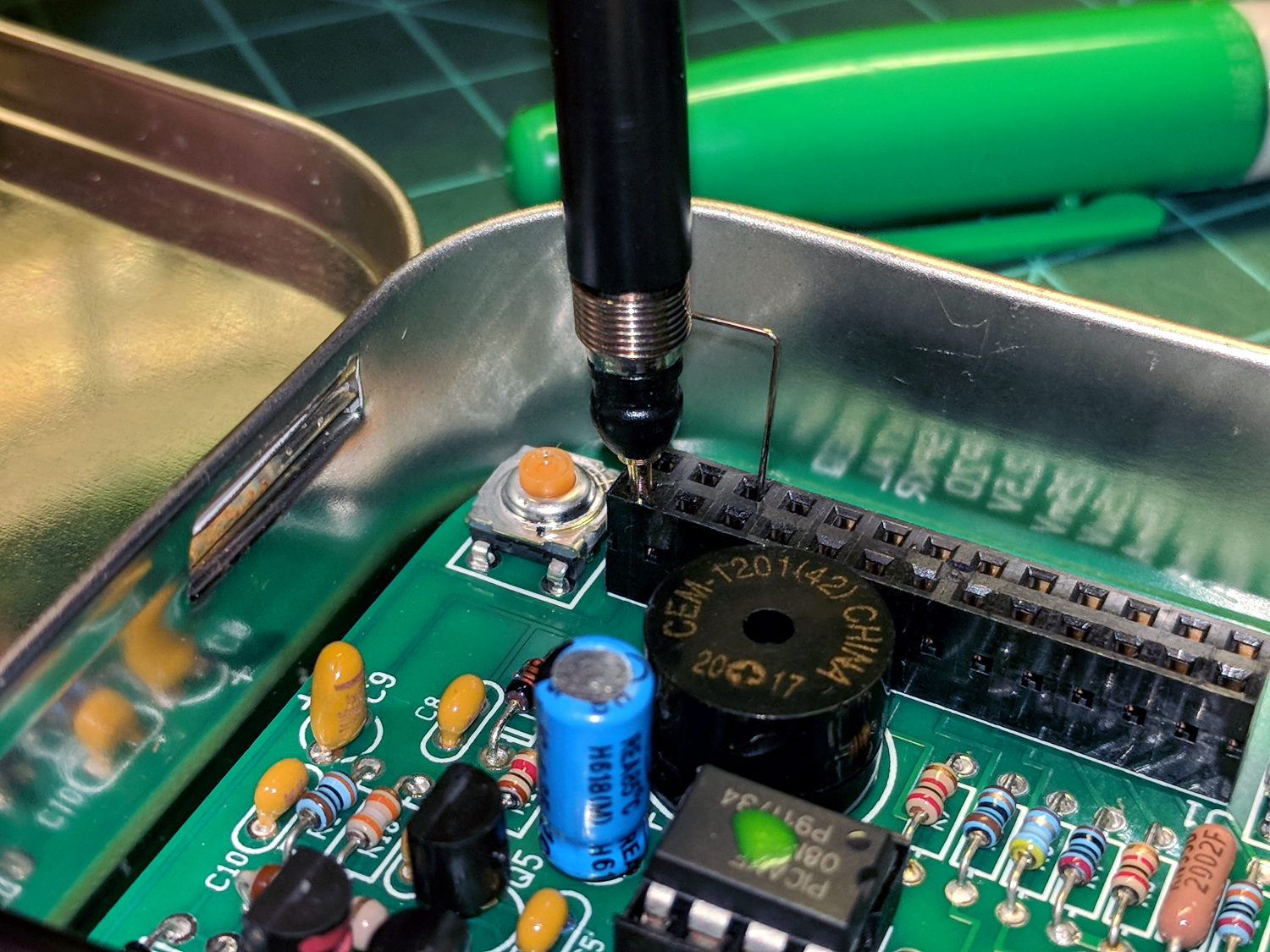
    When you’re working with RF signals, the “ground” part of the probe circuit matters:

    QRPme 20 meter - probe tip gnd
    QRPme 20 meter – probe tip gnd

    That’s with the probe and its short spring ground jammed directly into the header:

    QRPme Pocket Pal II - probe tip gnd
    QRPme Pocket Pal II – probe tip gnd

    Well, in this case, signal quality doesn’t matter very much, as you’re using the Pocket Pal II at a hamfest (or your bench) to determine if an HF radio is completely dead.

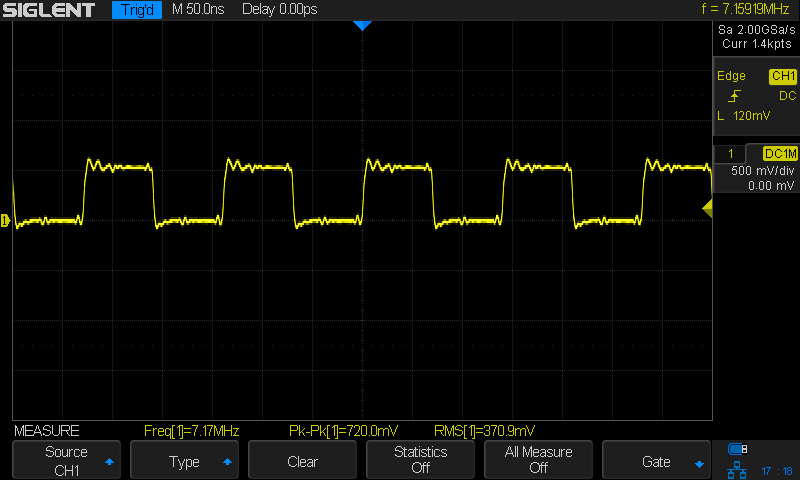
    Here’s the 40 meter output, with the J3 jumper in place and the probe jammed into the header:

    QRPme 40 meter - J3 on - probe tip gnd
    QRPme 40 meter – J3 on – probe tip gnd

    Pulling the J3 jumper off doubles the test signal amplitude:

    QRPme 40 meter - J3 off - probe tip gnd
    QRPme 40 meter – J3 off – probe tip gnd

    Nothing wrong with those signals! In a pinch, those edges probably produce harmonics up in the UHF bands.

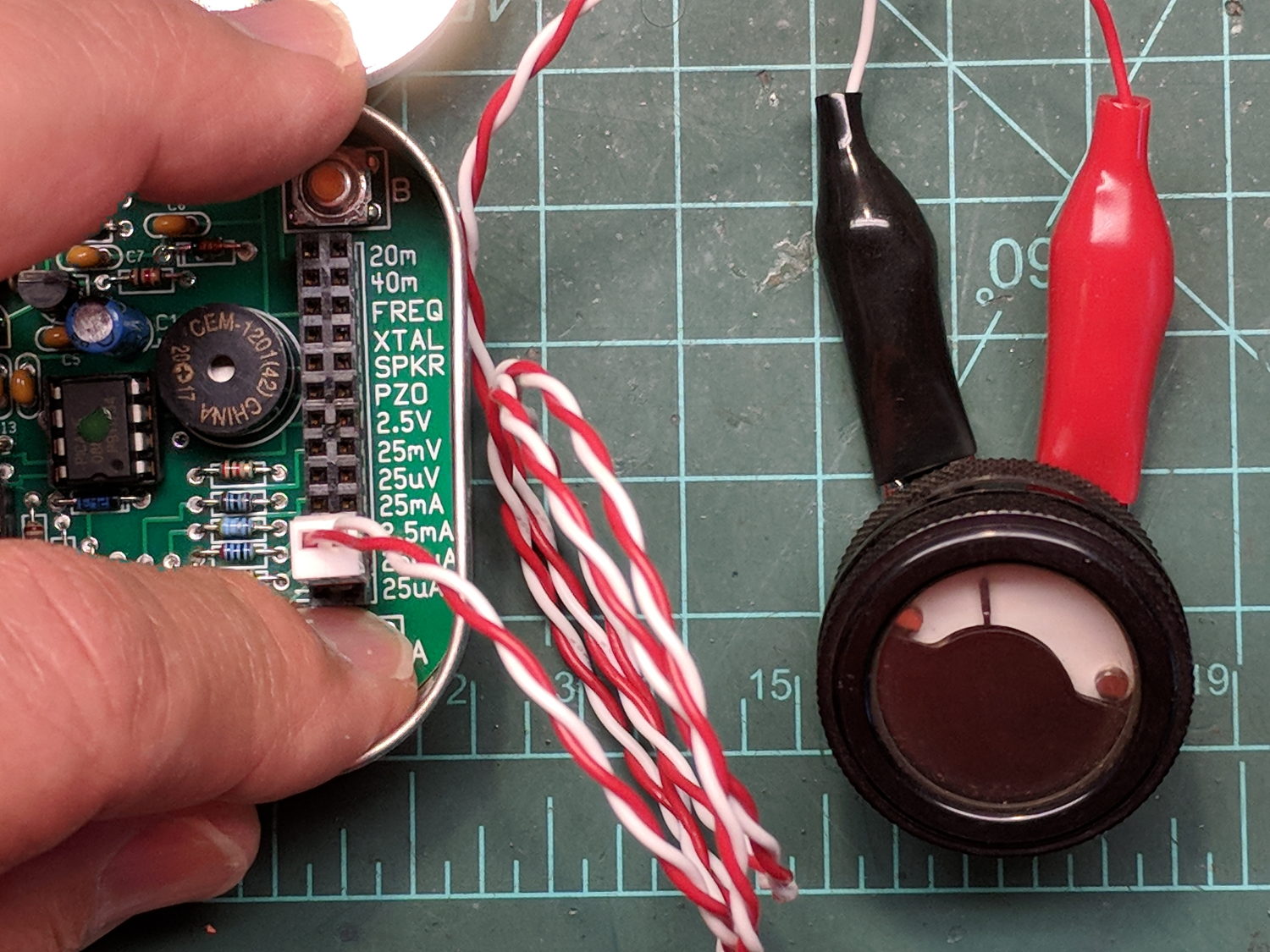
    For completeness, here’s the 250 μA DC output driving a contestant chosen from the Box o’ Meters:

    QRPme Pocket Pal II - 250 uA meter test
    QRPme Pocket Pal II – 250 uA meter test

    Eyeballometrically, the meter wants to see 1 mA for full-scale deflection, which is the whole point of the tester.

    Recommended, with some early notes.

  • Rt 376 Overgrowth: Red Oaks Mill to Maloney Rd

    The weeds are once again taking over the shoulder along Rt 376 south of Red Oaks Mill:

    This slideshow requires JavaScript.

    New shoots from the Japanese Knotweed stand just north of Maloney Rd have begun punching through the asphalt along the edge of the shoulder.

    This section is in the purview of NYS DOT’s Dutchess South Residency, extending south of Red Oaks Mill to the end of Rt 376 near Hopewell. In contrast, DOT’s Dutchess North Residency continues to keep Rt 376 well-trimmed northward from Red Oaks Mill to Poughkeepsie. I’ve never gotten any explanation why the two Residencies have such strikingly different weed-control standards.

  • FM DDS: First Light Hardware

    Some Barely Viable Prototype hardware for a frequency modulated DDS to replace Channel Elements requiring now-unobtainable crystals:

    FM DDS - First Light layout
    FM DDS – First Light layout

    The heatsink (surely harvested from a PC, then salvaged from a box o’ goodies) runs about 25 °C above ambient while dropping a 12 V input to 5 V at 180 mA, so it’s good for maybe 2°C/W. It carries a KA278RA05C LDO regulator; you’d probably want something fancier in real life.

    The AD9851 DDS requires a 5 V supply to run at 180 MHz from the 30 MHz oscillator on its PCB, with the side effect of putting its minimum Logic 1 Voltage threshold at 3.5 V. Because the Teensy 3.6 runs at 3.3 V from its own on-board linear regulator, the DIP 74AHCT125 level shifter between the two boosts the Teensy’s LVCMOS SPI signals to good old TTL.

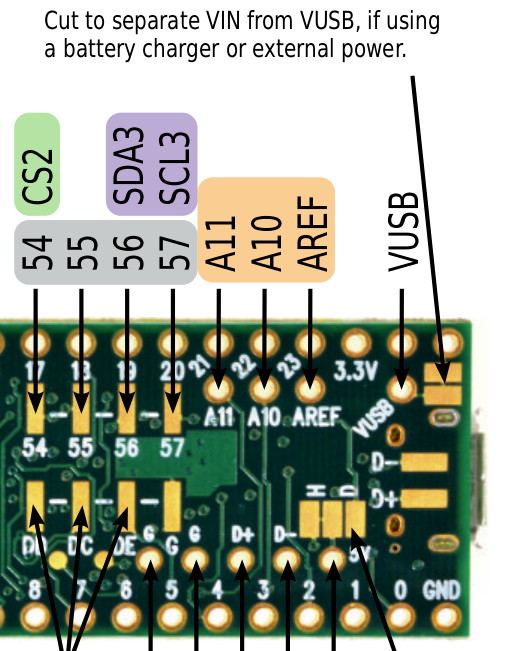
    The sticker on the CPU reminds me of the jumper cut between the USB +5 V line and the VIN pin, thus putting the Teensy on the better-regulated local supply for the benefit of its ADC reference:

    Teensy 3.6 Back - VIN to VUSB jumper
    Teensy 3.6 Back – VIN to VUSB jumper

    The picture comes from PJRC’s exceedingly helpful Teensy 3.6 reference cards.

    I ran header pins along both sides of the Teensy to simplify attaching scope probes and suchlike; the dangling gray wire brings the scope’s Arbitrary Function generator signal to the Teensy’s A9 input.

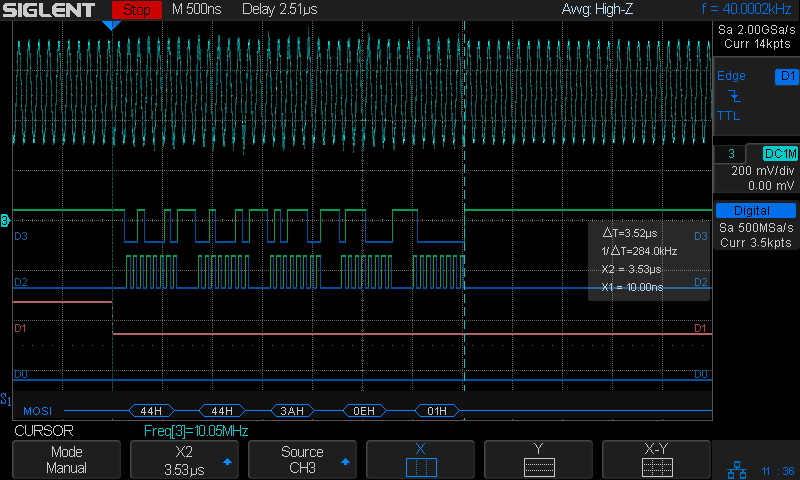
    The FMDDS Mock 3 firmware lit right up, albeit with the faceplant of sending the SPI bytes in the wrong order and the wrong bit direction, which was easily fixed after a bit of puzzling:

    FM DDS 10 MHz - SPI 16 MHz LSB
    FM DDS 10 MHz – SPI 16 MHz LSB

    Just a typo, could happen to anyone …

  • Tour Easy: Front Derailleur Cable Angle

    Spotted while in the midst of replacing my Tour Easy’s rear grip shifter:

    Tour Easy - front derailleur cable angle
    Tour Easy – front derailleur cable angle

    As you might expect, the cable saws through the side of its ferrule and the brazed-on frame fitting, because it’s been basically impossible (for me, anyhow) to find a replacement derailleur duplicating whatever the good folks at Easy Racers shipped back in 2001.

    On the upside, this derailleur’s cable entry has a nicely rounded ramp eliminating the need for my brass cable pulley widget.

    Memo to Self: Perhaps running the cable around a bearing anchored to the frame fitting would help?

    I’ve obviously forgotten to fix this for several years, so putting it here may serve as a Round Tuit.

  • Tiny Turtle Teleportation: Rail Trail

    This little critter was chugging across the Dutchess Rail Trail near the ponds north of Page Industrial Park, so I stopped to lend a hand:

    Tiny Turtle Dorsal - Rail Trail - 2018-05-23
    Tiny Turtle Dorsal – Rail Trail – 2018-05-23

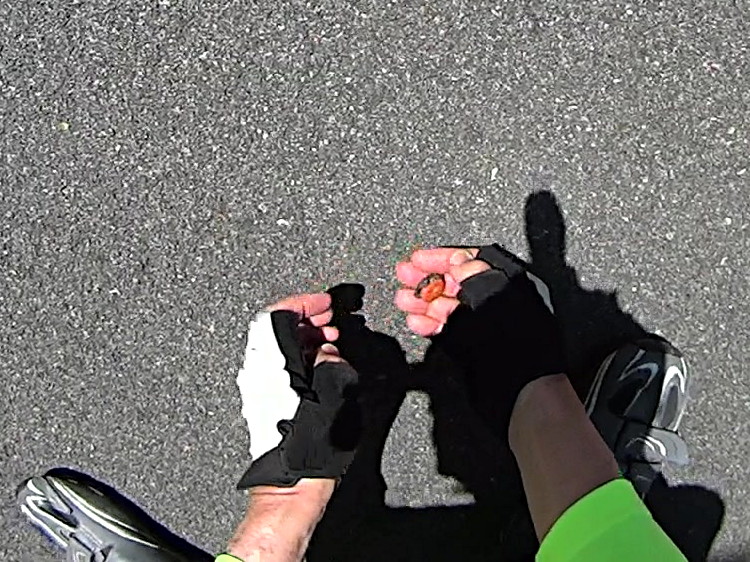
    The plastron looked like a brightly colored jewel:

    Tiny Turtle Ventral - Rail Trail - 2018-05-23
    Tiny Turtle Ventral – Rail Trail – 2018-05-23

    Perhaps plastrons start out with all the pigment they’ll ever have, then fade from bright orange to yellow-brown as they spread out.

    If you’re not paying attention, you’d think “pebble” or “dog turd”. Neither of which you should ride over, of course, but … teleporting a tiny turtle to the drainage ditch on the far side seemed to increase the world’s net happiness.

    The pix are tight crops from the AS30V’s 170° FOV images, which means they’re way grittier than you’d expect from a “full HD” image.