The Smell of Molten Projects in the Morning

Ed Nisley's Blog: Shop notes, electronics, firmware, machinery, 3D printing, laser cuttery, and curiosities. Contents: 100% human thinking, 0% AI slop.

Tag: Sherline

Sherline CNC mill

  • Aligning to a Hole With a Defocused Laser Spot

    Defocused Laser Spot on Hole
    Defocused Laser Spot on Hole

    When you’re aligning to an edge or scribe mark, you want the laser spot as small as it can possibly be, so you tune for best focus.

    To locate the center of a hole, you first find the edge, then move toward the center by one radius… so you must know the diameter, too. It’s tricky to find an edge exactly on the X or Y axis, which means you generally resort to successive approximation. I did something like that there with good results.

    If you defocus your laser aligner to produce a spot slightly larger than the hole, you can simply position the hole under the beam to produce a nice bright ring. Adjust the focus to make the spot barely larger than the hole and you can get pretty close to the center without any messy arithmetic.

    Now, should you happen to own a real laser aligner, you might actually have a nice-looking defocused spot. My homebrew Orc Engineering aligner, as shown there, starts with the beam from a chip laser in a hacked carpenter’s level, so the defocused spot is rather, mmm, ragged, even after passing through the not-very-restrictive aperture behind the lens.

    With the lens in the spindle, though, I can spin it at a few hundred RPM and persistence of vision blurs the beam into a nice, symmetrical disk. Jog to center the disk around the hole, twiddle the Z-axis position to adjust the focus / size / blobbiness, jog more slowly, tune for best picture, and it’s all good.

    This obviously doesn’t produce jig-boring quality alignment, but, then, I’m not doing that sort of work. In the picture, I’m enlarging a 4-40 hole molded in a Pactec case to fit a 6-32 screw. Normally I’d do that by hand on the drill press, but this time I also had to enlarge the counterbore at the top and figured I’d use a quick G2 with an end mill after I had it aligned for the drill.

    Maybe everybody else knows this trick, but I was delighted to find that it actually works pretty well…

  • Rattle-free Sherline Handwheels

    Knobless Sherline handwheel
    Knobless Sherline handwheel

    The standard Sherline mill comes with tapered plastic knobs on the handwheels, which is exactly what you want for a manual mill and what you don’t want on a CNC machine: they rattle like crazy during computer-controlled moves.

    Some folks contend the knob unbalances the handwheel, but I’m not convinced that’s a real problem. Their advice is to remove the entire knob assembly, leaving a bare shaft sticking out of the motor. Seems a bit extreme to me.

    In any event, shortly after I got the mill, I unscrewed the little retaining screw from the end of each knob, put all the parts in a ziplock bag, tucked it in my tool box, and have been rattle-free ever since.

    The metal shaft is entirely adequate for those rare occasions when I turn the knob manually, the graduated settings let me detect when if I’ve screwed up the acceleration (on a new installation) to the point where the motor is losing steps, and all is right with the world.

    Oh, that orange-barred white tape in front of the motor? That’s a reminder to keep the usual pile of crap away from the spinning knob. That little shaft can fling small objects a fair distance and makes a nasty tangle out of a misplaced red rag…

  • There’s No Undo Key in CNC

    The Axis user interface for EMC2 has a manual command entry mode, wherein you can type G-Code statements and EMC2 will do exactly what you say. That’s handy for positioning to exact coordinates, but I rarely use it for actual machining, as it’s just too easy to mis-type a command and plow a trench through the clamps.

    OK, on a Sherline mini-mill, you’d maybe just snap off a carbide end mill, but you get the general idea.

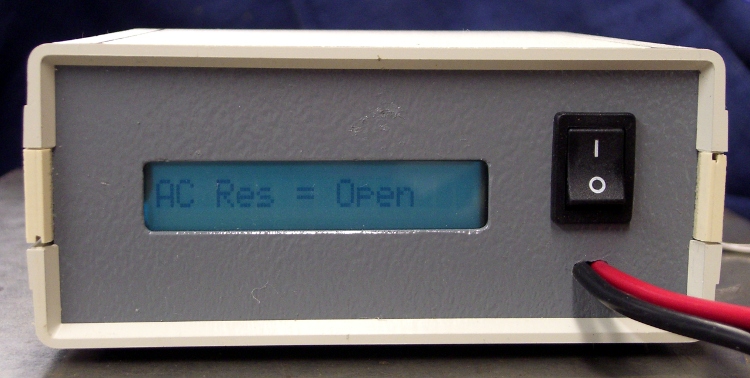
    I was making a simple front panel from some ancient nubbly coated aluminum sheet. The LCD and power switch rectangles went swimmingly.

    Then I tried to mill an oval for the test prod wires using G42.1 cutter diameter compensation. I did a trial run 1 mm above the surface, figured out how to make it do what I wanted, then punched the cutter through the sheet at the center of the oval and entered (what I thought were) the same commands by picking them from the history list.

    EMC2 now handles concave corners by automagically inserting fillets, so it must run one command behind your typing. I drove the cutter to the upper-right end of the oval (no motion) so it could engage cutter comp mode, entered the G2 right endcap arc to the lower edge (cuts straight to upper right), and then did something wrong with the next command.

    Epoxy-patched front panel hole
    Epoxy-patched front panel hole

    The cutter carved the endcap properly, then neatly pirouetted around the end and started chewing out an arc in the other direction. Even looking at the command trace I can’t figure out what I mistyped, but as it turns out it doesn’t matter… I was using the wrong dimensions for the hole anyway.

    So it’s now patched with epoxy backed up by a small square of aluminum. When it’s done curing, I’ll manually drill a pair of holes at the right coordinates, manually file out the oval, shoot a couple of coats of paint, and it’ll be OK.

    Nobody will ever know!

    If I recall correctly, Joe Martin of Sherline was the first person to observe that, unlike word processing programs, CNC machines lack an Undo key…

    Update: Like this…

    Patched panel - rear view
    Patched panel – rear view

    The shoot-a-couple-of-coats thing did not go well: a maple seed landed on the front panel. Ah, well, it’s close enough. Here’s a trial fit; the bellyband height extenders on the sides need a dab of epoxy and a shot of paint, too, but I may never get a round ‘tuit for that.

    Front panel trial fit
    Front panel trial fit

    It’s the long-awaited Equivalent Series Resistance meter…

  • Sherline Collet Pusher Tweakage

    Better-fitting pin & redrilled hole
    Better-fitting pin & redrilled hole

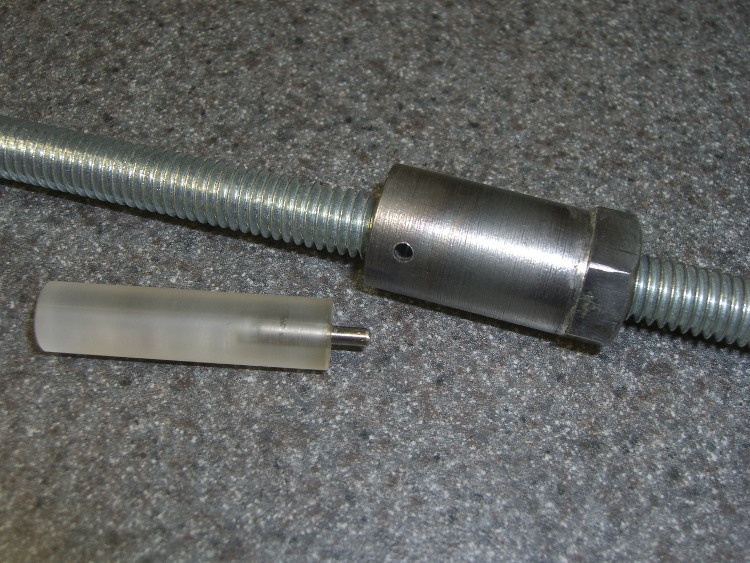
    My simple collet pusher has been working OK, but the locking pin was a few mils too small for the hole in the spindle and eventually put a burr on the edge. The fix is straightforward, although I’ve been putting it off for far too long; I warned you about this in the original post.

    Shoemaker’s child, anyone?

    The locking hole in the spindle starts life at 0.094 inch. I grabbed a #40 drill in a pin vise and drilled it out to 0.098 by hand, which wasn’t nearly as difficult as you’d think, took out all the deformed metal, and didn’t even leave any burrs. Ditto for the hole in the collet pusher.

    My heap yielded a defunct #40 drill, from which I cut 15 mm of shank with a Dremel abrasive wheel. Chucked the shank stub in the drill press, spun it up, and applied a Dremel grindstone to put a very short taper and a nice smooth end on it.

    Pulled the old pin from the handle I built a while ago, added a dot of urethane glue to the new pin, and squished them together (tapered end out!) in a vise until cured. Done!

    No, that’s not a burr on the hole in the pusher…

  • Remote Control Button Shield

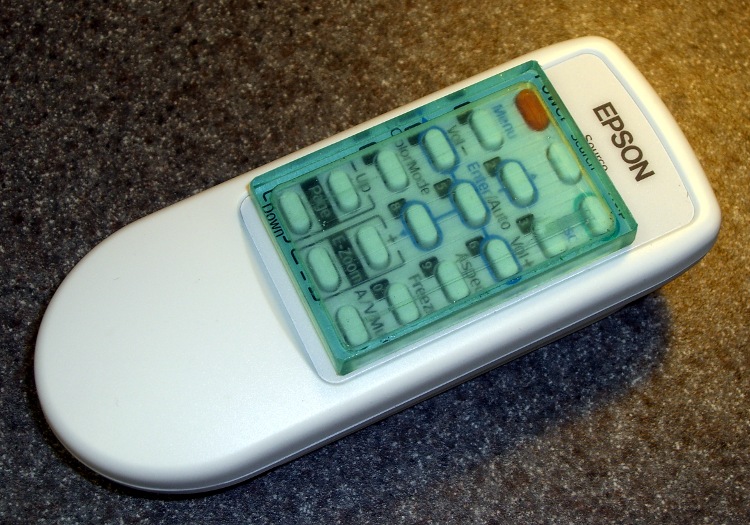
    Button shield in place
    Button shield in place

    Mary was giving one of her vegetable gardening presentations and had the projector go into Mute mode all by itself. It’s hard to debug something like that under pressure, but (as nearly as we can tell) the projector’s remote control (!) got squashed inside the tote bag and managed to tell the projector to go mute itself…

    The remote control has buttons that stand proud of the surface by about 2 mm and, worse, they’re exposed from all sides. There seems to be no way to turn the mumble thing off, other than by removing the batteries, so I conjured up a quick-and-dirty button shield. Not the fanciest thing I’ve ever made, but it’s sufficient for the purpose.

    [Update: Apologies to all you Arduino fans who think this should have something to do with a remote-control circuit board plugged atop a Diecimila, but I think the Arduino designers could have picked a more descriptive term than “shield”. Plenty of folks seem to arrive here by searching for the obvious keywords and go away unhappy. If you’re looking for Arduino stuff, click on the obvious tag in the right-side column that’ll call up everything I’ve written about on the subject… ]

    Sizing the perimeter
    Sizing the perimeter

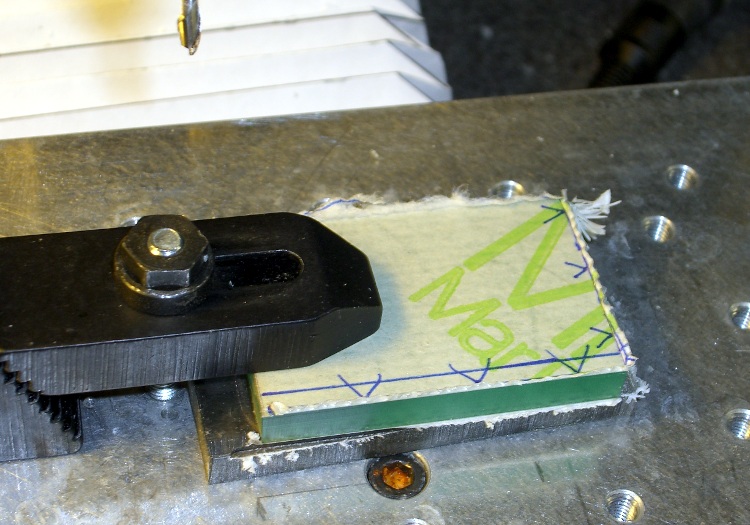
    I thought about making a tidy form-fitting slab that would fill the entire space between the button matrix and the case, but that gets into curved edges and fussy fitting; fortunately, I came to my senses. Without wanting to make a prototype to get the second one right, I simply trimmed the outside of the polycarbonate slab to a ruthlessly rectangular 33×50 mm. That gives about 2 mm clearance on each side of the button matrix and fits with about 1 mm clearance from the case. The lengthwise dimension is what it is.

    The 29×46 mm pocket must be about 3 mm deep to clear the button tops.

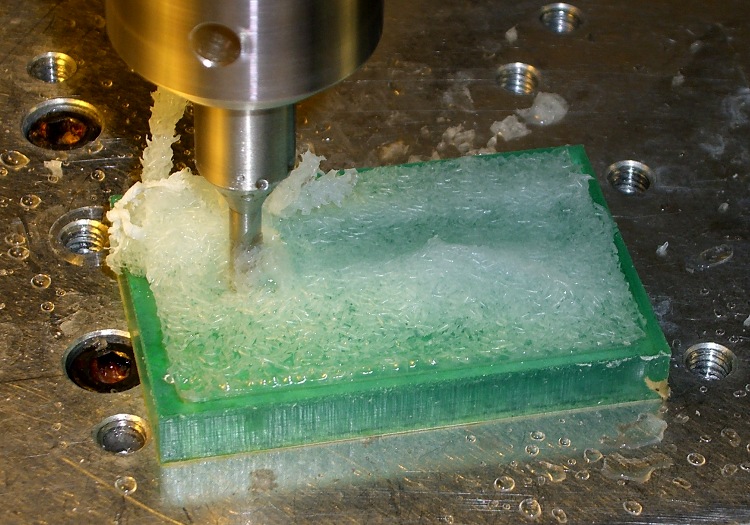
    The G-Code came from the Hugomatic pocketRect2points generator, which worked just fine; normally I hammer out my own G-Code, but I was leaving on a trip the next day. The cut depth of 1 mm per pass was probably too conservative. A cutting speed of 300 mm/min with a 2000 rpm spindle worked reasonably well with water cooling.

    Pocket milling with water coolant
    Pocket milling with water coolant

    A 1/8″ end mill produced corner radii that matched the buttons fairly well, which means it took a loooong time to chew out the pocket. The picture shows the mill knee-deep in a pool of water and swarf; I vacuumed the chips out at the end of each pass and added more water.

    Double-stick tape held the polycarb & sacrificial plate to the tooling plate, which worked surprisingly well given that I just wiped the grunge off and squashed it down. A machinist’s square aligned the rectangle closely enough and, of course, I used the laser aligner to set the coordinate zero to the left-front corner.

    For lack of anything smarter, a rubber band holds the shield in place on the remote. I thought about fancy hinges and Velcro and stuff like that, but the projector is used by non-technical folks and, as nearly as I can tell, the remote control never gets used at all.

    Quick and dirty, indeed: about two hours, first doodle to snapping the rubber band, including a bit of time wasted on an ancient G-Code generator that spat out bad coordinates.

    Plus time to write this up, natch…

  • Camera LCD Sunshade & Magnifier: Part 2

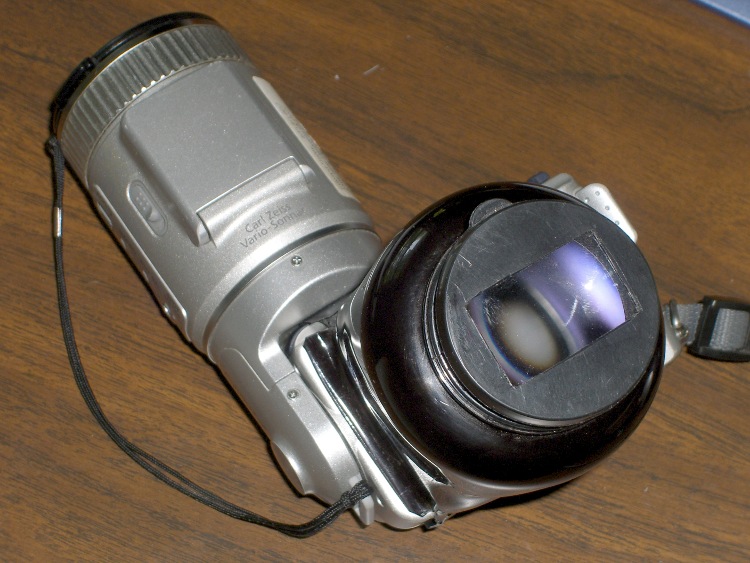
    Lens end of viewer
    Lens end of viewer

    With the bottle formed & trimmed to shape, it’s time to mount the lens. This view shows the final result, with the camera body angled upward.

    The general idea is that the bottle cap already attaches securely to the bottle, so I can just cut a rectangular hole in the lid, make it just slightly smaller than the lens, and affix the lens inside with the planar surface facing outward.

    Two motivations for making the hole slightly smaller than the lens:

    • The lens has rounded corners, as it was cut from a 38 mm diameter round lens
    • It won’t stick out, get bumped, and fall off
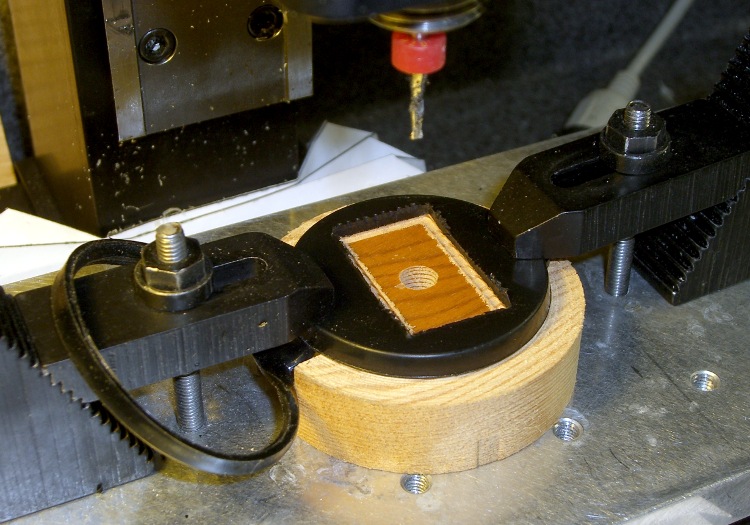
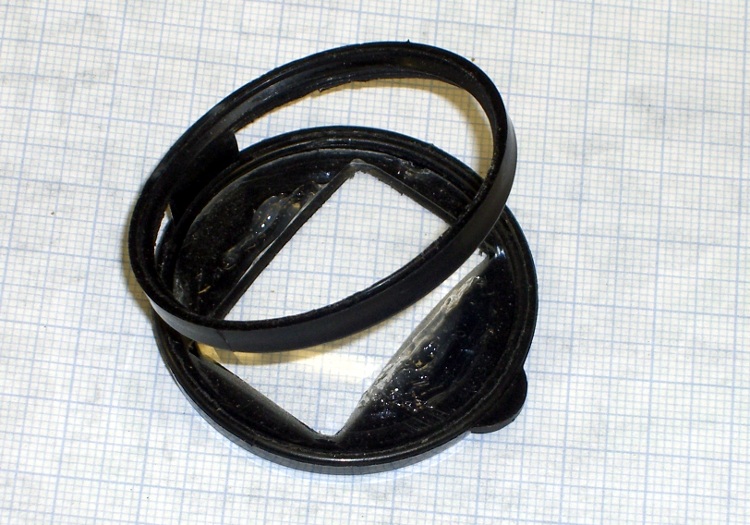
    Lens opening cut in bottle cap
    Lens opening cut in bottle cap

    The first step was, of course, to make a fixture: a sacrificial wood block with a raised section that fits snugly inside the cap. I found a nice maple disk in the scrap bin, chucked it in the lathe, and turned a section to fit. I don’t have a dust extraction system, so I did this one-handed with another on the shop vac to suck up the swarf. Yuch, wood is dusty!

    That simplified clamping the rather slippery lid in place. It’s probably polyethylene that would slide away under heavy cutting loads, but with a 2 mm end mill that wasn’t a problem. The origin is at the center of the cap, directly atop the convenient injection-molding sprue button.

    The lens is 34.4×22.1 mm, so I cut a 32×20 mm opening using manual CNC. Given a 1 mm cutter radius, the G-Code looked something like this:

    #1=[20/2-1]
    #2=[32/2-1]
    g0 x[0-#1] y[0-#2]
    g1 z-2 f100
    x#1
    y#2
    x[0-#1]
    y[0-#2]
    g0 z30

    That’s from memory, so it might not work quite right. Basically, store the key variables in parameters and use those instead of mistyping a digit somewhere.

    The opening even has nicely rounded 1-mm radius corners from the 2 mm cutter…

    Cutting acrylic lens holder
    Cutting acrylic lens holder

    I added a sheet of acrylic inside the lid to hold the lens in position and provide a more glue-attractive surface. The lens opening here was a slip-fit for the lens: 34.5×22.2 mm. The G-Code looks pretty much the same:

    #1=[22.2/2-1]
    #2=[34.5/2-1]
    g0 x[0-#1] y[0-#2]
    g1 z-2 f100
    x#1
    y#2
    x[0-#1]
    y[0-#2]
    g0 z10
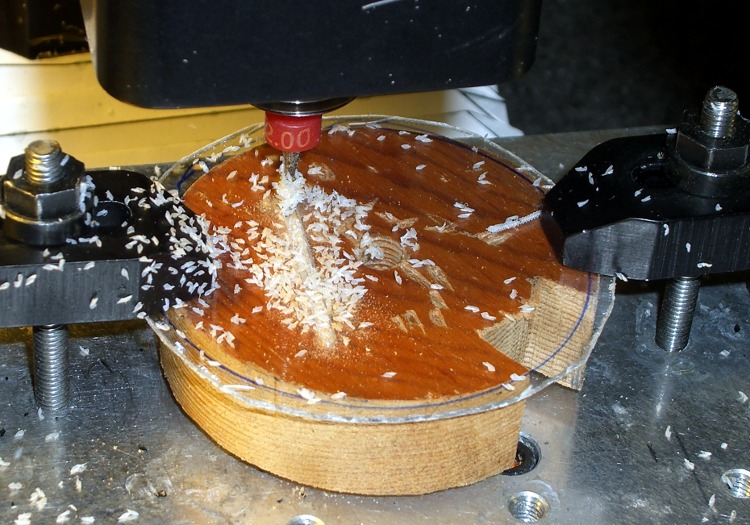
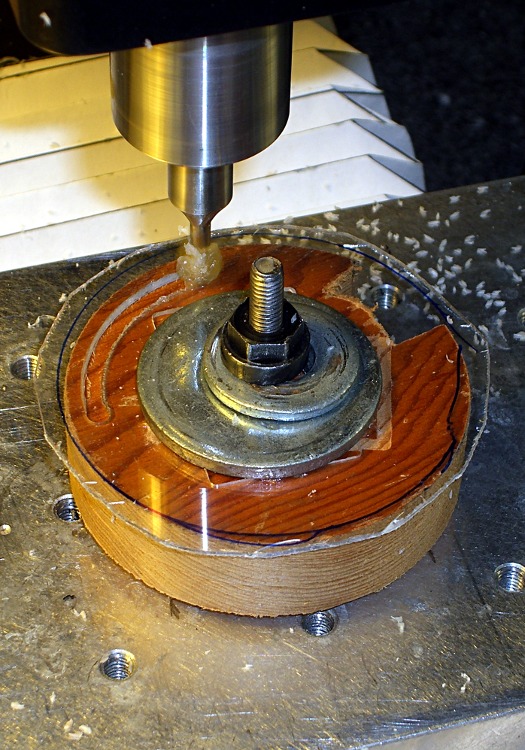
    Trimming outside of acrylic lens holder
    Trimming outside of acrylic lens holder

    The wood disk even had a convenient hole in the middle, making it easy to re-clamp the acrylic from the center with a stack of washers. The laser aligner made alignment easy: make the nut finger-tight, put the spot on the left edge near the front, jog to the rear, twist to split the difference, iterate a few times, then snug down the nut.

    Then the origin is halfway between the edges. Knowing the opening size, find one edge and touch off by half that amount.

    The cardboard lid liner was 43 mm in diameter, so I figured that would work for the acrylic sheet. Circular interpolation makes getting a precise diameter trivially easy, after you remember that this is outside milling so you must add the cutter radius:

    #1=[43/2+1]
    g0 x[0-#1] y0
    g1 z-2 f100
    g2 i#1
    g1 z30
    Finished cap with lens
    Finished cap with lens

    What’s not shown there is the blob of acrylic that welded itself to the cutter because I was taking picures rather than dribbling water on the workpiece to keep it cool. I hate it when that happens.

    But everything pretty much worked out. The holder was a snap fit inside the cap, just like it was supposed to be.

    I glue the lens to the acrylic holder with silicone snot (aka “adhesive” or “caulk”), let it cure overnight, snapped the cap on the bottle, and iterated once to get the lens properly aligned with the opening (the acrylic sheet rotates freely inside the cap).

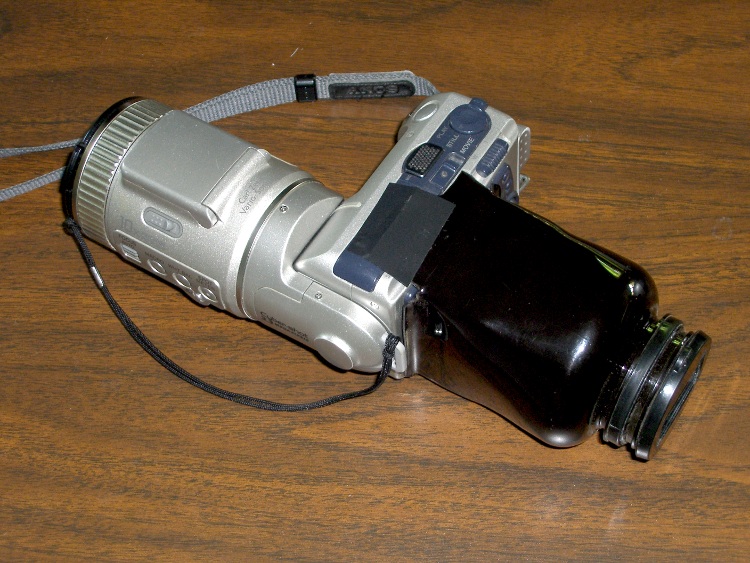
    Viewer attached to camera
    Viewer attached to camera

    The end result is, admittedly, ugly on a stick, but the first reports from the user community are encouraging!

    We may add a dark cloth ruffle around the bottle cap as an eye shade and eyeglass protector, but that’s in the nature of fine tuning.

  • Homebrew V-750 Dosimeter Charger Pedestal: LED Holder, Spring, and Assembly

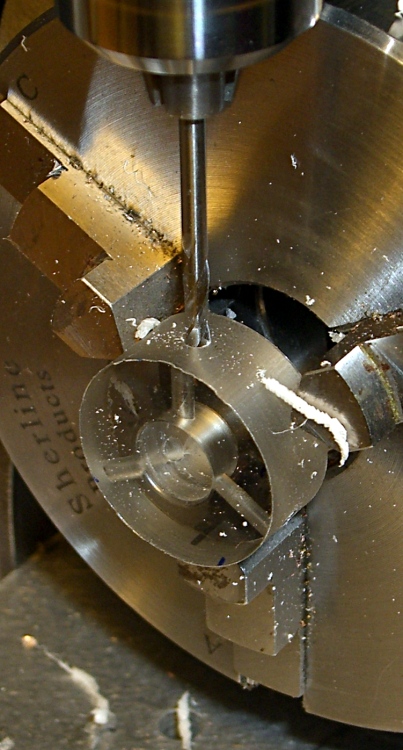
    Drilling mounting holes in base ring
    Drilling mounting holes in base ring

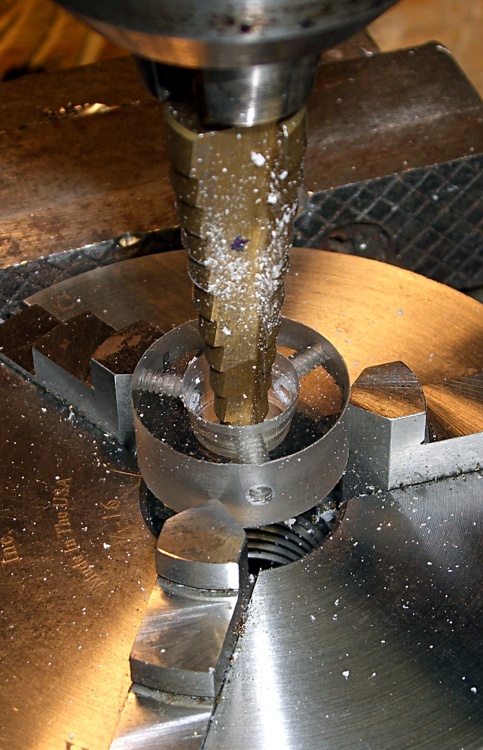
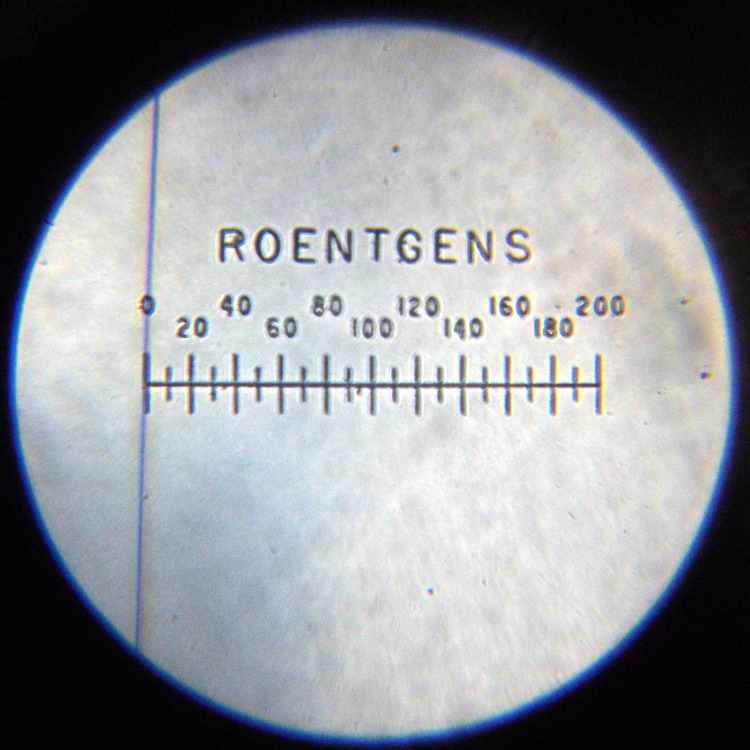
    The charger pedestal includes an LED to light up the dosimeter’s graticule. I seated a 10 mm white LED into a polycarbonate ring that also serves as the base for the stiff spring that presses the contact assembly against the dosimeter’s internal spring.

    I made the base while I was doing the lathe work for the contact assembly, then grabbed it in the Sherline mill’s 3-jaw chuck to drill the 4-40 holes with a touch of manual CNC.

    As before, I manually tapped the holes, but it’s a lot easier with each hole at the right location and pointed in the right direction!

    Step bit making an annular ring
    Step bit making an annular ring

    I described the step-drilling that produced the correct hole and shoulder sizes there. That won’t work every time, but in this situation it was just about perfect.

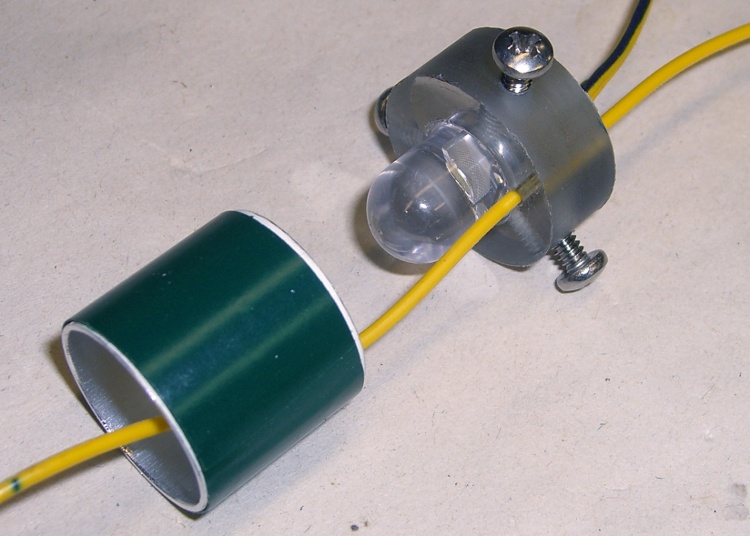
    The LED power wires pass through the central hole in the ring. I used a blob of hot-melt glue to hold the LED in place; epoxy would be more in keeping with the nuclear weapons theme, but HMG is just fine with me.

    There’s another hole just to one side of the LED, more or less centered between the mounting screws, that passes the wire from the dosimeter charging contact out of the pedestal. This wire starts at the center of the top, passes inside the spring, and must not be pinched along the way.

    LED in base with spring positioning ring
    LED in base with spring positioning ring

    I added an aluminum cylinder as a positive stop to prevent the dosimeter contact assembly from getting pushed too far into the pedestal. The length matches up with the anti-rotation slot in the EMT: the screw doesn’t quite hit the top or the bottom of the slot.

    A wrap of green electrical tape around the outside made the cylinder a slip fit inside the EMT shell. It shouldn’t move at all.

    The cylinder also holds the spring in place so it can’t rub against the charging wire, but I’m pretty sure that isn’t necessary.

    The spring comes from my parts heap. It must provide a bit under 8 pounds of force to activate the dosimeter charging spring with about 3 mm of travel. I picked the length of the EMT shell to preload the spring to make the answer come out right, which also affects the length of the aluminum cylinder.

    The spring OD must fit into the EMT and the ID must clear the 10 mm LED and charging wire in the base. Your mileage will most certainly vary.

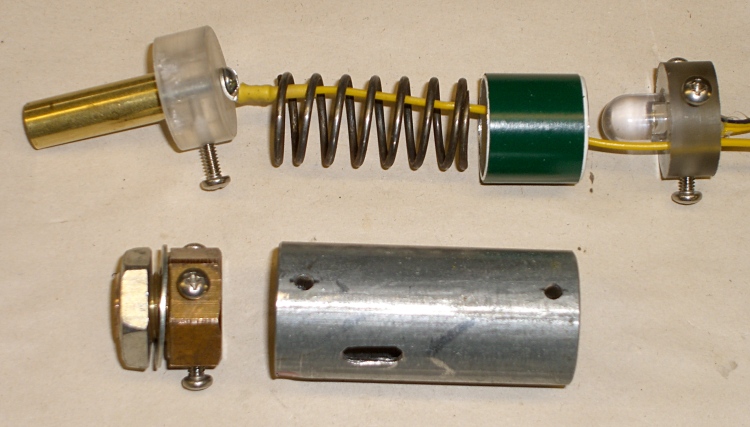
    Charging pedestal components
    Charging pedestal components

    Assembly is straightforward, but goes much more easily with three hands.

    • Screw the panel mount bolt into place
    • Attach the charging wire to the central contact & remove the anti-rotation screw
    • Slide the central contact in place, reinstall the screw through the slot
    • Slide the spring & aluminum cylinder in place, wire in the middle
    • Pass the wire through the LED base ring
    • Press the base assembly into position and hold while installing the screws
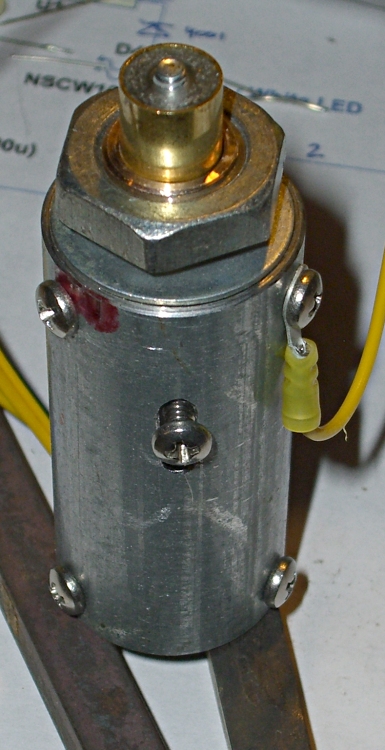
    Finished charging pedestal
    Finished charging pedestal

    The charger I built turns the LED and charger power on with a push-to-activate digital encoder knob, so there’s no need for the 1 lb spring & switch found in the V-750 charger.

    To read the dosimeter, just hold it loosely atop the pedestal, push the twiddle knob down, and the LED comes on.

    To zero the dosimeter, press it firmly and twiddle the knob for zero!

    I’ll describe the charger circuity at some point; it’s detailed in my Circuit Cellar column in the August 2009 issue.

    V-742 Dosimeter set to Zero
    V-742 Dosimeter set to Zero