Ed Nisley's Blog: Shop notes, electronics, firmware, machinery, 3D printing, laser cuttery, and curiosities. Contents: 100% human thinking, 0% AI slop.
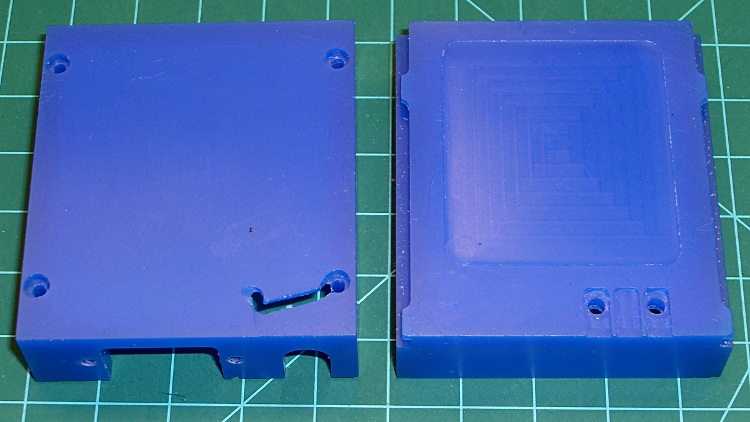
This is a prototype for the case that will eventually hold a TinyTrak3 GPS-to-APRS encoder, along with a homebrew circuit board that combines the APRS data with voice from the helmet mic. The case slides into the back of our ICOM IC-Z1A and W-32A HTs, replacing the battery case.
It’s the most complex CNC machining I’ve done so far and I figured that was the perfect reason to carve up a block of machinable wax that’s been sitting on the shelf for far too long.
The exterior view shows why you use wax for the first pass… the ugly gash came from not retracting the end mill before the final G30, combined with trying to clamp a bendy shell in the vise. That was, of course, the final operation on that part!
Machinable wax case – exterior
The inside view shows the TinyTrak serial connector cutout (left half), as well as the shoulder to support the audio interface circuit board (right half). The two holes at the upper-right are 4-40 clearance for screws that serve as contacts for the HT’s battery connection and hold the board in place.
Machinable wax case – interior
These survived far too many setups and takedowns as I figured out how to get all the cuts laid out and in what sequence to do everything. Now that I know a bit more about what to do, the plastic version should come out better; I’m sure I’ll also make better mistakes.
This pic shows that the mirror attaches to the boom through a clever ball joint that allows both rotation around the mirror’s long axis and a slight amount of tilt. Unfortunately, after a few years, the ball stem breaks and at least one of the socket petals snaps. It’s a nice plastic design that’s totally unsuited to a few years of more-or-less daily bicycle travel.
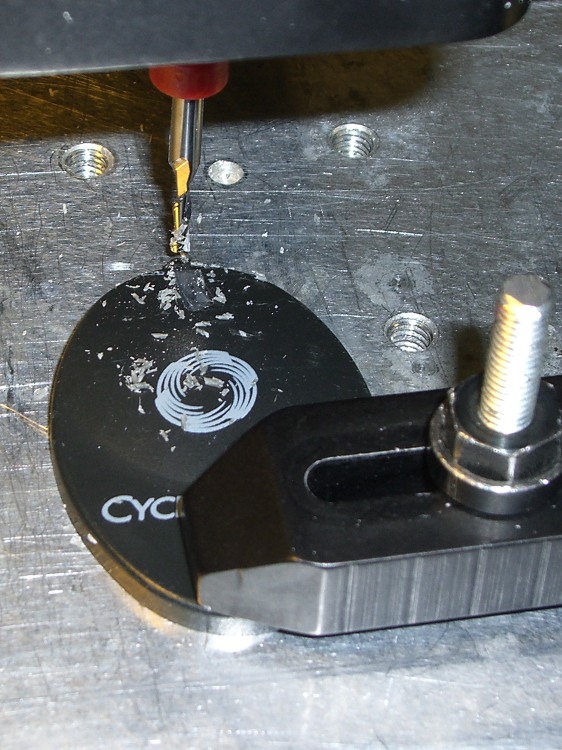
The repair was easy enough, particularly because I think the boom has enough adjustment range to handle the job on its own (and I don’t care about how it looks). I filed off the stem stub and milled a slot for a 2-56 machine screw along the back edge.
Milling slot for screw
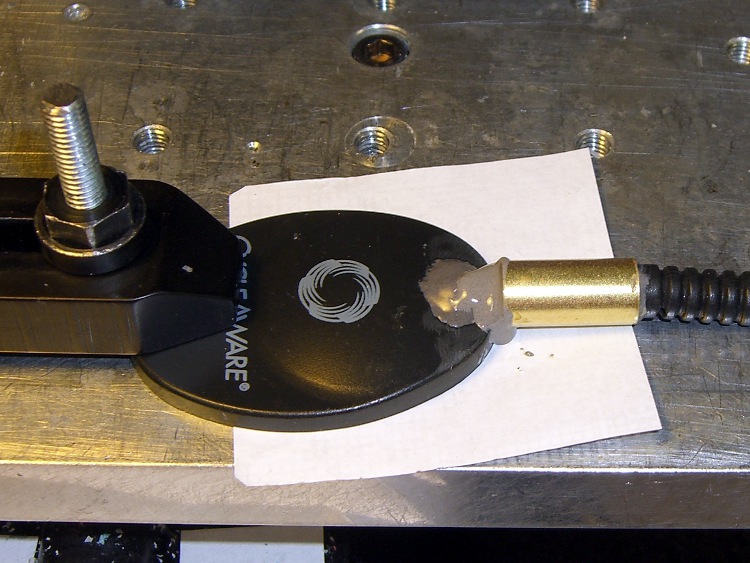
Then you just slide a brass tube from the cutoff box over the end of the boom around some JB Weld epoxy, shove the screw into the blob, align the mirror with the boom, and let it cure.
Reinforced attachment
Although it’s not shown here, the helmet attachment is aligned with the mirror at right angles to the helmet bracket. That puts it in roughly the proper position with the boom bent as usual.
I don’t actually plan to use this one for anything, but if I need a somewhat scuffed mirror in a pinch, well, it’s in the box!
This is my latest attempt to come up with a robust electret mic capsule mount for our bike helmets.
The general idea is to put the capsule in a small brass tube (from my box o’ random cutoffs) soldered to the end of a copper-wire boom lashed to the helmet. The tube provides alignment and physical protection, the boom doesn’t pose a poking hazard, and some decent electrical tape secures the mic cable to the boom.
The mic capsule has back vents that allegedly provide ambient noise reduction, so the brass tube must be open on both ends. This does not implement the “waterproof” part of the spec; I still haven’t figured that out yet.
I annealed a length of 12 AWG copper wire to make it easy to bend around the helmet’s contours; two passes with a propane torch to red heat does the deed. It will work-harden quickly and maintain its shape after that.
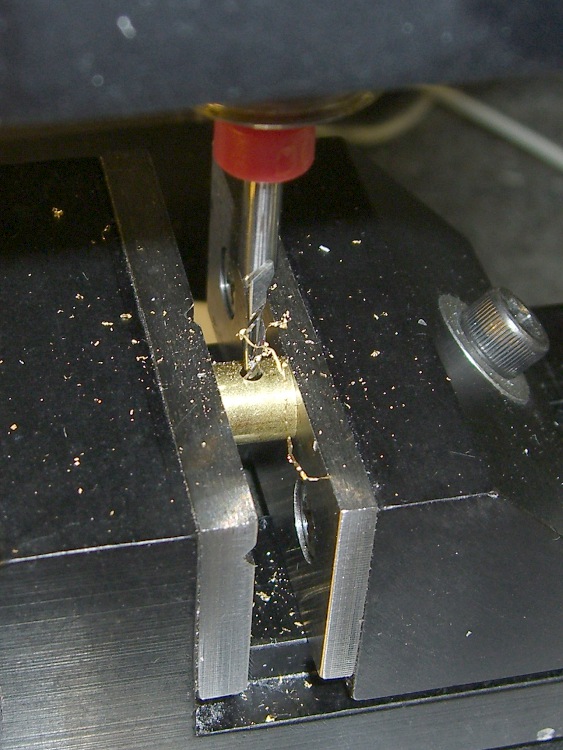
AWG 12 wire is 0.080 inches in diameter, close enough to 2 mm that I poked a hole in the brass tubing with a 2 mm end mill. Filed the end of the wire flat, stuffed it in the hole, fluxed the joint, applied the big soldering gun to the wire, flowed some silver solder, and it’s all good. Fairly obviously, this meets my “the bigger the blob, the better the job” soldering criterion…
Mic rear
The capsule has two layers of Kapton tape wrapped around it to snug up the fit, although I doubt that insulating it from the brass tube makes any difference.
Mic front
The windscreen is a ball snipped from an open-cell acoustic foam sound deadening panel that has contributed myriad mic windscreens over the years. The mic fits into a slit cut with an X-acto knife; no finesse required. The nylon cable tie will disintegrate from sun exposure at about the same time the foam rots away, which takes about two years.
Mic foam windscreen ball
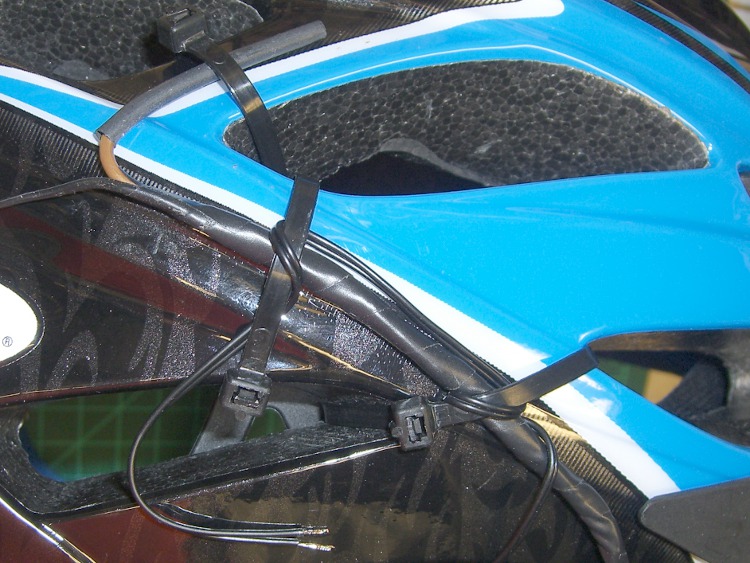
Despite what you might think, the helmet attachment is dramatically less butt-ugly than in years gone by…
Boom-to-helmet detail
The trick is lashing the bent portion of the boom to the helmet, which prevents the entire boom from rotating around its long axis. That keeps the mic aimed directly at your mouth, regardless of how you bend the boom.
The earbud wire loops around the mic boom a few times, with the first loop over the boom to take advantage of its rounded surface. With any luck, that will delay the inevitable fatigue failure. Mary favors old-style cylindrical earbuds, rather than newer flat or round ones.
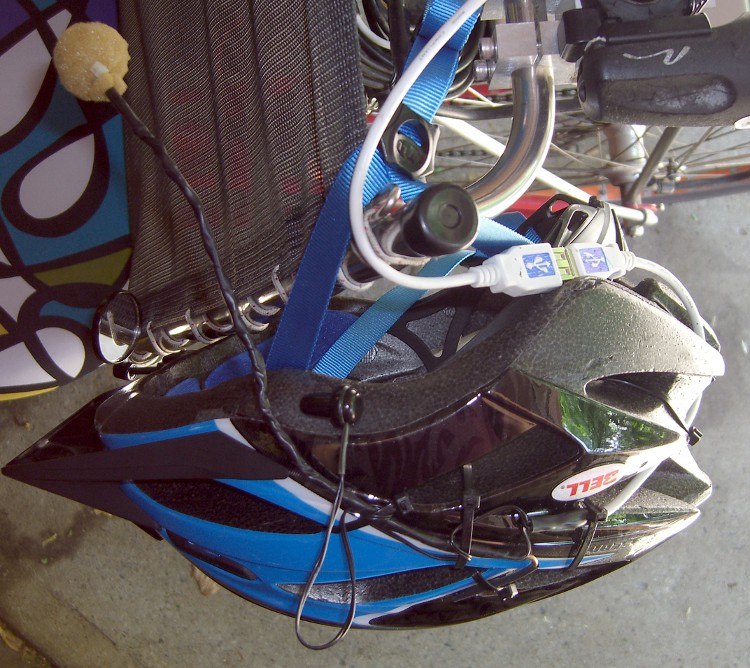
The USB cable (this is not, repeat not a USB headset) gets lashed to various parts of the helmet foam and routed out to the middle of the back, with the male connector a few inches below the helmet. That puts the cable over the back of the Tour Easy’s seat frame, leaving the bulk of the cable hanging behind the seat. The cable length from the female connector to the radio interface is a delicate trade off between being
Long enough to let you stand up and
Short enough to stay out of the rear wheel.
This vertiginous shot looks down at the helmet hanging on the seat of Mary’s bike. Yup, that’s her bright new homebrew seat cover to the upper left…
Having recently converted to EMC 2.4 and switched the tool table to the new format, I took the opportunity to add a few useful drills.
Low numbers are random end mills & suchlike. Number drills run from 100 to 180, and I’ll add more as I need ’em. Fraction drills run from 201 through 264, although it’s highly unlikely I’ll ever fit a 64/64-inch drill in a chuck that also fits in the Sherline spindle.
All the Z lengths are exactly 1, because I now have a tool length probe that is absolutely wonderful.
In practice, I use the tool table mostly to tell Axis how to draw the tool cylinder in the backplot, because I feed in most diameters directly in the G-Code. The Axis “manual toolchanger” routine prompt will now serve as a mnemonic for the actual size, but I write the G-Code to emit a (debug, #Drill_Size) message for clarity.
The Sherline.ini file references the tool table with the line:
It turns out that the tool table has an undocumented limit of 50-some-odd entries, at least in EMC2 2.4.1. That puts the kibosh on my plans to add a bunch of entries to cover all the drill sizes Eagle might require for a PCB. More on that in a while …
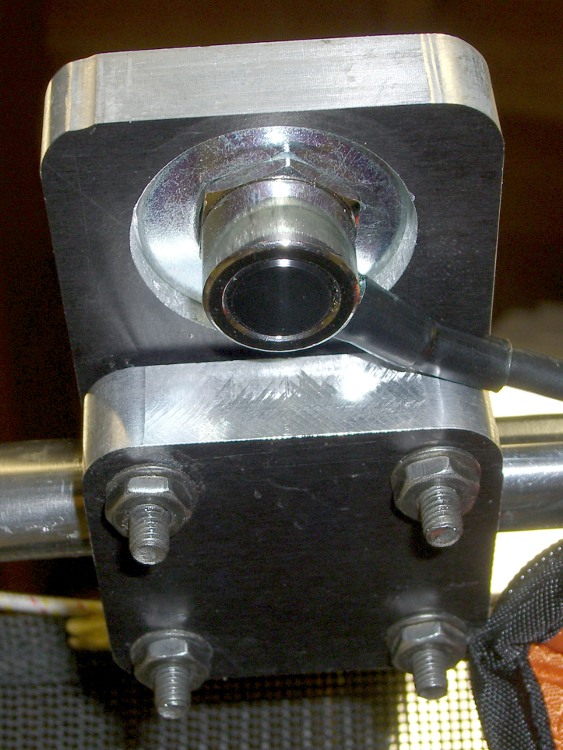
Quite a while ago, I built this slab mount to hold an amateur radio antenna on our daughter’s Tour Easy. It worked fine until the bike blew over and whacked the antenna whip against something solid, at which point the mast cracked.
The antenna screws into an ordinary panel-mount UHF connector secured to the bottom of the slab, with a hole through the slab just large enough to accept the antenna mast. That put all the mechanical stress on the slab, not the connector.
Modified antenna mounting plate
Alas, the new antenna had a slightly different mast outside diameter, so I machined a new adapter to clamp the connector atop the slab. The antenna screws down into the adapter against a brass washer, again keeping the strain on the fitting.
I recently found the commercial mobile antenna cable that I’d been meaning to use on her bike, which required Yet Another Modification to that slab. It turns out that the UHF connector on the cable expects to be secured to sheet metal found in a car body, rather than a half-inch aluminum plate: the threads aren’t long enough!
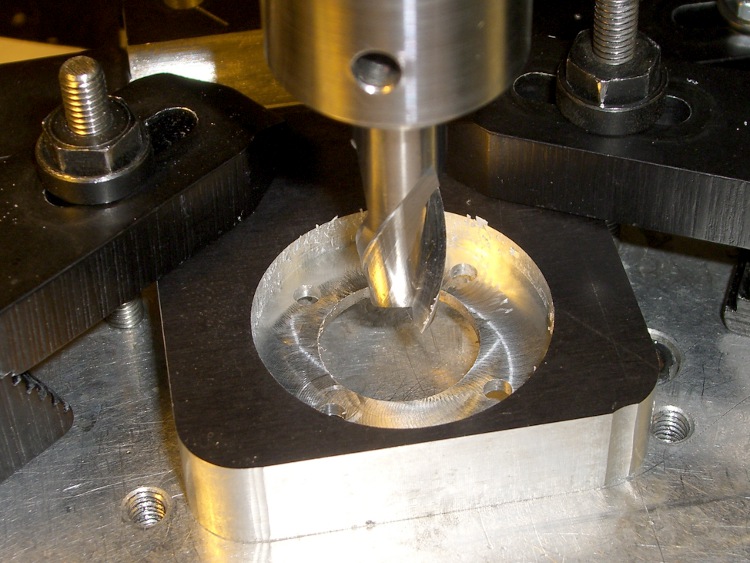
So I machined circular recesses on the top and bottom to hold the mounting nut and washer, respectively, with 2 mm of aluminum remaining in the middle of the slab.
Milling top recess
The recesses are just fractionally larger than the nut & washer, so most of the stress gets transmitted directly to the slab. Even in the high-vibration bicycle environment, I think there’s enough meat in there to prevent fatigue fractures.
Milling bottom recess
I recycled a G-Code routine I’d written to chew out circular recesses. It does a bit of gratuitous (for this application, anyway) spiraling in toward the center, but got the job done without my having to think too much.
The bottom view shows the washer in action. The recess is deep enough that the cable just barely clears the slab.
Modified mounting plate – bottom
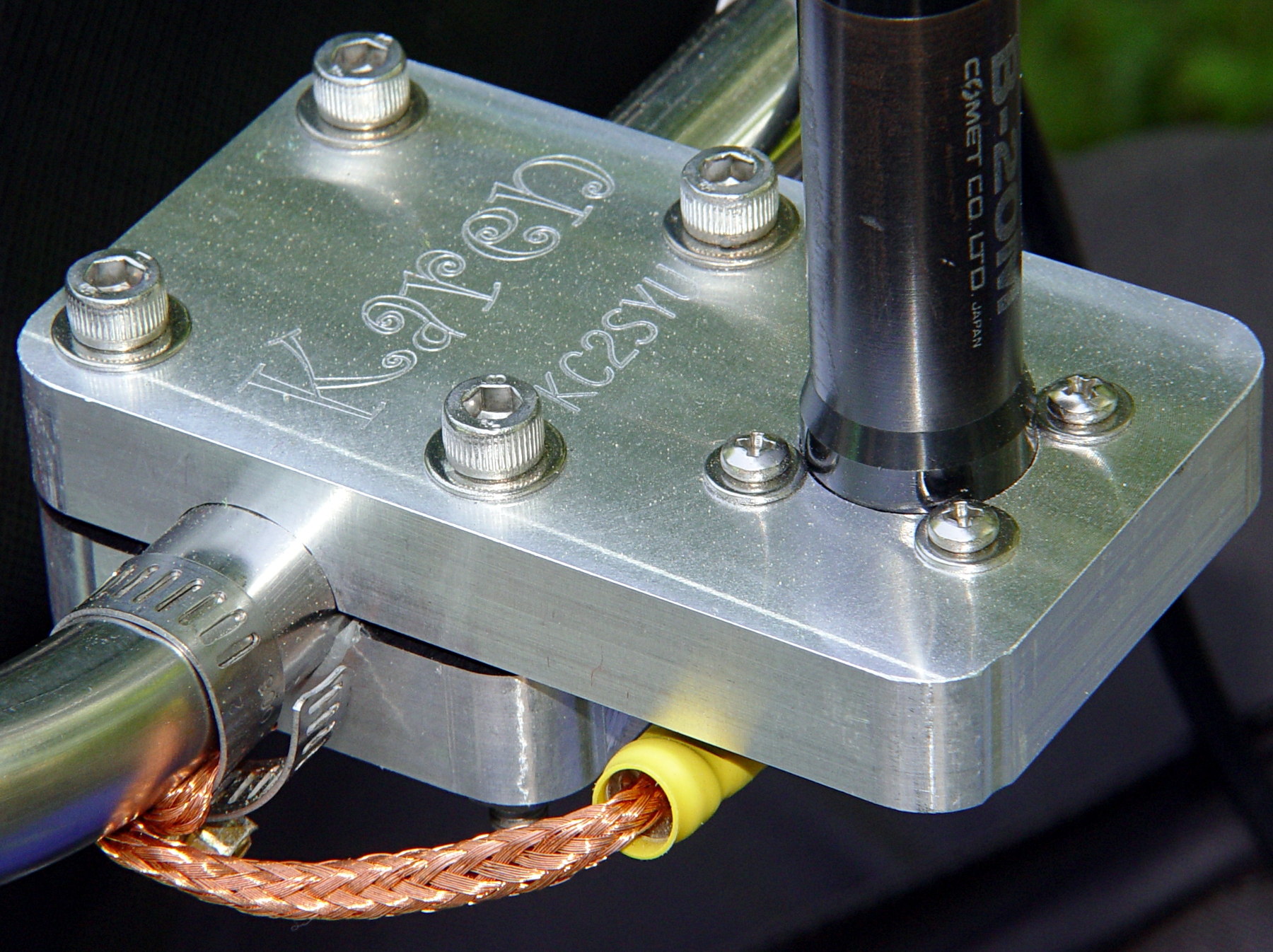
The top view shows the recessed mounting nut. The nut has an O-ring around the connector threads, but the water will probably drain out through the four through-holes left over from the old panel-mount connector.
Modified mounting plate
I turned the top nut down as far as I could with a wrench & (ugh) needle-nose pliers, then tightened the bottom nut about 1/3 turns with a wrench.
You’re not supposed to notice the crispy edges on the PVC bushing holding the reflector to the antenna mast. The high setting on that heat gun is a real toaster…
Having mounted & wired the switches, the next step involves defining the homing sequence & configuration for each axis. All this goes in Sherline.ini and is adapted from the doc there.
The travel limits are somewhat empirical and I think the Y axis will require some adjustment due to the tooling plate switch extender gadget.
The HOME_SEARCH_VEL values may be a bit too high, given the rather lethargic 5.0 in/sec^2 acceleration I’m using for X & Y, with just 3.0 for Z. I’ve heard the occasional thwack as the switch trips, so maybe 20 mils of overtravel isn’t quite enough.