Ed Nisley's Blog: Shop notes, electronics, firmware, machinery, 3D printing, laser cuttery, and curiosities. Contents: 100% human thinking, 0% AI slop.
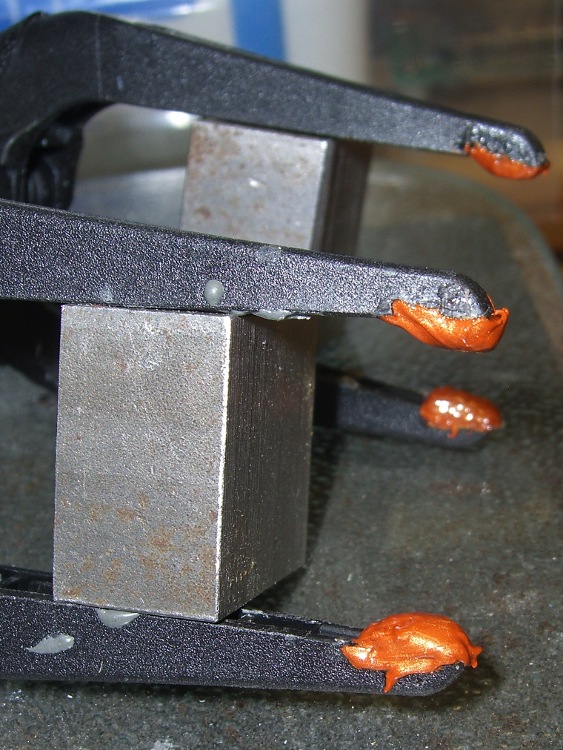
The thermoplastic (who knew?) pads melted right off my long-reach clamps while calibrating those thermocouples, leaving the thermoset (who knew?) clamps behind. I tried a few of the obvious candidates for the job with no success, but (while fiddling around with something else) I came upon an unopened tube of Permatex Ultra Copper copper-loaded silicone gasket glop.
The cured silicone rubber is very flexy, which is sort of what you want in a pad, even if I’m not convinced they’ll stay in place. They seem securely mounted in the recesses of the pad tips; I worked the glop in with a screwdriver tip.
Using the pressure washer to blast the crud off the propane grill has become an early summer ritual around here. I’d reconfigured the extension pipes to reach up the side of the house, so I started by swapping the connectors around to put a shorter pipe at the handpiece. Surprise: those connectors were firmly affixed and a rubber strap wrench on the pipe lacked enough grip.
Rather than wreck that nice chrome plating with a pipe wrench, I clamped two pieces of scrap plywood in the drill press and poked a half-inch hole right down the midline. Add a dab of rosin to improve traction, crunch everything in the bench vise, and spin the connector off.
Well, that’s the way it went for the first connector, with the PTFE joint tape I remember adding last time around.
The connector on the other end was more recalcitrant, perhaps because it still had the manufacturer’s joint compound in place. It eventually yielded to the gentle persuasion of a propane torch, applying just enough heat to wreck the compound’s grip.
The good thing about a plywood clamp is that I don’t form a deep emotional attachment to it: make one when it’s needed to fit the pipe at hand, don’t worry about a precision fit, regard it as a consumable, and move on.
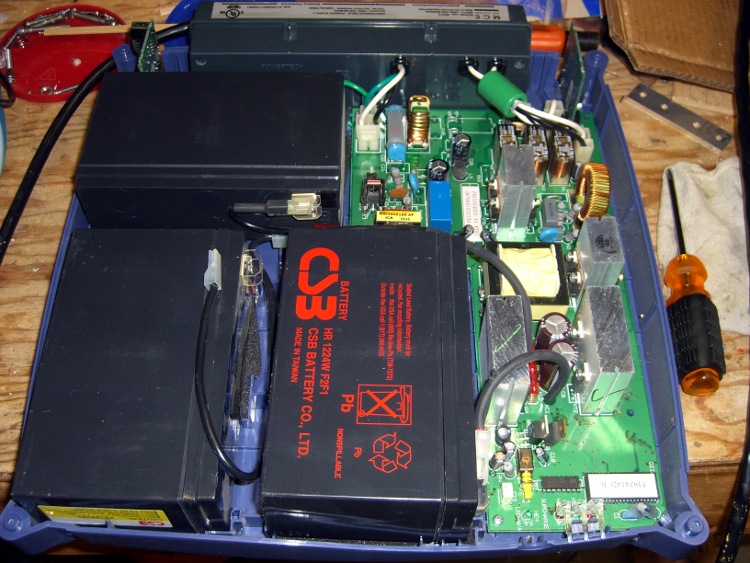
The SLA batteries in the MGE Ellipse 1200 UPS finally gave out. This picture shows how they’re arranged inside the box:
MGE Ellipse 1200 UPS – battery arrangement
They’re 12 V 5 Ah batteries that are about 12 mm thinner than the garden variety 7 Ah batteries you can get everywhere; they’re not the same size as the generic 5 Ah batteries you might think would work. Of course, there’s not enough room inside the stylin’ case for the larger ones, either. I’m thinking of using fatter batteries anyway and putting a belly band around the gap. Maybe an external battery box with a chunky cable burrowing through a hole in the UPS case?
For what it’s worth, APC absorbed MGE a while ago (so the MGE website redirects to APC), got Borged by Schneider, then spat out MGE’s consumer grade UPS units to Eaton. You won’t find any of that documented anywhere, but here’s the response from APC after I didn’t find this UPS on their list:
I do apologize; when APC was acquired by Schneider Electric, the single phase UPS line that MGE once offered was sold to Eaton. Eaton now provides support for the MGE single-phase products. We do not sell batteries for these models. You will actually need to contact Eaton for further assistance regarding the MGE Ellipse units. You may click on the link below to go to Eaton’s website:
The Eaton website does have a battery replacement for this one, but sporting the dreaded “Contact us for price” notation. Given that I got the UPS cheap-after-rebate, I’m thinking maybe this isn’t worth the effort.
I upgraded to ReplicatorG 25 and the Thing-O-Matic promptly got weird: the initialization code slowed to a crawl. The motors ran fine, the motion was properly coordinated, but the thing moved at a minute fraction of its normal 100 mm/s.
This was most obvious on the first move to the center of the stage after homing the axes. If you peer into the source code, that instruction looks like this:
G0 X0 Y0 Z10 (pause at center to build confidence)
The comment tells you exactly why I put that move in there when I first started tinkering with start.gcode: I long ago discovered that automation doesn’t always do what you want, so having a simple verification at the first opportunity sometimes pays off big.
Anyhow.
A bit of rummaging showed that RepG 25 has changed the semantics of G0, which is supposed to be a fast move to the programmed coordinates. Now G0 moves at the feed rate set by the most recent G1 and also accepts an F parameter, which it shouldn’t. I suspect somebody refactored the code and didn’t notice that G0 isn’t supposed to work exactly like G1.
Strictly speaking, I do not have a beard: I simply do not shave (*). There being no money in selling Trimmers for the Non-shaving, a while back I bought a battery operated Beard Trimmer. The NiCd cells lasted for the predictable few years and recently gave up the ghost entirely: an overnight charged produced a weak buzz with no cutting action to speak of.
The case uses one-time snap-together latches, which makes dismantling it a challenge. Start by removing all the gimcrackery on the business end, then pry out the two latches holding the it-was-white-once cutting length adjustment ring. With that out of the way, undo the two latches inside the top and work your way down, prying the case halves apart in the way the overlap flange doesn’t like, so as to force the latches loose.
This picture shows the six latches, three on each side. The ones just to the right of the blue impeller require the most cursing:
Beard trimmer case and innards
The circuit board snaps out, with the two PCB contact areas clamped down by springy contacts leading to the motor.
Beard trimmer – battery charger PCB
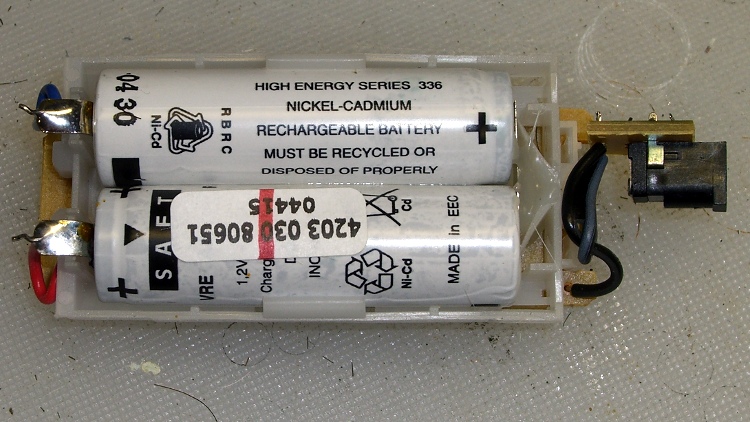
The two NiCd cells boast of their High Energy, but they’re only 600 mAh. That’s actually too much for this high-drain, short-run application, as they don’t completely discharge. They’re held in place on the right end with a blob of hot melt glue:
Beard trimmer – NiCd cells
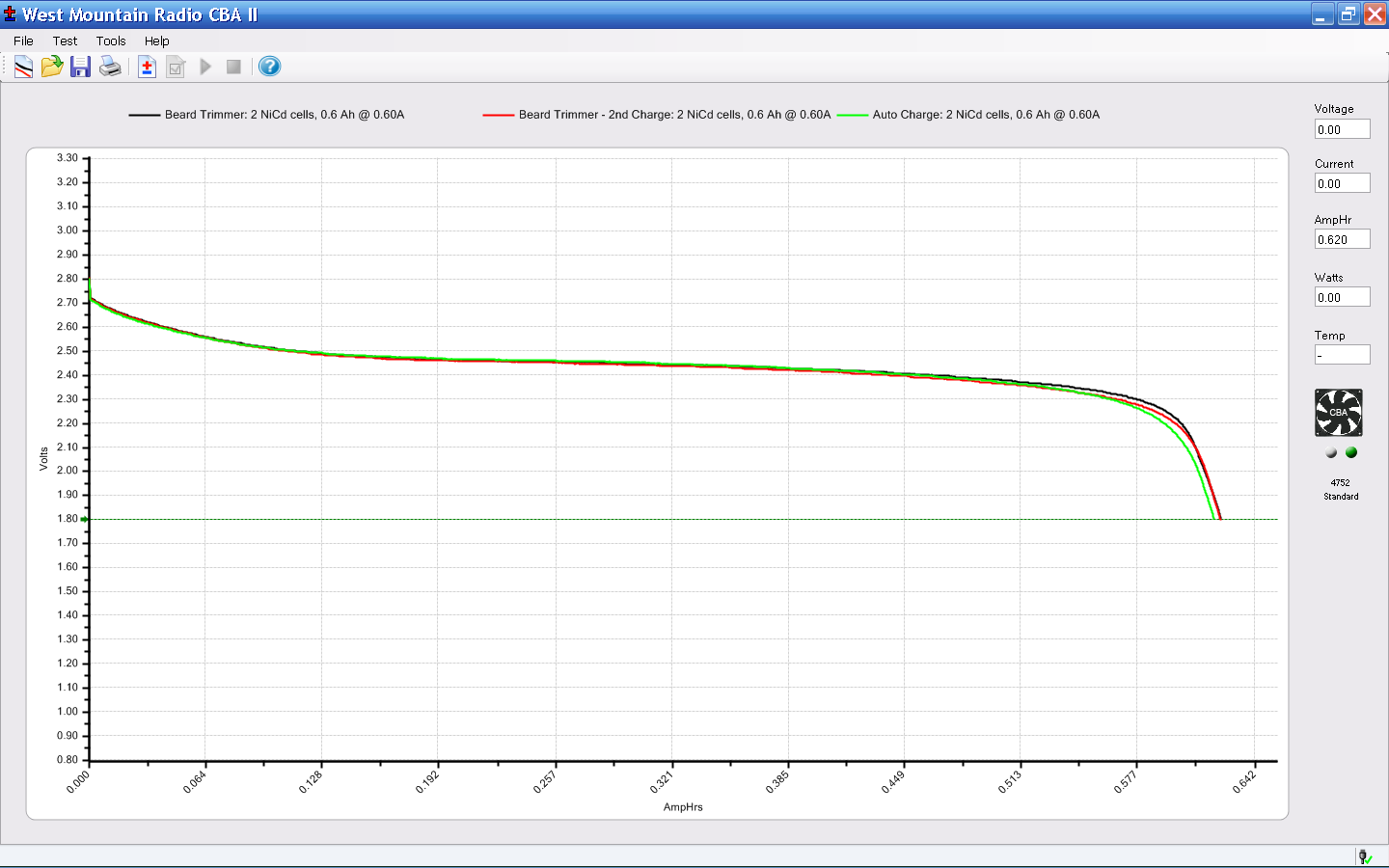
I unsoldered the cells and gave ’em a brute-force overnight charge at C/10 = 60 mA, then ran a discharge test (clicky for more dots):
Beard Trimmer – NiCd Discharge Test
Lookee that! The cells still deliver their rated capacity, even though they no longer worked with the stock charger. I repeated the slow-charge and discharge trick, which produced a perfectly overlapping trace.
Flushed with success, I unleashed the built-in charger overnight, then produced a third overlapping trace.
So they suffered from voltage depression, most likely due to never being completely discharged and then being overcharged far too often. That’s cured by a complete discharge and recharge, which worked perfectly.
I hack back the overgrowth when it gets bushy and recharge the trimmer when it seems to be getting weak, which used to take a week or two. That’s a bad way to maintain a NiCd battery, particularly as the PCB applies a very low load to keep its computronium running, but I have better things to do than babysit a beard trimmer. Honest.
Anyhow, assembly is in the reverse order and it’s perfectly happy again.
I probably won’t change my evil ways, so the next time I’m sure the battery will be really and truly dead.
(*) Not shaving adds about ten minutes a day to my life, which I regard as a fair tradeoff over the course of several decades. It also added a decade to my apparent age, Back In The Day when that mattered. Now it seems to knock off a decade, which isn’t entirely a Bad Thing.
The Casio EX-Z850 camera living in my pocket finally developed a problem. Two buttons on the back select the Review and Camera modes; the former stopped working, which means I can’t see pictures after I take them. The Camera button may still work, but because I can’t display pix, that’s pretty much moot.
Taking the camera apart require a Philips 00 screwdriver bit and some care, but eventually you’re confronted with this:
Casio EX-Z850 camera – opened
The buttons and the mode selector dial all connect to the same flexible PCB substrate, which ends up in this connector. You should ease the black pressure bar (seen edge-on here) upward to release the flex PCB:
Casio EX-Z850 button connector
As it turns out, the two buttons have a common contact that’s the second trace from the top in the flat cable. Both buttons have good snap action, good conductivity, and seem to work fine. That puts the problem deeper inside the camera, where I don’t see much point in going; I can certainly make things much worse and likely not make them any better.
In fact, it turns out that the two buttons on the USB/charging cradle don’t work now, either, which implies that the camera buttons run in parallel with those. So there’s something blown in the camera’s guts, which is definitely Bad News.
Back in the Bad Old Days, you used to take a picture and wait a week or two to get the results back from the drug store. Perhaps it’s fashionably retro to have a digital camera without a Review mode?
A long time ago, I read this in E. E. “Doc” Smith’s The Skylark of Space:
He could study safeblowing fifteen minutes and be top man in the field
Even back then, I knew knowledge didn’t work that way. If your fingers haven’t done it, you don’t know how to do it. The more you do it, the better you get.