Ed Nisley's Blog: Shop notes, electronics, firmware, machinery, 3D printing, laser cuttery, and curiosities. Contents: 100% human thinking, 0% AI slop.
I had to drive the old brakes off the mounting studs with a drift punch; the studs were pretty well rusted after a decade of continuous use under the hostile conditions that pass for normal around here. Shined them up, applied a generous layer of Never-Seez, and bolted the new brakes in place.
Turns out that the rear brakes on a Tour Easy are backwards from their orientation on an upright bike: the studs point spinward, so the cable exits on the right side of the frame. Doesn’t make any difference, as that’s how the front brake studs work, but if you’re thinking of buying some fancy brake with odd mounting requirements, you probably shouldn’t.
The installation specs require “more than 39 mm” of cable between the clamp bolt and the bracket on the other arm. The Tour Easy frame tubes are closer together than that, allowing a bare 25 mm of cable.
Rear brake cable and boot
I trimmed the boot to fit, but the real problem is that the arms aren’t at quite the right angle with respect to the braking surface on the rim and provide a bit less leverage than you’d like; the pad alignment is also trickier. I tried adding spacers to the brake pads, but the mounting studs aren’t quite long enough for that.
The first road test indicates the new brakes work much better than the old ones…
Of course, it broke at the first pedal stroke while pushing off across an intersection, which is why I never try to ace out oncoming cars.
This was, mercifully, on the left side of the bike, so I could replace it without removing the rear wheel. Being that sort of bear, I now carry spare screws and we were back on the road in about ten minutes.
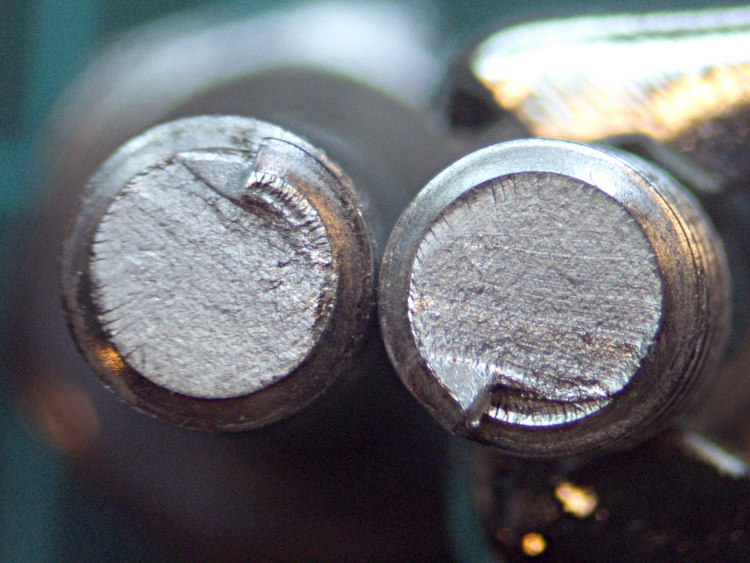
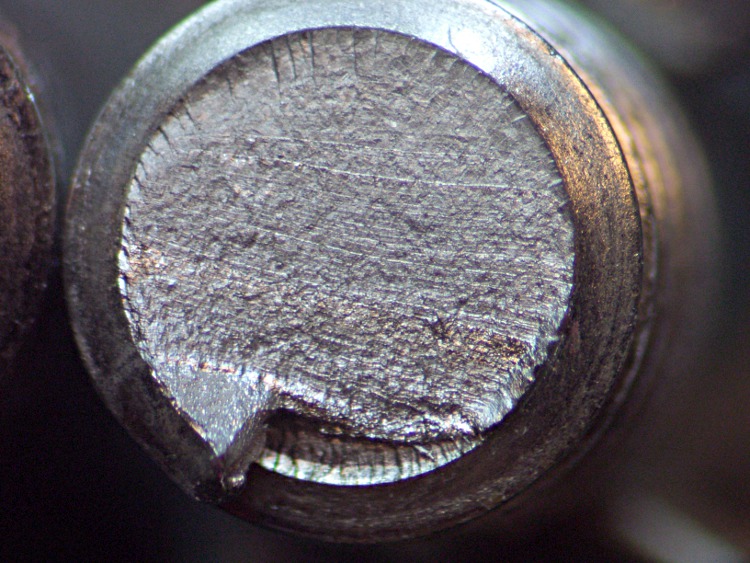
A closer look at the head end of the screw shows some interesting details:
Fractured screw – head
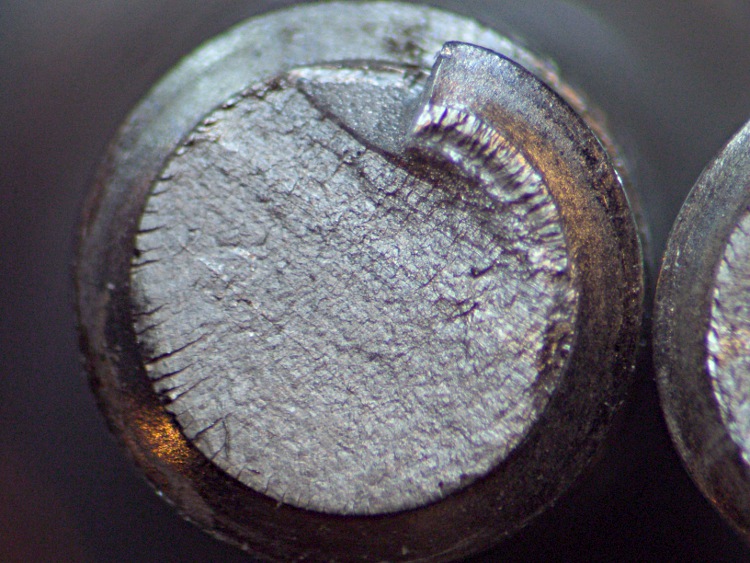
The tail end has matching cracks:
Fractured screw – tail
Notice how the cracks are all oriented in the same direction. The screw fractured at the edge of the brazed-on frame fitting, so I suspect the seat stay clamp must be moving just enough to flex the screw across that plane.
I mooched a pair of hardened socket head cap screws from Eks, ground down the head of the right-side screw for better chain clearance around the sprockets, buttered ’em up with Never-Seez, and we’ll see how long Real Steel lasts.
Right-side screw with ground-down head
I really should conjure up a clamp that mounts to the frame tubing, rather than depend on that puny brazed-on fitting, shouldn’t I?
It appears that new Tour Easy ‘bents come with more brazed-on fittings and a more secure seat stay mounting bracket. A photo was there when I looked.
So I swapped in the snow tires and did the fall oil change a few days ago. Everything went smoothly, although the oil filter, as usual, blooshed oil over the front of the engine and, despite my padding the area with rags, onto the exhaust plumbing.
Digression: I don’t understand why the Toyota engineers felt they had to tuck the oil filter below the exhaust header, behind the front downpipe, and over the flexible coupling to the forward cat converter, with the mounting tube pointed upward. It might have something to do with their rotating the entire engine rearward to get a lower hoodline. It seems to me that angling the filter so it can’t drain and must dump its contents atop the exhaust system isn’t Good Design; I’ve been muttering about it for the last decade.
Anyway, the new filter screwed on easily, its seal ring (seemed to) seat against the block, and one final turn snugged it up just fine. The last fraction of that turn felt gritty, as though part the shell kissed the block, but I attributed that to the fact I was using a different filter style.
I added the usual 5 quarts of oil, wiped up the spills, cleaned off the exhaust pipes, declared victory, called it a day, and put away the tools. Later that evening, I checked for leaks, found nothing, and we drove to a meeting about 12 miles away. As you might expect, the van smelled strongly of hot oil: you cannot wipe all the oil off those pipes.
Oil trails on driveway
The next morning, Mary drove to an all-day class about 15 miles away and, about noon, I rolled out my bike to go grocery shopping… only to discover what you see in the picture (minus the sawdust patch) on the driveway.
This is what we call in the trade A Very Bad Sign.
There are three oil tracks:
Right-front track = outbound to evening trip
Rightmost heavy track = return
Leftmost track = outbound to morning trip
Now, the fact that there’s no huge oil slick means the drain plug is in place and properly sealed. The oil evidently leaks out only under pressure, so the filter isn’t sealed against the block. This can be due to a number of causes, the most common of which is leaving the rubber ring from the old filter stuck to the block. I checked the old filter, which was still in the trash: the seal was still in place, so that wasn’t contributing to the problem.
Regardless, the car was bleeding to death. I called Mary and she reported a dry dipstick.
So I loaded a 5-quart jug of oil into the right pannier, dumped all the tools that might possibly come in handy into the left pannier, topped both off with many rags, stopped at an auto parts store along the way for a new filter, and rode those 15 miles at a pretty good clip. When I got to the parking lot, it was easy to find the van: simply follow its trail. The van sat atop a disturbingly large slick, evidently caused by oil draining off every local minimum inside the engine compartment and under the forward half of the chassis.
The filter was still firmly screwed in place, but when I got it off and compared it with the new filter, they were different: the offending filter was slightly larger in diameter and the threaded hole was noticeable larger. Although it threaded on, the threads weren’t properly engaged, the larger diameter shell did hit the engine block, and it most certainly wasn’t sealed properly.
I installed the new filter, poured in 3 quarts to the get the oil level midway into the dipstick’s OK range, wiped off some of the oil that coated essentially every part of the engine compartment, and we drove home trailing a cloud of hot oil fumes.
As it turned out, the old filter was the same brand as the one that didn’t seal, but with different numbers and a different prefix: the correct filter is a 3614, the wrong one was 3593. Of course, the boxes and illustrations are identical, with slightly different contents. I’m sure they’re adjacent on the shelf and migrate into each other’s slot. It’s worth noting that the filter I bought while on the way to fix the problem was a different brand sporting a part number totally unrelated to 3614.
The butt end of the van was covered with oil, as though the droplets blew out under the chassis and got sucked up against the rear surface; the window was a mess. I sprayed on stout detergent and wiped it clean, but I think we must treat the poor thing to an all-over car wash with the special undercarriage scrub option.
No harm done, as nearly as I can tell, although it’s an exceedingly good thing we weren’t driving off to the grandparents!
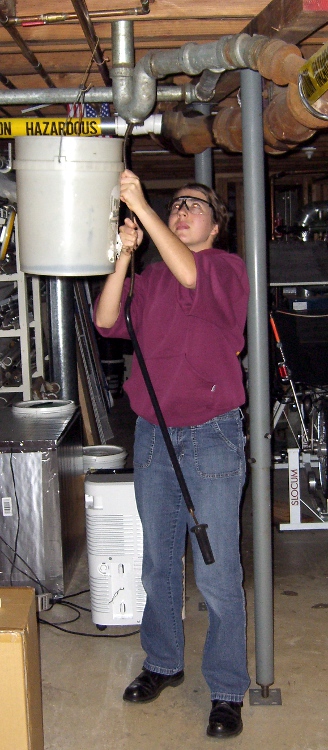
My shop assistant bears most of the hair in the household, so it seemed entirely appropriate that she clear the clog from the shower drain. She says she’s going to take a picture of the hairball and show her friends what her parents make her do…
I pointed out that plumbers are ecstatic when they get a call for this sort of problem and will charge maybe 150 bucks to make the clog Go Away. When she’s writing the check, she can make whatever choice she wants.
For now, this is how it gets done; the snake hangs on the garage wall.
While shoveling things off the workbench, I encountered a old wooden ruler with brass-colored metal edges, one of which had popped out of its groove. No wonder: the poor thing was bent into an arc the hard way. I have no idea how that happened, honest.
Distorted ruler edge
Anyhow, I figured I could fix it with the same technique I apply to straighten copper wire: grab one end in the bench vise, the other in a Vise-Grip, and whack the pliers with a hammer to stretch the wire a percent or two. So I did that and failed completely: the metal strip is actually copper / brass plating on steel.
But it was straight enough to tuck back into the groove, where friction seems to be holding it in place, and all is well.
(If I’d found it before I put a dot of epoxy into the sunglasses hinge, I’d have dabbed some dots along the groove and secured it in place forever. No such luck… the workbench is really buried this time.)
After the hinge repair described there, those old sunglasses have been working fine and I use them regularly. The screw recently worked its Loctite loose and was held in largely by blind faith.
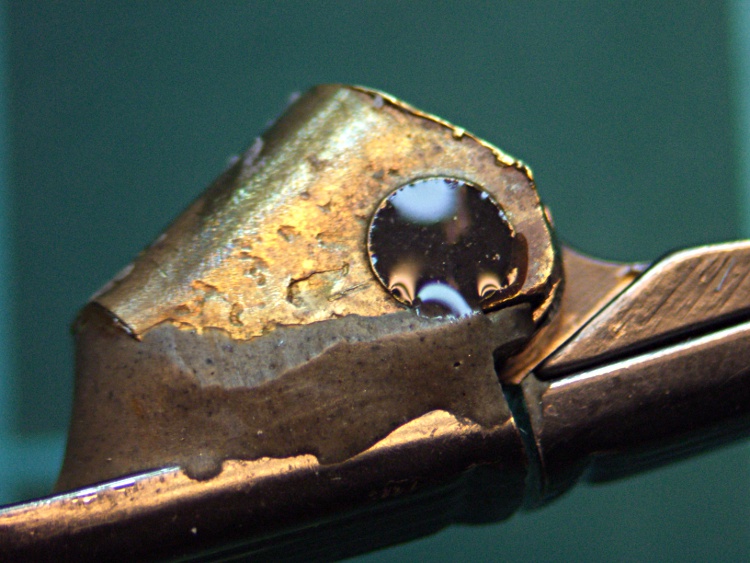
It’s obvious why:
Sunglass hinge screw – loose
A tiny dab of JB KWIK should solve that problem for the foreseeable future:
Sunglass hinge screw – epoxy
In the highly unlikely event I must remove that screw, I’ll just refer to this picture and mill the epoxy out.
While I was fiddling with the camera to get that first spectrograph, it began coughing up an assortment of Memory Stick errors, including the dreaded C:13:01 error. Having had this happen several years ago, I knew it came from the ribbon cable contacts in the Memory Stick socket and the only way to fix it involves taking the camera apart.
Anyhow, here’s my version of the teardown and fix. This is a bit more aggressive than what you’ll read above, in that I disconnect all the cables to get straightforward access to the guts of the camera, but I think it makes everything easier. In any event, re-plugging the cables in those connectors will probably be a Good Thing.
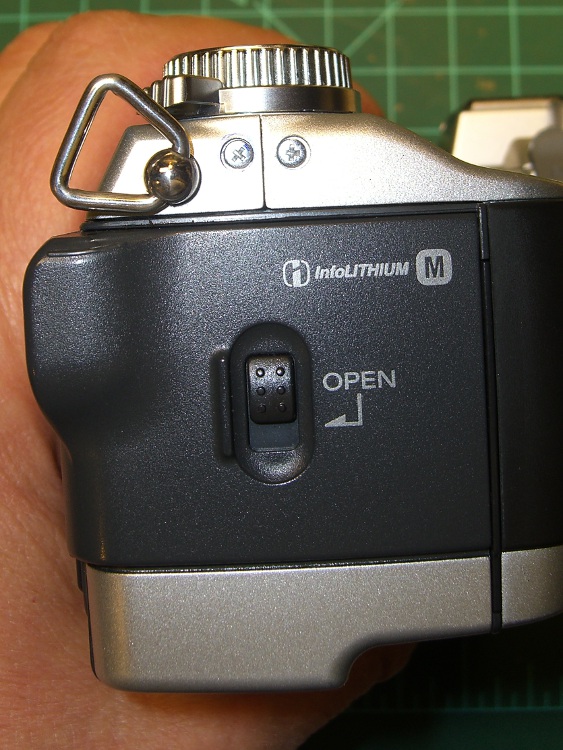
Remove the battery, Memory Stick, and all the straps and doodads. This fix will reset the camera to its factory defaults; you must eventually reset everything, so review your settings.
If your filing system depends on the camera’s numbering system: heads up! This will reset the image sequence numbers; the next picture will be DSC00001.JPG.
Remove the four Philips-00 screws that hold the rear case in place. Note that they are not identical…
Two on the left.
DSC-F717 case screws – left side
The rear screw on the right side.
DSC-F717 case screws – right side
The screw on the right side of the bottom passes through the front part of the case.
DSC-F717 case screws – bottom
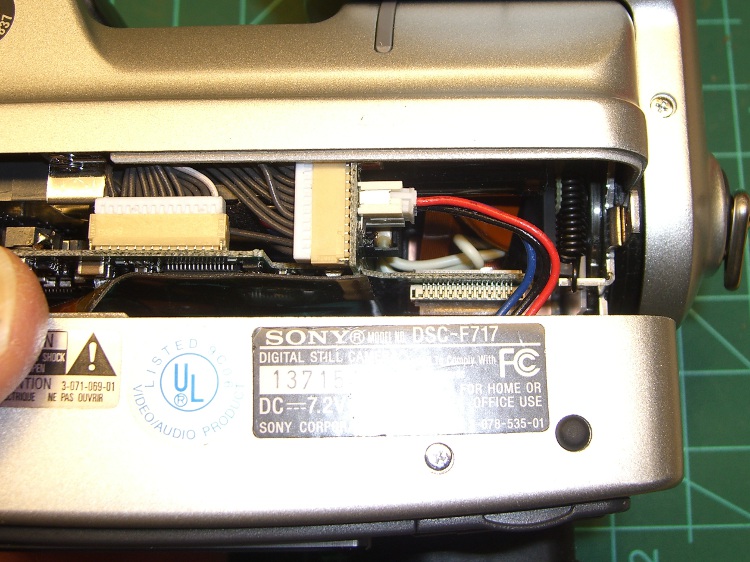
Ease the whole rear half of the case, display and all, away from the front half, until you can disconnect the three-wire cable from the power jack. A needle-nose pliers may be helpful, but be gentle!
DSC-F717 internal power cable
Now things get nasty.
The flat paddle in the lower right plugs into a socket on the display board in the rear case: pry it out if it hasn’t popped out of its own accord.
Disconnect the ribbon cable on the left side by prying the gray latch away from the cable; the ribbon will pop out with no effort.
Put the rear part of the case somewhere out of the way.
DSC-F717 main board cables
Peel the static shield off the main circuit board. The black strip is a surprisingly strong adhesive tape that’s stuck to the ribbon cables along the top edge of the board. Peel gently!
DSC-F717 static shield
Pull the three cables out of the sockets along the top of the board. The blue cable seems to be much more fragile than the others, but they all come out by just pulling directly upward: parallel to the board.
Unscrew the two P-00 screws holding the main board in place: upper left and center of the board.
DSC-F717 main board cables – top
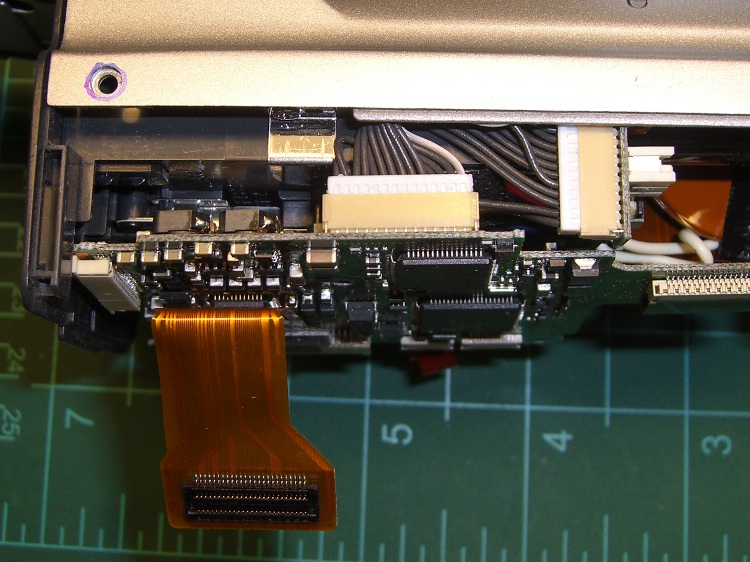
Flip the camera over and ease the main board away from the case to expose the white connector on the bottom. This is stuck firmly in place, so try to not brutalize anything around the connector when it pops out.
DSC-F717 main board cables – bottom
That leaves only the ribbon cable on the right of this picture (left of the camera) connecting the optical section to the main board. Push the two ends of the gray latch bar parallel to the cable (it is not the same as the connector on the other side of the board shown above) away from the connector until the bar releases the cable and it pops out.
Put the main board somewhere safe.
DSC-F717 main board cables – rear
Now you can actually see the Memory Stick socket behind all the ribbon cables!
DSC-F717 Memory Stick socket – exposed
Remove the two P-00 mounting screws, one to the upper right and the other to the lower right in the steel retaining bar.
Remove the socket from the camera. Whew!
DSC-F717 Memory Stick socket – retaining screws
Here is the offending cable entry into the Memory Stick socket. Pull the mumble cable out.
DSC-F717 Memory Stick socket – cable entry
The socket pins evidently move just a little bit, every time you put in a Memory Stick, eroding teeny divots in the cable contact pads. I generally use the USB connection, so the socket doesn’t see a lot of motion. Your mileage may vary.
DSC-F717 Memory Stick cable indentations
I cleaned off the ribbon cable pads with Caig DeoxIT, although I’m not convinced that really does anything in this situation.
This guy dismantled the socket to clean the internal contacts, which would probably make sense while you’ve got the hood up. I didn’t do that this time, though.
Then you reassemble everything in reverse order, after which the camera Just Works. Probably for another few years.
The puzzling part of this failure: the camera has literally hundreds of ribbon cable contacts, but only the Memory Stick cable goes bad. If any other cable failed, the camera would go Toes Up, right? Next time around I may try soldering thin copper pads on the cable or applying a thin backing layer to improve the resilience, but that sounds pretty risky even to me.
If you haven’t done so already, put a write-protected image of your biz card / contact info on every Memory Stick you use with your cameras to make it easy for an honest person who finds your camera to get in touch with you. The dishonest ones won’t change their behavior one way or the other.
Take a picture of your card now: the camera will set up the folders and name it DSC00001.JPG. If you’ve already got such a file, take a picture anyway, delete it, then copy your existing file to the camera as DSC00001.JPG. In either case, write-protect the file.
Memo to Self: next time, take the socket apart and cast some epoxy around the contacts to prevent further motion.












 The Smell of Molten Projects in the Morning