Ed Nisley's Blog: Shop notes, electronics, firmware, machinery, 3D printing, laser cuttery, and curiosities. Contents: 100% human thinking, 0% AI slop.
When I bought a new belt some months ago, I thought the lack of stitching meant it was made from a single strip of leather. Come to find out that it’s actually two strips glued together with something sticky that came un-done at the point where the belt passes through the buckle.
So I peeled a bit more apart, smoothed a thin layer of urethane glue (aka Gorilla Glue) inside, laid waxed paper on both side just in case the foam expanded beyond my wildest imagination, and clamped it together:
Belt clamping
The glue layer turned out just about perfect, with only a few blobs sticking out the sides:
Belt with urethane glue blobs
Those blobs snapped off easily enough and the belt works fine again. We’ll see how long this one lasts…
I picked up a Lenovo headset on sale and over the course of a few weeks the mic boom pivot worked itself loose, until I finally dismantled the left ear cup to see what was inside. Come to find out that the mic boom has a molded threaded section held into the cup with a simple nut and no locking mechanism at all:
Lenovo headset – OEM mic boom pivot nut
I think the metal washer was intended as a low-friction pivot atop the compliant silicone (?) washer underneath, but the net effect was that the nut unscrewed a little bit more every time the mic boom moved. By the time I got in there, the nut was completely off the threads.
The original nut left a thread or two showing, so I found a thicker replacement nut with a better grip. The obvious solution involves a dab of Loctite to jam the nut in position, but we all know that some plastics, most notably acrylic, react badly to threadlocker and tend to disintegrate. Although I considered just epoxying the nut in place, that seems so, well, permanent.
So I dutifully tested a dab of Loctite on an inconspicuous spot inside the ear cup, got no reaction at all, put a drop on the boom pivot threads, and reassembled everything:
Lenovo headset – replacement mic boom pivot nut
Alas, by the time I got back upstairs and hung the mic on the rack, the boom fell completely out of the earcup! Back in the Basement Laboratory, I dismantled the thing again and confronted this mess:
Lenovo headset- Acrylic plastic vs. threadlock
Huh. The ear cup isn’t made of the same plastic as the mic boom: one shrugs off threadlock, the other disintegrates.
That’s obvious in retrospect, eh?
The only threads that aren’t ruined lie completely within the ear cup frame, with just a stub sticking up around the wire. So I cleaned things up and did what I should have done originally: put a dab of epoxy inside the nut to bind the pivot firmly in place. A snippet of unshrunk heatshrink tubing around the wire provides a bit of strain relief:
Lenovo headset – boom pivot nut with epoxy
There’s no longer any space for the compliant washer in that stack, so we’ll see how long this lasts. The next repair will certainly venture far inside non-economical territory. I like the headphones, though.
Memo to Self: Check in an inconspicuous spot on the same material.
One of the battery packs I’d re-rebuilt failed in short order, which I wrote off to a bad cell and tossed it on the heap. Having recently found a small stack of Round Tuits, I’ve been cleaning off the bench and took the pack apart again. Turns out I blundered the solder joint between the positive cell terminal and the protective circuit board: the strap in the foreground joining those two points didn’t make a good connection to the cells.
That’s an awkward joint at best, because the protective circuit doesn’t come willingly out of the housing and you (well, I) must solder it without scorching the cells, the plastic case, or the PCB. It can be done, but it’s not easy.
Charged it up and it’s back in the A/B/C pack rotation again.
Memo to Self: Tough to find good repairmen these days, eh?
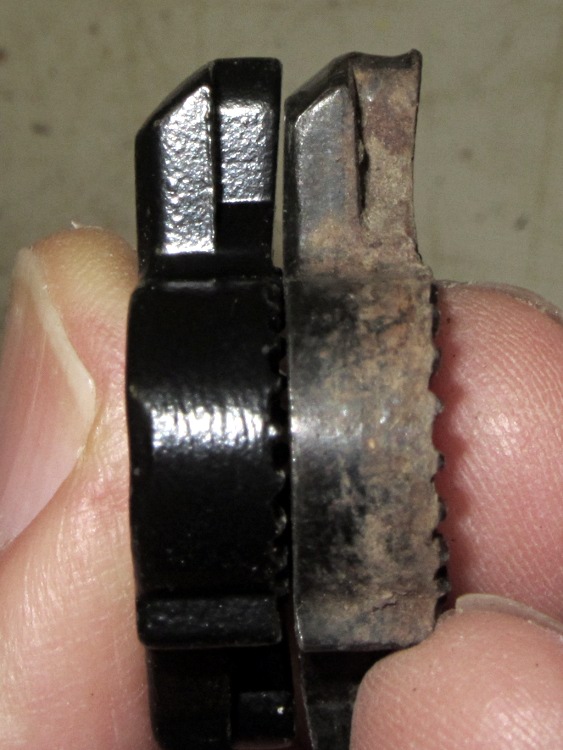
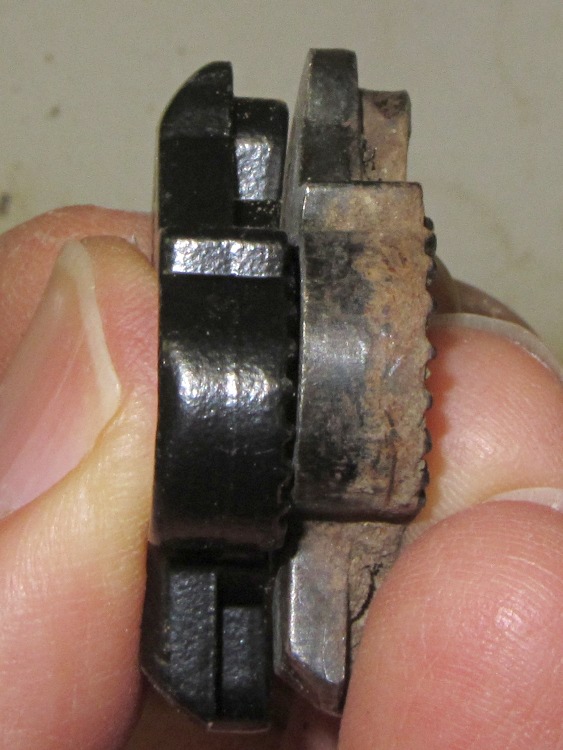
The replacement metal latch handle fit perfectly and works fine.
That skinny protruding arm shouldn’t break off, but now it has a metal-to-metal sliding joint that will eventually gall. With any luck, though, it’ll outlast the van… which, admittedly, that kludged repair probably would have, too.
The endcaps of that fan motor have a crimped-in-place aluminum disk capturing a felt washer that held oil and a circular spring that presses the spherical bronze bearing in place:
Fan motor endcap – interior
Pulling all that out reveals the bearing (tilted on its side to show the spherical outer shape):
Fan motor endcap – parts
The shaft is a scant 3/16 inch in diameter, about 0.181 instead of 0.1875 inch. I have some 3/16 inch ID cartridge bearings in the heap that are a sloppy fit on the shaft, but nothing that a wrap of 2 or 3 mil shimstock and a dab of green Loctite wouldn’t cure.
A bit of doodling suggests two of these bearing holders should fit in the endcaps, stand over the spherical bearing mounts, capture the ball bearing OD, keep dust out of the balls, and perhaps have enough compliance to let the bearings self-adjust to the right fit:
Fan Bearing Holder
The fan tries to pull the rotor out of the frame, although I think the bearings & Loctite can handle that much axial load. I must try this out on the bench and see how long it takes for the Freezer Dog to return…
It needs a trial print and some sizing adjustment, plus maybe an allowance for end play, but it’s close.
The OpenSCAD source code:
// Refrigerator Fan Bearing Support
// Ed Nisley KE4ZNU - May 2012
// Layouts
Layout = "Show"; // Show Fit Build
Gap = 5.0; // between parts in Show mode
BuildOffset = 5.0; // offset between parts on build plate
//- Extrusion parameters must match reality!
// Print with +1 shells and 3 solid layers
ThreadThick = 0.25;
ThreadWidth = 2.0 * ThreadThick;
HoleWindage = 0.2;
function IntegerMultiple(Size,Unit) = Unit * ceil(Size / Unit);
Protrusion = 0.1; // make holes end cleanly
//----------------------
// Dimensions
CapID = 32.0; // bearing endcap
CapHeight = 7.0; // ... below aluminum cap recess
SupportOD = 10.3; // spherical bearing support
SupportHeight = 3.0;
BearingOD = 12.7; // ball bearing race
BearingID = 4.68; // ... shaft dia
BearingThick = 4.0;
Ribs = 8; // number of support ribs
RibLength = 2.0; // length beyond cylinder
RibWidth = 4*ThreadWidth;
LidOD = CapID/2; // bearing retainer lid
LidThick = 2*ThreadThick;
//----------------------
// Useful routines
module PolyCyl(Dia,Height,ForceSides=0) { // based on nophead's polyholes
Sides = (ForceSides != 0) ? ForceSides : (ceil(Dia) + 2);
FixDia = Dia / cos(180/Sides);
cylinder(r=(FixDia + HoleWindage)/2,
h=Height,
$fn=Sides);
}
module ShowPegGrid(Space = 10.0,Size = 1.0) {
Range = floor(50 / Space);
for (x=[-Range:Range])
for (y=[-Range:Range])
translate([x*Space,y*Space,Size/2])
%cube(Size,center=true);
}
//-------------------
// Objects
module Retainer() {
color("Green")
difference() {
PolyCyl(LidOD,LidThick);
translate([0,0,-Protrusion])
PolyCyl(BearingID,(LidThick + 2*Protrusion),8);
}
}
module Holder() {
color("Chocolate")
difference() {
union() {
cylinder(r=(CapID - 2*RibLength)/2,h=(CapHeight + LidThick));
for (Index = [0:Ribs-1]) {
rotate(Index*360/Ribs)
translate([0,-RibWidth/2,0])
cube([CapID/2,RibWidth,CapHeight],center=false);
}
}
translate([0,0,-Protrusion])
PolyCyl(SupportOD,(CapHeight + 2*Protrusion)); // clear old support
translate([0,0,SupportHeight])
PolyCyl(BearingOD,CapHeight); // bearing pocket
translate([0,0,(SupportHeight + BearingThick)])
PolyCyl(LidOD,CapHeight); // bearing retainer
}
}
//-------------------
// Build things...
ShowPegGrid();
if (Layout == "Show") {
Holder();
translate([0,0,(CapHeight + Gap)])
Retainer();
}
if (Layout == "Fit") {
Holder();
translate([0,0,CapHeight])
Retainer();
}
if (Layout == "Build") {
translate([(CapID/2 + BuildOffset),0,0])
Holder();
translate([-(LidOD/2 + BuildOffset),0,0])
Retainer();
}
Very recently, Youtube videos (including mine) took on a Smurf aspect: blue skin tones and other weird colors. I don’t spend a lot of time watching videos, but I’m pulling together a talk and wanted to be sure my videos still worked.
Having installed Ubuntu 12.04 on that Lenovo box, which has an nVidia graphics chip, we find there’s an error somewhere inside the current 295.40 (and perhaps previous versions) of the proprietary nVidia driver that causes random video lockups which generally require rebooting that sucker. Of course, the default Unity desktop requires that driver for 3D operations like compositing, because the Free Software drivers don’t / can’t do 3D in hardware.
How is it that a (nominally) Open Source / Free Software OS requires proprietary drivers just to present the UI? Oh, right, 3D is glitzy and that’s what matters most in these degenerate days.
Anyhow.
The least-likely-to-fail solution seems to be disabling the nVidia driver, which enables the Nouveau driver, which does 2D just fine, which lets Unity stumble along. Reverting to 295.33 seems to work for some folks, but I have other things to do…