Ed Nisley's Blog: Shop notes, electronics, firmware, machinery, 3D printing, laser cuttery, and curiosities. Contents: 100% human thinking, 0% AI slop.
Mary decided her cycling shoes were worn out after about four years and maybe 8000 miles. Walking with cleated shoes doesn’t work well (no, we don’t bother with cleat covers), but they’ve seen a few miles of pavement, too:
Worn SPD cleat in cycling shoe
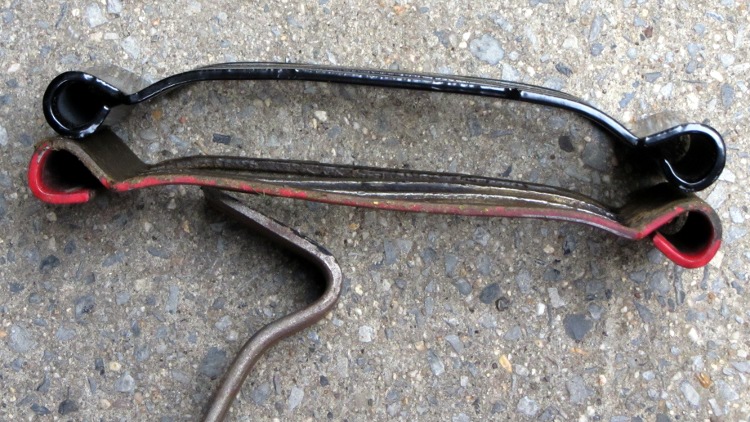
A closeup shows that the surface of the old cleat really has worn away:
SPD cleats – new and worn
The rear tang is mostly there:
SPD cleats – rear tang
But the front tang is mostly gone:
SPD cleats – front tang
New shoes, new cleats, new pedals… we’re still tuning for best fit.
Quite some time ago I picked up a trio of IBM Thinkpad 560Z laptops from the usual eBay suppliers as part of a DDJ column project. One turned into a digital picture frame, our Larval Engineer has another (because it was maxed out with 128 MB of RAM), and I just fired up the third (96 MB!) to discover whether it could serve as a text-only terminal without too much trouble.
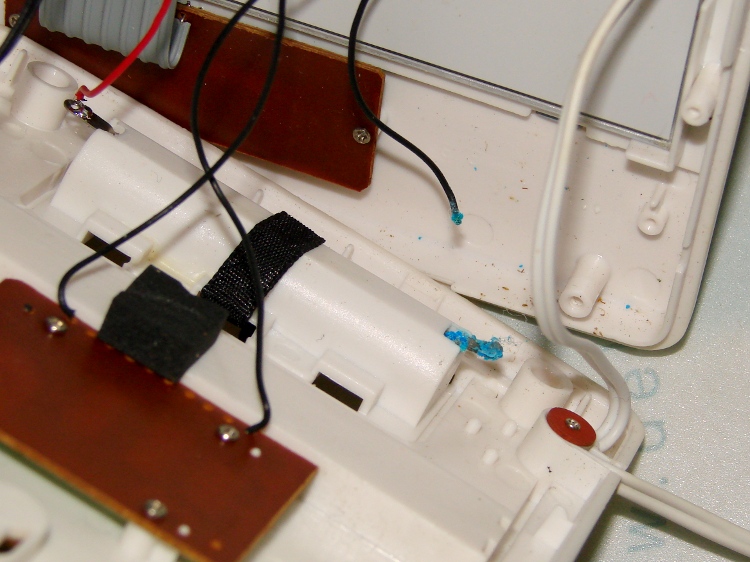
Alas, the BIOS battery was dead. I’d replaced the dead OEM cell some years back with a (surplus) lithium cell that’s a bit too small, so it only lasted a few years rather than a decade, but the cells were on the shelf. Soooo, I put in another one, just like the other one:
Thinkpad 560Z BIOS battery
After nudging the date & time into the current millennium, it then failed to boot Ubuntu 8.04: evidently the mighty 4 GB CompactFlash drive (jammed into a CF-to-IDE adapter) has bit rot.
It’s a prime candidate for the text-only version of Tiny Core Linux, except that a 560Z can’t boot from either USB or CD-ROM, which means getting the files on the “hard drive” requires extraordinary fiddling. Drat!
FWIW, when this battery fails, I think the (empty) main battery compartment has room for a CR123A cell that should outlast the rest of the hardware. I could blow two bucks on a replacement from eBay, but what fun is that?
Found this aneurysm on the front tire just before a grocery ride, so I stuffed a spare tire and tube into a pannier before rolling away. As expected, it didn’t blow out, but …
I think this started with a gash in the Kevlar belt that didn’t quite penetrate the cords holding the tire together. As you’ve seen, our tires collect a remarkable number of cuts due to broken glass.
The cords inside the tire seemed fine, although the weave was somewhat distorted. The inner rubber layer wasn’t punctured, despite what it looks like here.
The tube also looked fine, despite riding on a tire liner for at least a year. The tube abrasion failures in the rear tire must be due to something other than just the combination of tube and liner; perhaps the tube flexes just enough to erode at the discontinuities.
The new Y axis anti-backlash nuts for the Sherline mill have a countersink on the end that fits into the saddle. The nut on the left is as-delivered (I bought two) and the nut on the right is after cleanup:
Sherline Y axis anti-backlash nuts – original vs cleared
The thread was munged enough to jam the leadscrew; it started fine from the knurled end, but wouldn’t emerge from the countersink. This being a left-hand thread, I couldn’t just run a tap through the nut, so clearing the thread required:
Some tedious handwork to clear enough of a path until …
I could force the nut over the old leadscrew, which re-formed the thread enough that …
More tedious handwork could remove the debris and bent brass
After that, the OD of both nuts was slightly oversized: 0.316 inch, which didn’t fit in the 5/16 inch (0.3125) bore. So I mounted the nut on the old leadscrew, took advantage of the fact that a left-hand thread gets tighter with cutting force from the lathe bit[Edit: wrong! See comments], and turned it down just a hair:
Turning down anti-backlash nut OD
Purists will quibble that I should have used the four-jaw chuck. Turns out the three-jaw has under 1 mil of runout, which is as good as one could possibly want in light of the bearings.
The X axis nuts were fine, so I suspect a recent production run had a bit of a tooling problem.
[Update: The mail brings replacement nuts that look just fine. Must have been one of those glitches. No hard feelings!]
Something has gone badly wrong with the yellow bulk ink that I’m using in the Canon S630. Over the winter a precipitate formed in the bottles:
Sediment in ink bottles
And in the ink tanks:
Sediment in ink tank
But now that the Basement Laboratory has warmed up, not only does the precipitate remain, but some of it is growing:
Growth in ink tank
The picture doesn’t do it justice; it looks like pond scum in there. Only the yellow ink behaves like that, so it’s likely some contaminant in that batch. Because I buy ink in pint bottles, it’s a long time since that batch arrived and there’s no point in kvetching to the vendor. IIRC, I actually got this bottle from a friend who scrapped out his S630; he’d been refilling cartridges from the same source, too.
I ordered four sets of five tanks (CMYKK) from the usual eBay vendor for 20 bucks and will toss the old tanks & ink when those arrive.
There’s a set of four bulk ink bottles from a long-dead HP2000C printer on the shelf, but I suspect the ink chemistry differs by enough to ruin the Canon’s printhead… which is discontinued, so when the head dies, the printer dies, too.
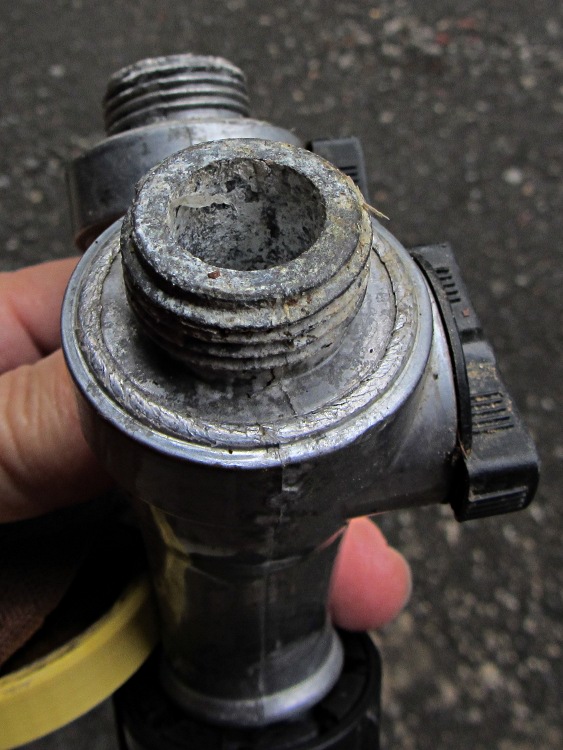
A hinge started squeaking, which required nothing more than a long pin punch, a soft hammer, and a dab of oil.
The unplated steel hinges in our house date back to the middle of the last century and all of them have a convenient hole in the bottom for a pin punch: much fancier than the raw edge of the folded frame and the butt end of the hinge pin. You drive the hinge pin upward with a few taps, lube it, and tap it back in again with a soft hammer (perhaps against a folded rag), and you’re done.
On the other side of door, however, lies one of our follies. For reasons that made perfect sense at the time, the hallway has five different shades of white paint:
Flat walls
Eggshell ceiling
Gloss trim
Semigloss front door
Epoxy hinges
The hallway has three branches, two openings, and ten doors. The white really sets off the hardwood floors and doors, while brightening what would otherwise be a rather dim area, but never, ever again will we make that mistake.
On the other paw, the hinges came out well. I took them off all those doors and jambs, cleaned the steel, gave ’em two rattle coats of white epoxy, and reinstalled. Much nicer than contemporary “shiny brass” plating or raw steel.
The Y axis on my Sherline CNC mill has developed about 8 mils of backlash, a bit more than seems reasonable. Some poking around shows that the anti-backlash nut is loose while in the middle of the leadscrew and snug while at either end, which suggests the leadscrew thread is also worn. That’s no surprise, as I didn’t figure out that having a bellows over the leadscrew was a Good Thing until, let us say, considerably later than I should.
If I must replace the leadscrew, I may as well take the whole XY assembly apart, clean everything, and replace the consumables. So I ordered a sack o’ parts from Sherline; they’re all cheap and readily available. The overall index has the exploded diagrams and the parts list for my mill boiled down to:
54161 Y axis leadscrew (9 inch)
50140 Y axis anti-backlash nut
50200 Y axis nut
50171 X axis leadscrew
50130 X axis anti-backlash nut
40890 X axis nut
50150 anti-backlash lock
The only gotcha: nowhere (that I can find, anyway) is it written how to get the leadscrew nuts out of the stage. It turns out that the holes through the stage aren’t uniform: the X narrower on the right and the Y on the front, so you must drive the X axis nut out to the left and the Y axis nut out to the rear. The counterbore is visible just behind the anti-backlash nut if you know what to look for, so you’re driving the axis nut away from the backlash nut.
On the X axis:
X axis leadscrew hole counterbore
On the Y axis:
Y axis leadscrew hole counterbore
Trust me on this: you cannot drive a 5/16 inch nut through a 19/64 inch counterbore. If you have a 19/64 inch transfer punch, that’s a dandy way to get the nuts out.
The easiest way to loosen the socket head cap screw holding the flex coupling to the leadscrew is to grab the coupling in a lathe chuck (with the leadscrew protruding into the headstock) and then apply the hex key:
Loosening leadscrew bolt
They used red (high-strength) Loctite on all the leadscrew bolts, as well as on the tapered joint between the leadscrew and the flex coupling, and on the bearing preload nut… so I will, too.