The Smell of Molten Projects in the Morning

Ed Nisley's Blog: Shop notes, electronics, firmware, machinery, 3D printing, laser cuttery, and curiosities. Contents: 100% human thinking, 0% AI slop.

Tag: MK4

Prusa Mk 4 3D printer with MMU3 feeder

  • Delta Model 1400 Shower Faucet Knob Insert

    Delta Model 1400 Shower Faucet Knob Insert

    Having just replaced the shower faucet cartridge, the knob insert (probably from 1998, according to a label on the shower stall) could also use some improvement:

    Delta 1400 Shower Faucet knob insert - front
    Delta 1400 Shower Faucet knob insert – front

    That oblong blue tint is water. The shattered sections formerly had small fingers holding the insert into the knob:

    Delta 1400 Shower Faucet knob insert - rear
    Delta 1400 Shower Faucet knob insert – rear

    Pry the aluminum disk out of the insert and scan it:

    Delta Shower Faucet - label scan
    Delta Shower Faucet – label scan

    There is no feature in the knob to capture the semicircular notch at the arrow tip, so the disk can rotate as it pleases. I think the arrow should point to the OFF label on the bezel when the water is turned off, but who knows?

    Import it into Inkscape, whereupon it becomes obvious the printed legend is not centered on the disk, lay suitable construction lines & circles, then draw similar shapes:

    Delta Shower Faucet - Inkscape layout
    Delta Shower Faucet – Inkscape layout

    I located the circles at the Inkscape page corner to put their center at the (0,0) origin with the arrow pointed along the X axis to simplify importing it into OpenSCAD.

    The three useful graphic features go on separate layers so OpenSCAD can treat them as separate objects:

    Delta Shower Faucet - Inkscape layers
    Delta Shower Faucet – Inkscape layers

    Build the overall insert shape in OpenSCAD:

    difference() {
      union() {
        tube(Insert[LENGTH],id=Insert[ID],od=Insert[OD],anchor=BOTTOM) position(TOP)
          cyl(FaceThick,d=Insert[OD],anchor=TOP);
      }
      zrot(KnobAngle)
        down(Protrusion)
          cube([2*Insert[OD],IndexWidth,Insert[LENGTH] - FaceThick + Protrusion],anchor=BOTTOM);
    }
    

    The KnobAngle rotation comes from the angle of the features inside the knob that locate the insert, which are aligned horizontally here, but at about 30° when the knob is installed on the faucet :

    Delta 1400 Shower Faucet knob - insert recess features
    Delta 1400 Shower Faucet knob – insert recess features

    The knob shined up surprisingly well for being three decades old; that photo is as-found.

    Import the Inkscape graphics into OpenSCAD and align them an itsy above the top of the insert structure to prevent Z fighting without triggering the slicer into adding another layer:

    up(Insert[LENGTH] - LabelThick + 0.01)
      color("DarkSlateGray")
        linear_extrude(LabelThick)
          import(LabelFN,center=false,layer="Angle Indicator");
    up(Insert[LENGTH] - LabelThick + 0.01)
      color("Red")
        linear_extrude(LabelThick)
          import(LabelFN,center=false,layer="Hot Arc");
    up(Insert[LENGTH] - LabelThick + 0.01)
      color("Blue")
        linear_extrude(LabelThick)
          import(LabelFN,center=false,layer="Cold Arc");


    Those three shapes must be handled separately, lest OpenSCAD combine them into one thing that PrusaSlicer won’t recognize as distinct shapes. There’s no need to subtract them from the main insert shape, but getting separate colors to come out right is definitely not straightforward.

    Which looks like this, with cheerful colors that need not correspond to the printer filaments:

    Delta Shower Faucet Insert - solid model
    Delta Shower Faucet Insert – solid model

    Normally I have a set of Build transformations to orient the thing for printing, but doing a simple rotation to put the top down on the platform also blows away the separate nature of the graphics.

    I use the EIA color code sequence in PrusaSlicer so I can identify the filament number by eye:

    Shower Fauce Knob Insert - PrusaSlicer preview
    Shower Fauce Knob Insert – PrusaSlicer preview

    A little while later:

    Delta 1400 Shower Faucet knob insert - installed
    Delta 1400 Shower Faucet knob insert – installed

    The insert is a loose fit in the knob, held in place by good double-sided foam tape to the screw securing the knob. I decided to not bother with little fingers, because I loves me some simple removable adhesive action.

    Yeah, you can buy an entire replacement knob for ten bucks, but where’s the fun in that?

    The OpenSCAD source code as a GitHub Gist:

    // Delta shower faucet knob insert
    // Ed Nisley – KE4ZNU
    // 2025-08-09
    include <BOSL2/std.scad>
    /* [Hidden] */
    HoleWindage = 0.2;
    Protrusion = 0.01;
    NumSides = 4*3*4;
    $fn=NumSides;
    ID = 0;
    OD = 1;
    LENGTH = 2;
    LabelFN = "Shower Fauce Knob Insert.svg";
    LabelThick = 0.8;
    KnobAngle = 30; // horizontal to index features
    IndexWidth = 2.5; // slot to fit knob locating features
    Insert = [33.5,37.7,7.0]; // slides into knob
    FaceThick = 1.6;
    //———-
    // Construct it in the obvious orientation
    // Flip it in the slicer to preserve the artwork for separate filaments!
    difference() {
    union() {
    tube(Insert[LENGTH],id=Insert[ID],od=Insert[OD],anchor=BOTTOM) position(TOP)
    cyl(FaceThick,d=Insert[OD],anchor=TOP);
    }
    zrot(KnobAngle)
    down(Protrusion)
    cube([2*Insert[OD],IndexWidth,Insert[LENGTH] – FaceThick + Protrusion],anchor=BOTTOM);
    }
    // Must be handled separately to produce separate objects for different filaments
    up(Insert[LENGTH] – LabelThick + 0.01)
    color("DarkSlateGray")
    linear_extrude(LabelThick)
    import(LabelFN,center=false,layer="Angle Indicator");
    up(Insert[LENGTH] – LabelThick + 0.01)
    color("Red")
    linear_extrude(LabelThick)
    import(LabelFN,center=false,layer="Hot Arc");
    up(Insert[LENGTH] – LabelThick + 0.01)
    color("Blue")
    linear_extrude(LabelThick)
    import(LabelFN,center=false,layer="Cold Arc");

  • Hose Fitting Grip Redux

    Hose Fitting Grip Redux

    Replacing the sun-rotted hose for Mary’s garden called for a new grip, because of course all hose fittings are different:

    Garden Hose Fitting Grip - installed
    Garden Hose Fitting Grip – installed

    The ridges on the fitting looked close enough to half-cylinders and the fitting wasn’t tapered enough to worry about:

    Hose Fitting Grip - simple - solid model
    Hose Fitting Grip – simple – solid model

    The OD came from the original grip, because it neatly fits Mary’s hand, and the nubbles are round-end cylinders.

    Got it done the day after the old hose split, glued it on the hose with E6000+, installed it the next morning, whereupon the weather delivered three inches of rain. It’ll get screwed onto the faucet in a few days …

    The OpenSCAD source code as a GitHub Gist:

    // Hose fitting grip – simple plastic extrusion
    // Ed Nisley – KE4ZNU
    // 2025-07-30
    include <BOSL2/std.scad>
    /* [Hidden] */
    HoleWindage = 0.2;
    Protrusion = 0.1;
    NumSides = 3*2*4;
    $fn=NumSides;
    ID = 0;
    OD = 1;
    LENGTH = 2;
    NumRibs = 8;
    RibOD = 3.0;
    GripOA = [32.5,66.0,16.0];
    KnobBallOD = 6.0;
    union() {
    difference() {
    tube(GripOA[LENGTH],id=GripOA[ID],od=GripOA[OD],orounding=2.0,anchor=BOTTOM);
    for (a = [0:NumRibs-1])
    rotate(a*360/NumRibs)
    right(GripOA[ID]/2) down(Protrusion)
    cyl(GripOA[LENGTH] + 2*Protrusion,d=RibOD,anchor=BOTTOM);
    }
    for (a = [0:NumSides-1])
    rotate(a*360/NumSides)
    right(GripOA[OD]/2)
    up(GripOA[LENGTH]/2)
    cyl(GripOA[LENGTH]/2,d=KnobBallOD,rounding=KnobBallOD/2);
    }
  • PolyDryer Humidity: 30 Days Later

    PolyDryer Humidity: 30 Days Later

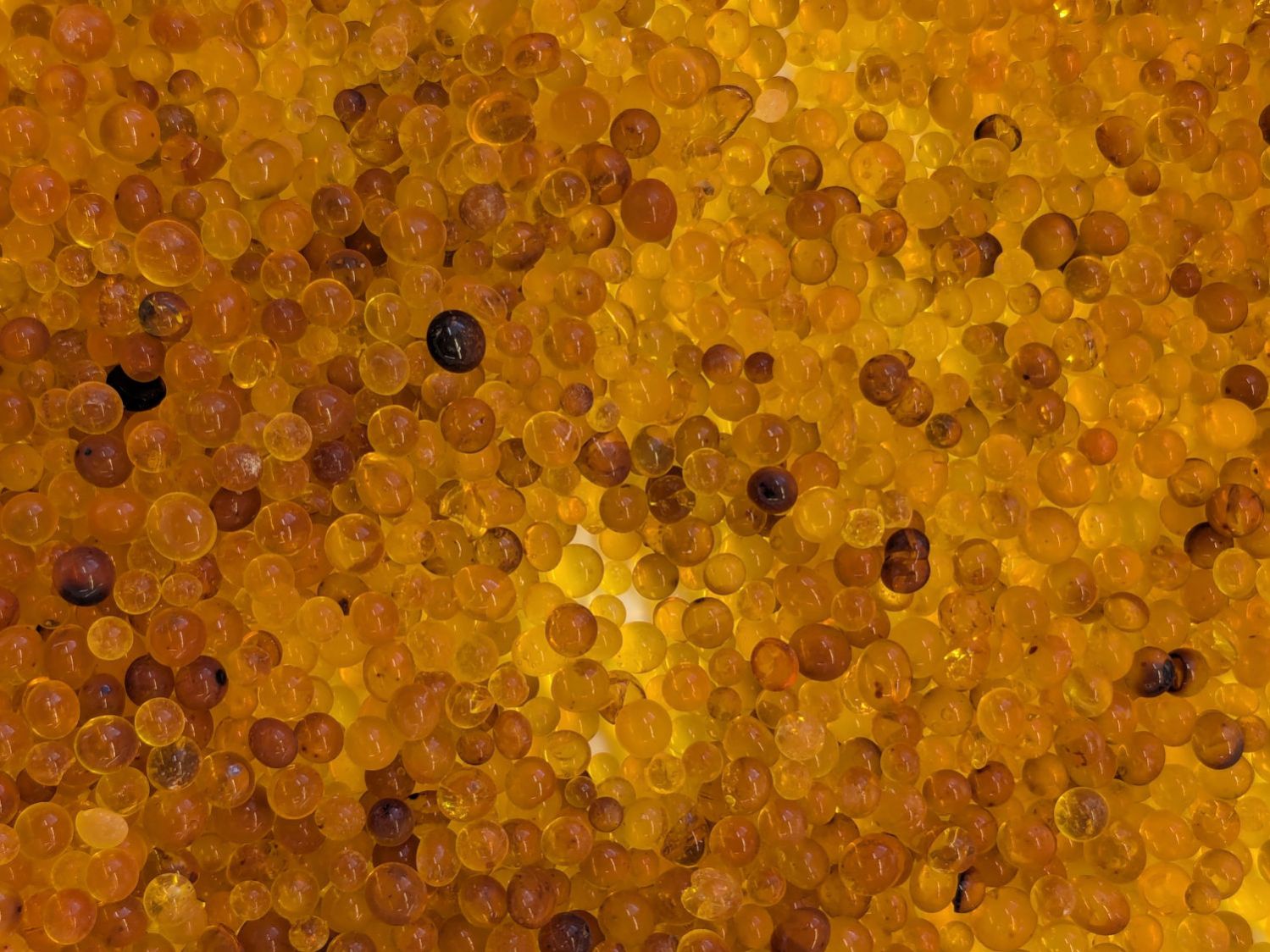
    A month after the last desiccant change, the silica gel looks like this:

    Polydryer - 30 day beads
    Polydryer – 30 day beads

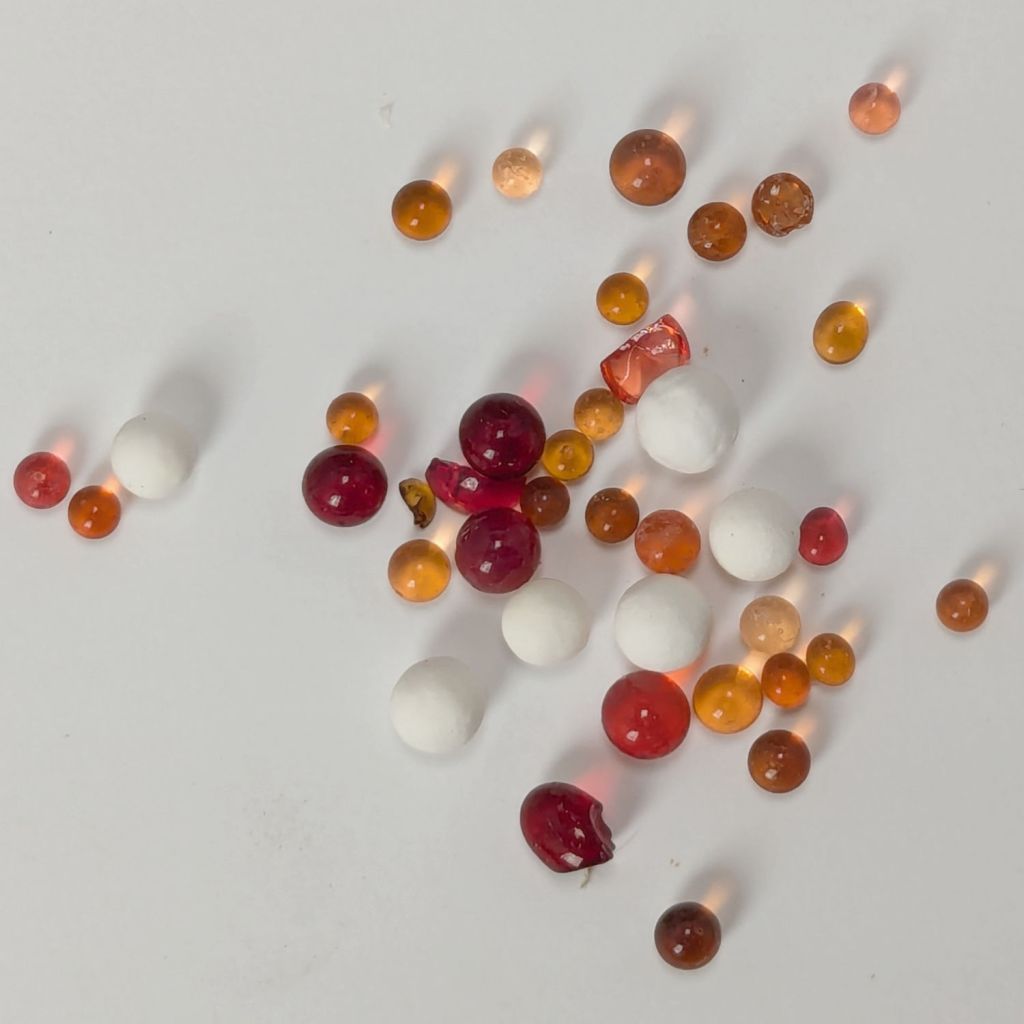
    The top cup contains fresh-from-stock dry (regenerated) silica gel beads and the others, left-to-right and top-to-bottom, come from PolyDryer boxes:

    Material%RHWeight – gIncrease – gWater gain – %
    PETG White1426.81.87.2
    PETG Black2026.81.87.2
    PETG Orange1326.81.87.2
    PETG Blue1526.91.97.6
    PETG-CF Blue1927.42.49.6
    PETG-CF Black2827.32.39.2
    PETG-CF Gray2727.12.18.4
    TPU Clear1326.81.87.2
    Sum of weights215.98.0
    Measured weight216.38.1

    I expected some correlation between the indicated humidity and the weight of adsorbed water vapor, but that’s not the case.

    The bottom row suggests there’s also little-to-no correlation between bead color and humidity, at least at this low end of the scale.

    The indicator cards tucked into the boxes roughly correlate with the meter reading, but they’re much easier to interpret in person.

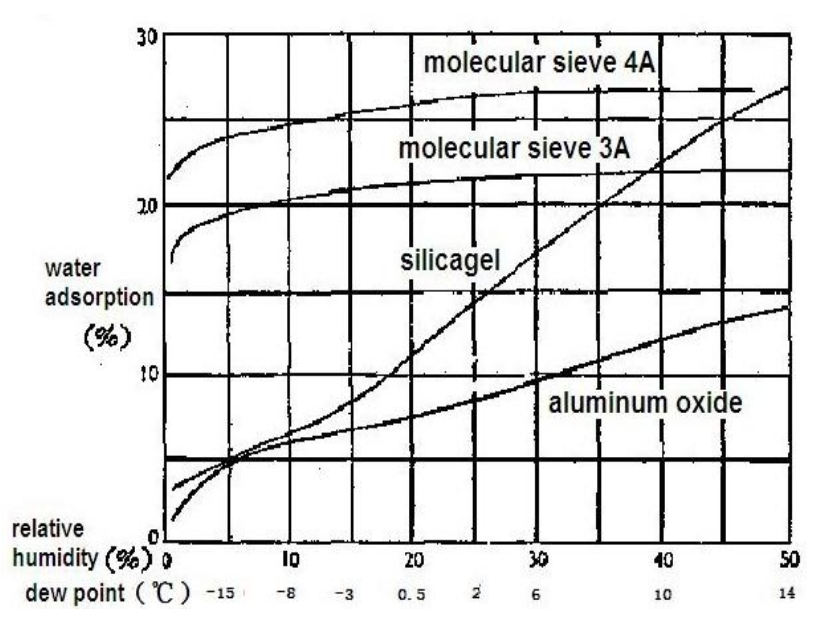
    The old chart of adsorption vs. relative humidity suggests the results are plausible, with the 27-ish %RH being higher than you’d expect from 9-ish % adsorption:

    Desiccant adsorption vs humidity
    Desiccant adsorption vs humidity

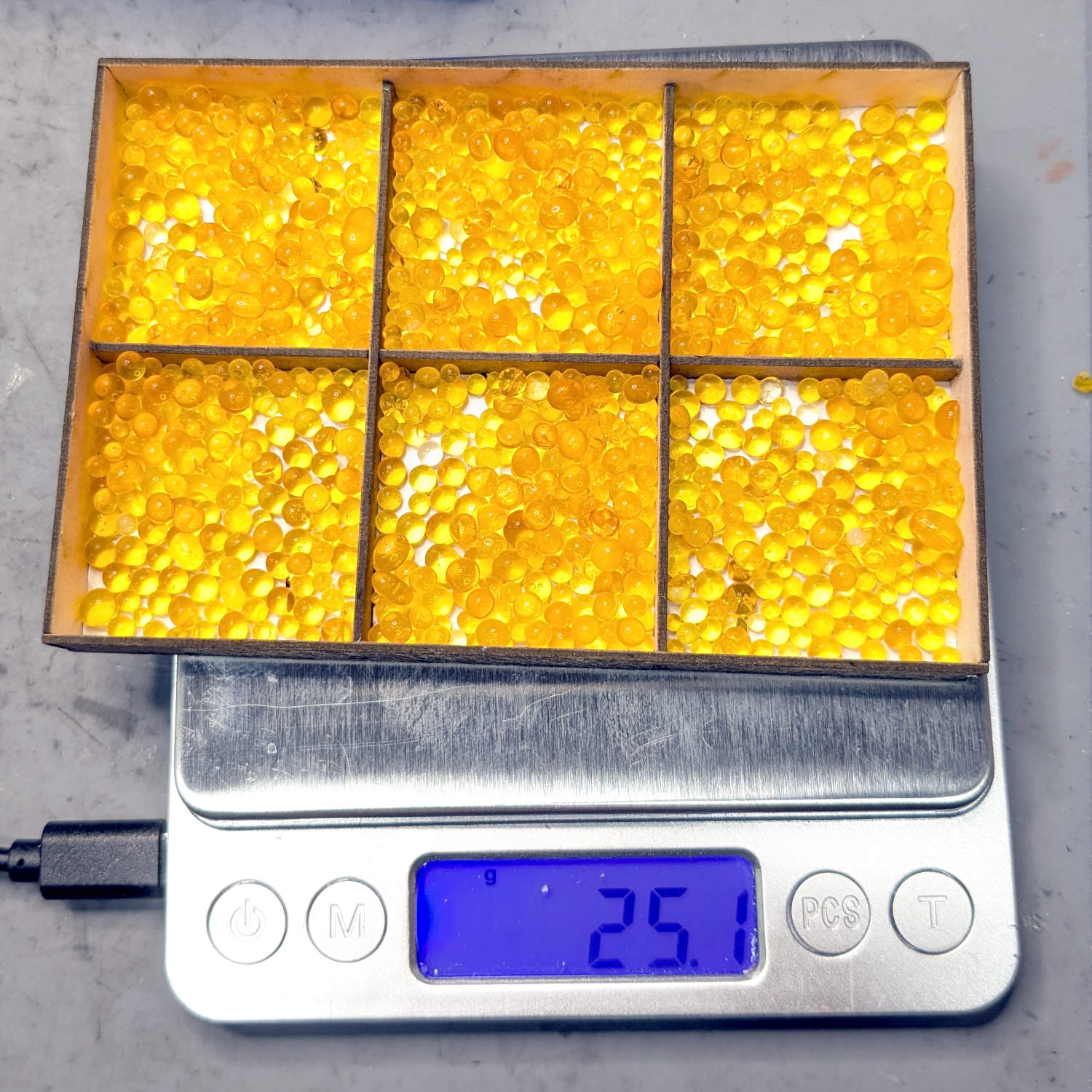
    So they’re all set up with 25 g of fresh silica gel, although the boxes no long have the same humidity meters they started with. This likely makes little difference, as I have no way to calibrate them.

  • Polymaker PolyDryer Desiccant: Trust, But Verify

    Polymaker PolyDryer Desiccant: Trust, But Verify

    The startup ritual for a PolyDryer box’s humidity meter includes:

    • Opening a small sealed bag containing …
    • The DO NOT EAT desiccant, to be cut open and …
    • Poured into the meter box

    Which looks like this:

    Polydryer - 14 pctRH - meter - white PETG
    Polydryer – 14 pctRH – meter – white PETG

    However, the desiccant packets for the most recent pair of boxes (intended to simplify changing the desiccant in the collection feeding the MMU3 atop the Prusa MK4 3D printer) produced this:

    Polydryer - as-received desiccant
    Polydryer – as-received desiccant

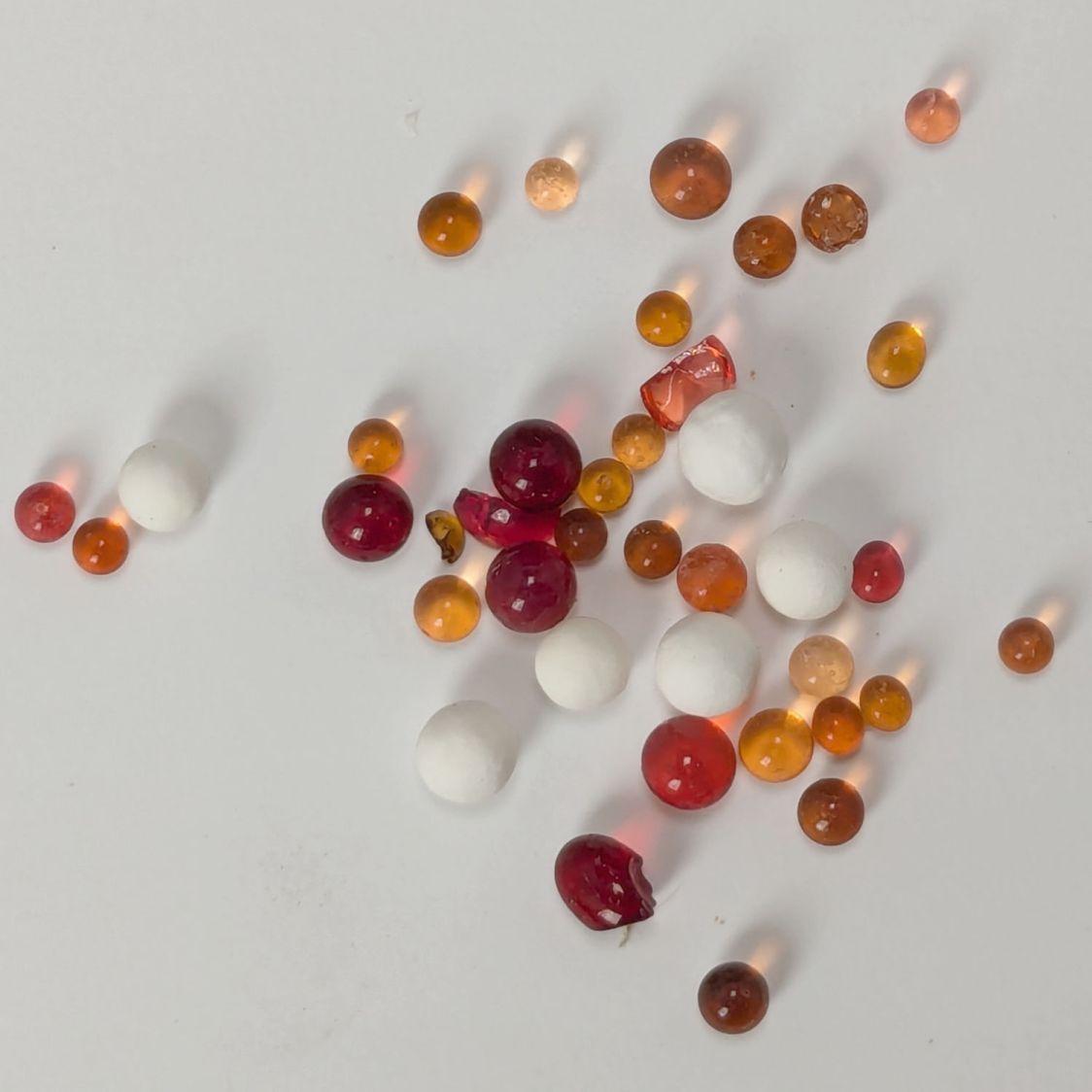
    The silica gel in the left cup looks OK-ish, maybe a little dark, but the fresh-from-the-bag beads in the right cup are crying out for regeneration after having adsorbed about all the water vapor they can.

    If you were using that silica gel in its original DO NOT EAT bag, where you can’t see what it’s telling you, you might wonder why it wasn’t doing such a great job of drying the box + filament. The same could happen with a bag of non-indicating gel, along the lines of what I was using a decade ago.

    So I dumped both in the Needs Rgeneration bottle and filled both meters with 25 g of fresh silica gel.

  • PolyDryer Humidity: Meter vs. Indicator Cards vs. Adsorption

    PolyDryer Humidity: Meter vs. Indicator Cards vs. Adsorption

    A week after installing 25 g of fresh silica gel, without any outside influence other than using some of the filaments to build things, I recorded the humidity meter reading, the indicator card colors, and the weight gain.

    Click on any picture for more dots and to get rid of the captions and their stylin’ photo-blur.

    White PETG, gain 0.6 g:

    Black PETG, gain 0.8 g:

    Orange PETG, gain 1.0 g:

    Blue PETG, gain 0.4 g:

    Blue PETG-CF, gain 1.3 g:

    Black PETG-CF, gain 2.1 g:

    Gray PETG-CF, gain 2.1 g:

    The (newer) indicator cards with the smaller dots / larger black borders seem less acute than the (older) large-dot cards. The two 28 %RH cards look about right, but the 20 and 21 %RH cards seem more different than the similar humidity would suggest.

    Under 20 %RH, all the spots look pretty much the same, but AFAICT any humidity below 20 %RH is Good Enough for 3D printing.

    The Blue PETG-CF went directly from its sealed bag into the PolyDryer box, unlike the Black and Gray PETG-CF spools that sat in the 50% RH basement long enough to soak up the ambience. The Blue has outgassed enough water to suggest spools do not arrive “bone dry” from the factory, although the Black and Gray prove the Basement Shop is wetter than the factory.

    All of the silica gel together weighed 184.2 on the same scale I originally measured the 25 g quantities that should have totalled 175 g, but the individual measurements total 183.3 g. I don’t trust the scale to be better than ±0.1 g on any measurement, so half a percent is likely as good as it gets.

    The silica gel weighed 187 g on the kitchen scale, sweated down to 179 g after 7 minutes in the microwave being defrosted like 1.5 pounds of fish, and, depending on which numbers you believe, released 8 to 10 g of water in the process.

    Microwaving something containing so little water means the silica gel absorbs very little of the energy: the dish, glass turntable, and metal walls got absurdly hot. I think using the induction cooktop and cast iron pan makes more sense, even if it takes longer.

    With fresh silica gel in place, perhaps waiting two weeks will produce interesting numbers.

  • Activated Alumina Regeneration

    Activated Alumina Regeneration

    Having accumulated a bunch of used activated alumina desiccant, I figured now was a good time to try regenerating it. Industrial applications use dry gas and very high temperatures, but perhaps holding it over 100 °C for a few hours will suffice for my purposes.

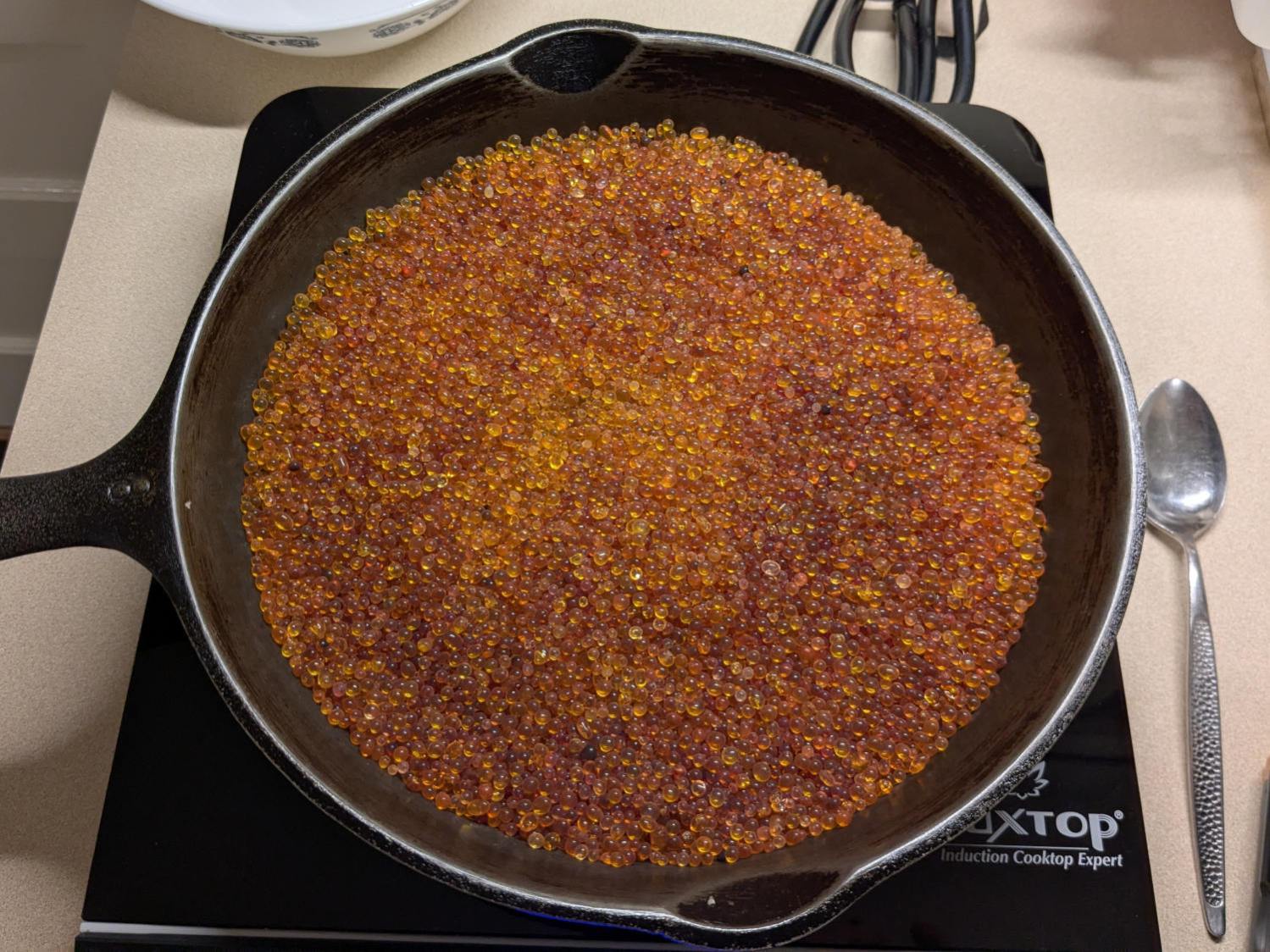
    I pressed our daily driver cast iron skillet and induction cooktop into service:

    Alumina regeneration - induction cooktop
    Alumina regeneration – induction cooktop

    After an hour the surface temperature was around 150 °F, so I covered the pan with a water-cooled lid to see if any vapor condensed on it:

    Alumina regeneration - lid cooling
    Alumina regeneration – lid cooling

    It did, indeed, so I alternated covering and exposing the pan, which was likely a waste of my time, until the alumina dried enough that the lid didn’t collect any condensation. The whole process took just under four hours with the cooktop set to its maximum of 460 °F for most of the time.

    The beads then cooled to room temperature in a covered dish:

    Alumina regeneration - final cooling
    Alumina regeneration – final cooling

    The beads weighed 626 g at the start of the adventure and sweated down to 593 g, parting with 33 g = 1.2 oz of water in the process for a loss of 5.6%. I have no idea how dry they are now, but they’re an ounce drier than before.

  • PolyDryer Humidity: One More TPU Cycle

    PolyDryer Humidity: One More TPU Cycle

    With more instrumentation in the PolyDryer TPU box and a day to let the humidity stabilize, the OEM meter reads 24 %RH, as it has all along:

    PolyDryer - TPU base - 24pctRH OEM
    PolyDryer – TPU base – 24pctRH OEM

    The indicator cards show the humidity is maybe a little over 10 %RH:

    PolyDryer - TPU base - 10pctRH cards
    PolyDryer – TPU base – 10pctRH cards

    The meter jammed in the other end of the box splits the difference at 15 %RH:

    PolyDryer - TPU base - 15pctRH TP
    PolyDryer – TPU base – 15pctRH TP

    Put the box atop the improved PolyDryer, set it for the recommended 12 hours with “two bars” of oomph (which may roughly correspond to the temperature), and fire it up.

    The OEM meter occasionally glitches to 10 %RH:

    PolyDryer - TPU dry 1200h - 10pctRH glitch OEM
    PolyDryer – TPU dry 1200h – 10pctRH glitch OEM

    That type of humidity meter apparently reports values from 10 %RH upward, so this seems like the kind of glitch where the reading jams at one end of the range due to the sensor opening up / shorting / misbehaving. It does not correlate with any nearby electrical activity due to fans / heaters / 3D printers / whatever.

    A little under eight hours later, it shows 17 %RH:

    PolyDryer - TPU dry 0425h - 17pctRH OEM
    PolyDryer – TPU dry 0425h – 17pctRH OEM

    Although it still has glitches to 10 %RH.

    The cards look about the same, although I could be persuaded the 10% spots look ever so slightly more blue:

    PolyDryer - TPU dry 0425h - 10pctRH cards
    PolyDryer – TPU dry 0425h – 10pctRH cards

    The meter in the back shows it’s toasty in there:

    PolyDryer - TPU dry 0425h - 10pctRH TP
    PolyDryer – TPU dry 0425h – 10pctRH TP

    A psychrometric chart shows heating air from 66 °F & 15 %RH to 117 °F will put it at 3 %RH without removing any water vapor. This is far below the level my cheap “instrumentation” can measure, but it does suggest the meters should bottom out, regardless of whatever the silica gel is doing.

    Allowing six hours to cool down & stabilize after the PolyDryer turns off in the middle of the night (because for science does not include all-nighters) shows a rebound to 26 %RH on the OEM meter:

    PolyDryer - TPU dry 0000h - 26pctRH OEM
    PolyDryer – TPU dry 0000h – 26pctRH OEM

    The cards remain unchanged:

    PolyDryer - TPU dry 0000h - 10pctRH cards
    PolyDryer – TPU dry 0000h – 10pctRH cards

    The meter in the back again splits the difference at 16 %RH:

    PolyDryer - TPU dry 0000h - 16pctRH TP
    PolyDryer – TPU dry 0000h – 16pctRH TP

    I pulled the larger meter and both cards out of the box.

    After sitting undisturbed for a day, the OEM meter in the box stabilized at 10 %RH:

    PolyDryer - TPU post dry - 10pctRH OEM
    PolyDryer – TPU post dry – 10pctRH OEM

    The card agrees, to the best of its limited resolution:

    PolyDryer - TPU post dry - 10pctRH card
    PolyDryer – TPU post dry – 10pctRH card

    The silica gel weighs 25.0 g, exactly what it did when I loaded the meter case. I think the scale’s 0.1 g resolution exceeds its accuracy, but even if the silica gel weighed 25.2 g ≅ 0.8 % water the humidity would be under 5 %RH.

    As far as I can tell:

    • The filament on the spool isn’t outgassing water vapor
    • The air in the TPU box remains under 15-ish %RH at normal basement temperature
    • Running a PolyDryer cycle at 15-ish %RH doesn’t stuff any more water vapor in the silica gel
    • Cheap humidity meters lack accuracy around 15-ish %RH
    • Humidity meters take longer than you think to stabilize
    • Humidity indicating cards may be as good as you (well, I) need