The Smell of Molten Projects in the Morning

Ed Nisley's Blog: Shop notes, electronics, firmware, machinery, 3D printing, laser cuttery, and curiosities. Contents: 100% human thinking, 0% AI slop.

Tag: MK4

Prusa Mk 4 3D printer with MMU3 feeder

  • HQ Sixteen: Grip Angle Plug

    HQ Sixteen: Grip Angle Plug

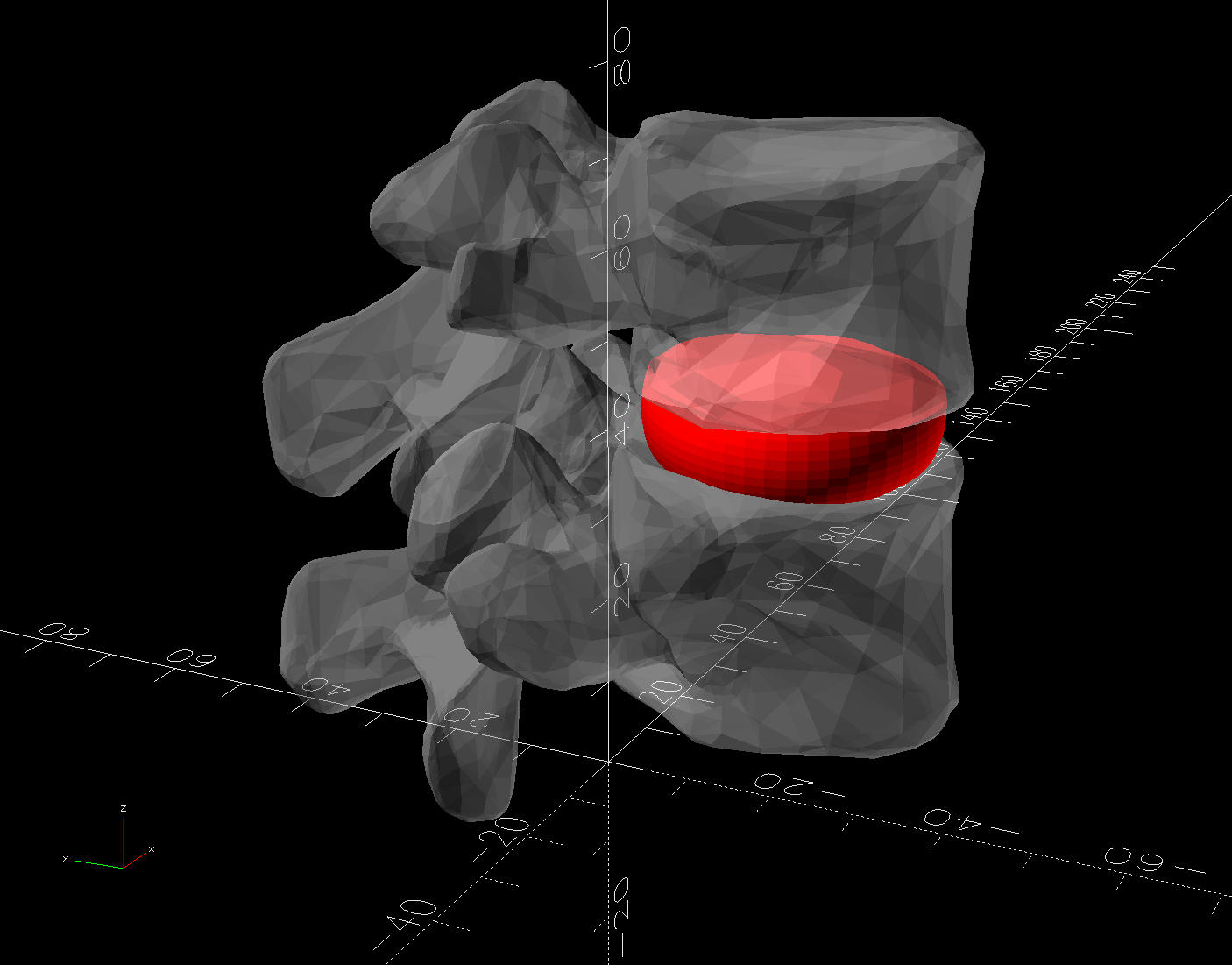
    The grip plug is the upper part of the assembly changing the angle of the HQ Sixteen’s front grips:

    Handlebar Grip Mount - show view - solid model
    Handlebar Grip Mount – show view – solid model

    It sticks into the machine’s handlebar control base in place of the original aluminum tube grips:

    HQ Sixteen - handlebar ribbon cable entry
    HQ Sixteen – handlebar ribbon cable entry

    Only the two lower setscrews held the original grip in place, but I made the plug tall enough to engage all four, which meant it needed a side port to ease the ribbon cable through on its way to the PCB inside:

    Handlebar Grip Mount - plug cable port - solid model
    Handlebar Grip Mount – plug cable port – solid model

    The plastic tube is obviously thicker than the aluminum tube, with four dents capturing the 10-32 setscrews (using a 3/32 inch wrench) to align it within the hole; the bore juuust passes the original connector.

    The plug glues into the angle block, which means all the stress from the grips passes through a thin ring of plastic just above the joint. So I added five 1.2 mm OD hard steel wires about 20 mm long:

    HQ Sixteen - grip plug steel wires
    HQ Sixteen – grip plug steel wires

    Five wires, because four didn’t seem like quite enough and six seemed like crowding too much steel into too little plastic. The holes are offset to avoid the setscrew dents, with one lined up directly under the cable port.

    A pair of alignment marks help get the orientation right while gluing:

    HQ Sixteen - grip angle alignment marks
    HQ Sixteen – grip angle alignment marks

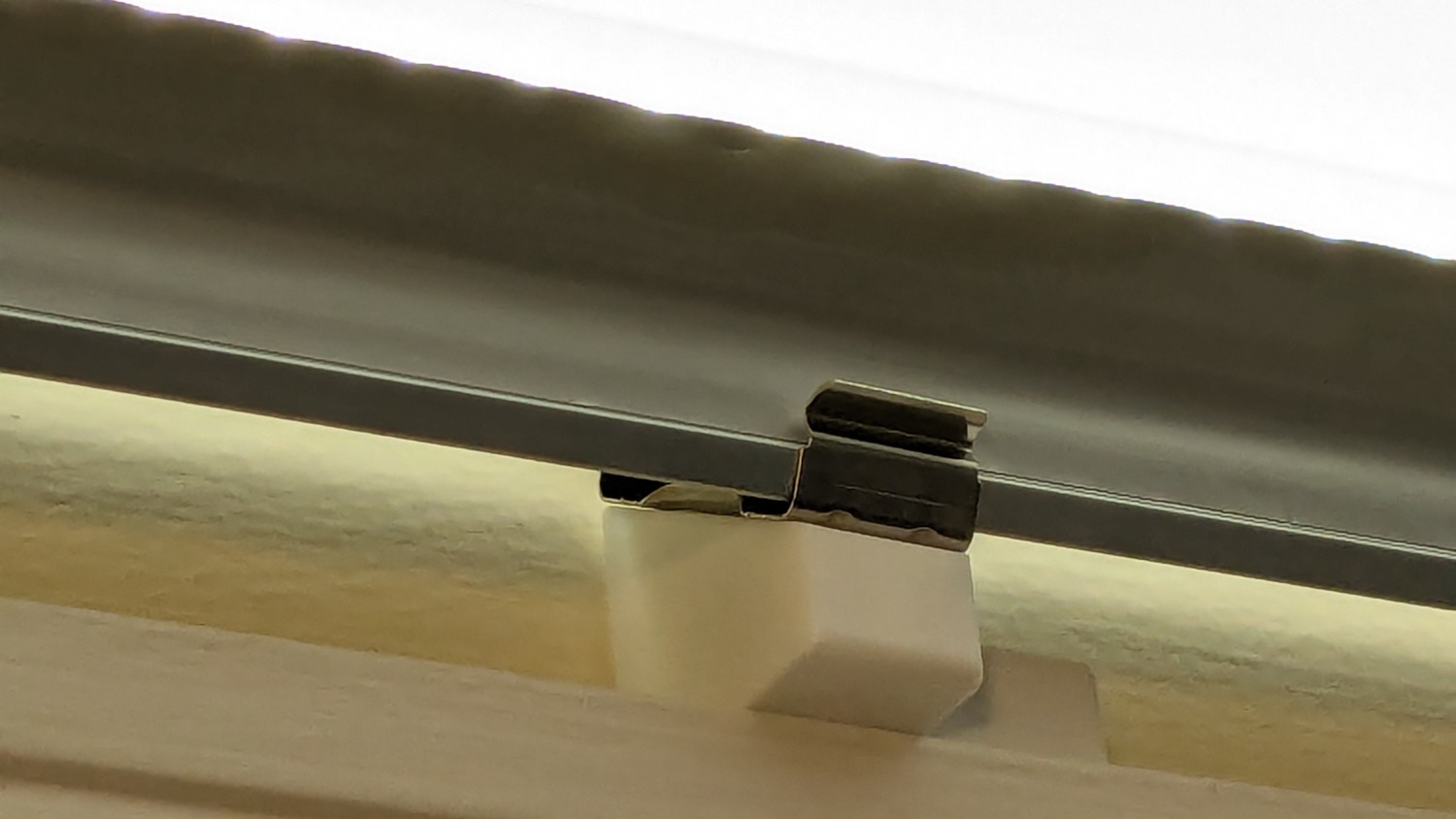
    The control base angles away from the grip, leaving a little more than half unsupported:

    HQ Sixteen - base angle vs grip block - rear
    HQ Sixteen – base angle vs grip block – rear

    Pondering that picture suggested adding those steel wires.

    The angle block prints with its upper surface against the MK4’s platform to get good dimensions inside the recess for the plug, so I can’t add a wedge to that surface, nor can it go on the plug. Maybe a separate wedge glued around the plug?

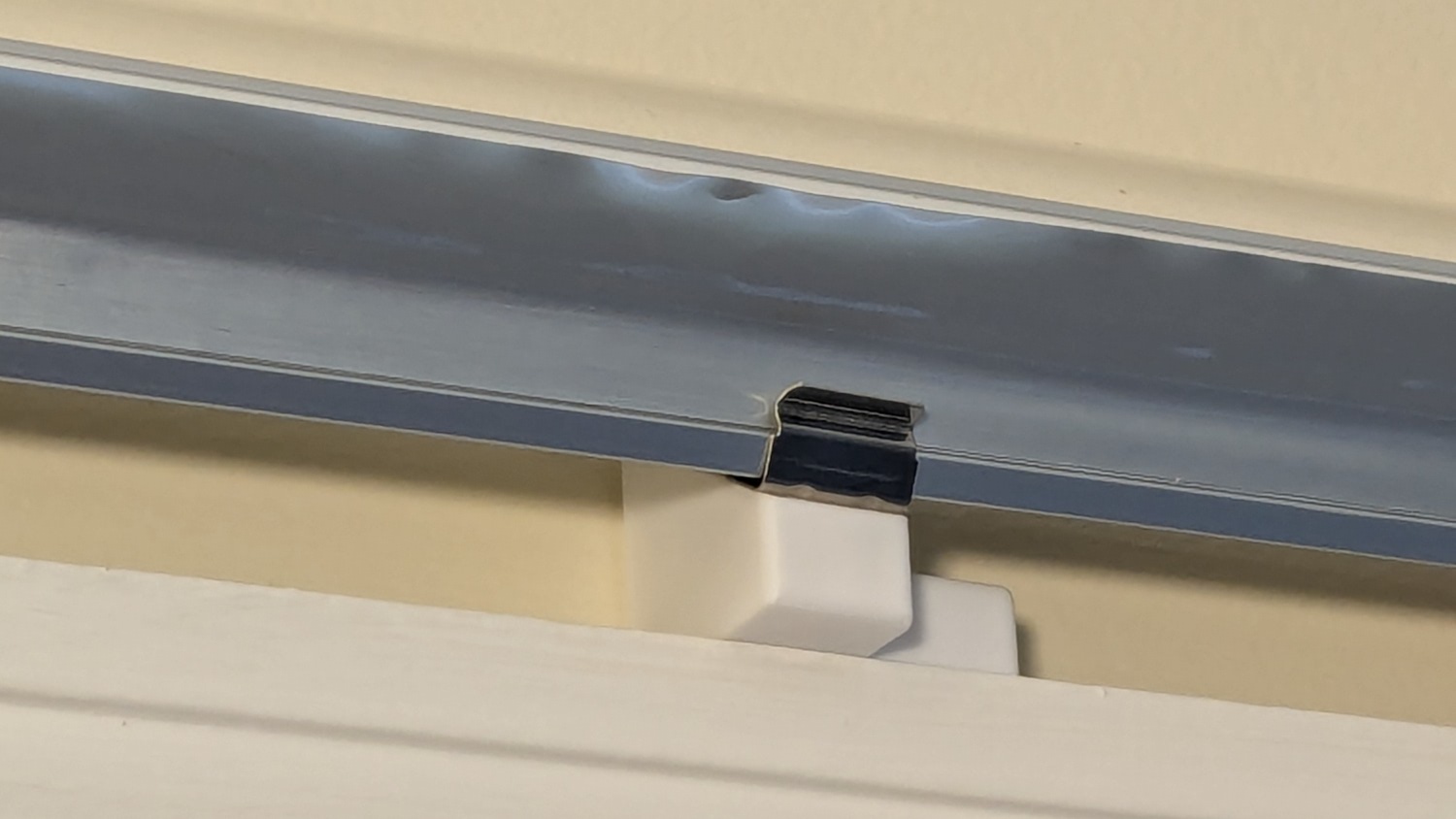
    However, the pin header for that cable sits directly inside the base and a transparent cover (not shown here) extends outward over the casting against the grip:

    HQ Sixteen - left LED PCB
    HQ Sixteen – left LED PCB

    So maybe it’s like that and that’s the way it is.

    The OpenSCAD source code as a GitHub Gist:

    // Handiquilter HQ Sixteen front handlebar grip angle mount
    // Ed Nisley – KE4ZNU
    // 2024-11-29
    include <BOSL2/std.scad>
    Layout = "Show"; // [Show,Build,Plug,Block,Covers,Cover]
    Material = "All"; // [All,Cover,Text]
    // Angle w.r.t. base
    GripAngle = 20; // [10:30]
    // Plug glued, not screwed
    PlugGlue = true;
    // Square nuts, not inserts
    SquareNuts = true;
    // Additional length of bottom
    AddLength = 0; // [0:20]
    // Separation in Show display
    Gap = 5; // [0:20]
    /* [Hidden] */
    HoleWindage = 0.1;
    Protrusion = 0.1;
    NumSides = 2*3*4;
    ID = 0;
    OD = 1;
    LENGTH = 2;
    Grip = [19.7,22.4,20.0]; // (7/8)*INCH = 22.2 mm + roughness, LENGTH=OEM insertion depth
    GripRadius = Grip[OD]/2; // used everywhere
    Plug = [15.0,Grip[OD],45.0]; // inserts into handlebar base
    PlugRim = [Plug[ID],25.0,10.0]; // … sits against handlebar base
    BaseScrewPositions = [[11.0,12.0],[27.0,29.0]]; // setscrew offsets from rim top: side,rear
    BaseCutout = [Plug[OD]/2,Plug[ID],10]; // cable cutout into base
    BaseCutoutOffset = 18.0; // … centerline position w.r.t. rim
    WallThick = 7.0; // should at least fit insert length
    SupportSag = 0.4; // vertical sag over support structure
    MidLength = AddLength + 3.0; // total length allowing for grip tube stop
    TopOD = PlugRim[OD] + 2*WallThick;
    BotOD = Grip[OD] + 2*WallThick;
    BaseScrew = [4.0,4.8 + HoleWindage,1.0]; // HQ 10-32 screws, LENGTH=capture dent
    Insert = [5.4,6.0,6.0]; // M4 inserts in plug rim
    //Insert = [4.0,5.0,5.0]; // M4 inserts in plug rim
    Screw = [3.5,4.0,1]; // M4 screws through angle block to inserts
    ScrewHeadOD = 7.4 + 0.4; // M4 BHCS head + comfort
    SquareNut = [4.0,7.0,3.0 + 0.4]; // M4 square nut LENGTH + inset allowance
    NutInset = GripRadius – sqrt(pow(GripRadius,2) – pow(SquareNut[OD],2)/4);
    PinOD = 1.2; // plug reinforcing pins
    NumPins = 5;
    CoverThick = [3.5,9.5]; // low and high sides of grip covers
    CoverAngle = atan((CoverThick[1] – CoverThick[0])/Plug[OD]);
    LogoText = ["Sew","Fine"];
    LogoFont = "Fira Sans Condensed:style=SemiBold";
    LogoSize = 7.5;
    LogoColor = "Red";
    LogoThick = 0.8;
    //———-
    // Simulator for aluminum plug replacing handlebar in base
    module BasePlug() {
    difference() {
    union() {
    tube(Plug[LENGTH],(Plug[OD] – HoleWindage)/2,Plug[ID]/2,anchor=DOWN);
    tube(PlugRim[LENGTH],PlugRim[OD]/2,PlugRim[ID]/2,anchor=DOWN);
    }
    up(BaseCutoutOffset + PlugRim[LENGTH])
    left(Plug[OD]/4)
    resize(BaseCutout)
    yrot(90) zrot(180/8)
    cylinder(d=1,h=1,$fn=8,center=true);
    up(PlugRim[LENGTH])
    right(PlugRim[OD]/2 – 1.0)
    cube([2.0,1.0,1.0],center=true);
    for (i = [0:NumPins – 1])
    zrot(i*360/NumPins + 180/NumPins)
    down(Protrusion)
    right((Plug[OD] + Plug[ID])/4)
    zrot(180/6)
    cylinder(d=PinOD,h=2*PlugRim[LENGTH],$fn=6);
    for (k = [0:1]) // recesses in plug to capture base setscrews
    for (a = [0:1])
    up(PlugRim[LENGTH] + BaseScrewPositions[k][a])
    zrot(a*90)
    right(Plug[OD]/2)
    yrot(90) zrot(180/8)
    cylinder(d=BaseScrew[OD],h=2*BaseScrew[LENGTH],$fn=8,center=true);
    if (!PlugGlue)
    for (a = [0:1]) // inserts for angle block screws
    up(PlugRim[LENGTH]/2)
    zrot(a*90)
    yrot(90) zrot(180/8)
    cylinder(d=Insert[OD],h=2*PlugRim[OD],$fn=8,center=true);
    }
    }
    //———-
    // Block fitting against handlebar base with handlebar angle
    module AngleBlock() {
    difference() {
    hull() {
    up((TopOD/2)*sin(GripAngle))
    xrot(GripAngle)
    cylinder(d=TopOD,h=PlugRim[LENGTH],$fn=NumSides);
    for (a = [1:2:GripAngle+1])
    up((TopOD/2)*sin(a-1))
    hull() {
    xrot(a)
    cylinder(d=TopOD,h=0.1,$fn=NumSides);
    xrot(a-1)
    cylinder(d=TopOD,h=0.1,$fn=NumSides);
    }
    down(Grip[LENGTH] + MidLength)
    cylinder(d=(Grip[OD] + 2*WallThick),h=0.1,$fn=NumSides);
    }
    up((TopOD/2)*sin(GripAngle))
    xrot(GripAngle)
    down(SupportSag)
    cylinder(d=(PlugRim[OD] + HoleWindage),
    h=PlugRim[LENGTH] + SupportSag + Protrusion,
    $fn=NumSides);
    up((TopOD/2)*sin(GripAngle))
    sphere(d=PlugRim[ID],$fn=NumSides);
    cylinder(d=PlugRim[ID],h=(TopOD/2)*sin(GripAngle),$fn=NumSides);
    down(MidLength + Protrusion)
    cylinder(d=(Grip[ID] – 2.0),h=(MidLength + 2*Protrusion),$fn=NumSides);
    down(Grip[LENGTH] + MidLength + Protrusion)
    cylinder(d=(Grip[OD] + HoleWindage),h=(Grip[LENGTH] + Protrusion),$fn=NumSides);
    up((TopOD/2)*sin(GripAngle))
    xrot(GripAngle)
    up(PlugRim[LENGTH])
    right(PlugRim[OD]/2 + 0.9)
    cube([2.0,1.0,1.0],center=true);
    if (!PlugGlue) {
    for (a = [0:1])
    up((TopOD/2)*sin(GripAngle))
    xrot(GripAngle)
    up(PlugRim[LENGTH]/2)
    zrot(a*90)
    yrot(90) zrot(180/8)
    cylinder(d=Screw[OD],h=3*PlugRim[OD],$fn=8,center=true);
    for (a = [0:3])
    up((TopOD/2)*sin(GripAngle))
    xrot(GripAngle)
    up(PlugRim[LENGTH]/2)
    zrot(a*90)
    right(TopOD/2 – 2.0)
    yrot(90) zrot(180/8)
    cylinder(d=ScrewHeadOD,h=TopOD,$fn=8,center=false);
    }
    if (SquareNuts) {
    for (a = [0:1])
    for (k = [1,3])
    down(k*Grip[LENGTH]/4 + MidLength)
    zrot(a*90)
    right(BotOD/2)
    yrot(90) zrot(180/8)
    cylinder(d=SquareNut[ID],h=BotOD,$fn=8,center=true);
    for (a = [0:1])
    for (k = [1,3])
    down(k*Grip[LENGTH]/4 + MidLength)
    zrot(a*90)
    right(GripRadius + SquareNut[LENGTH]/2 – NutInset/2)
    yrot(90)
    cube([SquareNut[OD],SquareNut[OD],SquareNut[LENGTH] + NutInset],center=true);
    }
    else {
    for (a = [0:1])
    for (k = [1,3])
    down(k*Grip[LENGTH]/4 + MidLength)
    zrot(a*90)
    right(BotOD/2)
    yrot(90) zrot(180/8)
    cylinder(d=Insert[OD],h=BotOD,$fn=8,center=true);
    }
    }
    }
    //———-
    // Chip fitting against handlebar base matching top angle
    // Text will be invisible until sliced
    module GripCover(loc=LEFT,matl="Cover") {
    if (matl == "Text" || matl == "All")
    color(LogoColor)
    down(matl == "All" ? 0.01 : 0.0)
    text3d(LogoText[loc == LEFT ? 0 : 1],LogoThick,LogoSize,LogoFont,
    orient=DOWN,anchor=TOP,atype="ycenter");
    if (matl == "Cover" || matl == "All")
    difference() {
    intersection() {
    yrot(loc == RIGHT ? -CoverAngle : CoverAngle)
    cylinder(d=Plug[OD],h=(CoverThick[0] + CoverThick[1]),anchor=CENTER);
    cube(2*Plug[OD],anchor=BOTTOM);
    }
    text3d(LogoText[loc == LEFT ? 0 : 1],LogoThick,LogoSize,LogoFont,
    orient=DOWN,anchor=TOP,atype="ycenter");
    }
    }
    //———-
    // Build things
    if (Layout == "Cover") {
    GripCover(LEFT,Material);
    }
    if (Layout == "Covers") {
    left(Plug[OD]) GripCover(LEFT,"Cover");
    left(Plug[OD]) GripCover(LEFT,"Text");
    right(Plug[OD]) GripCover(RIGHT,"Cover");
    right(Plug[OD]) GripCover(RIGHT,"Text");
    }
    if (Layout == "Plug")
    BasePlug();
    if (Layout == "Block")
    AngleBlock();
    if (Layout == "Show") {
    up((TopOD/2)*sin(GripAngle) + Protrusion)
    xrot(GripAngle)
    up(Plug[LENGTH] + CoverThick[1] + Gap)
    yrot(180 + CoverAngle)
    GripCover(RIGHT,"All");
    up((TopOD/2)*sin(GripAngle) + Protrusion)
    xrot(GripAngle)
    up(Gap)
    color("Lime",0.75)
    BasePlug();
    render()
    difference() {
    AngleBlock();
    back(50) right(50)
    cube(100,center=true);
    }
    color("Silver",0.5)
    down(MidLength + Gap)
    tube(3*Grip[LENGTH],GripRadius,Grip[ID]/2,anchor=TOP);
    }
    if (Layout == "Build") {
    mirror_copy([1,0,0]) {
    right(BotOD) {
    up((TopOD/2)*sin(GripAngle) + PlugRim[LENGTH]*cos(GripAngle) + Protrusion)
    xrot(180 – GripAngle)
    AngleBlock();
    back(1.5*max(TopOD,BotOD))
    BasePlug();
    }
    }
    fwd(60) {
    left(Plug[OD]) GripCover(LEFT,"Cover");
    right(Plug[OD]) GripCover(RIGHT,"Cover");
    }
    fwd(60) {
    left(Plug[OD]) GripCover(LEFT,"Text");
    right(Plug[OD]) GripCover(RIGHT,"Text");
    }
    }
  • Handi-Quilter HQ Sixteen: Handlebar Grip Angle Adjustment

    Handi-Quilter HQ Sixteen: Handlebar Grip Angle Adjustment

    With the handlebar assembly angled to let Mary see the LCD panel, the grips no longer meet her hands at the proper angle:

    HQ Sixteen - remounted handlebars in use
    HQ Sixteen – remounted handlebars in use

    Each grip has two buttons intended for thumb operation, but at that angle her thumbs lack oomph.

    So I added a compensating angle just under the handlebar control assembly:

    HQ Sixteen - grip angle blocks installed
    HQ Sixteen – grip angle blocks installed

    Restoring the front part to vertical means she can walk up to the machine, grab the grips at a neutral wrist angle, and start sewing.

    Which required several iterations:

    HQ Sixteen - grip angle block evolution
    HQ Sixteen – grip angle block evolution

    The pictures show various setups as we installed, tried, tweaked, and replaced nearly everything along that progression from left to right. They’re similar, but the details made all the difference.

    This is an overview of the adapter, with details to follow over the next few days.

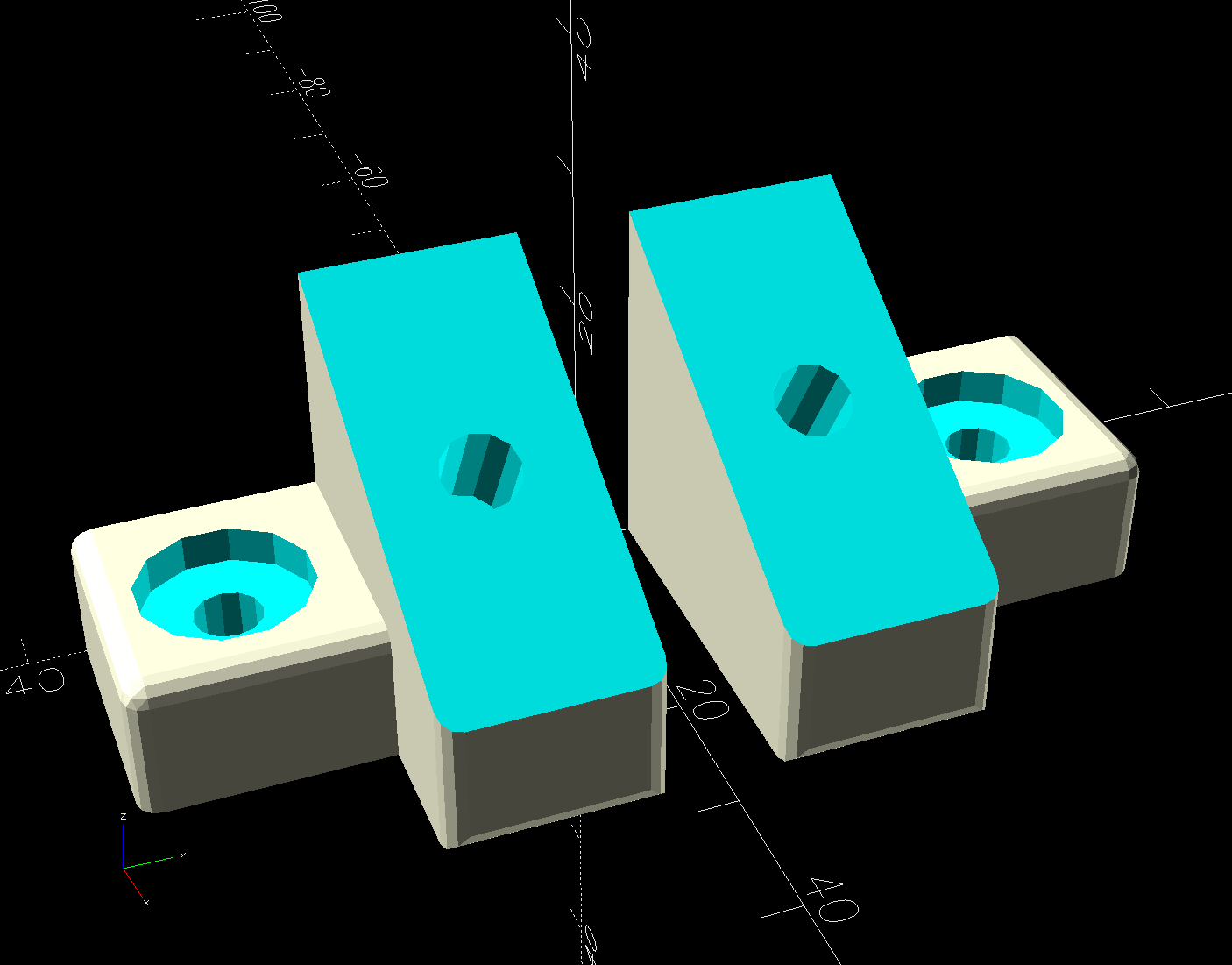
    The solid model shows how the pieces go together:

    Handlebar Grip Mount - show view - solid model
    Handlebar Grip Mount – show view – solid model

    The white chip on top fills the space between the surface of the base and the top of the plug, with some lettering just for pretty.

    The greenish plug (not its real color!) sticks into the handlebar control base, where its dimples capture four setscrews. The original grips extended only halfway into the base, leaving the top pair of tapped setscrew holes empty:

    HQ Sixteen - unused grip setscrews
    HQ Sixteen – unused grip setscrews

    The ribbon cable carries signals from the pushbuttons into the base assembly:

    HQ Sixteen - handlebar ribbon cable entry
    HQ Sixteen – handlebar ribbon cable entry

    Looks like a guillotine to me, too, but the foam rubber cover prevents the grips from sliding any further into the base:

    HQ Sixteen - base angle vs original grip
    HQ Sixteen – base angle vs original grip

    Despite the metric socket head cap screws used elsewhere on the machine, those are 10-32 setscrews. Took me a while to figure that out, as 10-32 setscrews are visually indistinguishable from M5 setscrews, but neither screw will thread into the other’s nuts even though their wrenches are equally sloppy fits in the other screw.

    The angle adapter block has an intricate geometry:

    Handlebar Grip Mount - show detail - solid model
    Handlebar Grip Mount – show detail – solid model

    Because I don’t know the proper angle, the OpenSCAD model includes enough trig to adjust from 10° to 30°, with the default at 20° to set the front of the grips vertical. The lower part of the block can extend to lower the grips if that turns out to be necessary, but we’ll start with zero millimeters.

    The grips slide into the bottom of the angle block where they’re captured by four M4 setscrews threaded through square nuts:

    HQ Sixteen - grip angle square nuts
    HQ Sixteen – grip angle square nuts

    The big washer over on the right sits under the screw I used to pull the nuts into their recesses, where they sit firmly without adhesive.

    The first iterations used heat-staked brass inserts that didn’t provide enough griptivity against the torque generated by shoving the grips sideways. I probably applied more force than they’ll ever see in real life, but I’m no Hulk and I didn’t like the feel.

    The upper plug gets glued into the lower angle with JB PlasticBonder urethane adhesive. Had they been finished, the first two iterations would have had screws through the angle block into brass inserts in the plug, but I realized adhesives would work much better. A pair of index marks aligns the two pieces:

    HQ Sixteen - grip angle alignment marks
    HQ Sixteen – grip angle alignment marks

    It’s early days, but the machine fits her much better than it did before.

    The OpenSCAD source code as a GitHub Gist:

    // Handiquilter HQ Sixteen front handlebar grip angle mount
    // Ed Nisley – KE4ZNU
    // 2024-11-29
    include <BOSL2/std.scad>
    Layout = "Show"; // [Show,Build,Plug,Block,Covers,Cover]
    Material = "All"; // [All,Cover,Text]
    // Angle w.r.t. base
    GripAngle = 20; // [10:30]
    // Plug glued, not screwed
    PlugGlue = true;
    // Square nuts, not inserts
    SquareNuts = true;
    // Additional length of bottom
    AddLength = 0; // [0:20]
    // Separation in Show display
    Gap = 5; // [0:20]
    /* [Hidden] */
    HoleWindage = 0.1;
    Protrusion = 0.1;
    NumSides = 2*3*4;
    ID = 0;
    OD = 1;
    LENGTH = 2;
    Grip = [19.7,22.4,20.0]; // (7/8)*INCH = 22.2 mm + roughness, LENGTH=OEM insertion depth
    GripRadius = Grip[OD]/2; // used everywhere
    Plug = [15.0,Grip[OD],45.0]; // inserts into handlebar base
    PlugRim = [Plug[ID],25.0,10.0]; // … sits against handlebar base
    BaseScrewPositions = [[11.0,12.0],[27.0,29.0]]; // setscrew offsets from rim top: side,rear
    BaseCutout = [Plug[OD]/2,Plug[ID],10]; // cable cutout into base
    BaseCutoutOffset = 18.0; // … centerline position w.r.t. rim
    WallThick = 7.0; // should at least fit insert length
    SupportSag = 0.4; // vertical sag over support structure
    MidLength = AddLength + 3.0; // total length allowing for grip tube stop
    TopOD = PlugRim[OD] + 2*WallThick;
    BotOD = Grip[OD] + 2*WallThick;
    BaseScrew = [4.0,4.8 + HoleWindage,1.0]; // HQ 10-32 screws, LENGTH=capture dent
    Insert = [5.4,6.0,6.0]; // M4 inserts in plug rim
    //Insert = [4.0,5.0,5.0]; // M4 inserts in plug rim
    Screw = [3.5,4.0,1]; // M4 screws through angle block to inserts
    ScrewHeadOD = 7.4 + 0.4; // M4 BHCS head + comfort
    SquareNut = [4.0,7.0,3.0 + 0.4]; // M4 square nut LENGTH + inset allowance
    NutInset = GripRadius – sqrt(pow(GripRadius,2) – pow(SquareNut[OD],2)/4);
    PinOD = 1.2; // plug reinforcing pins
    NumPins = 5;
    CoverThick = [3.5,9.5]; // low and high sides of grip covers
    CoverAngle = atan((CoverThick[1] – CoverThick[0])/Plug[OD]);
    LogoText = ["Sew","Fine"];
    LogoFont = "Fira Sans Condensed:style=SemiBold";
    LogoSize = 7.5;
    LogoColor = "Red";
    LogoThick = 0.8;
    //———-
    // Simulator for aluminum plug replacing handlebar in base
    module BasePlug() {
    difference() {
    union() {
    tube(Plug[LENGTH],(Plug[OD] – HoleWindage)/2,Plug[ID]/2,anchor=DOWN);
    tube(PlugRim[LENGTH],PlugRim[OD]/2,PlugRim[ID]/2,anchor=DOWN);
    }
    up(BaseCutoutOffset + PlugRim[LENGTH])
    left(Plug[OD]/4)
    resize(BaseCutout)
    yrot(90) zrot(180/8)
    cylinder(d=1,h=1,$fn=8,center=true);
    up(PlugRim[LENGTH])
    right(PlugRim[OD]/2 – 1.0)
    cube([2.0,1.0,1.0],center=true);
    for (i = [0:NumPins – 1])
    zrot(i*360/NumPins + 180/NumPins)
    down(Protrusion)
    right((Plug[OD] + Plug[ID])/4)
    zrot(180/6)
    cylinder(d=PinOD,h=2*PlugRim[LENGTH],$fn=6);
    for (k = [0:1]) // recesses in plug to capture base setscrews
    for (a = [0:1])
    up(PlugRim[LENGTH] + BaseScrewPositions[k][a])
    zrot(a*90)
    right(Plug[OD]/2)
    yrot(90) zrot(180/8)
    cylinder(d=BaseScrew[OD],h=2*BaseScrew[LENGTH],$fn=8,center=true);
    if (!PlugGlue)
    for (a = [0:1]) // inserts for angle block screws
    up(PlugRim[LENGTH]/2)
    zrot(a*90)
    yrot(90) zrot(180/8)
    cylinder(d=Insert[OD],h=2*PlugRim[OD],$fn=8,center=true);
    }
    }
    //———-
    // Block fitting against handlebar base with handlebar angle
    module AngleBlock() {
    difference() {
    hull() {
    up((TopOD/2)*sin(GripAngle))
    xrot(GripAngle)
    cylinder(d=TopOD,h=PlugRim[LENGTH],$fn=NumSides);
    for (a = [1:2:GripAngle+1])
    up((TopOD/2)*sin(a-1))
    hull() {
    xrot(a)
    cylinder(d=TopOD,h=0.1,$fn=NumSides);
    xrot(a-1)
    cylinder(d=TopOD,h=0.1,$fn=NumSides);
    }
    down(Grip[LENGTH] + MidLength)
    cylinder(d=(Grip[OD] + 2*WallThick),h=0.1,$fn=NumSides);
    }
    up((TopOD/2)*sin(GripAngle))
    xrot(GripAngle)
    down(SupportSag)
    cylinder(d=(PlugRim[OD] + HoleWindage),
    h=PlugRim[LENGTH] + SupportSag + Protrusion,
    $fn=NumSides);
    up((TopOD/2)*sin(GripAngle))
    sphere(d=PlugRim[ID],$fn=NumSides);
    cylinder(d=PlugRim[ID],h=(TopOD/2)*sin(GripAngle),$fn=NumSides);
    down(MidLength + Protrusion)
    cylinder(d=(Grip[ID] – 2.0),h=(MidLength + 2*Protrusion),$fn=NumSides);
    down(Grip[LENGTH] + MidLength + Protrusion)
    cylinder(d=(Grip[OD] + HoleWindage),h=(Grip[LENGTH] + Protrusion),$fn=NumSides);
    up((TopOD/2)*sin(GripAngle))
    xrot(GripAngle)
    up(PlugRim[LENGTH])
    right(PlugRim[OD]/2 + 0.9)
    cube([2.0,1.0,1.0],center=true);
    if (!PlugGlue) {
    for (a = [0:1])
    up((TopOD/2)*sin(GripAngle))
    xrot(GripAngle)
    up(PlugRim[LENGTH]/2)
    zrot(a*90)
    yrot(90) zrot(180/8)
    cylinder(d=Screw[OD],h=3*PlugRim[OD],$fn=8,center=true);
    for (a = [0:3])
    up((TopOD/2)*sin(GripAngle))
    xrot(GripAngle)
    up(PlugRim[LENGTH]/2)
    zrot(a*90)
    right(TopOD/2 – 2.0)
    yrot(90) zrot(180/8)
    cylinder(d=ScrewHeadOD,h=TopOD,$fn=8,center=false);
    }
    if (SquareNuts) {
    for (a = [0:1])
    for (k = [1,3])
    down(k*Grip[LENGTH]/4 + MidLength)
    zrot(a*90)
    right(BotOD/2)
    yrot(90) zrot(180/8)
    cylinder(d=SquareNut[ID],h=BotOD,$fn=8,center=true);
    for (a = [0:1])
    for (k = [1,3])
    down(k*Grip[LENGTH]/4 + MidLength)
    zrot(a*90)
    right(GripRadius + SquareNut[LENGTH]/2 – NutInset/2)
    yrot(90)
    cube([SquareNut[OD],SquareNut[OD],SquareNut[LENGTH] + NutInset],center=true);
    }
    else {
    for (a = [0:1])
    for (k = [1,3])
    down(k*Grip[LENGTH]/4 + MidLength)
    zrot(a*90)
    right(BotOD/2)
    yrot(90) zrot(180/8)
    cylinder(d=Insert[OD],h=BotOD,$fn=8,center=true);
    }
    }
    }
    //———-
    // Chip fitting against handlebar base matching top angle
    // Text will be invisible until sliced
    module GripCover(loc=LEFT,matl="Cover") {
    if (matl == "Text" || matl == "All")
    color(LogoColor)
    down(matl == "All" ? 0.01 : 0.0)
    text3d(LogoText[loc == LEFT ? 0 : 1],LogoThick,LogoSize,LogoFont,
    orient=DOWN,anchor=TOP,atype="ycenter");
    if (matl == "Cover" || matl == "All")
    difference() {
    intersection() {
    yrot(loc == RIGHT ? -CoverAngle : CoverAngle)
    cylinder(d=Plug[OD],h=(CoverThick[0] + CoverThick[1]),anchor=CENTER);
    cube(2*Plug[OD],anchor=BOTTOM);
    }
    text3d(LogoText[loc == LEFT ? 0 : 1],LogoThick,LogoSize,LogoFont,
    orient=DOWN,anchor=TOP,atype="ycenter");
    }
    }
    //———-
    // Build things
    if (Layout == "Cover") {
    GripCover(LEFT,Material);
    }
    if (Layout == "Covers") {
    left(Plug[OD]) GripCover(LEFT,"Cover");
    left(Plug[OD]) GripCover(LEFT,"Text");
    right(Plug[OD]) GripCover(RIGHT,"Cover");
    right(Plug[OD]) GripCover(RIGHT,"Text");
    }
    if (Layout == "Plug")
    BasePlug();
    if (Layout == "Block")
    AngleBlock();
    if (Layout == "Show") {
    up((TopOD/2)*sin(GripAngle) + Protrusion)
    xrot(GripAngle)
    up(Plug[LENGTH] + CoverThick[1] + Gap)
    yrot(180 + CoverAngle)
    GripCover(RIGHT,"All");
    up((TopOD/2)*sin(GripAngle) + Protrusion)
    xrot(GripAngle)
    up(Gap)
    color("Lime",0.75)
    BasePlug();
    render()
    difference() {
    AngleBlock();
    back(50) right(50)
    cube(100,center=true);
    }
    color("Silver",0.5)
    down(MidLength + Gap)
    tube(3*Grip[LENGTH],GripRadius,Grip[ID]/2,anchor=TOP);
    }
    if (Layout == "Build") {
    mirror_copy([1,0,0]) {
    right(BotOD) {
    up((TopOD/2)*sin(GripAngle) + PlugRim[LENGTH]*cos(GripAngle) + Protrusion)
    xrot(180 – GripAngle)
    AngleBlock();
    back(1.5*max(TopOD,BotOD))
    BasePlug();
    }
    }
    fwd(60) {
    left(Plug[OD]) GripCover(LEFT,"Cover");
    right(Plug[OD]) GripCover(RIGHT,"Cover");
    }
    fwd(60) {
    left(Plug[OD]) GripCover(LEFT,"Text");
    right(Plug[OD]) GripCover(RIGHT,"Text");
    }
    }
  • Surprise Eggs: 3D Printer Tests

    Surprise Eggs: 3D Printer Tests

    These cute little toys serve as 3D printer torture tests:

    Surprise Eggs
    Surprise Eggs

    Obviously, each egg can hold only one of those toys, but I had to run them off in both retina-burn orange PETG and black PETG-CF for comparison.

    These Surprise Egg models came from Thingiverse, but they’re also available on Printables. You’ll find many more, of course, at a variety of scales, with these on the small end.

    The white eggs print with no difficulty at all, as does most of the equipment contained within:

    Surprise Eggs - contents - orange PETG
    Surprise Eggs – contents – orange PETG

    Most moving parts require careful back-and-forth movement to break them free, but they’re surprisingly functional. The PETG-CF, printed with an Extrusion Multiplier = 0.8, looks better, although the moving parts were more firmly stuck together.

    Not all of the equipment came out perfectly:

    Surprise Eggs - contents on platform
    Surprise Eggs – contents on platform

    Even without any special preparation, the MK4 didn’t have much trouble. If you were doing those for real, you could add stickum to the sheet or switch to a sheet with absurdly high PETG griptivity.

    My designs look downright chunky by comparison …

  • Handi-Quilter HQ Sixteen: Front Handlebar Angled Mount

    Handi-Quilter HQ Sixteen: Front Handlebar Angled Mount

    So as to not bury the lede, I remounted the front handlebar unit of Mary’s Handi-Quilter HQ Sixteen long-arm sewing machine so she can see the control panel with its small LCD:

    HQ Sixteen - remounted handlebars in use
    HQ Sixteen – remounted handlebars in use

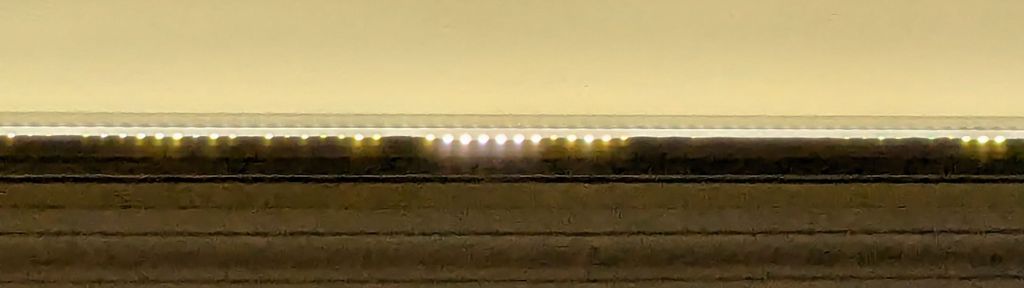
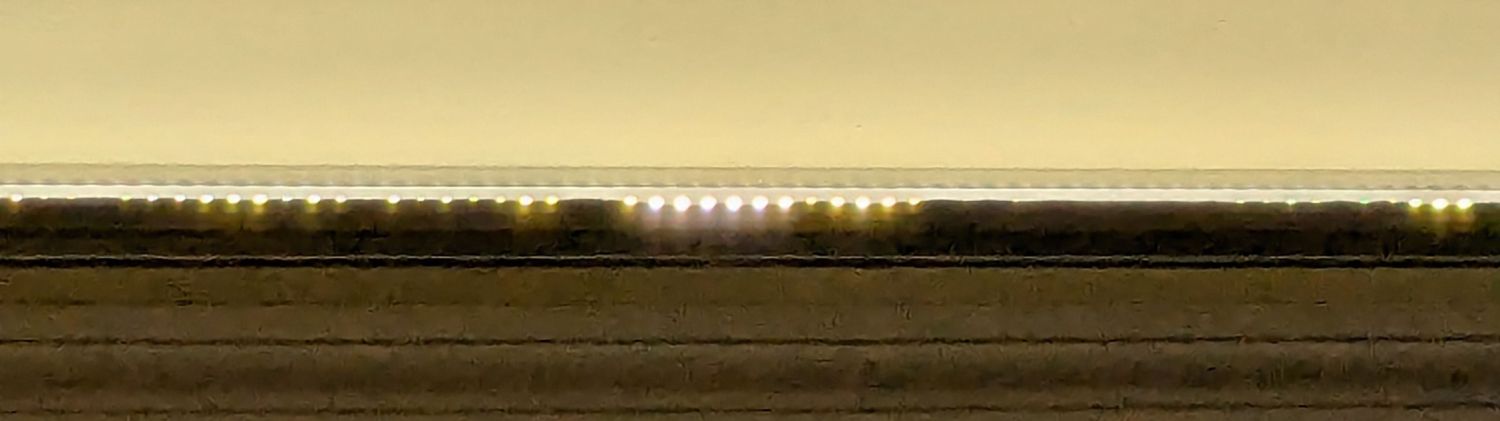
    The new and old white LEDs produce distinctly different colors and intensities on the practice quilt fabric.

    The original HQ Sixteen design bolted squarely atop the arm:

    HQ Sixteen - original front handlebar mount
    HQ Sixteen – original front handlebar mount

    The control surface is, admittedly, angled slightly forward, but Mary was unable to see the lower few lines of the LCD without standing on tiptoe.

    Begin with a crude tracing of the mating surfaces:

    Front handlebar base tracings
    Front handlebar base tracings

    Import the image into Inkscape and lay some shapes on it:

    Front handlebar base layout - Inkscape
    Front handlebar base layout – Inkscape

    Import the SVG into LightBurn and cut templates to verify the hole positions:

    HQ Sixteen - handlebar bolt templates
    HQ Sixteen – handlebar bolt templates

    Obviously that took more than one try.

    Rationalize the outlines, clean things up, and organize the shapes into useful named layers:

    Front handlebar base layout - Inkscape layers
    Front handlebar base layout – Inkscape layers

    Save as an Inkscape SVG, import into OpenSCAD, and extrude the layers defining all those shapes into a solid model:

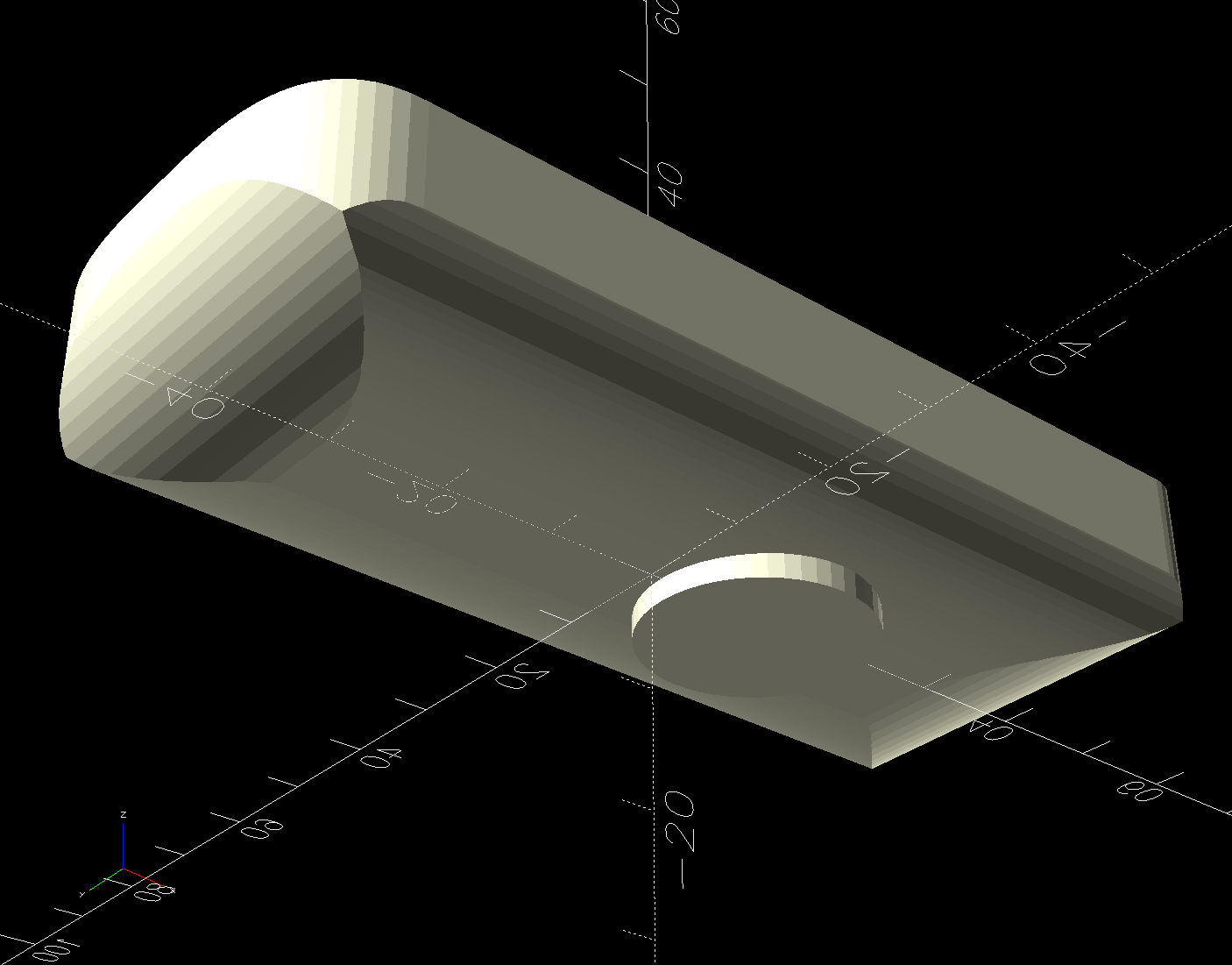
    Handlebar Base Mount - solid model
    Handlebar Base Mount – solid model

    That’s the most recent iteration; earlier ones appear in various pix.

    I had intended to use either square nuts or heat-set inserts, but it turned out to be easier to just slam BOSL2 threaded nuts into the front plate and be done with it:

    Handlebar Base Mount - solid model - hex nuts
    Handlebar Base Mount – solid model – hex nuts

    The trick is to sink the nuts around a hole sized slightly larger than the screw’s nominal diameter, letting the threads fill empty space.

    The handlebar base is mounted symmetrically along the machine arm centerline aligned with the two screws on the right. The rear block is offset to the left to clear the machine cover on the right, so the hull() wrapped around the two looks weird.

    The front plate stands proud of the rest by dint of incorporating only a small slice of its back face into the hull() filling the gaps between the two. It’s not particularly stylin’, but it’s pretty close.

    Finding the correct angle for the front plate required a couple of iterations, but they all built successfully:

    HQ Sixteen - handlebar mount - on platform
    HQ Sixteen – handlebar mount – on platform

    Putting the threaded holes vertical created nicely formed threads that accepted the screws without hassle.

    The block screws firmly to the arm and the handlebar unit screws to the block:

    HQ Sixteen - remounted handlebars - side
    HQ Sixteen – remounted handlebars – side

    The display now faces front:

    HQ Sixteen - remounted handlebars - front
    HQ Sixteen – remounted handlebars – front

    I eventually replaced those black oxide screws with shiny stainless ones, just for pretty.

    The nine LEDs under the display now do a great job of lighting up the front of the machine’s arm, rather than the fabric at the needle, but fixing that will be a whole ‘nother project.

    The handlebar grips with their control buttons now tilt at a somewhat inconvenient angle, which is also a whole ‘nother project.

    Early reports from the user community are overwhelmingly positive.

    The OpenSCAD source code and the SVG layout as a GitHub Gist:

    Loading
    Sorry, something went wrong. Reload?
    Sorry, we cannot display this file.
    Sorry, this file is invalid so it cannot be displayed.
    // Handiquilter HQ Sixteen front handlebar base mount
    // Ed Nisley – KE4ZNU
    // 2024-11-22
    include <BOSL2/std.scad>
    include <BOSL2/threading.scad>
    Layout = "Show"; // [Build,Show,Block,Holes]
    HandlebarOffset = [0,-30.0,14.0]; // pure empirical values
    HandlebarAngle = [60,0,0];
    FrameBlockThick = 35.0; // how much meat they need
    HandlebarThick = 12.0;
    /* [Hidden] */
    Holes = [[-19.0,0,0],[0,0,0],[0,12.5,0]]; // Must match SVG hole coordinates
    FrameCenter = [-45,-65]; // coordinates of corner hole center
    HoleCenter = [-40,-20];
    Protrusion = 0.1;
    module AdapterBlock() {
    union() {
    hull() {
    linear_extrude(height=FrameBlockThick,convexity=10)
    translate(FrameCenter)
    import("Front Handlebar Layout.svg",layer="Machine Frame");
    translate(HandlebarOffset)
    rotate(HandlebarAngle)
    linear_extrude(height=0.05*HandlebarThick,convexity=10)
    translate(HoleCenter)
    import("Front Handlebar Layout.svg",layer="Handlebar Base");
    }
    translate(HandlebarOffset)
    rotate(HandlebarAngle)
    linear_extrude(height=HandlebarThick,convexity=10)
    translate(HoleCenter)
    import("Front Handlebar Layout.svg",layer="Handlebar Base");
    }
    }
    module AdapterHoles() {
    linear_extrude(height=FrameBlockThick,convexity=10)
    translate(FrameCenter)
    import("Front Handlebar Layout.svg",layer="Machine Holes",convexity=2);
    translate([0,0,FrameBlockThick – 7.0])
    linear_extrude(height=7.0 + Protrusion,convexity=10)
    translate(FrameCenter)
    import("Front Handlebar Layout.svg",layer="Machine Counterbore",convexity=2);
    translate(HandlebarOffset) // cut clearance for nut threads
    rotate(HandlebarAngle)
    linear_extrude(height=HandlebarThick + Protrusion,convexity=10)
    translate(HoleCenter)
    import("Front Handlebar Layout.svg",layer="Handlebar Holes",convexity=2);
    }
    module Adapter() {
    union() {
    difference() {
    AdapterBlock();
    AdapterHoles();
    }
    # translate(HandlebarOffset) // add threads inside holes
    for (c = Holes)
    rotate(HandlebarAngle)
    translate(c)
    threaded_nut(10.0,6.2,HandlebarThick,1.0, // flat size, root dia, height, pitch
    bevel=false,ibevel=false,anchor=BOTTOM);
    }
    }
    // Build things
    if (Layout == "Block")
    AdapterBlock();
    if (Layout == "Holes")
    # AdapterHoles();
    if (Layout == "Show")
    Adapter();
    if (Layout == "Build")
    rotate([180,0,0] – HandlebarAngle)
    Adapter();
  • Prusa MK4 Input Shaper vs. Resonance Test Box

    Prusa MK4 Input Shaper vs. Resonance Test Box

    Although the laser ramp test fixture looked good, Brent wondered what a real test box would reveal about the Prusa MK4’s Input Shaper resonance control.

    Loading the STL into PrusaSlicer, adding a text label to remind me which way it printed, then slicing with my PETG-CF profile shows the “Actual Speed”, which seems to take acceleration into consideration:

    PrusaSlicer preview - actual speed
    PrusaSlicer preview – actual speed

    The colors in the legend don’t quite match the colors on the model, but the greenish layers with the jolts trundle along in the mid-20 mm/s range and the blue-ish straight-through layers at 30-ish mm/s.

    Eryone PETG-CF has a somewhat fuzzy appearance that seems not characteristic of other brands, so I’ll try something else when these spools run out:

    MK4 Resonance Test Box - overview
    MK4 Resonance Test Box – overview

    The right side of the box (as oriented on the platform) got all the layer retractions and came out festooned with PETG hairs:

    MK4 Resonance Test Box - right side
    MK4 Resonance Test Box – right side

    You can check my labels by tracking the small retraction zit sticking up from the top layer; I got it wrong the first time. Open the images in a new tab to see more pixels.

    The front:

    MK4 Resonance Test Box - front side
    MK4 Resonance Test Box – front side

    The left:

    MK4 Resonance Test Box - left side
    MK4 Resonance Test Box – left side

    And the rear:

    MK4 Resonance Test Box - rear side
    MK4 Resonance Test Box – rear side

    You can barely see the shadow of the “Rear” text on the surface, even though the wall is two threads thick and the text is indented by 0.2 mm, about half the thread width.

    As far as I can tell, the MK4 Input Shaper compensation does a great job of suppressing resonance or wobble in all directions.

    Looks good to me!

  • Prusa MK4 Input Shaper: Accelerometer Tuneup

    Prusa MK4 Input Shaper: Accelerometer Tuneup

    After adding bling to the Prusa MK4, I touched up the belt tensions and re-measured the axis resonances with the Prusa Accelerometer gadget to update the Input Shaper settings.

    The Prusa belt tension guide pretty much explains that subject, with their Belt Tuner making up for my utter tone deafness. FWIW, if the Belt Tuner produces inconsistent results differing by an octave, either up or down from the correct value, the belt is way too loose: give the axis belt tension screw a turn or two to drag the results into the right time zone, then fine-tune from there.

    While it is possible to reach both tensioning screws without too much trouble, they’re definitely not convenient.

    The accelerometer fits on the hot end:

    Prusa MK4 Accelerometer - on hot end
    Prusa MK4 Accelerometer – on hot end

    Then under the steel sheet, where it’s clamped by the platform magnets:

    Prusa MK4 Accelerometer - on platform
    Prusa MK4 Accelerometer – on platform

    The MK4 firmware measures the resonant frequencies while prompting you to put the accelerometer in the proper locations, then computes the best shaper values.

    For reference, the stock OEM values:

    • X = MZV 50 Hz
    • Y = MZV 40 Hz

    Just after I got the accelerometer and without doing anything to prep the MK4, these results popped out:

    • X = MZV 56 Hz
    • Y = MZV 42 Hz

    Now, with bling and properly tensioned belts:

    • X = MZV 59 Hz
    • Y = MZV 45 Hz

    The most recent values were also the most stable, once again pointing out the value of careful assembly and maintenance.

    With that in mind, though, I built the laser ramp focus fixture shortly after doing the first recalibration and it has no visible ripples on any of its walls:

    Ramp Test Fixture - corner detail
    Ramp Test Fixture – corner detail

    That’s a square corner perpendicular to the sloped top surface at the default 45 mm/s. It’s not as difficult a test as some you’ll see, but it suffices for my simple needs. The MK4 definitely behaves better around corners than the Makergear M2.

  • Prusa MK4 Bling

    Prusa MK4 Bling

    While figuring out an X Axis homing problem (about which, more later), I printed a bunch of add-ons for the Prusa MK4, all from printables.com.

    Stipulated: Using something other than black PETG and PETG-CF would make them more like bling.

    The heatsink fan gets a scoop inlet to keep fingers and tools farther from the blades:

    Prusa MK4 - fan cover - fan duct
    Prusa MK4 – fan cover – fan duct

    The small upward duct on the right side directs the exhaust air away from the platform. This is apparently critical for very high-temperature plastics like ABS and PC, but I did have one print fail due to excessively cold breezes on the platform.

    I made three different ducts in case I break one:

    Prusa MK4 - fan ducts on platform
    Prusa MK4 – fan ducts on platform

    The aluminum extrusions now have dust covers:

    Prusa MK4 - Extrusion cover - front
    Prusa MK4 – Extrusion cover – front

    There’s also an angled heater cable connector cover, with a matching cover on the electronics box routing the cable rearward to dress it away from the hulking extruder cable:

    Prusa MK4 - Extrusion cover - rear
    Prusa MK4 – Extrusion cover – rear

    And the Z axis stepper mounts have tidy dust covers:

    Prusa MK4 - Z axis motor cover
    Prusa MK4 – Z axis motor cover

    None of which are necessary, but they’re all easy to print while thinking of other things.