The Smell of Molten Projects in the Morning

Ed Nisley's Blog: Shop notes, electronics, firmware, machinery, 3D printing, laser cuttery, and curiosities. Contents: 100% human thinking, 0% AI slop.

Tag: MK4

Prusa Mk 4 3D printer with MMU3 feeder

  • HQ Sixteen: Handlebar Control Button Caps

    HQ Sixteen: Handlebar Control Button Caps

    Each of the HQ Sixteen’s handlebars has a cap with control buttons:

    HQ Sixteen control caps - side view
    HQ Sixteen control caps – side view

    The left cap:

    HQ Sixteen control caps - left
    HQ Sixteen control caps – left

    The right cap:

    HQ Sixteen control caps - OEM right
    HQ Sixteen control caps – OEM right

    The membrane switch overlay has textured bumps, although both of us have trouble finding them.

    The Start / Stop switch gets the most use and, as you’d expect, has become intermittent after two decades of use.

    Mary thinks a Start / Stop switch on both caps would be an improvement, letting her position quilting rulers with her right hand and run the machine with her left hand & thumb. I don’t know how the switches are wired, but the wiring suggests either simple single-bit inputs or a small matrix.

    She also finds membrane switches difficult to press, so I’m in the process of replacing the control caps with something more to her liking.

    The current concept goes a little something like this:

    HQ Sixteen control caps - new caps
    HQ Sixteen control caps – new caps

    Stipulated: my art hand is weak.

    Those are little bitty SMD switches:

    HQ Sixteen control caps - new caps overview
    HQ Sixteen control caps – new caps overview

    They’re easy to locate by touch, with a stem length chosen to “feel right” when pushed.

    They have been grievously misapplied:

    HQ Sixteen control caps - switches
    HQ Sixteen control caps – switches

    The solid model has three main pieces and a lock for the ribbon cable:

    Control Button Caps - solid model - build view
    Control Button Caps – solid model – build view

    Those pockets keep the switches oriented while the glue cures.

    Two screws through the handlebar secure each cap. Handi-Quilter drove sheet metal screws into their OEM caps, distorting them enough to jam solidly into the handlebars. I’ve been reluctant to apply enough force to loosen them, so they remain frozen in place until the current quilt is done.

    The new plugs have recesses for M3 square nuts to make them easily removable. As with the handlebar angle adapters, I’ll glue the plugs into the caps.

    A slightly exploded view shows how the pieces fit together:

    Control Button Caps - solid model - show view gapped
    Control Button Caps – solid model – show view gapped

    The switch plate sits recessed into the cap to allow room for the label (about which, more later):

    Control Button Caps - solid model - show view assembled
    Control Button Caps – solid model – show view assembled

    The OpenSCAD source code as a GitHub Gist:

    // Handiquilter HQ Sixteen handlebar control button caps
    // Ed Nisley – KE4ZNU
    // 2025-04-05
    include <BOSL2/std.scad>
    Layout = "Show"; // [Show,Build,Grip,Body,Face,FaceBack,Plug,CableLock]
    // Angle w.r.t. handlebar
    FaceAngle = 30; // [10:45]
    // Separation in Show display
    Gap = 5; // [0:20]
    /* [Hidden] */
    HoleWindage = 0.2;
    Protrusion = 0.1;
    NumSides = 2*3*4;
    WallThick = 3.0;
    ID = 0;
    OD = 1;
    LENGTH = 2;
    Grip = [19.7,22.4,15.0]; // (7/8)*INCH = 22.2 mm + roughness, LENGTH=OEM insertion depth
    GripRadius = Grip[OD]/2;
    FoamOD = 34.0; // handlebar foam
    FoamRadius = FoamOD/2;
    SwitchBody = [6.3,6.3,4.0]; // does not include SMD leads
    SwitchStemOD = 3.5 + 2*HoleWindage;
    SwitchOC = 10.0; // center-to-center switch spacing
    LabelThick = 0.5; // laminated overlay
    FaceRim = 2.0; // rim around faceplate
    FaceThick = 2.0; // … plate thickness
    FaceDepth = FaceThick + LabelThick; // inset allowing for faceplate label
    CapOD = 38.0; // overall cap diameter
    CapTrim = FoamRadius; // flat trim on front
    CapBase = 5.0; // bottom thickness
    Cap = [FoamOD – FaceRim,CapOD,CapBase + CapOD*tan(FaceAngle)];
    echo(Cap=Cap);
    TargetSize = 4.0; // laser alignment targets
    TargetsOC = [40.0,40.0];
    Cable = [10.0,2.0,WallThick]; // aperture for cable lock
    ScrewAngles = [-45,45]; // mounting screws
    Screw = [2.0,3.0,7.0]; // OEM = sheet metal screw
    ScrewOffset = 6.0; // from top of grip tube
    SquareNut = [3.0,5.5,2.3 + 0.4]; // M3 square nut OD = side, LENGTH + inset allowance
    NutInset = GripRadius – sqrt(pow(GripRadius,2) – pow(SquareNut[OD],2)/4);
    PlugOA = [(Grip[ID] – 2*WallThick),(Grip[ID] – 1.0),(CapBase + ScrewOffset + 10.0)];
    echo(PlugOA=PlugOA);
    //———-
    // Define objects
    //—–
    // Handlebar tube
    module GripTube() {
    difference() {
    tube(3*Grip[LENGTH],GripRadius,Grip[ID]/2,anchor=TOP);
    for (a = ScrewAngles) {
    down(ScrewOffset) zrot(a-90)
    right(GripRadius)
    yrot(90) cylinder(d=Screw[OD],h=Screw[LENGTH],center=true,$fn=6);
    }
    }
    }
    //—–
    // SVG outline of faceplate for laser cuttery
    module FaceShape(Holes=true,Targets=false) {
    difference() {
    scale([1,1/cos(FaceAngle)])
    difference() {
    circle(d=(Cap[OD] – 2*FaceRim),$fn=144);
    fwd(CapTrim – FaceRim)
    square(Cap[OD],anchor=BACK);
    }
    if (Holes)
    for (i=[-1:1]) // arrange switch stem holes
    right(i*SwitchOC)
    zrot(180/8) circle(d=SwitchStemOD,$fn=32);
    }
    if (Targets)
    for (i = [-1,1], j = [-1,1])
    translate([i*TargetsOC.x/2,j*TargetsOC.y/2])
    square(2.0,center=true);
    }
    //—–
    // Faceplate backing sheet
    // Switch bodies indented into bottom, so flip to build
    module FacePlate(Thick=FaceThick,Holes=true) {
    difference() {
    linear_extrude(height=Thick,convexity=5)
    FaceShape(Holes);
    up(SwitchBody.z/4)
    for (i = [-1:1])
    right(i*SwitchOC)
    cube(SwitchBody,anchor=TOP);
    }
    }
    //—–
    // Cap body
    module CapBody() {
    $fn=48;
    up(CapBase + (Cap[OD]/2)*tan(FaceAngle)) xrot(FaceAngle)
    difference() {
    xrot(-FaceAngle)
    down(CapBase + (Cap[OD]/2)*tan(FaceAngle))
    difference() {
    cylinder(d=Cap[OD],h=Cap[LENGTH]);
    fwd(CapTrim) down(Protrusion)
    cube(2*Cap[LENGTH],anchor=BACK+BOTTOM);
    up(CapBase)
    difference() {
    cylinder(d=Cap[ID],h=Cap[LENGTH]);
    fwd(CapTrim – 2*FaceRim)
    cube(2*Cap[LENGTH],anchor=BACK+BOTTOM);
    }
    down(Protrusion)
    cylinder(d=Grip[ID],h=Cap[LENGTH]);
    }
    cube(2*Cap[OD],anchor=BOTTOM);
    down(FaceDepth)
    FacePlate(FaceDepth + Protrusion,Holes=false);
    }
    }
    //—–
    // Plug going into grip handlebar
    module CapPlug() {
    $fn=48;
    difference() {
    tube(PlugOA[LENGTH],id=PlugOA[ID],od=PlugOA[OD],anchor=BOTTOM)
    position(TOP)
    tube(CapBase,id=PlugOA[ID],od=Grip[ID],anchor=TOP);
    for (a = ScrewAngles)
    up(PlugOA.z – CapBase – ScrewOffset) zrot(a-90)
    right(PlugOA[ID]/2)
    yrot(90) {
    cube([SquareNut[OD],SquareNut[OD],SquareNut[LENGTH] + NutInset],center=true);
    zrot(180/6)
    cylinder(d=(SquareNut[ID] + 2*HoleWindage),h=PlugOA[ID],center=true,$fn=6);
    }
    }
    }
    //—–
    // Lock plate for ribbon cable
    module CableLock() {
    difference() {
    cuboid([2*Cable.x,PlugOA[ID],WallThick],rounding=WallThick/2,anchor=BOTTOM);
    for (j = [-1,1])
    back(j*Cable.y) down(Protrusion)
    cube(Cable + [0,0,2*Protrusion],anchor=BOTTOM);
    }
    }
    //———-
    // Build things
    if (Layout == "Grip") {
    color("Silver",0.5)
    GripTube();
    }
    if (Layout == "Face")
    FaceShape(Targets=true);
    if (Layout == "FaceBack")
    FacePlate();
    if (Layout == "Body")
    CapBody();
    if (Layout == "Plug")
    CapPlug();
    if (Layout == "CableLock")
    CableLock();
    if (Layout == "Show") {
    color("Green")
    up(CapBase)
    CableLock();
    color("Orange")
    down(Gap)
    down(PlugOA[LENGTH] – CapBase)
    CapPlug();
    color("Cyan",(Gap > 4)? 1.0 : 0.2)
    CapBody();
    color("White",(Gap > 4)? 1.0 : 0.5)
    up(Gap*cos(FaceAngle)) fwd(Gap*sin(FaceAngle))
    up(CapBase + (Cap[OD]/2)*tan(FaceAngle) – FaceDepth)
    back(FaceDepth*sin(FaceAngle)) xrot(FaceAngle)
    FacePlate();
    down(3*Gap) {
    color("Silver",0.5)
    GripTube();
    down(Gap)
    color("Gray",0.5)
    tube(3*Grip[LENGTH],FoamRadius,Grip[OD]/2,anchor=TOP);
    }
    }
    if (Layout == "Build") {
    right((Gap + Cap[OD])/2)
    CapBody();
    left((Gap + Cap[OD])/2)
    zrot(180) up(FaceThick) xrot(180)
    FacePlate();
    fwd(Gap + Cap[OD])
    up(PlugOA[LENGTH]) xrot(180) zrot(180)
    CapPlug();
    fwd(Cap[OD]/2)
    zrot(90)
    CableLock();
    }

  • HQ Sixteen: Front Horizontal Spool Adapter

    HQ Sixteen: Front Horizontal Spool Adapter

    Mary wanted a horizontal spool adapter mounted closer to the front of her HQ Sixteen, in the M5 threaded hole where the Official Horizontal Adapter would go:

    HQ Sixteen - front spool adapter - installed
    HQ Sixteen – front spool adapter – installed

    Yes, the pin through the spool is fluorescent edge-lit orange acrylic that looks wonderful in sunlight and is much more amusing than the black rod in the adapter atop the power supply pod.

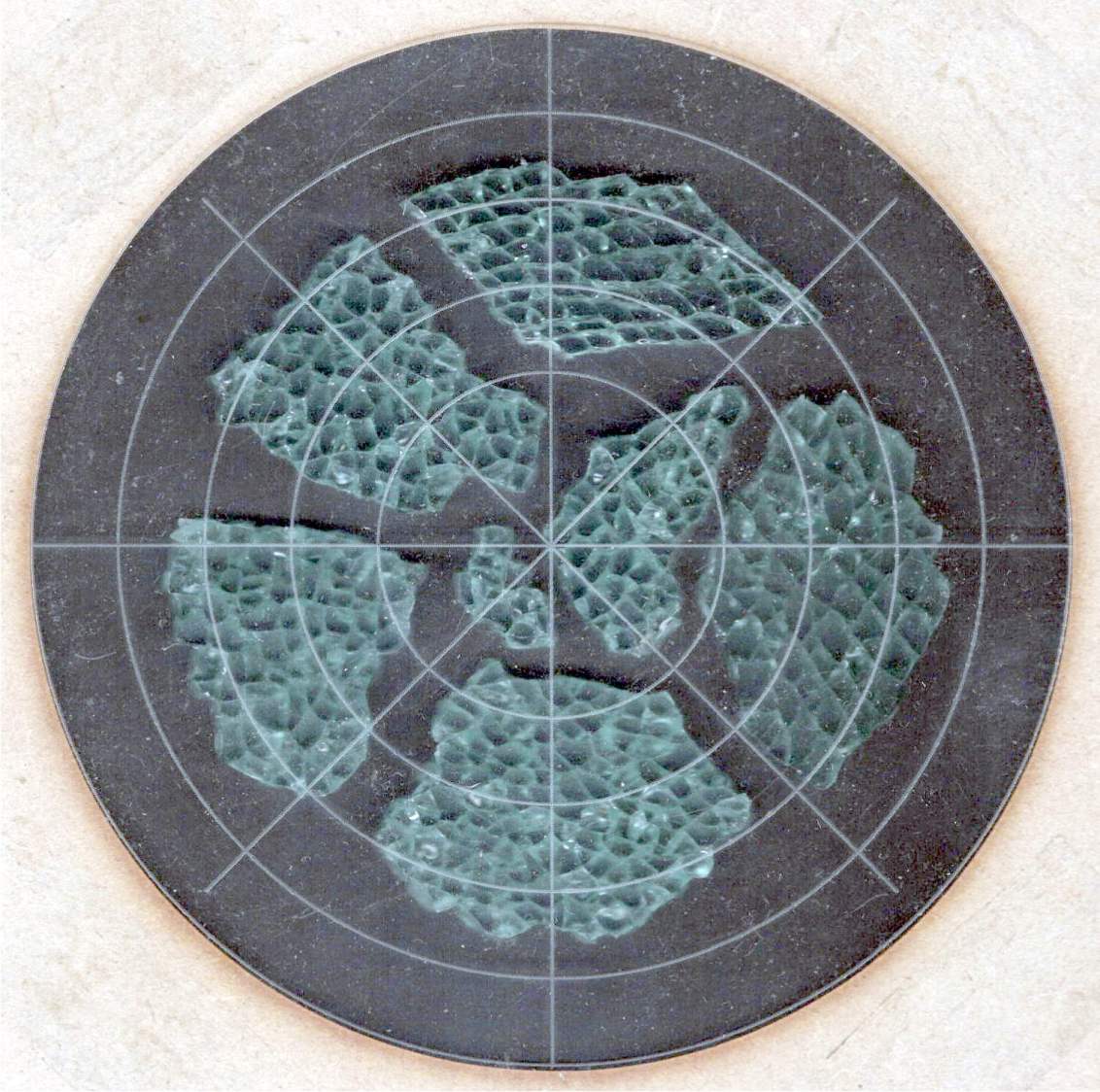
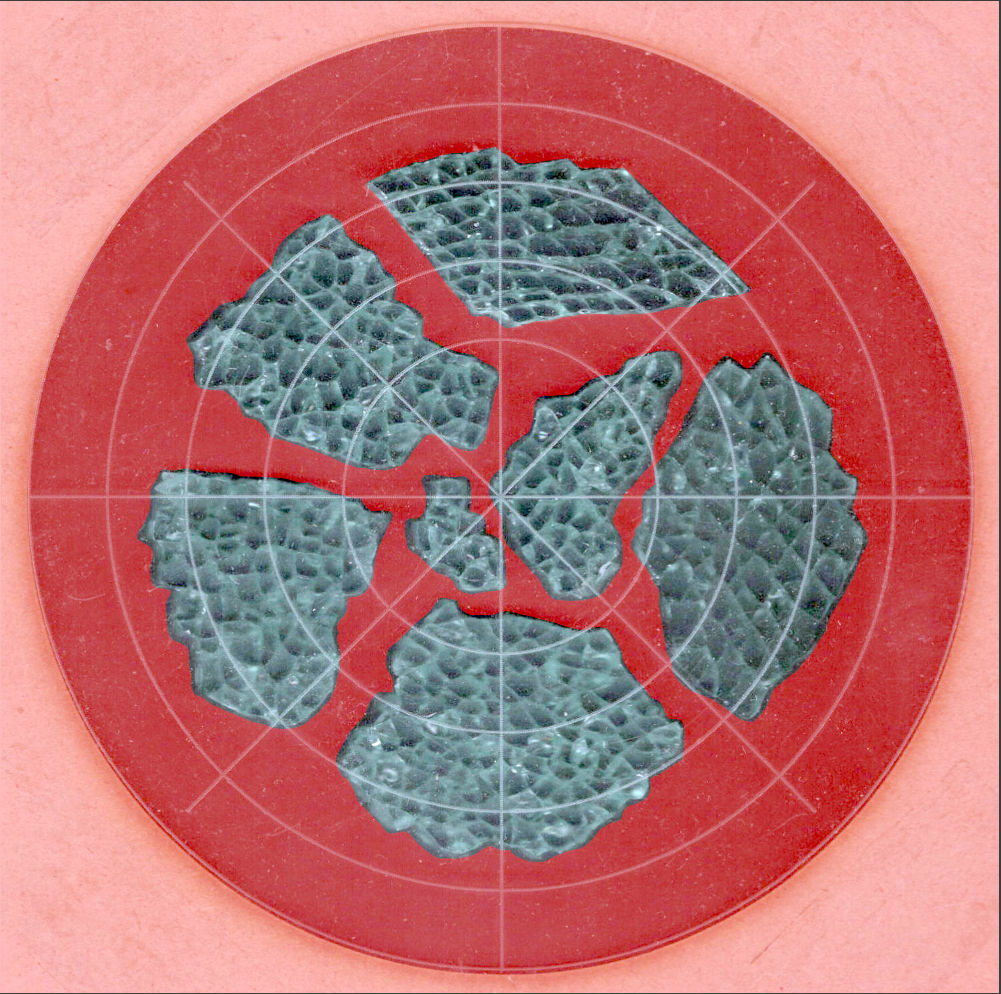
    The top of the machine case is not flat, level, or easy to model, so I deployed the contour gauge again, with some attention to keeping the edge pins parallel & snug along the machine sides:

    HQ Sixteen - machine profile measurement
    HQ Sixteen – machine profile measurement

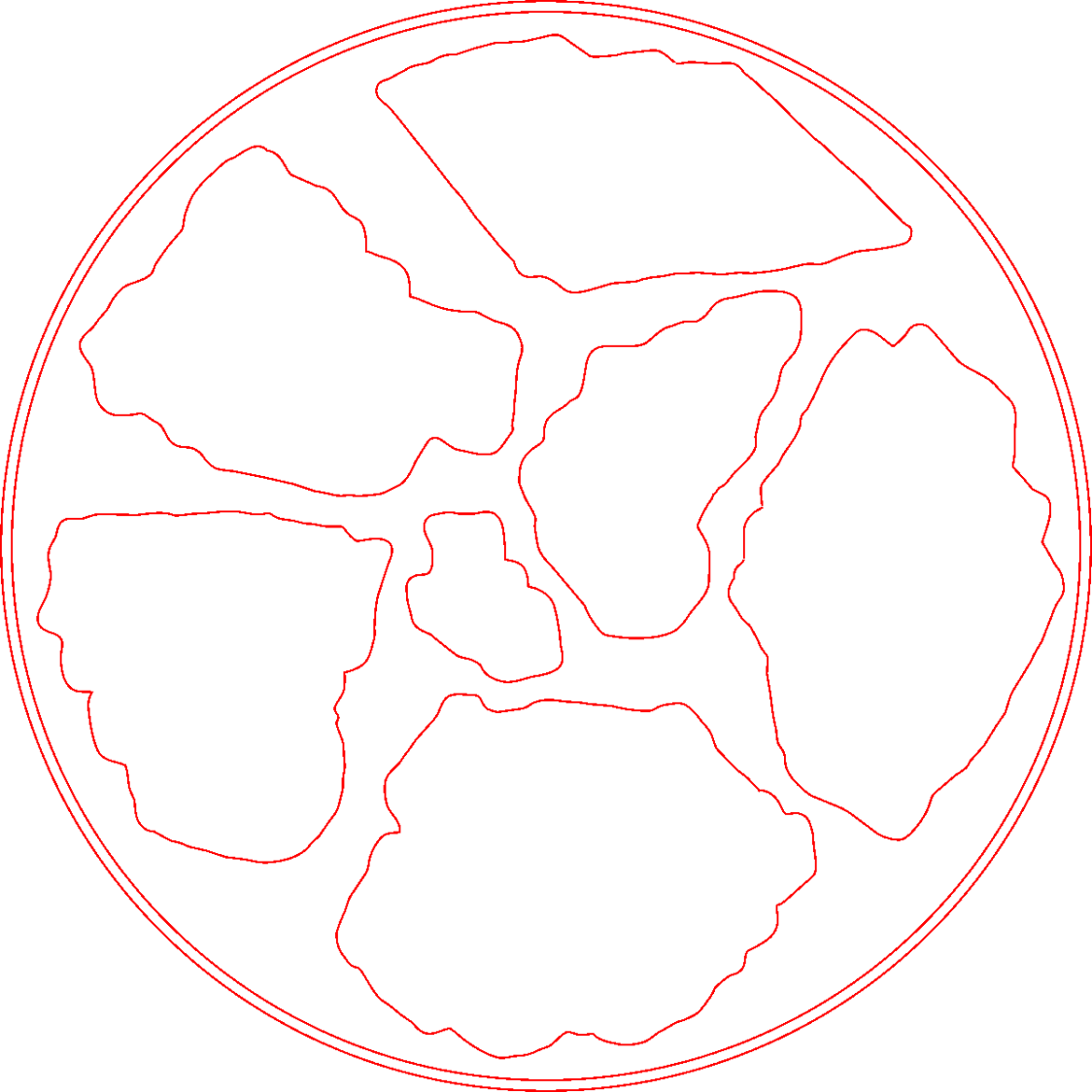
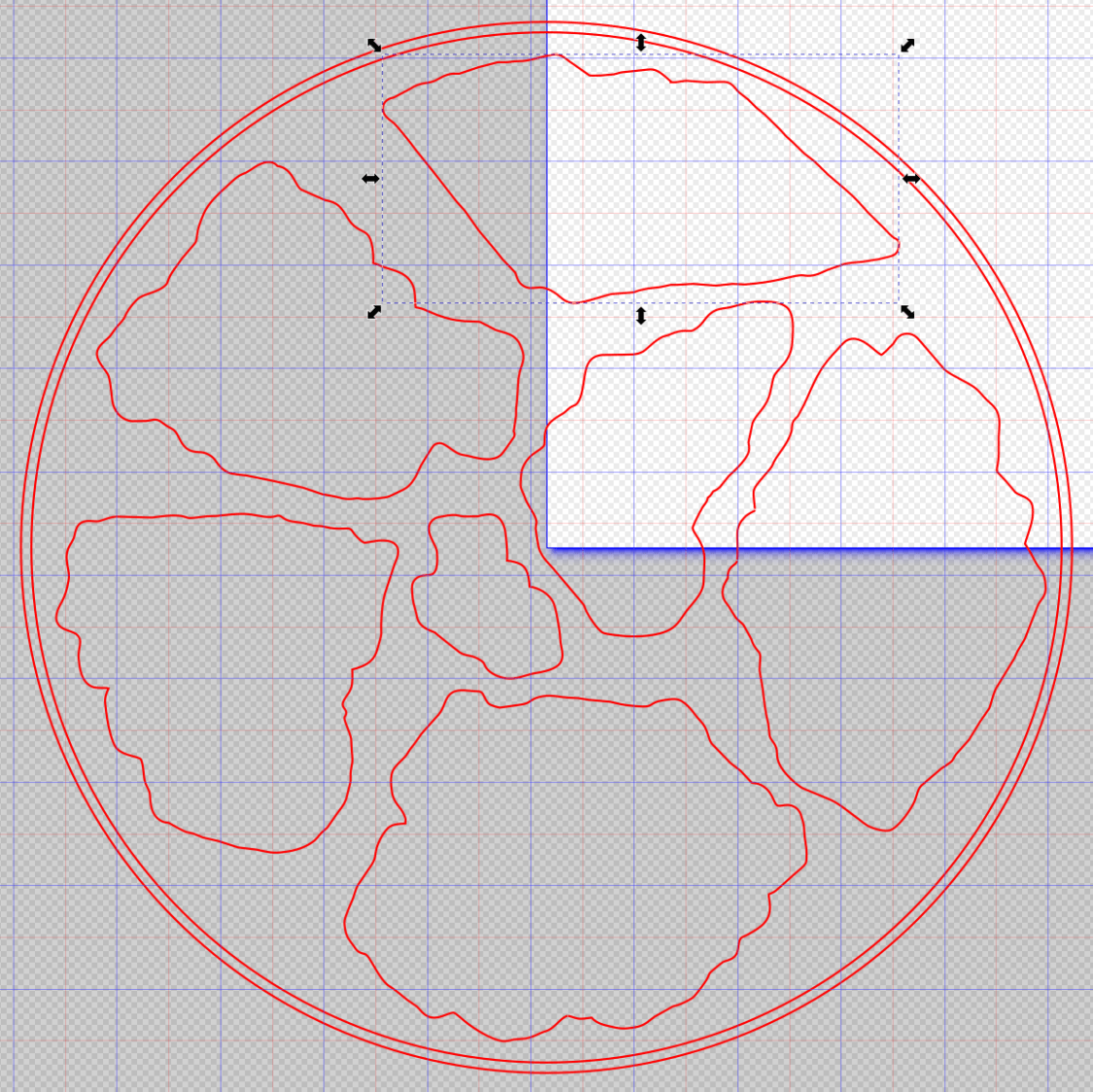
    Tracing the edge of the pins onto paper, scanning, and feeding it into Inkscape let me lay a few curves:

    HQ Sixteen - top profile curve - Inkscape fitting
    HQ Sixteen – top profile curve – Inkscape fitting

    The laser-cut chipboard test pieces show the iterations producing closer and closer fits to the machine.

    Importing the final SVG image into OpenSCAD and extruding it produced a suitable solid model of the machine’s case:

    HQ Sixteen - machine solid model
    HQ Sixteen – machine solid model

    Subtract that shape from the bottom of the adapter to get a perfect fit atop the machine:

    HQ Sixteen - horizontal thread spool adapter - front pin - solid model - show
    HQ Sixteen – horizontal thread spool adapter – front pin – solid model – show

    Early results are encouraging, although the cheap polyester thread Mary got from a friend’s pile and is using for practice untwists itself after passing through the tension disks on its way to the needle. She’ll load much better thread for the real quilt.

    The OpenSCAD source code and SVG of the HQ Sixteen’s top profile as a GitHub Gist:

    // HQ Sixteen – horizontal thread spool adapter for front pin
    // Ed Nisley – KE4ZNU
    // 2025-04-07
    include <BOSL2/std.scad>
    Layout = "Show"; // [Show,Build,Base,Wall,Frame]
    /* [Hidden] */
    Protrusion = 0.1;
    HoleWindage = 0.2;
    ID = 0;
    OD = 1;
    LENGTH = 2;
    WallThick = 8.0;
    BaseThick = 12.0;
    Washer = [5.0,10.0,1.0]; // M5 washer
    Spool = [0.25*INCH,50.0,55.0]; // maximum thread spool
    SpoolClearance = [2.0,5.0,5.0]; // spool pin pointed to +X axis
    SpoolPin = [Spool[ID],Spool[ID],Spool[LENGTH] + WallThick + SpoolClearance.x];
    BasePlate = [WallThick + SpoolClearance.x + 13.0, // X flush with side of machine
    Spool[OD]/2 + 2*SpoolClearance.y,
    BaseThick];
    BaseOffset = [-(BasePlate.x – Washer[OD]),-Washer[OD],0.0]; // left front corner w.r.t. pin
    SpoolOC = [0, // relative to left front top of Base
    BasePlate.y/2,
    SpoolClearance.z + Spool[OD]/2 + BaseThick/2];
    //———-
    // Construct the pieces
    // HQ Sixteen top frame profile
    // Aligned with hole somewhere along X=0, front edge at Y=0
    // Lengthened slightly to cut cleanly
    module MachineFrame(Length=BasePlate.y + 2*Protrusion) {
    back(BasePlate.y + Protrusion) xrot(90)
    linear_extrude(height=Length,convexity=5,center=false)
    import("HQ Sixteen – top profile curve.svg",layer="Top Profile");
    }
    // Baseplate
    // Aligned with hole one washer diameter in from corner
    module Base() {
    $fn=18;
    difference() {
    fwd(Washer[OD])
    difference() {
    right(Washer[OD])
    cuboid(BasePlate,anchor=RIGHT+FRONT+CENTER,rounding=BaseThick/2,edges=RIGHT);
    MachineFrame();
    }
    down(BasePlate.z)
    cylinder(d=SpoolPin[OD] + HoleWindage,h=2*BasePlate.z);
    up(BasePlate.z/2 – Washer[LENGTH])
    cylinder(d=Washer[OD] + HoleWindage,h=2*Washer[LENGTH]);
    }
    }
    // Wall holding spool pin
    module Wall() {
    $fn=36;
    translate(BaseOffset) {
    difference() {
    union() {
    translate(SpoolOC)
    right(WallThick)
    cylinder(SpoolClearance.x,d=Spool[OD]/2,orient=RIGHT);
    hull() {
    translate(SpoolOC)
    cylinder(WallThick,d=Spool[OD]/2,orient=RIGHT);
    up(BasePlate.z/2 – 1)
    cube([WallThick,BasePlate.y,1],center=false);
    }
    }
    translate(SpoolOC) left(Protrusion)
    cylinder(SpoolPin[LENGTH],d=SpoolPin[OD],orient=RIGHT);
    }
    }
    }
    module Adapter() {
    Base();
    Wall();
    }
    //———-
    // Show & build the results
    if (Layout == "Base")
    Base();
    if (Layout == "Wall")
    Wall();
    if (Layout == "Frame")
    MachineFrame();
    if (Layout == "Show") {
    Adapter();
    color("Gray",0.5)
    MachineFrame(60);
    color("Green",0.75)
    translate(BaseOffset)
    translate(SpoolOC)
    cylinder(SpoolPin[LENGTH],d=SpoolPin[OD],orient=RIGHT,$fn=18);
    }
    if (Layout == "Build")
    up(-BaseOffset.x)
    yrot(-90)
    Adapter();
    Loading
    Sorry, something went wrong. Reload?
    Sorry, we cannot display this file.
    Sorry, this file is invalid so it cannot be displayed.

  • HQ Sixteen: Padded Table Shims

    HQ Sixteen: Padded Table Shims

    The HQ Sixteen has been running at higher speeds as Mary practices using its stitch regulator and the vibrations shook several of the table shims (blocks, whatever) onto the floor. I hope a layer of EVA foam provides enough compliance to keep them in place:

    HQ Sixteen - padded table shim - installed
    HQ Sixteen – padded table shim – installed

    The foam is 2 mm thick, so subtracting that from the nominal thickness makes the new blocks come out right.

    A short module extracts the footprint for export as an SVG image to laser-cut both the foam and the adhesive sheet required to stick it in place:

    module ShimPad(Thickness = PadThick) {
    
        if (Thickness)
            linear_extrude(height=Thickness)
                projection(cut=true)
                    ShimBlock();
        else
            projection(cut=true)
                ShimBlock();
    
    }
    

    It turns out linear_extrude() chokes on a zero height.

    When handed a nonzero Thickness, the code generates a simulated foam sheet:

    HQ Sixteen - table shims - solid model - padded
    HQ Sixteen – table shims – solid model – padded

    The footprint looks about like you’d expect:

    HQ Sixteen - table shims - solid model - pad outline
    HQ Sixteen – padded table shim – installed

    Import into LightBurn, duplicate it sufficiently, set the speed & power & kerf for EVA foam, then cut ’em out:

    HQ Sixteen - table shims - padding cuts
    HQ Sixteen – table shims – padding cuts

    Ditto for the adhesive, stick together, and upgrade the fleet.

    If these shake loose, snippets of adhesive film will stick them firmly to the underside of the table panels.

    Update: Yeah, they needed sticky snippets. Whole lotta shakin’ goin’ on with that machine!

  • Floor Lamp Remote Control Holder

    Floor Lamp Remote Control Holder

    The remote control for the floor lamp across the Reading Room will never again wander away into the clutter:

    Floor lamp remote holder - in use
    Floor lamp remote holder – in use

    The magnet in its back snuggles against a steel disk embedded in the holder:

    Floor lamp remote holder - installed
    Floor lamp remote holder – installed

    A magnetic field visualization sheet revealed the magnet:

    Floor lamp remote holder - magnet field visualization
    Floor lamp remote holder – magnet field visualization

    Extract the remote’s profiles with a contour gauge:

    Floor lamp remote holder - pin contour gauge
    Floor lamp remote holder – pin contour gauge

    Trace the outlines and lay smooth curves around them with Inkscape:

    Remote profiles - Inkscape curves
    Remote profiles – Inkscape curves

    They needed a slight lengthening to account for the gauge pin diameter & deflection, but this isn’t a precision project.

    Do the same with a scan of the front face, import the curves into OpenSCAD, extrude them, create a solid model of the remote from their mutual intersection, then add a cylinder to punch the depression for the steel plate:

    Floor Lamp Remote Holder - solid model - bottom
    Floor Lamp Remote Holder – solid model – bottom

    The chonky model corners stick out too far compared to the stylin’ curves on the real remote, but I made the holder shorter than the remote specifically to avoid fussing with such details.

    Subtract the remote from a nicely rounded cuboid and knock out a cylinder for the pipe it’ll mount on to produce the holder:

    Floor Lamp Remote Holder - solid model - Show view
    Floor Lamp Remote Holder – solid model – Show view

    I briefly considered a circumferential clamp around the pipe before coming to my senses and making the pipe diameter 2 mm larger to accommodate a strip of double-sided foam tape.

    The magnet gets a ferocious grip on the plate and I defined the result to be All Good™.

    The OpenSCAD source code and SVG paths as a GitHub Gist:

    Loading
    Sorry, something went wrong. Reload?
    Sorry, we cannot display this file.
    Sorry, this file is invalid so it cannot be displayed.
    // Floor Lamp Remote Holder
    // Ed Nisley – KE4ZNU
    // 2025-03-29
    include <BOSL2/std.scad>
    Layout = "Holder"; // [Show,Build,Remote,Holder]
    BaseAngle = 30; // [0:50]
    /* [Hidden] */
    RemoteOA = [92.0,40.0,14.5];
    PoleOD = 16.0; // lamp pole
    MagnetOD = 20.0; // steel plate under magnet
    MagnetOffset = [11.0,0,-2.0];
    TapeThick = 1.2;
    HolderOA = [60.0,35.0,PoleOD/3 + 4.0 + RemoteOA.z/2];
    HolderRadius = 5.0;
    Gap = 10.0;
    //———-
    // Define shapes
    module RemoteBody() {
    union() {
    intersection() {
    fwd(RemoteOA.y/2) up(RemoteOA.z/2)
    linear_extrude(h=RemoteOA.z,center=true)
    import("Floor Lamp Remote – outlines.svg",layer="Top Outline");
    zrot(90) xrot(90)
    linear_extrude(h=RemoteOA.x,center=true)
    import("Floor Lamp Remote – outlines.svg",layer="End Outline");
    xrot(90)
    linear_extrude(h=RemoteOA.y,center=true)
    import("Floor Lamp Remote – outlines.svg",layer="Side Outline");
    }
    translate(MagnetOffset)
    cylinder(d=MagnetOD,h=RemoteOA.z,$fn=4*3*4);
    }
    }
    module Holder() {
    difference() {
    cuboid(HolderOA,anchor=BOTTOM,rounding=HolderRadius,except=TOP);
    down((PoleOD + 2*TapeThick)*(1/2 – 1/3))
    yrot(90)
    cylinder(d=PoleOD + 2*TapeThick,h=2*HolderOA.x,center=true);
    up(HolderOA.z – RemoteOA.z/2)
    RemoteBody();
    }
    }
    //———-
    // Build things
    if (Layout == "Remote")
    RemoteBody();
    if (Layout == "Holder")
    Holder();
    if (Layout == "Show") {
    color("White")
    Holder();
    color("Gray",0.75)
    up(HolderOA.z – RemoteOA.z/2 + Gap)
    RemoteBody();
    color("Green",0.5)
    down((PoleOD + 2*TapeThick)*(1/2 – 1/3))
    yrot(90)
    cylinder(d=PoleOD + 2*TapeThick,h=2*HolderOA.x,center=true);
    }
    if (Layout == "Build") {
    Holder();
    }

  • LED Strip Lights: Window Moulding Mounts

    LED Strip Lights: Window Moulding Mounts

    The object of the game being to tilt the LED strip lights at (maybe) 30° to put more light higher on the wall and further out on the ceiling, with the overriding constraint of no visible holes. Given their eventual home atop the window moulding along the front wall of the Living Sewing Room, these seemed adequate:

    LED Bar Lamp Mount - solid model
    LED Bar Lamp Mount – solid model

    The hole on the angled part fits an M4 brass insert and the recessed holes capture the washer-like head of a sharp-point lath screw.

    Two pairs applied to the lights sitting atop the Fabric Cabinets served to verify the fit:

    LED strip light - moulding mount - on cabinet
    LED strip light – moulding mount – on cabinet

    They’re held firmly by the aluminum extrusion and don’t need a bigger footprint to remain stable.

    So I made another six, stuck on ⅞ inch strips of aluminized Mylar (cut from a bag in much better condition), and drilled holes where they can’t be seen:

    LED strip light - moulding mount - installed
    LED strip light – moulding mount – installed

    It’s almost too bright in there with 3 × 40 W of LED lights washing the wall and ceiling:

    LED strip light - moulding mount - lit
    LED strip light – moulding mount – lit

    I don’t like the cold 6000 K color temperature, but Mary doesn’t mind it. They fill the Sewing Table with shadowless / glareless light, although that kind of light makes the place look like a store.

    I think moving the strip lower and away from the wall could hide the entire mount from view.

    Contrary to what I expected, the Mylar reflectors must be at least an inch tall to avoid Baily’s Beads seen from across the room:

    LED strip light - short reflector
    LED strip light – short reflector

    With all that in mind, we’ll run these for a while to shake out any other improvements.

    The OpenSCAD source code as a GitHub Gist:

    // LED light bar mounts
    // Ed Nisley – KE4ZNU
    // 2025-03-16
    include <BOSL2/std.scad>
    Layout = "Show"; // [Show,Build,ScrewMount,BarMount]
    BaseAngle = 30; // [0:50]
    /* [Hidden] */
    ID = 0;
    OD = 1;
    LENGTH = 2;
    Protusion = 0.1;
    NumSides = 3*4;
    Radius = 1.5;
    $fn = NumSides;
    MouldWidth = 18.0; // nominal (3/4) * INCH, but lots of paint slop
    MouldScrew = [4.7,12.0,2.6]; // clearance, head OD, head thick
    Insert = [4.0,5.5,6.0 + 3.0]; // heat-set brass without pilot end
    BarClip = [33.0,15.0,11.0]; // snaps around led base
    ScrewBlockOA = [MouldWidth,MouldScrew[OD] + 2*Radius + 2.0,10.0];
    BarBlockOA = [BarClip.x*cos(BaseAngle),15.0,BarClip.x*sin(BaseAngle) + 2*ScrewBlockOA.z];
    Gap = 2.0 + max(ScrewBlockOA.y,BarBlockOA.y);
    //———-
    // Define shapes
    module ScrewMount() {
    difference(){
    cuboid(ScrewBlockOA,anchor=BOTTOM,rounding=Radius,except=[FRONT,BOTTOM,LEFT]);
    up(ScrewBlockOA.z – MouldScrew[LENGTH])
    zrot(180/NumSides)
    cylinder(d=MouldScrew[OD],h=MouldScrew[LENGTH] + Protusion);
    down(Protusion)
    cylinder(d=MouldScrew[ID],h=2*ScrewBlockOA.z);
    }
    }
    module BarMount() {
    difference() {
    cuboid(BarBlockOA,anchor=CENTER,rounding=Radius,edges=RIGHT);
    yrot(BaseAngle)
    cube([3*BarBlockOA.x,2*BarBlockOA.y,BarBlockOA.z],anchor=BOTTOM);
    yrot(BaseAngle)
    cylinder(d=Insert[OD],h=2*Insert[LENGTH],anchor=CENTER);
    }
    }
    module Mount() {
    union() {
    right(ScrewBlockOA.x/2) back(ScrewBlockOA.y/2)
    ScrewMount();
    right(BarBlockOA.x/2) fwd(BarBlockOA.y/2) up(BarBlockOA.z/2)
    BarMount();
    }
    }
    //———-
    // Build things
    if (Layout == "ScrewMount")
    ScrewMount();
    if (Layout == "BarMount")
    BarMount();
    if (Layout == "Show")
    Mount();
    if (Layout == "Build") {
    yflip_copy(Gap) Mount();
    }

  • Human Lumbar Vertebrae

    Human Lumbar Vertebrae

    Having once again reawakened a back injury from long ago, I figured these were good for some comic relief:

    L4 L5 vertebrae - assembled
    L4 L5 vertebrae – assembled

    The full-scale L4-L5 vertebrae are from Printables and the ¾ scale L5 is from somewhere I cannot recall. A mother lode of anatomical models is on Thingiverse if you want some 3D printing challenges.

    The L4-L5 pair are part of an extensive human anatomic model locating all the pieces at their proper coordinates, so these two hovered about 800 mm above the XY plane. I ran them through the Grid:Tool mesh editor to center them at the XY origin, then put the bottom-most point at Z=0.

    Rotating them individually in PrusaSlicer and painting only the most essential support got them to this state:

    L4 L5 vertebrae - PrusaSlicer
    L4 L5 vertebrae – PrusaSlicer

    Each one take about three hours, so I ran them individually to reduce surface blemishes and maximize the likelihood of happy outcomes. Worked like a champ.

    The retina-burn orange disk is not anatomically correct, because the InterWebz apparently does not have a model for spinal cartilage:

    L4 L5 vertebrae - assembled - disk detail
    L4 L5 vertebrae – assembled – disk detail

    Instead, it’s a rounded cylinder resized into an oval, with its top and bottom surfaces formed by subtracting the vertebrae:

    L4 L5 vertebrae disk - solid model
    L4 L5 vertebrae disk – solid model

    The OpenSCAD code doing the heavy lifting:

    // Disk between L4 and L5 vertebrae
    // Ed Nisley - KE4ZNU
    // 2025-03-07
    
    Layout = "Show";    // [Show,Build]
    
    include <BOSL2/std.scad>
    
    module Disk() {
      color("Red")
        difference() {
          translate([9,-18,36])
            rotate(110)
            resize([33,45])
            cyl(d=50,h=14,$fn=48,rounding=7,anchor=BOTTOM);
          import("../Spine/human-spinal-column-including-cervical-thoracic-and-lumbar-vertebra-model_files/L4 L5 vertebrae stacked.stl",
            convexity=10);
        }
    }
    
    if (Layout == "Show") {
      Disk();
    
      color("White",0.3)
          import("../Spine/human-spinal-column-including-cervical-thoracic-and-lumbar-vertebra-model_files/L4 L5 vertebrae stacked.stl",
            convexity=10);
    
    }
    
    if (Layout == "Build") {
      Disk();
    
    }
    

    All of the magic numbers come from eyeballometric measurement & successive approximation.

    The Build layout left the disk floating in space, whereupon I used PrusaSlicer to reorient it edge-downward on the platform with painted-on support for minimal distortion:

    L4 L5 vertebrae disk - PrusaSlicer
    L4 L5 vertebrae disk – PrusaSlicer

    Two dots of E6000+ adhesive hold everything together.

    All in all, it was a useful distraction. I’ve been vertically polarized for the last five days and it’s good to be … back.

  • HQ Sixteen: Table Leveling Blocks

    HQ Sixteen: Table Leveling Blocks

    The Handi-Quilter HQ Sixteen rides on two tracks along the 11 foot length of the table, with an unsupported 8 foot span between the legs on each end:

    HQ Sixteen - remounted handlebars in use
    HQ Sixteen – remounted handlebars in use

    Contemporary versions of the table have support struts in the middle that our OG version lacks and, as a result, our table had a distinct sag in the middle. During the course of aligning the table top into a plane surface with tapered wood shims, I discovered the floor was half an inch out of level between the table legs.

    Now that the whole thing has settled into place, I measured the shim thicknesses and made tidy blocks to replace them:

    HQ Sixteen - table shims - finished
    HQ Sixteen – table shims – finished

    The OpenSCAD code has an array with the thickness and the number of blocks:

    SHIM_THICK = 0;
    SHIM_COUNT = 1;
    
    Shims = [
        [3.5,1],
        [5.0,3],
        [6.0,2],
        [6.5,1],
        [7.0,1]
    ];
    

    Yes, I call them “blocks” here and wrote “shims” in the code. A foolish consistency, etc.

    The model is a chamfered block with a chunk removed to leave a tongue of the appropriate thickness:

    HQ Sixteen - table shims - solid model - single
    HQ Sixteen – table shims – solid model

    Building them with the label against the platform produces a nice nubbly surface:

    HQ Sixteen - table shims - solid model
    HQ Sixteen – table shims – PrusaSlicer – bottom

    The labels print first and look lonely out there by themselves:

    HQ Sixteen - table shims - legends
    HQ Sixteen – table shims – legends

    The rest of the first layer fills in around the labels:

    HQ Sixteen - table shims - first layer
    HQ Sixteen – table shims – first layer

    Putting the labels on the bottom makes the wipe tower only two layers tall and eliminates filament changes above those layers. Those eight blocks still took a little over three hours, because there’s a lot of perimeter wrapped around not much interior.

    Having had the foresight to draw a sketch showing where each block would go, I slid one next to its wood shim, yanked the shim out, and declared victory:

    HQ Sixteen - table shims - installed
    HQ Sixteen – table shims – installed

    The tension rod welded under the table rail prevents even more sag, but the struts under the new version of the table show other folks were unhappy with the sag of this one. Another leg or two seems appropriate.

    With the table leveled and the surface aligned, the HQ Sixteen glides easily in all directions. The result isn’t perfect and Mary keeps the anchor block at hand, but the machine now displays much less enthusiasm for rolling toward the middle of the table.

    The OpenSCAD source code as a GitHub Gist:

    // HQ Sixteen – table shims
    // Ed Nisley – KE4ZNU
    // 2025-02-27
    include <BOSL2/std.scad>
    Layout = "Show"; // [Show,Build]
    /* [Hidden] */
    SHIM_THICK = 0;
    SHIM_COUNT = 1;
    Shims = [
    [3.5,1],
    [5.0,3],
    [6.0,2],
    [6.5,1],
    [7.0,1]
    ];
    Block = [40.0,20.0,15.0]; // overall shim size
    Grip = 10.0; // … handle length
    BlockRadius = 1.0; // corner rounding / chamfer
    LabelThick = 0.4;
    LabelSize = 5.5;
    LabelFont = "Arial:style:Bold";
    LabelColor = "Red";
    Protrusion = 0.1;
    Gap = 5.0;
    //———-
    // Define shim shape
    module ShimBlock(Height = Shims[0][SHIM_THICK],Part="All") {
    if (Part == "Block" || Part == "All")
    difference() {
    left(Grip)
    cuboid(Block,anchor=BOTTOM + LEFT,chamfer=BlockRadius);
    up(Height)
    cube(Block + 2*[Protrusion,Protrusion,0],anchor=BOTTOM + LEFT);
    left(Grip/2 – BlockRadius/2) fwd(Block.y/2 – LabelThick) up(Block.z/2)
    xrot(90) zrot(-90)
    linear_extrude(height=LabelThick + Protrusion,convexity=20)
    text(text=format_fixed(Height,1),size=LabelSize,spacing=1.00,
    font=LabelFont,halign="center",valign="center");
    }
    if (Part == "Text" || Part == "All")
    color(LabelColor)
    left(Grip/2 – BlockRadius/2) fwd(Block.y/2 – LabelThick) up(Block.z/2)
    xrot(90) zrot(-90)
    linear_extrude(height=LabelThick,convexity=20)
    text(text=format_fixed(Height,1),size=LabelSize,spacing=1.00,
    font=LabelFont,halign="center",valign="center");
    }
    //———-
    // Build them all
    if (Layout == "Show")
    ShimBlock();
    if (Layout == "Build") {
    for (j=[0:len(Shims)-1])
    back(j*(Block.z + Gap))
    for (i=[0:(Shims[j][SHIM_COUNT] – 1)])
    right(i*(Block.x + Gap))
    up(Block.y/2) xrot(90)
    ShimBlock(Shims[j][SHIM_THICK],Part="Block");
    for (j=[0:len(Shims)-1])
    back(j*(Block.z + Gap))
    for (i=[0:(Shims[j][SHIM_COUNT] – 1)])
    right(i*(Block.x + Gap))
    up(Block.y/2) xrot(90)
    ShimBlock(Shims[j][SHIM_THICK],Part="Text");
    }